



Charlie Ngo
•
Last updated: 20 October, 2026
Shopify Collections: How To Create & Organize Them (2026)
Shopify collections decide how shoppers find your products, yet many guides still describe a setup Shopify is now replacing....
How to Increase Sales on Shopify: The 4-Lever Playbook

Marketing Manager
Summarize this post with AI
You set up your store. You added good products. Maybe you even drove some traffic. But the sales aren’t matching the effort.
This guide fixes that. You’ll learn how to increase sales on Shopify using four levers that control every dollar your store earns: traffic, conversion rate, average order value, and repeat purchases. Each tactic here is backed by real data, not guesswork. I’m Charlie Ngo – BOGOS’ Marketing Manager. We help Shopify merchants run promotions that grow revenue, so I see what works across thousands of stores. Let’s get into it.
Most “increase your sales” advice is a random list of tips. You try a few. Nothing changes. The problem is not effort. It’s focus.
Every sale your store makes comes from one simple equation:
Sales = Traffic × Conversion rate × Average order value × Repeat purchase rate
Improve any one number and your revenue grows. Improve two and the effect multiplies. This is the whole game.
Don’t fix everything at once. Find the one lever holding you back.
Open your Shopify Analytics or Google Analytics. Look at where visitors drop off: product page, cart, or checkout. That drop-off point is where your money leaks. Analytics show where it happens; a heat map shows why.
You need a benchmark before you can judge your store.
The average Shopify store converts around 1.4% of visits into orders, based on Littledata’s benchmark of 2,800 stores. Strong stores hit 3.2% or higher, and the top 10% reach 4.7%. Shopify’s own conversion rate guide puts the broad ecommerce range closer to 2–3%.
The global average order value sits near $145, per Shopify’s own data. And about 70% of carts get abandoned before checkout, based on Baymard Institute’s analysis of 50 studies.
If your numbers sit below these, you’ve found your opportunity. Our conversion rate optimization guide and average order value guide go deeper on each.
More traffic helps only if it’s the right traffic. A thousand random visitors can sell less than a hundred ready-to-buy ones.
So before you chase volume, look at which channels convert best, and how hard each one is to grow. A post-purchase survey that asks buyers how they found you catches the word-of-mouth and offline channels no pixel can track. The picture below draws on Ruler Analytics and other 2026 benchmarks. Use it to spend your time where it pays.
| Channel | Typical conversion rate | Effort to grow | Speed to results | Best for |
|---|---|---|---|---|
| Email & SMS | ~4–6% | Medium (needs a list first) | Fast once the list exists | Closing warm, opted-in shoppers |
| Referral & affiliate | ~4–5% | Medium–High | Slow to medium | Borrowing third-party trust |
| AI search referral | ~3.5–5.8% | Indirect | Emerging | Pre-researched, high-intent buyers |
| Agentic commerce (AI checkout) | Very high – new buyers order ~2× more | Low–medium (list your catalog) | Emerging, growing fast | Shoppers who let AI find and buy for them |
| Direct | ~3–3.5% | Indirect (brand-driven) | Slow | Repeat buyers and brand demand |
| Organic search (SEO) | ~2.5–4% | High | Slow, but compounds | Durable, free, intent-driven traffic |
| Paid search & Shopping | ~1.5–3% | Medium (needs budget) | Fast | High-intent buyers, on demand |
| Paid & organic social | ~0.7–1.5% | Low to start, high to profit | Fast | Discovery, not closing |
Here’s the takeaway. Put your effort into email, SEO, and referrals first. Use paid search to buy demand when you need it. Treat social as discovery, then retarget to close. Now let’s break down what to actually do in each.
Email returns about $36 for every $1 spent, more than any other channel, per Litmus. But you can only email people you’ve captured, so list-building comes first.
Capture emails with a real incentive. A welcome popup offering 10–15% off or a free gift converts far better than a plain “subscribe” box. Add a spin-to-win wheel to lift the signup rate. Use an exit-intent popup to catch people about to leave. Collect SMS numbers at checkout, with clear consent. Our guide to Shopify SMS marketing covers the consent rules and the automations that recover the most sales.
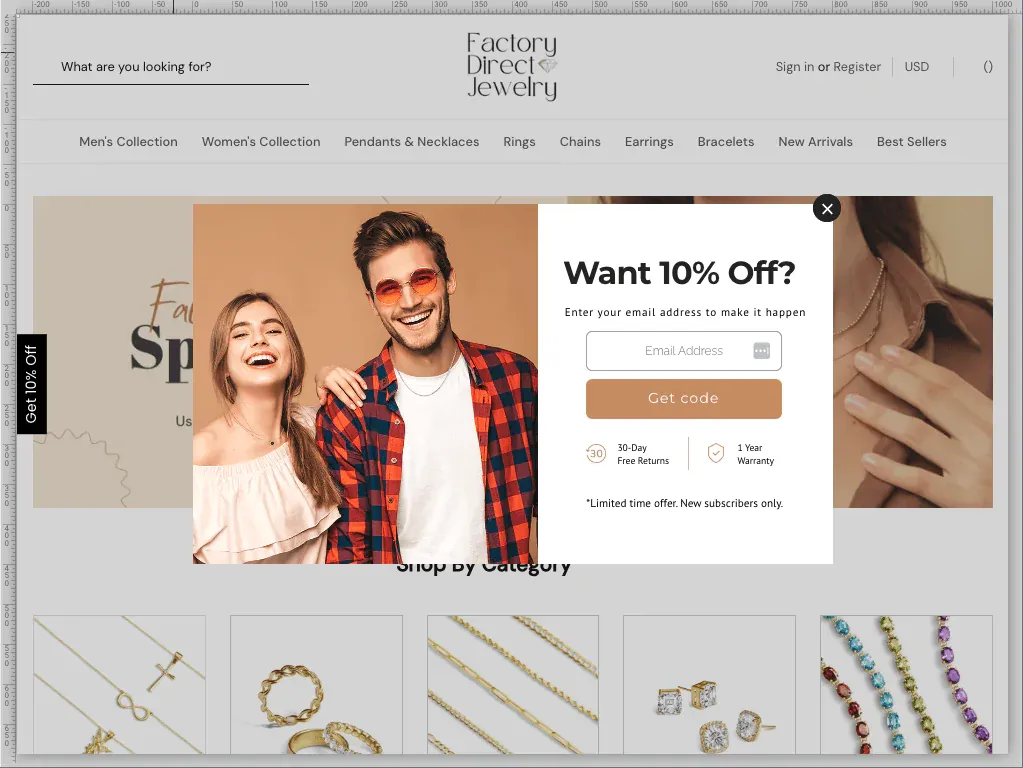
Then put three automated flows to work. You set them up once and they earn money every day:
Next, segment your list. Send new arrivals to engaged buyers, win-back offers to shoppers who haven’t ordered in 30+ days, and VIP perks to your top spenders. Segmented sends earn far more than one blast to everyone. Klaviyo and Omnisend are the two go-to apps for this. We return to these flows in Lever 4.
A recommendation from a third party converts because the trust is already there. Three programs do the heavy lifting.
SEO brings free traffic, but it takes 3–6 months to grow. The fastest way to win is to pick the right keywords.
Don’t chase broad, common keywords like “running shoes.” Big brands own them, and most of the people searching are just browsing. Target long-tail keywords instead. These are longer, more specific phrases, like “waterproof trail running shoes for men.”
Long-tail keywords work better for two reasons. They have less competition, so a small store can actually rank for them. And the person searching knows exactly what they want, so they buy more often.
To find them, start with Google itself. Type a word into the search bar and read the autocomplete suggestions, then check the “People also ask” box. You can also use a keyword tool like Ahrefs, Semrush, or Google Keyword Planner. And look at your paid search reports: the terms that convert there are the best ones to target for free with SEO.
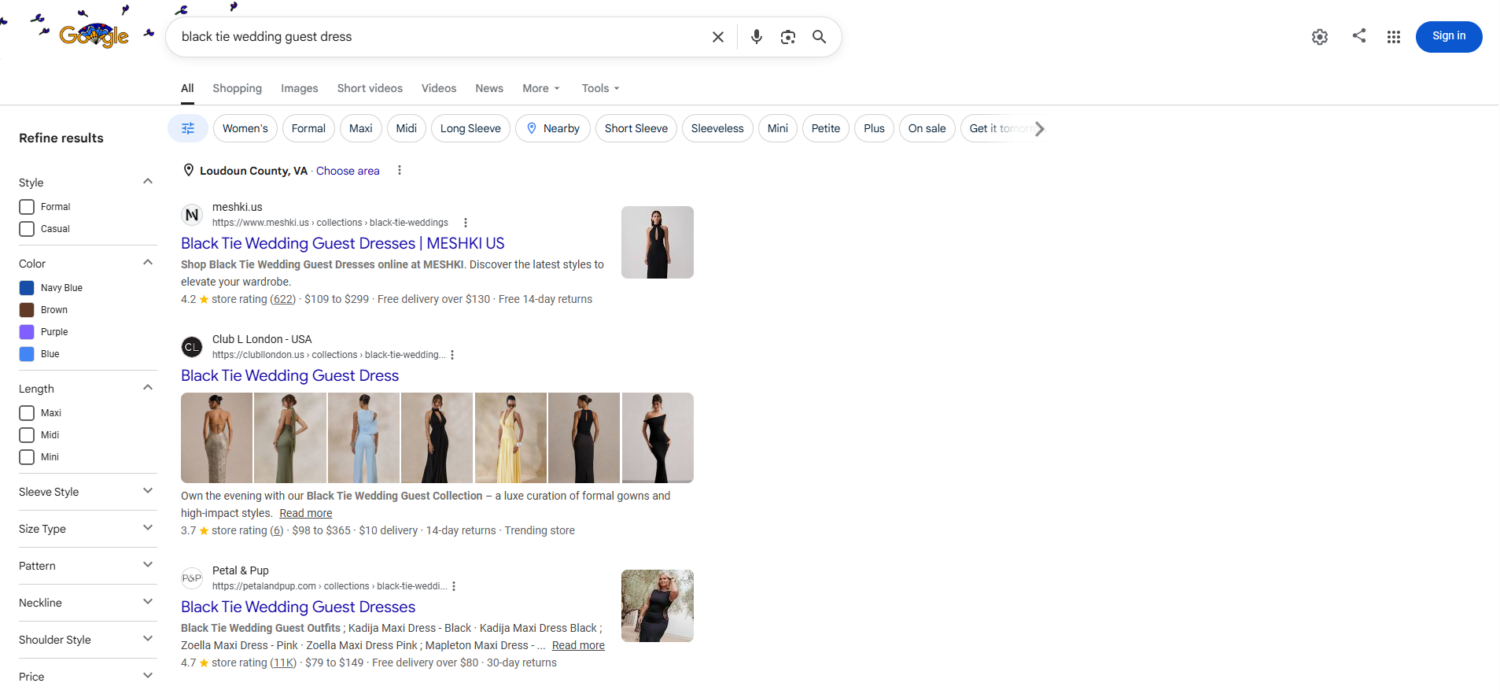
Then optimize one page for each keyword. Put the keyword in the page title, the main heading, the meta description, the URL, and the image alt text. Write your own product copy, not the manufacturer’s, because copied text rarely ranks. Add reviews and a short FAQ to the page to keep it fresh. Our guides on product page optimization and product descriptions show how.
Paid search reaches people already searching to buy. It works fast, but you pay per click, so a tight setup protects your margin.
Start with Google Shopping and Performance Max, because they put your products in front of active shoppers. Your product feed does the selling, so make titles accurate and keyword-rich, use clean images, and include correct prices and product identifiers. Launch with your bestsellers and highest-margin products first.
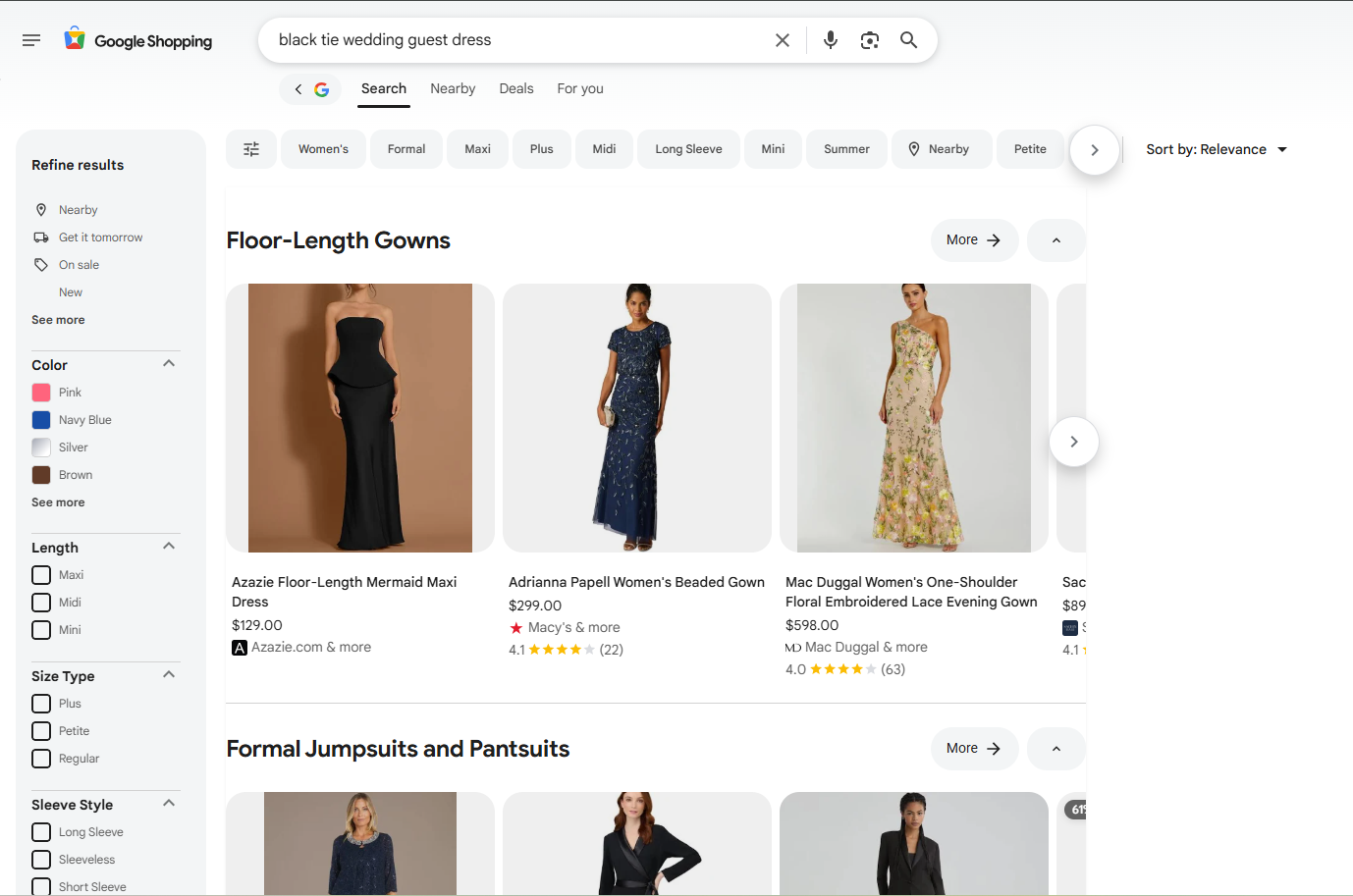
Then control your spend. Send each ad to the matching product or collection page, never the homepage. Bid on high-intent terms like “buy [product]” and your brand name. Add negative keywords to stop wasting budget on the wrong searches. Set a daily cap, watch your return on ad spend and cost per order, and pause what loses money fast. Layer in dynamic retargeting ads to win back people who viewed a product or left a full cart.
Social traffic rarely buys on the first click. Its job is to get you discovered. Retargeting then closes the sale.
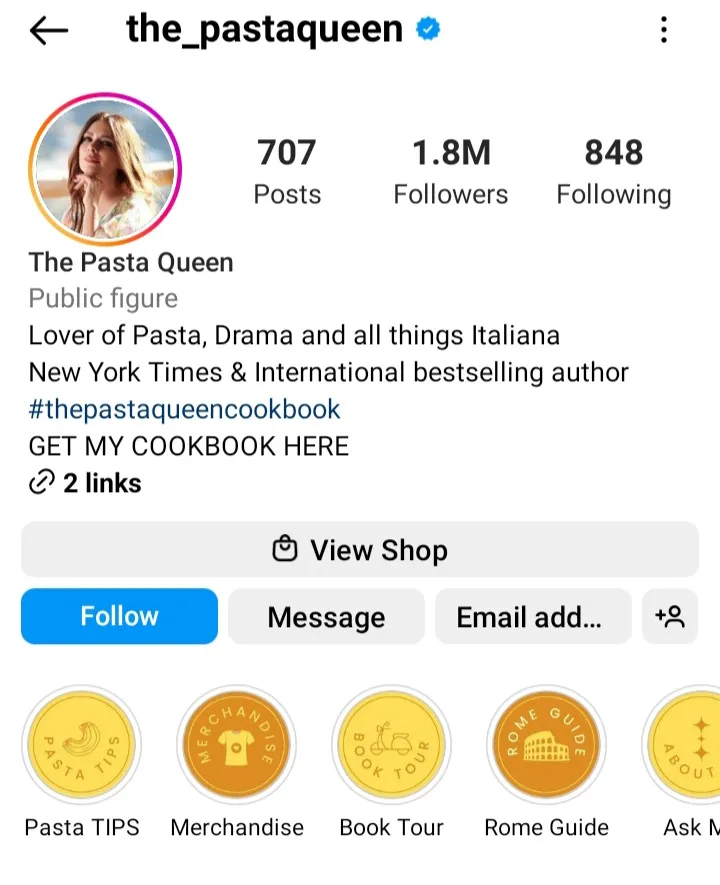
For most stores, Instagram and TikTok are the best channels. They are visual, and shoppers can buy without leaving the app. Pinterest works well for home, fashion, food, and DIY brands. Don’t try to be everywhere. Pick one or two channels where your customers already spend time.
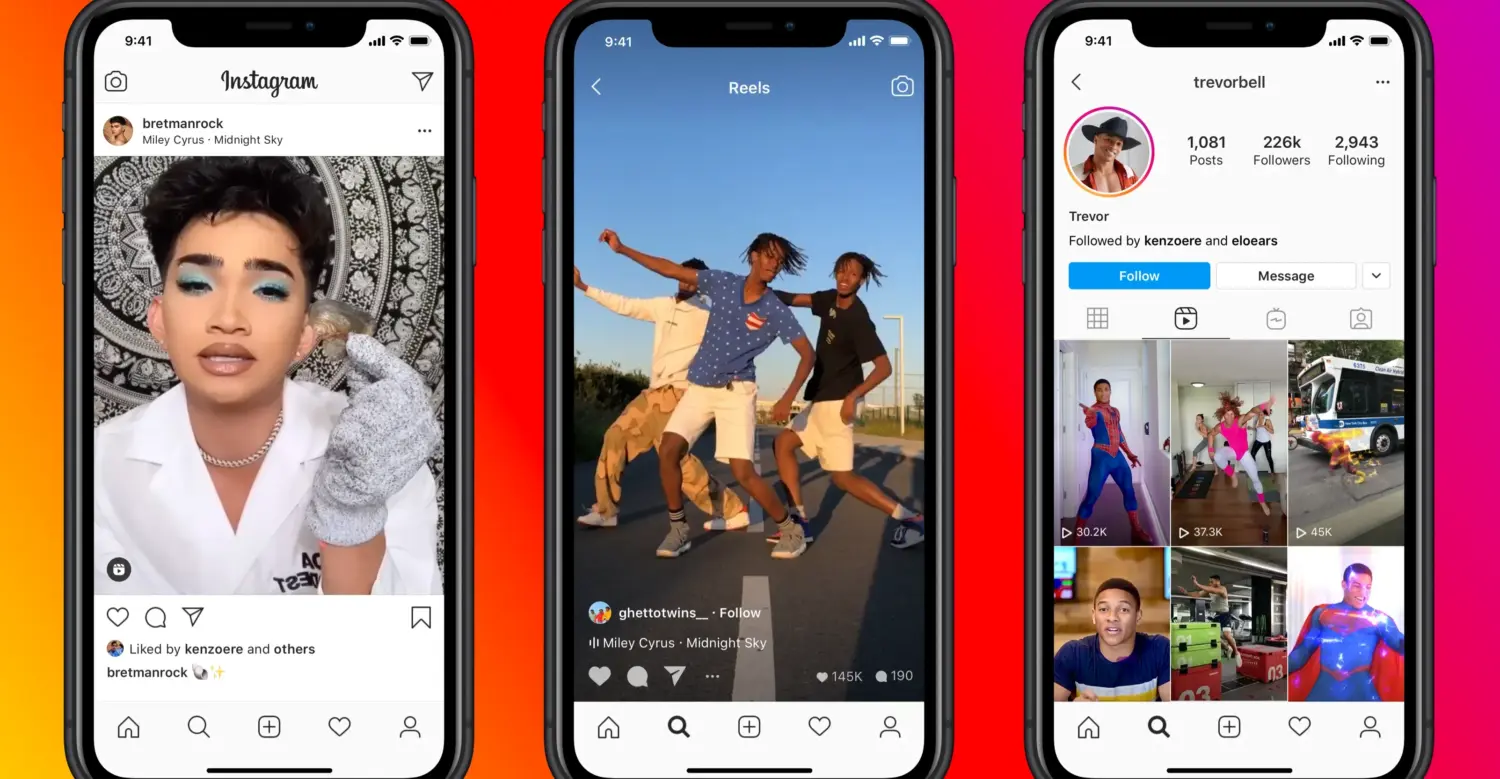
Some content types drive far more sales than others:
Turn on shoppable tags through Instagram Shopping and TikTok Shop so people can buy in-app. Keep a clean link in your bio that points to a collection, not the homepage.
The real money is in retargeting. Show product ads to people who viewed an item or left a full cart. They already know you, so they buy at a much higher rate.
Direct visits and AI referrals convert well, but you can’t buy them. They grow as your brand grows.
Direct traffic comes from people who already know you. Earn it with a memorable name, steady branding, packaging inserts that bring buyers back, and regular email.
AI search is the newer piece, and it’s growing fast. Over the 2025 holiday season, AI-driven traffic to retail sites jumped 693% from the year before, and those AI referrals converted 31% better than other sources, per Adobe. The raw numbers are still small, but shoppers now ask tools like ChatGPT, Perplexity, and Google’s AI Overviews for product picks, and that traffic arrives ready to buy.
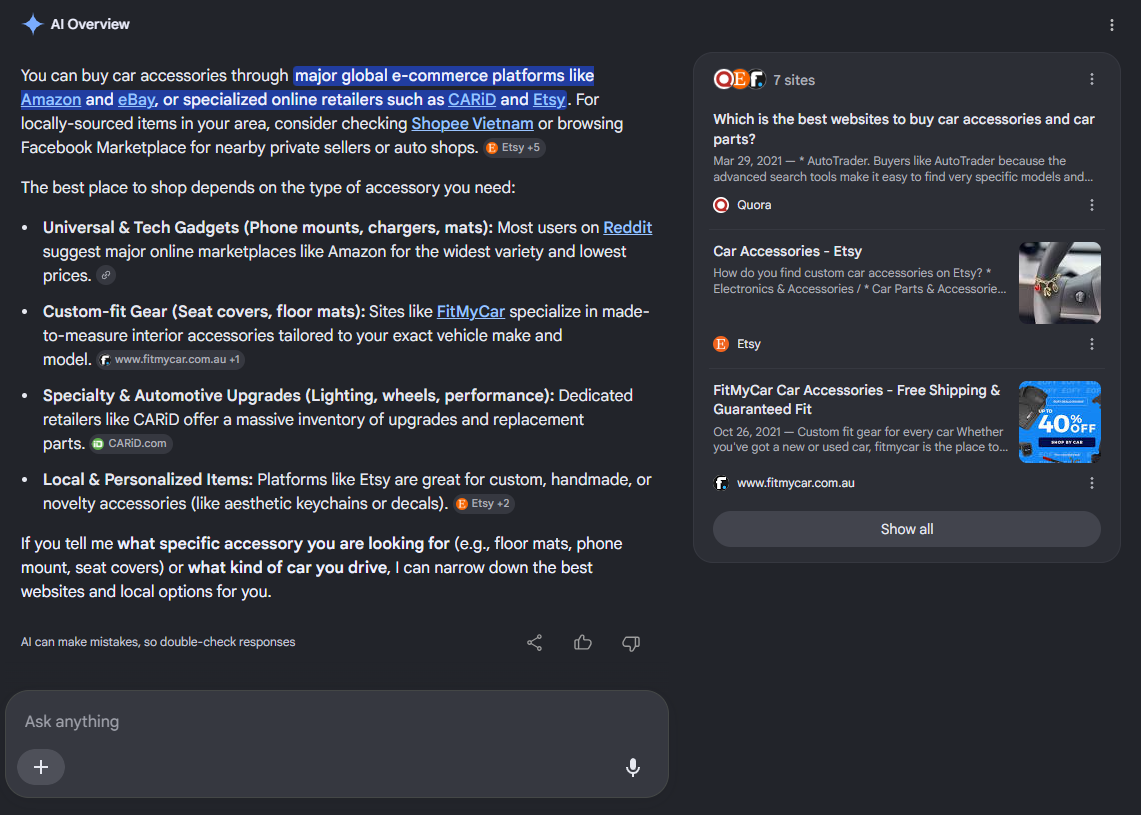
The good news: you don’t need a separate playbook. Google’s own guide to AI search says that optimizing for AI is mostly just good SEO. Three things matter most. Write unique, helpful content from real experience, not recycled summaries. Keep your site fast and easy for search engines to read. And list your products in Google Merchant Center so they can show up inside AI answers.
Agentic commerce is the newest sales channel, and it converts better than almost any other. It goes one step past AI search. Instead of the AI sending a shopper to your store, the AI agent does the shopping itself. It finds the product, compares options, and completes the checkout, all inside a conversation in tools like ChatGPT, Google’s AI Mode, Gemini, and Microsoft Copilot.
The growth is steep. Shopify reports that in early 2026, AI-driven traffic to its stores grew 8 times in a year, orders from AI searches grew nearly 13 times, and new buyers ordered through AI channels at nearly twice the rate of other channels. That last number is why this belongs near the top of the list: these shoppers buy at roughly double the rate, because the agent brings them in ready to purchase.
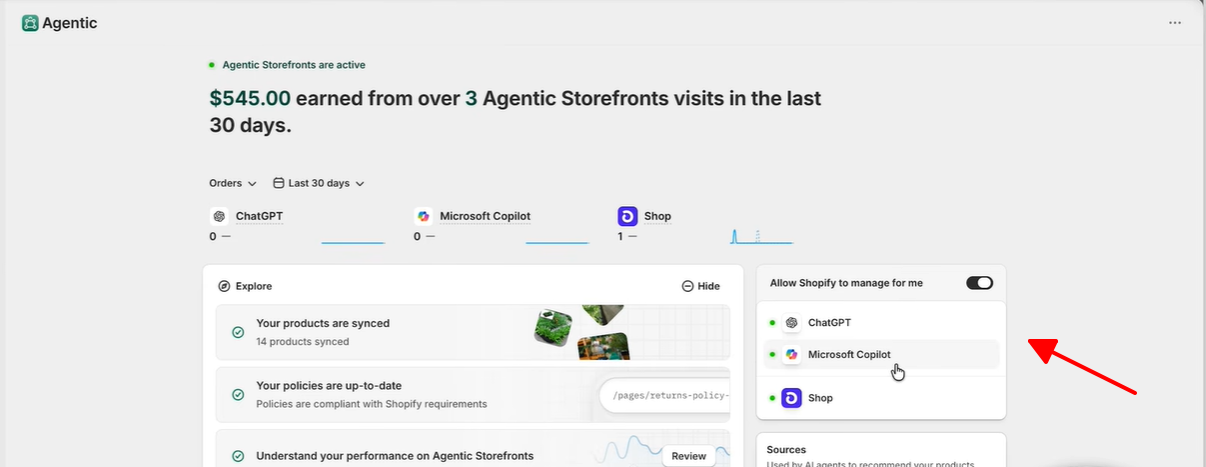
Shopify has built the setup for you, so you don’t need to code anything. A few steps get you ready:
Agentic Storefronts went live for all US merchants in March 2026, so this is a channel you can switch on and measure today. Our Shopify’s getting-started guide walks through the setup.
Selling in more countries opens demand you don’t have today. Shopify Markets handles much of the setup.
Add multi-currency pricing so shoppers see local prices. Translate your product pages, reviews, and checkout. Offer the payment methods each region prefers, like Klarna in Europe or local wallets in Asia. Adjust shipping rates and delivery times by destination, and check local tax and compliance rules. Start with one or two markets close to your existing demand so you grow without spreading thin.
This is conversion rate optimization, and it’s usually the fastest win. You already paid for the traffic. Now stop it from leaking. Our CRO guide has the full process.
Speed is money. A faster store sells more.
Google and Deloitte’s Milliseconds Make Millions study found that a 0.1-second speed improvement lifted retail conversions by 8.4% and order value by 9.2%. And 53% of mobile visitors leave a page that takes over 3 seconds to load, per Google’s research.
First, test your own store. Open it in an incognito or private window, so saved data doesn’t hide the real speed, then see how long it takes to load on your phone. Run it through Google’s free PageSpeed Insights tool too. It gives you a score and a list of exactly what to fix.
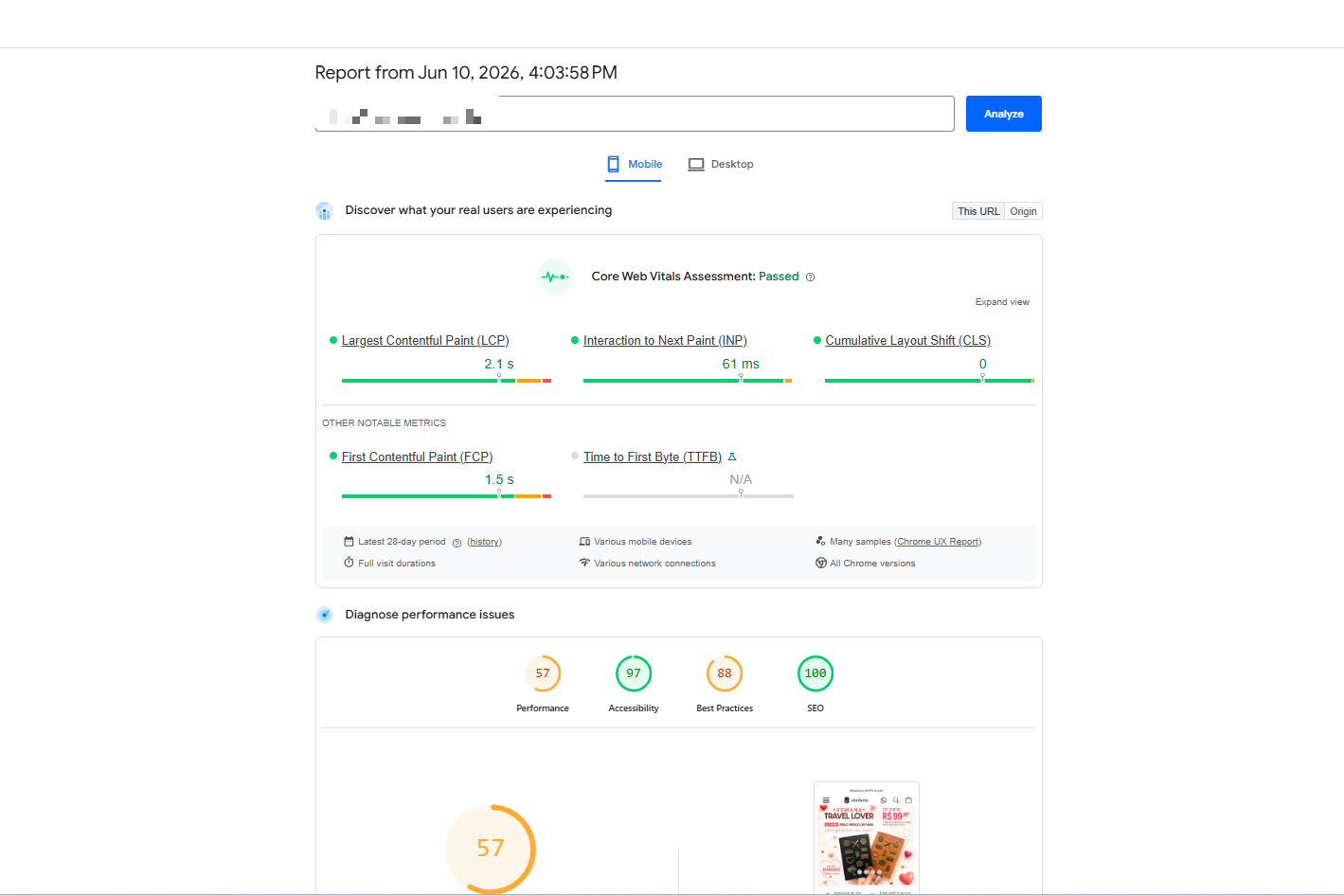
On Shopify, two things slow most stores down: heavy images and too many apps. So fix those first. Compress and resize your images, and use an image app to do it automatically. Then delete any app you no longer use, because each one adds code that drags the page down. Pick a fast, lightweight theme. Skip auto-playing videos and big image sliders on your homepage. And let images load as the shopper scrolls, not all at once. Aim to load in under 3 seconds, especially on mobile. Our image optimization guide helps here.
Every shopper asks one question: why you, and not someone else? Answer it fast, and answer it clearly.
This matters more than most stores think. 88% of shoppers say product content plays a major role in their purchase decision, and 45% will walk away from a sale if they don’t trust the brand, per Salsify.
Lead with the benefit, not the spec. “Keeps drinks cold for 24 hours” sells better than “double-walled steel.” Put your main reason to buy near the top of the page, where shoppers see it without scrolling.
Then back it up. Add proof like star ratings, review counts, or “10,000 sold.” Make the value easy to see: a free gift, free shipping over a set amount, or money saved in a bundle. Offer a clear guarantee or easy returns so buying feels safe.
Keep this message the same across your homepage, product pages, and ads. A clear, steady offer builds trust and turns more browsers into buyers. A Shopify announcement bar keeps that offer in view on every page, so no visitor misses it. Our product descriptions guide shows how to write copy that sells.
The product page is the most important page in your store. It’s where shoppers land, decide, and buy. Most of your sales happen here, so this is the page to get right first. Many high-intent shoppers reach it by typing into your Shopify search bar, so make sure that path is fast and prominent. Others arrive by browsing your collections, so keep those well organized too.
A few elements do most of the selling. Start with these:
Then remove the doubts that stop a sale. Answer the questions shoppers ask before buying: sizing, materials, delivery time, and how to use the product. A short FAQ on the page handles most of these. Add trust signals near the button too, like your returns policy, shipping details, and secure-payment badges.
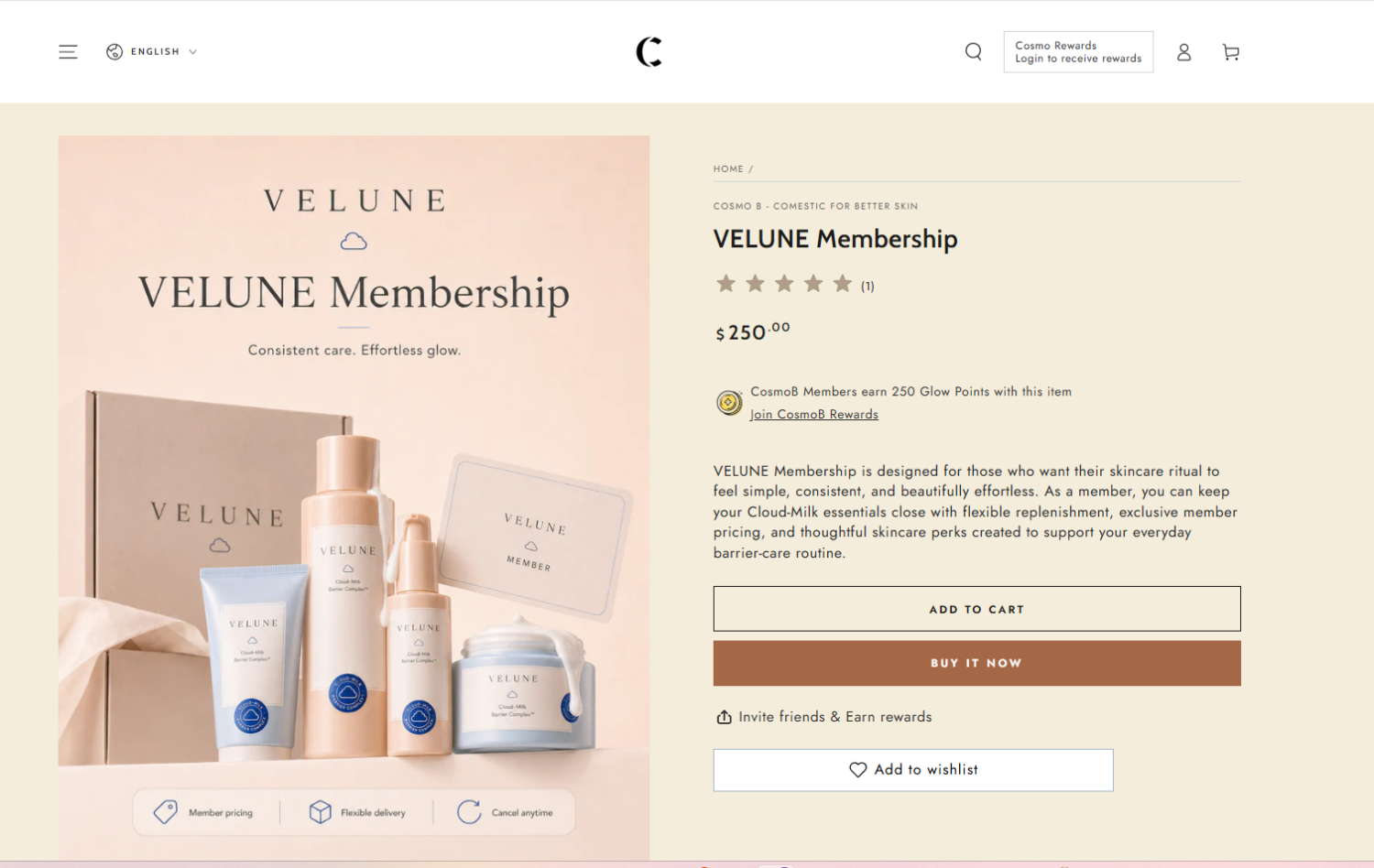
Two more wins. Suggest related products with a “frequently bought together” section to lift the order size. And always check the page on your phone, because most shoppers are on mobile. The buttons should be easy to tap, and the images should load fast. Our product page optimization guide has the full checklist.
Shoppers trust other shoppers more than they trust you.
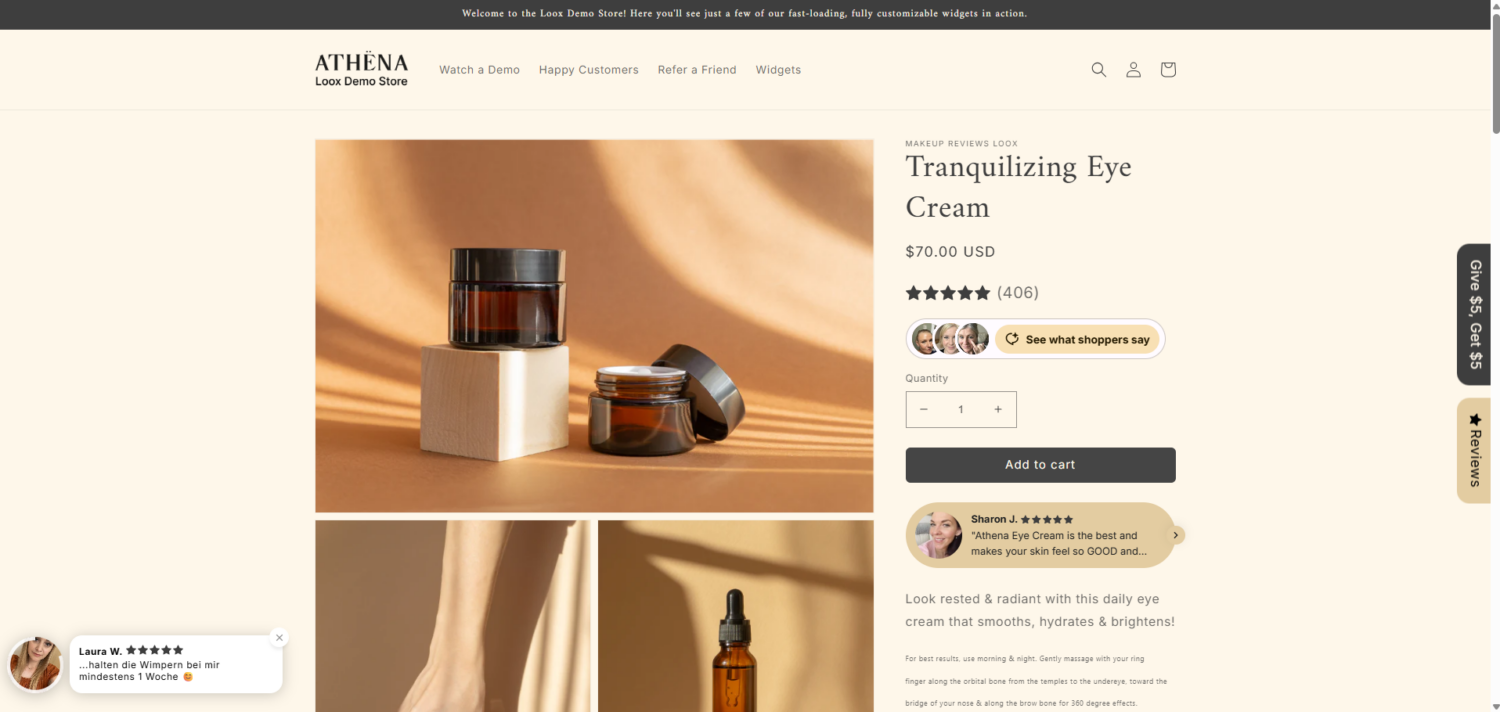
A product page with five reviews can convert up to 270% better than a page with none, according to Northwestern’s Spiegel Research Center. The lift is even bigger on higher-priced items, and most of the gain comes from the first five reviews. Verified-buyer badges raise purchase odds by about 15%. Hand-picking your strongest reviews into customer testimonials lets you place that proof exactly where shoppers hesitate.
One tip: aim for a 4.0–4.7 star average, not a perfect 5.0. Shoppers find flawless ratings suspicious. Our social proof guide goes deeper.
About 70% of carts get abandoned. Baymard Institute also found that better checkout design can lift conversions by about 35%.
So cut the friction. Enable Shop Pay and express checkout. Offer guest checkout. Ask for the fewest fields possible. Add buy-now-pay-later options. To optimize your checkout page for more conversion, read our checkout optimization guide.
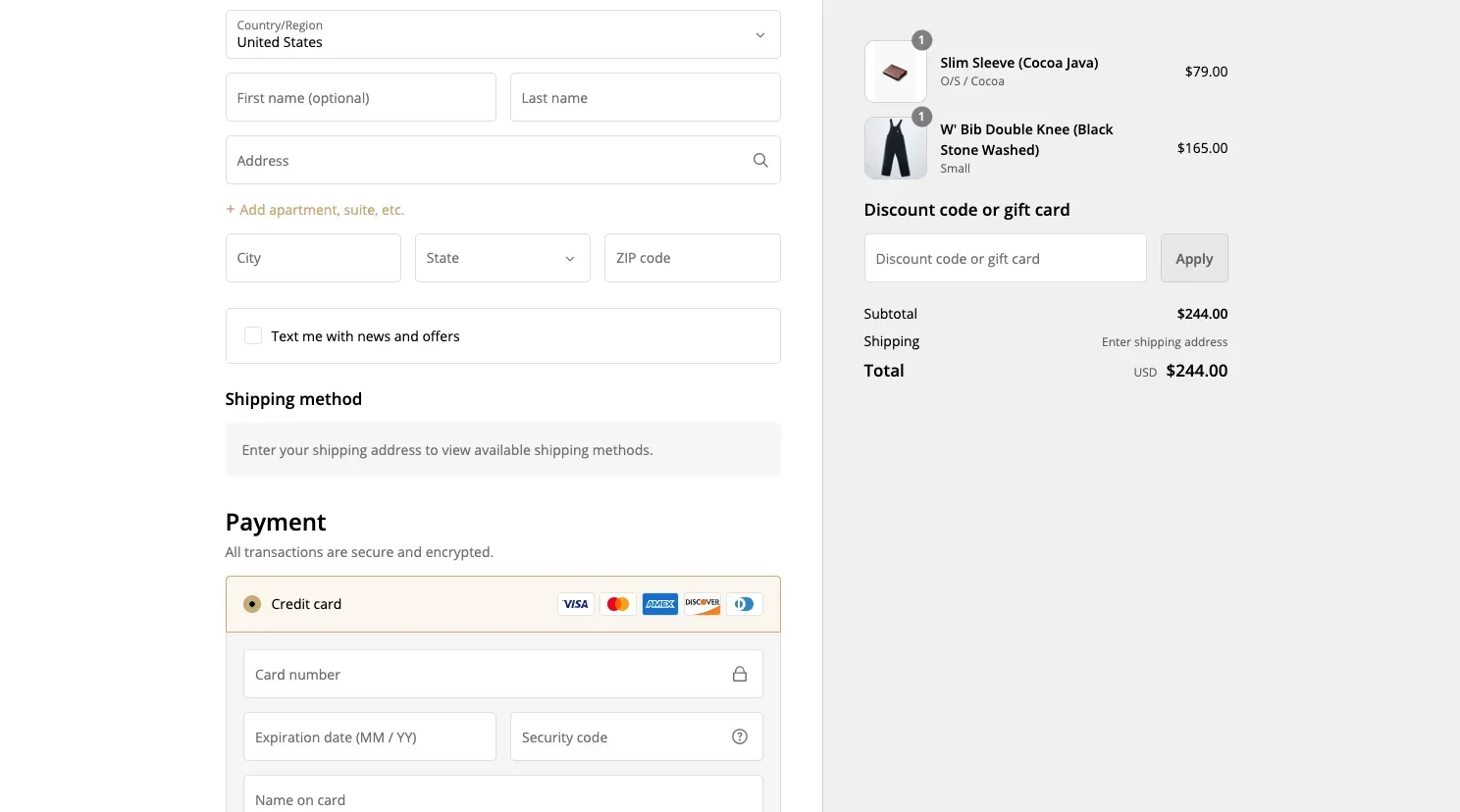
One timing note: Shopify Scripts is going away. Editing locks on April 15, 2026, and execution stops on June 30, 2026. If you customize your checkout, move to Checkout Blocks and the Cart and Checkout Validation Function API.
One of the top reasons that make your customers quit at checkout is Unexpected costs. Extra fees like shipping are the number one fixable reason for abandonment in Baymard’s research.
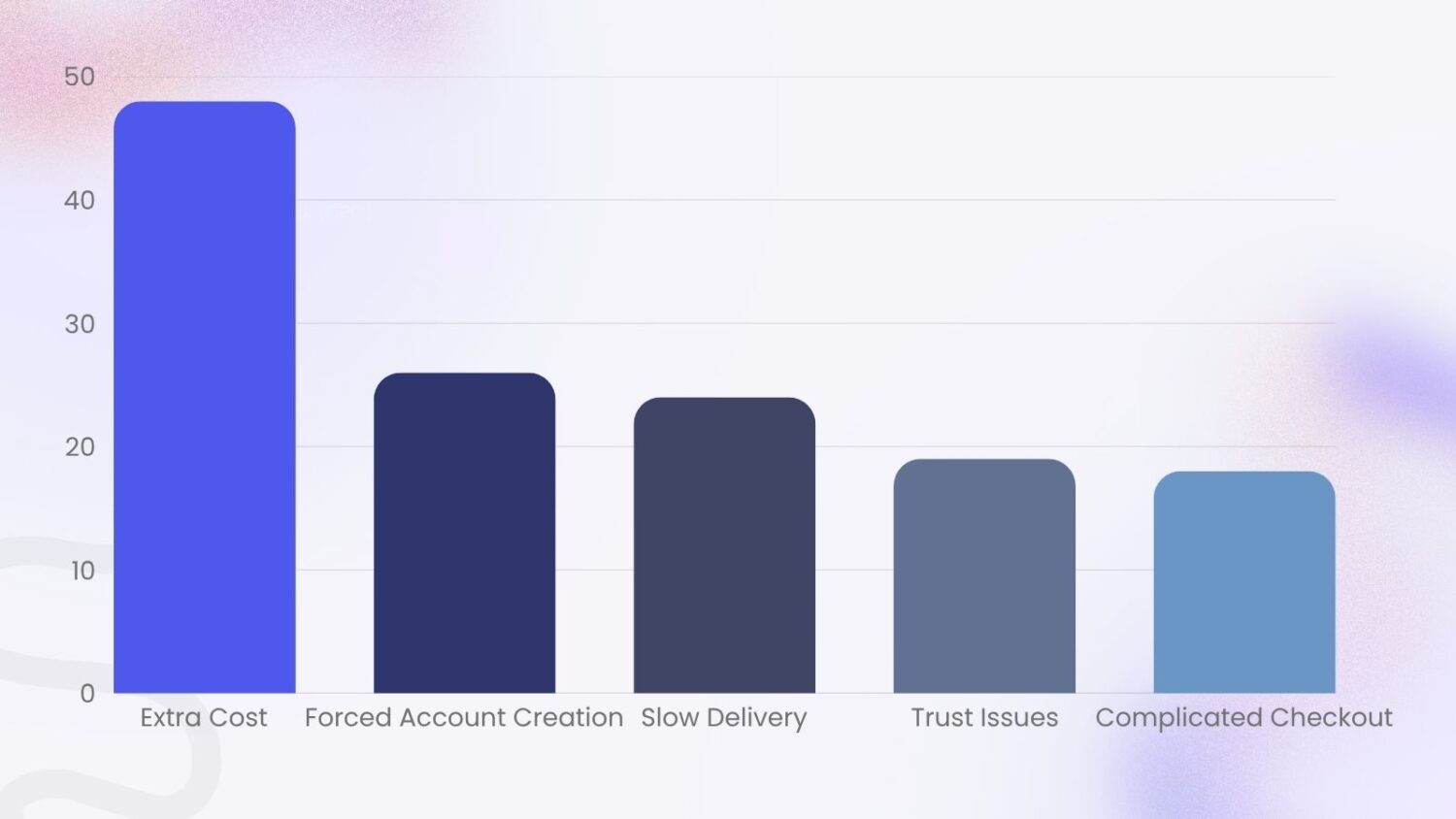
This is where promotions become a conversion tool, not just an AOV tool. A free shipping bar that says “You’re $12 away from free shipping” removes the surprise and pushes the order forward. A gift with purchase does the same, because it adds value instead of cost.
Some shoppers like your product but still hold back. A few small things push them to buy.
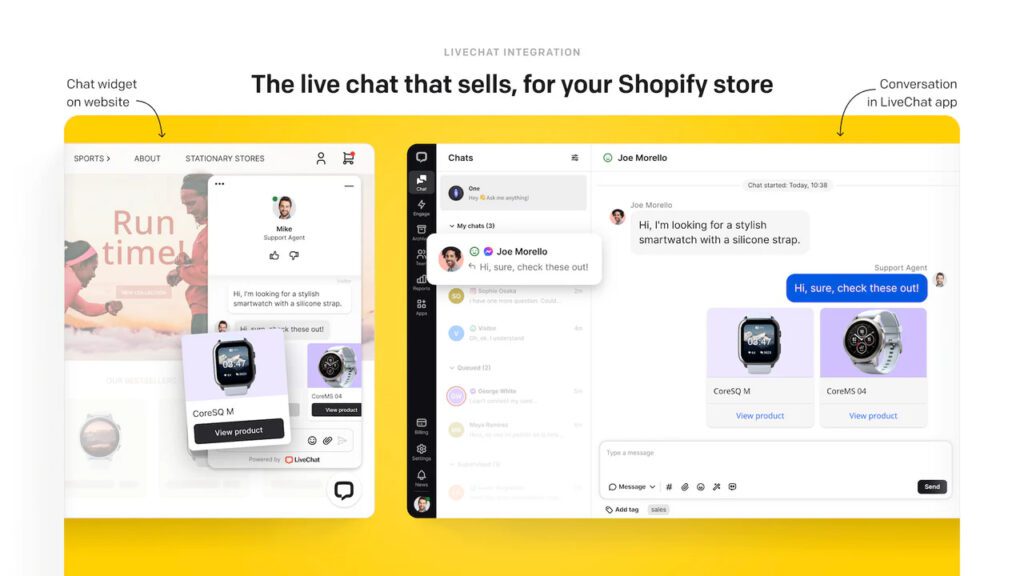
Show a clear returns policy. When returns feel easy, people buy with less fear. Add trust badges near the buy button, like secure-payment and money-back-guarantee icons. Offer live chat so shoppers can get a quick answer instead of leaving; our guide on how to add live chat shows the three ways to set it up. And use honest urgency, like a “low stock” label, but only when it’s true.
Here’s the lever almost every competitor ignores. You don’t need more visitors to make more money. You need each order to be bigger.
This is our specialty, so let’s go deep. Our AOV guide has even more.
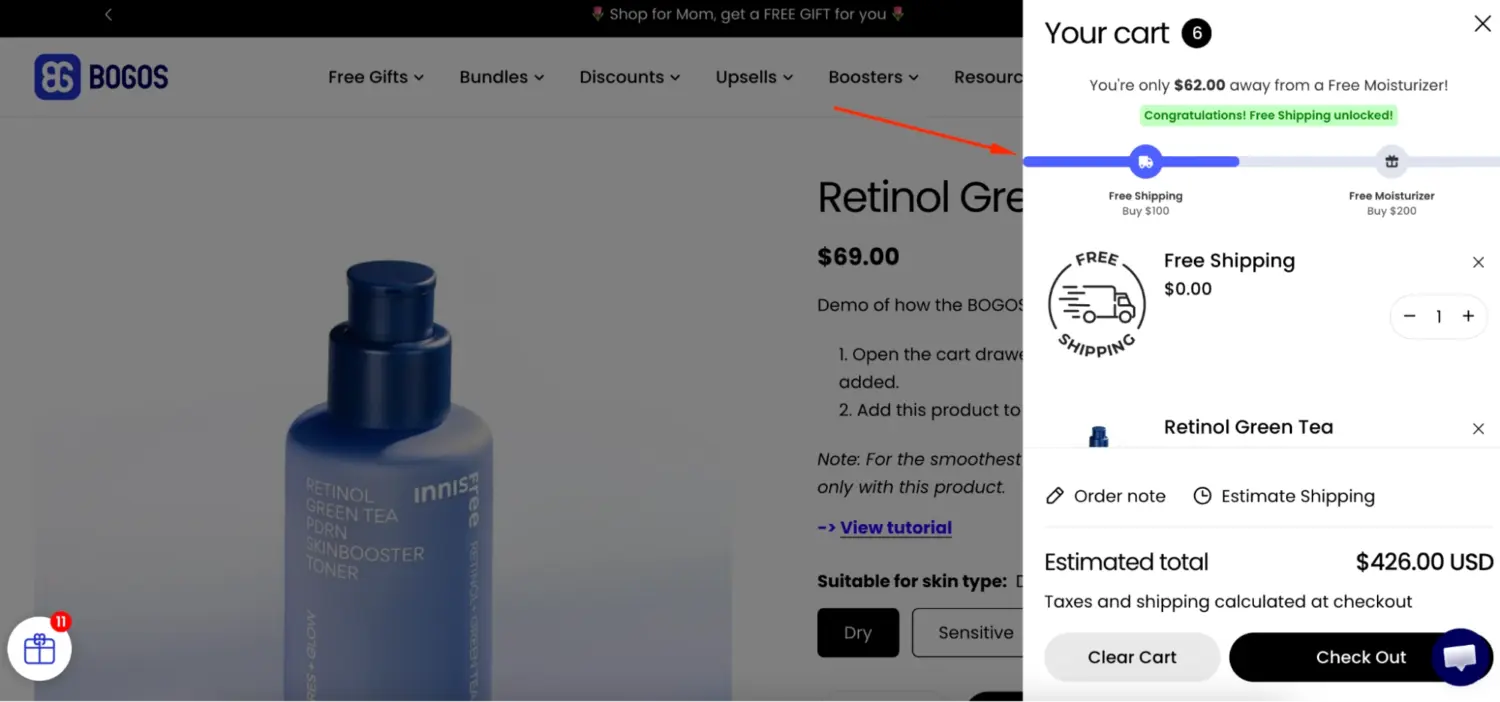
A free shipping threshold is the single fastest AOV win. Set a minimum order value to unlock free shipping, and shoppers add items to reach it.
About 93% of shoppers will shop to qualify for free shipping, and the tactic lifts average order value by roughly 15–20%, per Capital One Shopping’s research.
Set your threshold 15–30% above your current AOV. If your AOV is $65, set free shipping at $75–$85. Then show a progress bar so shoppers see how close they are. To set a free shipping threshold, read this guide: How to Create Shopify Free Shipping Over Amount?
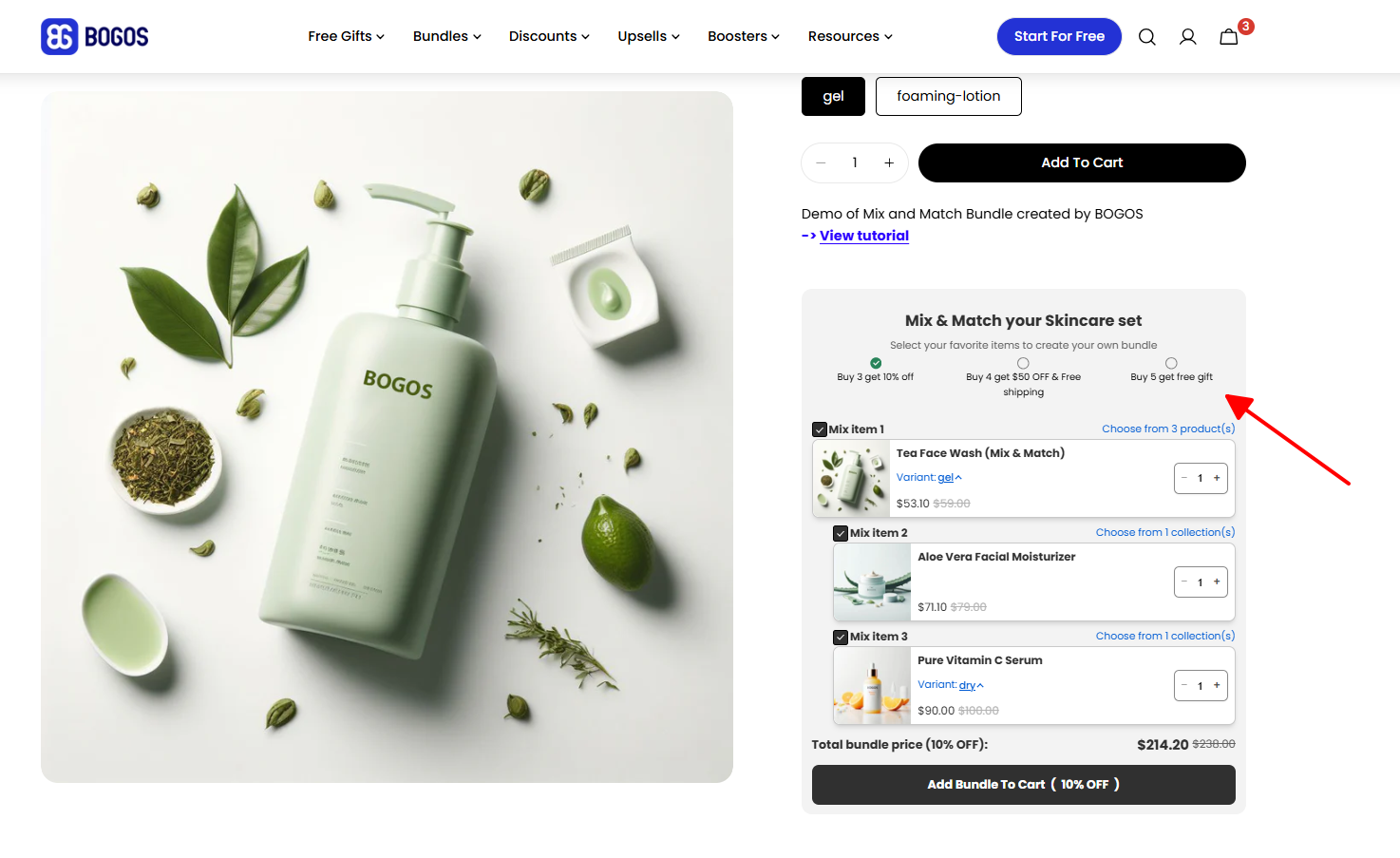
Bundles make it easy to buy more in one click. Pair products that go together and price the set below buying each item alone.
A few bundle types work well, depending on your products:
Price the bundle a little below the cost of buying each item alone. A 10–15% saving is usually enough to nudge the shopper, and the bigger order more than makes up for it. Our Shopify product bundles guide explains everything you need to know to do bundles on Shopify
Recommend the right product at the right moment and carts grow.
Recommendation engines are powerful. McKinsey found that personalized recommendations most often lift revenue by 10–15%. Here are a few high-performing pages you can showcase upsell & cross-sell offers:
Two rules keep this working. Keep every offer relevant to what the shopper is buying. And keep it to one or two offers, because too many cause fatigue and decision paralysis
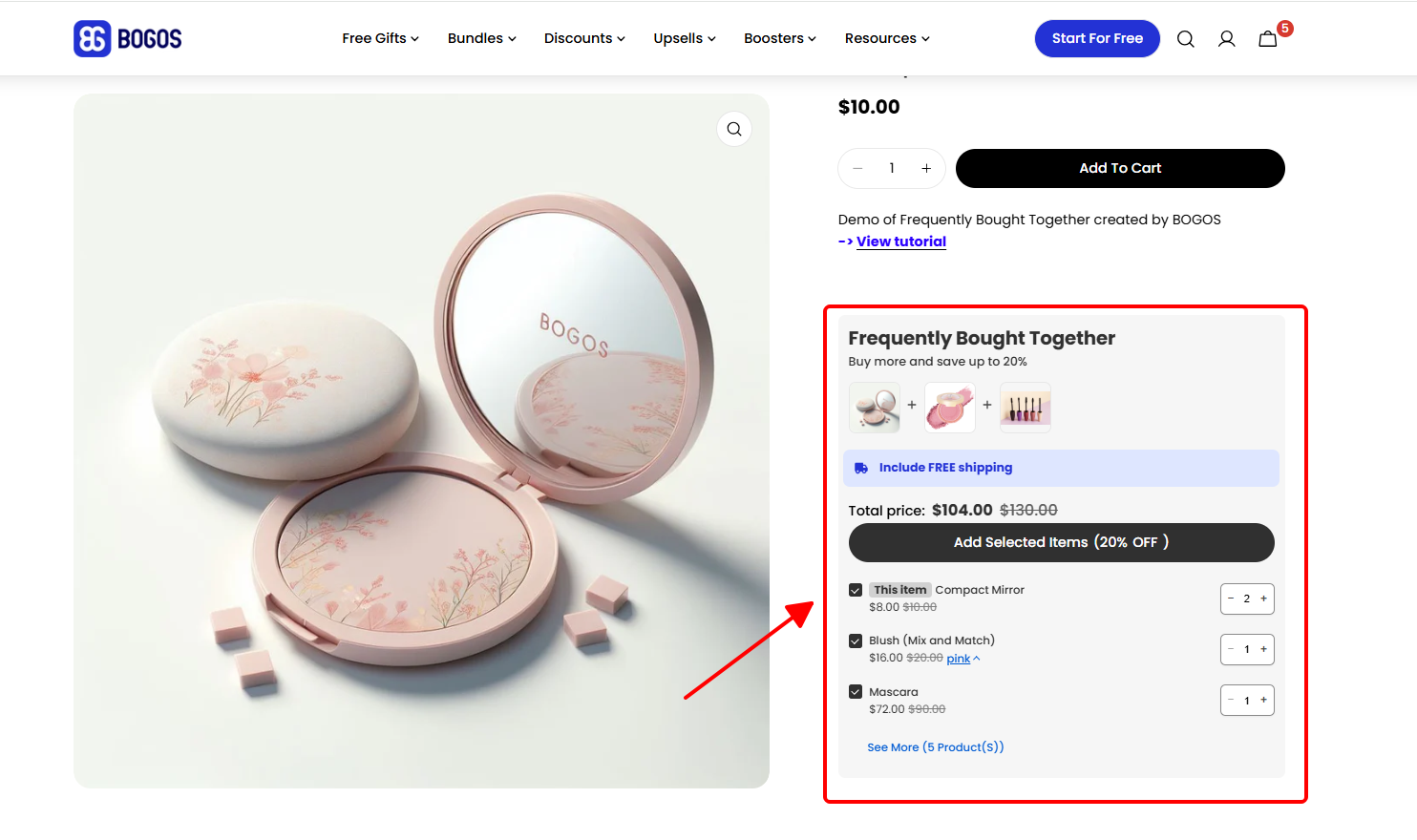
Tiered gifts turn “spend more” into a game shoppers want to win.
Try this: spend $60, get Gift A; spend $100, get Gift B; spend $250, get Gift C. Each tier pulls the order higher. It rewards your best customers without slashing prices. Combine it with a progress bar so customers know exactly how much they have to spend to earn a free gift.
“Buy more, save more” gives shoppers a reason to add extra units in one order. It works best for products people use up or stock up on, like skincare, supplements, coffee, pet food, or socks. It’s also a natural fit for wholesale and B2B buyers.
Set clear price tiers that grow with the quantity. For example:
Make each step big enough to nudge the shopper, but small enough to protect your margin. Then show the saving right on the product page, like “Save 15% when you buy 5,” so the deal is impossible to miss.
Pair volume discounts with a minimum order quantity when it fits, for example to protect your margin on low-priced items or to set a floor for wholesale orders
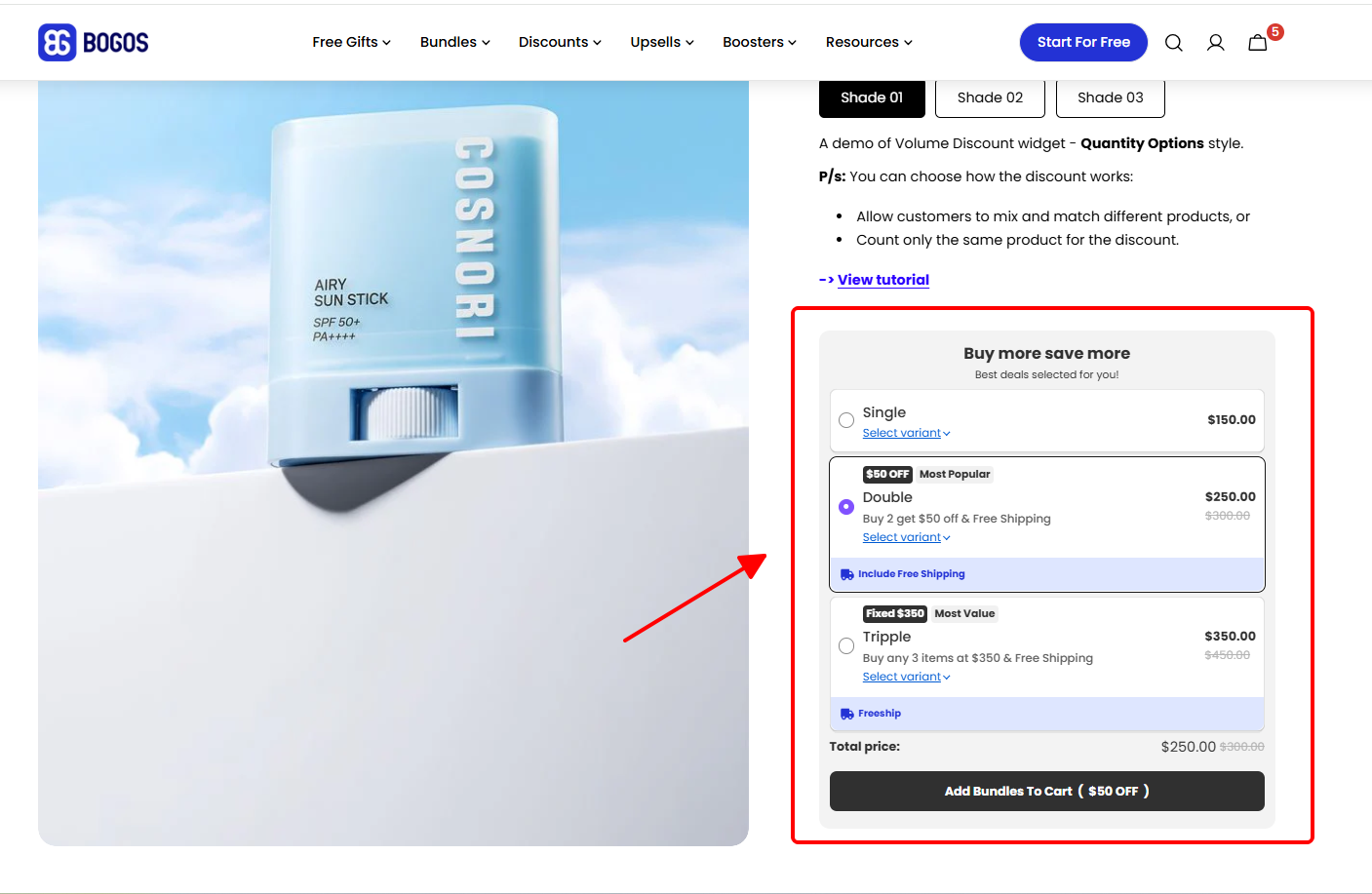
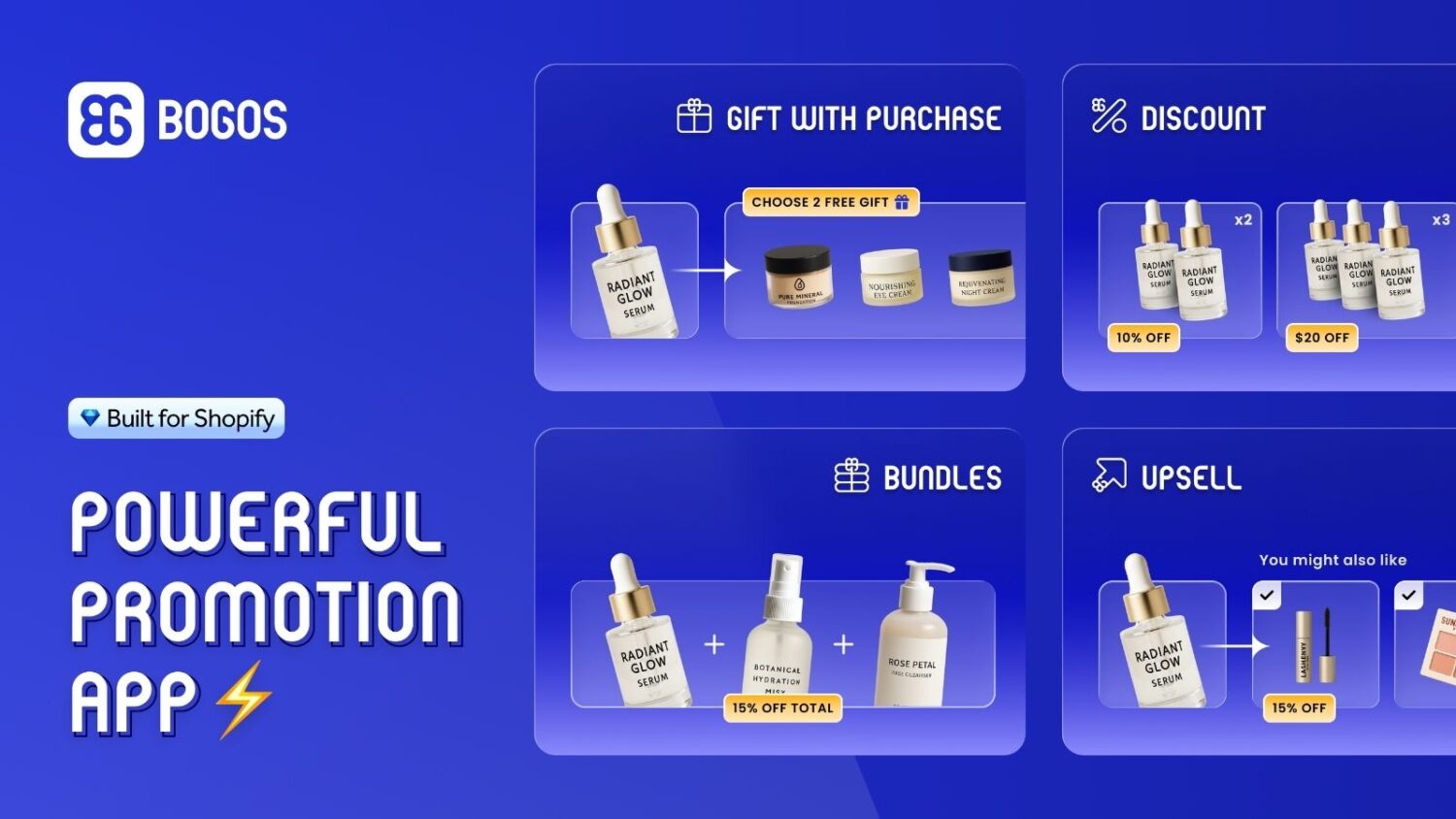
Each tactic works on its own, but they compound when you stack them. The catch is that running them often means juggling several apps that clash at checkout. This is where our app, BOGOS, comes in. It runs every AOV tactic in this section- free-shipping progress bars, bundles, upsells, cross-sells, tiered gifts, and volume discounts- from one place, so your offers work together instead of against each other.
A new customer is expensive. A repeat customer is cheaper and converts far better. This lever quietly compounds your revenue.
Most abandoned carts are recoverable. An automated email sequence brings shoppers back.
Abandoned-cart emails are the highest-converting flow you can run. Klaviyo’s analysis of 143,000+ flows found they place an order about 3.33% of the time, more than any other automated email, and Klaviyo recommends a 2–3 email sequence, which recovers far more than a single reminder. Add an SMS reminder for mobile-first shoppers.
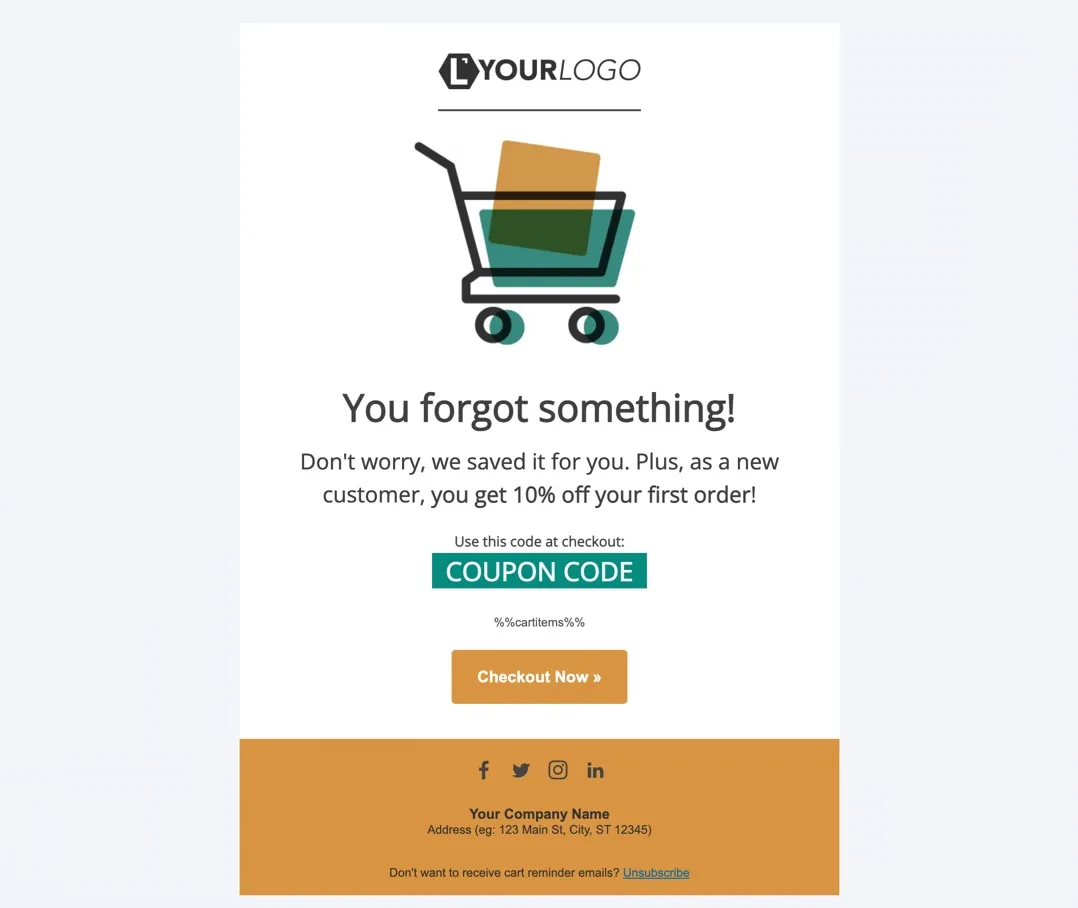
Set up three core flows and let them run. A welcome flow introduces your brand. A post-purchase flow asks for a review and suggests a refill. A win-back flow re-engages customers who’ve gone quiet.
A loyalty program gives shoppers a reason to come back to you instead of a competitor. And returning customers are worth keeping: they convert more often and spend more than first-timers.
Keep the setup simple. Give points for every purchase that shoppers can redeem for a discount or a free product. Add bonus points for actions that help you grow, like leaving a review, referring a friend, or following you on social media. For your best customers, add VIP tiers with perks like early access or free shipping.
The payoff is faster repeat buying. Smile.io’s own data shows that shoppers who use loyalty rewards come back to buy again 23% sooner. Promote the program on your site, in your post-purchase emails, and at checkout so shoppers know it exists.
The order isn’t the end. It’s the start of the next one. A smooth experience after checkout is what turns a one-time buyer into a regular.
Start with clear communication. Send an order confirmation right away, then shipping process and delivery updates, so shoppers never have to wonder where their package is. Make returns easy and honest, because a painless return builds the trust that brings people back. If you don’t know how to set up shipping on Shopify yet, read our detailed guide: How To Set Up Shipping On Shopify
Then keep the relationship going. A few days after delivery, send a short email that asks for a review and suggests a matching product or a refill. Add a thank-you note or a small surprise gift in the box to make the unboxing feel personal. Quick, friendly support when something goes wrong does the rest. Each small touch makes the next order more likely.
Some weekends do a month’s work. Black Friday and Cyber Monday are the clearest example.
Shopify merchants made a record $14.6 billion over BFCM 2025, up 27% from the year before. That demand is already there. Your job is to capture your share. Our Shopify Black Friday guide turns the whole prep into a 32-task checklist.
Seasonal events are not a fifth lever. They’re a chance to pull all four levers at once, under real urgency. Here’s how to prepare.
Don’t limit this to BFCM. Apply the same playbook to Christmas, Valentine’s Day, Mother’s Day, Father’s Day, back-to-school, and your own product launches.
Real result: During BFCM, Vesync Japan used BOGOS to generate over $100,000 in added revenue and a 128% jump in orders.
These mistakes quietly cost stores money. Skip them.
Don’t try everything at once. Follow this order.
Week 1 – Quick wins. Set a free shipping threshold 15–30% above your AOV and add a progress bar. Turn on a welcome popup to start capturing emails. Check your site speed.
Week 2 – Conversion. Add reviews to your product pages. Simplify your checkout and enable express payment. Write a clear returns policy.
Week 3 – AOV. Add a bundle or a cart cross-sell. Set up a tiered gift offer for bigger carts.
Week 4 – Retention. Build your three core email flows: welcome, abandoned cart, and post-purchase. Plan your next seasonal campaign.
Measure before and after each change. Keep what works. Drop what doesn’t.
More sales on Shopify come down to four levers: traffic, conversion rate, average order value, and repeat purchases. You don’t need all four at once. You need to find your weakest one and fix it.
Start there. Get more qualified visitors, convert more of them, grow each order, and bring buyers back. Then do it again before your next big season.
The fastest gains usually hide in conversion and AOV, the two levers most stores ignore. That’s exactly where promotions like free-shipping thresholds, bundles, and gifts earn their keep, and where our app, BOGOS, helps merchants turn more visits into bigger orders. Pick one change from this guide and start this week.
This is a conversion problem, not a traffic problem. The usual causes are a slow site, a confusing checkout, weak product pages, or no trust signals. It can also be the wrong traffic, meaning visitors who aren’t ready to buy. Check where shoppers drop off in your analytics, then fix that step first.
The average Shopify store converts around 1.4%. Strong stores reach 3.2% or higher. The global average order value sits near $145. But both vary a lot by industry and price point, so compare against your own past numbers, not just the average.
Focus on AOV and conversion. Set a free shipping threshold, bundle products, and add upsells to grow order value. Speed up your site, add reviews, and fix your checkout to convert more of the traffic you already have. Then build email flows to bring customers back. None of these require paid ads or margin-cutting discounts.
Website speed is much more important than anything. A slow-loading website results in higher bounce rates, with users abandoning your site before purchasing. Yo should aim for pages to load in under 3 seconds.

Shopify collections decide how shoppers find your products, yet many guides still describe a setup Shopify is now replacing....

A Shopify announcement bar is the thin strip at the top of your store that tells shoppers about shipping,...
Australia is one of the first markets many Shopify stores expand into. It is large, English-speaking, and home to...
