


Charlie Ngo
•
Last updated: 23 October, 2026
Shopify Smart Collections: Setup, Conditions & 8 Examples (2026 Updated)
Shopify smart collections add and remove products for you based on rules, such as a tag, a price, or...

How To Set Up & Manage Shopify Returns (2026 Guide)

Marketing Manager
Summarize this post with AI
Returns are part of running any Shopify business. In 2025, shoppers returned 19.3% of everything they bought online, which means nearly one in five orders comes back.
That makes Shopify returns too costly to ignore. Handle them poorly, and you risk losing both the sale and customer loyalty since 71% of shoppers won’t buy from a store again after a bad return experience.
Shopify returns management is the end-to-end process of handling an item a customer sends back, from the return request to the refund, exchange, or restock.
How often you face a return depends on what you sell. Fit-driven categories like apparel see the most. Spec-driven and consumable categories see the fewest. Knowing your category’s normal range tells you whether your rate is healthy or worth a closer look.
| Category | Typical online return rate | Main reason |
|---|---|---|
| Apparel and fashion | 20-30% | Fit & sizing |
| Footwear | ~17-20% | Fit |
| Bags and accessories | ~12-19% | Look vs. expectation |
| Home and furniture | ~8-20% | High reverse-logistics cost |
| Electronics | ~8-15% | Defects, compatibility |
| Beauty and personal care | ~4-12% | Hygiene limits returns |
Return rates vary widely by source, methodology, and region. Ranges are compiled from multiple 2025-2026 industry datasets. The overall online average sits near 19.3% (NRF, 2025). Benchmark against your own category and history, not a cross-category average.
Most merchants see returns as a cost to contain. That view misses the bigger lever. A return is the last thing a customer remembers about you, so it shapes whether they come back. Handled well, it protects repeat purchases and lifetime value, which makes returns a real part of conversion rate optimization, not just a support task.
This is also where a return becomes an opportunity. A customer who just sent something back is one you can win back. Our app, BOGOS, helps merchants do exactly that: tag a returning customer and offer them a targeted incentive on their next order, turning a refund moment into a reason to shop again. More on the exact setup later.
A return starts one of two ways. You create it yourself in the admin, or the customer files it through self-serve. Both run on the same foundation: your return policy and the rules that enforce it. Set those first, then the day-to-day process runs smoothly.
Your return policy is the rulebook every return follows. Shoppers read it before they buy, so it shapes conversion as much as it shapes returns.
A vague policy costs you twice. Your team drowns in “can I return this?” tickets. Shoppers hesitate at checkout and leave, dropping your conversion rate.
A clear policy removes the doubt and gives customers the confidence to buy and answers six questions:
| Question | Your options |
|---|---|
| How long? | Your return window: 14, 30, or 60 days from delivery |
| What condition? | Unworn, tags on, original packaging |
| Who pays return shipping? | You, the customer, or free over a threshold |
| Which items are excluded? | Final sale, perishables, personalized goods |
| How are refunds issued? | Original payment, exchange, or store credit |
| How do customers start a return? | Self-serve, or contact you |
Writing a policy from scratch takes time, and missing a clause invites disputes later. Skip the guesswork and start from our Shopify return policy template, then adjust the six answers above to fit your store.
With your policy set, returns can begin. You have two ways to handle them: process each one manually or let customers start their own returns with Shopify native self-serve returns.
This method kicks off after a customer emails, calls, or asks in person. Here are the step-by-step instructions for this manual Shopify return process:
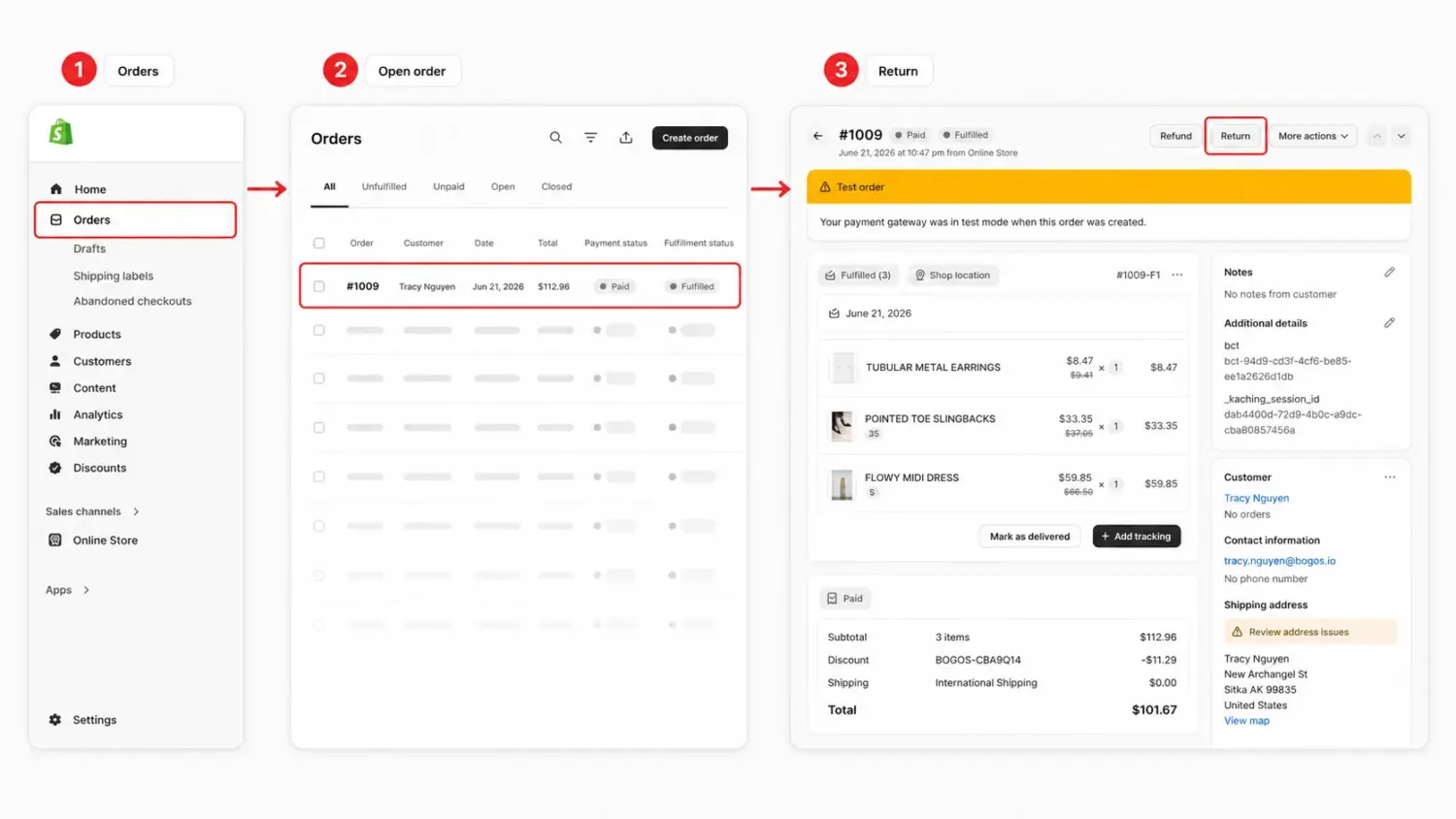
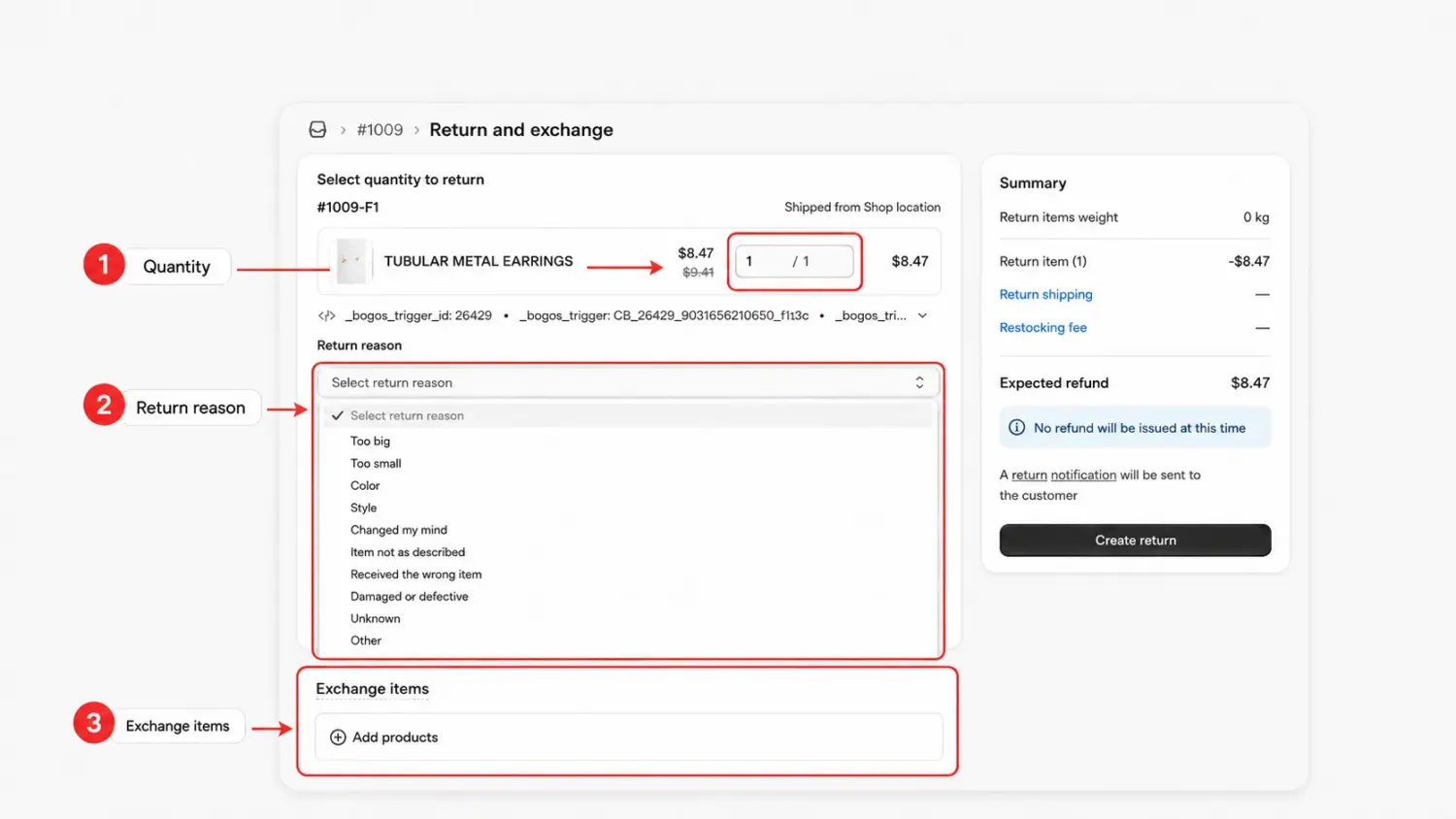
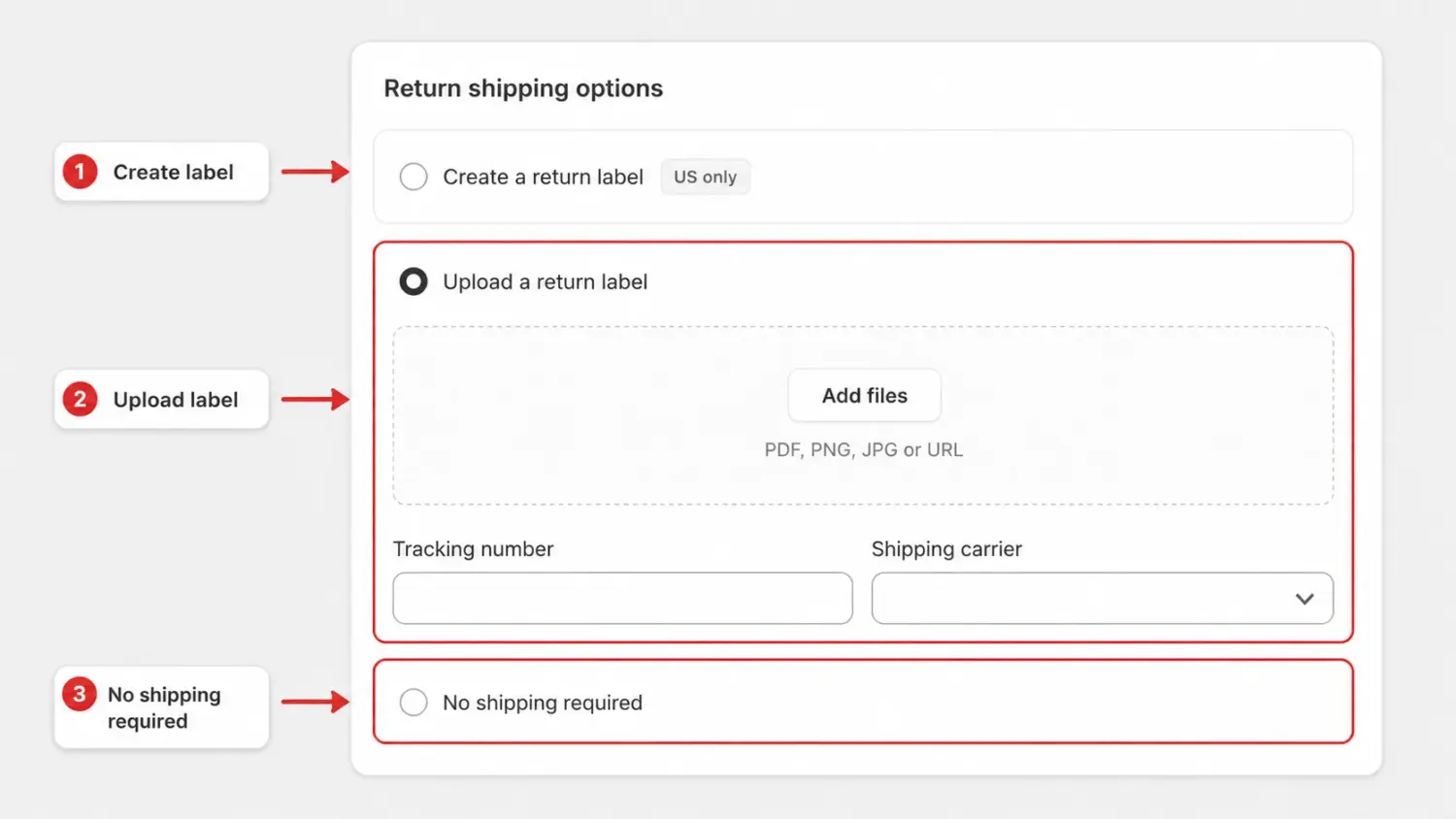
Option 1: Create a return label in Shopify to create a return shipping label for your customer
⚠️ Note: This option is available only if your primary location and customer shipping address are both in the United States.
Option 2: Select Upload a return label to upload an existing return shipping label for your customer.
⚠️ Note: You can upload a PDF, PNG, or JPEG file for your return label or add a return label URL. You can also enter a Tracking number and Shipping carrier.
Option 3: Select No shipping required to create a return without any return shipping information.
Creating the return only logs it. Once the item arrives and you’ve inspected it, process the return to close the loop:
Manual returns work at low volume. As orders grow, doing every return by hand eats your team’s time. Self-serve returns fix that by letting customers start the return themselves.
This is Shopify’s native returns portal, and it’s free. Turn it on in three moves:
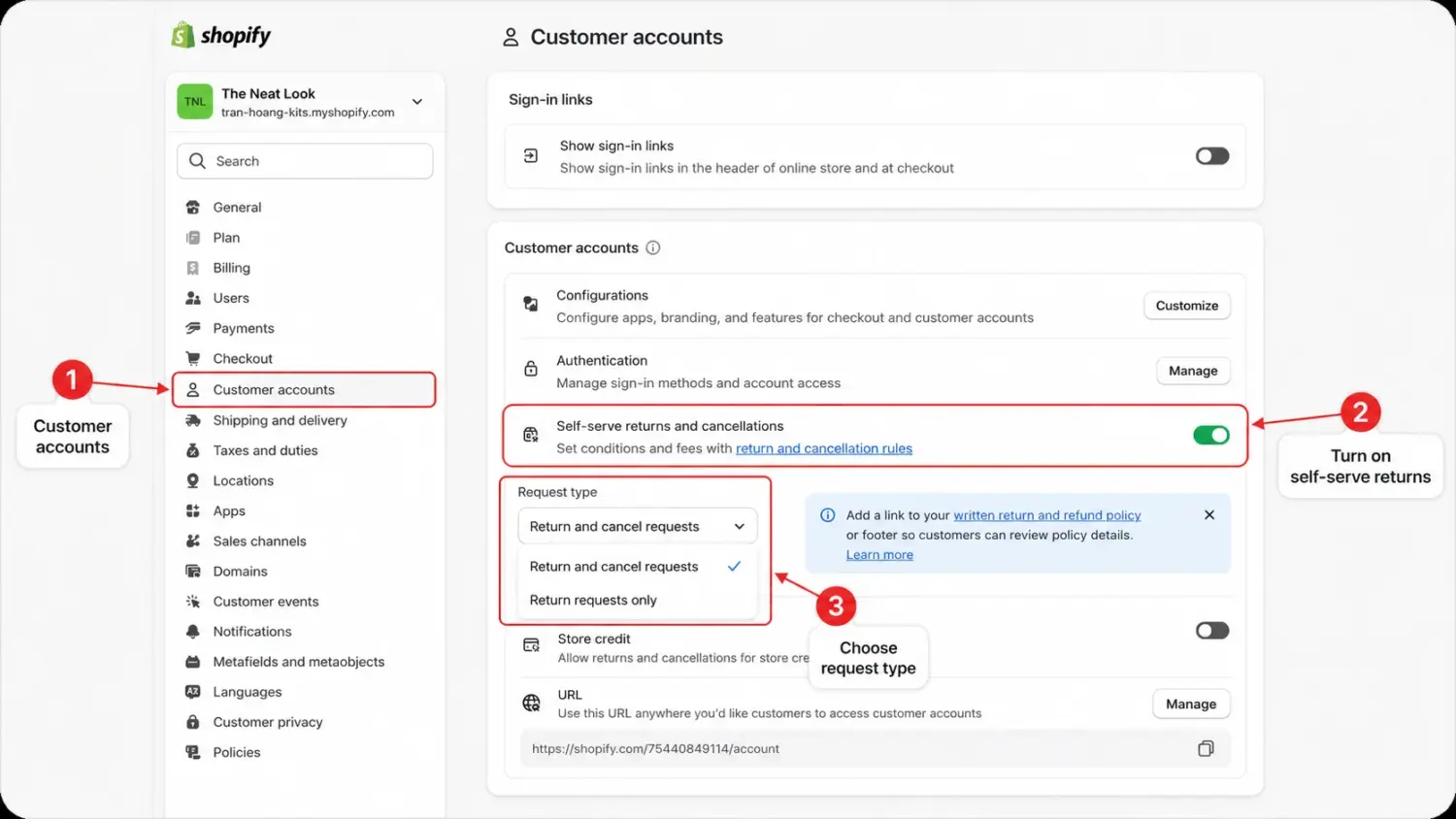
Once it’s live, customers open a return from their account or order status page. They pick the items, choose a reason, and submit. The request lands in your admin for approval, and your return rules decide what’s eligible before it ever reaches you.
Shopify’s built-in returns work fine when you get a few returns a week. When returns grow, the work grows with them. You do most of it by hand, and the tools start to slow you down.
Here are five signs you have outgrown them.
NRF and Happy Returns estimate that retailers will handle $849.9 billion in returns in 2025, and 19.3% of online sales are expected to be returned. A poor return experience also hurts repeat sales: 71% of consumers say they are less likely to shop with a retailer again after a bad return experience.
So the question is not “Is Shopify bad at returns?” The better question is: “Has this process become too manual for the cost of each return?”
Every problem in the previous section- the manual work, the missing exchanges, the plain portal, the lost revenue- is exactly what a returns app fixes.
An app gives customers a branded self-serve portal, automates exchanges and store credit, and shows you why people return. You keep more revenue and hand less work to your team.
Three apps stand out. Here’s how they compare.
| App name | Rating & Review | Pricing | Best for |
|---|---|---|---|
| AfterShip Returns & Exchanges | 4.7⭐ – 1260+ | – Free plan available- Paid plans start from $19/mo | All-in-one omnichannel hub |
| Return Prime: Return & Exchange | 4.8⭐ – 740+ | – Free plan available- Paid plans start from $19.99/mo | The most budget-friendly app with AI-driven exchange/fraud features |
| ReturnGO Returns & Exchanges | 4.9⭐ – 370+ | – No free plan available- Paid plans start from $147/mo | Exchange-first at high volume |
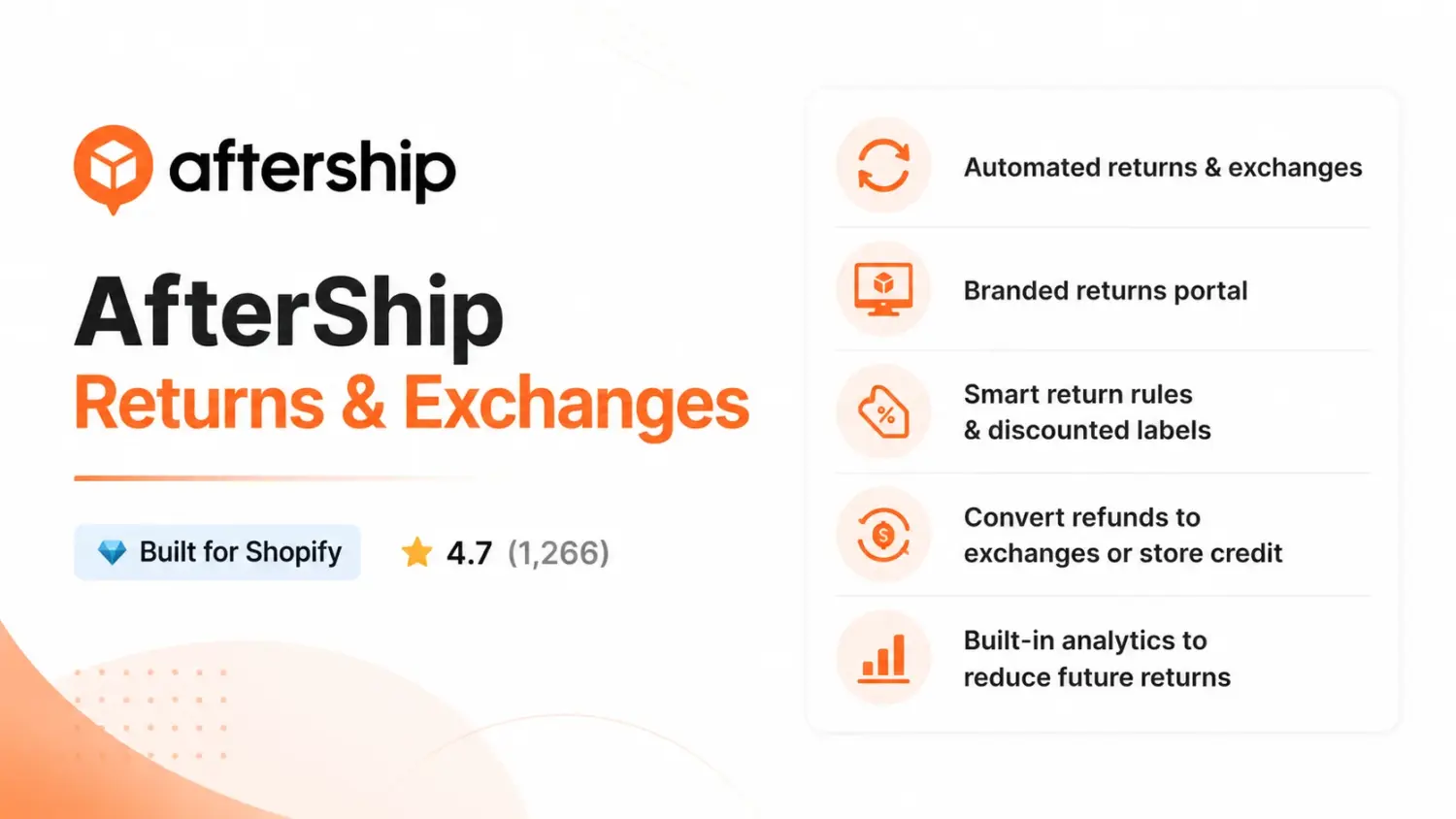
The most established name here, and the most reviewed. AfterShip Returns & Exchanges automates the full flow, plus actionable analytics to spot which products drive returns easily.
Pros:
Cons:
Best for: High-volume or multi-region stores that want a proven, all-in-one hub and can use the paid tiers.
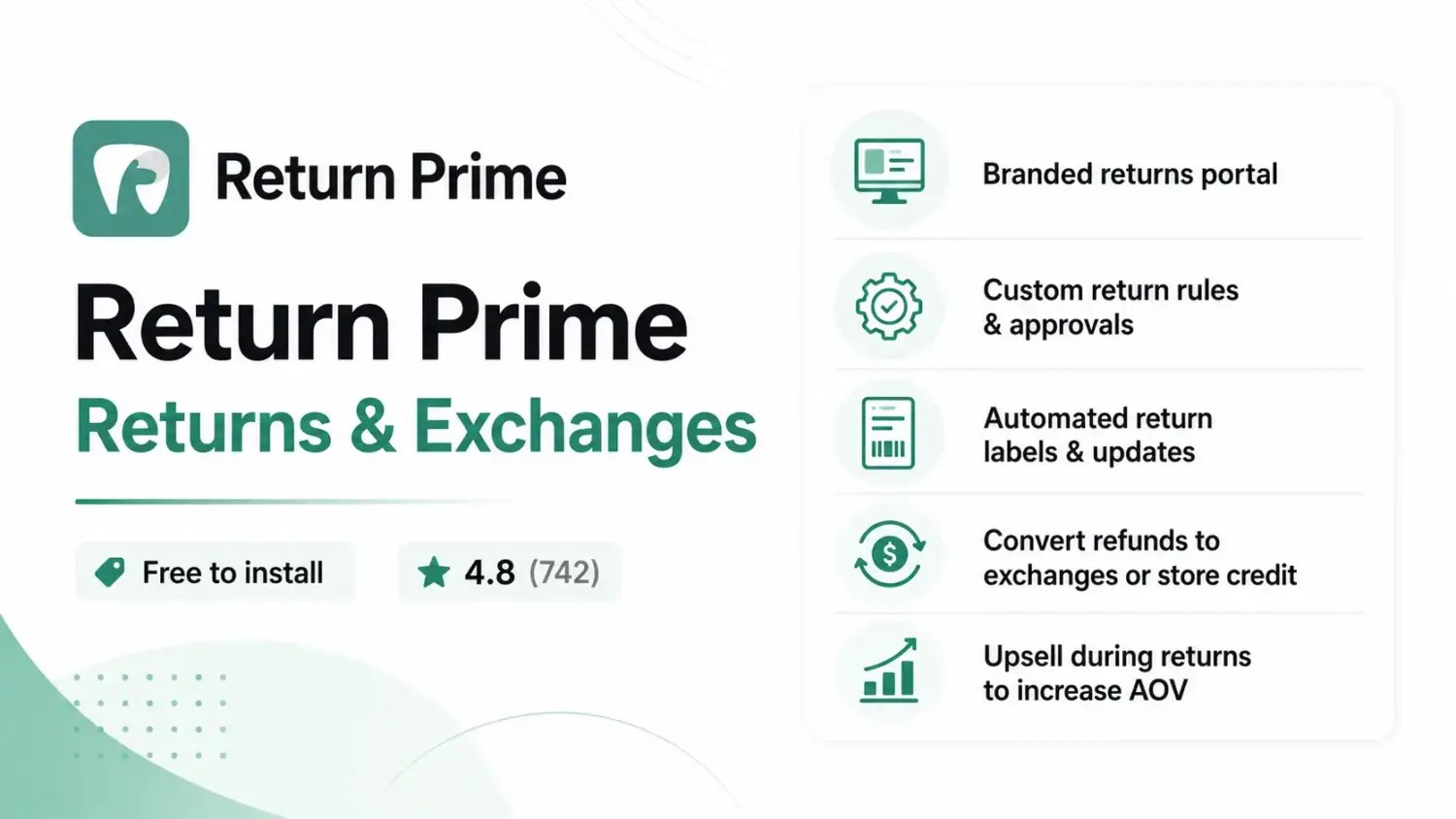
The best value for stores stepping up from manual returns. Return Prime: Returns & Exchanges covers the essentials: a branded portal on your domain, exchanges, store credit, and labels, backed by 100+ integrations at a friendlier price.
Pros:
Cons:
Best for: Small to mid-size stores leaving manual returns behind that want most features without a premium price.
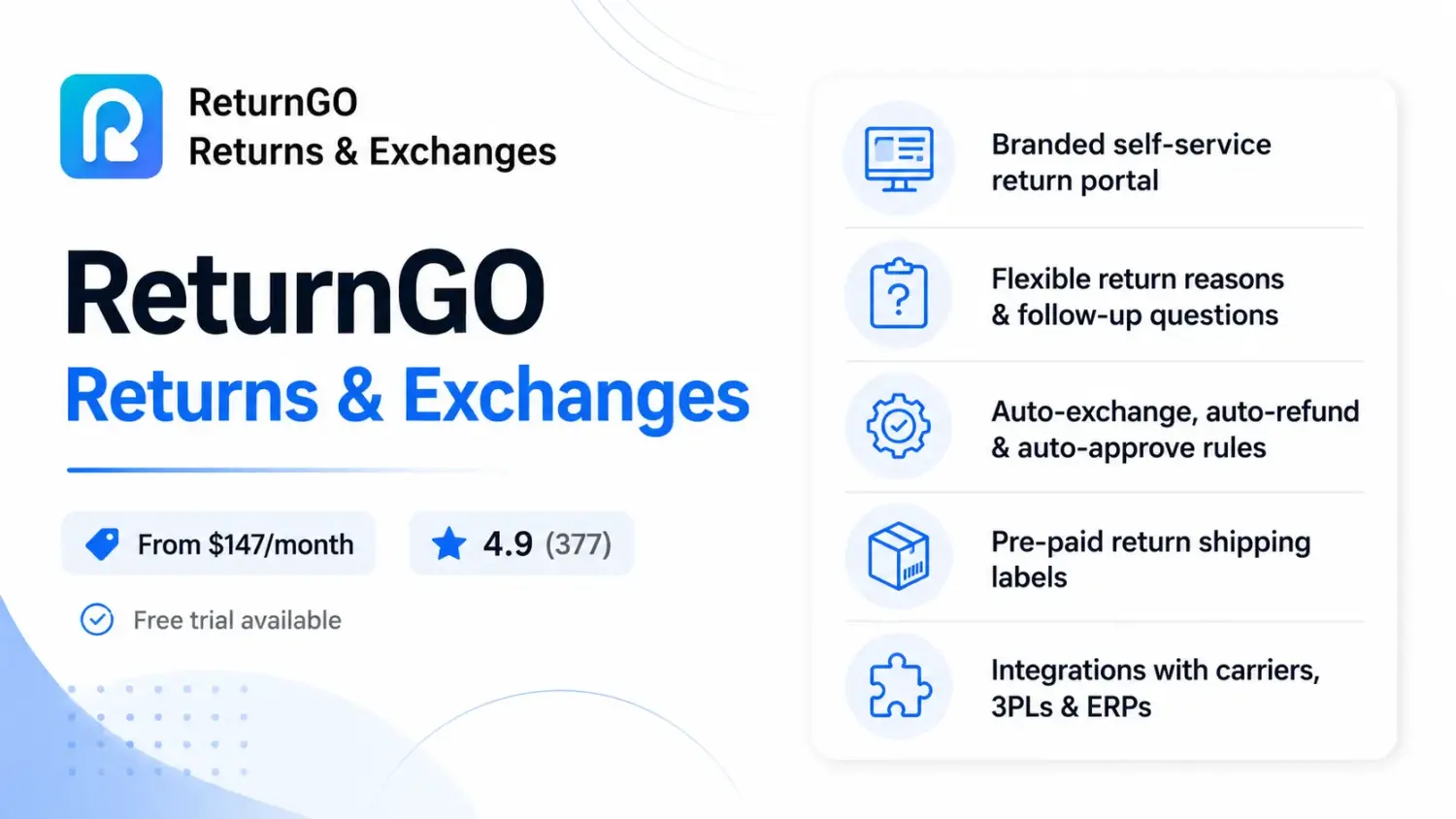
ReturnGO Returns & Exchanges is the highest-rated of the three. This app is built to steer customers toward an exchange or store credit before a cash refund, and its automation rules run deep.
Pros:
Cons:
Best for: Higher-volume or enterprise brands needing an “exchange-first” workflow with deep automation at a higher price.
Returns are inevitable. Refunds are not. When an item comes back, the sale does not have to leave with it.
The opportunity is real. NRF and Happy Returns found that 76% of consumers are more likely to choose a return option that gives them an instant refund or exchange. In other words, the resolution you offer can shape whether the customer walks away or stays with your brand.
Two strategies below will do most of the work.
A refund sends money out of your store. An exchange or store credit keeps it in. So make those the first options a customer sees, not the fallback.
Shopify itself notes that exchanges help retain revenue and can grow it through upsells when the new item costs more.
Two practical moves:
Here’s a play most stores miss. A return is the moment doubt is highest, so it’s the perfect moment to earn the customer back. A small, unexpected gift on their next order can turn a return process into a reason to come back for a future purchase.
You can set this up with our own app, BOGOS: Free Gift Bundle Upsell, using customer tags. The flow is very simple:
The customer may expect a plain refund. But instead of ending the interaction there, you give them a small reason to come back. A surprise gift feels more generous. It creates a warmer moment right when the customer is deciding whether your store is worth another try.
You can also pair the gift with a comeback discount for extra pull. Done well, your returns process stops being a point where revenue leaks out and becomes a chance to bring customers back and increase repeat purchases
You cannot stop every return, but you can reduce the avoidable ones. Most returns come from a few fixable causes: unclear product information, poor fit, damaged delivery, late arrival, or mismatched expectations.
To make that happen, focus on the parts of the buying journey:
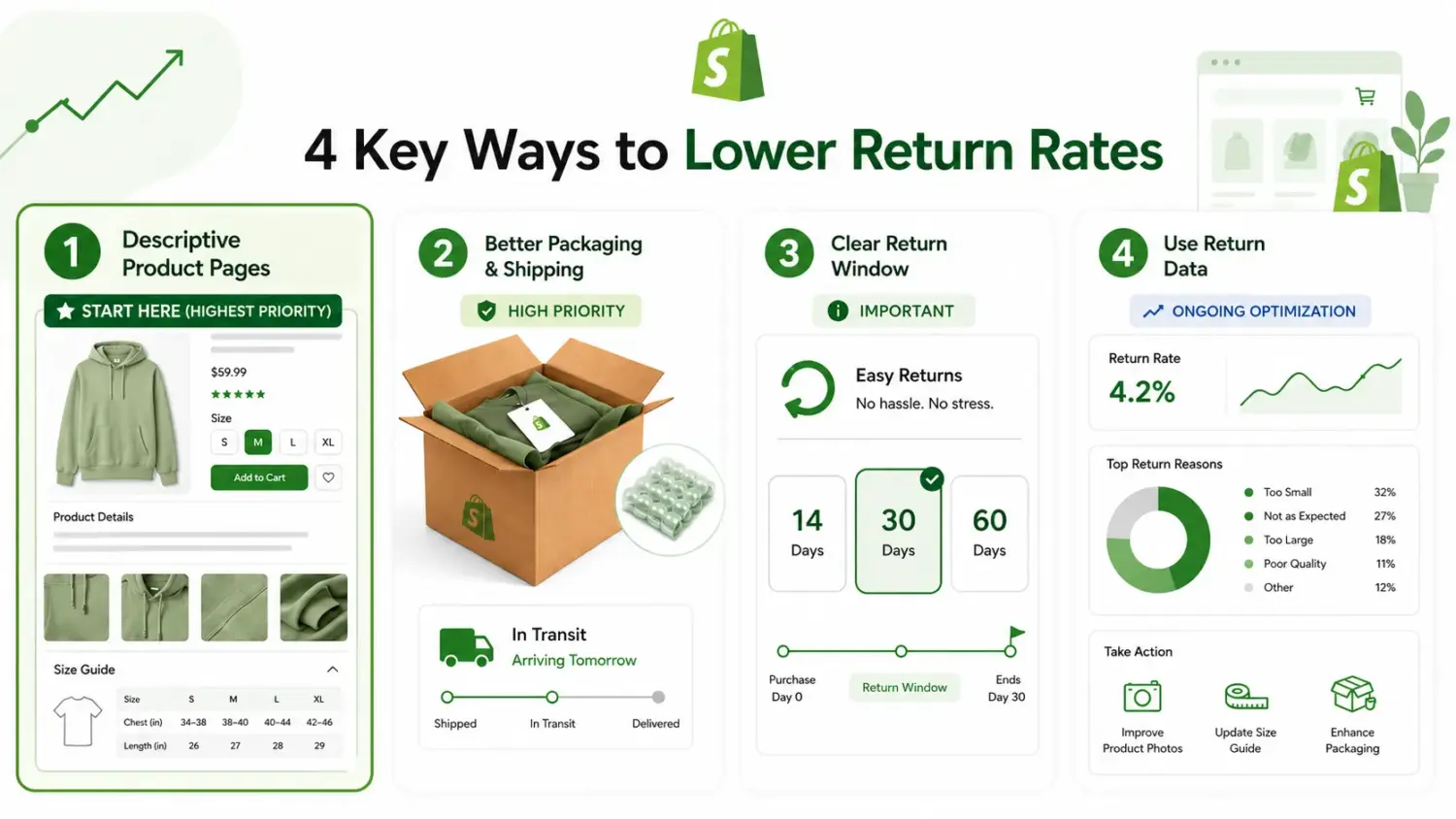
A return isn’t the end of a sale. It’s your last chance to keep the customer.
Shopify gives you the tools to do it: process returns from Orders, turn on self-serve, and add an app when you outgrow the basics. But the tools only matter if you use them right. Lead with exchanges and store credit instead of refunds, and the revenue stays in your store.
Handle the return well, and a cost becomes a second chance at boosting your Shopify sales. Turn on self-serve returns today, and make your next return the start of a repeat customer.
so customers file their own, set return rules, and email US return labels. Shopify also handles exchanges and store credit.
A branded portal, customer self-serve exchanges, and deep analytics are where you’ll need a returns app.
No. Shopify helps you calculate and collect sales tax, but it doesn’t file or remit it, unless you use Shopify Tax automated filing, available for eligible US states.
Yes. Turn on self-serve returns at Settings > Customer accounts, and customers can request from their account or order status page.
It depends on what you sell. Apparel runs highest at 20-30% because of fit and sizing, while beauty and electronics sit lower. The overall online average is near 19.3%. Benchmark against your own category, not a flat cross-category number.
Fix the causes, not the symptoms. Make product pages descriptive, add size guides for apparel, improve packaging to cut damage, and use your return-reason data to fix the top offenders. Then lead with exchanges and store credit so an unavoidable return still keeps revenue in your store.

Shopify smart collections add and remove products for you based on rules, such as a tag, a price, or...

Shopify collections decide how shoppers find your products, yet many guides still describe a setup Shopify is now replacing....

A Shopify announcement bar is the thin strip at the top of your store that tells shoppers about shipping,...
