


Charlie Ngo
•
Last updated: 20 October, 2026
Shopify Collections: How To Create & Organize Them (2026)
Shopify collections decide how shoppers find your products, yet many guides still describe a setup Shopify is now replacing....
![[2026] Shopify Social Proof: 7 Types and How to Add Them](https://bogos.io/wp-content/uploads/2026/06/Shopify-Social-Proof.jpg)
[2026] Shopify Social Proof: 7 Types and How to Add Them

Marketing Manager
Summarize this post with AI
I’m Charlie – BOGOS’s Chief Marketing Manager – part of the team at BOGOS, where we build promotion tools that help Shopify merchants turn more visitors into customers. I wrote this guide because “add social proof” is advice every store owner hears, but few explain how it actually moves sales, which types matter, or where to place them. Below you’ll find the data behind social proof, the seven types worth using, step-by-step setup, the best apps, and the mistakes that quietly cost you trust. Let’s get into it.
Social proof is our habit of copying other people when we’re unsure. We treat the crowd’s choices as evidence of the right choice.
Picture two restaurants side by side. One is packed. One is empty. Most of us pick the busy one without thinking. The crowd feels like proof.
Online shoppers do the same thing. They can’t hold your product, smell it, or try it on. So they look for signs that other people bought it and were happy. Reviews, ratings, customer photos, and “just purchased” popups all answer the same quiet question: can I trust this?
On Shopify, social proof means collecting and displaying that evidence across your store. It takes many forms, but they all close the same trust gap:
Each one tells a new visitor the same thing: you’re not the first person here, and the people before you were glad they bought.
Most guides treat social proof as decoration. Add a few reviews once the store looks nice. That misses what it actually does.
Social proof is the conversion layer. It sits between your traffic and your buy button, and it decides whether browsing turns into buying. Build it well and the same visitors convert at a higher rate. Skip it and they leave.
The mechanism is simple. Every shopper carries doubt. Is this real? Will it fit? Will it arrive? Can I trust this site with my card? Doubt is what stops a sale. Social proof answers each doubt with evidence from someone who already took the risk and was glad they did. Remove the doubt, and the sale closes.
The effect is measured, not guessed. A product page with five reviews converts 270% better than the same page with zero, and the lift reaches 380% on higher-priced products where the risk feels greater. You don’t need volume to start: even a single review lifts conversion by about 52%, and it keeps climbing, with shoppers shown 5,000-plus reviews converting 122% higher than those shown a handful. It follows that about 45% of shoppers won’t buy a product that has no reviews at all.
You can see the layer working most clearly at checkout. After unexpected costs, one of the top reasons people abandon their carts is trust: 19% of shoppers leave because they don’t trust the site with their credit card information. That’s revenue walking out over a feeling, and it’s a feeling you can fix.
A star rating under the product title, a customer photo, a “secure checkout” badge beside the payment field. Each one is part of the layer, chipping away at hesitation at the moment it strikes. So social proof belongs at the center of any serious CRO plan, and the stores that build this layer well are the ones that reliably boost sales. You aren’t decorating the page. You’re removing the reasons people leave.
No single type does everything. Each one answers a different worry at a different point in the journey. Use them together.
Reviews are the bedrock. They answer the questions your product page can’t: does it run small, does it last, is it worth the price?
Star ratings give a fast visual cue. Written reviews give the detail that closes the sale. A review that says “I’m 5’10” and the large fits perfectly” does more work than any line of your own copy.
Aim for reviews with substance: specific detail, photos, and answered questions. The strongest of them are worth hand-picking to feature on your homepage and product pages as Shopify testimonials. A wall of “love it!” entries builds less trust than a handful of honest, specific ones.
Reviews increasingly do double duty. As AI shopping assistants start buying on behalf of customers, they read your ratings, review counts, and structured review data to decide what to recommend. Clean, well-organized reviews now persuade the shopper and the agents shopping for them.
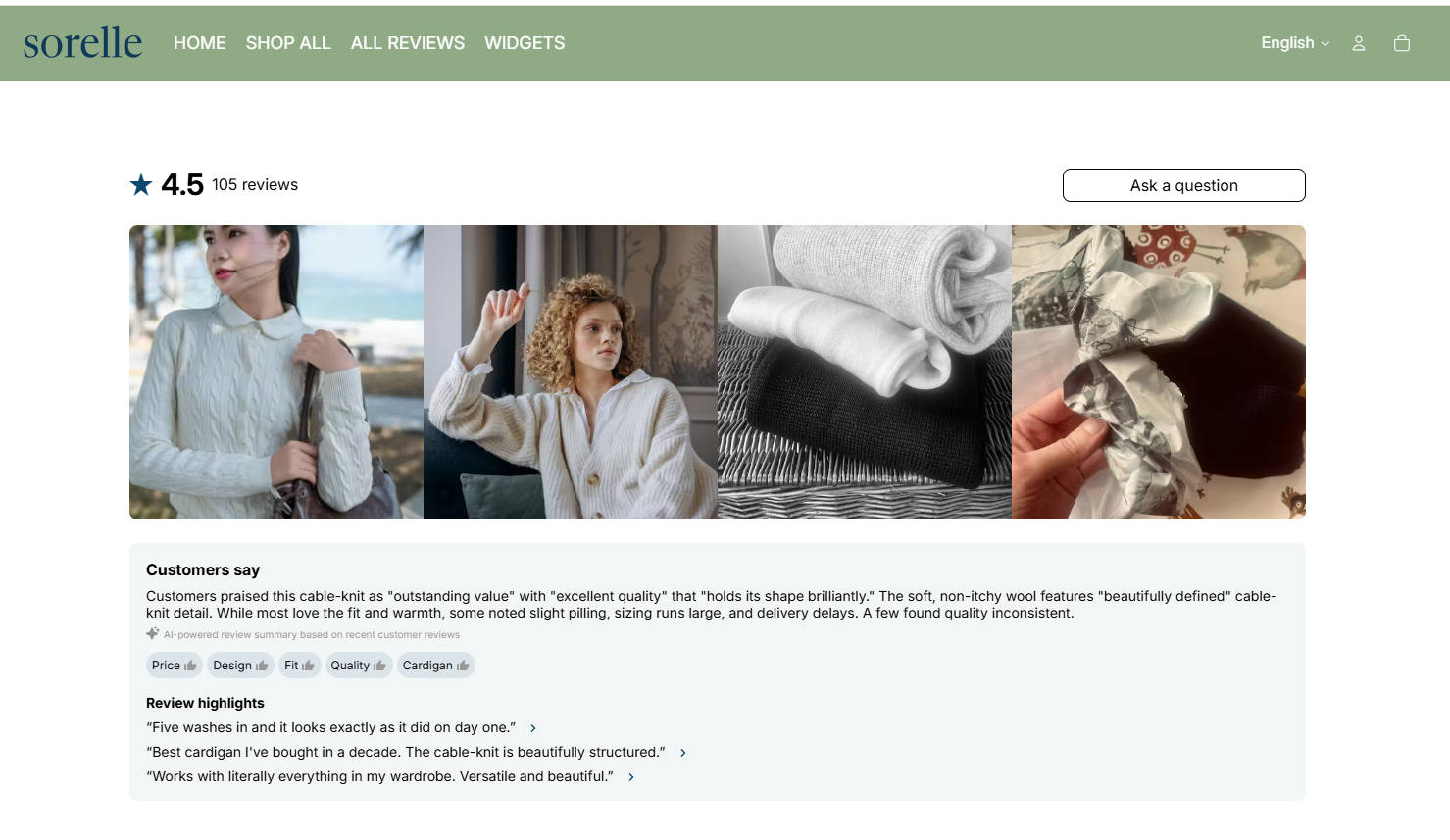
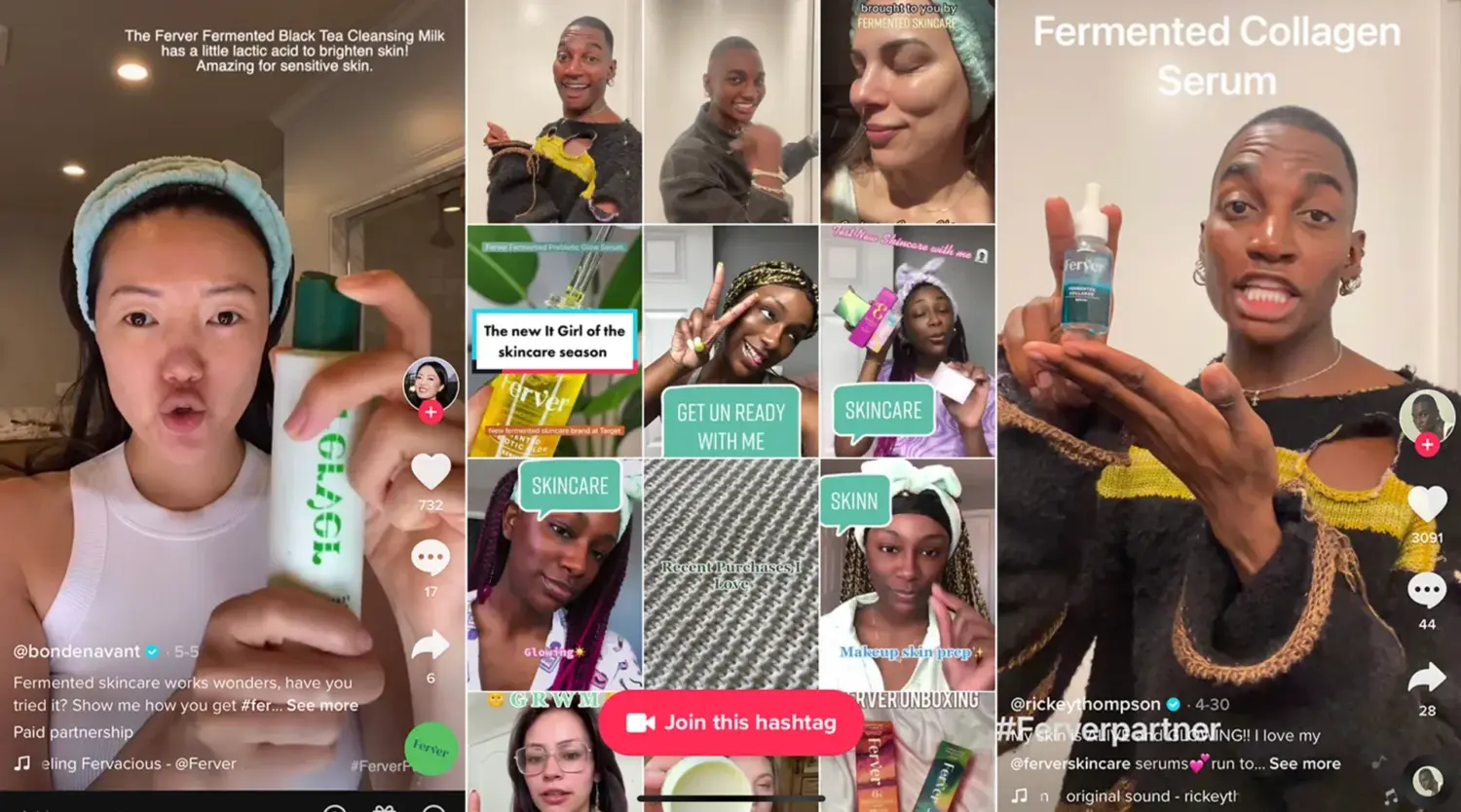
User-generated content (UGC) is any photo or product video your customers create. A backpack on a real hike. Skincare results after 30 days. A sofa in someone’s actual living room.
UGC beats studio photography because it’s unpolished and real. Shoppers know brands stage their own images. They trust the customer who has nothing to sell.
Video reviews are the most persuasive form and the hardest to collect. Even a short clip of a real customer talking about your product can outperform a page of text.
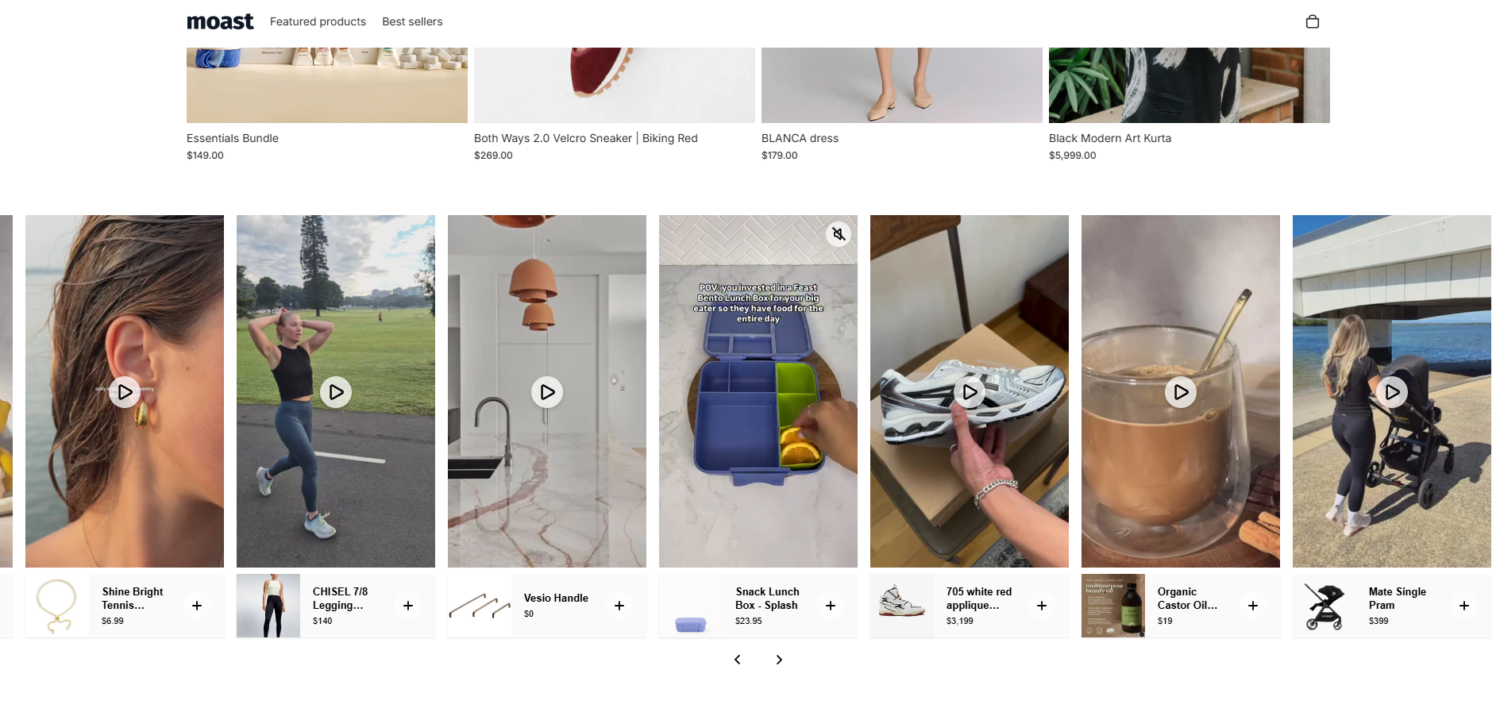
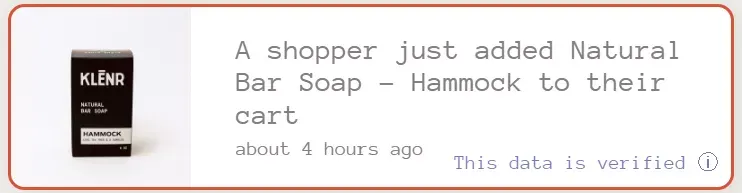
These are the small popups that show live activity: “Someone in Austin just bought this” or “12 people are viewing this product.” They tap two feelings at once. Popularity, because others want it. Urgency, because it might sell out.
This is the “wisdom of the crowd” at work. An active-looking store feels safer than a quiet one.
One rule decides whether this helps or hurts: honesty. If your new store gets 20 visitors a day, a popup claiming “30 people viewing now” will be obvious and break trust. Show real data only.
Trust badges are small icons that say your store is safe: payment logos, an SSL lock, a secure-checkout seal, a money-back guarantee.
They look minor. They aren’t. Remember that 19% of shoppers abandon over payment trust. Badges placed near the “Add to cart” button and on the checkout page reassure people at the exact moment they reach for their wallet.
Pair them with a clear return policy. “Easy returns” tells a nervous shopper they’re safe to try.
This type borrows trust from someone the shopper already respects. If an expert or a known outlet vouches for you, that credibility transfers.
An “As seen in” banner with media logos works well on your homepage. So does an expert quote: a dermatologist for skincare, a trainer for fitness gear.
You don’t need celebrities. Micro-influencers with smaller, engaged audiences often convert better, because their followers trust them like friends. This kind of endorsement is especially useful for new stores that don’t have many reviews yet.
This is the type most guides overlook, and it does double duty.
A “best-seller” badge is a crowd signal. It literally says more customers chose this than anything else. New visitors who don’t know what to buy follow the crowd to your proven products.
“Frequently bought together“ and “customers also bought” go further. They’re built from the real purchase behavior of other shoppers, the same signal that powers product pages on the biggest marketplaces. They reduce uncertainty by showing what people like the shopper actually did.
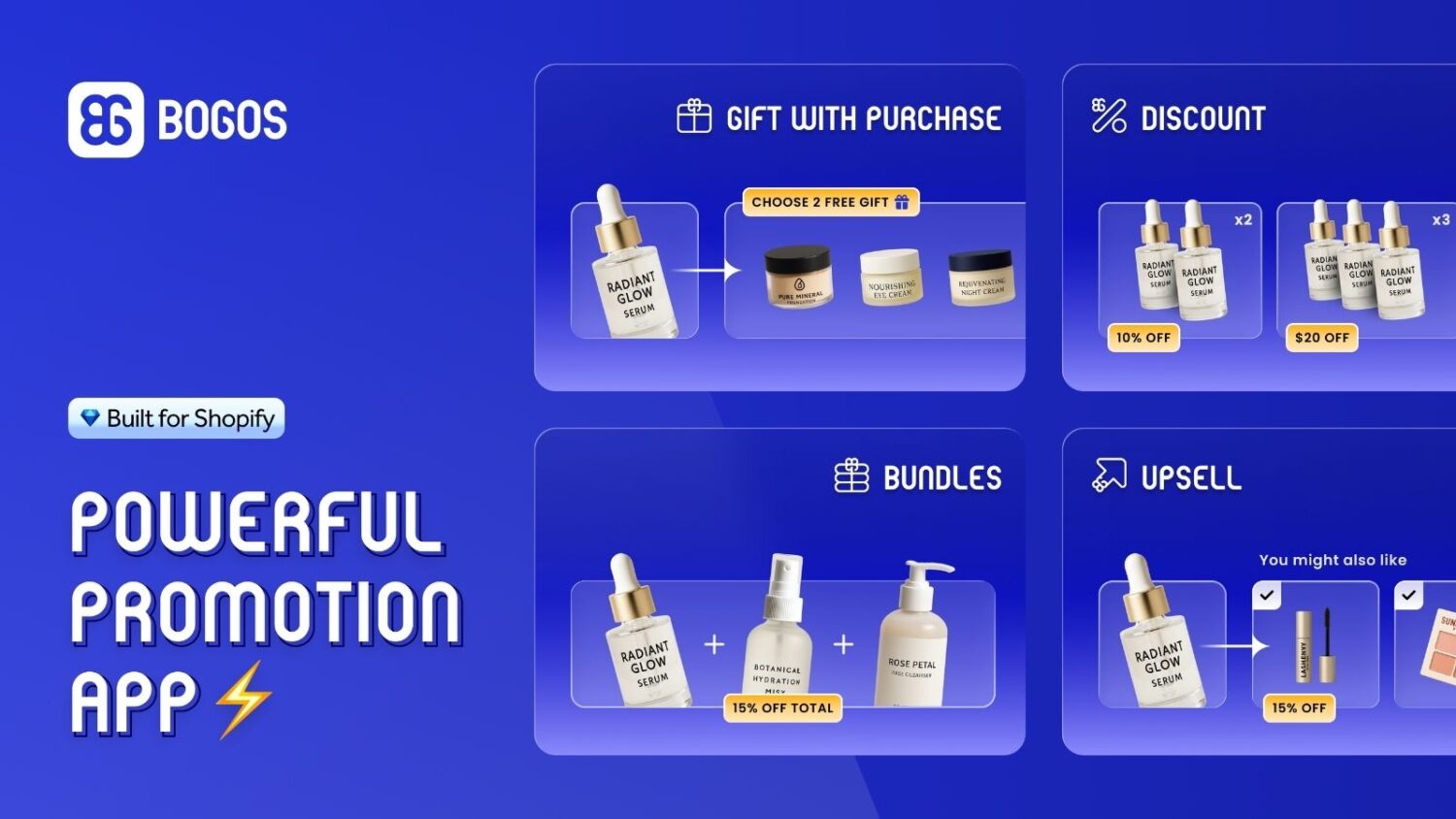
Bundles fit here too, but with a caveat worth being precise about. A plain bundle (“these three for $59”) is a pricing tactic, not social proof, because it says nothing about what others chose. It becomes social proof the moment you tag it with popularity: “most popular bundle” or “bestselling kit.”
That precision matters. The honest line is what separates an expert guide from a generic one.
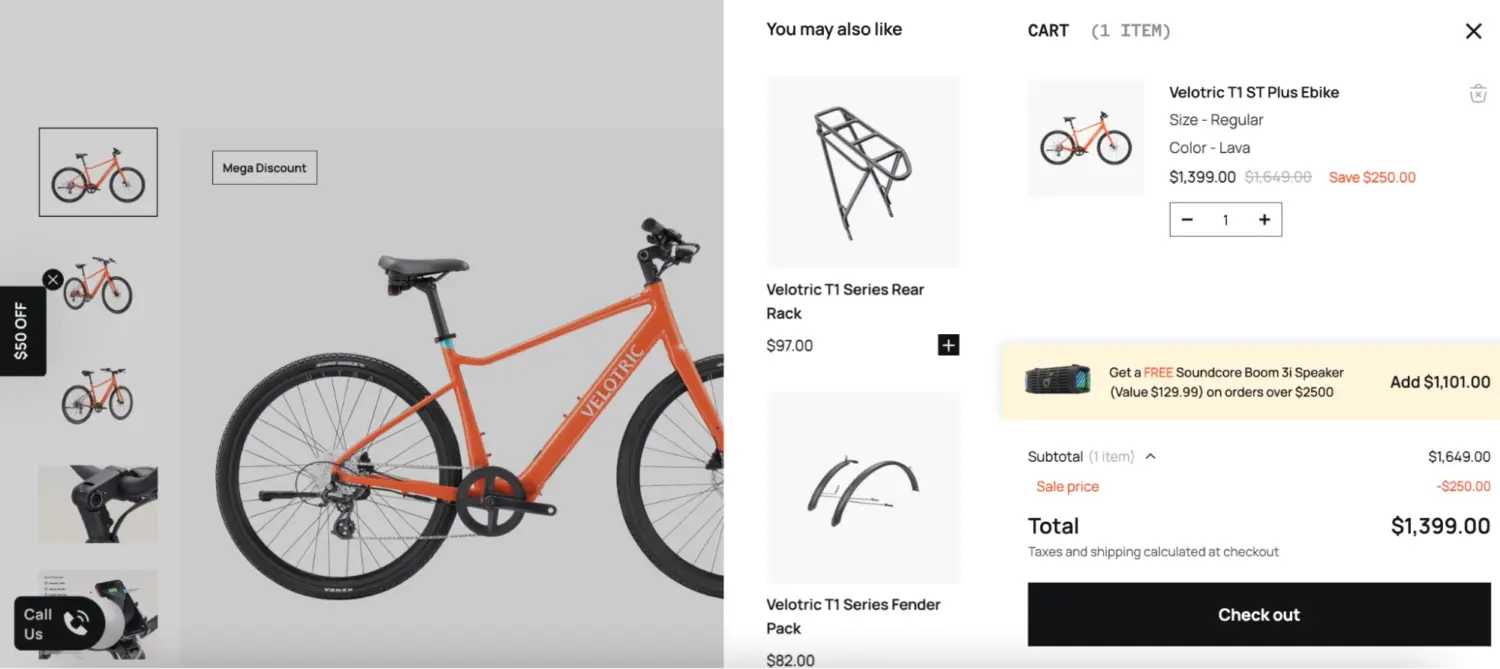
These signals pull double weight. They reassure the shopper, which helps your CRO numbers, and they nudge bigger baskets, which lifts AOV. That’s the sweet spot. At BOGOS, this is exactly the overlap our Bundle and Cross-sell tools are built for: surfacing the products customers buy together so a popularity signal also grows the order.
Social proof isn’t only for new shoppers. A visible loyalty program signals a community of repeat buyers. When a visitor sees a rewards club with members and tiers, it says people stick with this brand.
Referrals are the strongest form of all. They’re word-of-mouth made digital. There’s no better signal than one friend telling another, “you have to try this.”
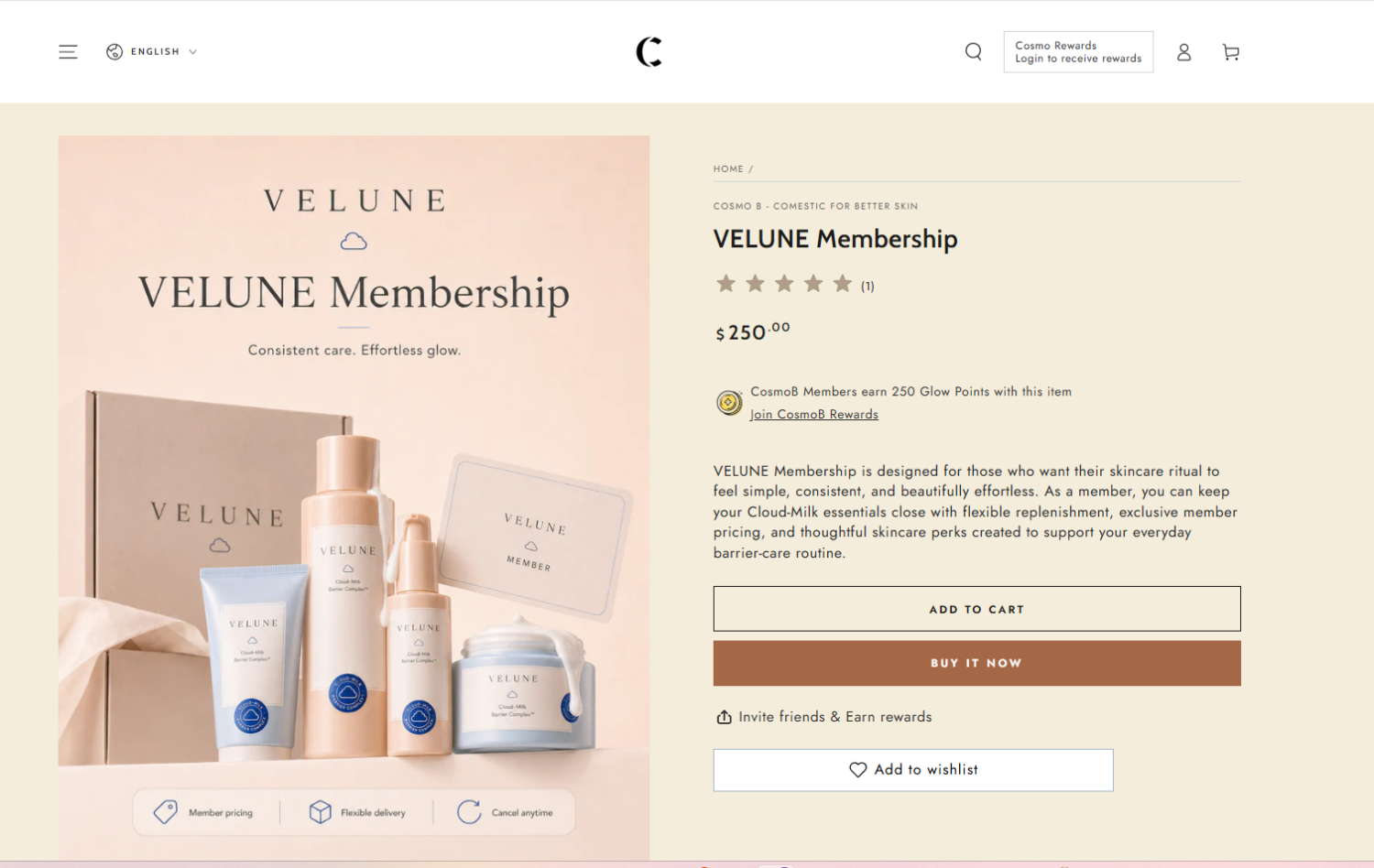
There are two ways to put social proof on your store, and most stores use both.
Your theme controls what you can show without extra tools: where the star rating sits, whether a low-stock note appears, whether related products and a press section exist. Themes display social proof, but with one exception below, they don’t collect it.
Apps do the jobs a theme can’t: automatically request reviews, gather customer photos and product videos, and show live activity popups.
Think of it as a split. The theme is the stage. The apps are the cast. Below are three options for each, with free and paid picks, and what kinds of social proof each one supports. Ratings and prices are a snapshot from mid-2026, since both move.
A theme won’t write reviews for you. It decides how cleanly you can display them, plus the native signals it ships with: low-stock notes, related products, and trust or press sections.
| Theme | Star ratings | Low-stock note | Trust / press section | Recently viewed & related | Countdown / stock counter |
|---|---|---|---|---|---|
| Dawn | Display (via app) | Yes | Yes (press coverage) | Yes (complementary) | No |
| Be Yours | Built-in + display | Yes | Yes | Yes | Yes |
| Prestige | Display (via app) | Yes | Yes | Yes | Yes |

Dawn is the right starting point. It shows a star rating once a reviews app feeds it data, displays a low-stock note, surfaces complementary products on the product page, and includes a press-coverage section for “as seen in” logos. What it skips is urgency: there’s no countdown or stock counter, and it can’t collect reviews on its own. For a new store, that’s fine. Pair it with a free reviews app and you’ve covered the basics for free.
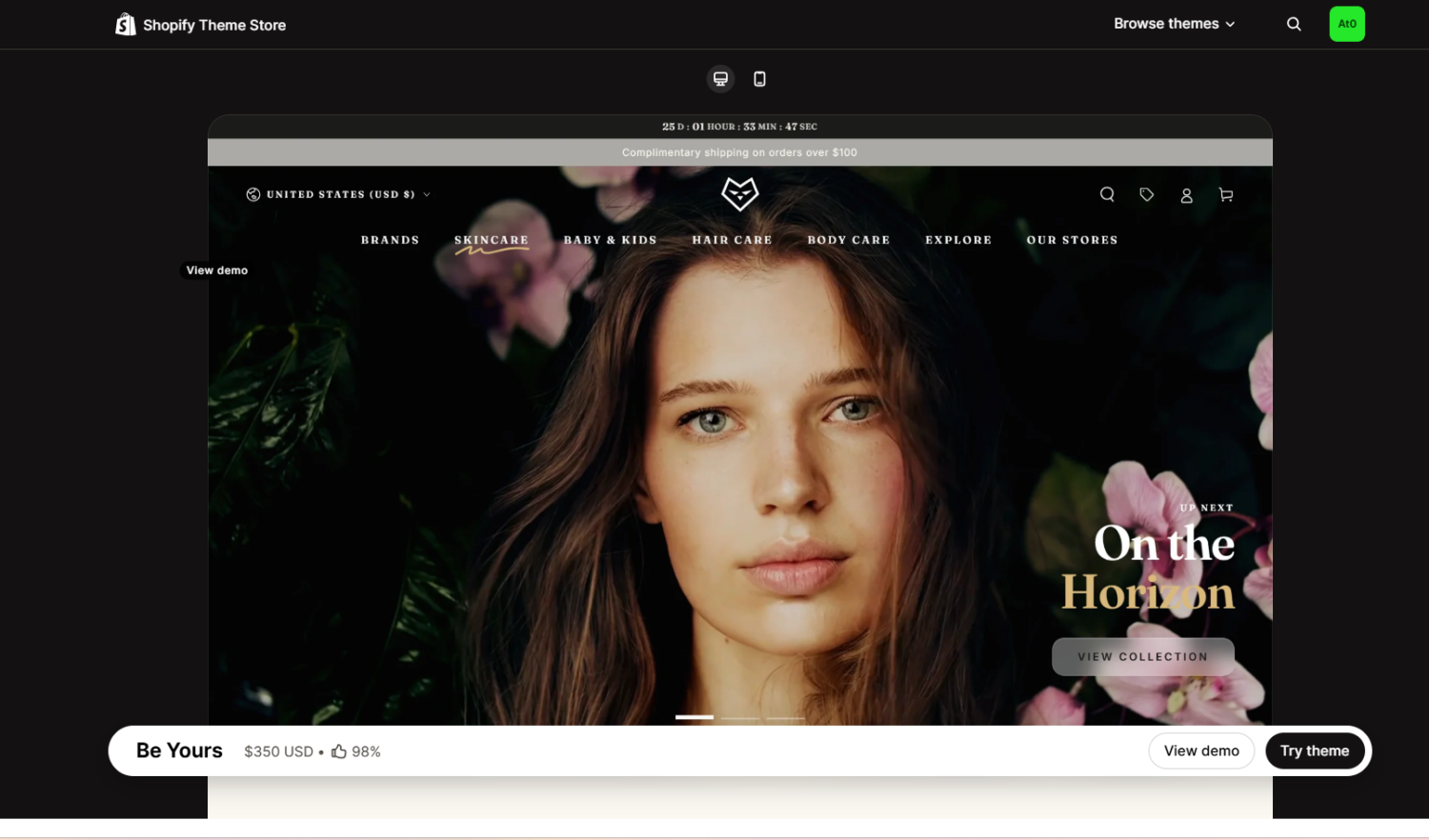
Be Yours has the strongest built-in social proof of the three. It’s one of the few themes with a native customer reviews feature, so you can display ratings without a separate app. It adds a before/after slider, useful for skincare and fitness, plus recently viewed products, a stock counter, and a countdown timer. If you want the most trust signals out of the box, this is it.
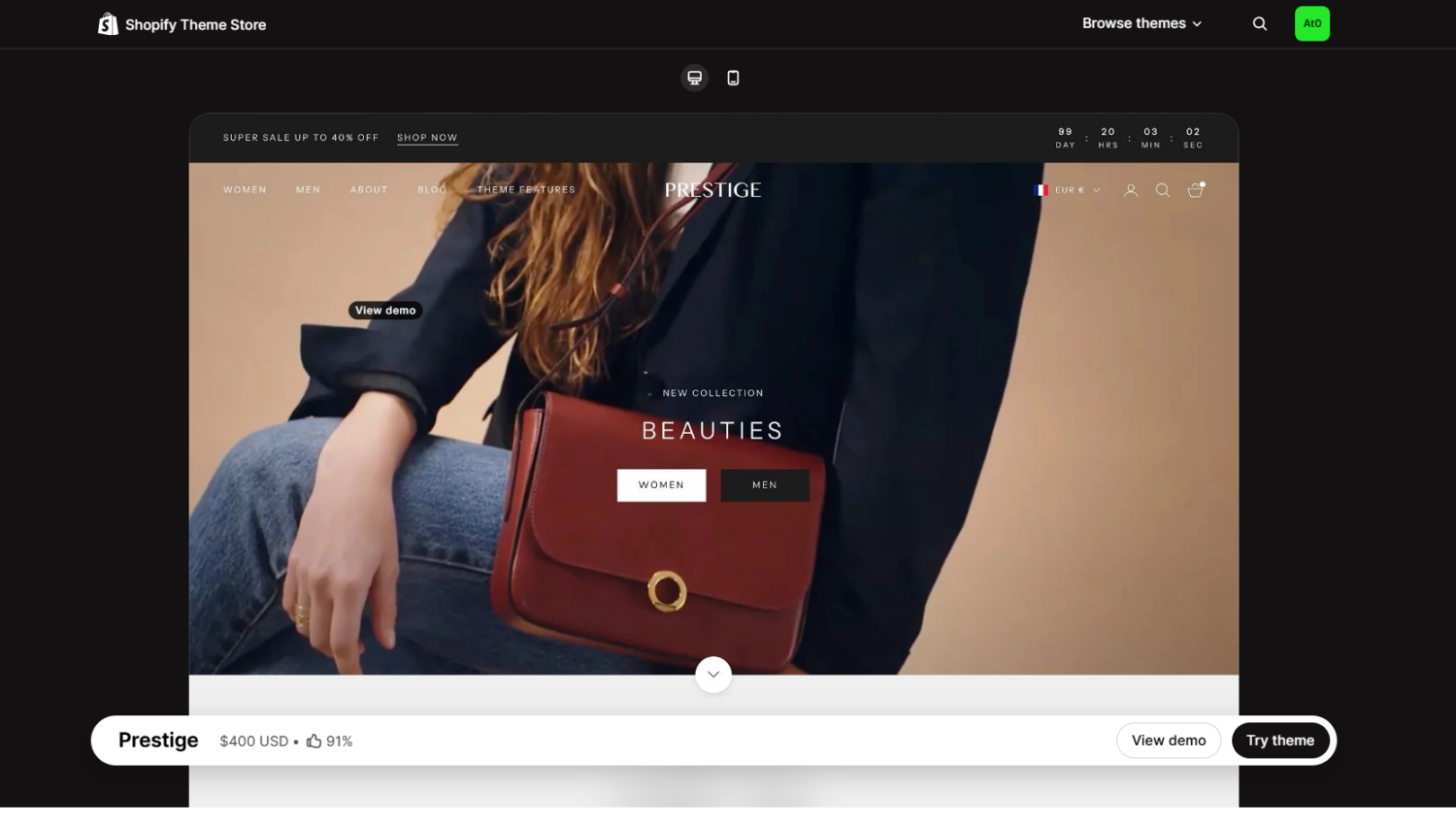
Prestige is built for brands where perception drives the sale. It pairs an editorial, high-end look with product reviews, a press and trust-badge section, before/after sliders, recently viewed products, and countdown timers. If your products sit at a higher price point and you need the store to feel premium, Prestige earns its cost.
One free signal works with any theme: a best-seller collection. In your admin, go to Products > Collections, create an automated collection, and set the condition to Sort order > Best selling. Add it to your navigation, and shoppers get a curated list of your most popular products. That’s popularity as proof, at no cost.
Apps cover what themes can’t: collecting reviews on autopilot, gathering photos and videos, and showing live purchase activity.
| App | Reviews & ratings | Photo / video UGC | Sales popups (FOMO) | Trust badges |
|---|---|---|---|---|
| Judge.me | Yes (collect + display) | Yes | No | Yes |
| Loox | Yes | Yes (visual-first) | No | Partial |
| Fomo | Review feed only | No | Yes | Partial |
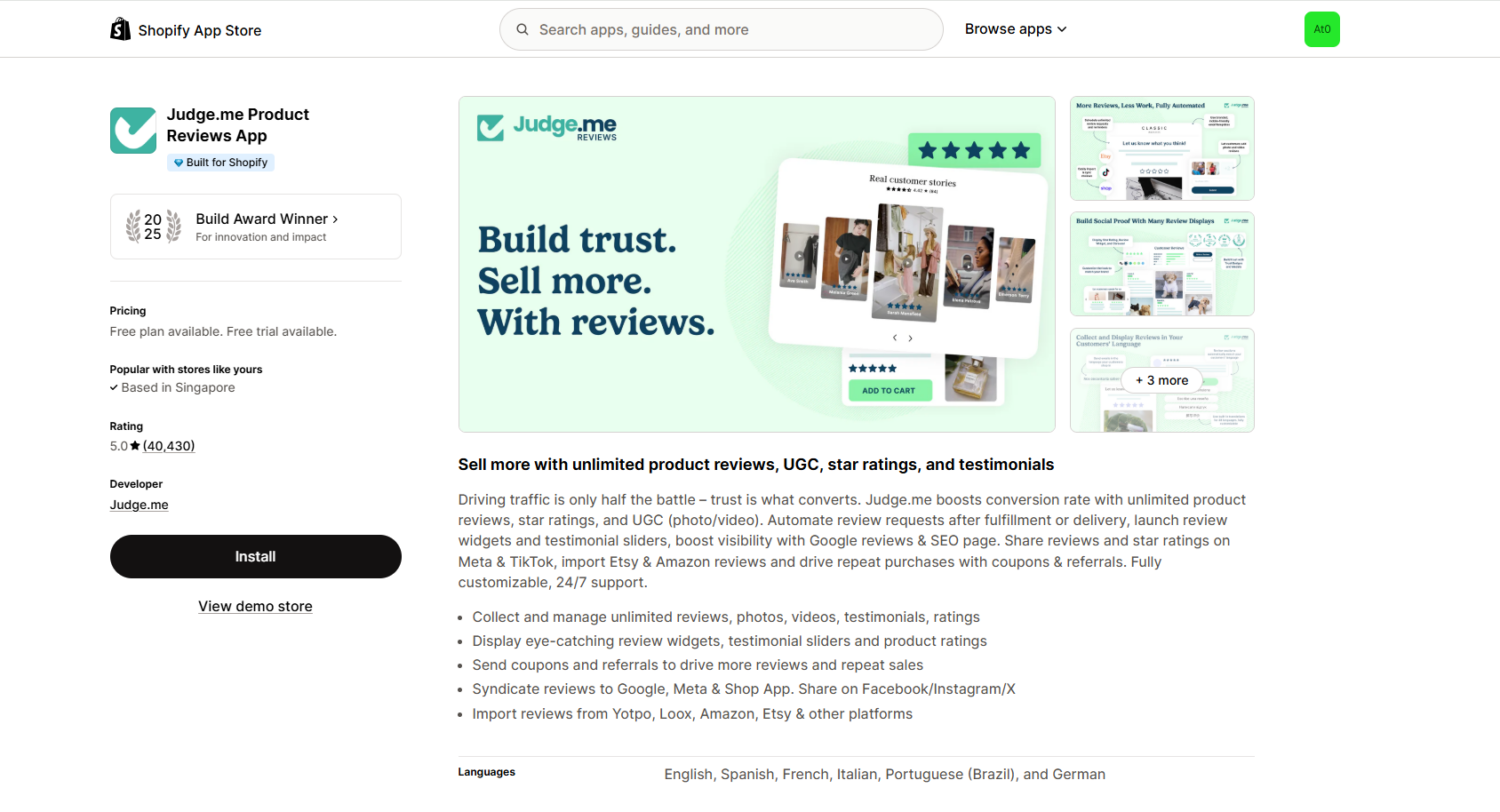
The best place most stores start. Its Forever Free plan collects unlimited reviews, including photos and videos, and adds a star-rating badge and trust medals. It automates review-request emails and pushes your stars to Google. The $15/mo Awesome plan layers on AI replies and summaries plus 130-plus integrations. It’s the safe, high-value default.
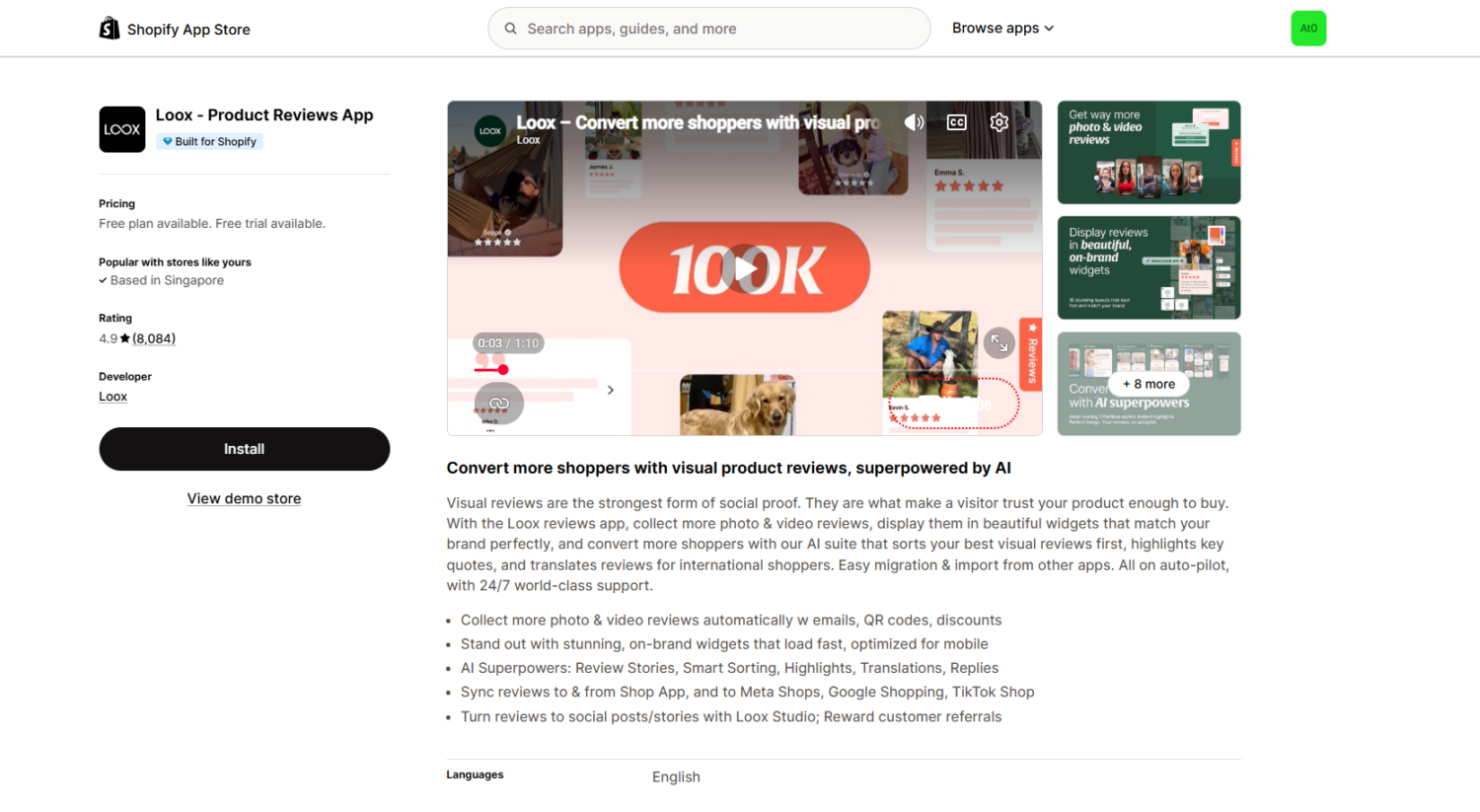
Loox is built around photo and video reviews and displays them in polished galleries. It offers customers a discount for adding a photo, which lifts your submission rate. Pricing scales with order volume, so check the math as you grow. If your product looks better than it reads, Loox is the pick.
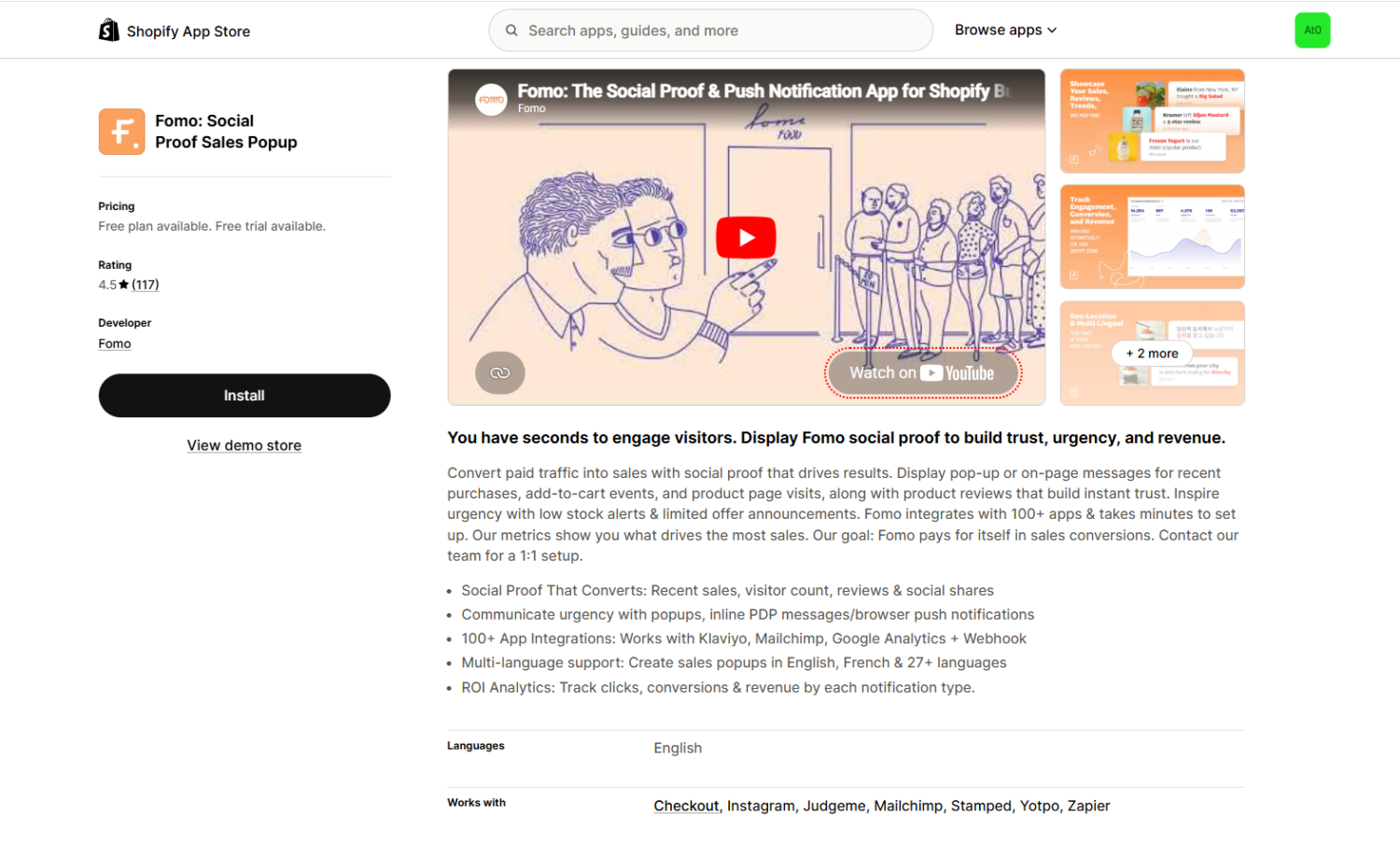
A different job: live activity. Fomo shows real-time “just purchased” and visitor-count popups that make a quiet store feel busy. It’s the urgency layer, not a review collector. Keep the data real and the timing calm, and it nudges hesitant shoppers. A free plan lets you test it before paying.
As you scale, full review platforms like Okendo (from about $19/mo) and Yotpo add segmentation, AI summaries, and loyalty in one suite. They’re worth a look once your review volume is high.
Collecting social proof is half the job. Putting it where shoppers hesitate is the other half. Match the proof to the page.
This is your first-impression page. Lead with an “As seen in” banner if you have media logos. Feature a best-sellers row and a carousel of your strongest reviews. If your social following is healthy, embed your Instagram or TikTok feed.
Show star ratings under each product so shoppers can compare at a glance. Add a “Best-seller” badge to your top items to guide undecided visitors.
This page makes or breaks the sale. Layer it:
Reviews belong in the structure of this page, not buried at the very bottom. They’re one of the biggest levers in Shopify product page optimization, so treat them as a core element of the page, not an afterthought.
Repeat your trust badges and guarantee here. This is the highest-anxiety moment, where the trust-driven abandonment happens. A small “Secure checkout” line near the payment fields does real work.
Social proof shouldn’t stay on your site. Drop a five-star review into your Abandoned Cart & Checkout emails. Feature customer photos in promotions. Reviews that convince on the product page convince in the inbox too.
You can’t display proof you don’t have. Generating it is its own job.
Ask at the right time. Send a review request after the customer has actually received and used the product, not the moment it ships. For most products, a week or two after delivery works. For skincare or anything with results that build, wait longer.
Make it easy. Use an app that lets customers reply with a star rating and photo straight from the email. Every extra click loses responses.
Incentivize carefully. Offering a small reward, like loyalty points or a free gift, raises response rates. But there’s a line you must not cross.
Since the FTC’s reviews rule took effect on October 21, 2024, you may reward someone for leaving an honest review, but you may not pay for a positive one. “Get 100 points for your honest review” is fine. “Get a discount for a 5-star review” is not. The distinction protects you and keeps the proof believable.
Respond to reviews, including the critical ones. A thoughtful reply to a negative review shows future shoppers you stand behind your product. It often does more for trust than the praise.
The same tactics that build trust can destroy it when handled badly. Watch for these.
Don’t guess. Measure.
The cleanest test is an A/B test. Show one version of a product page with reviews, ratings, and photos, and an identical version without them. Tools that integrate with Shopify let you split traffic and compare.
Track three numbers: conversion rate, add-to-cart rate, and AOV. Even a small lift, say from 2% to 2.5%, is real money once you multiply it across your traffic.
This is ongoing work, not a one-time setup. The store that tests and tunes its social proof beats the store that installs a widget and forgets it. That mindset is the heart of good CRO.
Social proof isn’t a gimmick. It’s how people decide what to trust when they can’t touch the product in front of them.
The data is clear: reviews, ratings, customer photos, and honest activity signals turn hesitation into purchases. A few reviews can lift conversion dramatically, and the right trust signals fix the leaks that send shoppers away at checkout.
Build it in layers. Reviews and ratings as your foundation. UGC and endorsements for authenticity. Popularity signals and bundles to reassure and to grow the order. Trust badges where the wallet comes out. Place each one where shoppers hesitate, keep it all honest, and measure what works.
Do that, and your store stops feeling like a risk and starts feeling like the busy restaurant everyone wants a table at.
Start with what’s already free. Build a best-seller collection in your admin, turn on low-stock messages in your theme, and install a free reviews app like Judge.me, which offers unlimited reviews on its free plan. Add free trust-badge icons near your checkout. That covers the essentials at no cost.
They work when the data is real and the timing is calm. Genuine “just purchased” and live-visitor notifications add popularity and urgency, both of which nudge hesitant shoppers. They backfire when the numbers are fake or the popups stack up constantly. Use real activity, space them out, and they help.
Fewer than you’d think. A single review already lifts conversion by about 52%, and the first five reviews carry the most weight. Pages with 11 to 30 reviews convert at more than double the rate of pages with none. So your goal is to get to those first few reviews fast, then keep them coming.

Shopify collections decide how shoppers find your products, yet many guides still describe a setup Shopify is now replacing....
A Shopify announcement bar is the thin strip at the top of your store that tells shoppers about shipping,...
Australia is one of the first markets many Shopify stores expand into. It is large, English-speaking, and home to...
