

Charlie Ngo
•
Last updated: 20 October, 2026
Shopify Collections: How To Create & Organize Them (2026)
Shopify collections decide how shoppers find your products, yet many guides still describe a setup Shopify is now replacing....
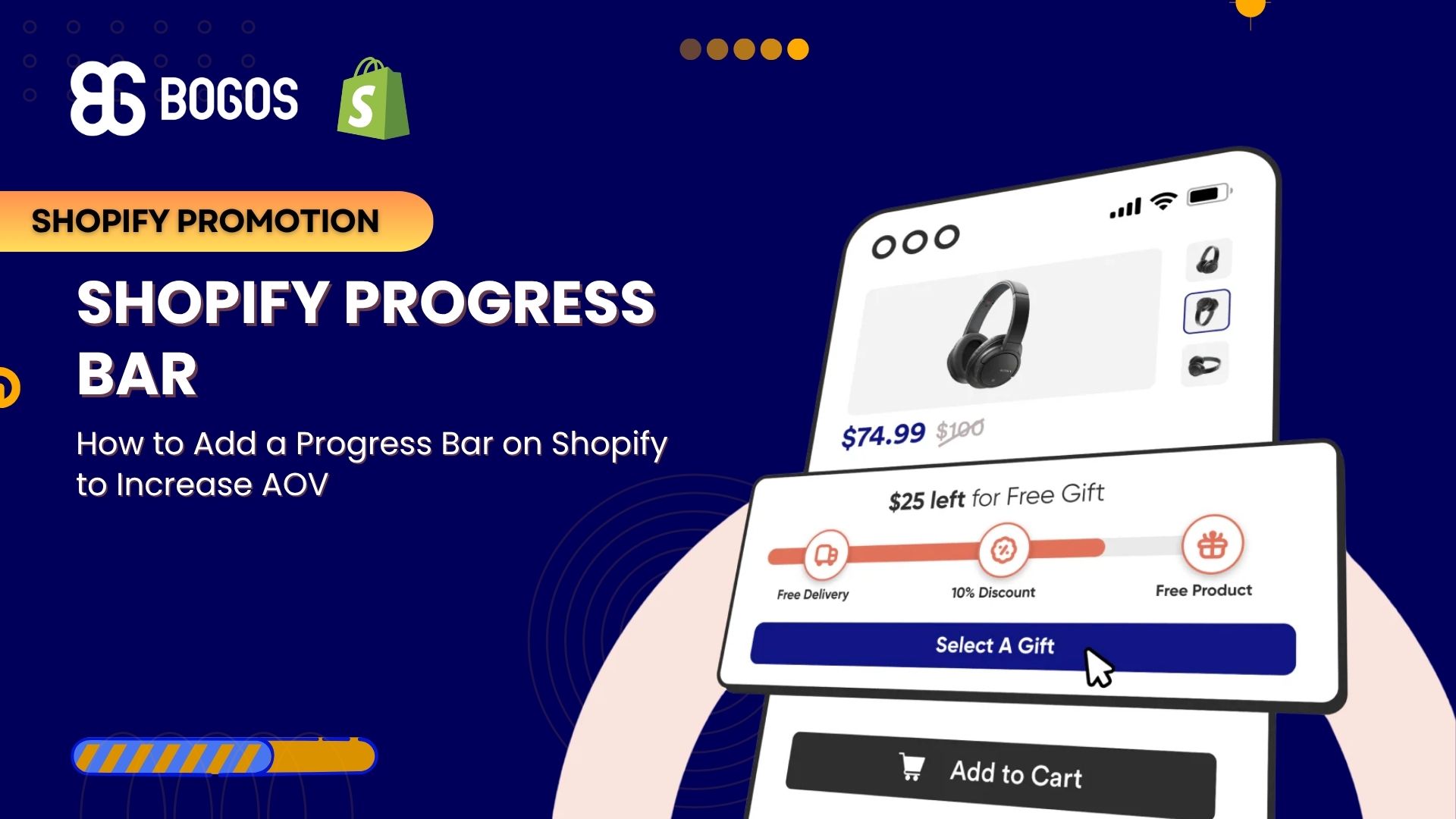
How to Add a Progress Bar on Shopify to Increase AOV

Digital Marketing Specialist
Summarize this post with AI
Most shoppers do not abandon their carts because they changed their minds. They leave because nobody showed them what they were so close to earning. The Endowed Progress Effect, a core principle in behavioral economics, proves that people are far more motivated to complete a goal when they can see visible proof of how far they have come.
Stores that leverage this effect through dynamic visual cues see measurable lifts in both conversion rates and average order values. A progress bar is one of the simplest and most effective ways to activate this psychological trigger on Shopify.
We will walk you through exactly how to implement and optimize this feature for real results. The guide covers:
You will also learn how to measure performance and what healthy numbers actually look like in practice. Let’s get started!
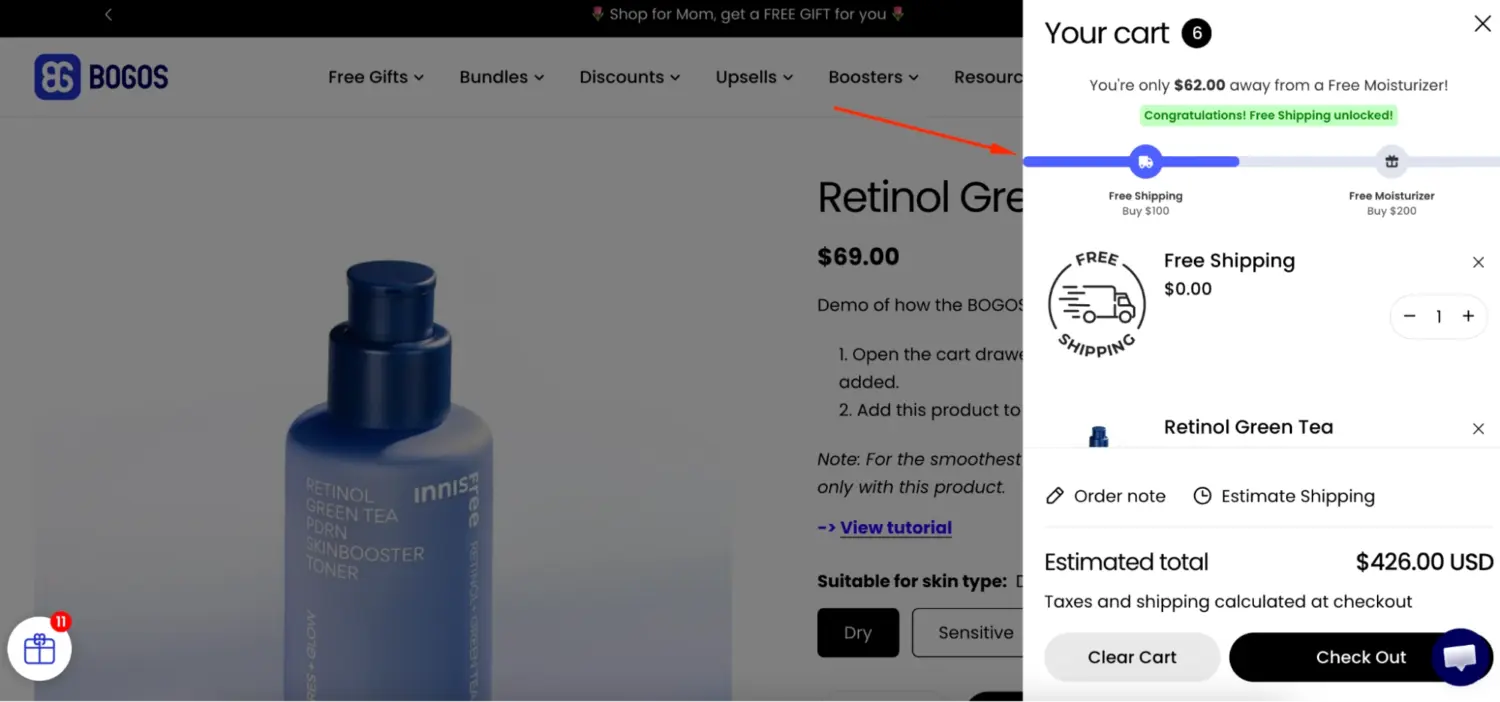
A progress bar is a visual element that shows customers how much more they need to spend to unlock a specific reward. As shoppers add items to their cart, the bar fills up in real time, giving them a clear, motivating picture of how close they are to the next milestone.
This bar is almost always paired with one of three reward types:
It is worth knowing the difference between a static announcement bar and a dynamic progress bar. A static banner announces the offer, for example, “Free shipping on orders over $50.” It does not change based on what is in the cart. A progress bar, on the other hand, updates as the customer shops, showing them exactly how far they have come and how close they are to the reward. That real-time feedback is what makes it significantly more effective at nudging shoppers to add one more item.
⚠️ One important note: Shopify does not include a cart progress bar in its native cart functionality. You will need either a theme customization or a dedicated app like Gift Box, Monster Cart Upsell, or similar tools to add this feature to your store.
A progress bar only earns its place when each of the four elements behind it is set up with real intention.
The reward has to be worth the effort. If shoppers glance at the bar and feel indifferent about what they are working toward, they will simply check out with what they already have in their cart.
The most common reward types on Shopify stores include:
The common thread across all three reward types is perceived value relative to effort. If a customer looks at the progress bar and cannot quickly decide that the reward is worth adding one more item, they will check out with what they already have.
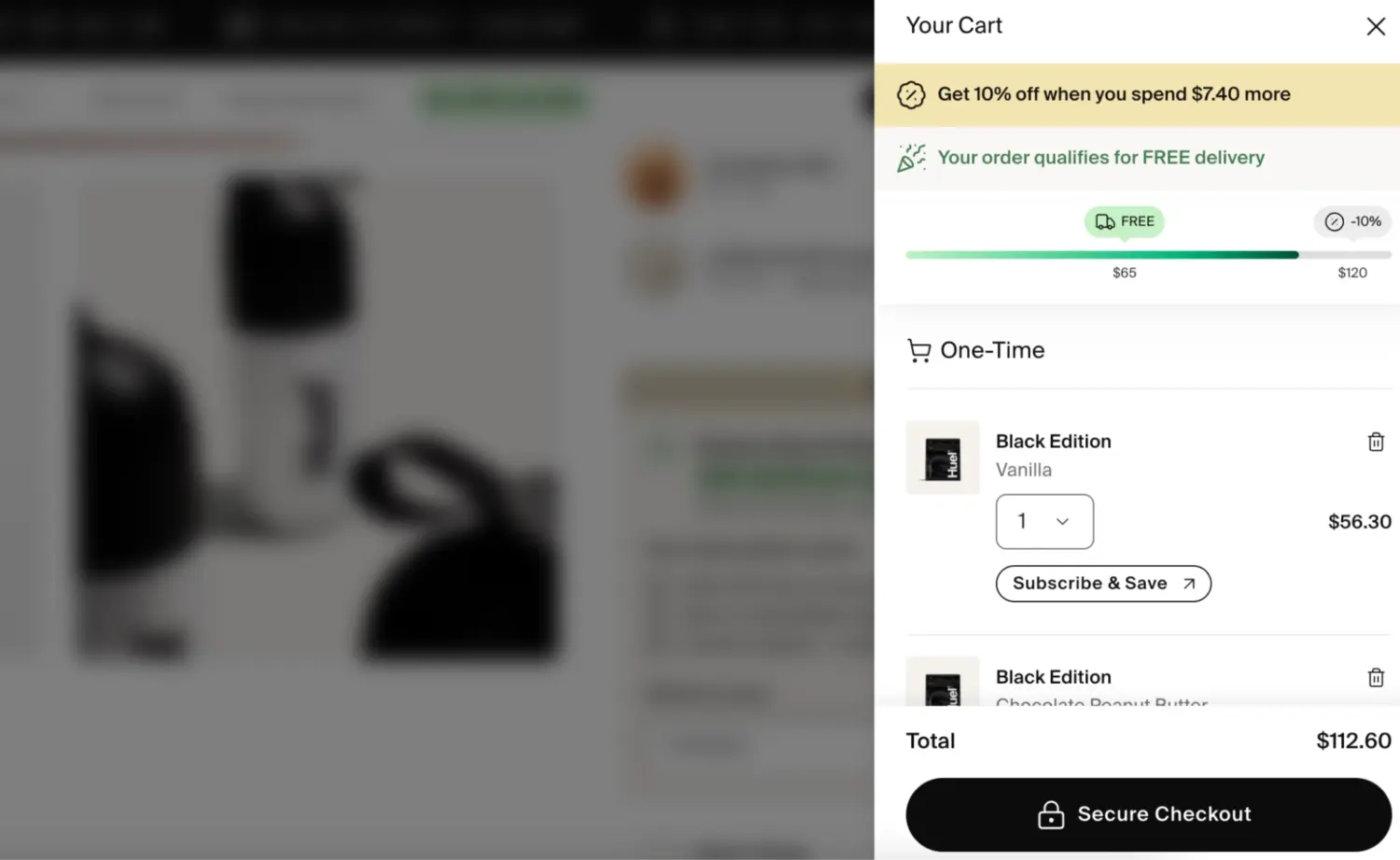
The threshold is the minimum level a customer must reach to unlock the reward. It can be set in two ways:
Spending thresholds are by far the most common since they tie directly to revenue, while quantity thresholds tend to work better for stores selling lower-priced, bundleable items like socks, candles, or snacks.
Setting the right threshold is arguably the most important decision you make. Too high, and customers disengage before even trying. Too low, and you give away the reward without growing your revenue, costing you margin without delivering any real benefit.
We will walk through the full calibration process, including how to pull your AOV baseline, the 15–30% rule, and what to do when the number is off, in Section 4.
Where the bar appears shapes how much urgency it creates:
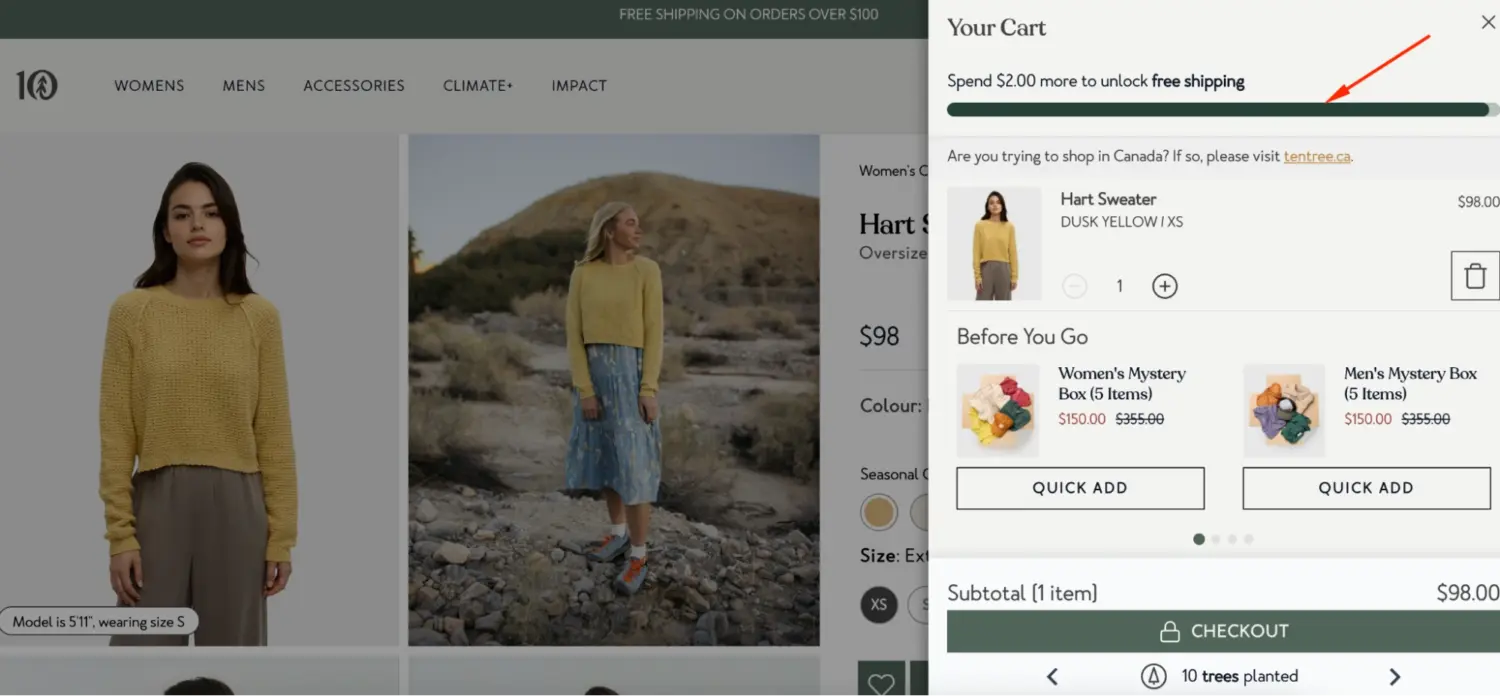
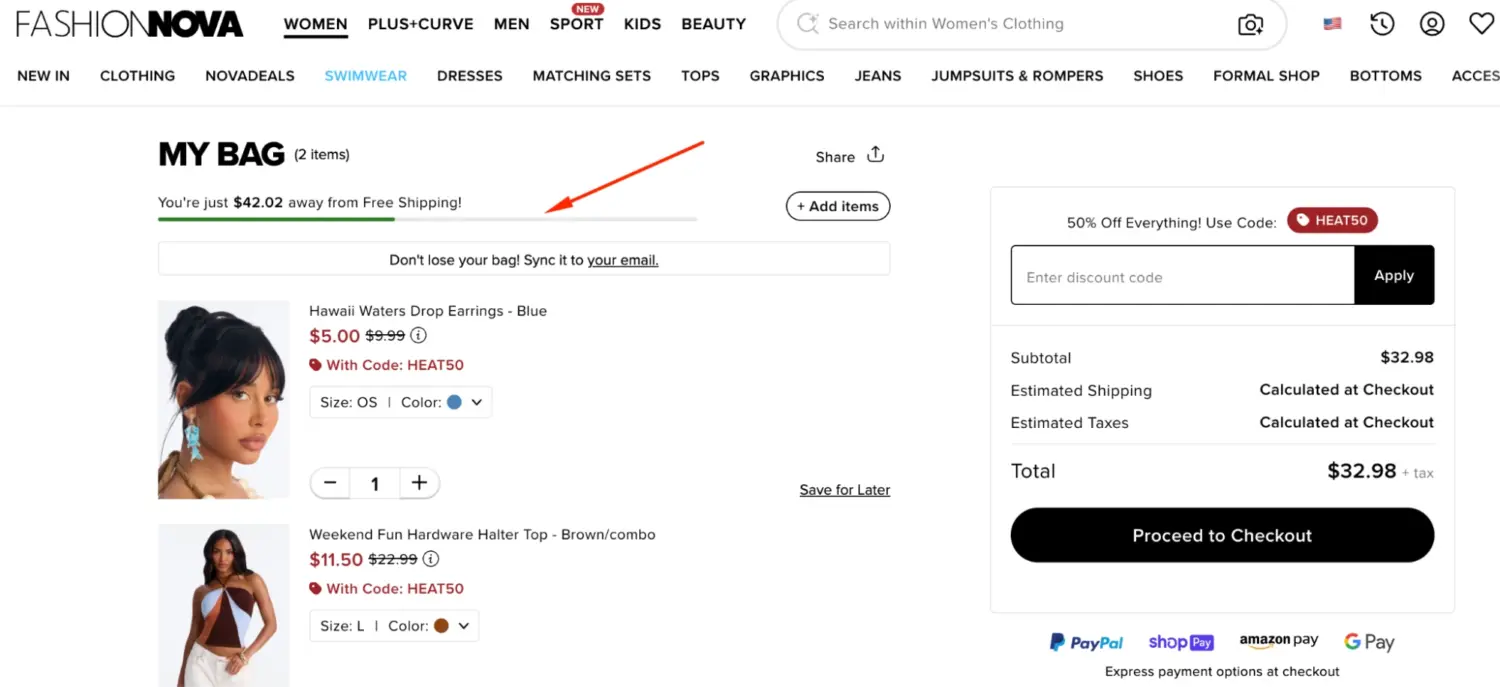
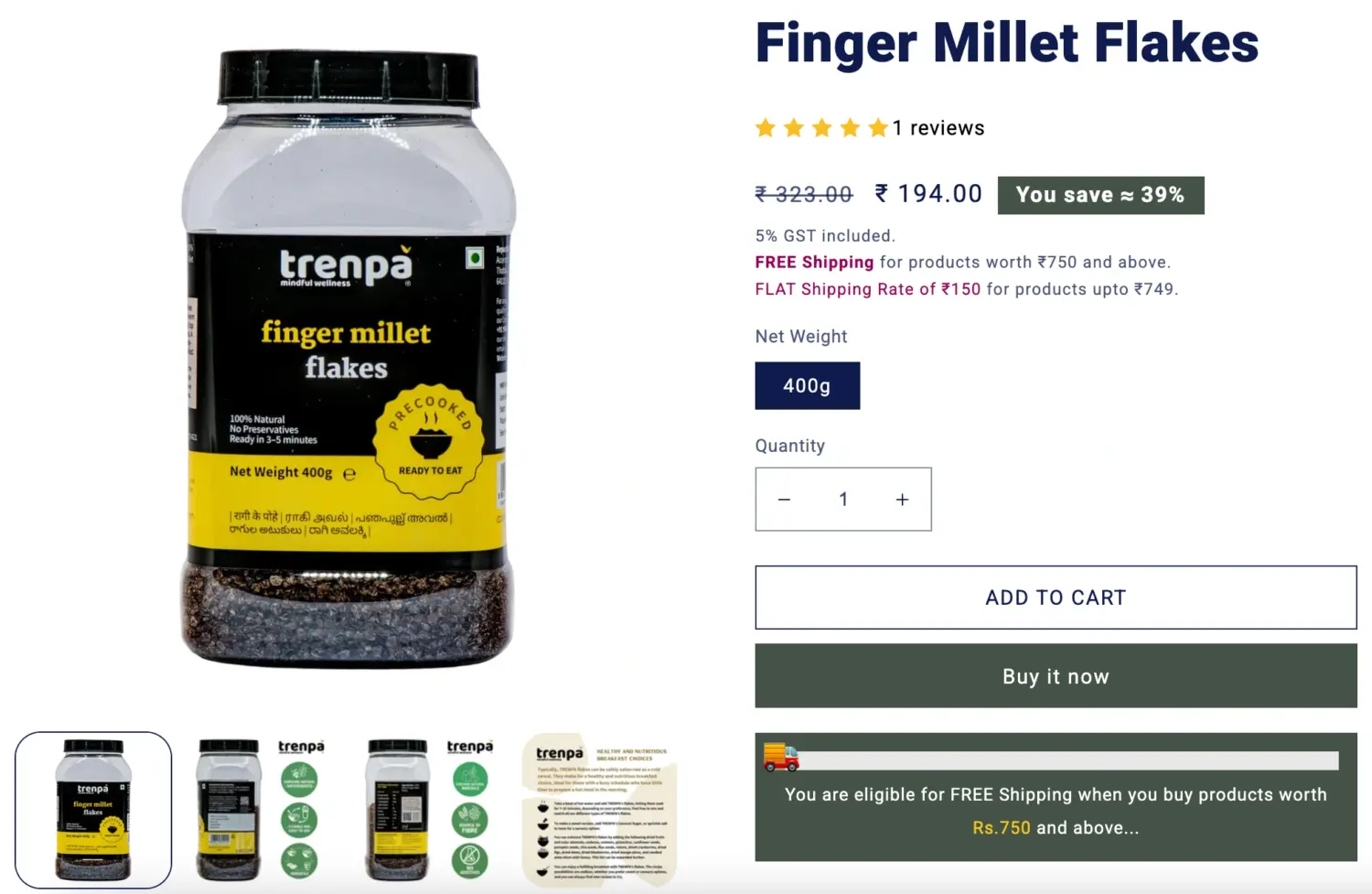
The words on your progress bar carry more weight than most merchants expect. Specific dollar-gap language consistently outperforms vague motivational phrases because it tells the customer exactly what to do and what they will receive in return.
A message like “You’re $14 away from a free gift” gives the shopper a concrete number to work with. They immediately know how much more they need to spend and what the payoff is. Compare that to something like “Spend more to unlock a reward”, which provides no urgency and no specificity. When a customer cannot quickly calculate whether the extra spend is worth it, they tend to skip it entirely.
As the cart value changes, your copy should update accordingly. A three-stage progression tends to work well in practice:
Note: Always show dollar amounts rather than percentages. “You’re $12 away from free shipping” is understood instantly, while “84% of the way there” requires mental math that slows the customer down.
Shopify does not include a built-in progress bar in its native cart. You have two routes to get one running: editing your theme code directly, or installing an app.
If you have a developer or are comfortable editing Liquid code, you can build a progress bar directly into your theme without paying for an app. The core idea is to add a snippet that reads your cart total, compares it to a threshold you set, and updates the bar in real time. The process takes a few hours for someone experienced with Shopify’s code structure.
Rather than walking through every step here, this free tutorial covers the full process with ready-to-paste code: Cart Progress Bar for Free Shipping – The Prompted.
If you prefer a video walkthrough, this YouTube tutorial covers the same process on Dawn without any apps.
There are two types of apps you can choose from.
The first is dedicated progress bar apps like Hextom: Free Shipping Bar. These do one job well: display a single bar tied to a free shipping threshold. They are cheap, easy to set up, and a reasonable choice if free shipping is the only reward you ever plan to offer.
The second type is a full promotions app that includes a progress bar as part of a broader toolkit. This is where BOGOS comes in.
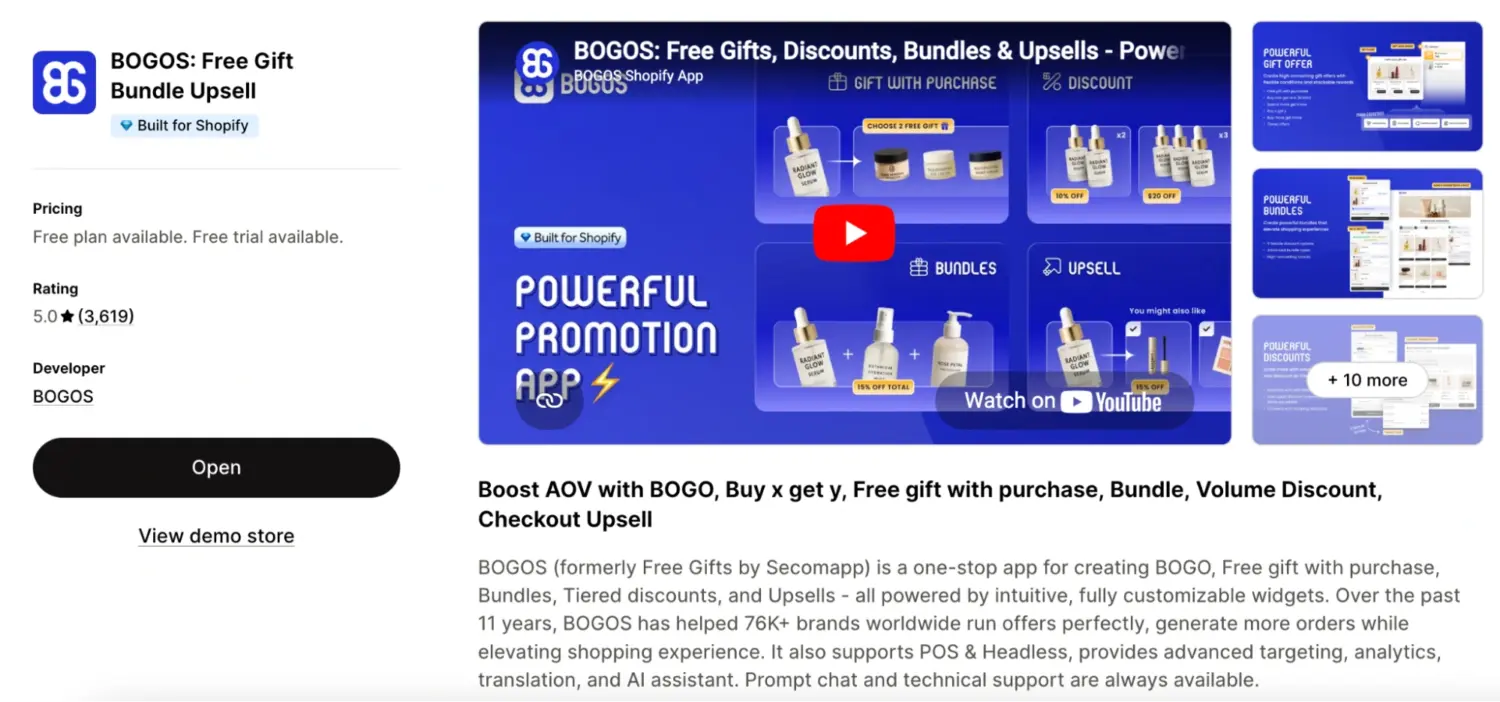
BOGOS: Free Gift Bundle Upsell is a Shopify promotions app trusted by 82,000+ stores (including 5,000+ Shopify Plus brands) to run free gifts, bundles, BOGO offers, tiered discounts, and upsells from a single dashboard. The Progress Bar is one feature inside that toolkit, built specifically to motivate larger purchases through real-time reward tracking.
So why pick a promotions app like BOGOS over a dedicated progress bar app? Three reasons:
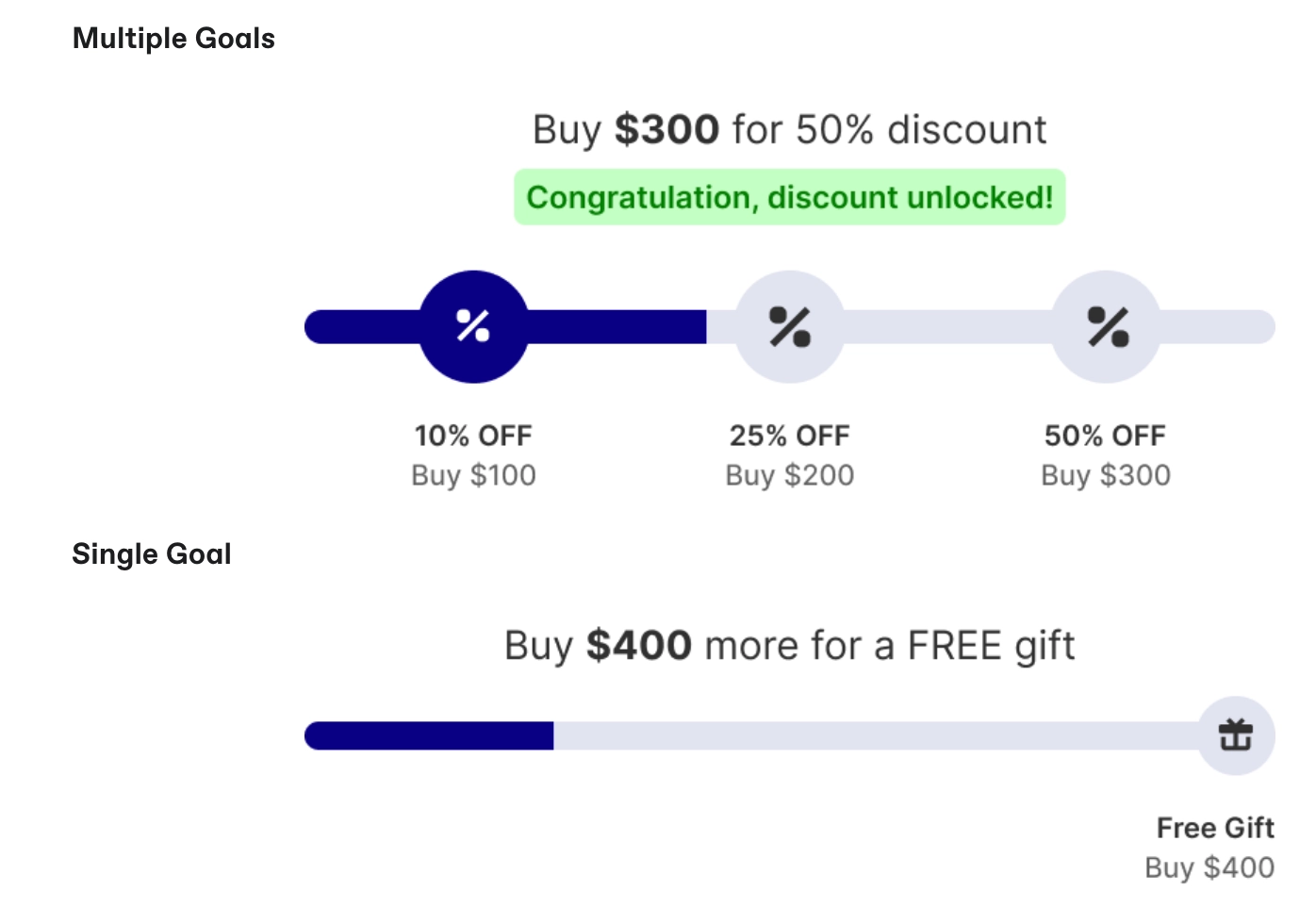
1. Multi-goal progress bar, not just one threshold
Most apps lock you into a single goal (“Spend $X for free shipping”). BOGOS lets you stack multiple goals on the same bar so customers see the next reward unlocking as they spend more. You can mix and match:
2. Reward flexibility most apps lack
Where pure free-shipping apps stop, BOGOS keeps going. A single progress bar can drive customers toward:
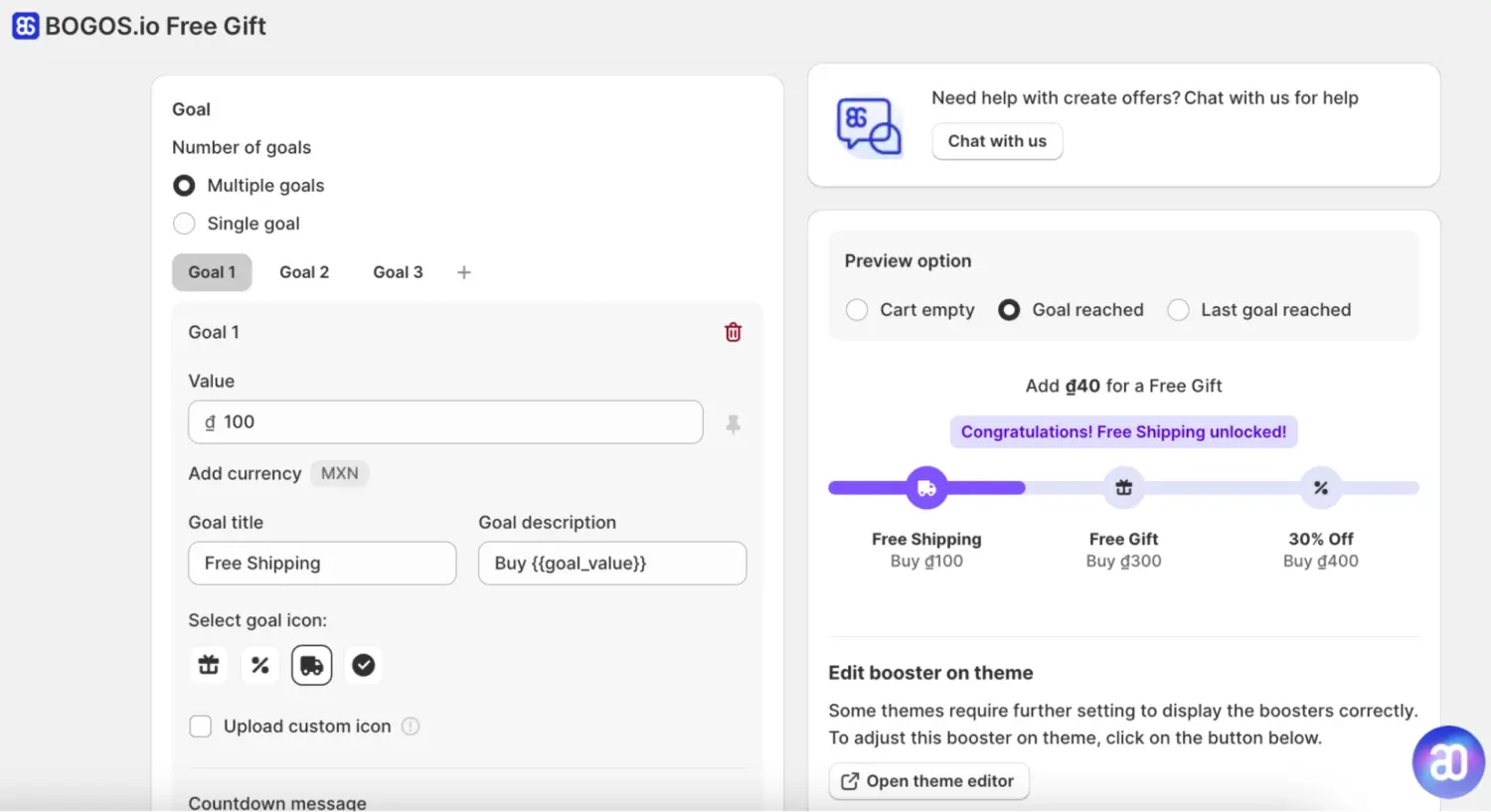
If your margins are tight, the “discount on cheapest item only” feature lets you offer a tiered promo without sacrificing margin on your premium items, which is useful for stores with mixed price points.
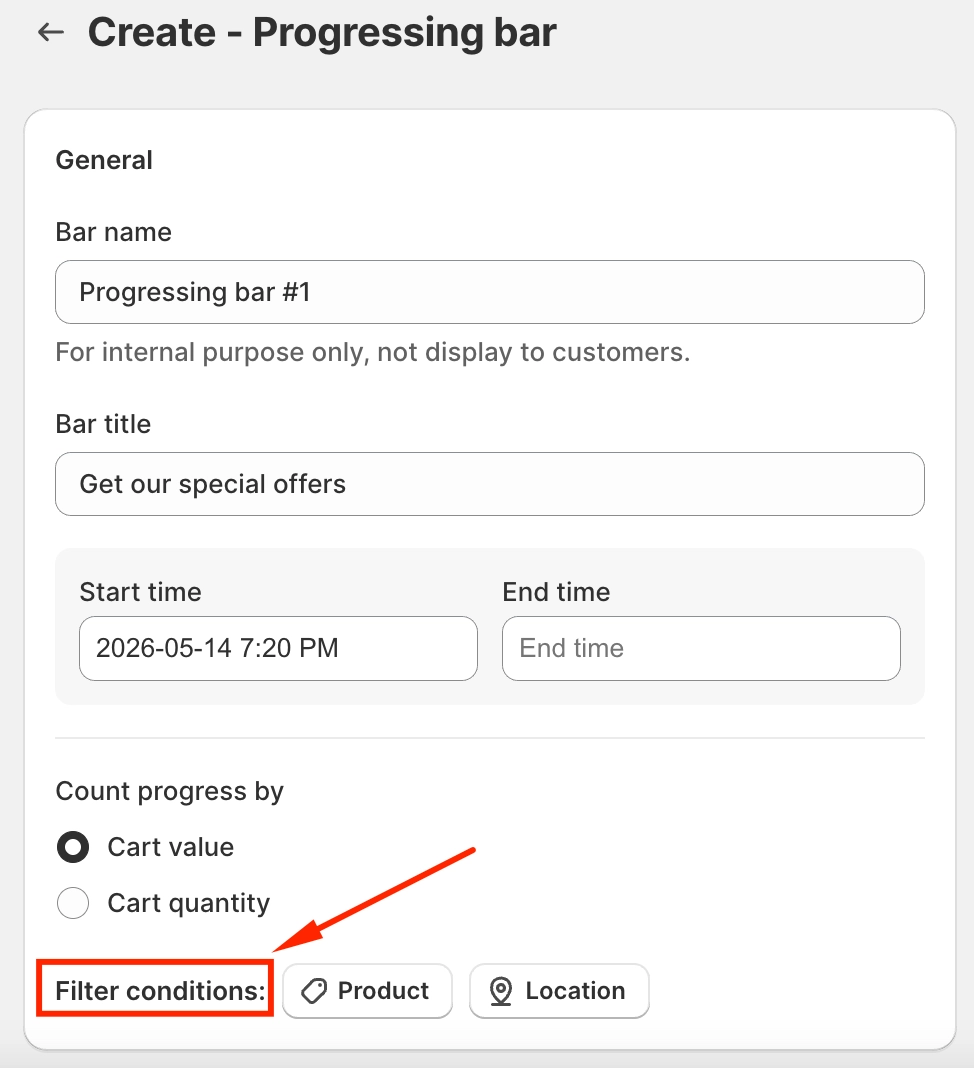
3. Smart targeting and conditions
You are not stuck showing the same bar to every visitor. BOGOS lets you apply filters so the progress bar only displays for the right shopper at the right time:
For Shopify Plus stores, BOGOS extends this all the way to the checkout page with a checkout-stage progress bar and checkout upsells, something most progress bar apps in this price range cannot do.
Pricing and what to expect
For a step-by-step setup guide, watch our video:
Step 1: Find your current AOV in Shopify
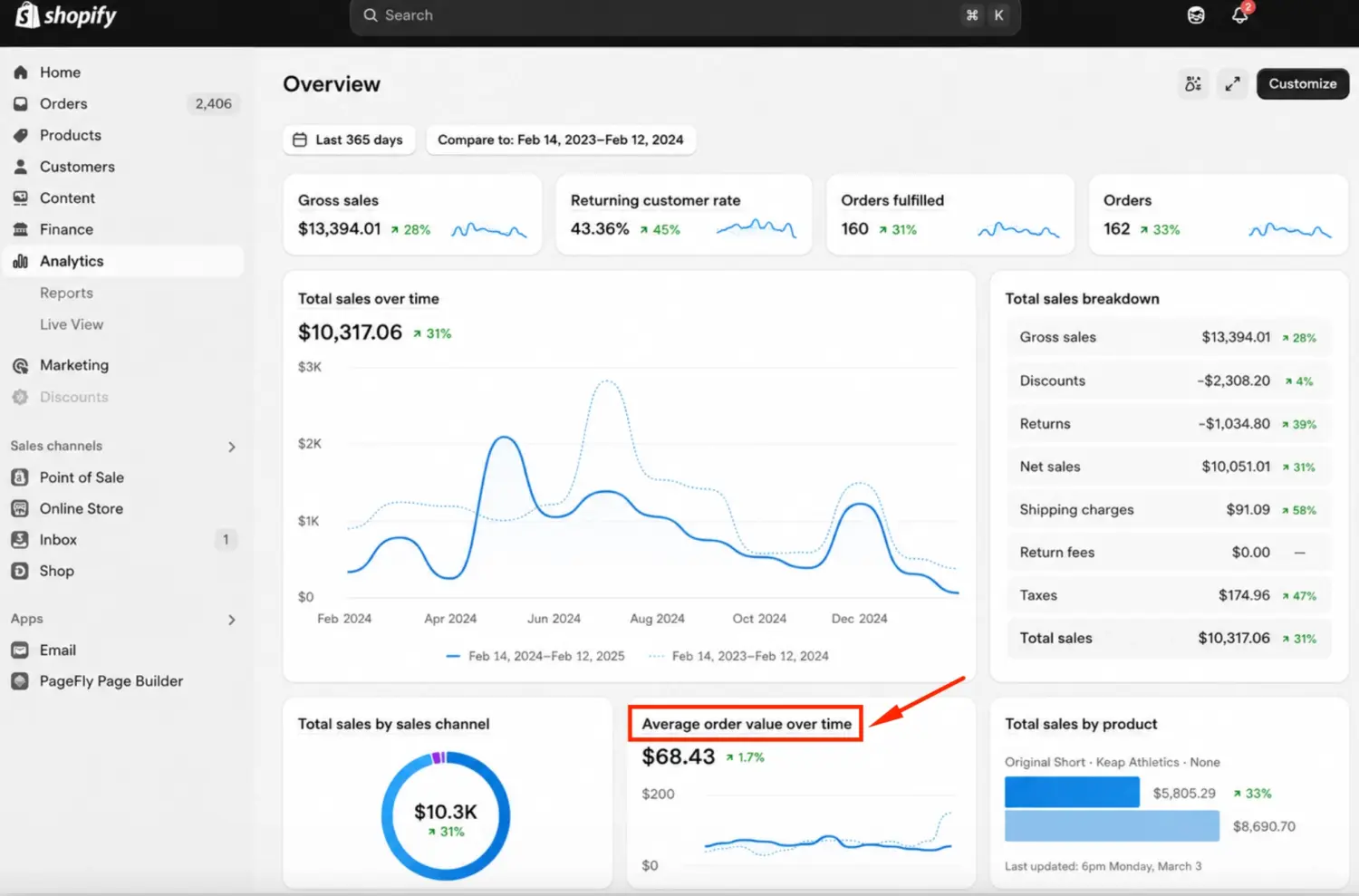
Go to your Shopify admin, click Analytics, then Reports, and look for “Average order value over time.” Run this report over the last 60 to 90 days to get a reliable baseline. One month of data can be skewed by a sale event or a viral product, so a longer window gives you a more honest picture of typical spending behavior.
Step 2: Apply the 15–30% rule
The widely cited guideline in ecommerce research is to set your threshold 15 to 30% above your current AOV. The reasoning is that most customers should be able to hit the goal by adding one more item, not two or three. Here is what that looks like across different store sizes:
| Current AOV | 15% above | 30% above | Recommended threshold |
|---|---|---|---|
| $40 | $46 | $52 | $50 |
| $55 | $63 | $72 | $65–$70 |
| $75 | $86 | $98 | $90 |
| $100 | $115 | $130 | $120 |
Notice that the recommended threshold in each row is rounded to a clean number. That is intentional: a threshold of $90 is easy for shoppers to remember and work toward, while $88.50 is not. Always round to the nearest $5 or $10 once you have your calculated range.
What happens when the threshold is wrong
If the threshold is too low, customers who were already going to spend that amount receive the reward without changing their behavior. You end up subsidizing shipping on orders that didn’t need a nudge, which chips directly into margins without lifting AOV.
If the threshold is too high, shoppers look at the gap, decide it is not worth it, and stop engaging with the bar entirely. One article suggests customers will typically close a $20 to $25 gap but abandon a $50 gap. Once the goal feels like a second shopping trip rather than one more item, the motivational effect disappears.
Primary metric: AOV before vs. after
Go to Shopify Analytics → Reports → Average order value over time. Record your AOV over the 30 days before launching the progress bar, then compare it to the 30 days after. This is your clearest signal of whether the bar is actually changing purchase behavior.
A healthy result is an AOV lift of 10 to 25% within the first 30 days. Stores that see lifts on the higher end typically have a well-placed threshold, a genuinely desirable reward, and clear copy.
Secondary metric: reward redemption rate
This tells you how many orders actually qualified for the reward out of the total orders in the same period. You can pull order data from Shopify Analytics and cross-reference it against the number of orders that hit the threshold.
| Redemption rate | What it likely means | What to do |
|---|---|---|
| Below 20% | Threshold too high, reward not motivating, or bar not visible enough | Lower threshold by 10–15%, or improve reward and placement |
| 20–40% | Healthy range — the bar is nudging spend without being too easy to reach | Hold steady and monitor AOV |
| Above 40% | Threshold likely too low — you are rewarding orders that would have happened anyway | Raise threshold by 10–15% |
Troubleshooting checklist if AOV does not improve
If 30 days have passed and your AOV has not moved, work through these four questions in order:
| Mistake | Solution |
|---|---|
| 1. Weak or irrelevant reward | – Switch from a percentage discount to free shipping or a free gift with visible retail value – Test the new reward for two weeks and check if the redemption rate climbs above 20% |
| 2. Bar in only one location | – Add a cart drawer bar if you only have a sticky header, or vice versa – Cart drawer is the highest-priority placement since purchase intent is highest there – Most apps let you enable a second placement in under five minutes |
| 3. Vague copy (“Almost there!”) | – Replace static text with dynamic dollar-gap language: “You are $14 away from free shipping” – Use the merge tag or remaining-amount variable in your app settings – Update the success message to confirm the specific reward: “You have unlocked free shipping” |
| 4. Threshold not adjusted during campaigns | – Before any sale, recalculate what a typical discounted cart will look like and adjust the threshold down accordingly – Set a calendar reminder to review the threshold before and after every major promotional period |
Most merchants install a progress bar and expect results. The ones who actually see results are the ones who pair it with the right reward, a well-calibrated threshold, and copy that tells shoppers exactly what they are close to earning. The tool is simple. The strategy behind it is what makes the difference. When the reward is time-limited, pairing the bar with a Shopify countdown timer adds a deadline to the goal, so shoppers act before both the reward and the clock run out.
Both work well, but for different audiences. Free shipping is universally motivating and works across most product categories. Free gifts tend to perform better for beauty, wellness, and lifestyle brands where the gift has high perceived value.
Yes, apps like BOGOS and Hextom support multiple active bars with different thresholds and rewards, including tiered campaigns where customers unlock different rewards at different spend levels.
Yes, most apps allow you to enable the bar on the cart drawer, cart page, and sticky header simultaneously. Layering placements generally produces better results than relying on a single location.

Shopify collections decide how shoppers find your products, yet many guides still describe a setup Shopify is now replacing....
A Shopify announcement bar is the thin strip at the top of your store that tells shoppers about shipping,...
Australia is one of the first markets many Shopify stores expand into. It is large, English-speaking, and home to...
