


Charlie Ngo
•
Last updated: 20 October, 2026
Shopify Collections: How To Create & Organize Them (2026)
Shopify collections decide how shoppers find your products, yet many guides still describe a setup Shopify is now replacing....
How to Create Shopify Free Shipping Over Amount? (Free & Paid App)

Digital Marketing Specialist
Summarize this post with AI
Setting up Shopify free shipping over amount is a powerful way to drive more sales while giving customers a little extra incentive to add those last few items to their cart.
Whether you do it directly in Shopify or using an app, we’ll guide you through both options.
Plus, we’ll share four game-changing tips to make your free shipping offer even more effective – from setting smart limits to promoting it with a progress bar. Let’s unlock how to make free shipping work wonders for your store!
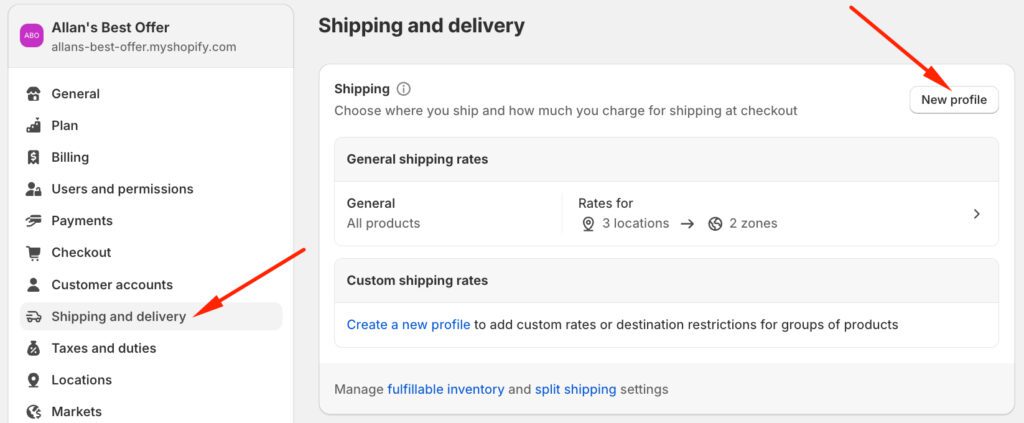
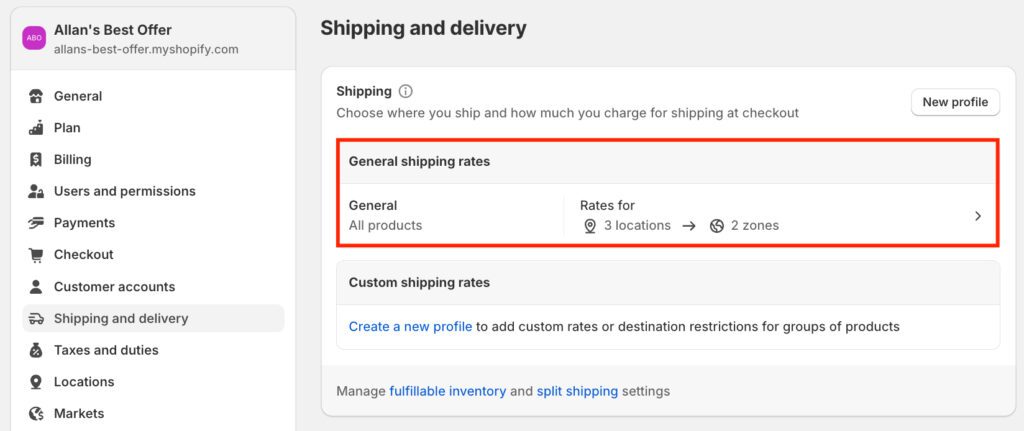
Step 1: Access Shipping and Delivery Settings
Step 2: Create a New Shipping Profile (If Needed)
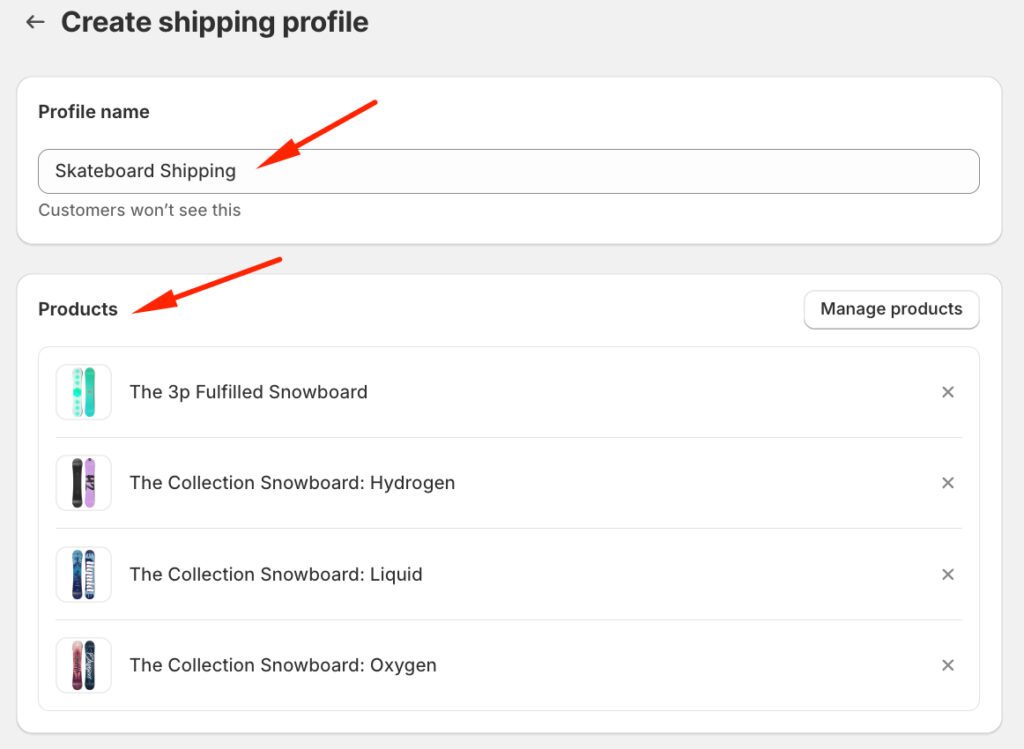
Step 3: Configure the Shipping Profile
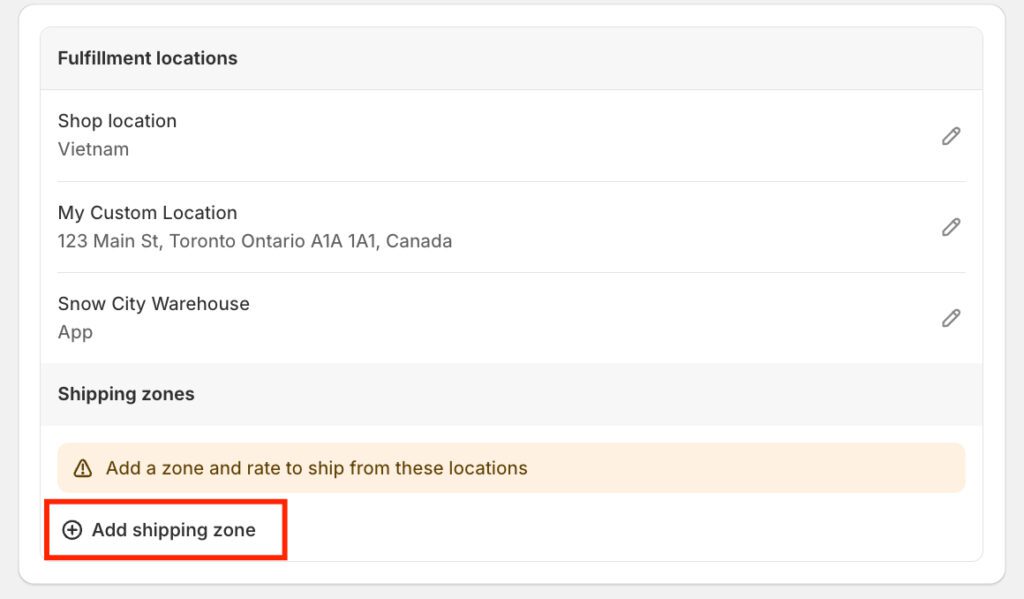
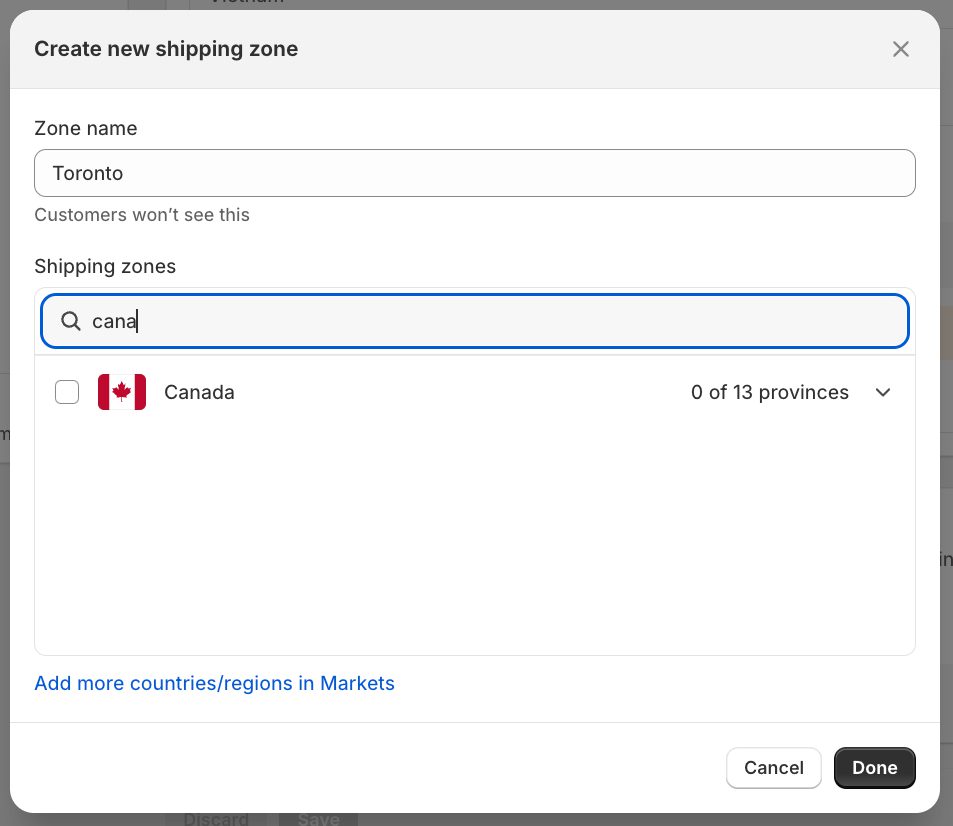
Step 4: Set Up Shipping Zones
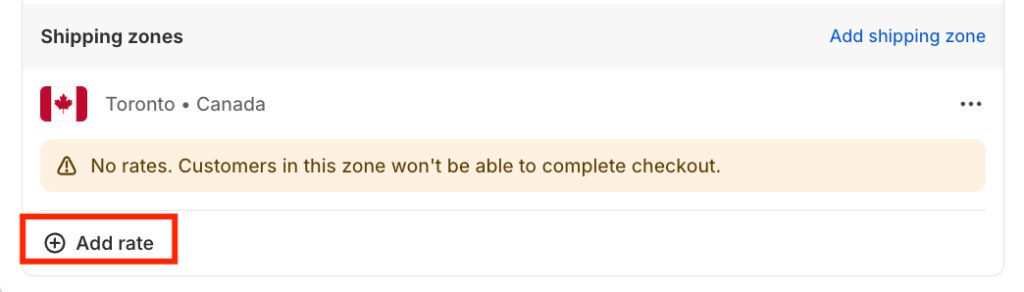
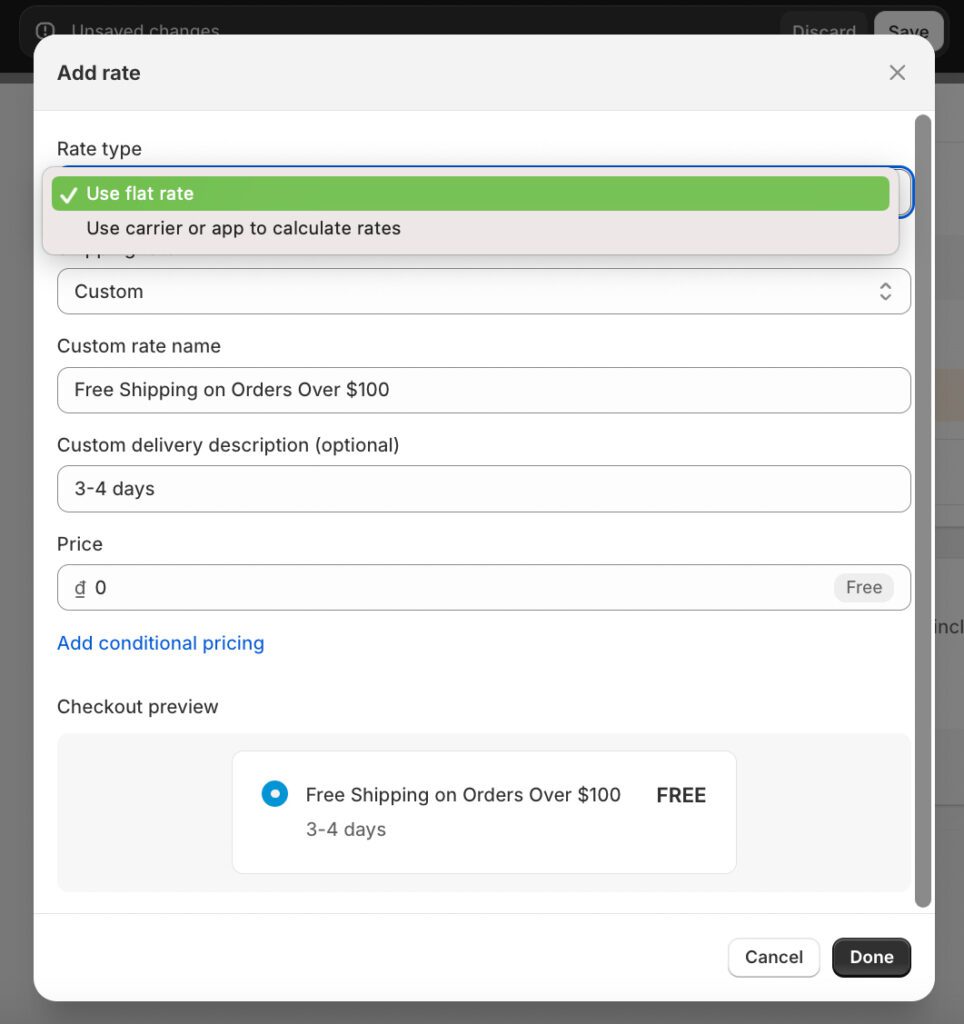
Step 5: Add a Free Shipping Rate
Step 6: Add Conditions for Free Shipping
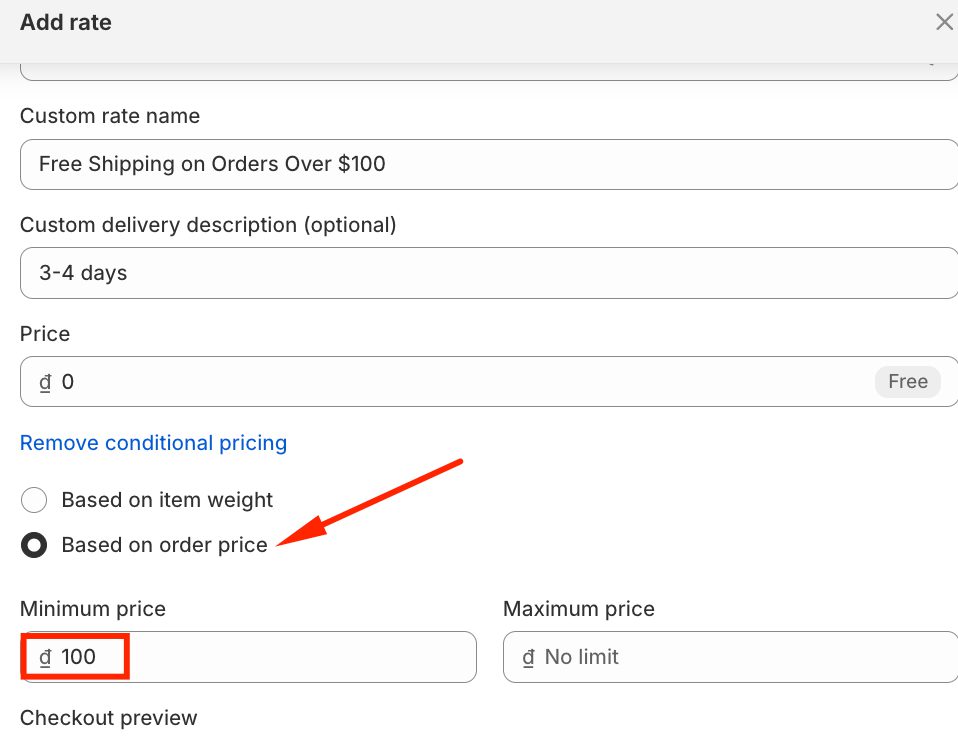
If you already have an existing profile for all products and just want to add or adjust free shipping conditions for skateboards:
Read more: How can you combine Shopify discounts with free shipping? 3 Best Methods
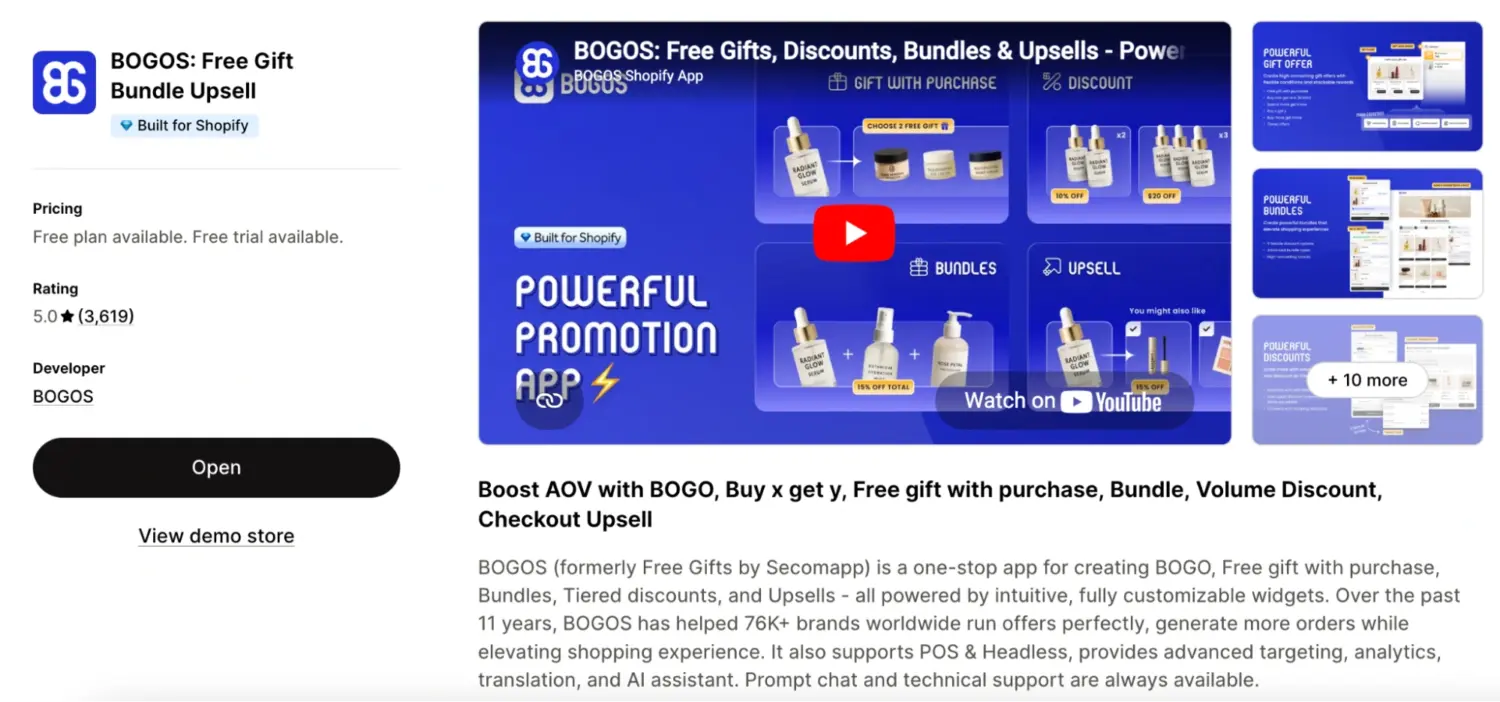
To create Shopify free shipping over amount with an app, BOGOS is an excellent app choice for you. The app offers a free plan that lets you create basic shipping discounts based on cart total, perfect for setting up “free shipping over $X” offers.
With a 5.0/5 ⭐from merchants, it stands out for its user-friendly interface and quick setup process. If you need more advanced rules later, their Pro plan ($7.90/month) unlocks 30+ conditions like location-based rules, customer segments, or percentage discounts on Shopify shipping rates.
This Shopify free shipping app’s simple approach and reliable support make it a practical solution for merchants looking to implement free shipping thresholds without a complex technical setup.
Below is a very detailed guide to using this Shopify free shipping app:
Step 1: Install BOGOS from the Shopify App Store
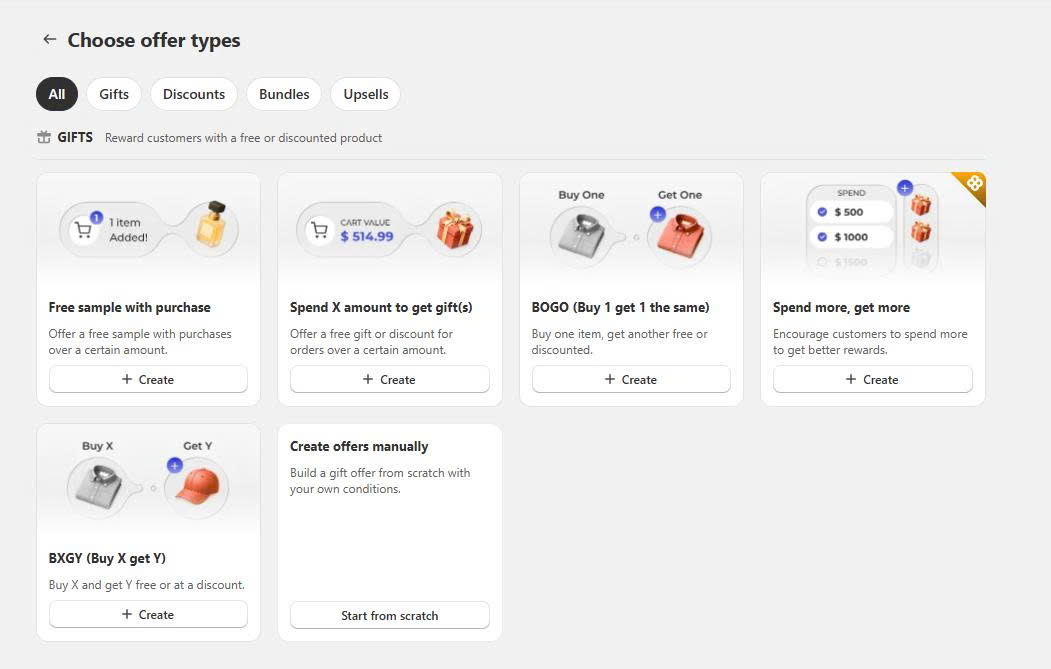
Step 2: In the BOGOS offer creation dashboard, choose “Spend X amount to get gifts offer.”
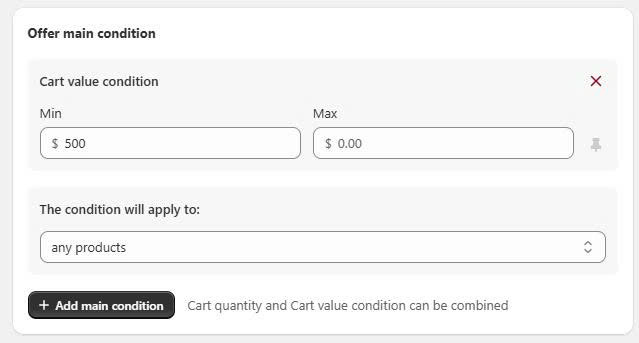
Step 3: Set the minimum cart value and maximum cart value conditions.
Step 4: Set the sub-conditions. Sub-conditions allow you to show this offer to specific customer segments. If you leave this section empty, BOGOS will automatically show the offer to all customers.
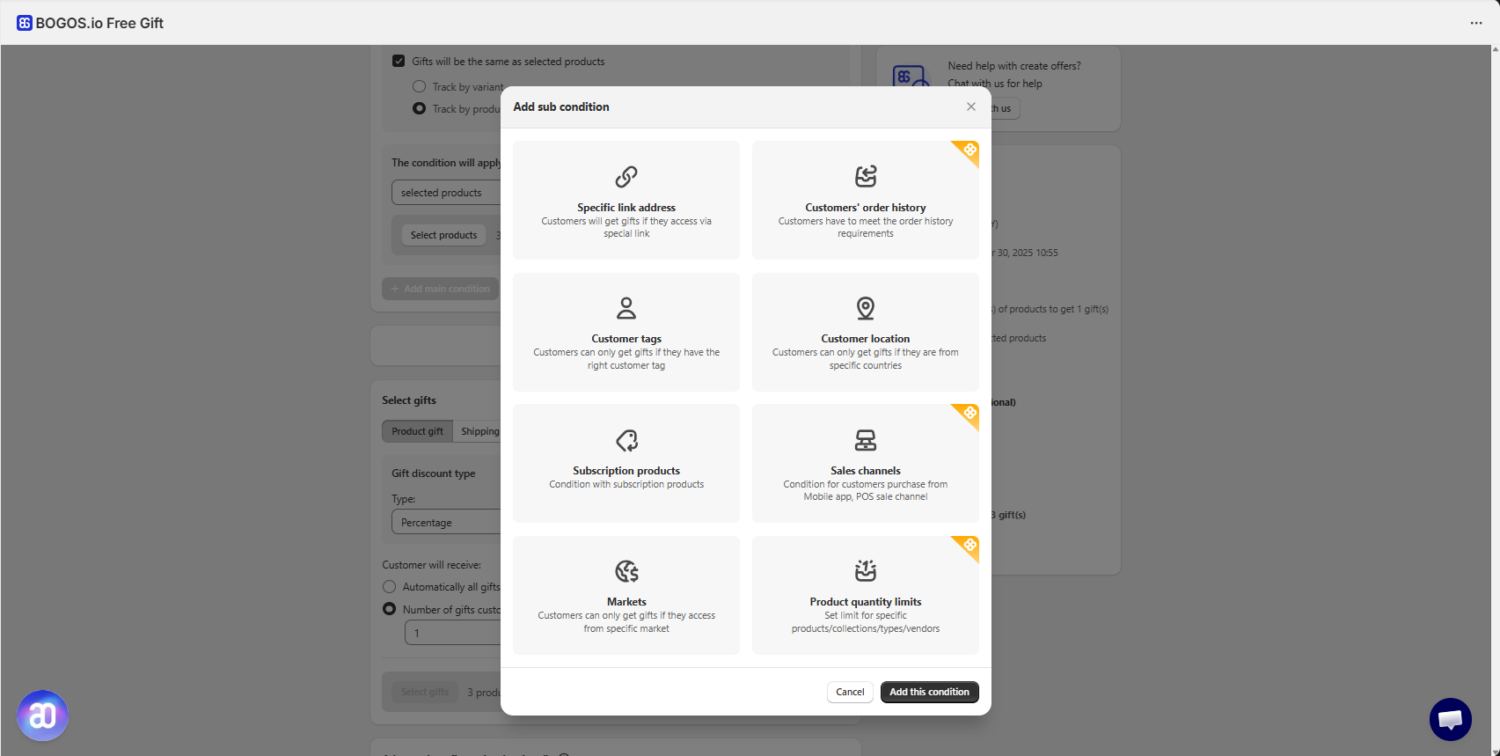
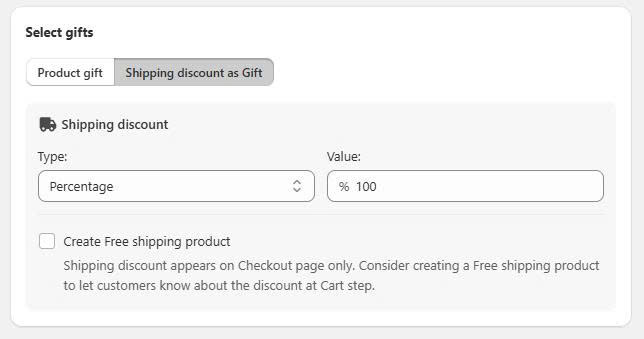
Step 5: Set the shipping discount as a gift and set the value to 100%.
Choose “Create free shipping product” if you want to notify customers about the free shipping discount at the cart step.
Step 6: Save and test the offer.
Set your threshold about 20–30% above your current average order value. This is a common industry rule, not a hard research figure, but it works because it asks shoppers to stretch by one item rather than double their order.
Start by finding your average order value. Divide your total revenue over the last month by your number of orders. If your average order value is $40, a threshold near $50 asks for one more small item, which most shoppers will do. A threshold of $90 asks them to more than double their cart, which most will ignore. Because the threshold is a direct lever on cart size, it sits at the center of any Shopify AOV strategy.
Run a three-line check before you commit: your average order value, your average shipping cost, and your margin per order. If your margin comfortably covers the shipping cost at the threshold, the offer pays for itself. If it does not, raise the threshold or the price, or limit free shipping to lighter products.
| Average order value | Average shipping cost | Margin needed to break even |
|---|---|---|
| $30 | $6 | 20%+ |
| $50 | $7 | 14%+ |
| $80 | $8 | 10%+ |
| $120 | $10 | 8.3%+ |
The threshold fixes most of this on its own. When free shipping only unlocks above a value you chose, the larger order absorbs the parcel cost, so you rarely ship at a loss.
Setting up the rule is half the work. Making shoppers see it and reach for it is the other half. Three moves do the heavy lifting.
A progress bar tells shoppers exactly how far they are from the reward. A bar that reads “you’re $8 away from free shipping” updates as items go into the cart, and it uses the goal-gradient effect to pull carts higher. You can track progress by cart value and show the bar only to certain products, locations, or customer groups.
Add a free gift at the same threshold to make the offer twice as strong. Instead of “spend $50 for free shipping,” the message becomes “spend $50 for free shipping and a free gift.” The free gift with purchase works alongside your native free shipping rule, and it gives shoppers a second reason to reach the line. This is where BOGOS fits: its gift-with-purchase feature auto-adds a real gift product once the cart hits your value, so the same threshold now delivers two rewards at once.
Give shoppers a reason to keep going past the free shipping line. A tiered progress bar can show several goals in one place: free shipping at $50, a free gift at $80, and a bundle discount at $120. Native Shopify cannot display stacked reward tiers like this, but BOGOS can, which turns a single threshold into a step-by-step climb toward a bigger order.
Surface the threshold beyond the cart. Add it to your header announcement bar, repeat it near the add-to-cart button on product pages, and keep the progress bar visible in the cart drawer. Shoppers who never see the offer cannot act on it.
I hope you find this post full of ideas to make Shopify free shipping over amount a game-changer for your store! By setting smart thresholds, focusing on high-value customers, pairing it with a seasonal sale like Black Friday, and adding a progress bar, you’ll not only increase your sales but also create a more exciting shopping experience. Start using these best practices to turn free shipping into a powerful tool for growth – every step counts!
In your Shopify admin, go to Settings > Shipping and delivery. Under the shipping profile you want to edit, click Manage. Add a new rate with a price of $0 and set conditions based on the order price, specifying the minimum amount for free shipping.
Yes, you can create shipping zones for specific countries or regions and apply free shipping rates exclusively to those zones. This allows you to tailor your shipping strategy based on location.
After setting up free shipping rates, test the checkout process by placing orders that meet and don’t meet the free shipping criteria. This ensures the settings work as intended and customers receive the correct shipping options.
Use banners, pop-ups, or progress bars on your website to inform customers about free shipping. Clearly display the minimum order amount required to qualify, encouraging customers to add more items to their cart.

Shopify collections decide how shoppers find your products, yet many guides still describe a setup Shopify is now replacing....

A Shopify announcement bar is the thin strip at the top of your store that tells shoppers about shipping,...
Australia is one of the first markets many Shopify stores expand into. It is large, English-speaking, and home to...
