


![[2026] Shopify Testimonials: 3 Ways To Add Them + Best Apps](https://bogos.io/wp-content/uploads/2026/10/Shopify-Testimonials-400x225.jpg)
Charlie Ngo
•
Last updated: 8 October, 2026
[2026] Shopify Testimonials: 3 Ways To Add Them + Best Apps
Shopify testimonials help new visitors trust a store they have never bought from. Most guides stop at “install an...
Shopify Product Page Optimization: Double Your Conversion With These Tips

Marketing Manager
Summarize this post with AI
You have visitors landing on your product pages. Most of them leave without buying. That gap is where Shopify product page optimization earns its keep.
Shopify product page optimization means improving the content, images, layout, and functionality of a product page so more visitors add to cart and check out. This guide shows you how to optimize Shopify product pages for conversions, step by step, with data behind every move. I’m Allan, and I work on the team behind BOGOS, where we help Shopify merchants turn product pages into sales.
Think about where a sale actually happens. Not on your homepage. Not in your cart. On the product page.
This is the highest-intent screen in your store. The shopper already found you, clicked through, and started weighing the decision. Nearly every buyer passes through a product page before they purchase.
Yet most pages are not ready for that moment. Baymard’s research found that 52% of desktop and 62% of mobile ecommerce sites have “mediocre” or worse product page UX. Even among the world’s largest stores, none scored perfect.
The numbers show the cost. The average Shopify store converts about 1.4% of visits. Stores in the top 20% convert at 3.2% or higher, and the top 10% reach 4.7% or more.
That spread is your opportunity. Most of the distance between an average store and a top store lives on the product page.
Strong product page optimization pays off three ways. It lifts your conversion rate optimization results, it raises average order value, and it boosts your overall Shopify sales. Conversion is the main job here. The rest follows.
Do not start by changing things. Start by finding the leak.
A high converting Shopify product page has to do four jobs in order. When conversions stall, one of these four is usually broken.
Map your page against these four jobs. The one that fails is where you start.
Numbers tell you which job is broken. Watch these on your product pages.
A page with a decent add-to-cart rate but poor checkout completion has a different problem than a page nobody engages with at all. Diagnose, then fix.
Now the hands-on work. Each fix below targets one of the four jobs. Each is backed by data.
Product Images are not decoration. They are the closest thing to holding the product. Baymard found that 56% of shoppers’ first action on a product page is to explore the images, before they read the title or description.
So lead with strong product images. High-resolution photos can lift conversion by around 33% compared to low-quality ones. A Shopify survey found professional photos converted about 33% better than weak images.
Follow a few product page best practices for images:
For high-consideration products, go further. 3D and AR views have driven up to 94% higher conversion in some studies, and 360-degree spin views lifted one retailer’s conversion by 27%.
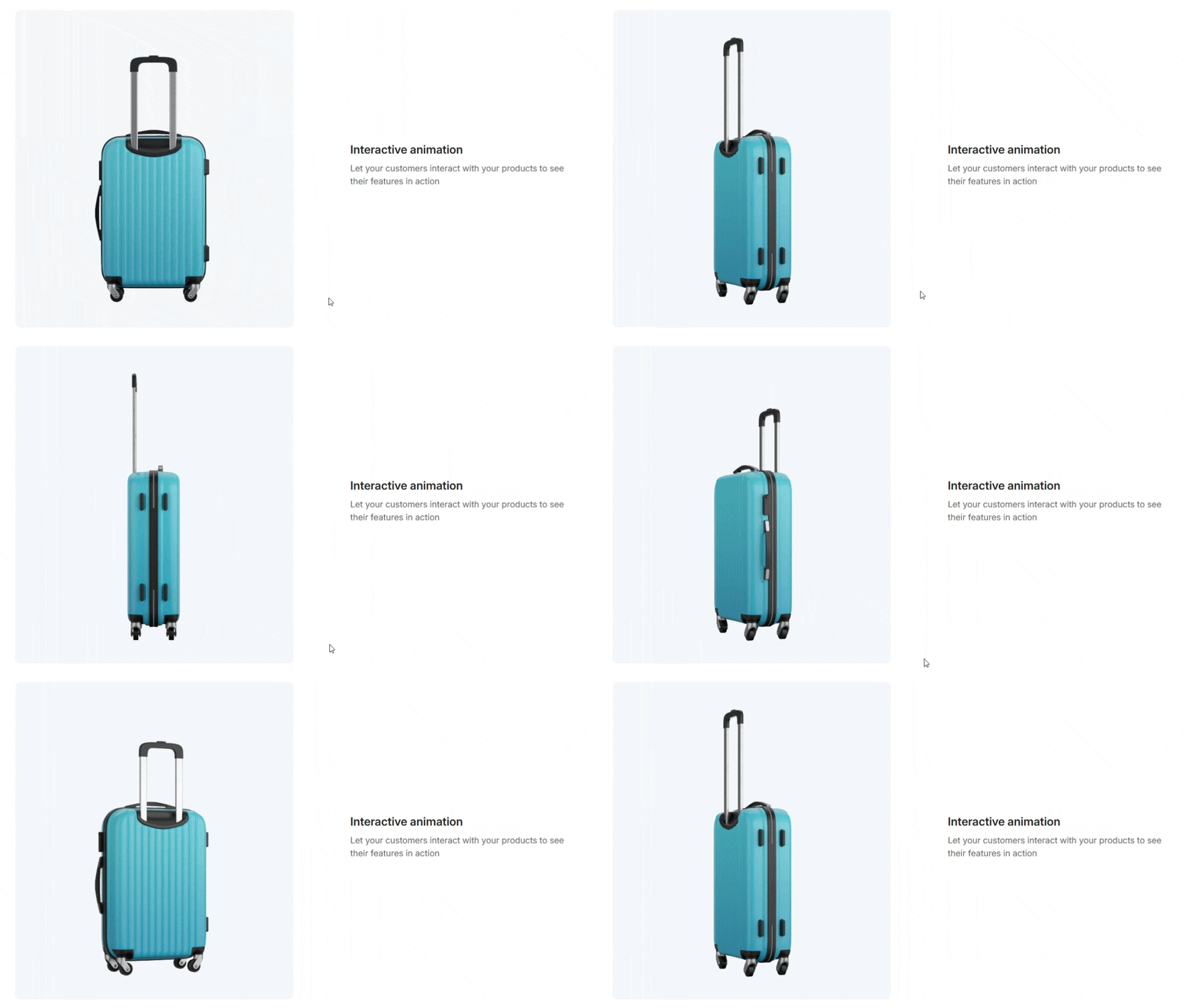
You do not need a developer to add them. The simplest path is to upload a 3D model (a .glb or .usdz file) straight into the product media in your Shopify admin, where Online Store 2.0 themes render it with native “View in your space” AR. For 360-degree spins or richer 3D, an app handles the work. Tools like Spin Studio, or a 3D and AR viewer from the Shopify App Store turn a set of photos into an interactive view without code. If you want shoppers to change parts, materials, or colors on the model and see the price update live, a product configurator does exactly that.
Write descriptive alt text for every image too. It helps screen readers and gives search engines context for image search.
Product Video answers questions that photos cannot. It also moves the needle hard.
Product pages with video can convert up to 80% better than pages without. And a shopper who watches a product video is up to 144% more likely to add the item to cart.
Add a short demo, a try-on, or a 360-degree clip to your product gallery. Keep it under a minute. Show the product in use, not a slideshow of stills.
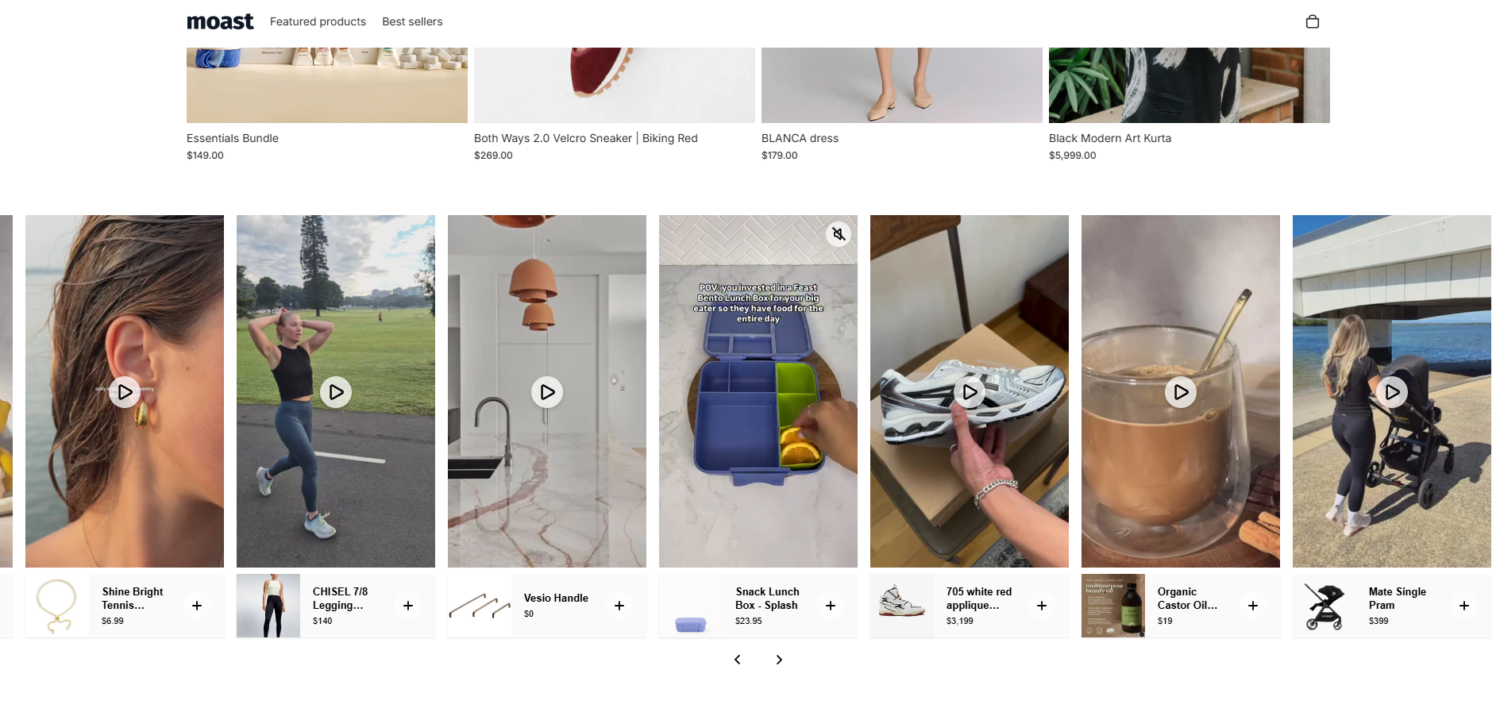
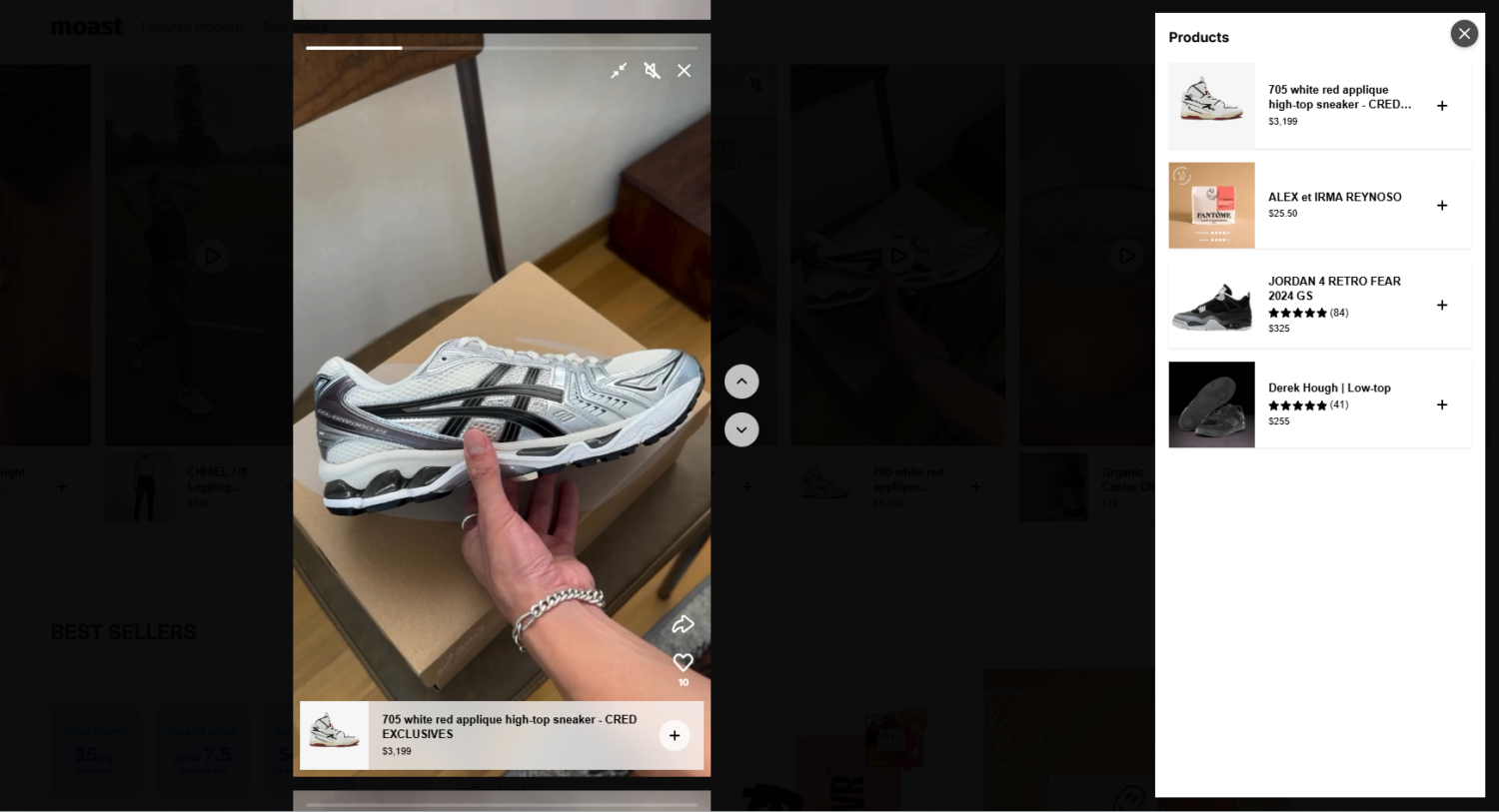
Two formats convert especially well:
Your product title is the first thing shoppers read on Google and on your page. Keep it clear and specific. Lead with the product, then add the detail that matters.
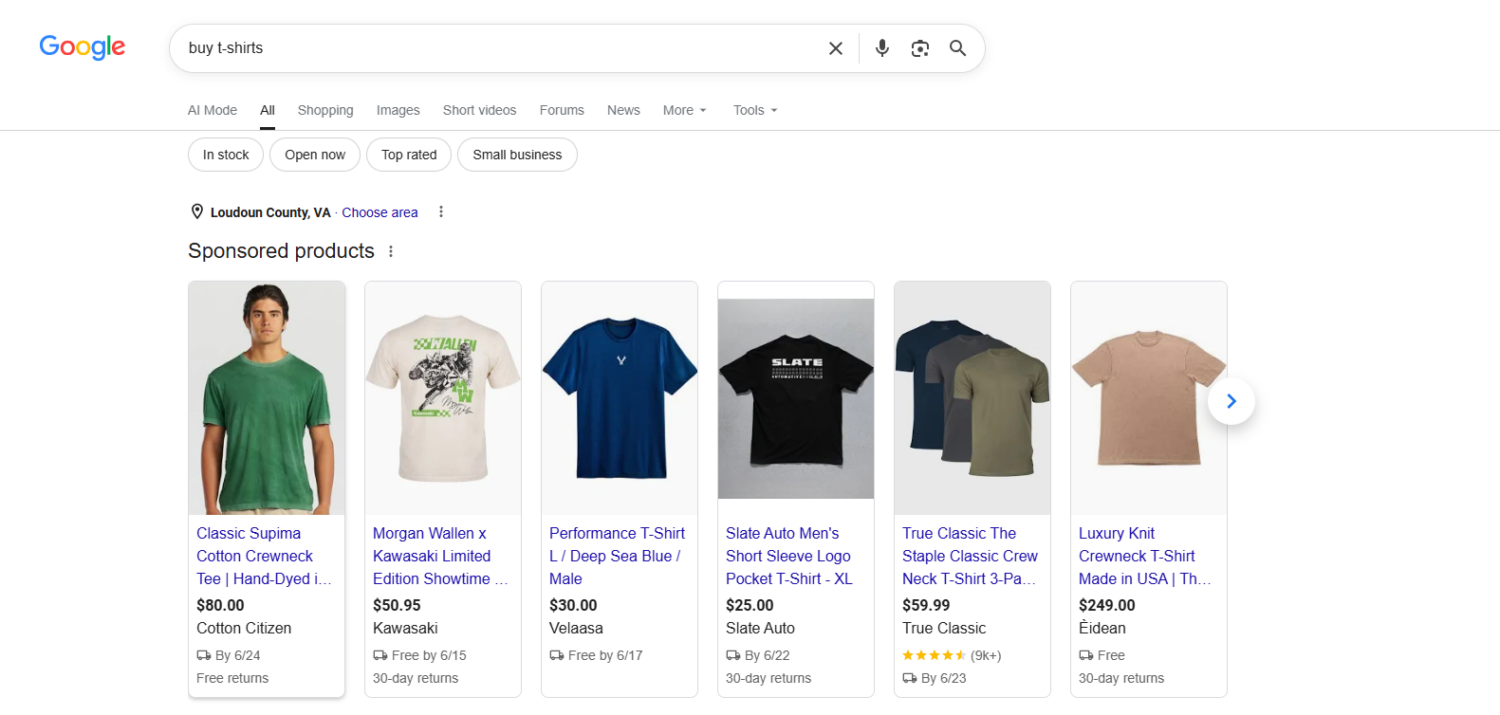
For example, write “Organic cotton crew t-shirt for men, breathable fit” instead of “T-shirt, white.” The specific version matches real buyer searches and sets expectations.
Then make the product description sell, not just list. Lead with benefits, back them with features.
Shopify Metafields let you show variant-specific notes, like fit guidance or care instructions, without building separate pages. Use them to give each shopper only the details that apply.
AI tools can speed up a first draft. Always edit the output in your own brand voice. Manufacturer copy, pasted as-is, creates duplicate content and hurts both trust and ranking.
For products that can be made-to-order, a Shopify product customizer turns the page into a conversion tool. Shoppers add a name, choose a color, upload a photo, or build their own configuration, and see a live preview of the result.
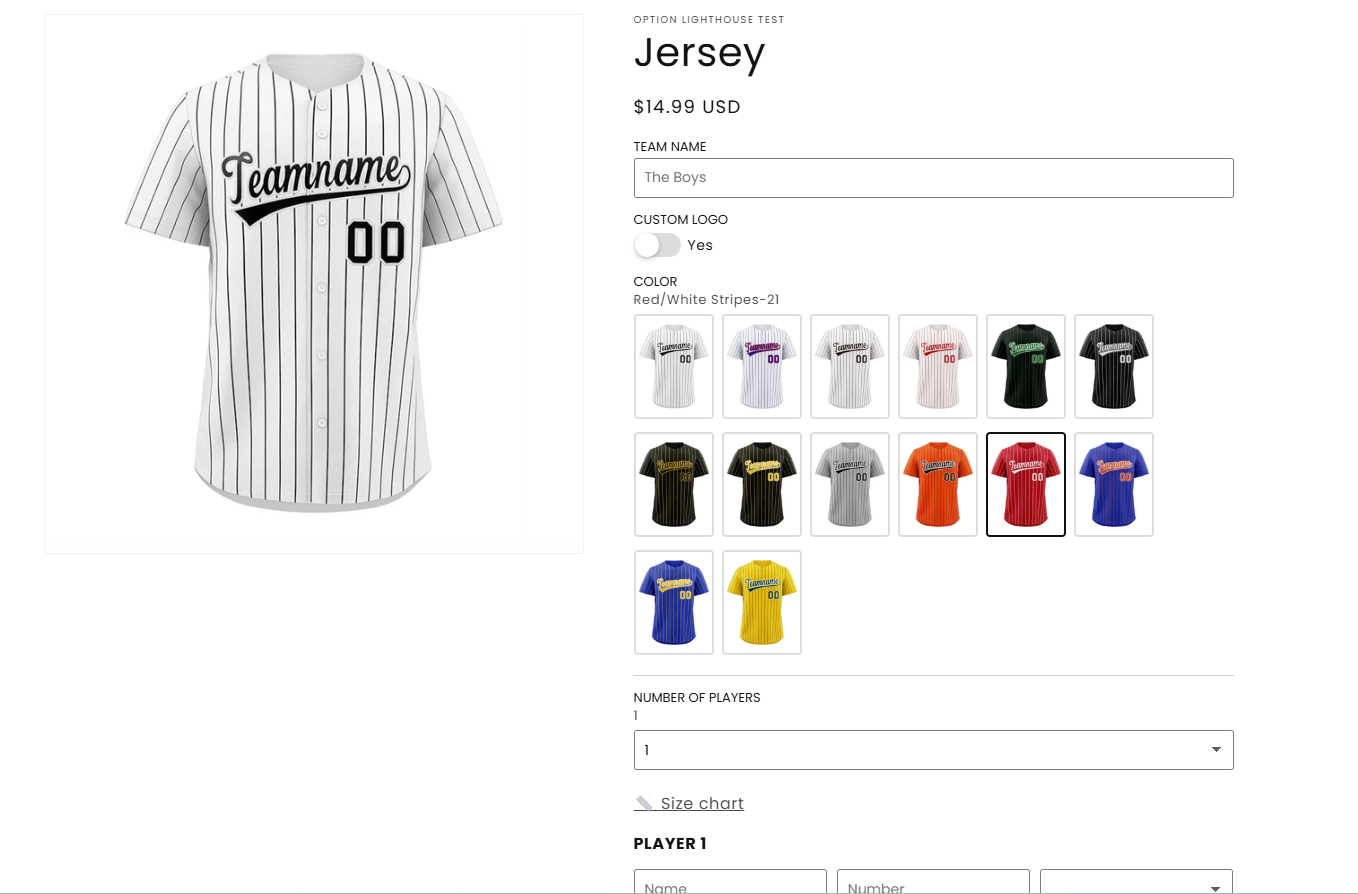
This works because it raises confidence and perceived value at the same time. A shopper who has personalized an item is more invested in buying it, and a clear preview cuts the doubt that leads to returns.
You add this with an app. A product customizer or product options app from the Shopify App Store, such as Hulk Product Options, Zepto Product Personalizer, or Kickflip, lets shoppers configure and preview their item without any custom code. Use it on the products where personalization is a real selling point, like apparel, jewelry, gifts, and print-on-demand.
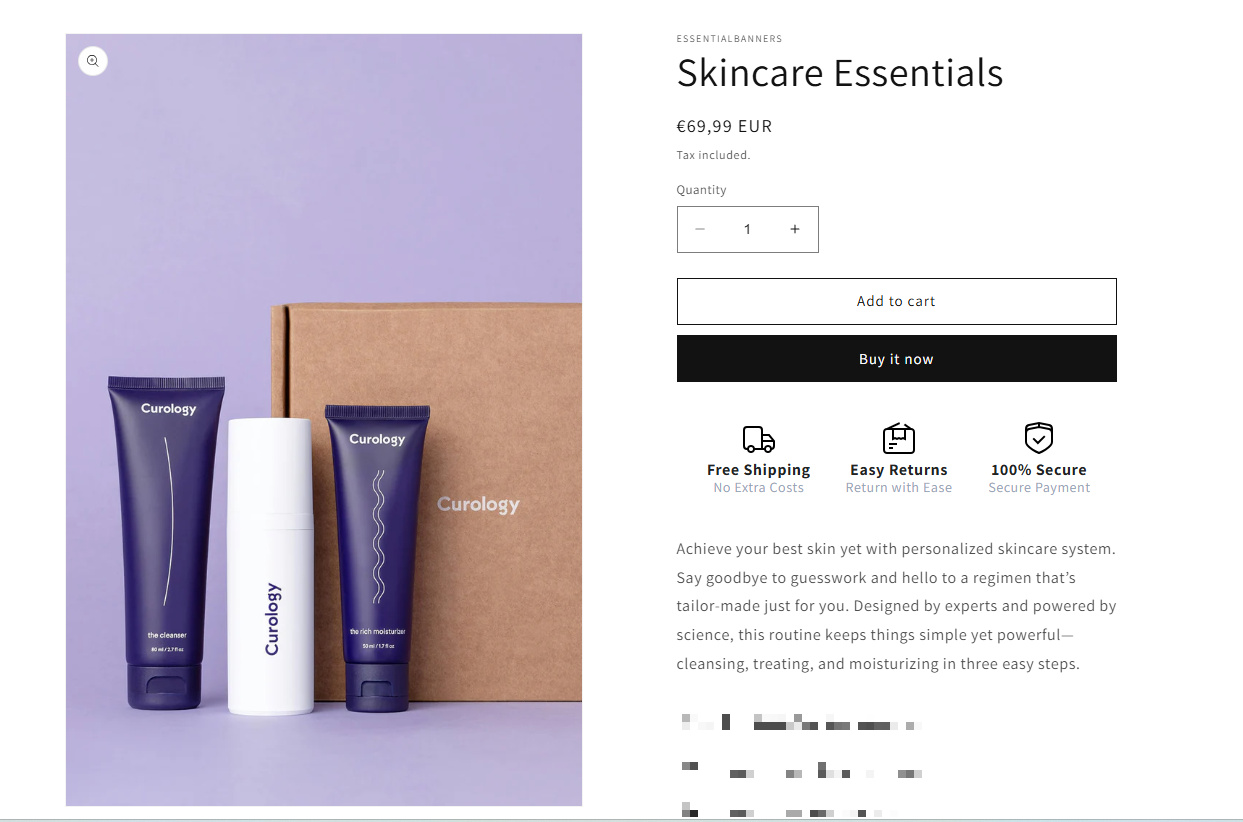
Your product page has one main job: get the shopper to press the add to cart button. So make that button obvious.
Keep the copy plain. “Add to cart” or “Buy now” beats clever wording. Clarity converts.
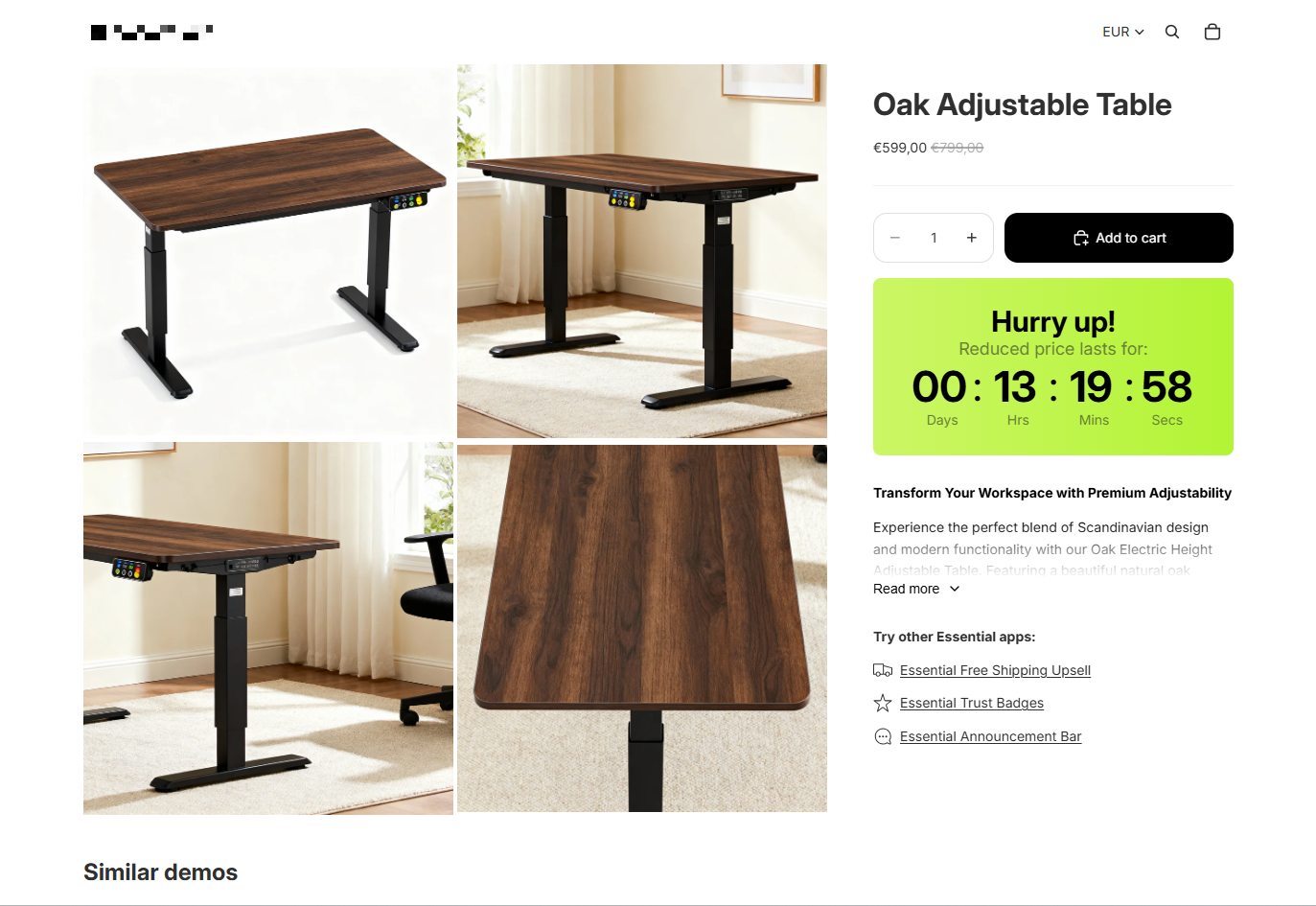
Price is one of the first things a shopper checks. How you present it shapes whether they act now or leave to think.
Place these signals near the price or the add to cart button, where they affect the decision. Keep them credible. Fake urgency erodes the trust you spent effort building.
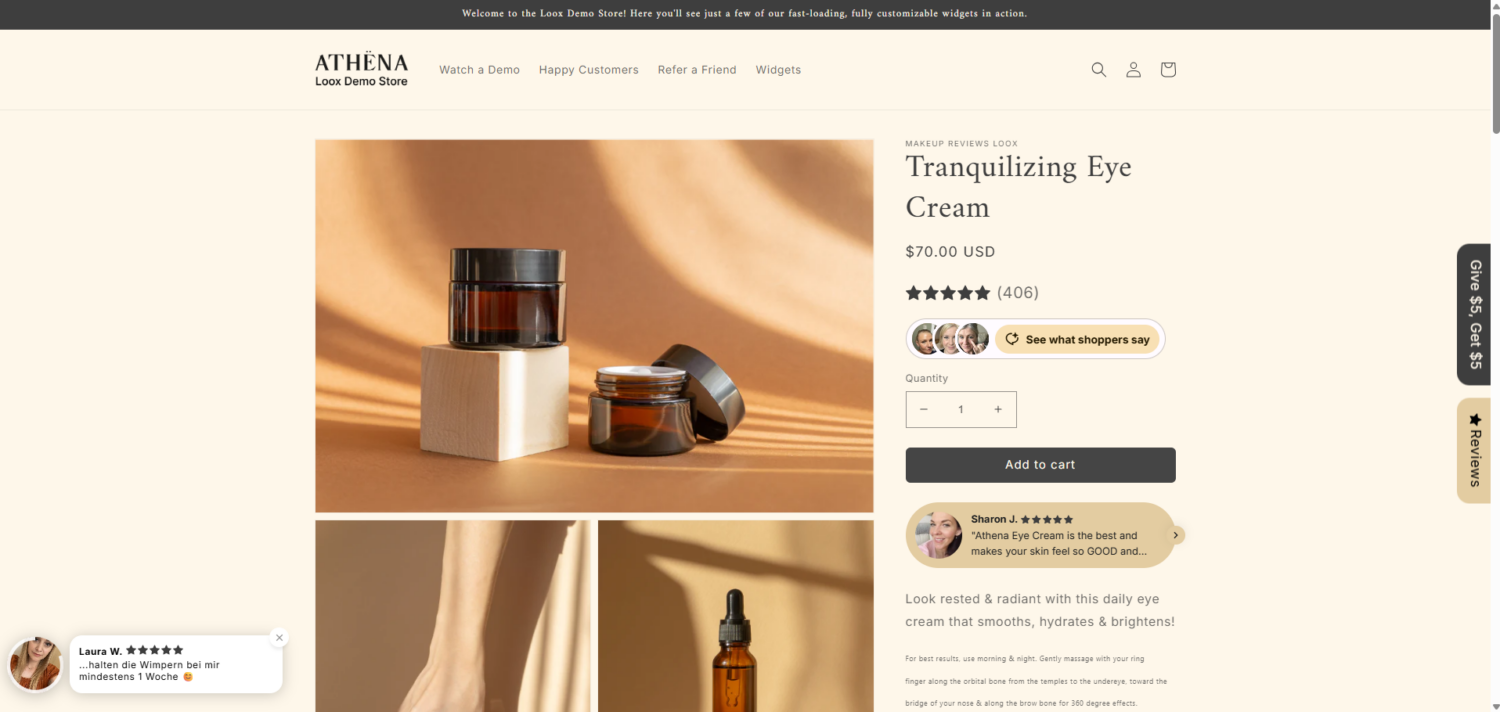
Shoppers trust other shoppers more than they trust your copy. Around 93% of consumers say reviews influence what they buy.
Volume matters. Products with 11 to 30 reviews convert about 68% higher than products with none. The first handful of reviews delivers the biggest jump.
Put social proof where it counts:
If you are a new store with no reviews yet, seed them with early customers or creator content. A page with zero proof asks shoppers to take all the risk.
The last barrier before add to cart is doubt. Trust signals remove it.
This matters more than most merchants think. Unexpected costs revealed late are the single biggest reason shoppers abandon, cited by 48% of US online shoppers who left a cart. That problem starts on the product page, not at checkout.
So show the full picture early:
Transparency is not a tax on conversion. It is conversion insurance.
👉 Read more: 12 Excellent Shopify Product Page Examples That Convert Well
Some shoppers reach the bottom of the page and still hesitate. The right offer gives them a reason to commit now. Offers are a conversion lever first, and an average order value lever second.
The strongest example ties straight back to the abandonment problem above. Most shoppers expect free shipping over a threshold. 80% of US shoppers expect it, and 62% won’t even consider a store without it.
A free-shipping or free-gift threshold, shown as a progress bar on the product page, does two jobs at once. It removes the unexpected-cost objection that drives 48% of abandonment, and it nudges hesitant shoppers over the line toward a reward.
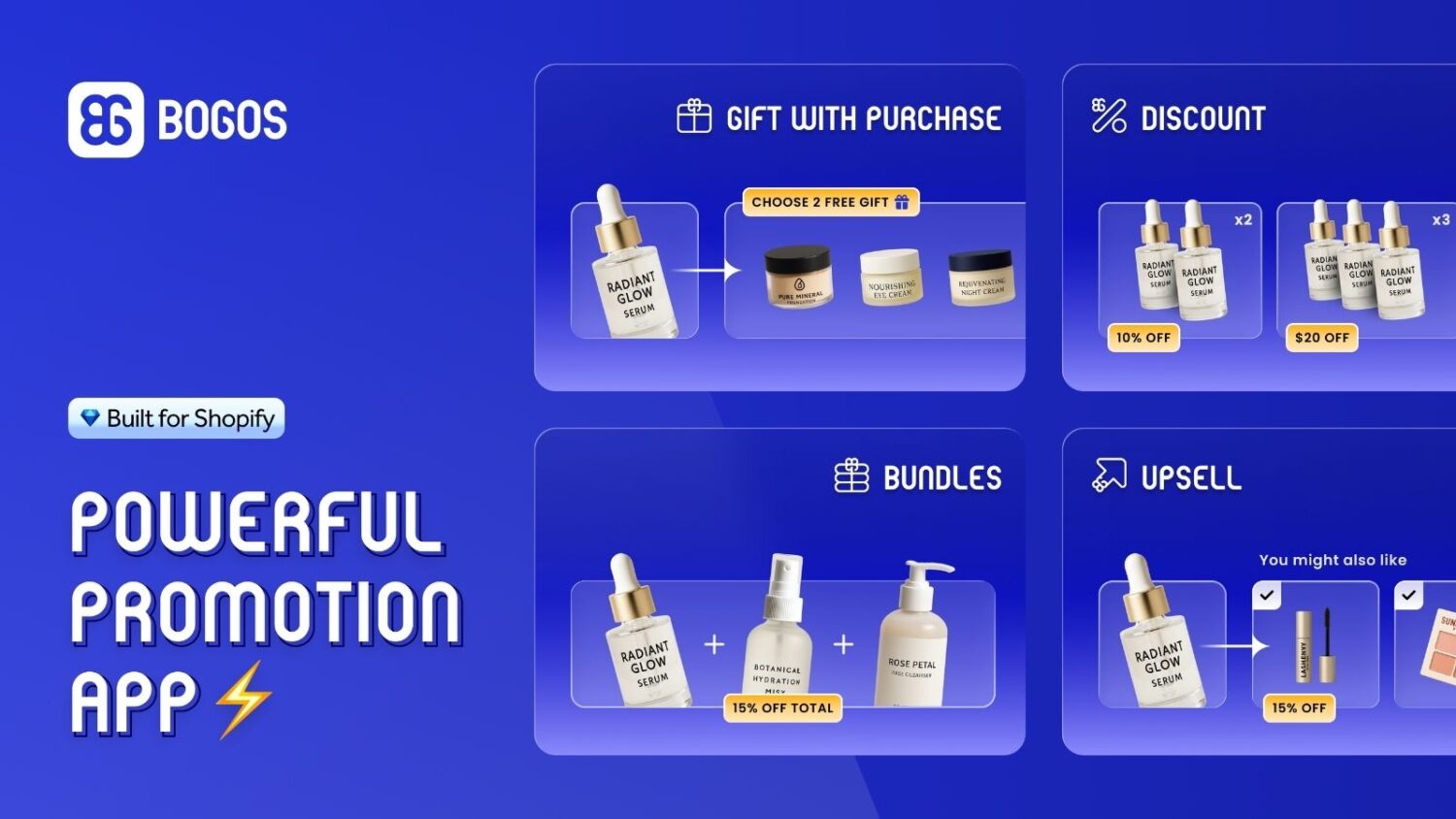
A few offer types earn their place on a product page:
This is where our app, BOGOS, fits naturally. We built it to run free gifts, bundles, upsells, and volume discounts right on the product page, with a progress bar that shows shoppers how close they are to a reward. Merchants see real results from these incentive-based thresholds: Missing Pen earned about €36,000 in extra revenue with a 19% AOV lift, and Aotea Gifts ran roughly 70% higher AOV over 90 days.
A beautiful product page that loads slowly still loses the sale. Speed and mobile are not side projects. They are conversion levers.
The data on speed is blunt. Portent found ecommerce conversion runs about 3.05% at a one-second load time and falls to 0.67% at four seconds.
Small gains pay off fast. A 0.1-second improvement in mobile load time lifted retail conversion by 8.4% in Google and Deloitte’s research. That is more revenue from the same traffic.
Google’s Core Web Vitals set the targets to aim for. Hit these thresholds on your product pages.
| Metric | What it measures | Good threshold |
|---|---|---|
| LCP (Largest Contentful Paint) | How fast the main content loads | 2.5 seconds or less |
| INP (Interaction to Next Paint) | How fast the page responds to a tap | 200 milliseconds or less |
| CLS (Cumulative Layout Shift) | How stable the layout stays | 0.1 or less |
The hero product image is almost always the slowest element on a product page. Compress it, serve WebP, and preload it. That single fix often moves LCP from over four seconds to under two.
Most of your shoppers are on a phone. Mobile is about 63% of global web traffic, yet Shopify mobile converts at around 1.2% versus 1.9% on desktop. That gap is conversion left on the table.
Build the mobile product page on purpose:
Conversion only matters if shoppers reach the page. Product page SEO brings them in from Google, and a good search bar brings them in from inside your own store.
Shopify’s default meta title appends your store name, which can push your keyword past the point Google shows. Write a custom meta title for each product. Lead with the product keyword, keep it under 60 characters.
Meta descriptions do not rank directly, but they drive clicks. Keep them around 155 characters, include the primary keyword, and add a reason to click, like free shipping or fast delivery.
Schema markup lets Google show your price, availability, and star rating right in search results. Those rich results lift click-through.
Make sure your product schema includes price, currency, availability, the product image, and an aggregate rating pulled live from your review app. Test it in Google’s Rich Results Test before you rely on it. Never hard-code a fake rating.
Clean structured data matters beyond Google now. AI shopping assistants read machine-readable product data to find and recommend items for shoppers, so accurate schema helps your products surface in agentic commerce, where an AI agent browses and buys on the shopper’s behalf.
Three more SEO basics finish the job:
Optimization without measurement is guessing. Track the right numbers, test one thing at a time, and fix the highest-impact problem first.
Watch these to know if your work moved the needle:
Change one variable at a time. Test a new hero image, or new CTA copy, but not both at once. If you change five things together, you will never know which one worked.
Run the test long enough to gather a real sample. Then scale the winner across your other product pages.
Do not fix everything at once. Use your diagnosis. Start where the impact is high and the effort is low.
Even good stores fall into these traps. Avoid them.
Your product page is where browsing turns into buying. That makes Shopify product page optimization some of the highest-leverage work in your store.
Diagnose first. Find the job your page fails, whether that is relevance, confidence, value, or frictionless action. Then fix the weak element with the data-backed moves above: sharper images, faster load times, real social proof, an obvious add to cart button, and honest offers that close hesitant shoppers.
Measure every change, test one thing at a time, and start with the fix that delivers the most for the least effort. Do that, and you close the gap between an average 1.4% conversion rate and the top stores, one product page at a time.
Long enough to answer every buying question, no longer. Lead with benefits in a short opening, then add specs, sizing, and care details in scannable sections or tabs. A simple, low-risk product needs less. A high-priced or technical product needs more proof and detail.
Enough to remove doubt. Most high converting Shopify product pages show the product from several angles, include close-ups of key details, and add at least one lifestyle shot. Since 56% of shoppers explore images first, treat your gallery as the centerpiece, not an afterthought. Link images to variants so the view matches the shopper’s choice.
Both, in order. SEO brings the right shopper to the page. Conversion rate decides whether they buy. Start with the conversion elements that affect every visitor, like speed, images, trust signals, and a clear CTA. Then layer in SEO so more of the right shoppers arrive.

Shopify testimonials help new visitors trust a store they have never bought from. Most guides stop at “install an...
Shoppers hesitate to buy a $1,200 sofa or a custom ring when they can’t see the exact version they’re...

Selling personalized products on Shopify gets hard the moment a shopper needs to type a name or choose a...
