
Powerful
Shopify Bundle App
to Boost Your AOV


The powerful
bundle app
for Shopify Merchants

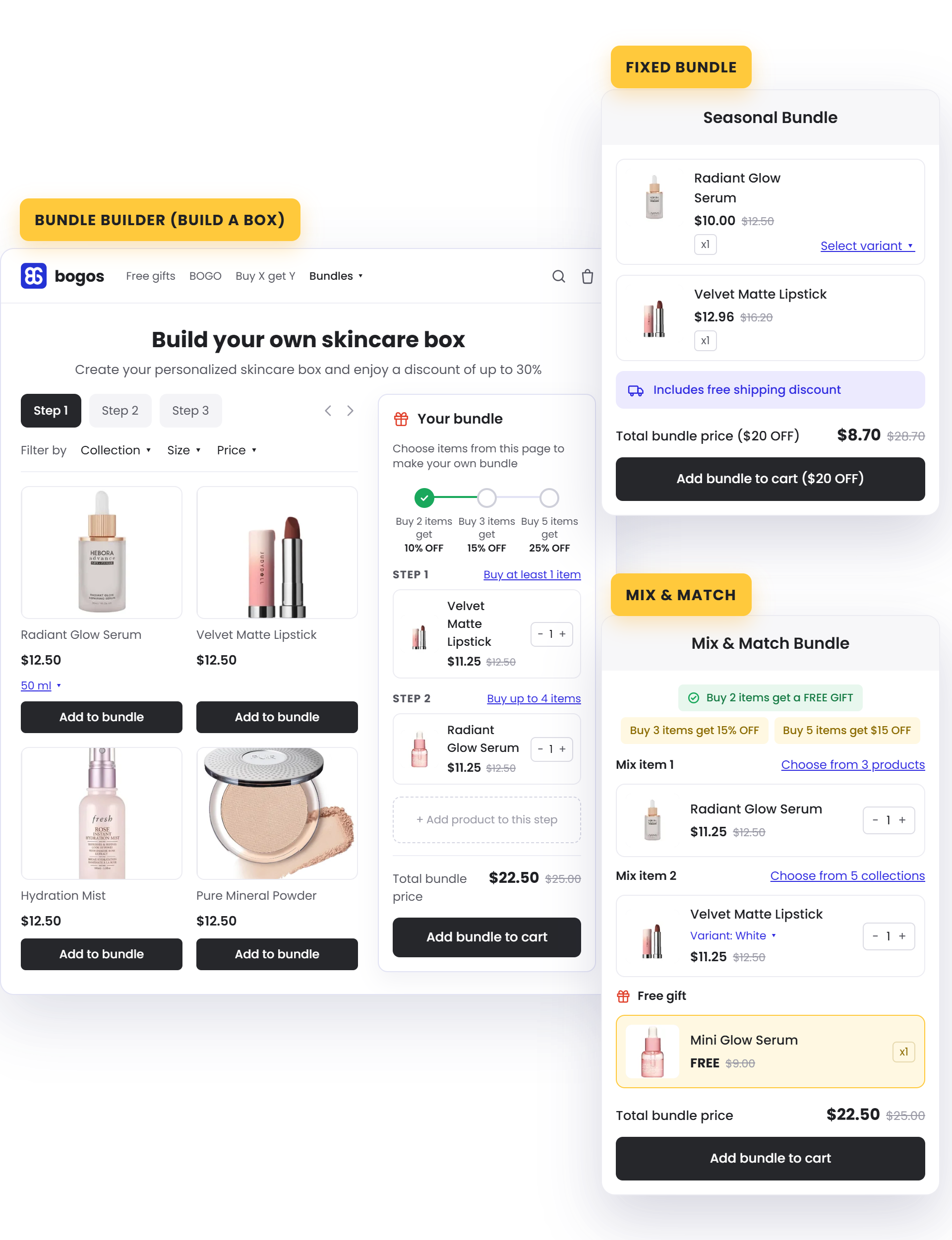
Fixed Bundle
A set combo sold together. Best for curated sets and reliable, ready-made pairings
Learn More
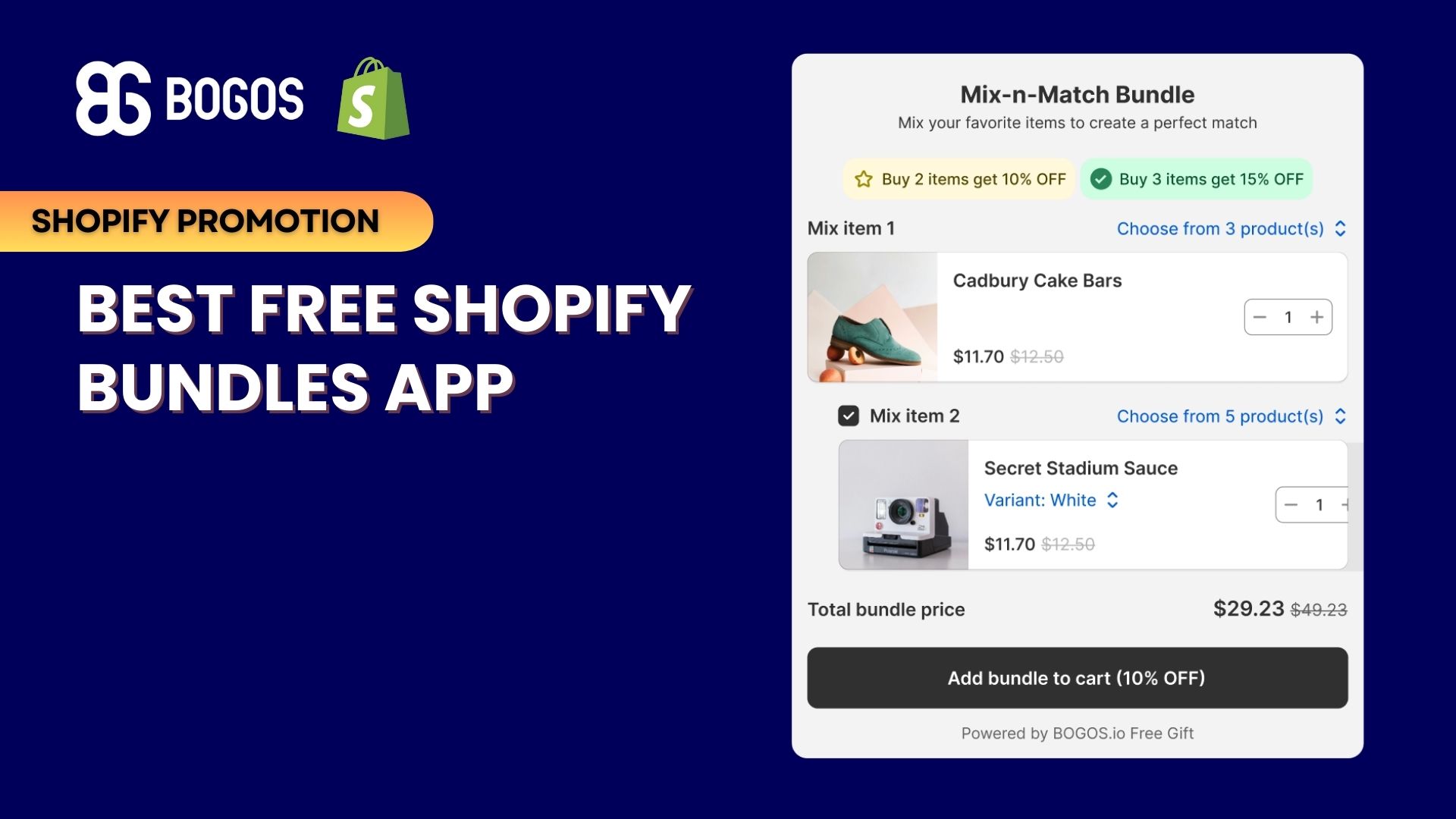
Mix & Match Bundle
Customers build from a selection you define. Best for giving choice within your rules.
Learn More
Build Your Own Bundle Page
A guided, multi-step builder. Best for larger, fully customizable orders.
Learn MoreYour AI Assistant For Every Promotion
Describe your promotion in plain language and let AI handle the rest. BOGOS AI builds ready-to-use offers inside your dashboard, and Shopify Sidekick creates BOGOS offers right from your Shopify admin.
Try BOGOS Now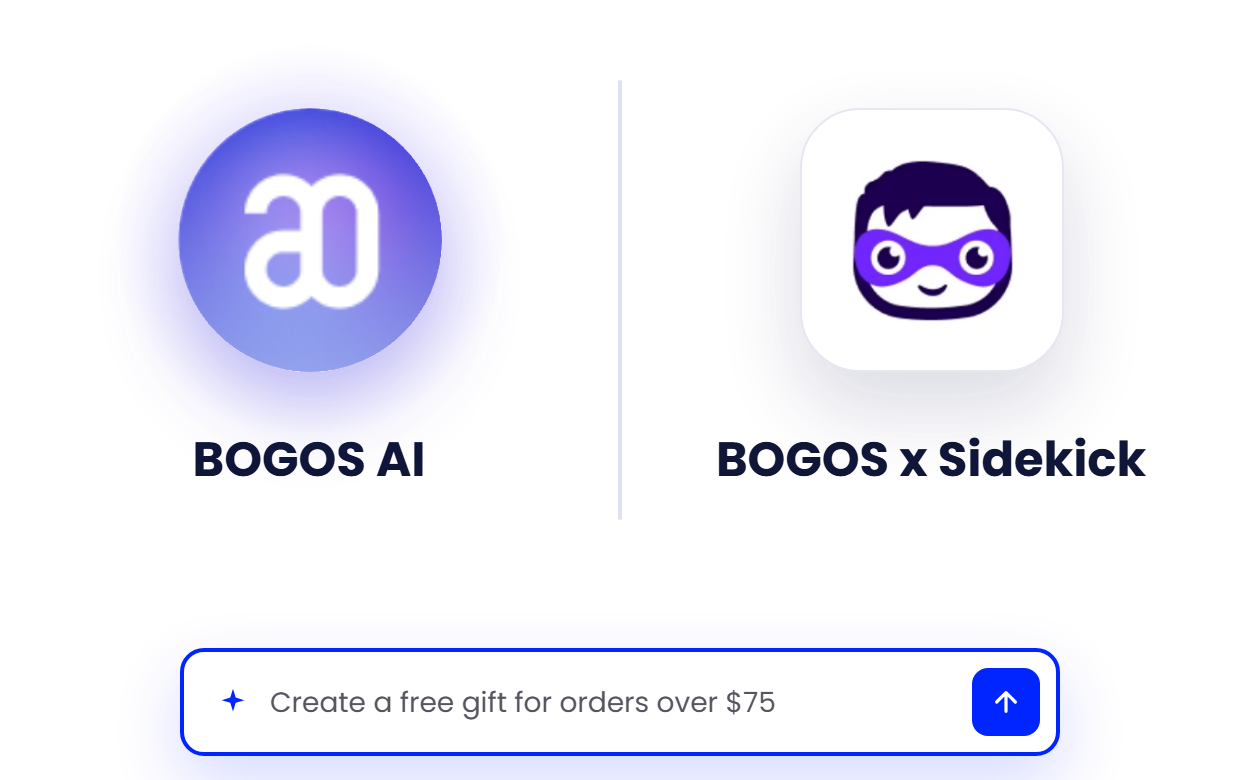
Bundle The Exact
Variants
You Want
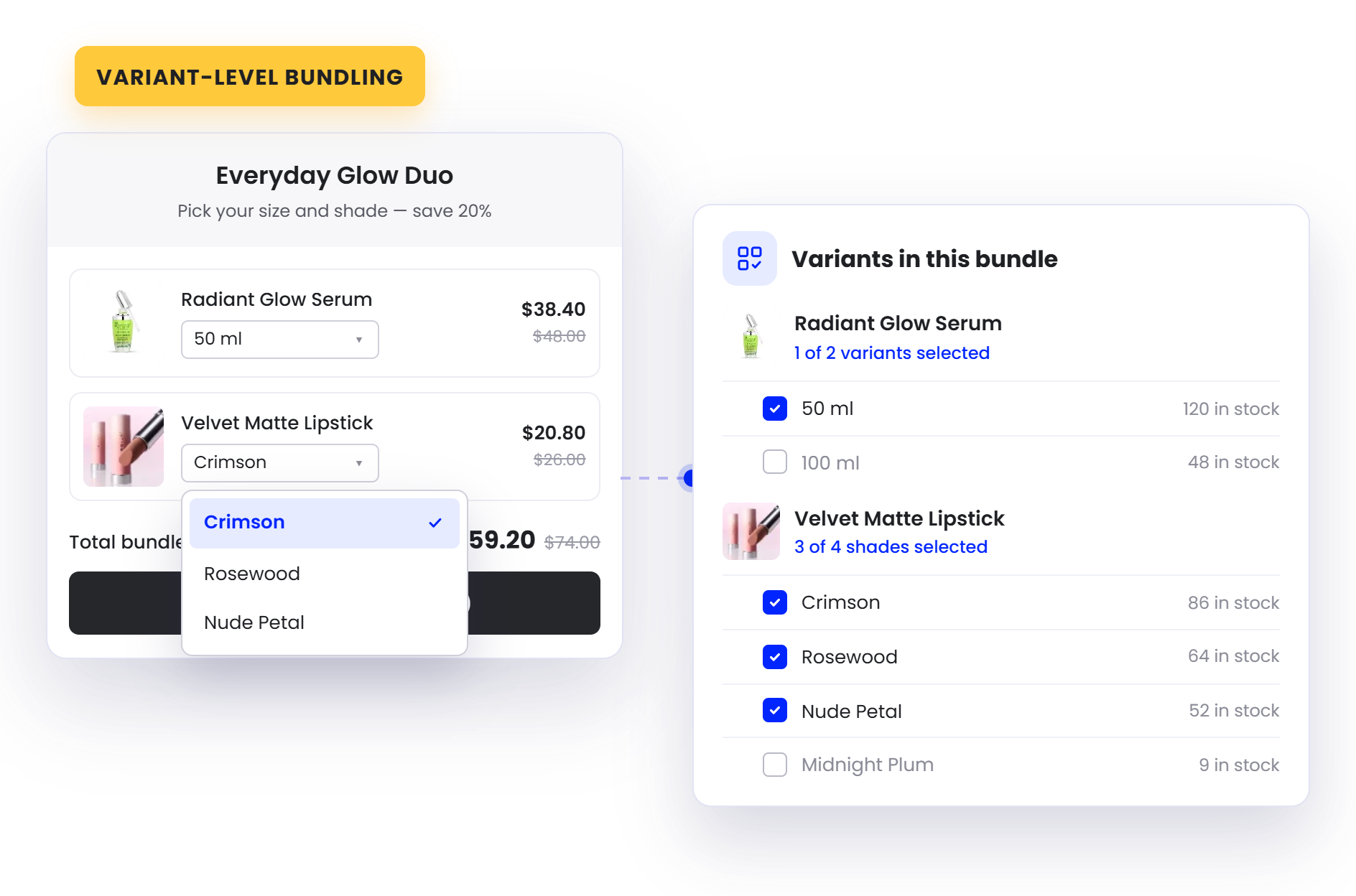
Build bundles from specific variants, like one size, color, or scent, with each variant shown as its own item. Or bundle at the product level and let shoppers pick the variant they prefer.
Auto-sync Inventory
On Every Bundle Sale
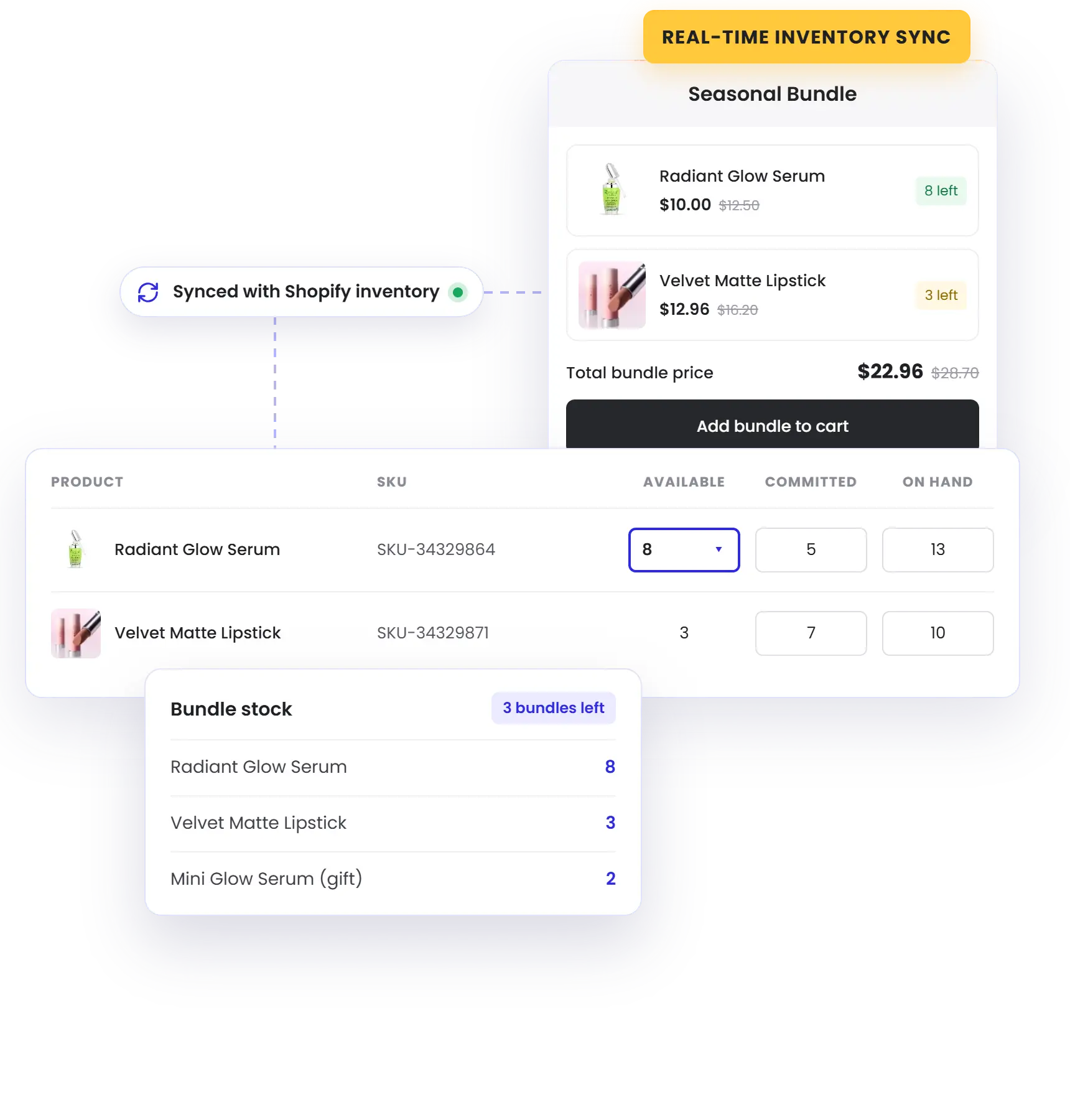
Every bundle sale updates each product's stock automatically, so component inventory stays accurate — no manual tracking, no overselling.
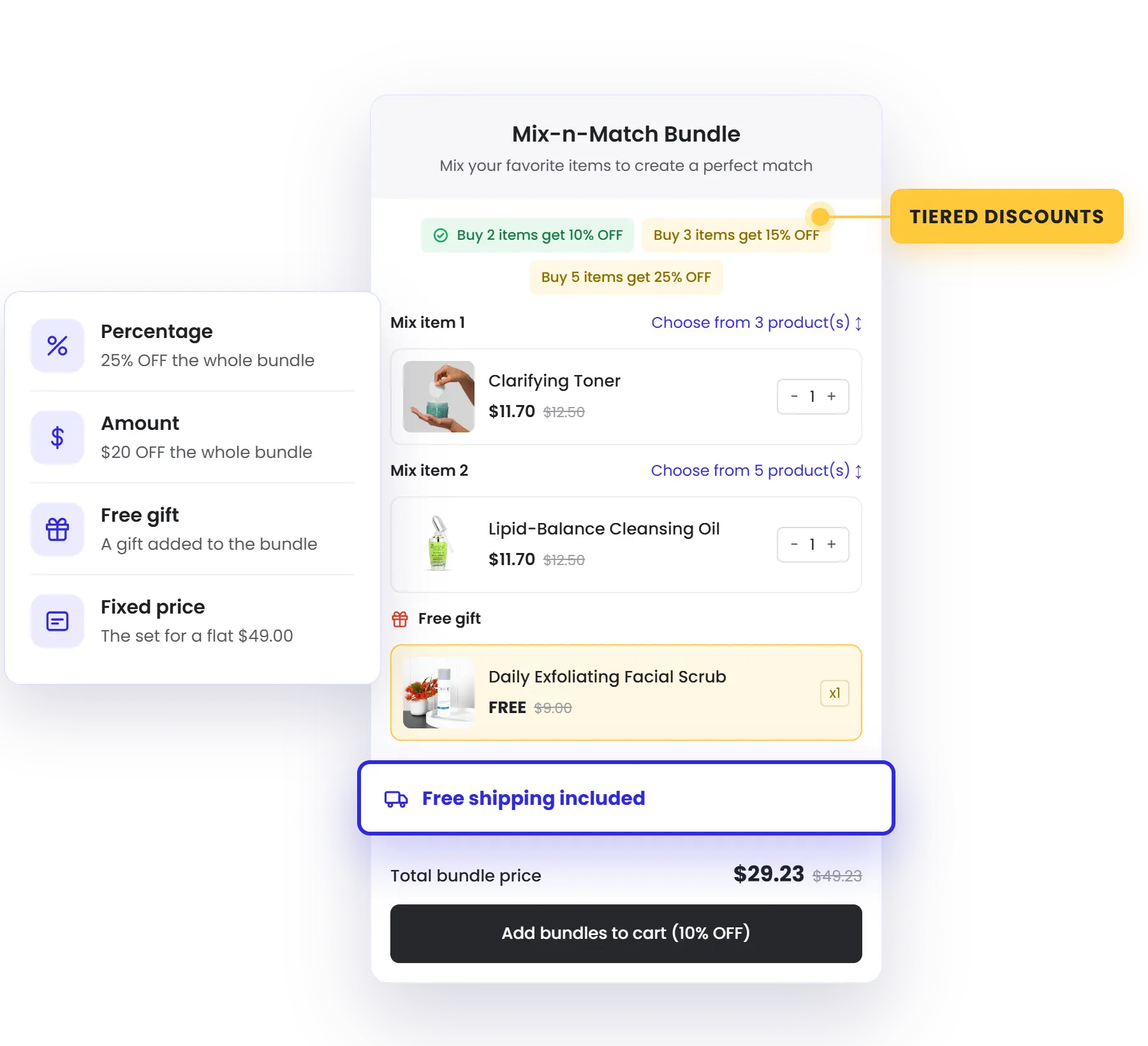
Price Every Bundle
Your Way
Discount by percentage, amount, or fixed price, or add a free gift — and layer free shipping on top — so every bundle lands at exactly the price that converts.
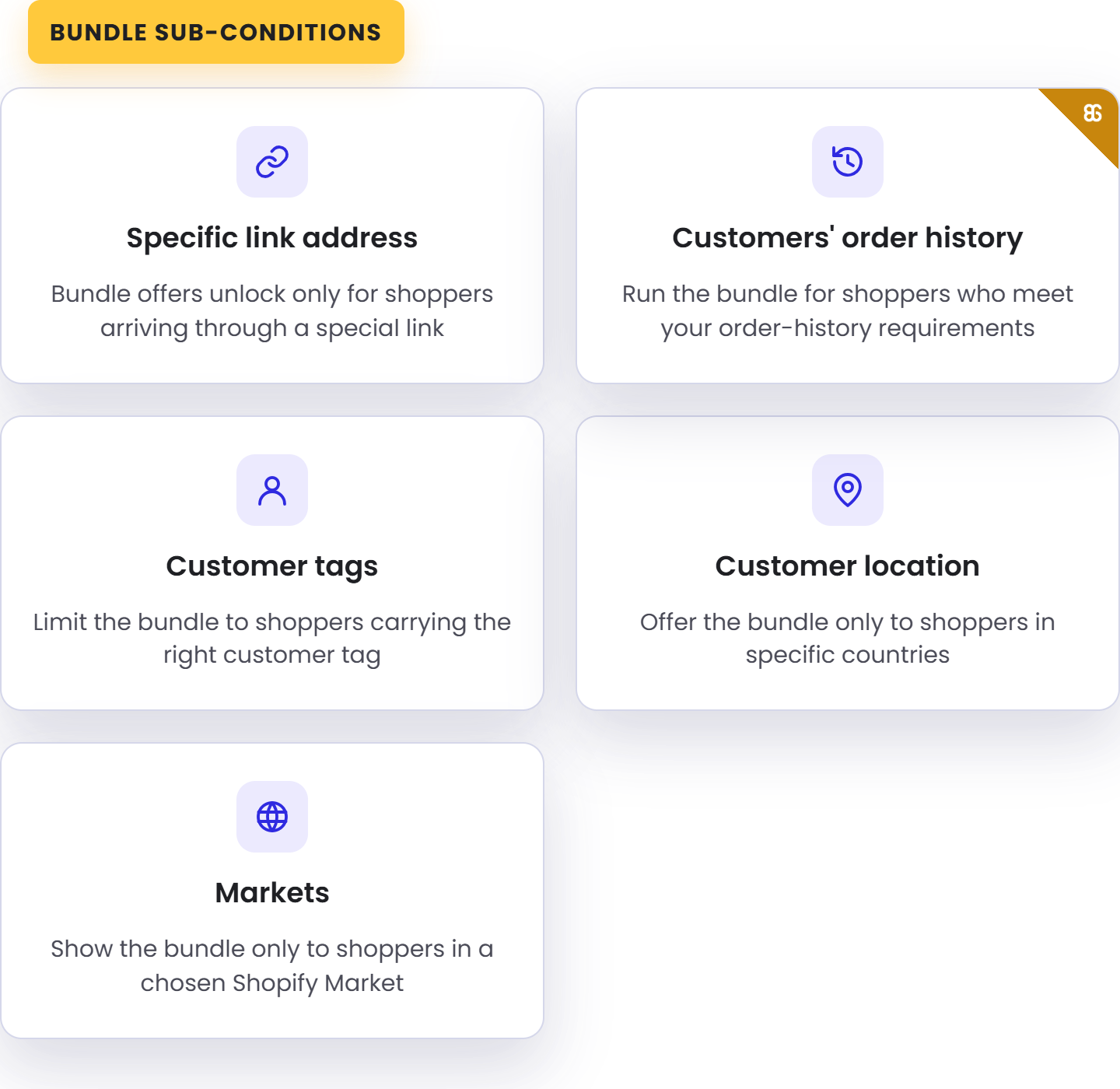
Show
The Right Bundle
To
The Right Shoppers
Layer conditions like customer tags, order history, location, and market, so each bundle reaches exactly the customers you intend.
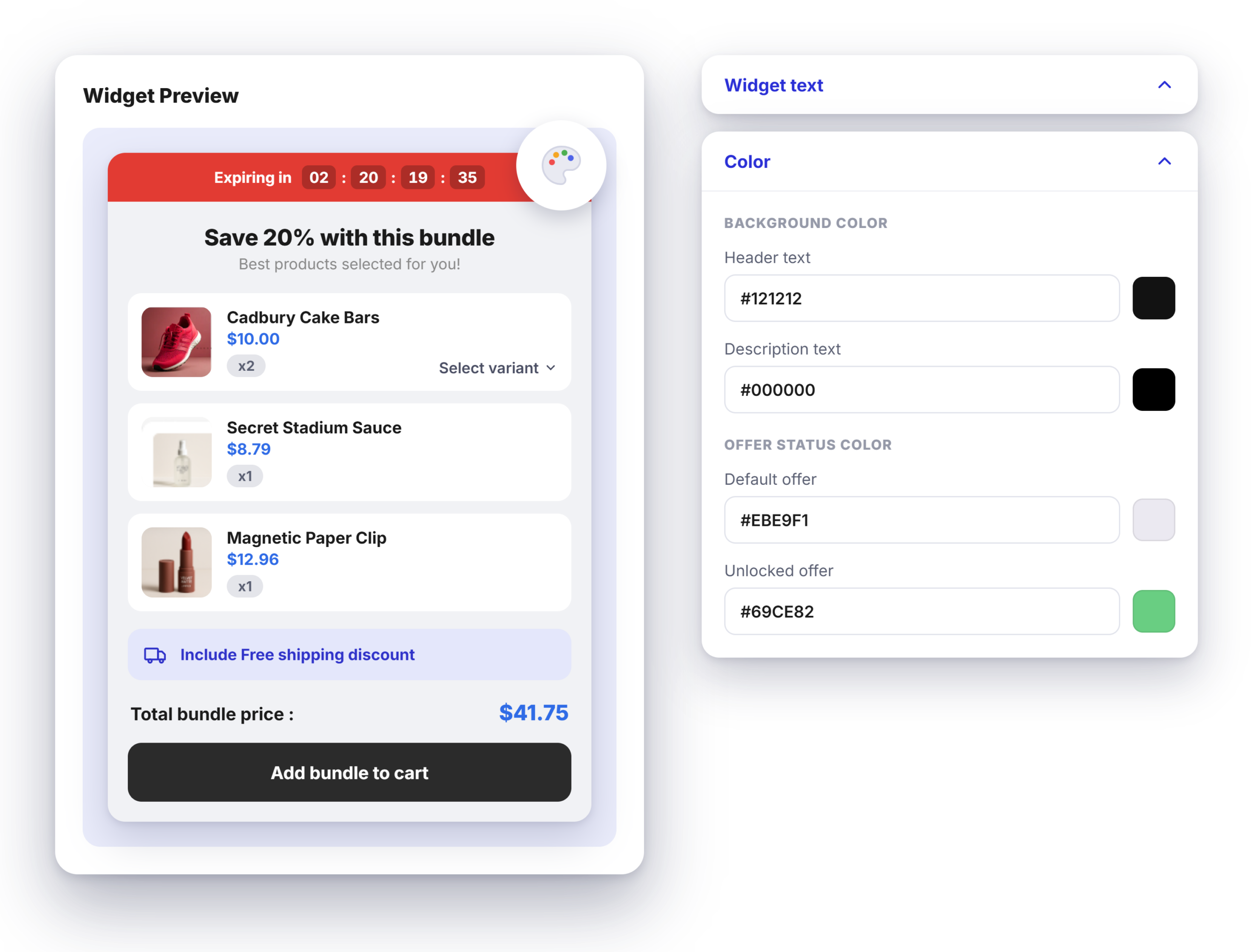
Bundles
That Fit
Your Brand
Customize the bundle widget — colors, text, and layout — to fit your theme, so your bundles look built-in, not bolted on.
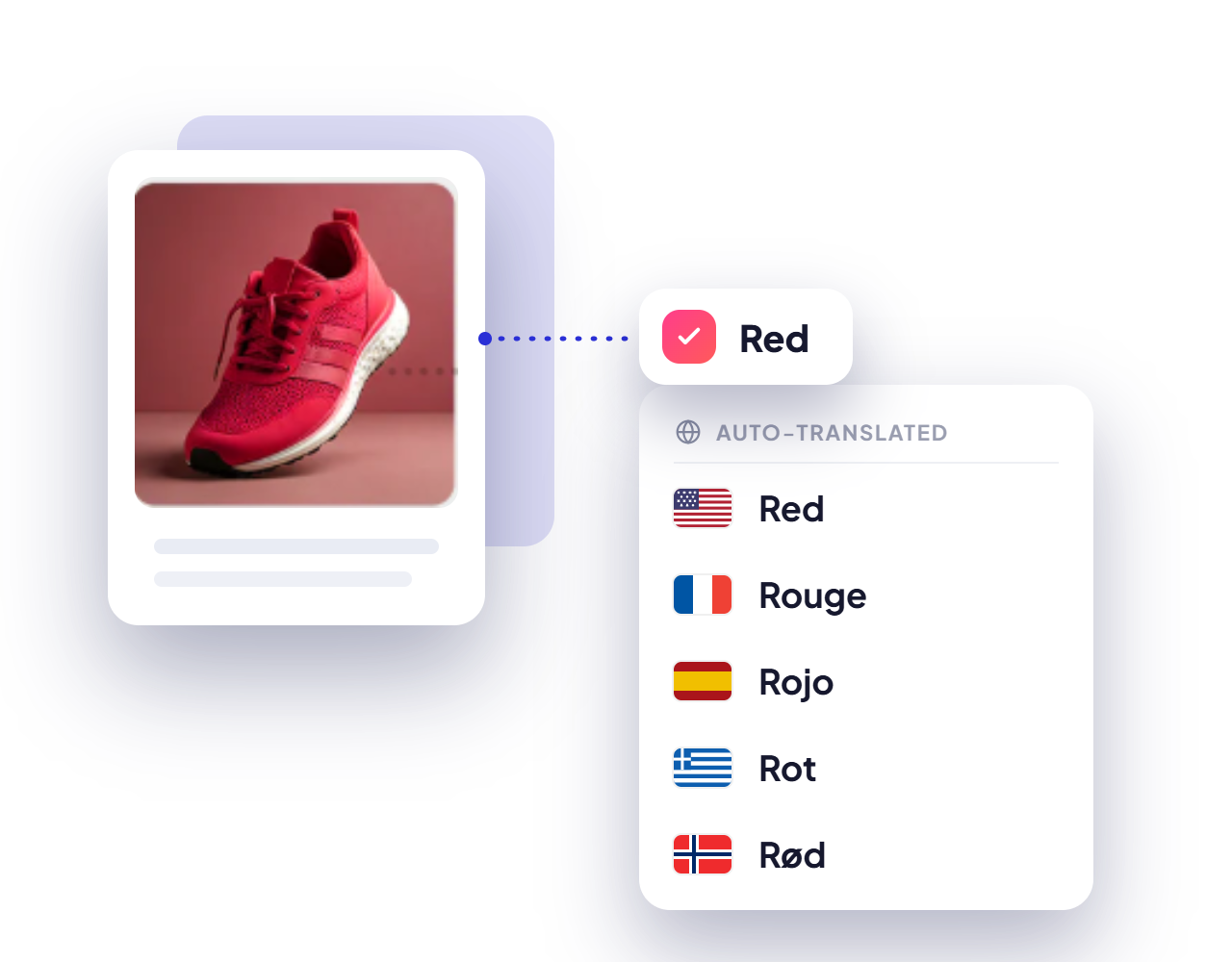
Sell Bundles Globally
Made Easy
Auto-translate your bundle widgets with BOGOS' built-in tool or your integrated translation app — so global shoppers see every offer in their own language.
Put Your
Bundles
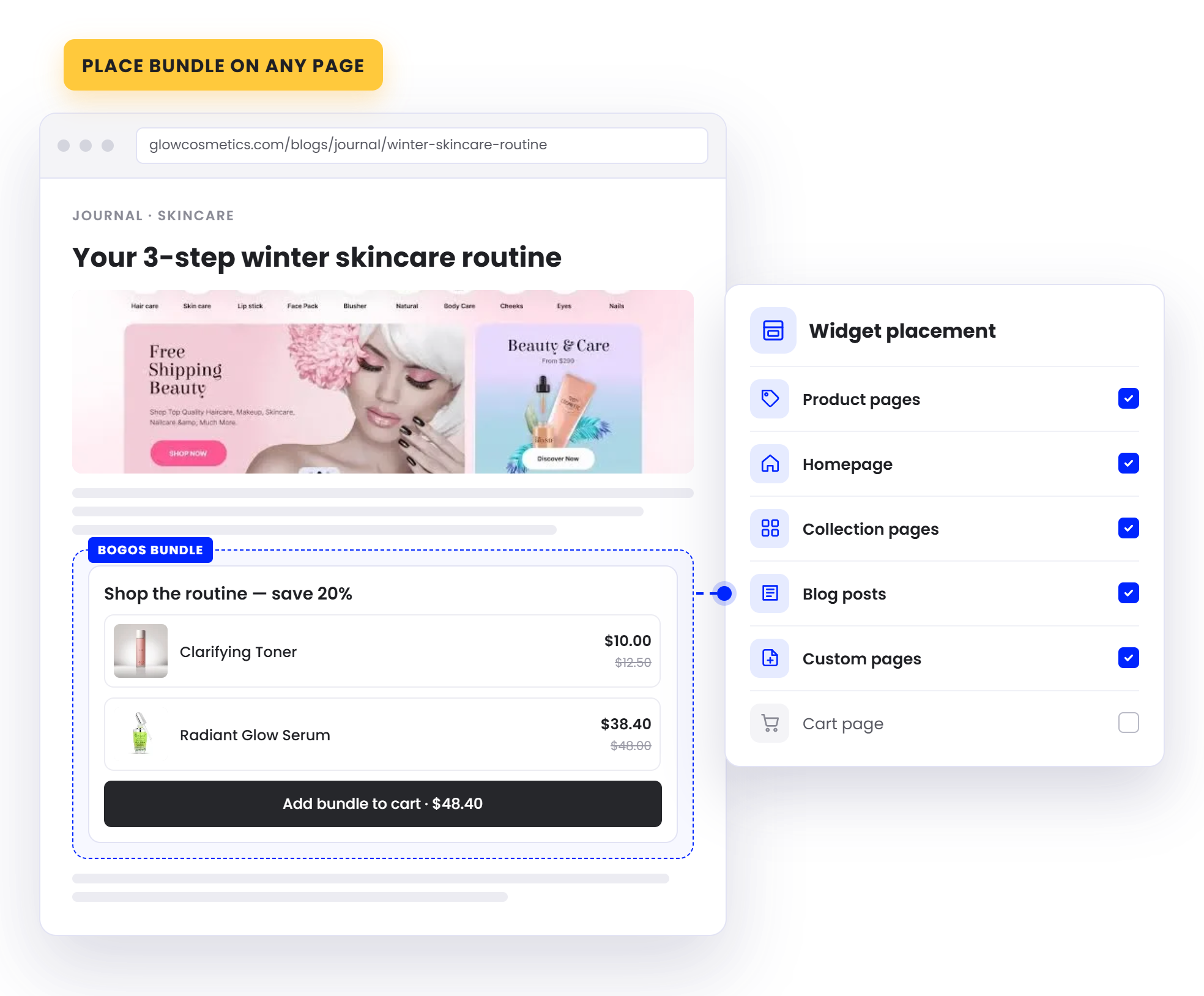
On Any Page
Bundles show up on the product page of every item in the set by default. You can also add them to your homepage, collection pages, or custom landing pages, or link a bundle builder from your main menu, so shoppers find your offers wherever they browse.
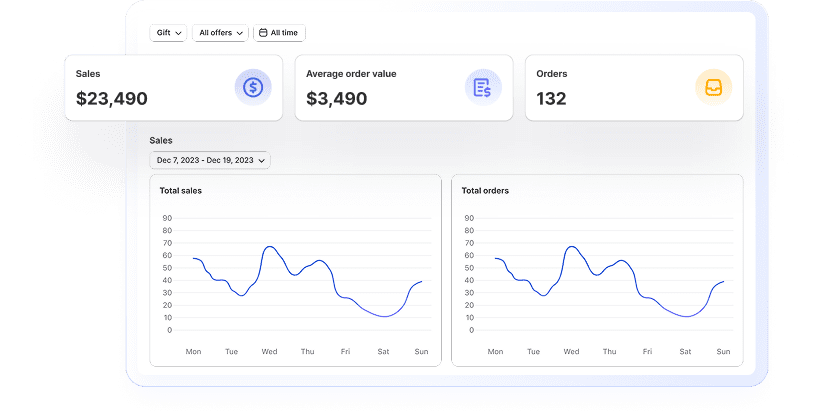
Get Actionable Data In Real Time
Stay data-driven with insights into revenue, conversion rates, and customer behavior to optimize your strategy and achieve better results.
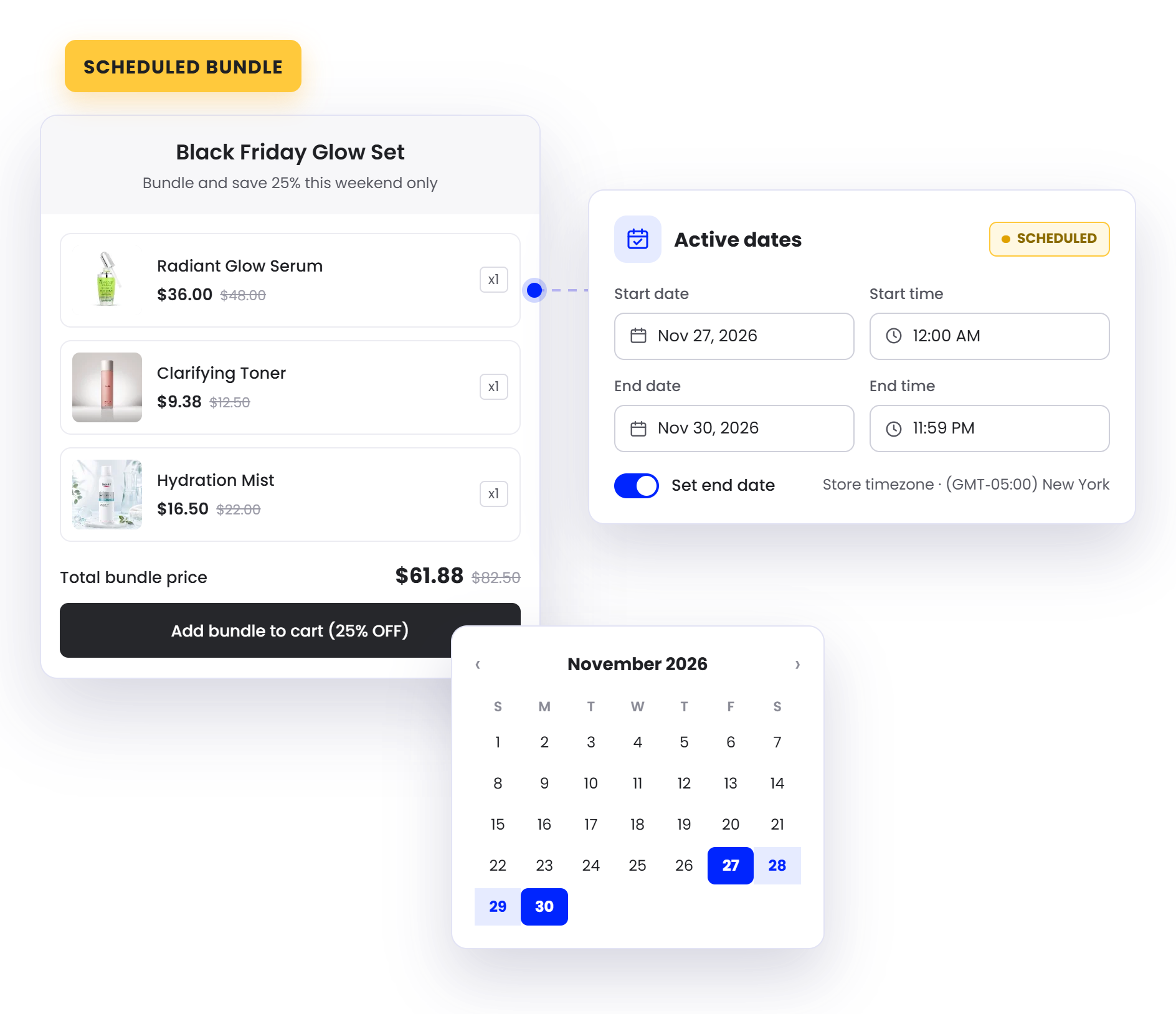
Schedule Every Bundle Around Your Campaigns
Set a start and end time for any bundle, or repeat it daily, weekly, or monthly for flash sales and weekend deals. Add a countdown timer to push shoppers to buy before the offer ends.
Boost visibility
with BOGOS’s booster tools
Layer on booster tools to promote your bundles across the storefront and put every offer in front of more shoppers:
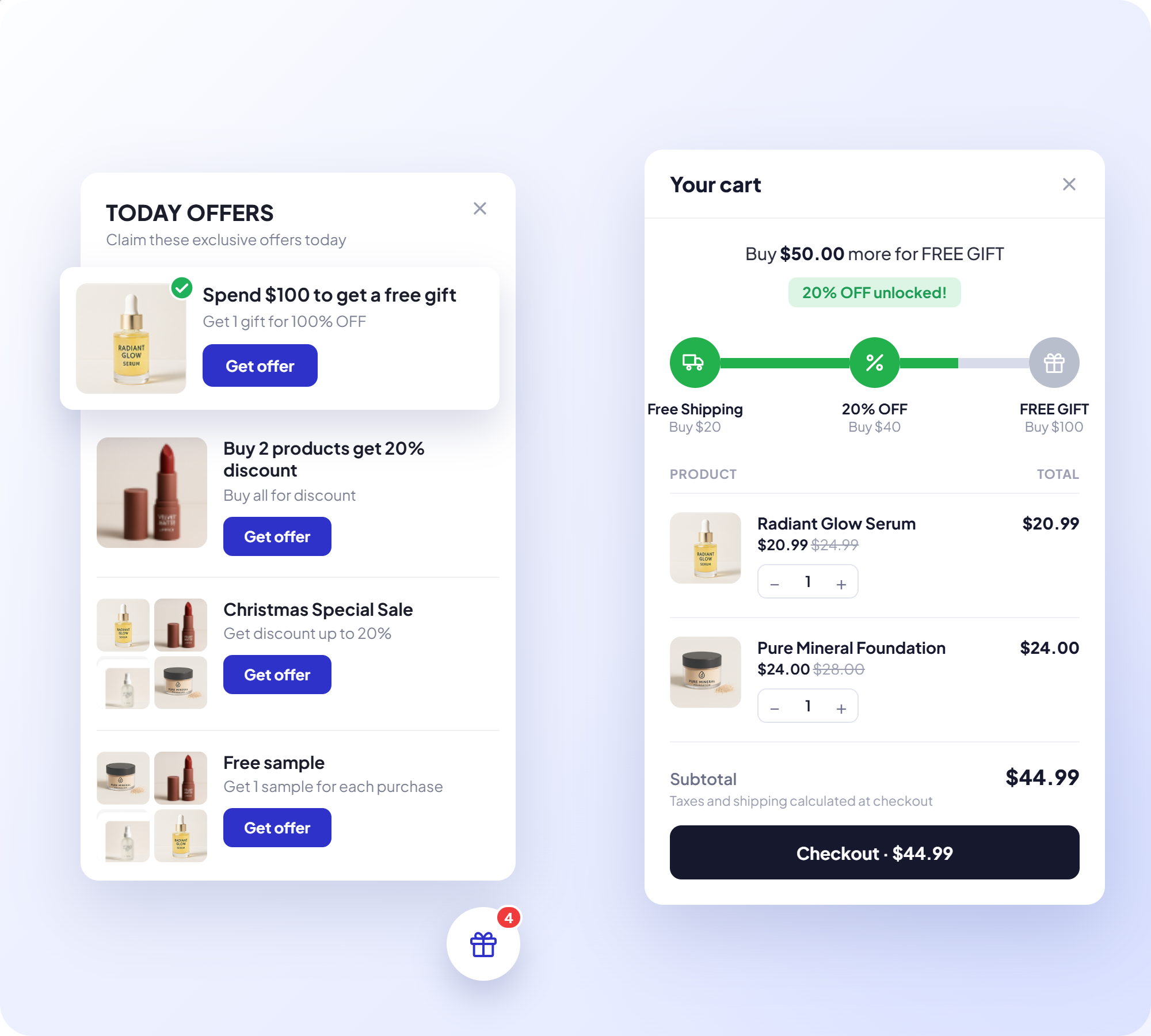
Today Offer
Highlight your current bundle deals to catch shoppers' attention as they browse.
Progress Bar
Show customers how close they are to unlocking a bundle deal, nudging bigger carts.

Announcement Bar
Broadcast bundle promotions site-wide with an eye-catching banner.
Offer Page
Collect all your bundles on one dedicated page shoppers can browse and buy from.
Built For Scale, Backed By Real Support

Built For Shopify Certified
Meets Shopify's highest standards for performance, security, and admin integration

Work With Every Theme & Top Apps
Works smoothly with any theme, including custom builds, and alongside leading Shopify apps

Expert Live Chat
Fast, responsive support from specialists who know Shopify promotions deeply

Built For High Volume
Runs billions of orders smoothly, keeping performance consistent across all devices
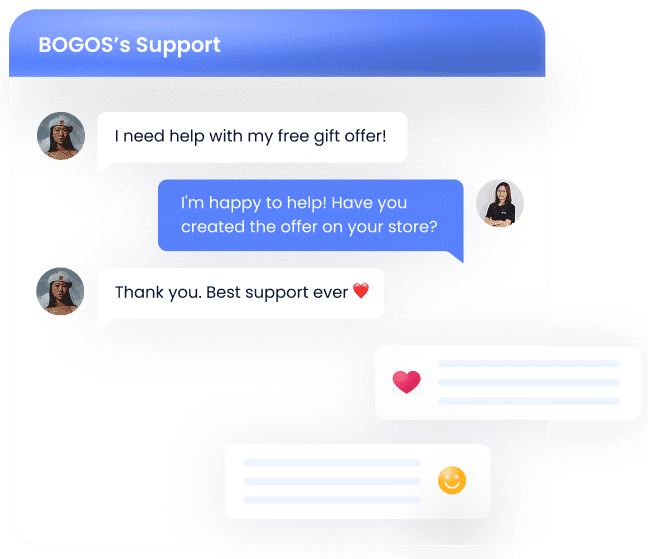
Enjoy top-tier support at every step
- Support via call, chat & email
- Comprehensive tutorial videos
- Help documents
- Customization services

Stories from our customers


 Beauty Retailer
 Buy X get Y




The #1 trusted Shopify promotion app
Proven by 4,000+ Reviews. Read the success stories and heartfelt testimonials from our valued clients.

Palladium
4 months using the app

Cigars Direct
2 years using the app

Bio Ionic
9 months using the app

Brandon Blackwwood
1 year using the app

Gratsi
3 years using the app

Gisou Sandbox
2 months using the app
Nourished3
3 years using the app

Victoria Beckham
10 months using the app



Learn With BOGOS
![[2026 Updated] Shopify Product Bundle: How To Do It, Best Apps & Tips](https://bogos.io/wp-content/uploads/2024/05/product-bundle.png)
![[2026] How to Create Shopify Build Your Own Bundle?](https://bogos.io/wp-content/uploads/2024/08/how-to-let-customers-create-custom-bundles-on-shopify.jpg)
![[2026] Shopify Mix And Match Bundle: Step Guides, Apps & Best Tips](https://bogos.io/wp-content/uploads/2024/07/shopify-mix-and-match-bundle-the-ultimate-guide.jpg)
FAQs
Everything you need to know about BOGOS app - Most Trusted Shopify Promotion App
What types of bundles can I build with BOGOS?
Three formats, each for a different job. A classic bundle sells a fixed set together and shows as a widget on the product page of every item included, with the option to create a standalone bundle product page. Mix & match lets shoppers pick from a list you define, either one shared pool or separate mix items where each slot draws from its own list, such as accessories in one and main products in another. The bundle builder is a full build-your-own page with multiple steps, shown one step at a time or all steps in a single view, plus a search bar, sorting, and filters by collection, tag, type, or price range.
How do I price a bundle?
Four discount types are available: percentage off, a fixed amount off, one fixed price for the whole set, or a free gift added automatically when the bundle qualifies. You can layer a shipping discount on top, either a percentage or a set amount, with a label on the widget telling shoppers it is included. If you sell in several currencies through Shopify Markets, you can enter a specific amount per currency rather than relying on exchange rate conversion.
Where do bundle widgets appear on my store?
Bundles can appear on your homepage, collection pages, product pages, and cart page. The classic bundle widget shows on the product pages of the items in the set by default, but you can place the BOGOS bundle block anywhere through your theme editor — including the product page of an item not in the bundle — by adding the block and pasting in the bundle’s offer ID. Bundle builders work the same way, or can be linked from your main menu as a standalone page. Booster tools extend the reach further through Today Offer, a progress bar, an announcement bar, and an offer page.
Can I run buy-more-save-more bundle tiers with BOGOS?
Yes, in both mix & match and the bundle builder. Each tier is set by quantity, and every tier can use a different discount type, so tier one might give $10 off, tier two 15% off, and tier three a free gift. Each tier's minimum has to be equal to or higher than the one before it. When shoppers change the quantity in their bundle, the discount updates to match the tier they now qualify for.
How does bundle inventory work?
Stock comes out of each individual product on every bundle sale, so component inventory stays accurate without manual tracking. Out-of-stock items are handled automatically in mix & match: when you build the list from selected products, the sold-out item stays visible but its quantity box is hidden so it cannot be chosen, and when you build from a collection, sold-out products are removed from the list entirely.
Can I show a bundle to only some shoppers?
Yes, using sub-conditions. You can target by customer tag, order history for first-time buyers or high spenders, customer location based on IP, or Shopify Markets for whole regions. A specific link address restricts the bundle to shoppers arriving from a chosen URL, which suits email, social, and affiliate campaigns. Sub-conditions can be combined and shoppers must meet all of them, and anyone who does not qualify never sees the offer.

Build your bundles & elevate
your AOV today
Trusted by 95K+ brands for their biggest sales season