

Charlie Ngo
•
Last updated: 7 October, 2026
Shopify Product Configurator: 2D vs 3D, Best Apps & Costs (2026)
Shoppers hesitate to buy a $1,200 sofa or a custom ring when they can’t see the exact version they’re...
How to Create Shopify Quantity Discounts in 2026? (Guide, Best Apps)

Digital Marketing Specialist
Summarize this post with AI
A Shopify quantity discount rewards customers for buying more of the same product. The mechanic is simple: when a shopper hits a quantity threshold (3, 5, 10 units), the price per unit drops. The result is a higher average order value, faster inventory turnover, and stronger repeat purchases on consumables and replenishables.
This guide covers what a quantity discount is, how it works on Shopify, three setup methods (native automatic discounts, B2B catalogs, and apps), the top apps to consider, real use-case examples, and the most common mistakes merchants make.
If you already know the format you want, skip ahead to the methods section.
A Shopify quantity discount is a price reduction that activates when a customer buys a defined number of units of a product. The discount can apply automatically at checkout or via a code the customer enters at the cart.
You’ll see this mechanic called by several names. They’re mostly interchangeable, with the term shifting based on context:
Three formats cover almost every quantity discount you’ll see on Shopify:
Quantity discounts work best for consumables (coffee, supplements, skincare, pet food), replenishables, multi-pack apparel basics, subscription refills, and BFCM volume pushes. They also power most B2B wholesale pricing on Shopify Plus.
Same-product vs. cross-product: Quantity discounts usually apply to the same product. A close variant lets customers hit the same quantity thresholds across different products (“buy any 3, save 15%; any 5, save 20%”). That cross-product approach overlaps with bundle territory and is covered separately in our [Bundle with volume discount] guide. The rest of this article focuses on the more common same-product pattern.
To pick the right setup, you need to understand how Shopify actually applies the discount.
Every quantity discount is built from three components:
Beyond the basics, two decisions shape how the offer actually behaves on your store. Both matter most when you’re picking a third-party app, because different apps handle them differently.
Same-product scope is the default for a quantity discount: the customer has to buy multiples of the same product to qualify. Cross-product scope opens the discount to a wider pool, letting the customer pick across different products to hit the threshold.
Cross-product setups blur the line between quantity discount and bundle. If that’s the model you need, the dedicated guide is [Bundle with volume discount]. The rest of this article assumes same-product scope.
When a customer’s quantity falls between two tiers, the discount can behave two different ways. The difference is invisible at the threshold itself, it only shows up when a customer adds a 4th, 5th, or 7th unit. Apps differ here, and merchants who don’t check this end up with offers that confuse customers.
Threshold-and-above. Once a customer hits a tier, every qualifying unit gets the tier discount until they reach the next threshold. With tiers set to “Buy 3, save 10%; buy 5, save 15%”:
This is what customers usually expect from tiered “Buy More Save More” pricing. It’s the default in B2B volume pricing and most dedicated quantity discount apps.
Per-block. The discount applies to each complete block of the tier quantity. Units that don’t fit a full block stay at regular price. With “Buy 3, save 10%”:
Per-block is the native behavior of Shopify’s Buy X Get Y discount. It fits fixed-multiple promotions (“3 for $25,” “Pack of 5”) where each block needs to stay independently profitable.
Neither logic is wrong, but they fit different offers and the storefront copy has to match. “Buy More Save More” → threshold-and-above. “3 for $25” or “Pack of 6” → per-block. Mismatched copy is the most common cause of “the discount isn’t working” support tickets.
With those mechanics in mind, here are the three methods to set up a quantity discount on your store.
There are three ways to set up a quantity discount on Shopify: a native automatic discount (free, simple), B2B volume pricing in catalogs (Plus only, wholesale), and a quantity discount app (most flexible). Use the comparison below to pick the one that fits your store.
| Method | Best for | Setup effort | Cost | Limits |
|---|---|---|---|---|
| Shopify automatic discount (Buy X Get Y) | DTC stores, simple per-product or per-collection tiers | Low | Free | One discount per line item; no native pricing table |
| Shopify B2B volume pricing (catalogs) | Wholesale buyers on Shopify Plus | Medium | Plus plan only | Visible only to assigned B2B customers; can’t combine with most catalog-wide discounts |
| Quantity discount app | Storewide tiered pricing, advanced rules, customer-facing pricing tables | Low to Medium | Free to paid tiers | App dependency |
Quick decision rules:
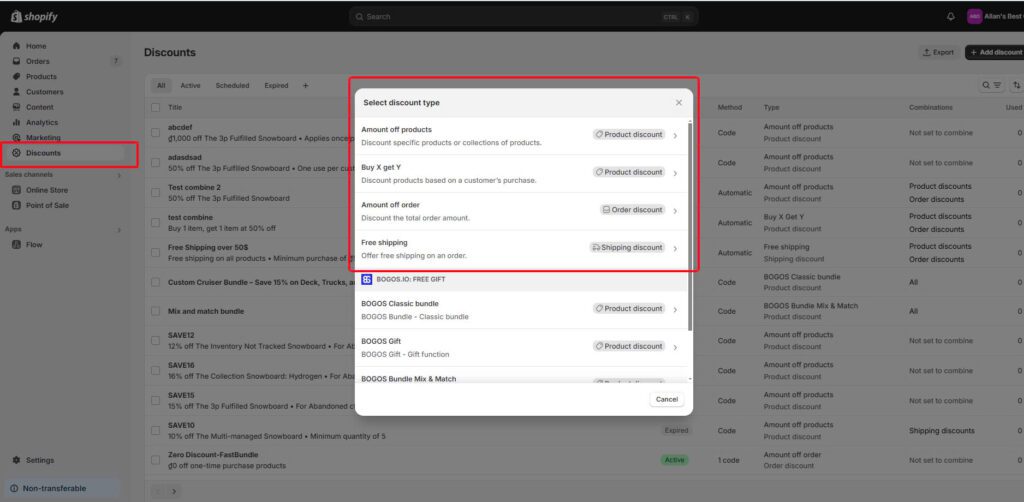
Shopify’s native Buy X Get Y discount can be configured as a quantity discount: when a customer buys X units of a product, they get those same units at a percentage off. No app required, free on every Shopify plan.
How to set it up:
| Pros | Cons |
|---|---|
| Free on every Shopify plan | No built-in pricing table on the product page |
| Applies automatically at checkout | One product discount per line item (largest wins) |
| Works with collections, so you can target a product family | Per-block behavior: “Buy 3 get 10% off” fires once per group of 3, not continuously across higher quantities |
| No app dependency | Multi-tier setups require multiple stacked discounts |
Watch out: Without a pricing table on the product page, customers won’t know the offer exists until they reach the cart. Add a banner, a callout in the product description, or a theme edit to surface the offer. Without that, conversion lift will be much smaller than the math suggests.
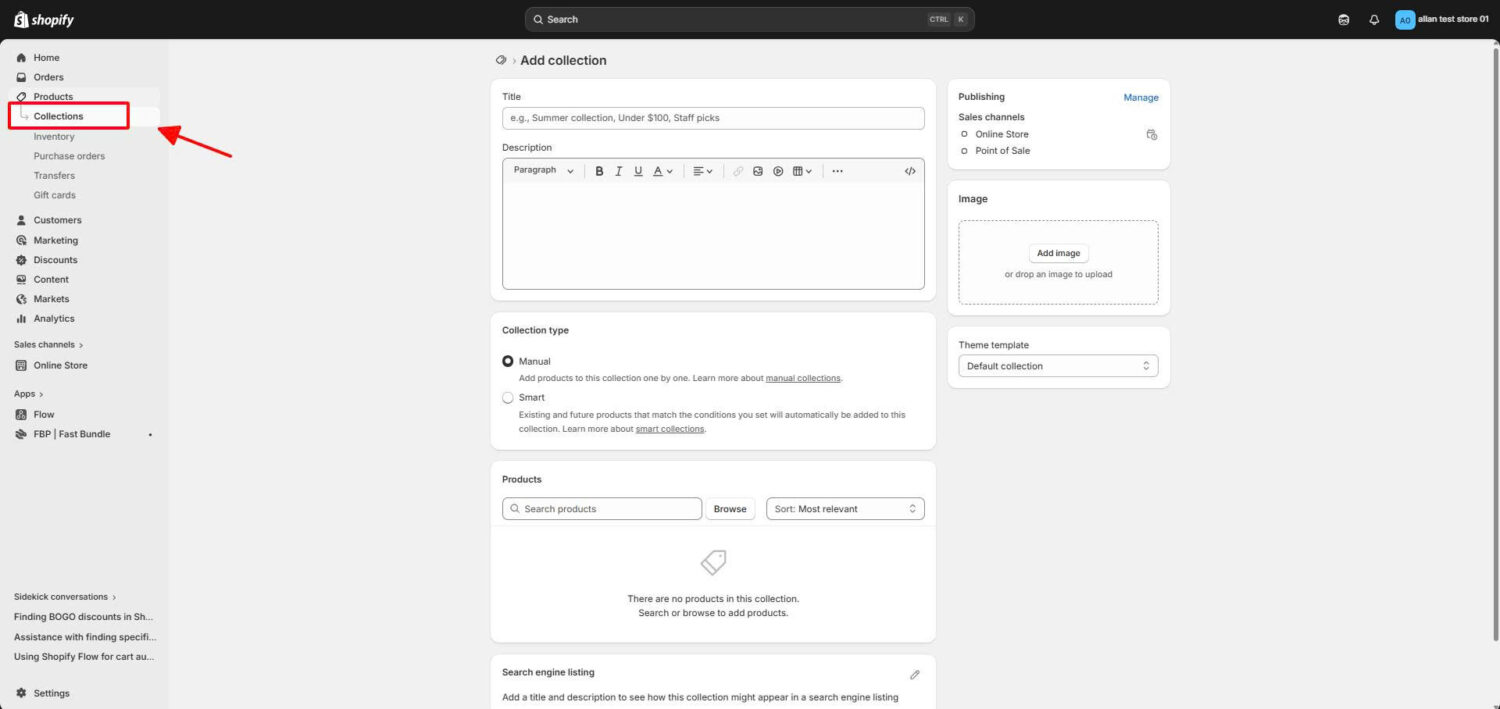
Shopify Plus stores with B2B enabled can attach volume pricing directly to a B2B catalog. The tier pricing is visible only to the company profiles assigned to that catalog, which keeps wholesale pricing hidden from retail shoppers.
How to set it up (high-level):
When this method is the right fit: wholesale buyers, MOQ-driven orders, net-terms customers. Not for retail or DTC.
Watch out: Volume pricing in a B2B catalog fixes the catalog price, which means most catalog-wide automatic discounts won’t stack on top. If you run a separate sitewide promo, it usually won’t apply to B2B buyers using volume pricing. Plan your B2B and DTC discount strategies separately.
A dedicated app fills the gaps the native methods leave open: a pricing table on the product page, real-time price updates as the customer changes quantity, cart-total tier rules, mixed-product quantity logic, and audience eligibility (customer tags, segments, geo).
What to look for in a quantity discount app:
The next section breaks down the apps worth considering.
Quantity discount apps share a similar core feature set. The differences come down to UI flexibility, advanced targeting, and whether you also need to run other promotions (GWP, BOGO, bundles) from the same dashboard.
| BOGOS | Fast Bundle | Koala Bundles Volume Discounts | Dealeasy | |
|---|---|---|---|---|
| Best for | All-in-one promotions (quantity discount + GWP + BOGO + bundles) | Bundle-heavy stores running quantity discount alongside multiple bundle types | Pure quantity discount and volume bundle focus | Budget-friendly setups using Shopify’s native Discount Functions |
| Rating | 5.0 ⭐ (3,600+ reviews) | 5.0 ⭐ (2,400+ reviews) | 4.9 ⭐ (660+ reviews) | 4.9 ⭐ (540+ reviews) |
| Pricing | Free plan available; paid plans from $29.99/month | From $19/month | Free plan available; paid plans from $9.99/month | Free to install; paid plans from $8.99/month |
| Quantity Rules | – Count Same Products. – Count Different Products. | – Count Same Products. – Count Different Products. | – Count Same Products. | – Count Same Products. – Count Different Products. |
| Discount Type | – Percentage – Fixed Amount – Fixed Tier Price * Can be combined with free shipping in each tier | – Percentage – Fixed amount – Fixed price – Free Shipping – Cashback Credit | – Percentage – Fixed Amount – Fixed Tier Price * Can be combined with free gift in each tier | – Percentage – Fixed Amount on Each Item |
| Subscription Option | ✅ | ❌ | ❌ | ❌ |
| Advanced targeting | ✅ Geo, tags, sales channel, order history | Limited | Customer segments | Limited |
| Booster tools (progress bar, offer page) | ✅ Progress bar, offer page, today’s offer | ❌ | ✅ Countdown timer, announcement bar | ✅ Cart progress bar, rewards bar |
| Other promo types (GWP, BOGO, bundles, upsells) | ✅ GWP, BOGO, BXGY, bundles, upsells | ✅ Multiple bundle types, BXGY, BOGO | ✅ BOGO, BXGY, post-purchase upsell | ✅ BOGO, BXGY, free gifts, mix-and-match |
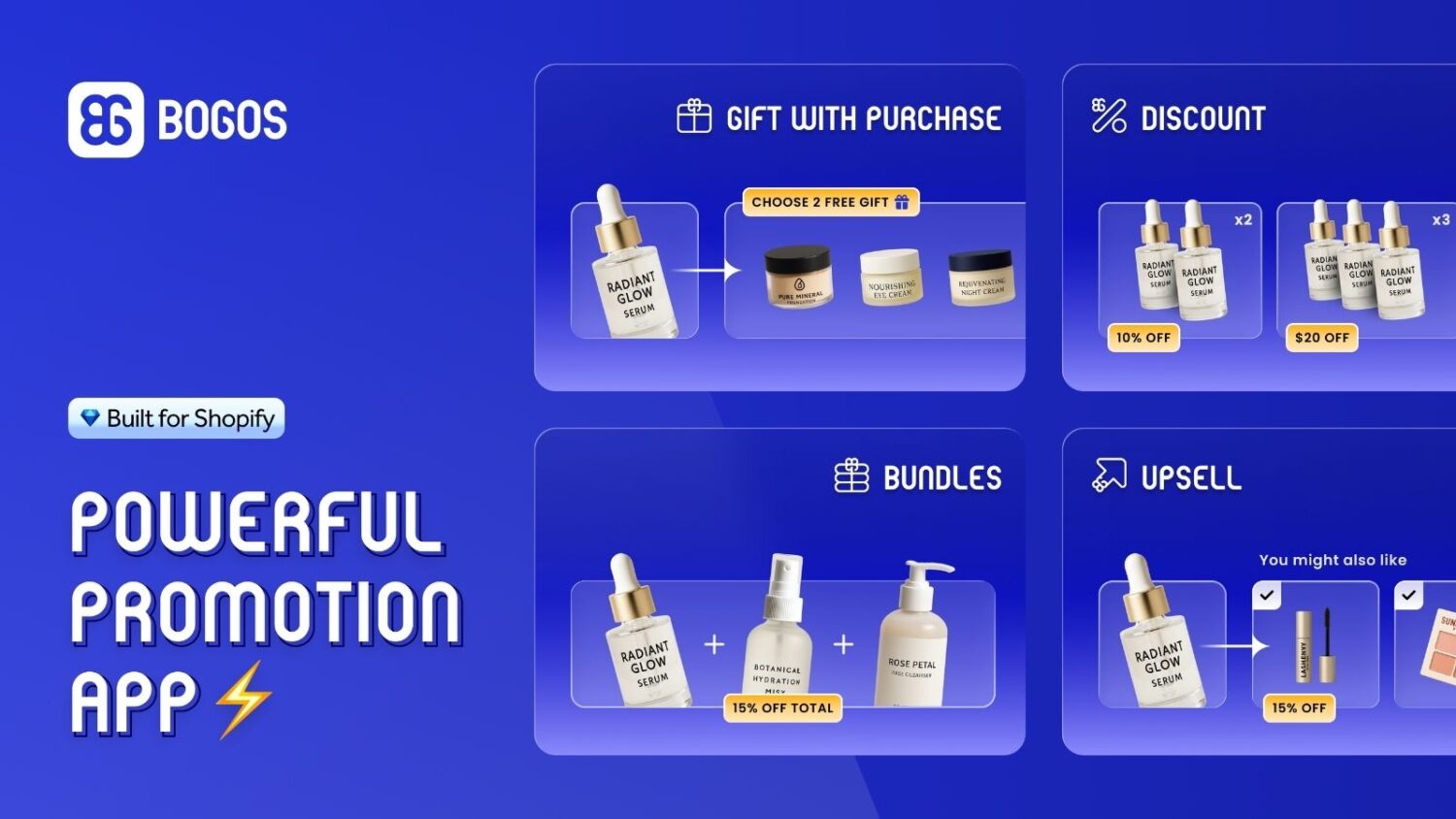
BOGOS is the strongest pick when offer setup flexibility matters. It handles both same-product and cross-product quantity discounts, including BYOB-style volume discounts where customers mix items from the catalog and unlock the tier discount once they hit the threshold. The discount tier types are the broadest of the four apps: percentage, fixed amount, fixed price, and free shipping can be mixed within the same tier structure. Sub-conditions narrow down which customers receive the discount based on geo-location, customer tags, order history, sales channel, or magic links, which is the right pick when different audiences need different tiers (VIP customers, B2B buyers, holiday shoppers).
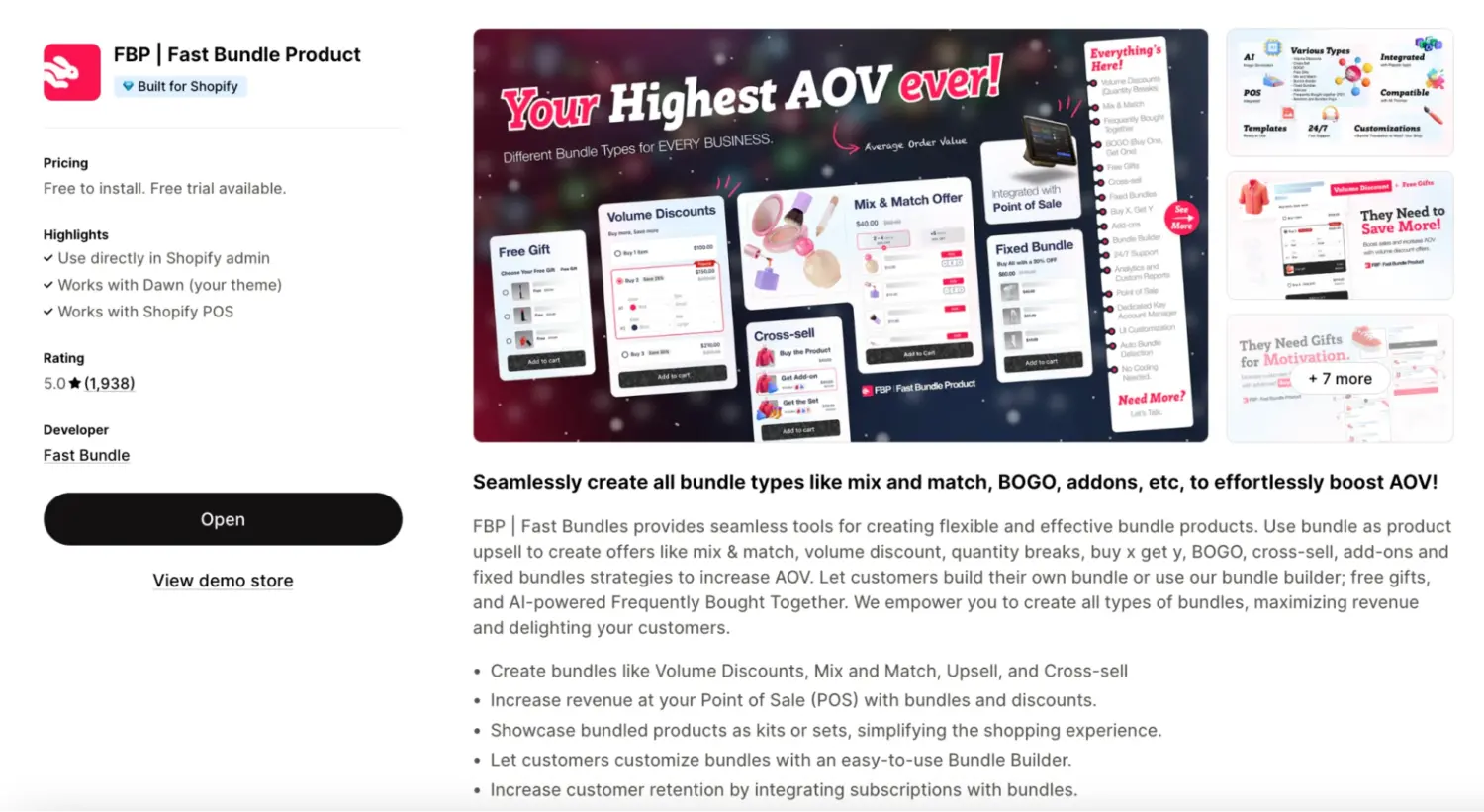
Like BOGOS, Fast Bundle supports both same-product and cross-product quantity discounts, including BYOB combined with volume discount tiers. Discount types cover the standard formats (percentage, fixed amount, fixed price) plus cashback credit, which is unique to Fast Bundle. Strong on bundle-side feature depth (mix and match, BXGY, frequently bought together, add-ons), so it’s a fit if quantity discount is one piece of a broader bundle strategy. The main limitation: no subscription widget support, which matters if you sell consumables on recurring subscriptions.
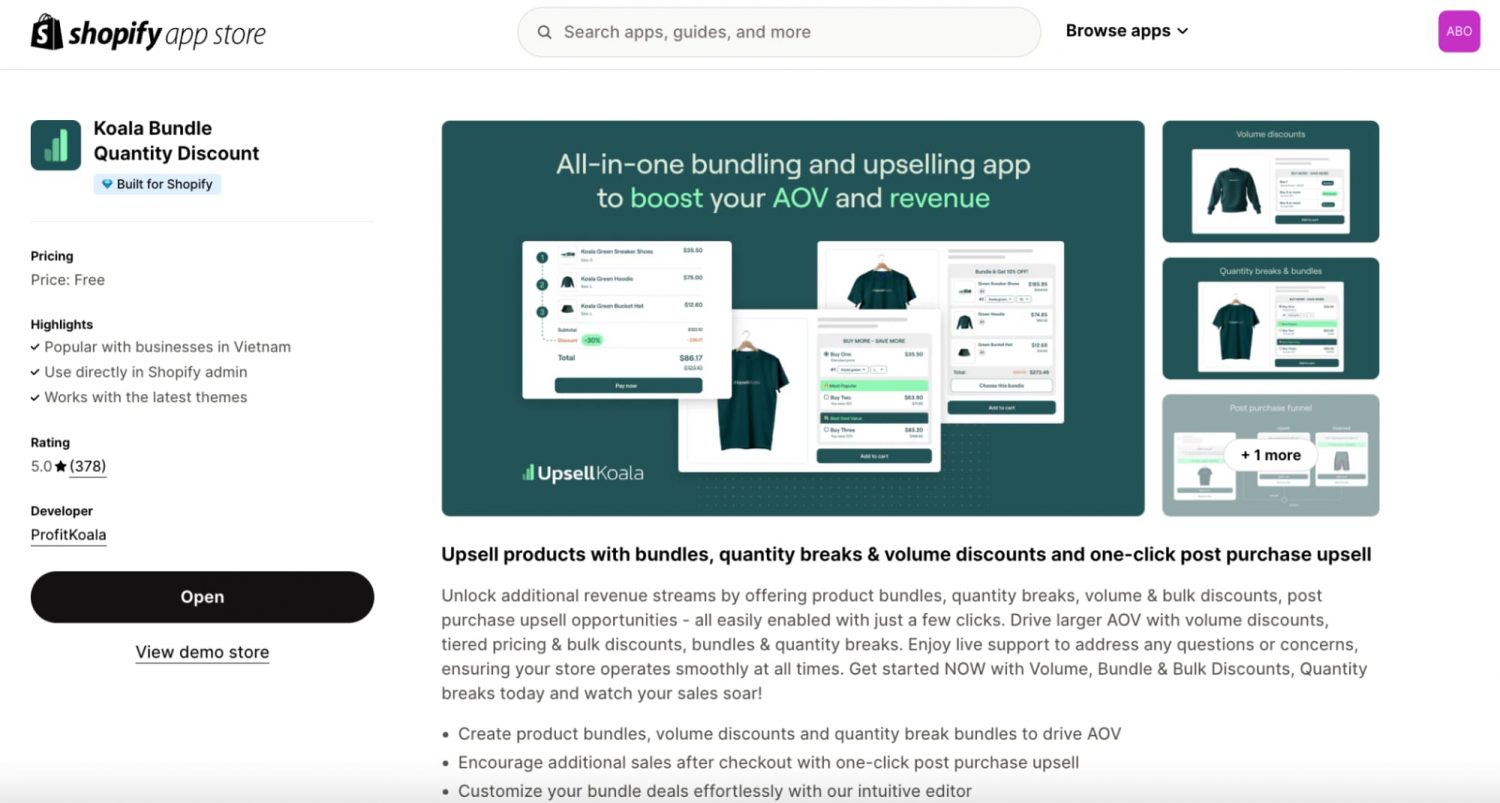
A budget-friendly option for stores running volume discounts as a standalone strategy. The flexible discount tier system is the standout feature: beyond percentage and fixed amount, Koala supports free gift in tier, meaning a higher quantity tier can unlock a free product alongside or instead of a deeper discount. The trade-off is that the discount logic only works for same-product setups. If you want cross-product or BYOB-style volume discounts, Koala isn’t the fit, but for same-product tiers with creative reward structures, it covers a lot of ground at a low price.
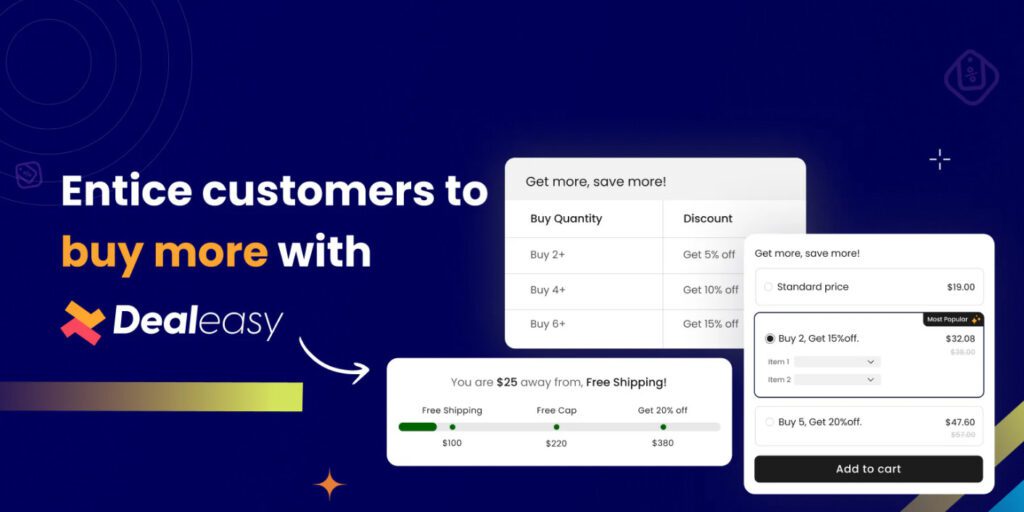
Built on Shopify’s native Discount Functions, which means it integrates cleanly with the platform without scripts or draft order workarounds that can break checkout. The lightest-weight option in this comparison: pricing scales by monthly order volume rather than feature tiers, with paid plans starting at $8.99/month. Caps at 5 automatic discount tiers per setup, which covers almost any reasonable tier strategy. Supports cross-product setups via mix-and-match bundles, though with less depth than BOGOS or Fast Bundle. Good fit for stores that want core volume discount mechanics with low overhead and clean Shopify-native integration.
For a full comparison with detailed feature breakdowns, pricing tiers, and pros/cons for each app, see our “Best volume discount app” guide.
The right tier structure depends on your category, margins, and current AOV. Here are four common patterns that work, with the math behind each.
For full setups with screenshot walkthroughs and offer math by industry, see our “Volume discount example” guide.
A quantity discount lifts AOV but compresses per-unit margin. The risk is a high-AOV order that nets less profit than the smaller orders you’d have gotten at full price. Four protective measures keep that from happening.
For a full breakdown with margin calculator templates and tier-design frameworks, see our Quantity discount margin protection guide.
Quantity discounts are simple to set up but easy to set up badly. These five mistakes account for most of the underperforming setups merchants run into.
Tip: Run a 5-minute QA before going live. Add the qualifying quantity to cart, check the price at each tier, then test quantities between tiers (4 when your tiers are at 3 and 5) to confirm the discount holds the way you expect. Apply any active discount codes and verify the final checkout total. Repeat on mobile. Five minutes of testing prevents the most common merchant complaints (broken pricing, stacking conflicts, tier not firing).
Shopify’s quantity discount is a powerful strategy that helps you increase your Shopify store’s revenue. Creating volume discounts is not hard; you can easily do it with our guide. However, you should keep in mind the best practices and helpful tips provided to implement them efficiently.
If you thoroughly understand it now, let’s analyze the factors in your Shopify store and try adopting the strategy!
Yes. Shopify’s native Buy X Get Y automatic discount handles single-tier quantity discounts on a per-product or per-collection basis. It’s free, works on every plan, and applies automatically at the cart. The trade-off is no built-in pricing table on the product page, which means customers may not see the offer until checkout. For multi-tier setups or a customer-facing pricing table, you’ll want an app.
It depends on the method. The native automatic discount handles one tier per discount object, so multi-tier setups require stacking discounts (which can collide because of Shopify’s “one product discount per line item” rule). Most quantity discount apps support multi-tier rules in a single offer. Shopify B2B volume pricing supports up to 10 price breaks per product. Practically, 3 to 4 tiers max is the right call for clarity.
It depends on your subscription app and the discount setup. Most subscription apps support discounts on the first order, but recurring discounts and tiered pricing on subscription orders need explicit support from the app. Check your subscription app’s discount documentation before assuming a quantity discount will apply to recurring charges.
The native automatic discount doesn’t include a pricing table widget. Your options are: add it manually via theme code (a Liquid edit on the product page template), add a banner or product description callout, or use a quantity discount app that provides a pricing-table widget out of the box. The widget approach is the lowest-effort path and the most reliable for non-developers.

Shoppers hesitate to buy a $1,200 sofa or a custom ring when they can’t see the exact version they’re...
Selling personalized products on Shopify gets hard the moment a shopper needs to type a name or choose a...
The UK is the largest eCommerce market in Europe and the third-largest in the world. For international Shopify stores,...
