


Charlie Ngo
•
Last updated: 23 October, 2026
Shopify Smart Collections: Setup, Conditions & 8 Examples (2026 Updated)
Shopify smart collections add and remove products for you based on rules, such as a tag, a price, or...
Shopify Landing Pages: How to Build One That Converts (2026)

Marketing Manager
Summarize this post with AI
You spend money bringing shoppers to your store, but much of that traffic lands on pages that are not designed to convert. Your homepage tries to serve several purposes at once. Product pages are often crowded with menus, links, and other distractions that pull attention away from the purchase.
A Shopify landing page solves this problem. It focuses on one offer and one clear action, giving visitors a simple path to follow. With fewer distractions, more shoppers are likely to complete the goal, which can improve your conversion rate.
I’m Charlie Ngo, an eCommerce expert at BOGOS with 11 years of experience helping Shopify merchants grow sales, AOV, and conversions. This guide covers the best landing page types, proven examples, key conversion elements, and the fastest ways to build one.
Not every landing page does the same job. The right structure depends on what you are asking the visitor to do and where they came from. It helps to think of these five types along your funnel, from shoppers just discovering you to shoppers ready to buy.
An advertorial is a page that reads like an article or story, with your product woven in as the solution. A listicle uses a numbered format, such as “5 reasons” or “7 ways,” to make a point while introducing your product along the way. Both teach or entertain first, then guide the reader toward the sale.
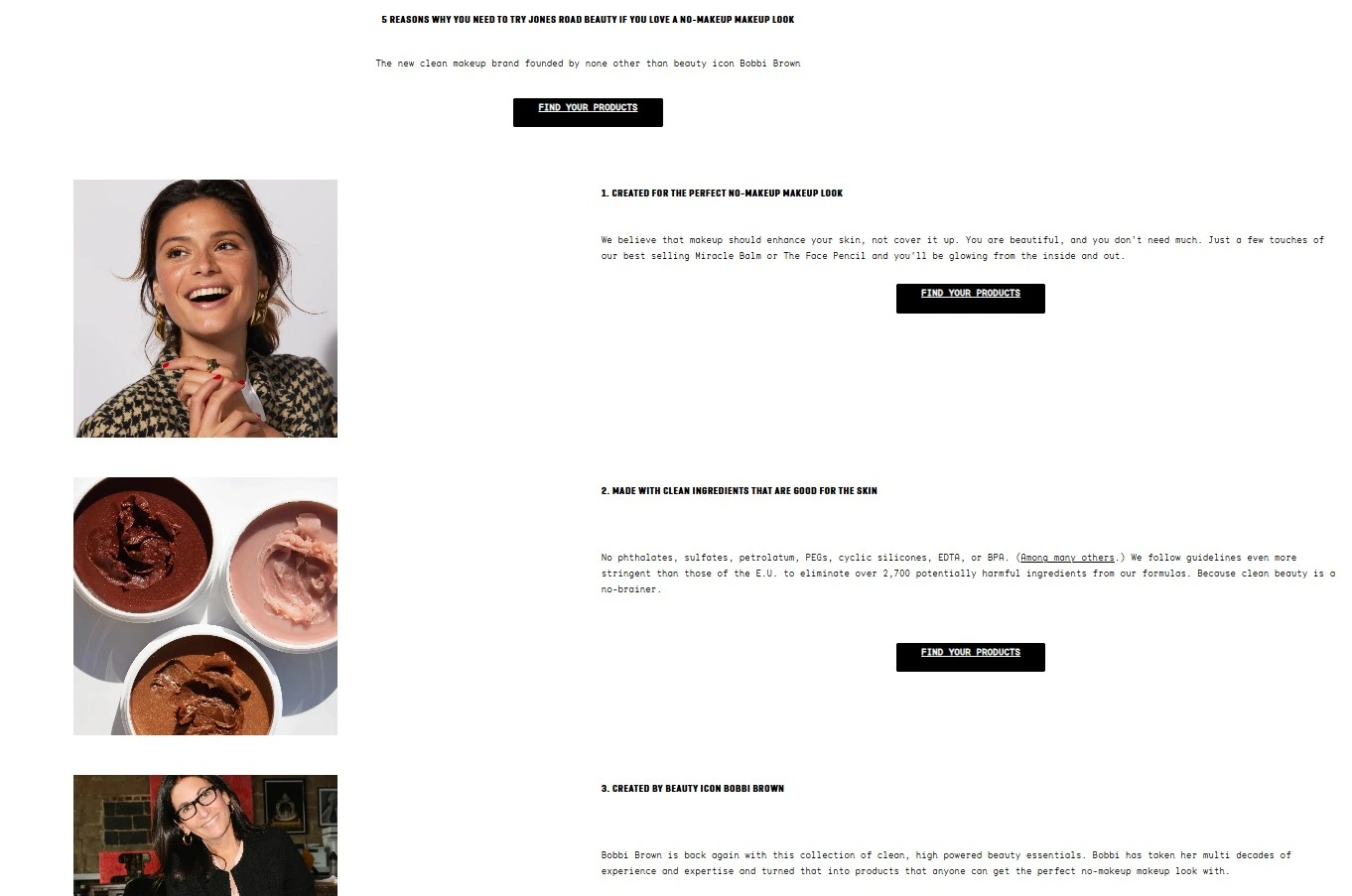
Article-style layout uses numbered benefits and repeated prompts to build interest before asking for a purchase
Use it for cold traffic that is not ready to buy yet, often from paid social or content ads. They build interest and trust before the ask, which suits higher-consideration products or audiences meeting your brand for the first time.
A lead capture page collects something other than a sale, usually an email address, in exchange for value like a discount, early access, or a waitlist spot. A coming-soon version builds anticipation before a product goes live.
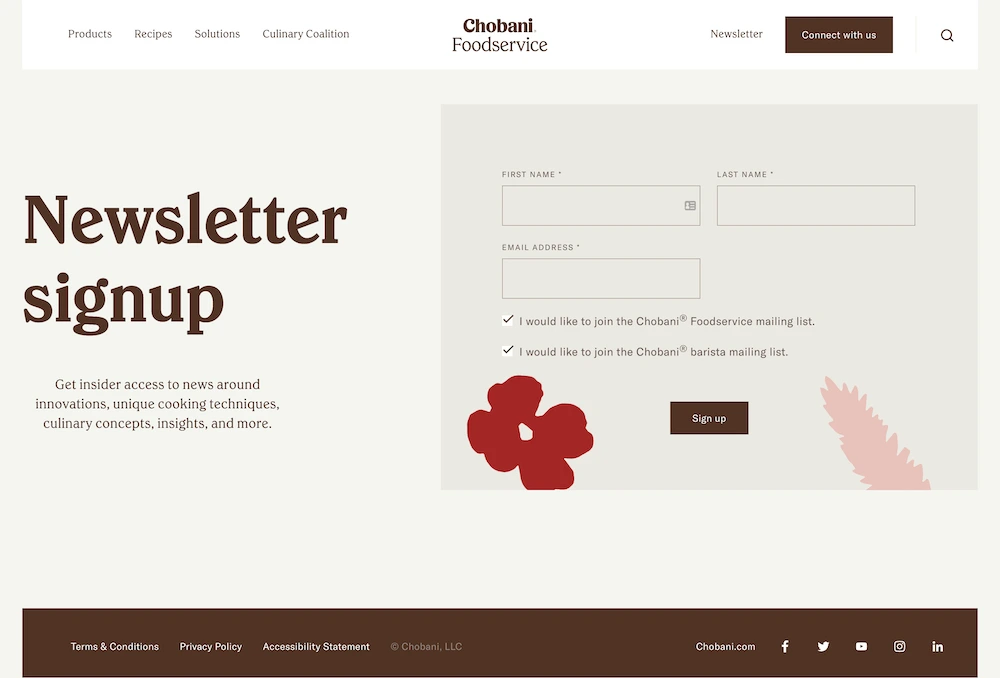
The focused signup form turns early interest into an email audience that the brand can nurture later
Use it when you are not ready to sell yet, or when growing your email list matters more than an immediate order. It keeps the ask small, which lowers the barrier and brings more people into your funnel.
A click-through page is made for paid traffic from Facebook, Instagram, TikTok, or Google. It matches the promise in your ad, then guides the visitor to one action with no competing links.
Use it whenever you are paying for clicks, because sending ad traffic to your homepage wastes budget. The message on the page should mirror the message in the ad, so the visitor feels they arrived in the right place.
A campaign page is built for a specific moment, such as Black Friday, a holiday sale, or a product launch. It ties the offer to the occasion and gives shoppers a reason to buy now.
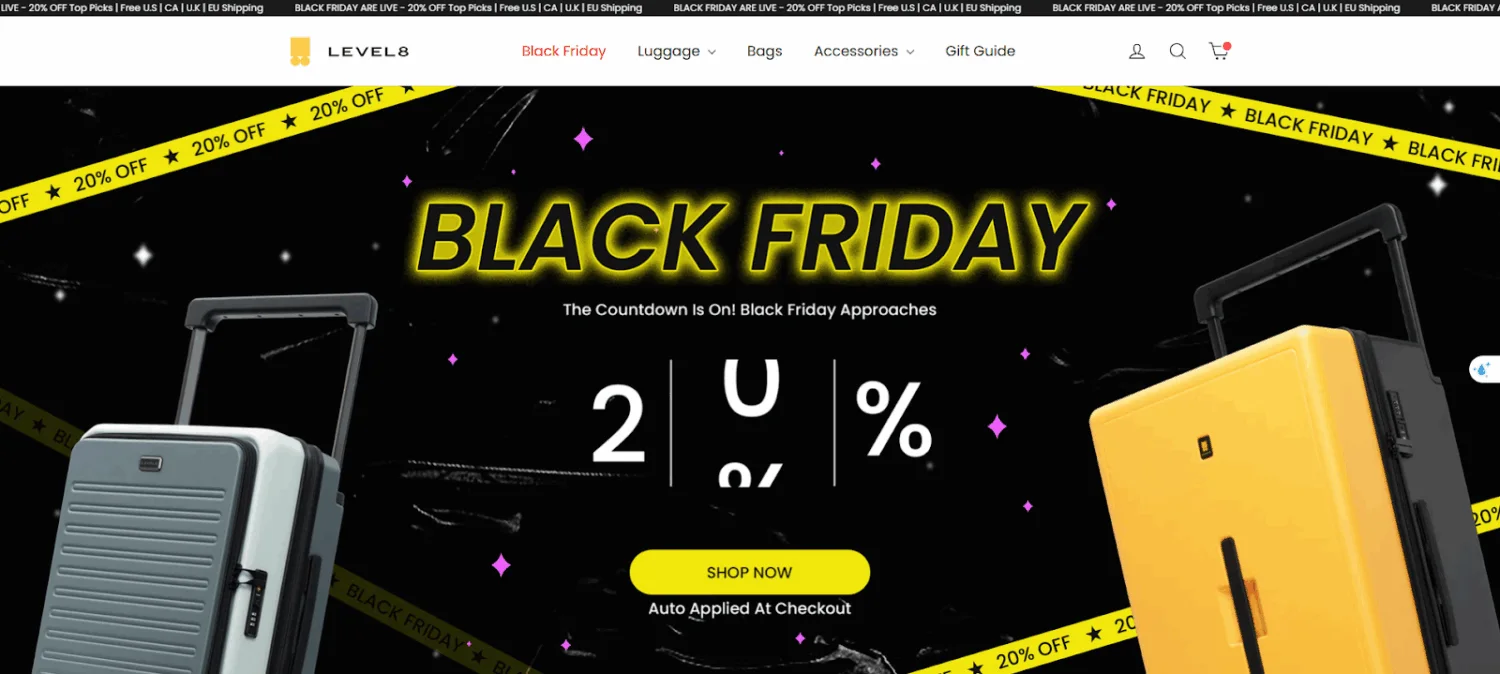
A dedicated seasonal campaign landing page designed to maximize conversions during traffic spikes
Use it when you are running a promotion and want a dedicated home for it, rather than scattering the offer across your store. Because it is tied to one event, you can build it before the campaign and reuse the structure when the season returns.
A product landing page sells a single product, usually your hero item or a new launch. It gives that one product room to shine, with a strong headline, clear benefits, photos or video, reviews, and a single buy button.
Use it when you want all the attention on one product rather than a full catalog. It works well for a signature product, a new drop, or an item you are pushing in a campaign.
Now that you know which type to build, let’s look at what makes any landing page convert. The pages that perform share the same backbone, and getting it right is the heart of conversion rate optimization. Get these right, and the page does its job:
A focused offer gives shoppers a clear reason to act, which can increase both conversion rate and average order value. On a landing page built around one goal, the right promotion is often the final nudge that turns interest into a sale.
Shopify’s native discount tools cover the basics, but they become limiting when you want to run several types of offers together. This is where our own app, BOGOS: Free Gift Bundle Upsell, helps:
You know the elements that make a page convert. Now let’s see them in the wild. Studying stores already doing it well is the fastest way to learn what works. Below are four trends shaping high-converting Shopify landing pages right now, each with a real brand using it and a simple path to copy the idea.
Shoppers want to see a product in action before they buy. According to Wyzowl’s 2026 video marketing research, 85% of people say a video has convinced them to buy a product or service, and 91% of businesses now use video as a marketing tool. A short demo or lifestyle clip in your hero answers questions that text cannot.
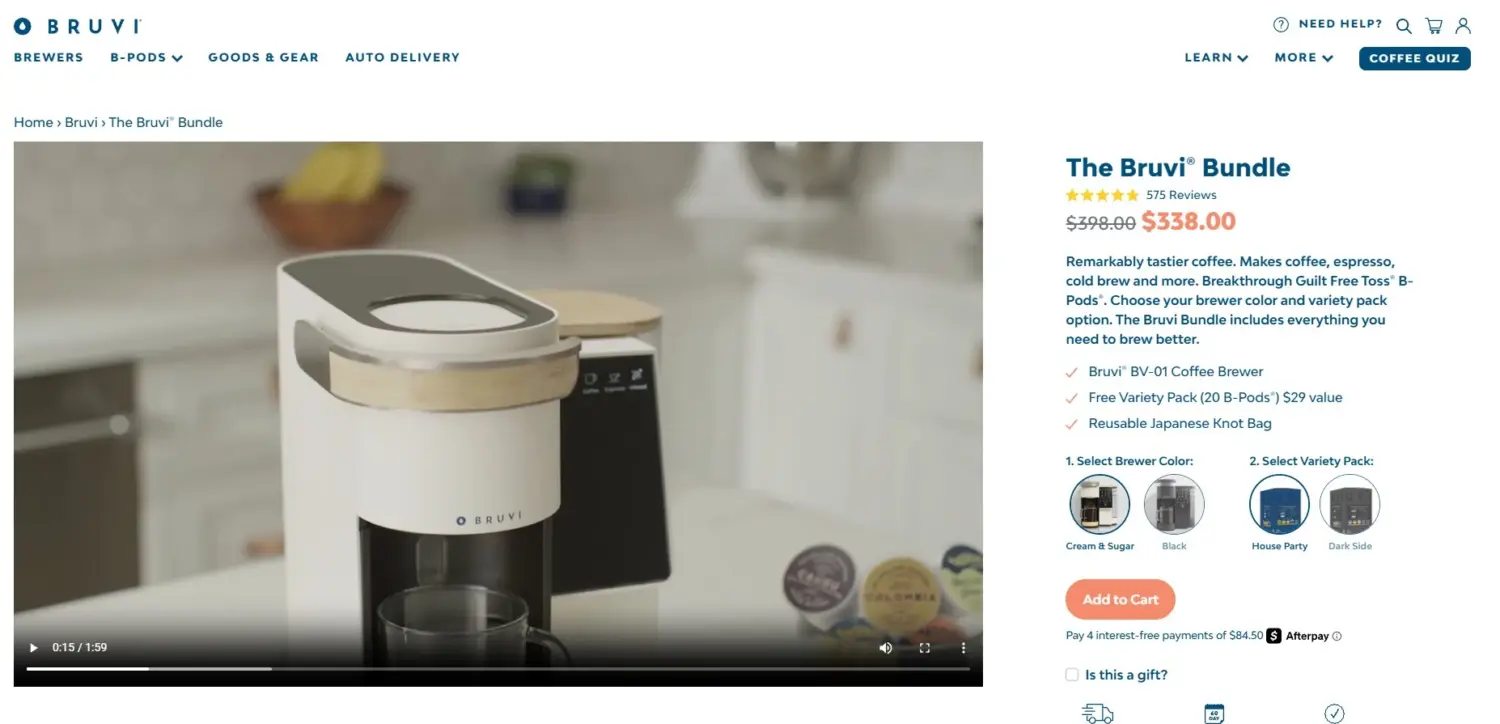
The product video demonstrates the brewer while nearby purchase options help shoppers act without leaving the hero area
Bruvi, a coffee brewer brand, leads its page with a video that shows the machine in action. It uses that video to show exactly how the brewer works, which is what an audience deciding between machines needs to see before they buy, then backs it with a side-by-side comparison against other brewers and hundreds of reviews.
Takeaway:
Reviews and real customer content do the convincing that your own copy cannot. Baymard Institute’s product page research found that 95% of shoppers rely on reviews to learn about a product. Placing that proof high on the page reassures visitors at the moment they hesitate.
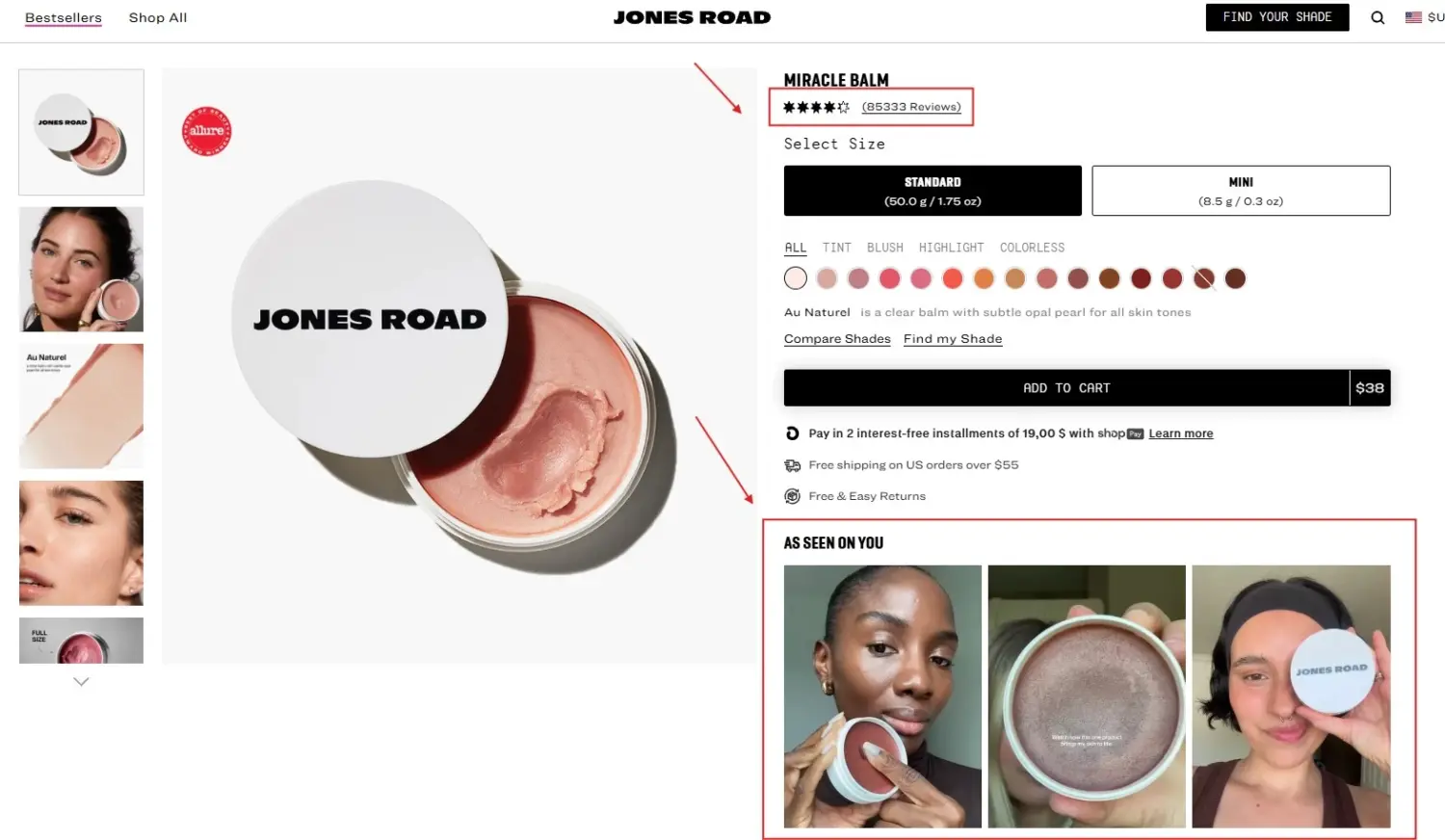
Ratings and customer photos appear close to the purchase area, helping remove doubt at the decision point
Jones Road Beauty, founded by makeup artist Bobbi Brown, leans on customer reviews and UGC across its pages. Its Miracle Balm alone carries more than 20,000 reviews, with star ratings shown near the top where shoppers can see them early.
Takeaway:
Most of your visitors are on their phones. The Unbounce 2024 Conversion Benchmark Report found that 83% of landing page visits happened on mobile, yet desktop still converted about 8% better. That gap is the opportunity. A page built for the phone first, and one that loads fast, keeps those mobile shoppers moving toward the sale.
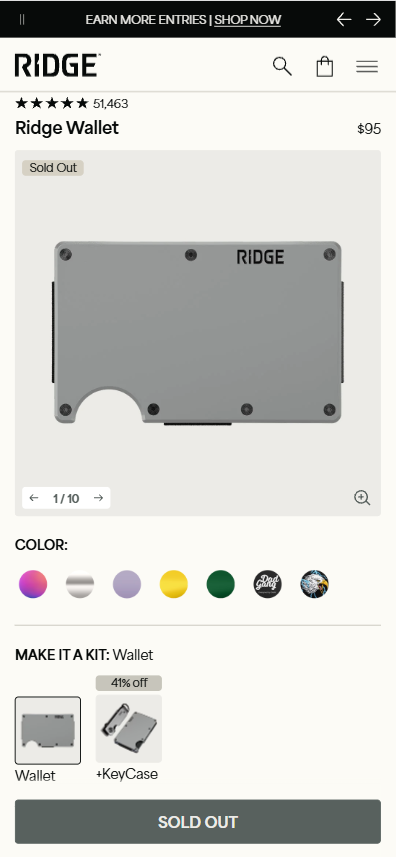
The simple mobile layout keeps product choices and the main purchase action easy to reach
Ridge, a wallet and accessories brand, keeps its pages clean, quick, and easy to thumb through. It runs a minimalist, fast-loading layout with a lifetime warranty stated up front, so every section is built for a small screen and a quick decision.
Takeaway:
A page that adapts to the shopper converts better than one built for everyone. McKinsey’s research on personalization found it most often drives a 10 to 15 percent revenue lift, and up to 25 percent in some sectors. A short quiz is one of the simplest ways to personalize, since it guides each visitor to the right product while capturing their email.
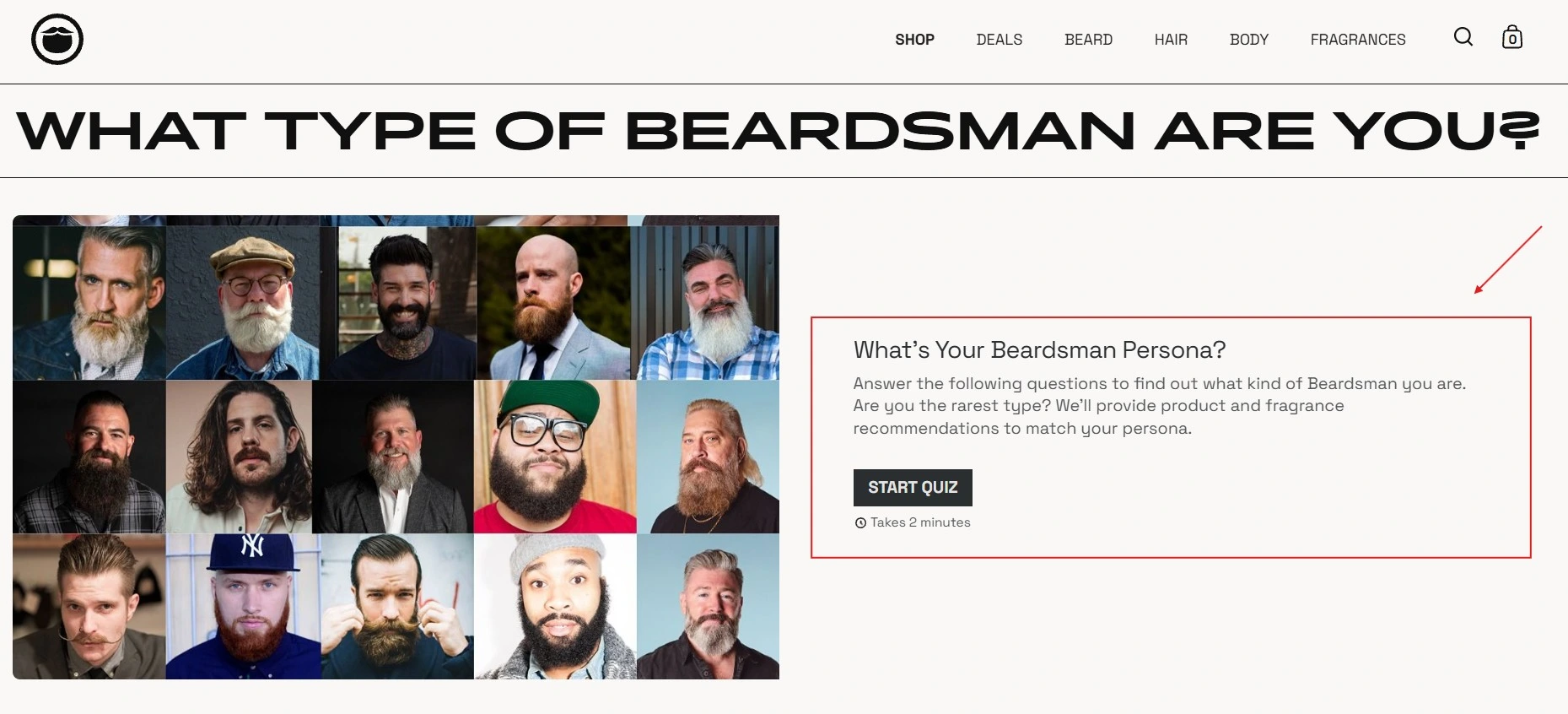
The personality quiz makes product discovery more engaging while guiding each shopper toward a relevant recommendation
Beardbrand, a men’s grooming brand, uses a quiz that sorts shoppers into “beardsman types” and recommends products based on their answers. It runs a longer, personality-led quiz that entertains, personalizes, and feeds one of its strongest email lists.
Takeaway:
There are three ways to build a landing page on Shopify, and the right one depends on your budget, your skills, and how much design control you want. Two cover most merchants.
Shopify’s built-in page editor is the best free place to start. Create a new page, then use your theme sections to add and arrange content such as images, text, and buttons.
Most modern themes use Shopify’s Online Store 2.0 framework, which lets you move sections around without editing code. Themes from the Shopify Theme Store also include ready-made Shopify landing page templates you can adapt.
You can also save time with Shopify Sidekick. Using simple prompts, it can help draft copy, write product descriptions, and generate banner images in minutes. The main limitation is flexibility. You can only use the sections and layouts your theme supports. If you need a highly custom design, an interactive quiz, or more advanced offer features, a landing page builder app is usually the next step.
Most merchants move to a landing page builder when Shopify’s native editor starts holding them back. Instead of working within fixed theme sections, you get a drag-and-drop canvas that lets you build a page with its own layout, style, and purpose.
Landing page builders offer two clear advantages:
These builders are ideal when you need speed, flexibility, and conversion tools in one place. They work especially well for paid-ad landing pages, product launches, seasonal campaigns, and any page that needs to stand apart from your main store. Later in this guide, we compare the leading Shopify landing page builders.
For full control, a developer can build a landing page directly in your theme with Liquid, HTML, and CSS. This gives you a completely bespoke page with no app subscription, but it needs technical skill and takes longer to change.
Most merchants do not need this route. It only pays off when you have a developer and a very specific design that no builder can match.
If you go the builder route, three apps lead the pack for Shopify landing pages. Each suits a different kind of store. Ratings and review counts below are from the Shopify App Store and shift over time, so treat them as a snapshot.
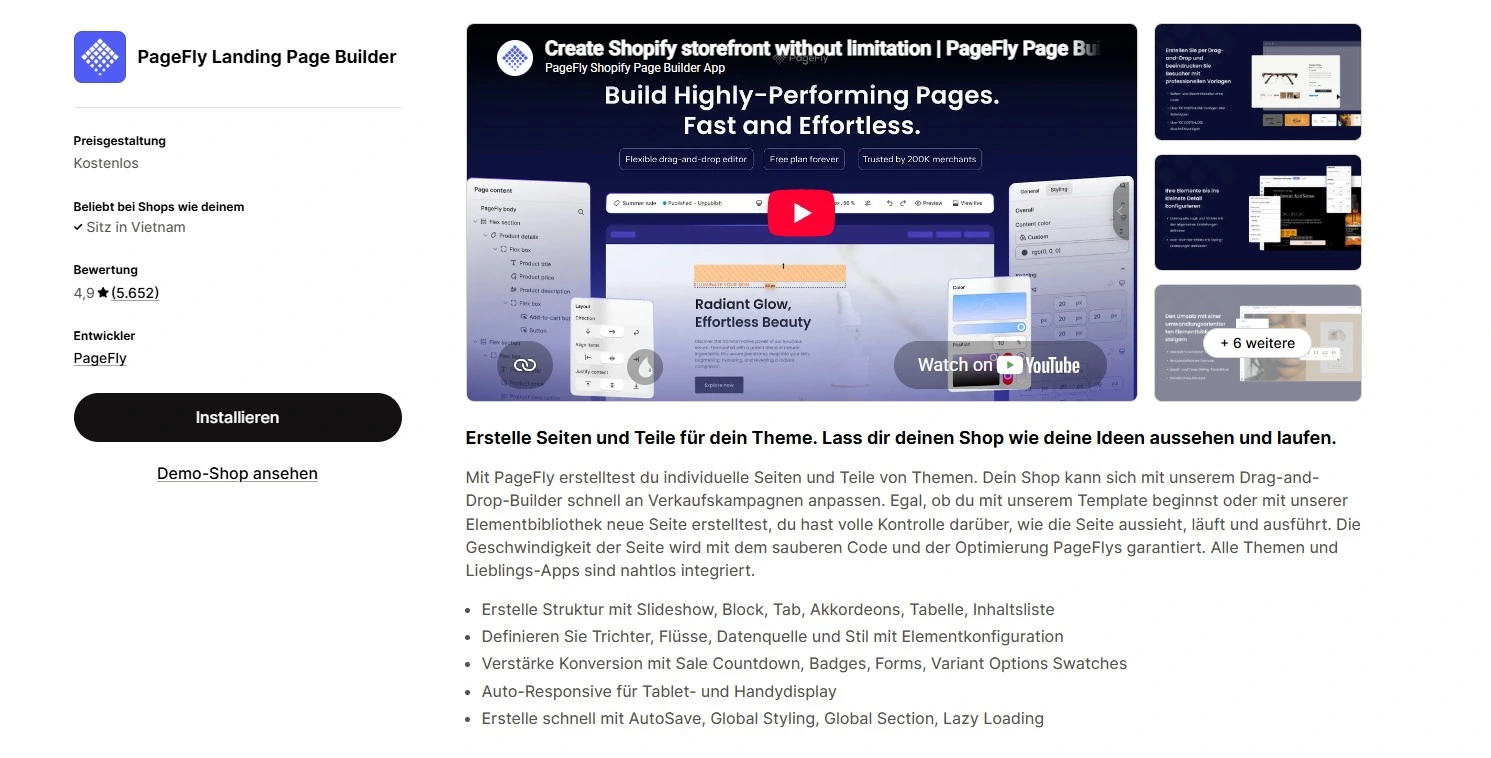
PageFly is the most popular Shopify page builder, and the safe default if you want proven flexibility without a high price.
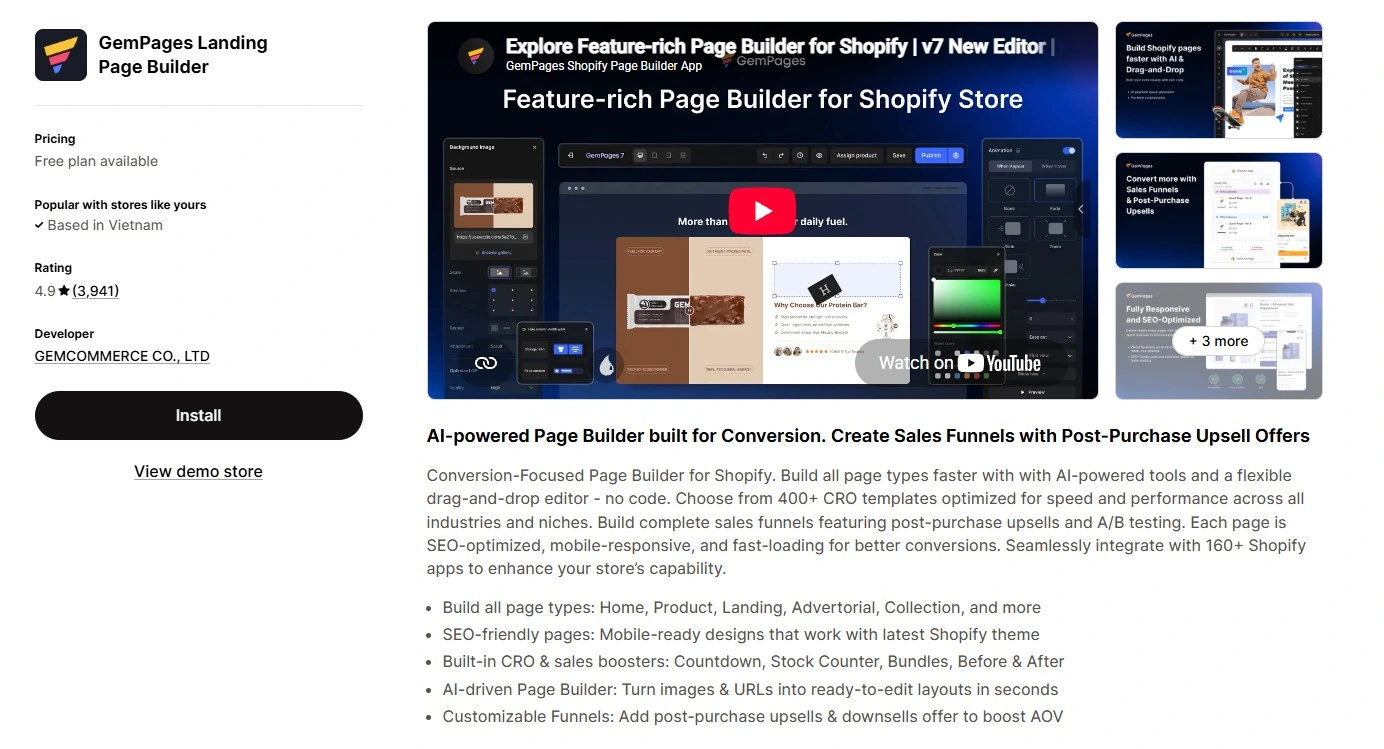
GemPages leans into conversion-focused design, ideal when the look of the page matters most.
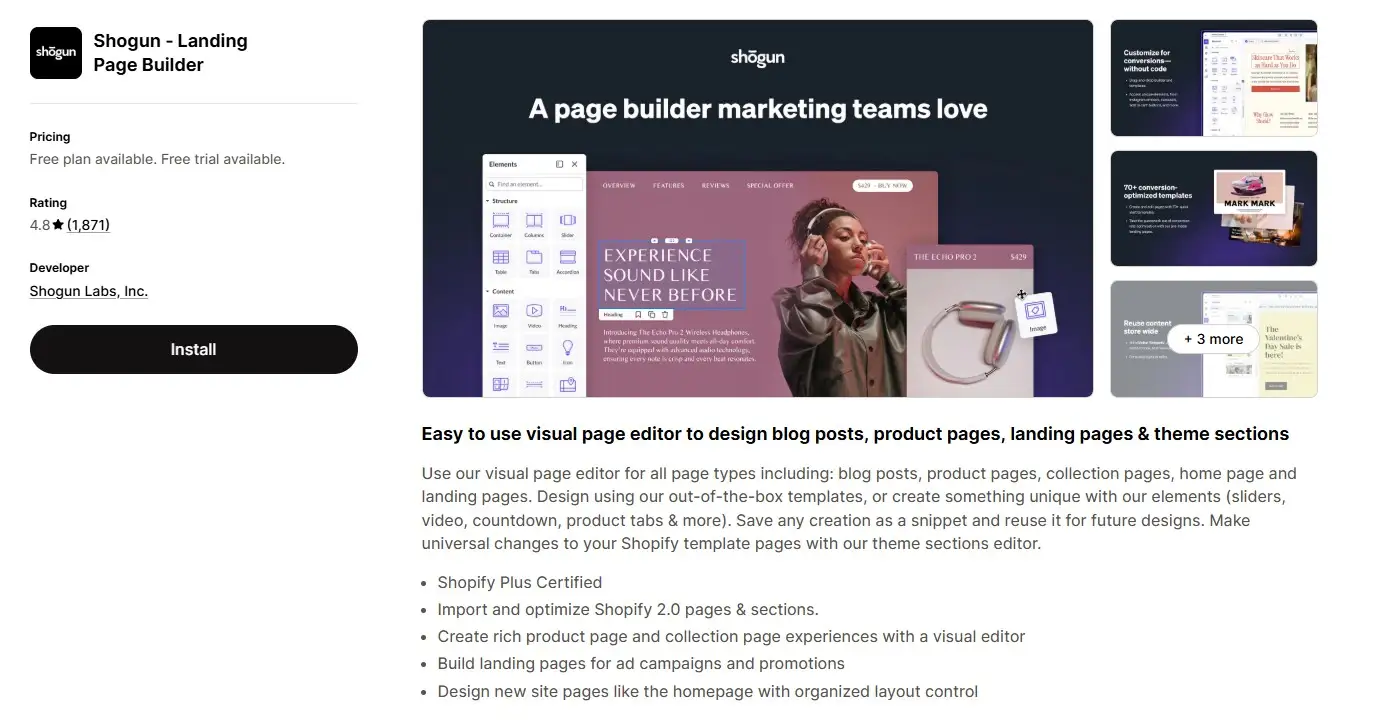
Shogun is a Shopify Plus-certified builder aimed at established stores that optimize systematically.
The honest takeaway: start with a free plan to see whether the builder fits your needs. Upgrade only when it delivers a measurable lift in conversion rate, and avoid paying for enterprise features before your store needs them.
A Shopify landing page is one of the most effective ways to turn traffic into sales. By focusing on one offer and one action, it removes the distractions that often weaken a busy homepage or product page. That focus gives shoppers a clearer path to purchase and can improve conversion rates.
The process is simple: choose the right page type for your traffic, build the core elements that drive action, then test and improve the page over time. Use Shopify’s free editor for a straightforward setup, or choose a landing page builder when you need more design freedom and conversion tools.
Whichever method you choose, the goal stays the same: create a fast, focused page that makes it easy for shoppers to say yes. Pick one product or campaign, build a dedicated page for it this week, and see what a single clear path can do for your sales.
No. You can build a landing page for free using Shopify’s native page editor and your theme’s sections. An app is worth it when you want more design freedom, faster building, or features like A/B testing and advanced offers that the native editor cannot handle.
Yes. Shopify’s built-in editor and free themes let you create a simple landing page at no extra cost beyond your Shopify plan. Most landing page builder apps also offer a free plan, though these usually limit how many pages you can publish.
A product page is one item in your catalog, surrounded by your store’s navigation and links. A landing page is a standalone page built around a single action, with distractions stripped away. A product page serves browsers exploring your store, while a landing page is built to convert focused traffic, such as visitors from an ad or email.

Shopify smart collections add and remove products for you based on rules, such as a tag, a price, or...

Shopify collections decide how shoppers find your products, yet many guides still describe a setup Shopify is now replacing....

A Shopify announcement bar is the thin strip at the top of your store that tells shoppers about shipping,...
