


Charlie Ngo
•
Last updated: 23 October, 2026
Shopify Smart Collections: Setup, Conditions & 8 Examples (2026 Updated)
Shopify smart collections add and remove products for you based on rules, such as a tag, a price, or...
Shopify Pop-Up Guide: Types, Free Setup, and Best Apps (2026)

Marketing Manager
Summarize this post with AI
Pop-ups have a bad reputation and a strong conversion record at the same time, and this article sorts out that contradiction with real data. I cover the 9 pop-up types Shopify merchants use, the 6 best pop-up apps compared side by side, how to build one free with Shopify Forms, the 5 ways pop-ups backfire, and 10 practical tips to make yours perform. I am Charlie Ngo, Marketing Manager at BOGOS, and I write about Shopify promotions and store conversion work.
A Shopify pop-up is an overlay that appears on top of your store content while a shopper browses. It is triggered by behaviour: seconds spent on a page, scroll depth, a click, an add-to-cart action, or cursor movement toward the browser controls. Do not confuse it with a pop-up shop, which is a temporary physical retail space. It also differs from an announcement bar, which sits at the top of every page and informs shoppers without interrupting them.
Pop-ups serve many purposes, from email capture to upselling, and all of them are conversion rate optimization work. Shopify notes that pop-ups can boost conversions by anywhere from 4% to 11% when used well, which keeps them a standard part of Shopify conversion rate optimization.
Shopify merchants use 10 main pop-up types: email and newsletter signup, discount or exclusive reward for new customers, exit-intent, add to cart, upsell and cross-sell, spin the wheel, feedback and survey, recent sales, size chart & age verification.
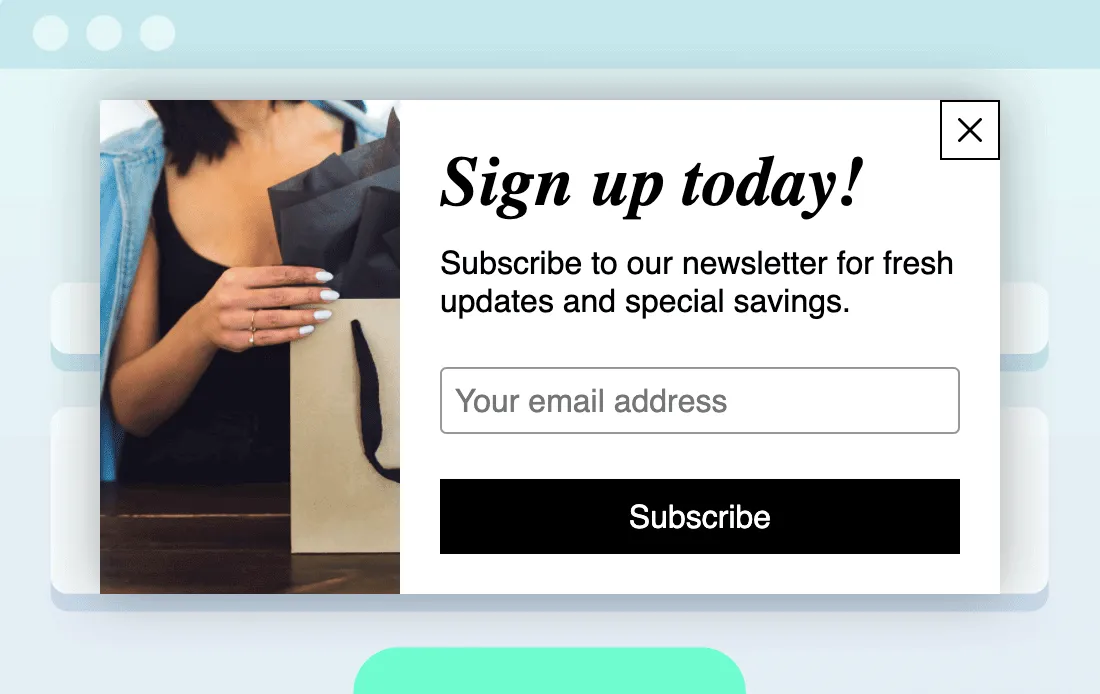
An email signup pop-up asks for an email address in exchange for a discount, early access, or a newsletter subscription. It is the most common pop-up type on Shopify and the reason most merchants install one.
The value of this pop-up is not the email address. It is the automated flow the address unlocks. Klaviyo’s 2026 benchmark data shows automated flows generate nearly 41% of total email revenue from just 5.3% of sends, with revenue per recipient nearly 18 times higher than one-off campaigns.
Flows also do the acquisition work. In the same Klaviyo report, 48% of flow-driven email revenue comes from new buyers, against just 16% for campaigns. A signup pop-up feeding a welcome flow is therefore a first-purchase engine, not a newsletter growth tactic.
A discount or reward pop-up offers a specific incentive to first-time visitors: a percentage off, a free gift at a spend threshold, or access to a members-only price. Targeting matters more than the offer size here. Wisepops’ analysis of over one billion pop-up displays measured pop-ups shown only to new visitors converting at 8.30%, against 5.09% for returning visitors and 4.60% for pop-ups shown to everyone.
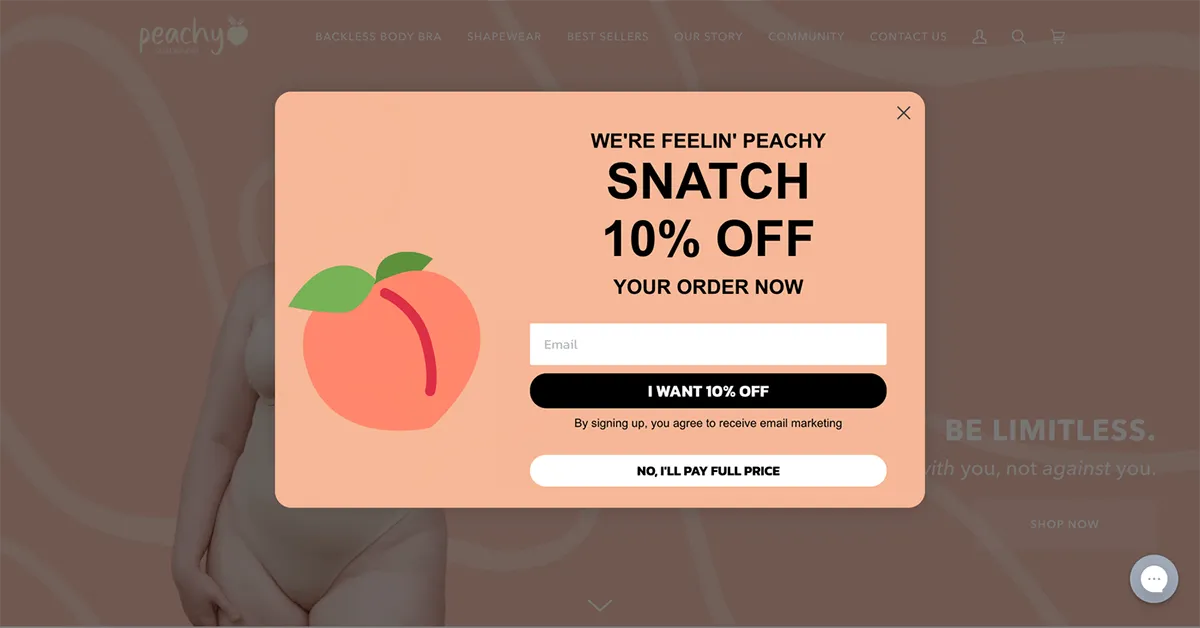
Adding a real incentive roughly doubles performance. Pop-ups offering an incentive like a discount or free gift converted at 7.45% against 4.60% for pop-ups without one.
Reward offers work best when the shopper can see the reward before checkout. A free gift with purchase that only appears at the payment step converts worse than one shown while items are still going into the cart. Promotion apps such as BOGOS handle this by auto-adding a free gift to customers’ carts when they reach a certain threshold or add a specific item.
An exit-intent pop-up fires when a visitor moves the cursor toward the browser controls or the back button. Merchants use it to make one final offer before the session ends.
Exit-intent is the most heavily marketed trigger and one of the weakest performers. Wisepops measured exit-intent pop-ups converting at 3.94%, below the 4.82% average across every pop-up in the same dataset. That is not a failure of the tactic. Those visitors have already decided to leave, so a lower rate is the expected result.
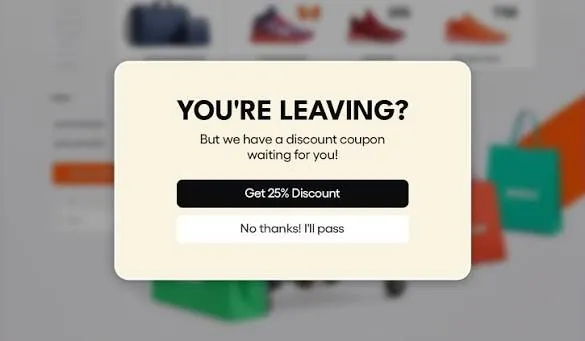
You should still run one, because the traffic is already lost. Recovering 3.94% of a session that would otherwise end at zero is revenue you get no other way.
Three changes will improve yours:
Add to cart overlays come in three patterns:
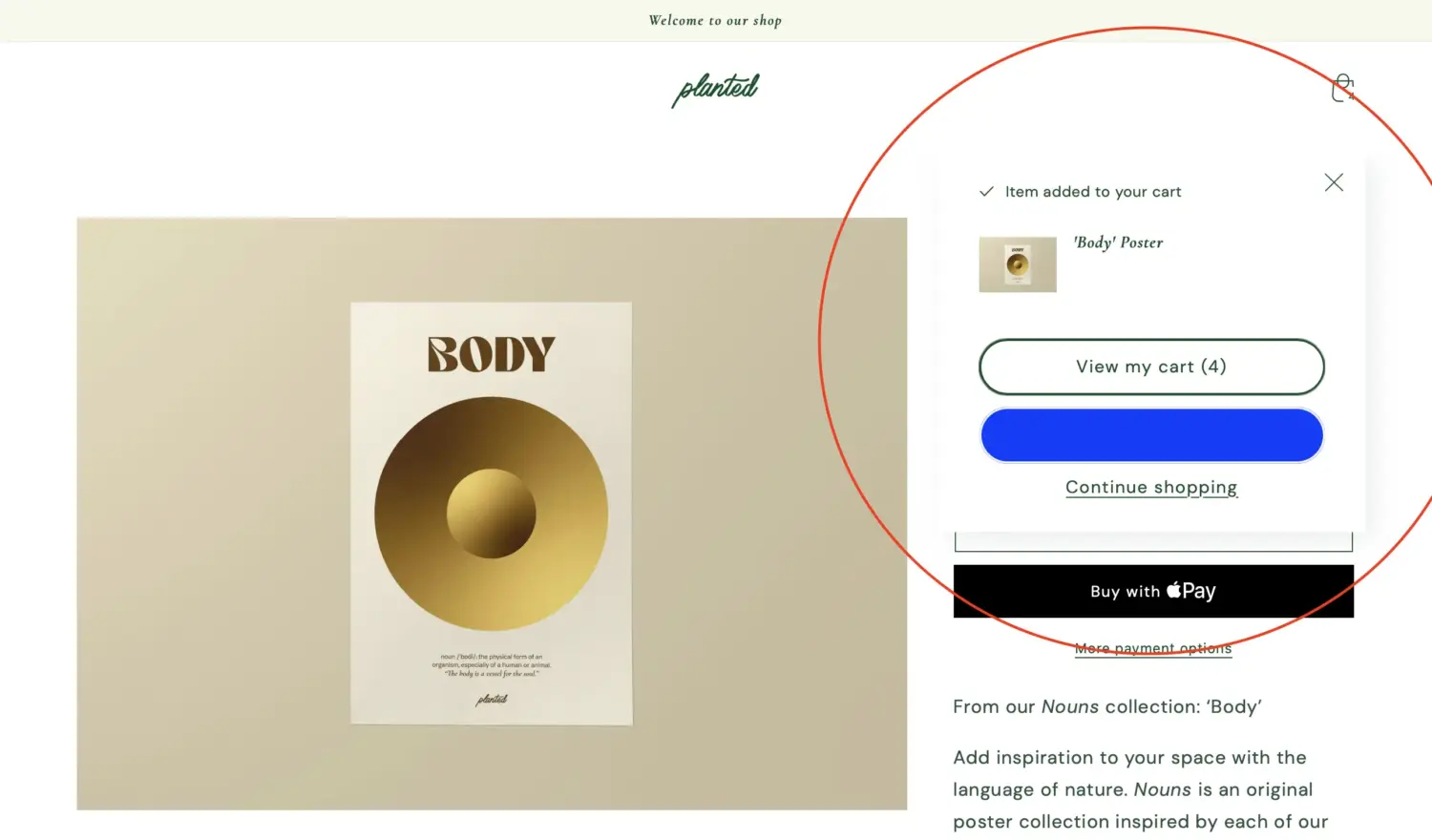
Shopify handles all three natively without an app. In your Shopify admin, go to Online Store, then Themes, then Edit theme, then Theme settings, then Cart. The Cart type dropdown offers Drawer, Page, or Pop-up notification, and Shopify’s own guidance is that drawer or pop-up notification keeps the customer on the product page while page sends them to the cart page.
The checkout-redirect version has a real trade-off. Removing the cart step removes friction, and it also removes the only place upsells, cross-sells, and spend thresholds can appear. Baymard found 12% of shoppers abandon because they could not see or calculate the total order cost up front, which is exactly the risk of skipping the cart.
My recommendation is a middle path: keep the confirmation overlay, make the checkout button the primary action, and place one relevant offer beside it rather than a full cart page. That protects average order value without adding a page load. For the full setup, native and app options, and AOV tactics, see our guide to the Shopify add to cart popup.
An upsell or cross-sell pop-up recommends additional products at the moment a shopper adds something to the cart. It changes what is in the cart rather than collecting a contact detail, so the success metric is attach rate and order value rather than submit rate.
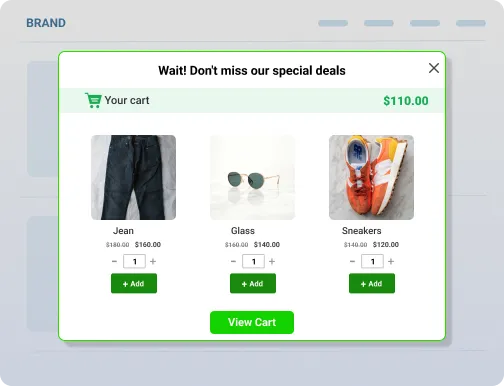
The trigger matters more than the design for this type. These overlays fire on a cart event, not on a timer, which is why the timing data from email signup studies does not transfer to them.
Three variations do most of the work. Frequently bought together blocks recommend products commonly purchased alongside the current item, and a Shopify frequently bought together widget is the standard way to add them. Complementary product prompts sit closer to traditional cross-selling on Shopify. Higher-tier or larger-size prompts belong to upselling in Shopify. BOGOS covers all three through cart and checkout upsell widgets, as do dedicated upsell apps, so the choice depends on whether you want promotions and upsells in one app or separately.
A spin-the-wheel pop-up asks for an email address, then reveals a randomised discount from a set of segments you define. It is the highest-converting format in the published data by a wide margin. Wisepops measured spin-the-wheel pop-ups converting at 29.99% against 4.04% for standard formats.
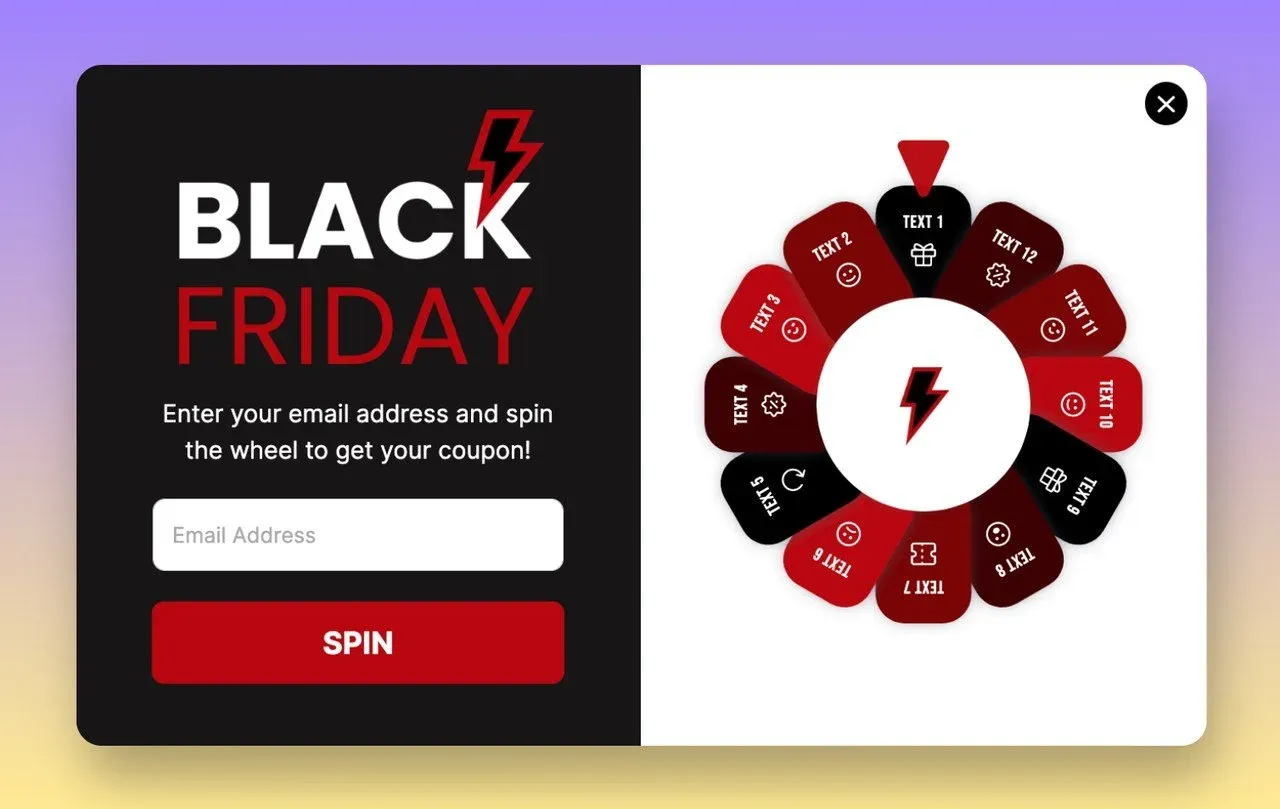
Countdown timers produce a similar effect. Pop-ups with a countdown converted at 12.84% against 4.73% without one, though that figure only holds when the deadline is real.
Two caveats belong with these numbers. A high signup rate is not the same as a high-quality list, and randomised discounts hand margin away without you choosing who receives it. Test the format against a fixed-offer pop-up on revenue per subscriber, not on signup volume. Our guide to the Shopify spin the wheel covers the apps, prize odds, and legal basics.
A feedback pop-up asks a question instead of making an offer. Common versions ask why a shopper did not buy, how they found the store, or what they expected to find and did not.
This pop-up type exists to answer a question the benchmarks cannot. Baymard’s abandonment reasons tell you what happens across the industry, not which of those reasons applies to your store. A two-question exit survey does. Merchants who run one usually discover that shipping cost, sizing uncertainty, or a missing payment method dominates, and each of those has a different fix.
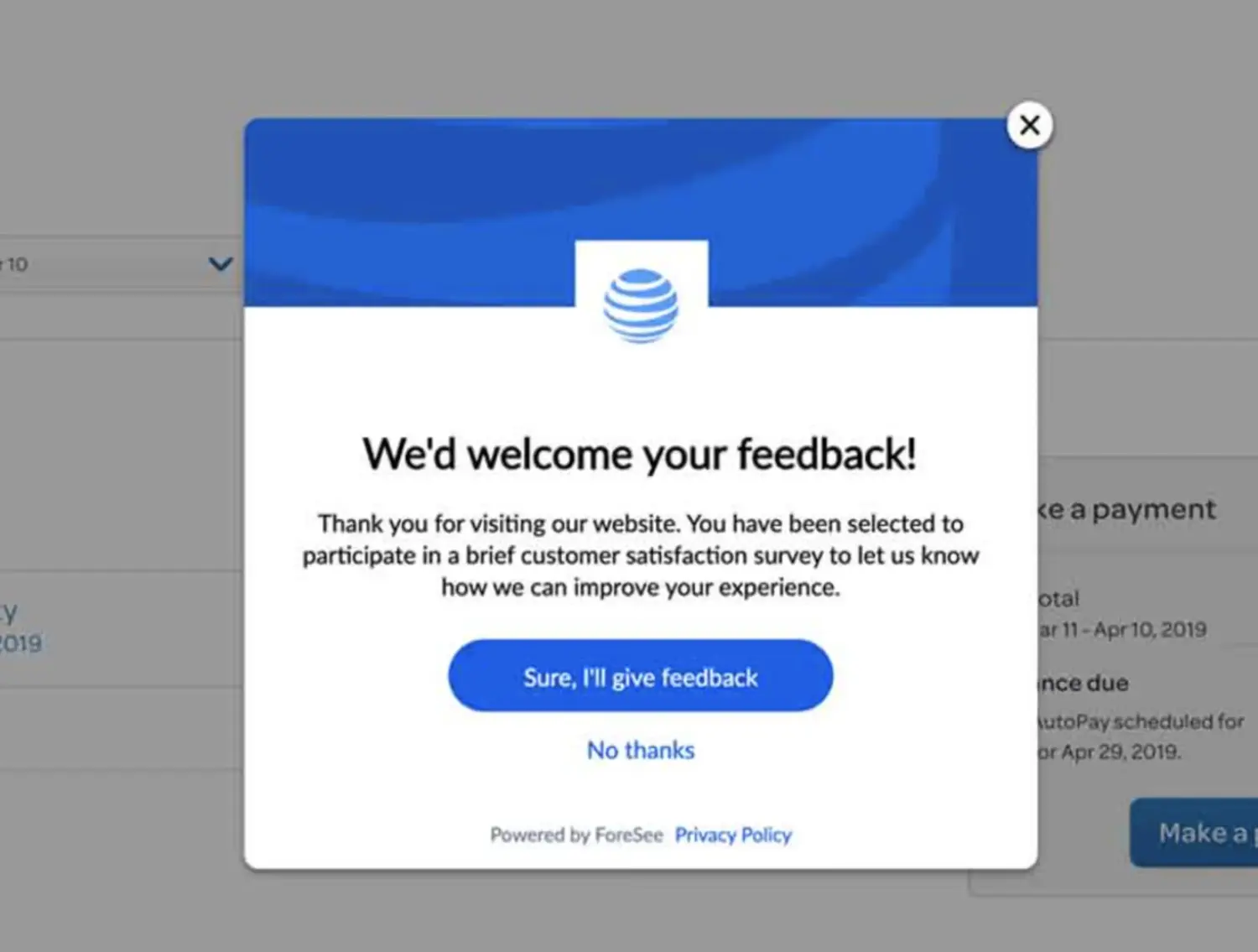
A recent sales pop-up shows small notifications of real orders, such as a first name, a city, and a product purchased minutes earlier. Used honestly, it tells a shopper that other people are buying, which is useful information on a store they have never visited before.
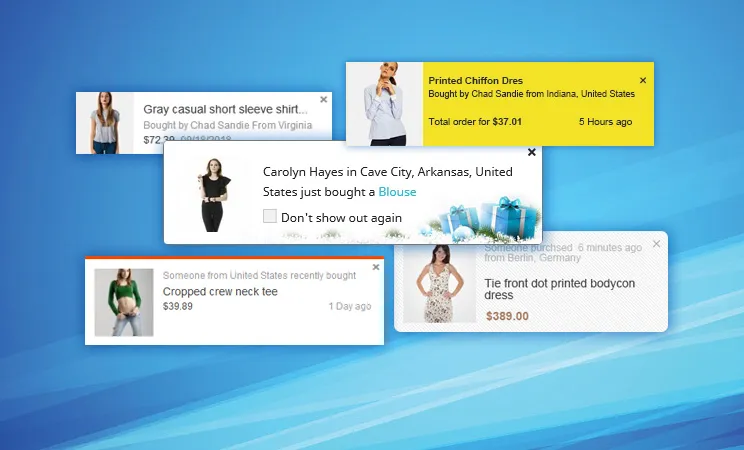
Fabricating those notifications is a different thing, and I do not recommend it. Invented names, invented locations, and invented purchases are deceptive to shoppers, and US regulators have moved directly against fabricated social proof. The FTC’s final rule on consumer reviews and testimonials, effective October 2024, prohibits fake reviews and testimonials and allows the agency to seek civil penalties against knowing violators. The rule covers reviews rather than sales tickers specifically, but it shows clearly where enforcement is heading.
Newer stores with low order volume have honest alternatives. Show real stock counts, real review counts, real recently-viewed product data, or the total number of orders placed since launch. Each is verifiable, and none requires invention.
A size chart pop-up opens measurements in an overlay when a shopper clicks a link on the product page. It is a click-triggered overlay, which is the highest-converting trigger category in the Wisepops data at 54.42%, because the shopper asked for it.
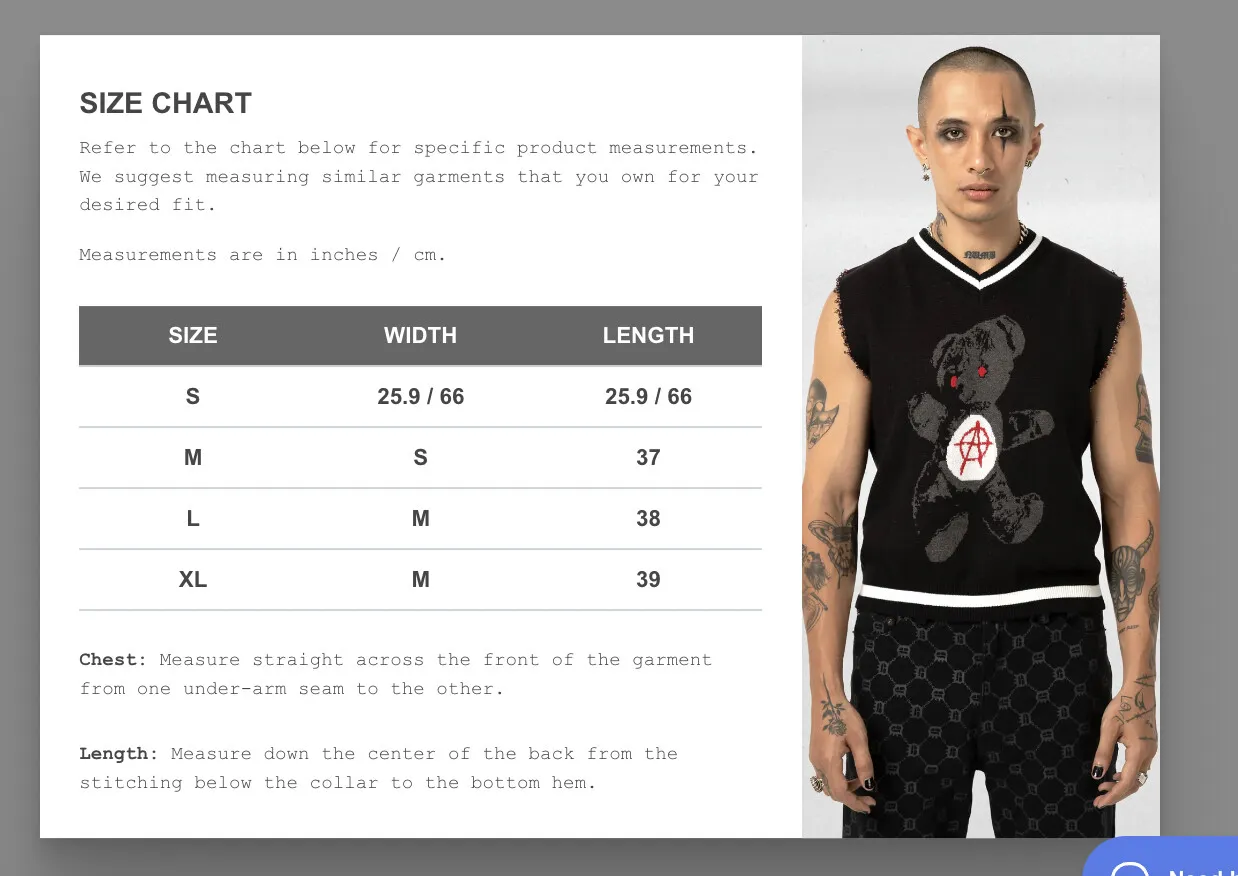
This pop-up type earns its place in apparel, footwear, and jewellery stores. It reduces sizing hesitation before purchase and reduces returns after it. It is product page usability rather than marketing, and it needs no targeting rules at all.
An age verification pop-up asks a visitor to confirm their age or date of birth before they can browse the store. Stores selling alcohol, tobacco, vape products, cannabis, firearms, or adult products use it to meet legal requirements in the markets they ship to.
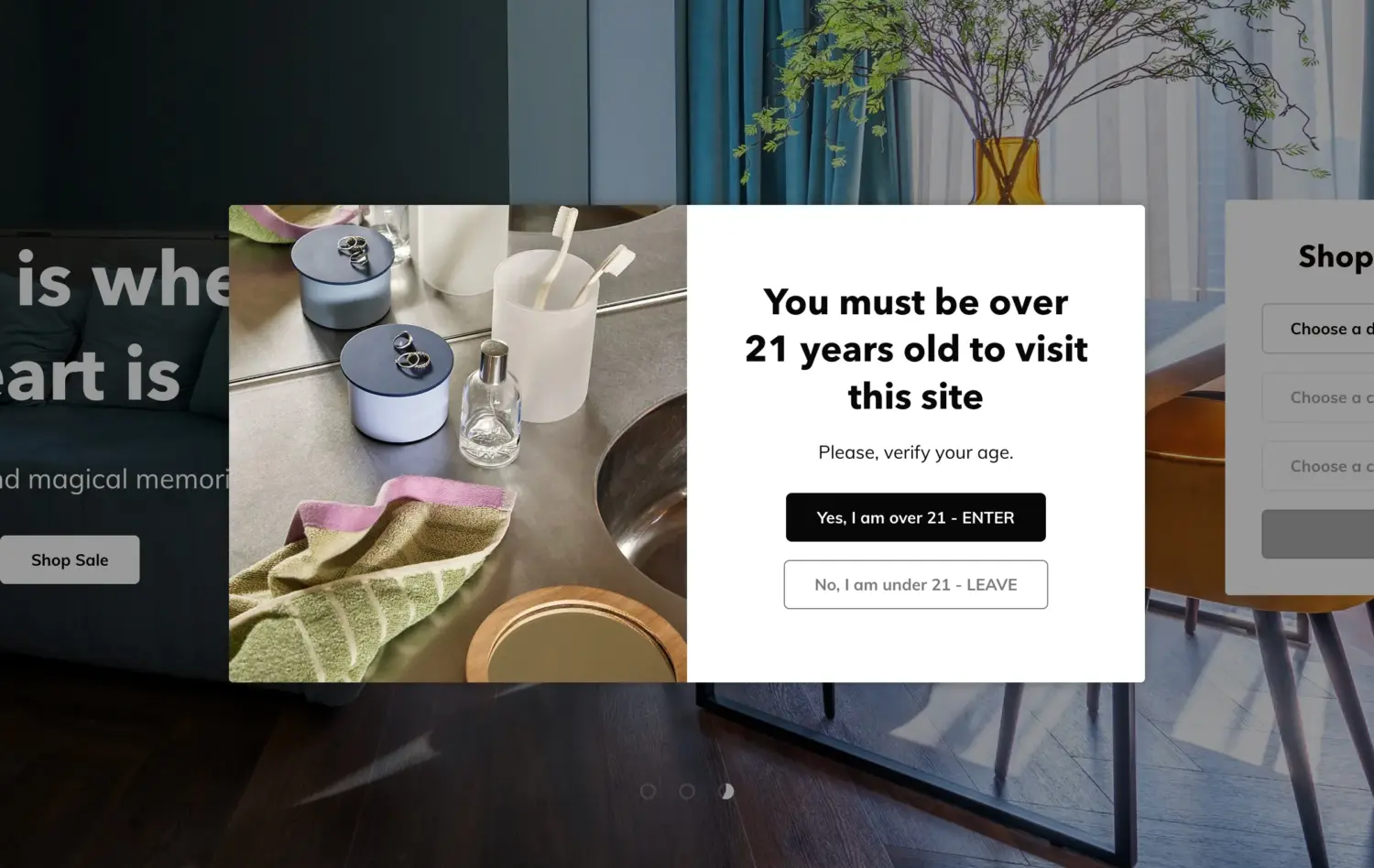
This is the one pop-up type that exists to reduce conversions rather than raise them, and that is the correct outcome. Some visitors will leave at the gate. The point is compliance, not capture.
Three practical rules apply. Use an overlay on top of your page rather than sending visitors to a separate confirmation page. Store the confirmation so returning visitors are not asked again on every page. Check the rules for your specific product and markets, because a self-declared checkbox is not the same as verified age, and some jurisdictions require the stronger version.
Seven apps cover almost every pop-up job on Shopify. Four are general builders, and three handle one specific format better than the general tools do.
| App | Best for | Pop up types it covers | Pricing model |
|---|---|---|---|
| Shopify Forms | First pop-up, on any budget | Email signup, discount and reward, inline capture | Free |
| Klaviyo | Stores that want deep segmentation and flows | Email and SMS signup, exit-intent and scroll targeting | Free to install, then usage-based |
| Omnisend | Smaller stores wanting simpler email than Klaviyo | Email and SMS signup, plus banners and push | Free plan, then contact-based |
| EmailWish | Shopify merchants who want their pop-ups and email marketing to work together | Welcome emails, abandoned-cart reminders, and post-purchase follow-ups | Free plan, then usage-based |
| Wisepops | High-traffic stores needing behavioural targeting | On-site campaigns with cart value and segment targeting | Paid, pageview-based |
| BOGOS | Gift, reward, and cart overlays | Free gift and reward unlocks, progress bar, cart and checkout upsell | Free plan, then monthly |
| Wheelify | Spin the wheel only | Spin-to-win discount game with email capture | Free to install |

Shopify Forms is free, built by Shopify, and the correct starting point for any merchant who has not run a pop-up before. It handles email signup and discount pop-ups well and does not touch exit-intent, gamified, or cart overlays.

Klaviyo is an email and SMS platform first, with signup forms that include pop-ups and fly-outs. Its targeting covers scroll depth, exit intent, and excluding existing subscribers, so the pop-up and the welcome flow live in one system. It suits stores ready to invest in segmentation, and it is heavier than most small stores need.

BOGOS is a promotion app rather than an email capture tool, so it covers the overlays the email platforms above generally skip. It surfaces free gift and reward unlocks through a gift slider, shows a progress bar toward the next spend threshold, and adds cart and checkout upsell widgets. It does not build newsletter signup pop ups, so most stores run it alongside an email platform rather than instead of one.

Omnisend includes pop up forms in every plan, including the free one, alongside email, SMS, and web push. Merchants generally describe it as friendlier than Klaviyo with a more generous free tier, and less deep on segmentation.

EmailWish is a Shopify email marketing platform that takes much of the work out of setting up pop-ups and automated email campaigns. It can create a pop-up using your store’s existing images, branding, and content, and set up relevant email flows based on your store, including welcome emails, abandoned-cart reminders, and post-purchase follow-ups. You can then make changes to the flows if needed. Beyond email automation, EmailWish includes customer segmentation, product reviews, wishlists, live chat, and back-in-stock notifications.

Wisepops focuses on on-site campaigns rather than email sending, with targeting on cart value, items in cart, past purchases, and traffic source. It fits high-traffic stores that already have an email platform and want targeting depth on top.

Wheelify does one thing, which is the spin-to-win discount game paired with email capture. Single-format apps like this are worth considering when the general builder you already pay for puts gamified pop ups behind a higher tier.
For recent sales notifications specifically, OptiMonk covers the format inside a general builder, and dedicated social proof apps such as Fomo and Nudgify handle it alone. Check that whichever you choose pulls real order data rather than generating sample notifications.
Check current ratings, review counts, and pricing on each App Store listing before you commit, because all three change often. For a fuller feature-by-feature breakdown, see our guide to the best Shopify pop-up apps.
Shopify Forms is a free app built by Shopify that creates pop-up and inline signup forms without any third-party tool. It collects email addresses and phone numbers, attaches discount codes, and passes submissions into Shopify’s own customer and marketing systems.
Shopify Forms handles 6 things you would otherwise pay an app for:
It has 4 limits that eventually push growing stores toward a paid app:
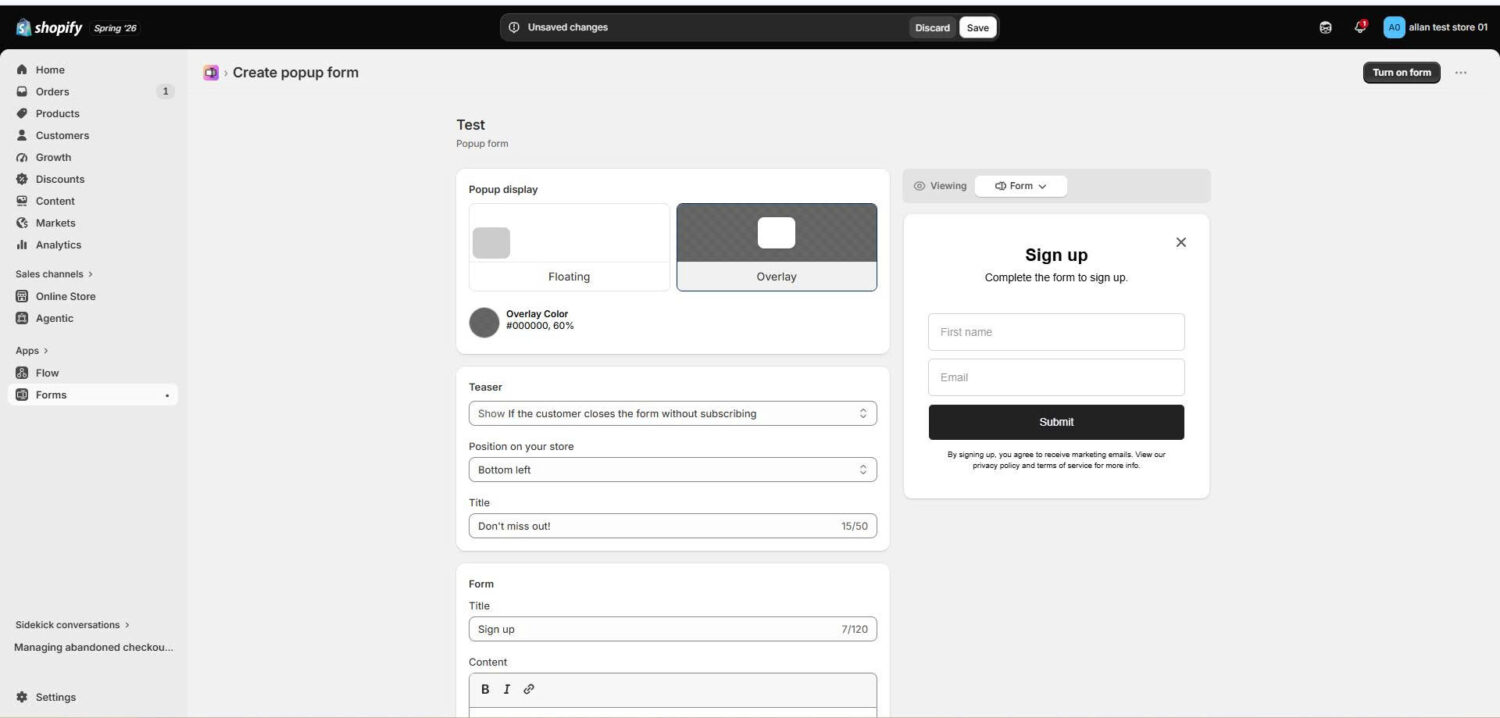
These 10 tips will do more for your pop-up performance than a redesign will. They come from my own campaign work and from Wisepops’ analysis of over one billion pop-up displays.
Test these against your own traffic rather than adopting them wholesale. A/B testing alone lifted click-through by up to 26%, which is a larger gain than most single design changes produce.
Collecting an email address through a pop-up creates 4 obligations you should meet regardless of where you sell. State clearly what the shopper is subscribing to before they submit. Keep marketing consent separate from any other checkbox on the form. Include a working unsubscribe link in every message you send afterwards. Keep a record of when and how consent was given.
Requirements tighten in specific markets. The EU and UK expect consent to be freely given and specific, and Canada’s anti-spam law expects it too. Confirm the current rules for the markets you ship to before launching, because this is one area where a generic setup creates real exposure.
Start with Shopify Forms before you pay for anything. It handles email and reward signup pop-ups, attaches discount codes, reports views and submissions, and costs nothing. Its 4 limits will tell you clearly when you have outgrown it.
Choose timing and targeting over volume. The data is consistent on this point: a click-triggered pop-up converts at 54.42% and an untargeted one at 4.60%, and the difference is not the design. Show your pop-up after 11 to 15 seconds or a second pageview, target new visitors separately, and exclude people who already subscribed.
Hold the pop up accountable to revenue rather than signups. A pop-up that collects addresses feeding a welcome flow is doing real work, because automated flows earn nearly 18 times the revenue per recipient of one-off campaigns. A pop-up that lifts submit rate while lowering sitewide conversion or returning visits is costing you money, and you will only find out if you measure both.
Yes, in two ways. Shopify Forms is a free Shopify-built app that creates pop-up signup forms with discount codes attached, and it does not count as a third-party tool. Separately, cart overlays need no app at all: the Cart type setting under Theme settings gives you Drawer, Page, or Popup notification options directly in the theme editor.
Page-covering pop-ups can hurt search performance, and small dialogs generally do not. Google states that intrusive interstitials make content harder for search engines to understand, which may lead to poor search performance, and recommends small banners instead. Keep the overlay well inside the viewport, make it easy to dismiss, use fixed positioning so it does not push content down, and never redirect a shopper to a separate page for consent.
Once per visitor for a signup offer, and not again until the offer changes, Shopify Forms enforces this automatically by storing dismissal in the visitor’s device local storage. Paid apps let you set your own frequency cap, and a sensible starting point is one display per visitor per 30 days, with existing subscribers excluded entirely.

Shopify smart collections add and remove products for you based on rules, such as a tag, a price, or...

Shopify collections decide how shoppers find your products, yet many guides still describe a setup Shopify is now replacing....

A Shopify announcement bar is the thin strip at the top of your store that tells shoppers about shipping,...
