



Charlie Ngo
•
Last updated: 20 October, 2026
Shopify Collections: How To Create & Organize Them (2026)
Shopify collections decide how shoppers find your products, yet many guides still describe a setup Shopify is now replacing....
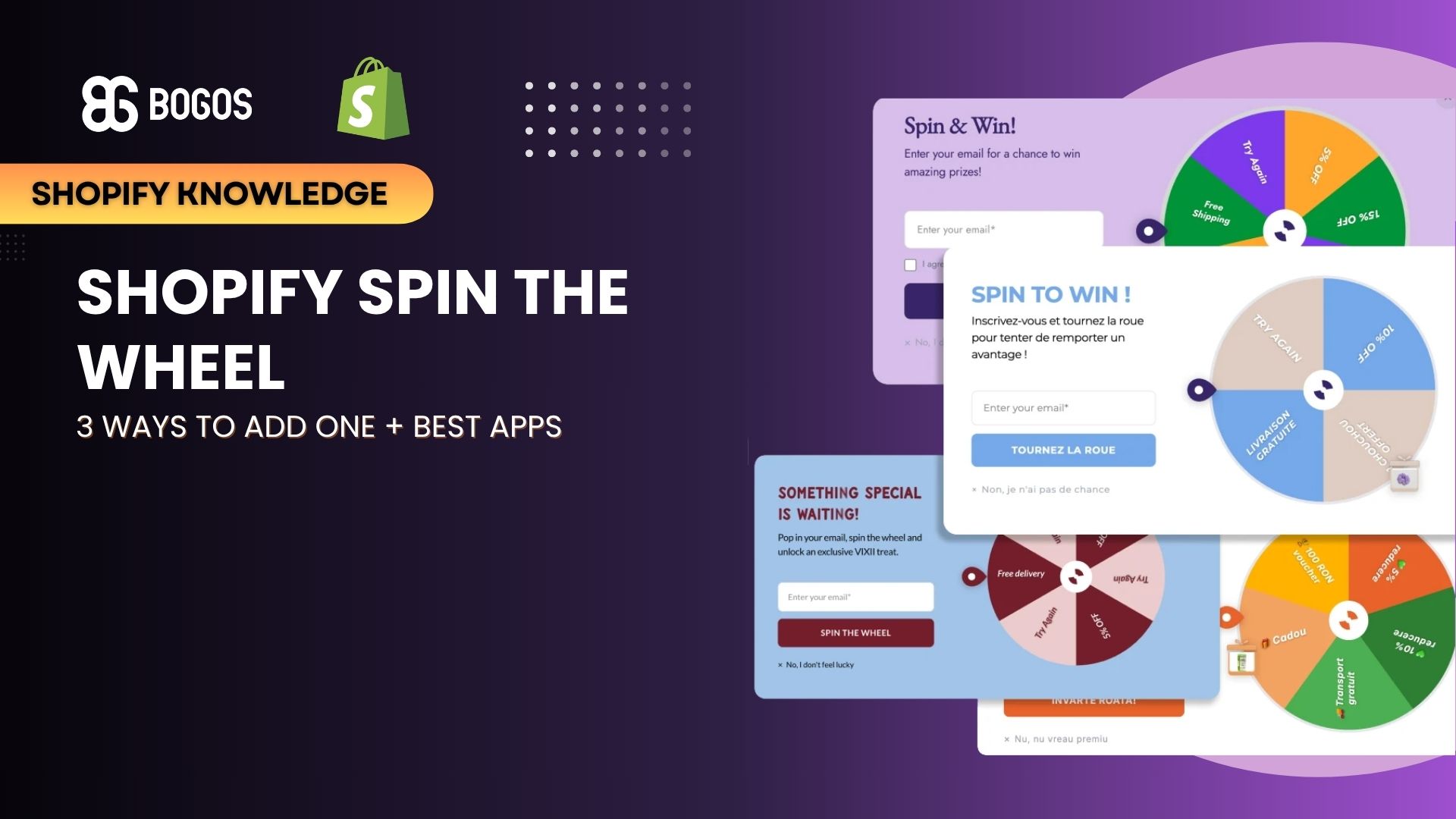
Shopify Spin the Wheel: 3 Ways to Add One + Best Apps

Marketing Manager
Summarize this post with AI
Shopify has no built-in spin the wheel, so you add one with an app, your email platform, or an embedded widget. This guide covers all 3 methods, 6 verified apps, how to set prizes and odds, when to show the wheel, the legal basics, and how to turn winners into first orders. I’m Charlie Ngo, Marketing Manager at BOGOS, and I work with Shopify merchants on promotions every day.
A Shopify spin the wheel popup is a signup form that lets a visitor spin a virtual prize wheel in exchange for an email address or phone number. It is also called a spin to win popup, wheel of fortune popup, or prize wheel.
The flow has 4 steps:
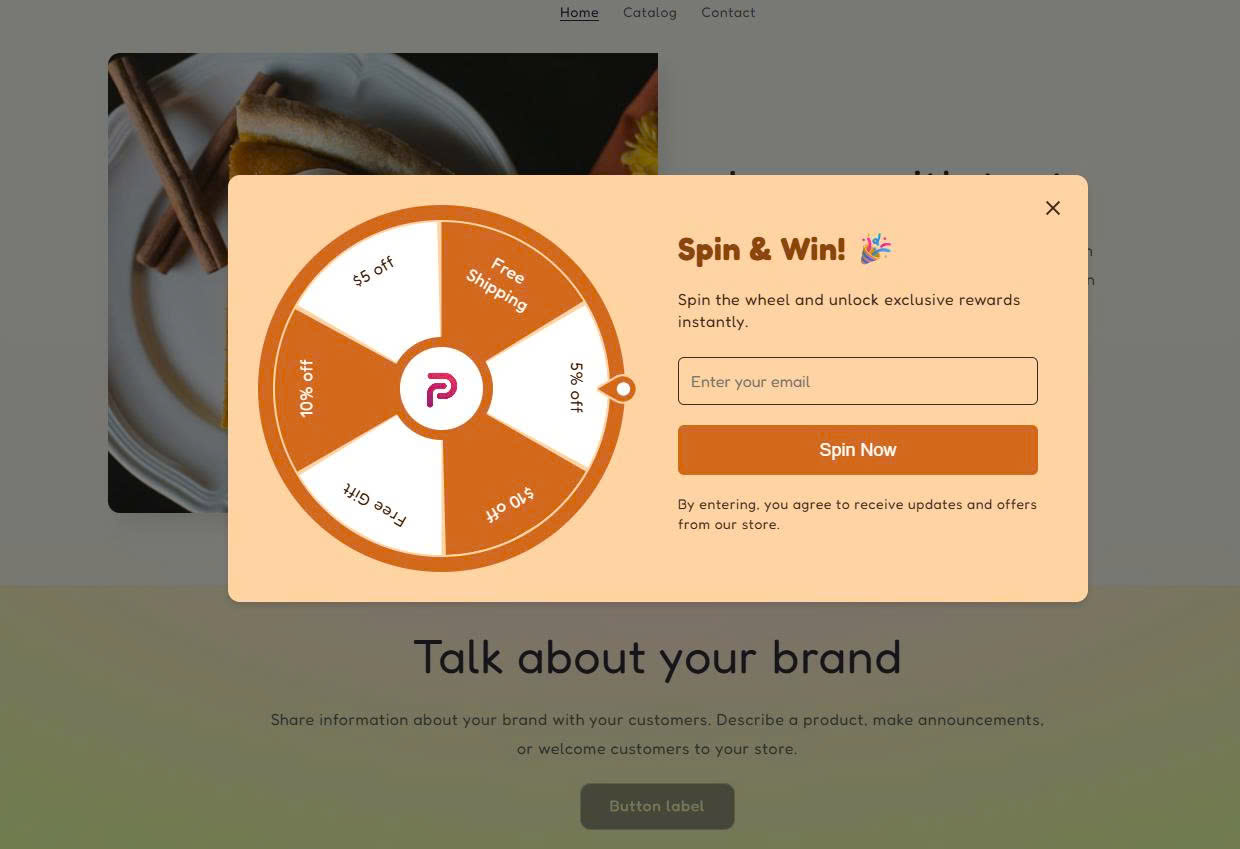
Shopify has no built-in spin the wheel. Shopify’s free Forms app lets you create popup forms and inline forms only, according to the Shopify Help Center. Neither form type includes a game.
Every method below needs a third-party tool. If you only want a plain email popup, our Shopify pop up guide covers the free Shopify Forms setup.
Spin the wheel popups convert more visitors than plain signup popups. Wisepops’ own research, based on one billion popup displays, shows a 10.15% average conversion rate for spin-to-win popups:
| Popup format | Average conversion rate | Top 10% conversion rate |
|---|---|---|
| Spin-the-wheel (classic) | 10.15% | 30.38% |
| Seasonal themed game | 12–15% | 35%+ |
| Exit-intent spin | 12–15% | 30%+ |
| Scratch-to-reveal card | 8–10% | 25%+ |
| Pick-a-box mystery | 7–9% | 22%+ |
The average popup converts 4.82% of visitors, and ecommerce popups convert 6.88%, according to the same Wisepops research. A spin wheel converts about twice as many visitors as the average popup.
Omnisend’s own research points the same way. Omnisend says interactive wheels often collect twice as many contacts as static forms.
Real stores see a similar gap. In a Shopify Community thread from September 2026, a merchant reported about 9% signups with a wheel versus about 3.5% with a plain form. The offer was the same in both.
Signups are only the first step. A wheel that grows your list but does not raise your Shopify conversion rate costs you discounts with little return.
Spin wheels suit stores where shoppers browse and buy on impulse. Privy names these as strong fits:
Privy names these as weak fits:
If your brand is premium, test a scratch card instead. Wisepops says scratch cards feel more premium than a wheel and use the same prize logic.
There are 3 ways to add spin the wheel to Shopify: install a spin wheel app, use the wheel inside your email platform, or embed a wheel inside a page.
A spin wheel app is the fastest method, and most apps create the discount codes for you. The right app depends on 3 things: your traffic, your budget, and whether you need an embedded wheel. I checked every listing below on the Shopify App Store in September 2026.
| App | Rating (reviews) | Free plan | Paid plans from | Best for | Watch out for |
|---|---|---|---|---|---|
| EA • Email Popup & Spin Wheel | 4.6 ⭐ (145) | Up to 1,000 pageviews | $4.99/month | Low-traffic stores; Built for Shopify | Plans upgrade automatically as pageviews grow |
| CrazyRocket • Spin Wheel PopUp | 4.9 ⭐ (179) | 1,000 popups/month | $9/month | Wheel, slot machine, and scratch card in one app | Wheel format starts on the $9 plan; unique coupons and landing page embeds start at $19 |
| Spinnio Spin Wheel Email PopUp | 5.0 ⭐ (29) | 200 impressions/month | $14.99/month | Built-in email editor; Built for Shopify | Small free allowance |
| PB: Spin Wheel & Spin to Win | 5.0 ⭐ (37) | 1 campaign, 1,000 impressions | $15/month | Embedding the wheel in a page section; Built for Shopify | Launched March 2026, so it has a short track record |
| Email PopUp & Pop Up Discount | 4.9 ⭐ (362) | Free | Free | Stores that want a wheel plus other popups at no cost; Built for Shopify | The wheel is one of many popup types, not the main focus |
| Spin Wheel+Gamification+Games | 4.9 ⭐ (33) | Development stores only | $6/month (usage-based, up to $12) | Low-cost wheel with scratch cards and quizzes | The free plan does not cover live stores |
Some email platforms include a spin wheel, so you skip a separate app. 3 platforms offer one:
Choose your email platform’s wheel over a dedicated app for 3 reasons:
A dedicated app from Method 1 is the better choice when you want more game types, such as scratch cards or slot machines, or when your email platform has no wheel. Also note that Omnisend does not create discount codes for you. You create each code in Shopify first, then paste it into the matching slice.
You can place a wheel inside a page section instead of a popup. This answers a common Shopify Community question from merchants who want the wheel on the homepage, not over it.
2 tools support this:
An embedded wheel interrupts no one. It is also easier to miss, so place it high on the page and link to it from your announcement bar.
Every prize slice needs a working Shopify discount code, or the win fails at checkout. Most spin wheel apps generate unique codes for you. If your tool does not, create the codes in Shopify first. Our guide on how to create a discount code in Shopify walks through each step.
Use 3 settings for every wheel code:
Unique codes per winner are safer than one shared code. A shared code like SPIN10 can end up on coupon sites.
I suggest mixing 3 prize types on your wheel: small discounts, non-cash perks such as free shipping, and 1 rare big prize. A mix like this can help keep your average discount lower than a wheel full of large percentage cuts.
If you offer free shipping, check your threshold first. Our guide to free shipping over a set amount shows how to set it in Shopify.
Set the odds so most spins land on your target discount. Most tools require the win chances to add up to 100%. OptinMonster, for example, will not save a wheel until the total reaches exactly 100%.
Here is a worked example based on a Wisepops suggestion:
| Slice | Win chance |
|---|---|
| 10% off | 60% |
| 15% off | 25% |
| 20% off | 10% |
| Free gift | 5% |
Across 100 spins, this wheel gives 60 codes at 10%, 25 at 15%, 10 at 20%, and 5 free gifts. The average discount per spin is 11.75% (6 + 3.75 + 2), plus the cost of 5 gifts.
Run this math before launch. If your margin cannot handle an 11.75% average discount, lower the 20% slice or replace it with free shipping.
Every spin should win something. The experts disagree on this, so here is the trade-off.
My recommendation: make every slice a real prize. The visitor gave you an email address. A “Sorry” result after that feels like a bad trade and hurts trust in your brand. If you use a 0% slice, disclose the odds in your rules.
Use a spin the wheel when you want new visitors to sign up and place a first order. These 6 scenarios fit the format best.
Skip the wheel if your store sells high-consideration or luxury products. The section on which stores spin wheels suit best above explains why.
A full-screen wheel on mobile can hurt your Google rankings. On August 23, 2016, Google Search Central announced that after January 10, 2017, pages whose content is hard to reach from mobile search may not rank as highly.
Google named 2 problem patterns:
Google also said banners that use a reasonable amount of screen space and are easy to dismiss are fine. Follow 3 rules on mobile:
The wheel only pays off when winners place an order. Most competitors stop at “the visitor gets a code.” These 5 steps turn a code into a sale.
Judge the wheel by orders and margin, not by signups. Track these 6 numbers each week:
A high signup rate with a low redemption rate means the prizes are weak or the codes are hard to use. A high unsubscribe rate means people wanted the discount, not your emails. Fix the weakest number first. For more ways to grow revenue from new visitors, see our guide on how to increase sales on Shopify.
A spin the wheel is a game of chance, so US sweepstakes rules can apply. This section is general information, not legal advice.
US law treats a promotion as a lottery when it has 3 elements: a prize, chance, and consideration. Consideration means something of value paid to enter, such as a purchase. Private companies generally cannot run lotteries. Federal law, 39 U.S.C. § 3001(k), defines a sweepstakes as a game of chance with no consideration required to enter.
A spin wheel always has a prize and chance. So the key is to remove consideration. One open question is whether requiring an email signup counts as consideration. One advertising law firm raises this question without a settled answer.
Follow 4 practical steps:
A Shopify spin the wheel works best as a short, well-timed campaign with real prizes. Pick one of the 3 methods: an app, your email platform’s wheel, or an embedded wheel. Make every slice a real prize, weight the odds to protect your margin, and show the wheel after a delay.
Most of the value comes after the spin. Send the code by email, set a short expiry, and give winners a reason to add one more item. Judge your Shopify spin the wheel by first orders and margin, not by how many emails it collects.
You can add a spin the wheel without an app only through custom theme code. Custom code needs a developer. You still need a way to capture emails, create unique codes, and stop repeat spins, which apps handle for you. For most stores, a free app plan is faster and cheaper.
The same visitor should see the wheel once every 3–5 days at most, and never again after spinning. Wisepops recommends this frequency to avoid fatigue. Most apps let you set the frequency in the display settings.
Most tools stop repeat spins with browser cookies and email checks. Wisepops, for example, uses both to allow one spin per visitor. Add Shopify’s one-use-per-customer limit on each code as a second layer of protection.

Shopify collections decide how shoppers find your products, yet many guides still describe a setup Shopify is now replacing....

A Shopify announcement bar is the thin strip at the top of your store that tells shoppers about shipping,...
Australia is one of the first markets many Shopify stores expand into. It is large, English-speaking, and home to...
