


Charlie Ngo
•
Last updated: 23 October, 2026
Shopify Smart Collections: Setup, Conditions & 8 Examples (2026 Updated)
Shopify smart collections add and remove products for you based on rules, such as a tag, a price, or...
Shopify Newsletter Popup: Setup Guide, Conversion Tips & Examples

Marketing Manager
Summarize this post with AI
A Shopify newsletter popup turns one-time visitors into an email list you own. This guide explains what it is, whether it is worth using, how to add one for free or with an app, and how to make it convert. You will also see three real brands and their results. I’m Charlie Ngo, Marketing Manager at BOGOS, and I’ve spent years helping Shopify merchants build promotions and capture leads.
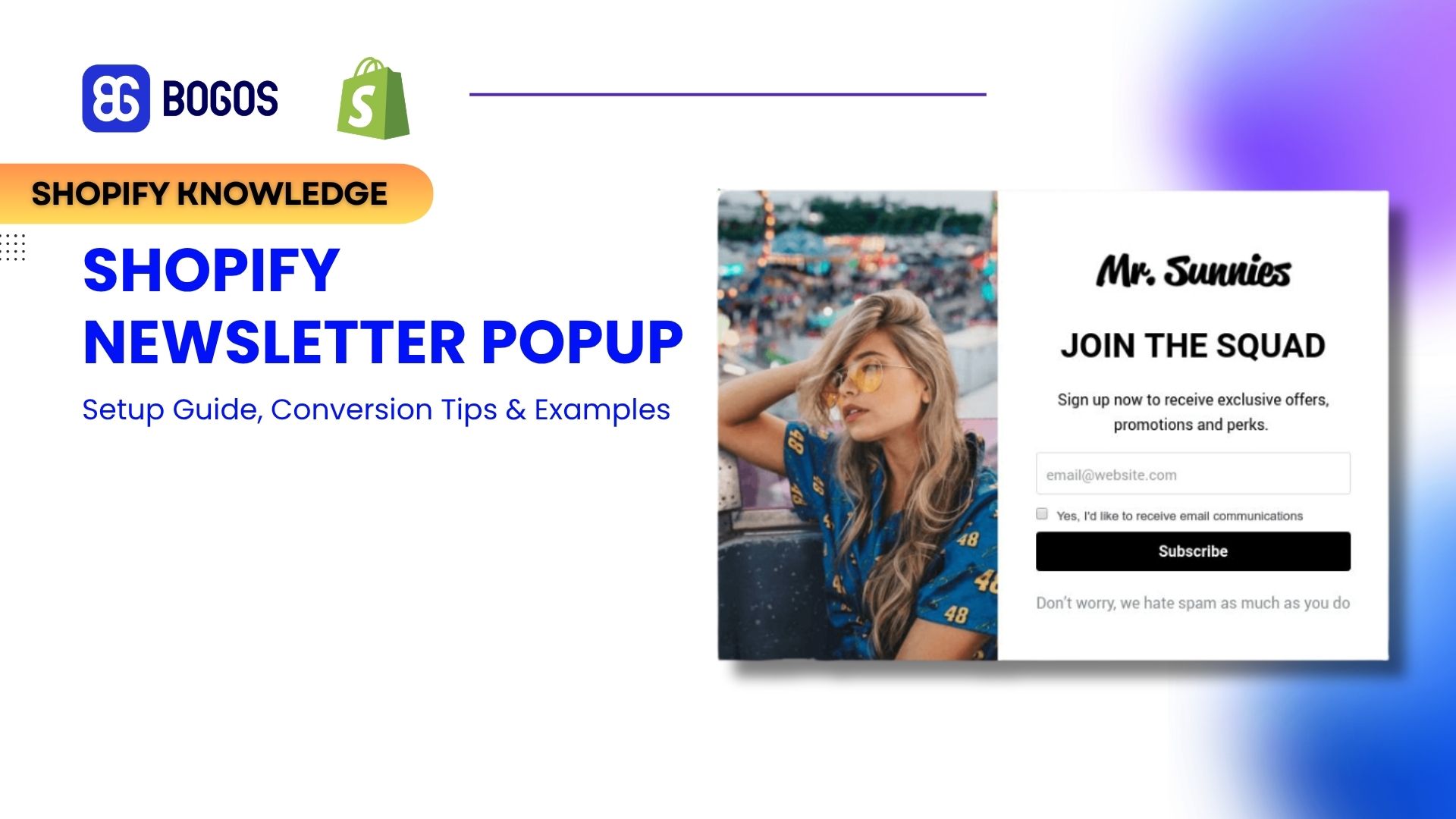
A Shopify newsletter popup is a signup form that appears over your store and asks visitors for their email address. Most offer an incentive, such as 10% off or a free gift, in return.
It has two jobs. It grows an email list you control, and it delivers the visitor’s first offer.
That list matters because you own it. Ad platforms and search algorithms can change overnight, but an email list stays yours.
A newsletter popup is one of several Shopify popup types. Others fire at a different moment, such as the add to cart popup when a shopper adds an item, or an exit popup as they leave. This guide focuses on the newsletter version, which captures emails for marketing.
Yes, a newsletter popup is worth it, because the email list it builds drives repeat sales and a higher average order value. The popup is only the first step. The real value comes from what the list does afterward.
Most visitors leave without buying on their first visit. A popup captures their email so you can bring them back later with a reason to return. Even a popup that converts 4–5% of visitors into subscribers recovers people who would otherwise leave for good, and emailing them back lifts your store’s overall conversion rate over time.
Email pays back more than almost any other channel. Email marketing returns about $45 for every $1 spent in ecommerce (Omnisend). It is a channel you own, so you reach subscribers again and again without paying for ads each time.
An email list also drives the repeat business that carries a store. Repeat customers account for about 44% of revenue while making up only 21% of customers (Omnisend). Email is the most direct way to bring those customers back.
The list lifts average order value too. Once someone subscribes, you can promote bundles, free-shipping thresholds, and upsells straight to their inbox. A popup incentive tied to a minimum spend also pushes cart value up from the first order, which feeds your wider average order value strategy.
A popup can hurt both, but only if you set it up badly. The fix is timing and design, not avoidance.
Google treats intrusive popups as a negative on mobile. Its guidance on intrusive interstitials says pages may rank lower when a popup covers the main content right after a visitor arrives from search. Legal notices, age checks, and login dialogs are exceptions.
You avoid this easily. Let the page load first, delay the popup, keep it dismissible, and never block the whole screen on mobile the instant someone lands from Google.
There are two ways to add a newsletter popup on Shopify. You can use the free native Forms app, or install a dedicated popup or email app.
Shopify’s own Forms app builds popup and inline signup forms for free. It captures emails straight into your Shopify customer list. Follow these steps.
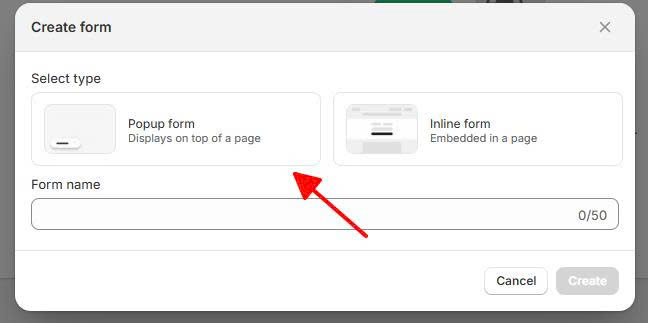
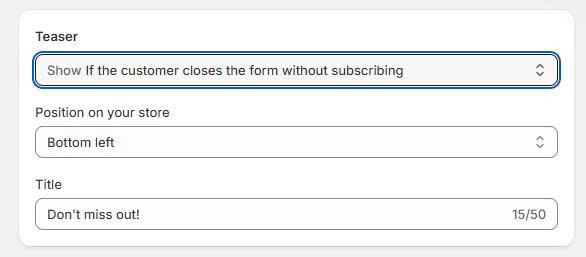
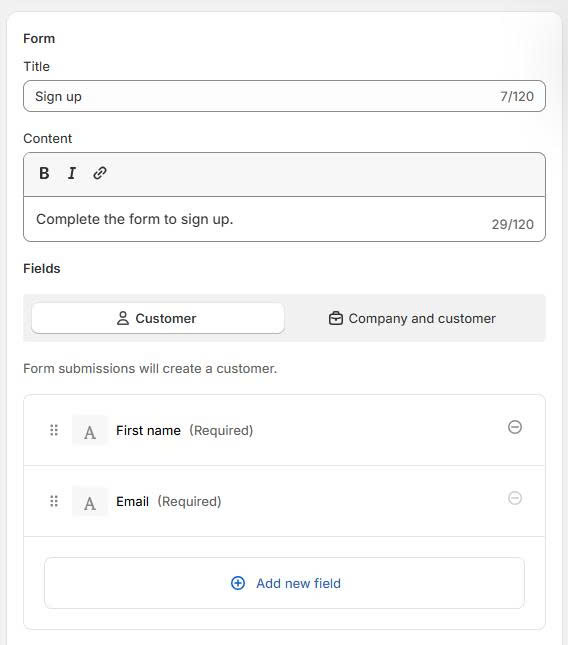
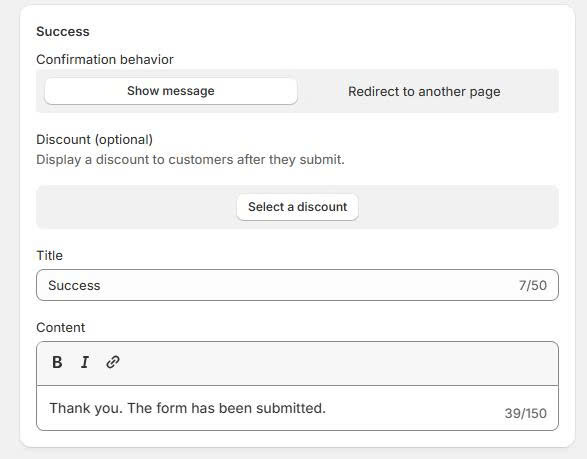
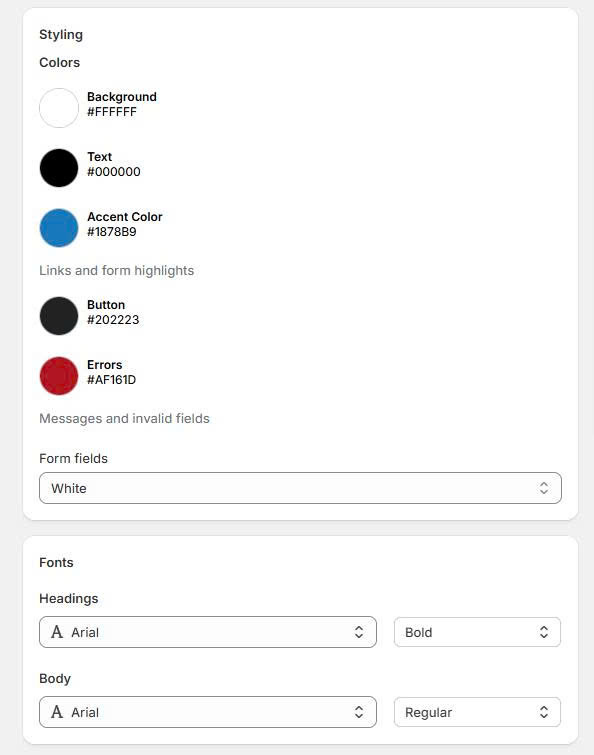
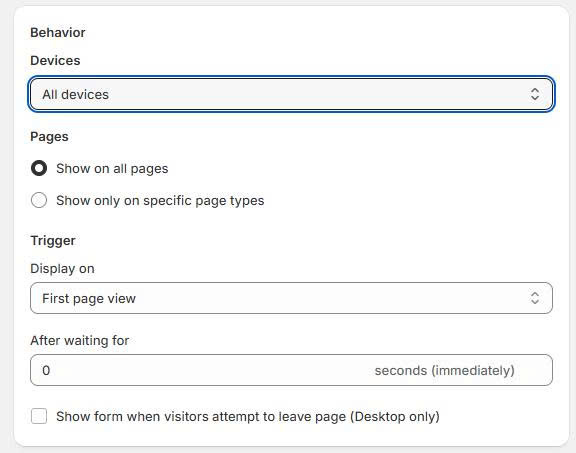
Shopify Forms works well for a first popup. It lacks exit intent, A/B testing, and advanced segmentation, so many stores outgrow it.
A dedicated popup app adds what Forms leaves out: exit intent, A/B testing, gamified formats, and detailed targeting. The highest-converting gamified format is a spin the wheel, which our guide sets up step by step. Choose one when you want to push your signup rate higher.
The table below compares six common options. Pricing changes often, so confirm current plans on the Shopify App Store before you commit.
| App | Best for | Starting price |
|---|---|---|
| Shopify Forms | A free, native first popup | Free |
| Klaviyo | Popups tied to deep email and SMS automation | Free, then based on list size |
| Omnisend | Ecommerce email, SMS, and popups in one tool | Free, paid from about $16/mo |
| Privy | Small stores wanting popups plus simple email | From about $24/mo |
| OptiMonk | Advanced targeting and personalization | From about $29/mo |
| Wisepops | Design flexibility and onsite campaigns | From about $49/mo |
Most stores start with the native Forms app. Upgrade when you need exit intent, testing, or segmentation that Forms cannot handle.
The single biggest lever on your popup conversion rate is the incentive. A clear offer beats a plain “join our newsletter” every time.
The data is direct. Popups with a discount convert 7.45% versus 4.60% for popups without one — about 62% higher. Adding a relevant image lifts conversion further, from 3.98% to 5.71%.
So the question is not whether to offer something. It is what to offer. Here are the incentives that work, and the trade-off each one carries.
Match the incentive to your margins and your goal. A blanket percentage erodes profit, while a free gift or a free shipping threshold can lift your average order value instead of shrinking it. For discount-led ideas, our guide to the Shopify pop-up discount breaks down the formats that convert.
A popup captures the email, but something has to create and deliver the reward it promises. That is where an offer app does the work.
BOGOS builds and auto-applies the offer behind your popup. When your popup says “Sign up and get a free gift on your first order” or “10% off plus a bonus item,” BOGOS sets up that free gift, tiered gift, or discount and applies it at checkout. You can also use BOGOS’s sub-condition feature to offer exclusive incentives to customers who submit a specific form.
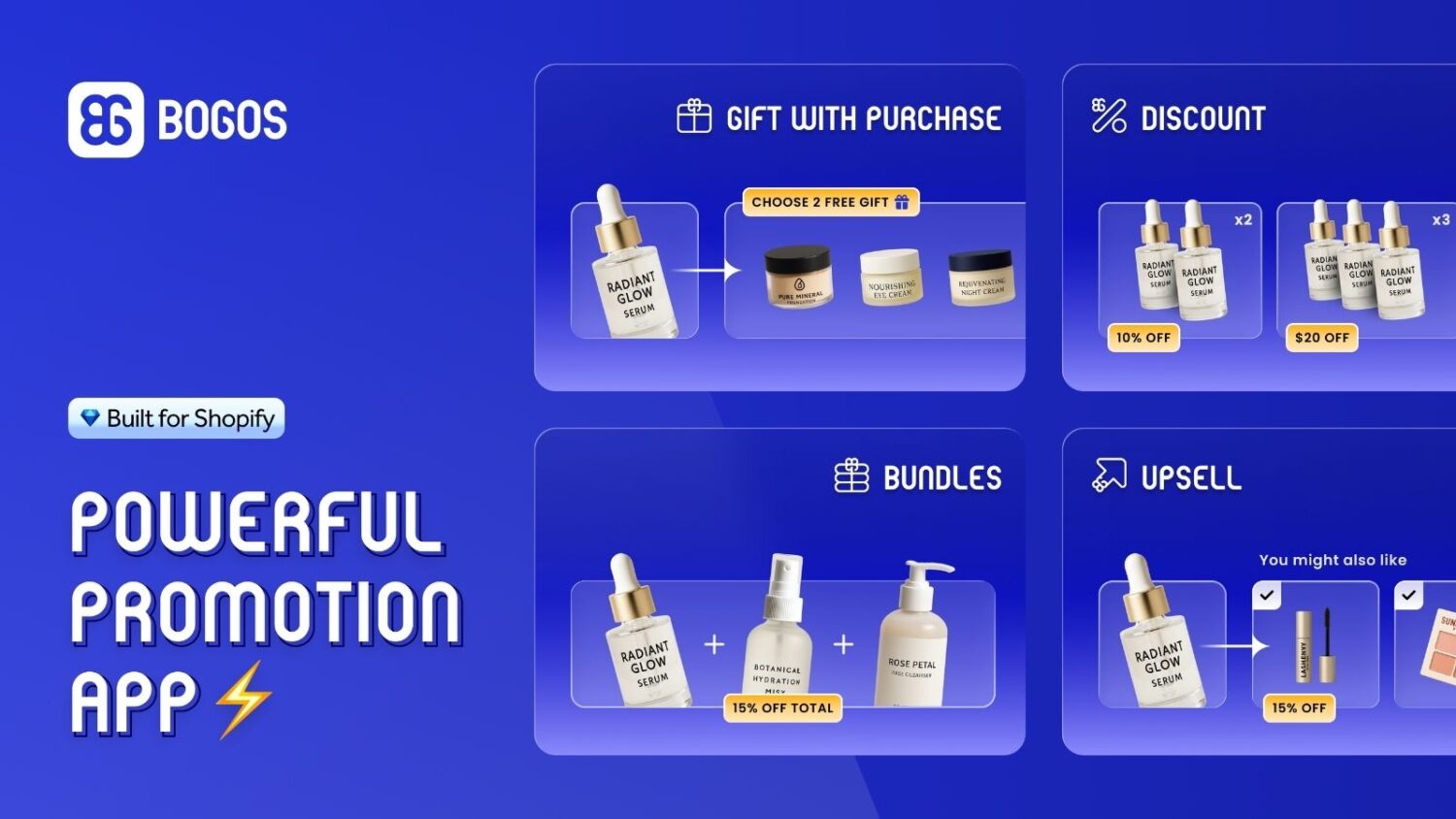
This matters because the incentive is your biggest conversion lever. Since discount popups convert about 62% better than plain ones, a stronger offer directly grows your list. A free gift or a tiered reward also lifts cart value rather than only cutting price.
One honest note: BOGOS is an offer engine, not a popup builder. You still pair it with Shopify Forms, Klaviyo, or a popup app to capture and send the email. Together they turn a signup into a first order.
When your popup fires matters as much as what it says. Show it too early and you interrupt. Show it at the right moment and it converts.
Delay the popup. Omnisend found popups shown after 6–10 seconds convert at 2.4%, against 1.9% for instant popups. Wisepops found the peak later still, with 11–15 second delays reaching 6.45%. Never fire on page load.
Pick the trigger that fits the page.
Target the popup as well. Show it to new visitors, exclude recent subscribers, adjust by device, and hide it on checkout so you never disrupt a purchase in progress.
A high-converting newsletter popup follows a few simple rules. Use the checklist below to get the design right.
Now avoid the mistakes that quietly kill signup rates.
Test your changes rather than guessing. Running an A/B test on your Shopify popup shows which headline, offer, or timing actually wins.
Three real Shopify brands show what a high-converting newsletter popup looks like in practice. The results below come from published vendor case studies, so treat them as vendor-sourced rather than independent benchmarks.
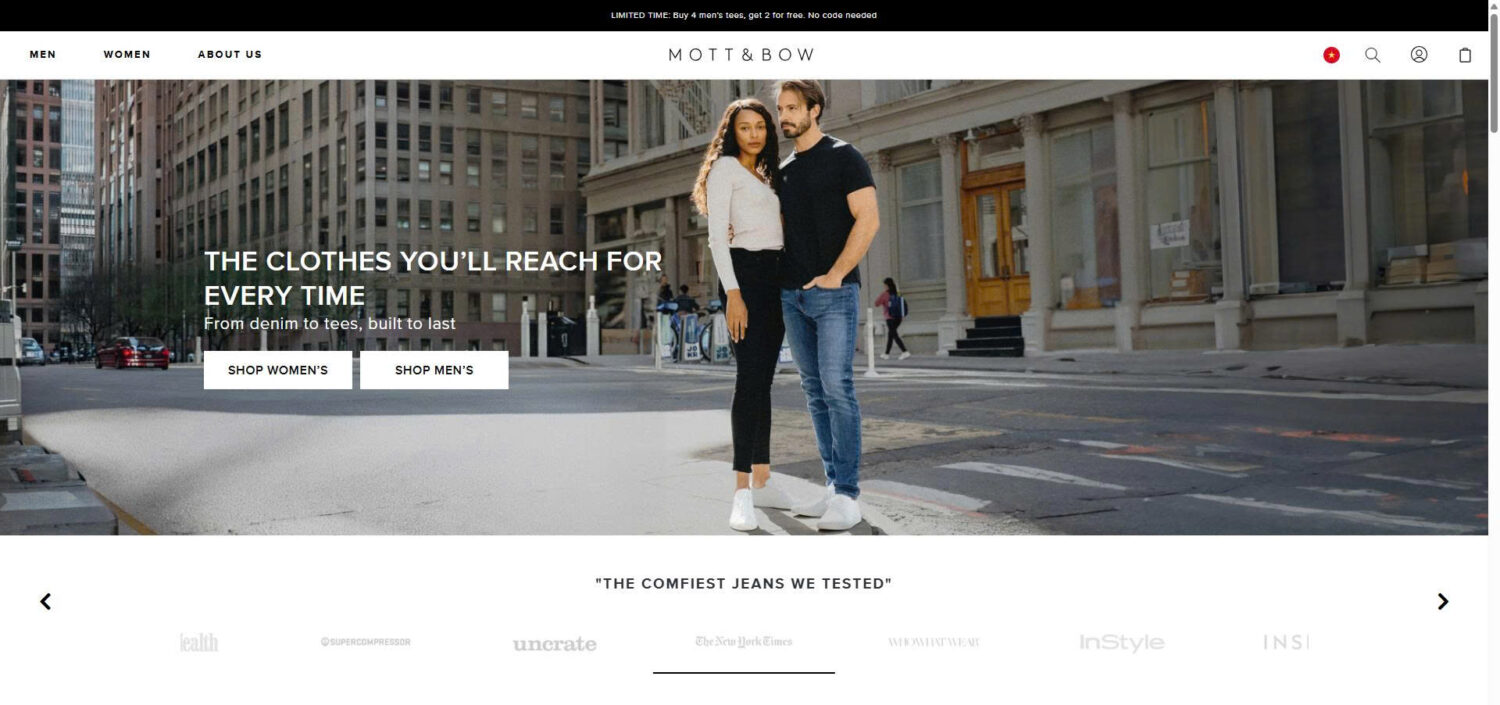
Mott & Bow ran a fullscreen, multi-step discount popup shown only to new visitors. The offer was clear and the timing was controlled.
The campaign collected over 100,000 new email subscribers in six months (vendor-sourced, OptiMonk). The lesson is that a clear discount, new-visitor targeting, and a multi-step design scale list growth fast.
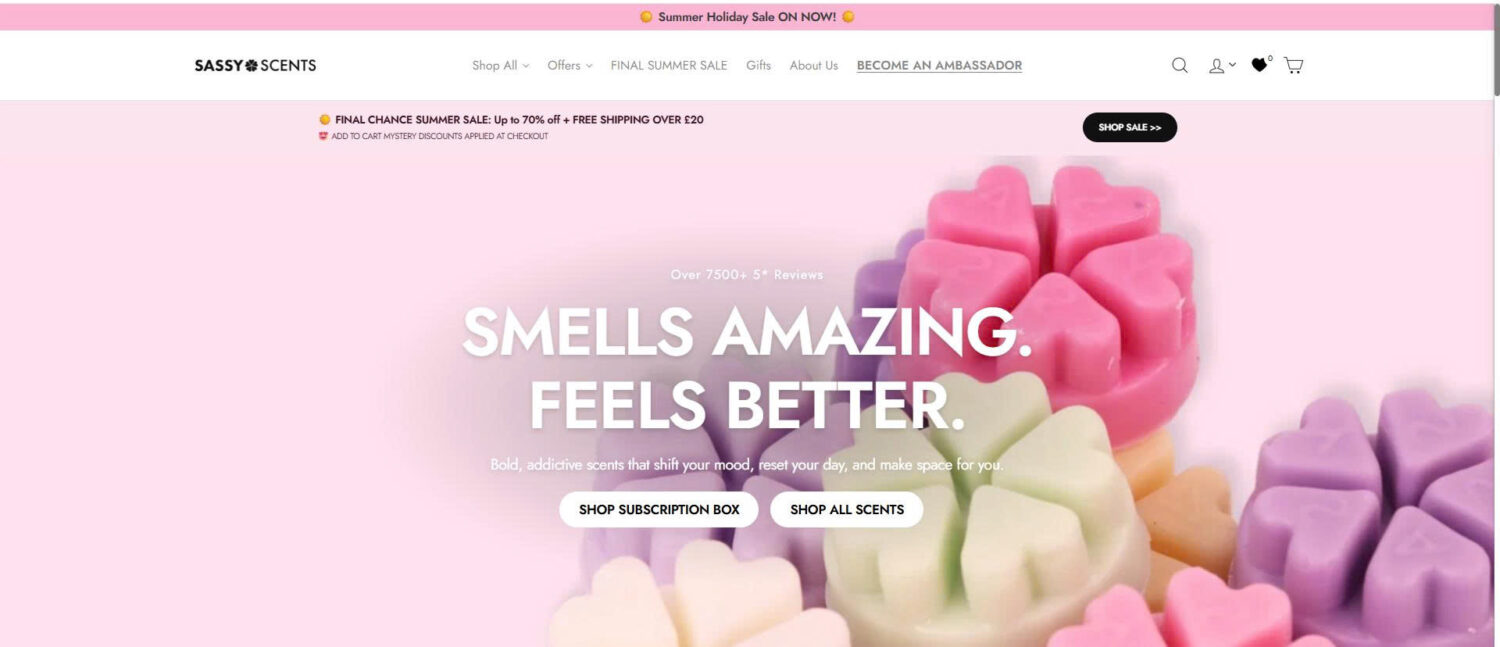
Sassy Scents replaced a plain opt-in with a Yes/No question, then asked for the email, and added product recommendations. The extra step made the popup feel interactive rather than demanding.
It reached a 25% average conversion rate (vendor-sourced, OptiMonk). The lesson is that a small “yes” first lowers resistance and lifts signups.
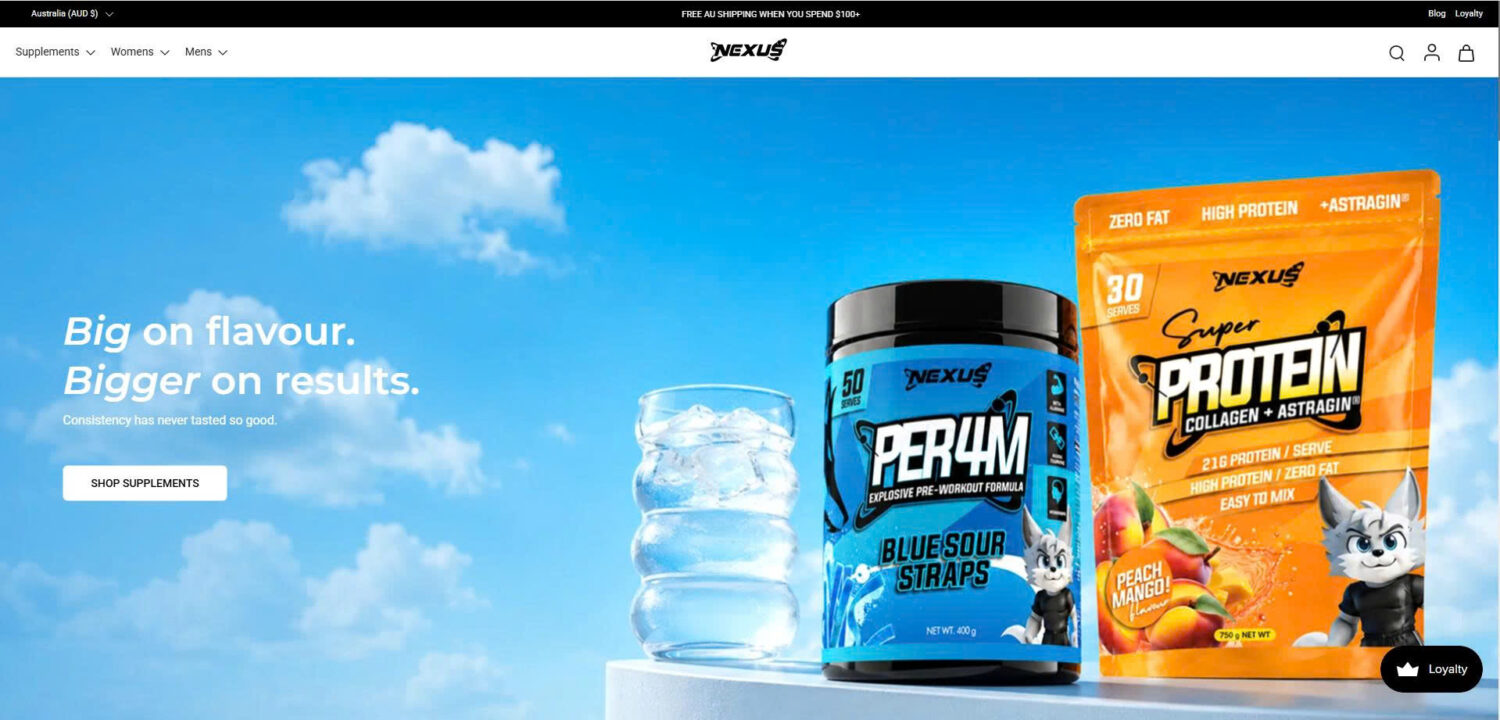
Nexus Nutrition asked for the email first, then revealed the discount after signup. Curiosity did the persuading.
The popup achieved an 11.78% email conversion rate (vendor-sourced, OptiMonk). The lesson is that hiding the reward until after the opt-in can beat showing it upfront.
Signup rate is only the first number. To know if a popup pays off, look past it to revenue.
Track the opt-in rate first, which is emails captured divided by displays. Compare it against a benchmark: email popups average 2.1% (Omnisend) to 4.82% (Wisepops), and ecommerce popups reach 6.88%. Treat 2–5% as a solid start and 6% or more as strong.
Then follow those subscribers downstream. Measure welcome-email revenue, the placed-order rate from popup subscribers, and revenue per subscriber over time.
It’s also worth checking whether your emails are actually reaching subscribers’ inboxes. An email deliverability tester can help identify issues with authentication, spam placement, and other factors that may prevent your campaigns from reaching the people who signed up.
This downstream view is where email earns its keep. Automated emails drive around 30% of email revenue from just 2% of sends, so a popup that feeds a good welcome flow returns far more than the opt-in suggests. Strong list growth is one of the most reliable ways to increase sales on Shopify over the long run.
A Shopify newsletter popup is one of the simplest ways to turn traffic into an email list you own. It is worth using when you time it well, target it carefully, and pair it with a real incentive.
Start free with Shopify Forms, then move to a dedicated app when you need exit intent, testing, or segmentation. Above all, lead with a clear offer, because the incentive is your biggest lever on conversion. Get those pieces right, and each popup signup becomes the first step toward a repeat customer.
They can on mobile, but only when set up poorly. Google may rank a page lower if a popup covers the main content right after a visitor arrives from search. Delay the popup, keep it dismissible, and avoid blocking the full screen on mobile, and you stay clear of the problem.
They can on mobile, but only when set up poorly. Google may rank a page lower if a popup covers the main content right after a visitor arrives from search. Delay the popup, keep it dismissible, and avoid blocking the full screen on mobile, and you stay clear of the problem.
Both convert better than no incentive, so the choice comes down to margin. A discount is simple but cuts profit on every first order. A free gift or a tiered reward protects your headline price and can lift average order value, which is why many stores use an offer app like BOGOS to run gift-based incentives.

Shopify smart collections add and remove products for you based on rules, such as a tag, a price, or...

Shopify collections decide how shoppers find your products, yet many guides still describe a setup Shopify is now replacing....

A Shopify announcement bar is the thin strip at the top of your store that tells shoppers about shipping,...
