

Charlie Ngo
•
Last updated: 5 November, 2026
Shopify Sub-collections: How To Create & Show Them (2026 Guide)
Shopify sub collections let shoppers move from a broad group of products to a narrow one, and you can...
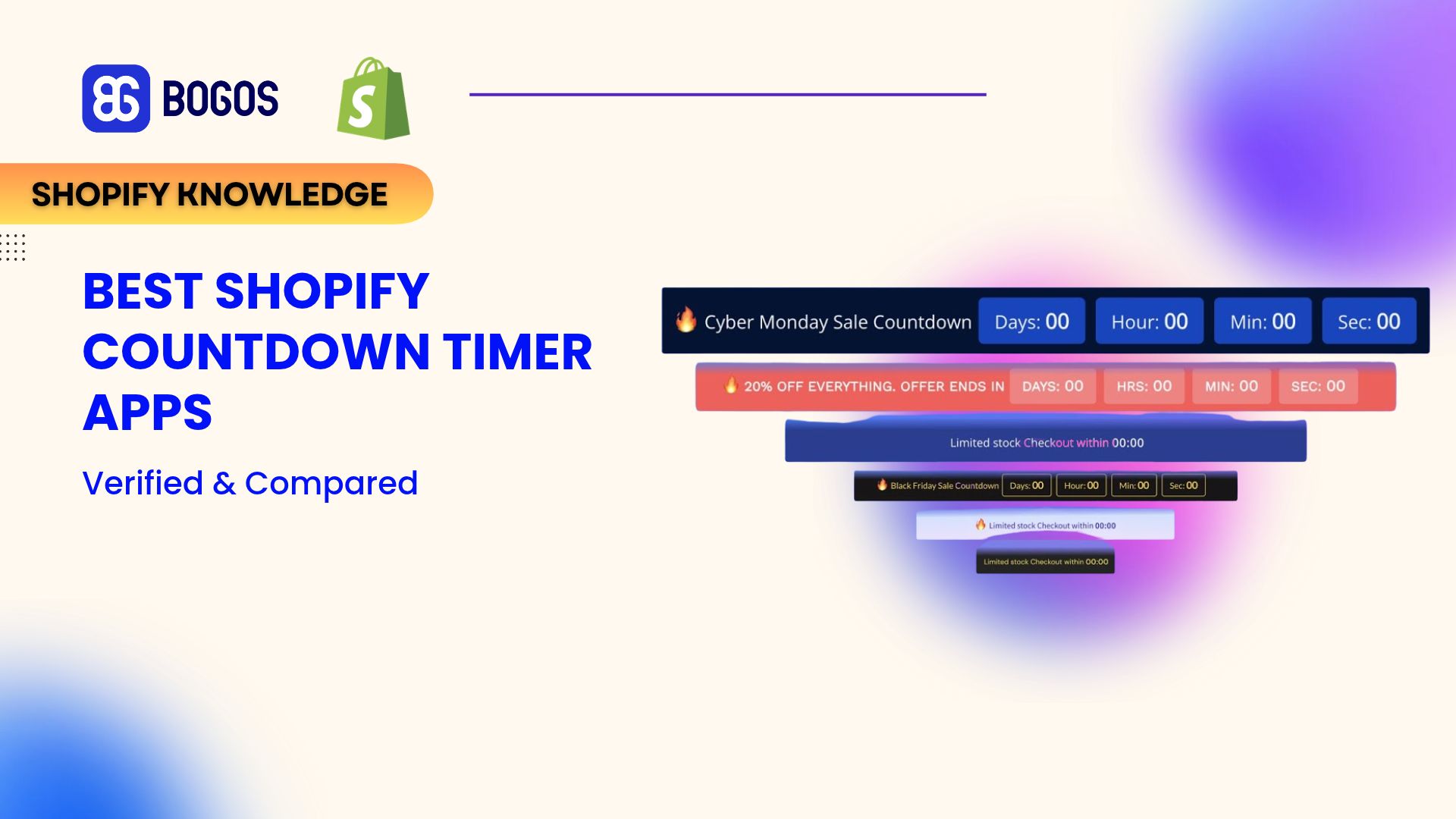
8 Best Shopify Countdown Timer Apps in 2026 (Verified & Compared)

Digital Marketing Specialist
Summarize this post with AI
A countdown timer sells more only when the deadline is real. A timer that resets every visit teaches shoppers to ignore it, and it can now break consumer law. I’m Allan Vu, Digital Marketing Specialist at BOGOS and an e-commerce expert. In this guide, I compare eight Shopify countdown timer apps on live App Store data, explain which timer types stay honest, and show you which app fits each kind of campaign.
The Shopify App Store lists 198 countdown timer apps. Most do the same basic job. These three stand out for different reasons.

Essential Countdown Timer Bar: best for timers in every placement, including email
Essential covers the most placements of any app we reviewed. It runs timers in the announcement bar, on product pages, in the cart, on landing pages, and inside emails. It also has the largest review base among dedicated timer apps, with a 5.0 rating from 1,741 reviews.

GSC Countdown Timer Bar: best for a free timer with no view limits
GSC is completely free. It has no paid plan and no monthly view cap. It also carries the Built for Shopify badge and shows timers on product cards in collection pages, which few apps support.
Hextom: Countdown Timer Bar: best for targeted and scheduled campaigns
Hextom has been on the Shopify App Store since 2015, longer than any other app on this list. Its Premium plan targets timers by country, Shopify Markets, customer, page, product, device, and UTM source.
We followed the BOGOS app evaluation process, which you can read in full on our how we judge a Shopify app page. For this article, our evaluation was research-based.
We used these sources:
We scored each app on six criteria: feature depth, pricing and plan limits, performance, customer support, review patterns, and developer track record. We also checked which timer modes each app offers, because the timer mode decides whether the deadline is honest.
This article was researched and drafted with AI assistance, then reviewed and edited by Charlie Ngo. We wrote it to help merchants choose a timer that lifts sales without misleading shoppers.
A good timer app does more than show numbers counting down. Check for these features before you install one.
Keep expectations realistic for cart timers. Baymard Institute puts the average cart abandonment rate at 70.22%, and 42% of US shoppers in its survey abandoned a cart because they were just browsing. A timer cannot convert shoppers who never planned to buy.
| App | Rating (reviews) | Best for | Cons | Pricing |
|---|---|---|---|---|
| Essential Countdown Timer Bar | 5.0 (1,741) | Timers in every placement, including email | Free plan capped at 1,000 views; cart and email timers from $9.99; no Built for Shopify badge | Free; 6.99–29.99/month |
| GSC Countdown Timer Bar | 4.9 (699) | A free timer with no view limits | English-only interface; fewer targeting options than Hextom | Free |
| Hextom: Countdown Timer Bar | 4.9 (761) | Targeted and scheduled campaigns | Free plan limited to one-time event timers; no email timers | Free; $9.99/month |
| Countdown Timer Bar Samita | 5.0 (184) | Delivery cut-off timers | Newest app on the list (2024); smaller review base | Free |
| TicTac ‑ Timer, Bar & Upsell | 4.9 (147) | Testing timer designs | A/B tests only on the top plan; free plan capped at 5,000 impressions | Free; 4.99–9.99/month |
| Timex BFCM Low Stock Urgency | 4.8 (240) | Timers paired with low stock counters | Product and cart pages only; one report of problems on an older theme | Free |
| ET Cart Timer | 4.9 (86) | Cart-only timers | Cart only; timer length is fixed on the free plan | Free; $5.95/month |
| Growth Suite Boost Sales | 4.9 (54) | Personal discounts that truly expire | Starts at $139/month; broad access to customer data | 139–899/month |
🏆 Best for: merchants who want one app for bar, product, cart, landing page, and email timers.
Pricing
Rating and reviews
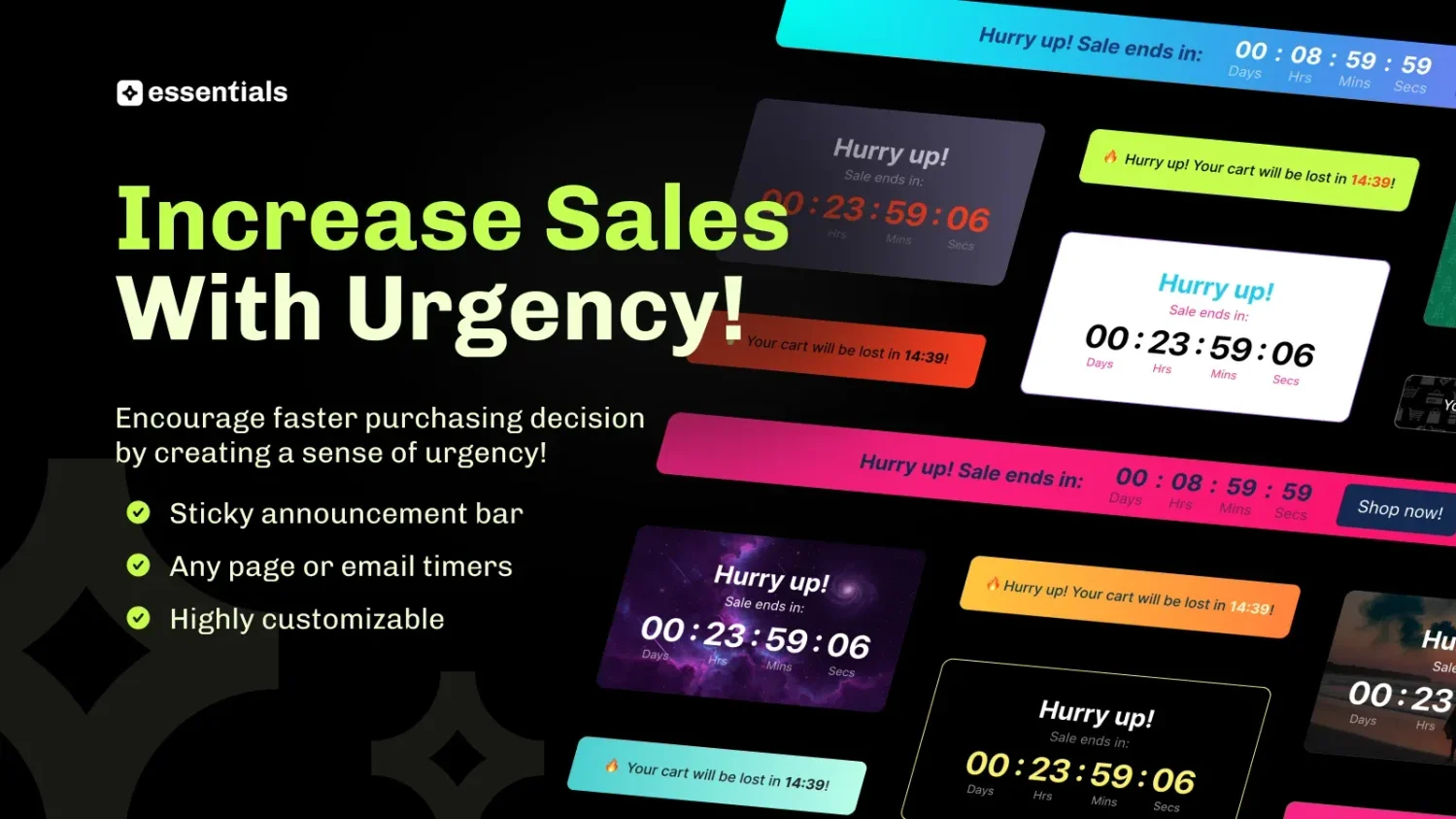
Essential Countdown Timer Bar is the most-reviewed dedicated timer app on the Shopify App Store. It handles almost every timer location a store needs from one dashboard.
Its schedule options cover fixed end dates, daily recurring timers, and evergreen fixed-minute timers. The interface is available in 19 languages.
Key features
The tradeoff is the free plan. At 1,000 views a month, most active stores will reach the cap quickly, and the cart and email timers need the $9.99 plan.
| Pros | Cons |
|---|---|
| Widest placement coverage on this list, including email | Free plan capped at 1,000 monthly views |
| Large, positive review base (see reviews) | Cart, email, and geo timers start at $9.99/month |
| Support fixes theme display problems quickly (see reviews) | No Built for Shopify badge |
| 19 interface languages | Evergreen mode needs a real per-visitor offer to stay honest |
What other merchants say
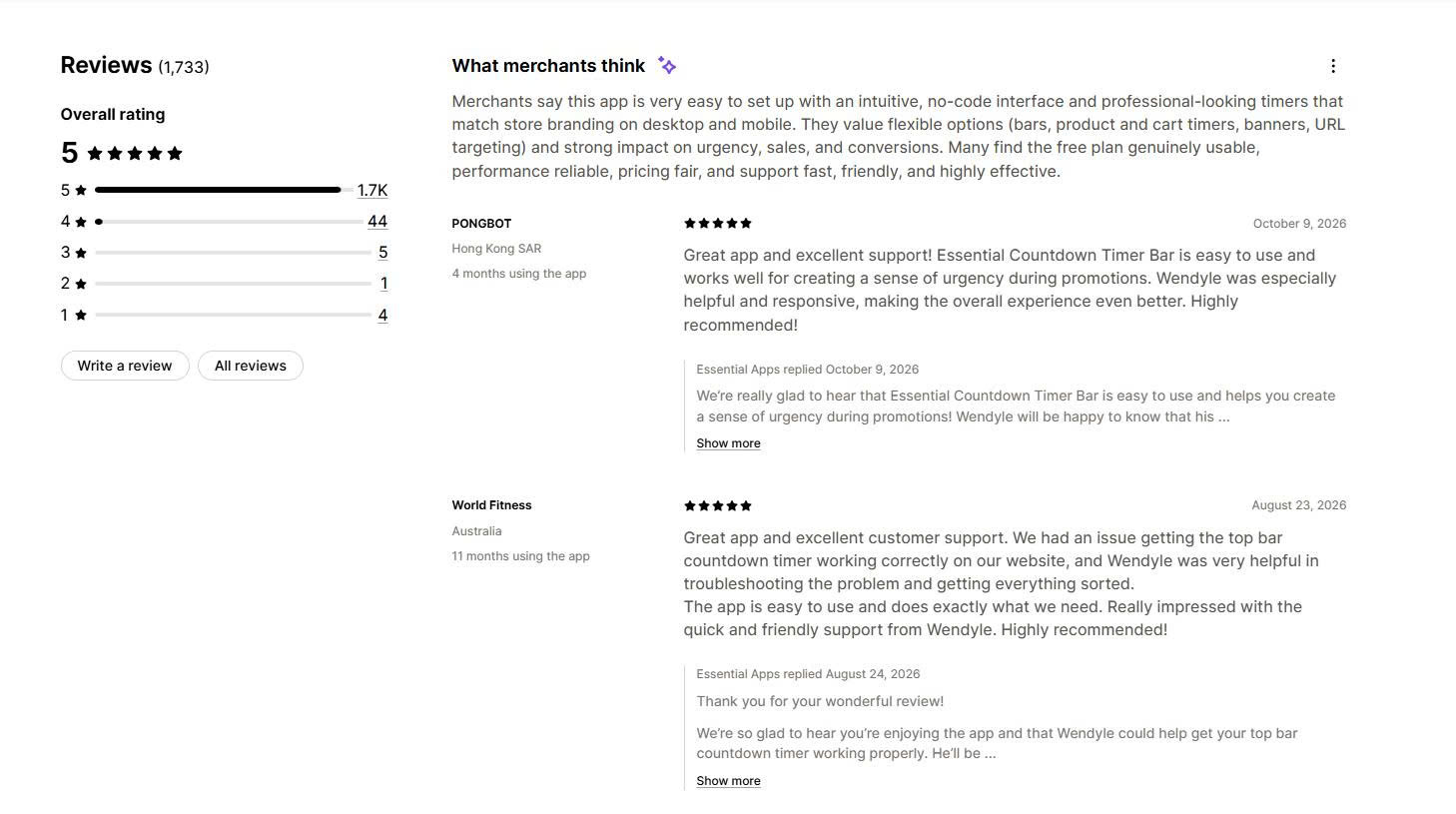
Merchants describe setup as easy and say the timers look professional on desktop and mobile. Many praise the flexible placements and URL targeting.
Support is the most repeated theme. Several recent reviews name support staff who fixed a top bar timer or a timer that appeared behind product content, often within minutes.
Why choose this app
We would choose Essential if we wanted every timer location in one app and planned to use email timers in abandoned cart flows. We would skip the free plan for any store with steady traffic and budget for the $9.99 plan.
🏆 Best for: budget-conscious stores that need fixed-date or daily timers at no cost.
Pricing
Rating and reviews
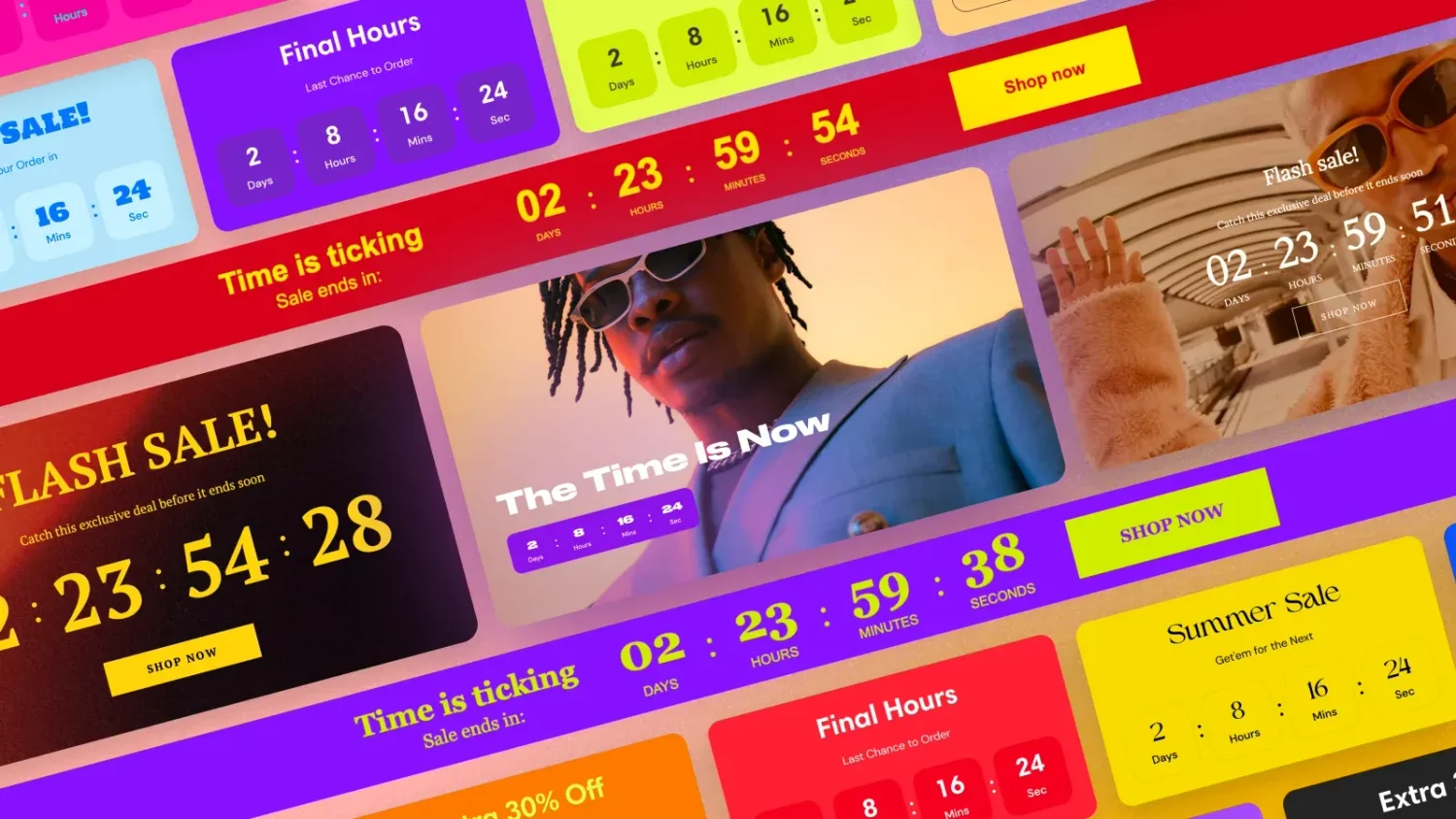
GSC Countdown Timer Bar is the strongest fully free timer app we found. It reached hundreds of reviews within three years and carries the Built for Shopify badge.
It supports fixed-date timers, evergreen timers per visitor, and daily recurring timers. You can place them in a sticky bar, on the homepage, on product pages, in the cart, and on the password page.
Key features
The tradeoff is depth. GSC has fewer targeting options than Hextom, and its interface is available in English only.
| Pros | Cons |
|---|---|
| Completely free with no view cap | English-only interface |
| Built for Shopify badge | Fewer targeting options than paid apps |
| Works well with Shopify themes such as Dawn (see reviews) | No email timers |
| Fast, friendly support (see reviews) | Evergreen mode needs a real per-visitor offer to stay honest |
What other merchants say
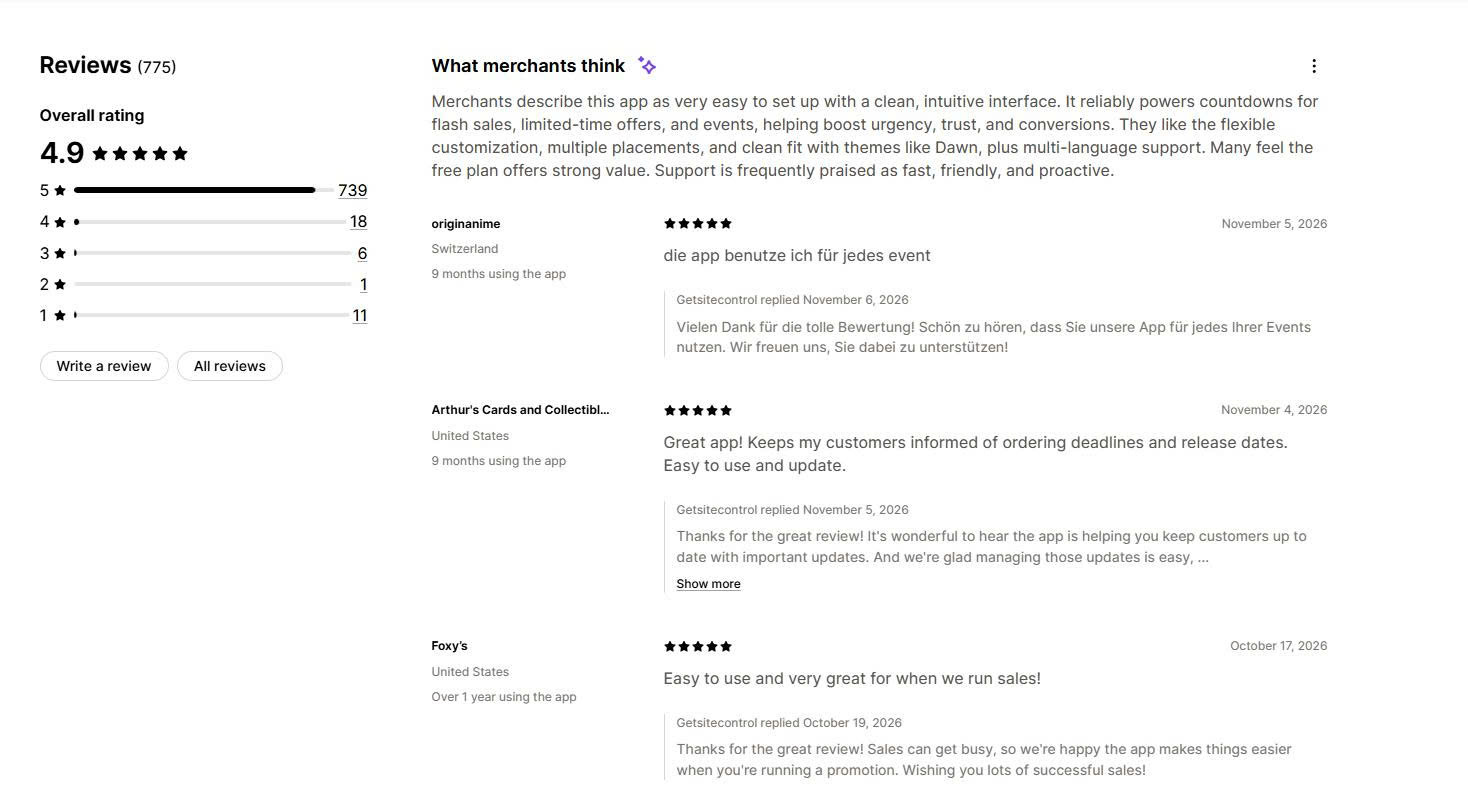
Merchants call GSC easy to set up and reliable for flash sales and limited-time offers. Many say it is the best free countdown timer they have tried.
They also like the range of styles, layouts, and placements. Support comes up often in recent reviews, with merchants naming staff who solved problems quickly.
Why choose this app
We would choose GSC for a store that runs fixed-date sales and does not want another monthly bill. It is also a safe first timer app to test before paying for advanced features.
🏆 Best for: stores that run different sales by country, market, customer group, or traffic source.
Pricing
Rating and reviews
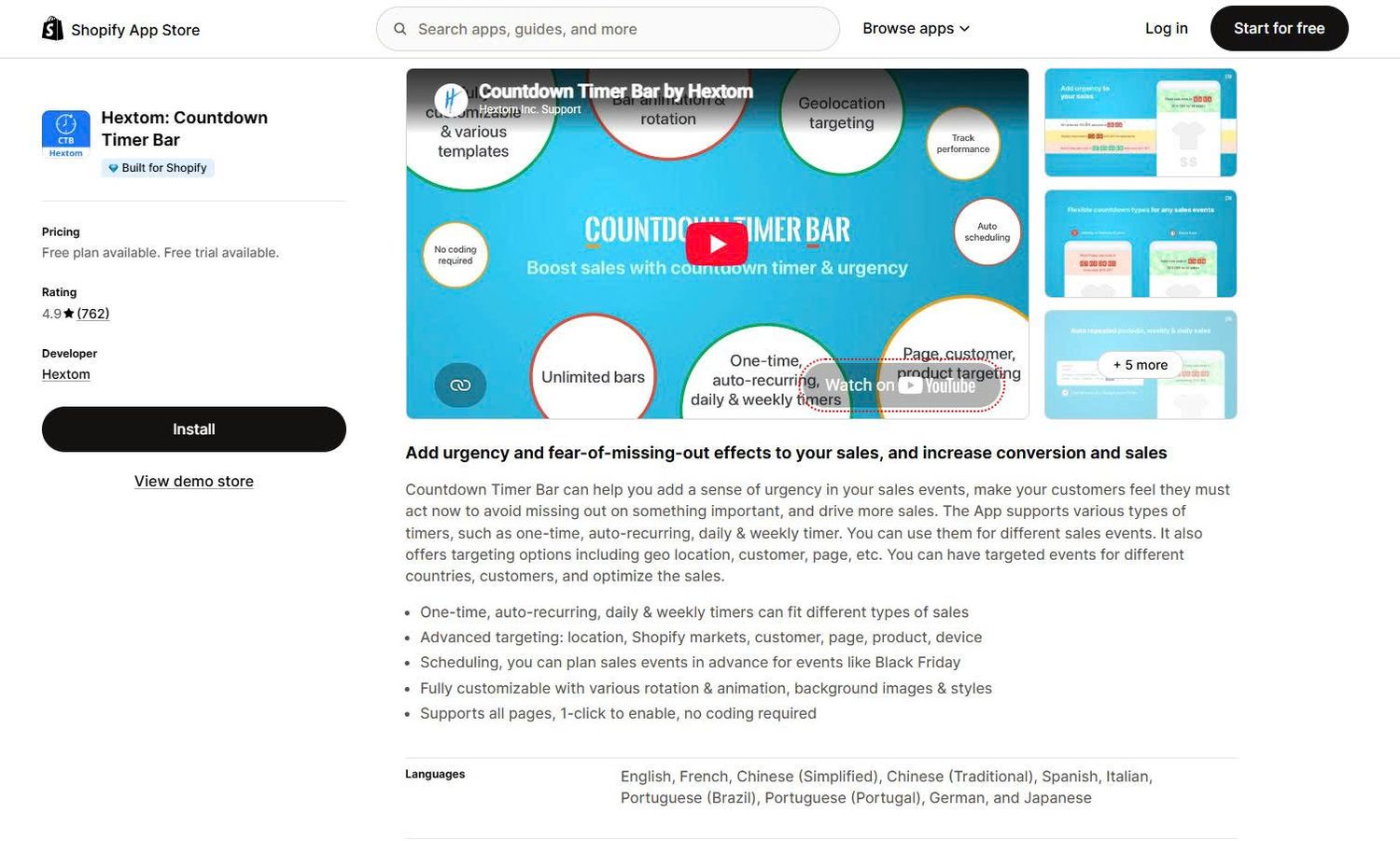
Hextom: Countdown Timer Bar has the longest track record of any app on this list. Several reviewers have used it for five or six years.
Its strength is targeting. You can show a bar only to shoppers in one market, on one product, on mobile, or from one ad campaign.
Key features
The tradeoff is the free plan. It covers one-time event timers only, so recurring timers and geo targeting need Premium.
| Pros | Cons |
|---|---|
| On the App Store since 2015, with long-term users (see reviews) | Free plan limited to one-time event timers |
| Deepest targeting on this list | Recurring timers and geo targeting need Premium |
| One flat paid plan at $9.99/month | No email timers |
| No intrusive branding on the free plan (see reviews) | Focused on bars rather than cart timers |
What other merchants say
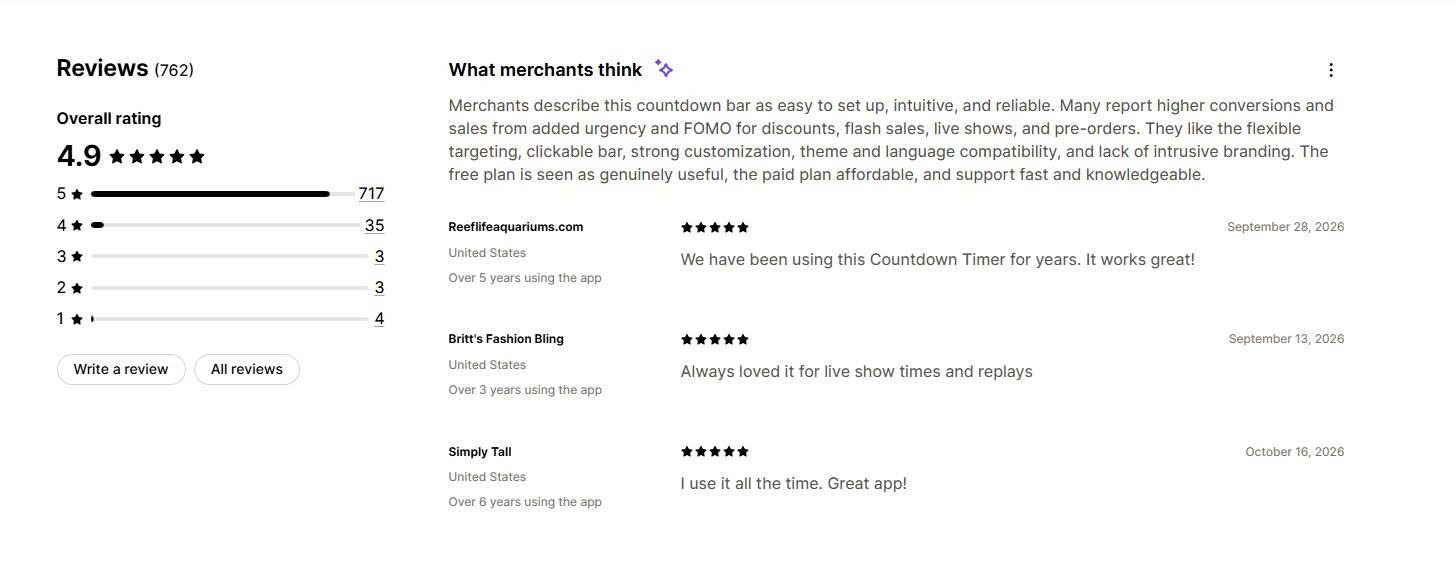
Merchants describe Hextom as easy, intuitive, and reliable. They use it for discounts, flash sales, live shopping shows, and pre-orders.
Reviewers like the clickable bar, the targeting, and the lack of intrusive branding. Many say the free plan is useful and the paid plan is affordable.
Why choose this app
We would choose Hextom for a store that sells in several markets and wants each market to see its own deadline. The single $9.99 plan keeps costs simple.
🏆 Best for: stores that want “order within X hours” delivery timers, plus cart and stock timers, for free.
Pricing
Rating and reviews
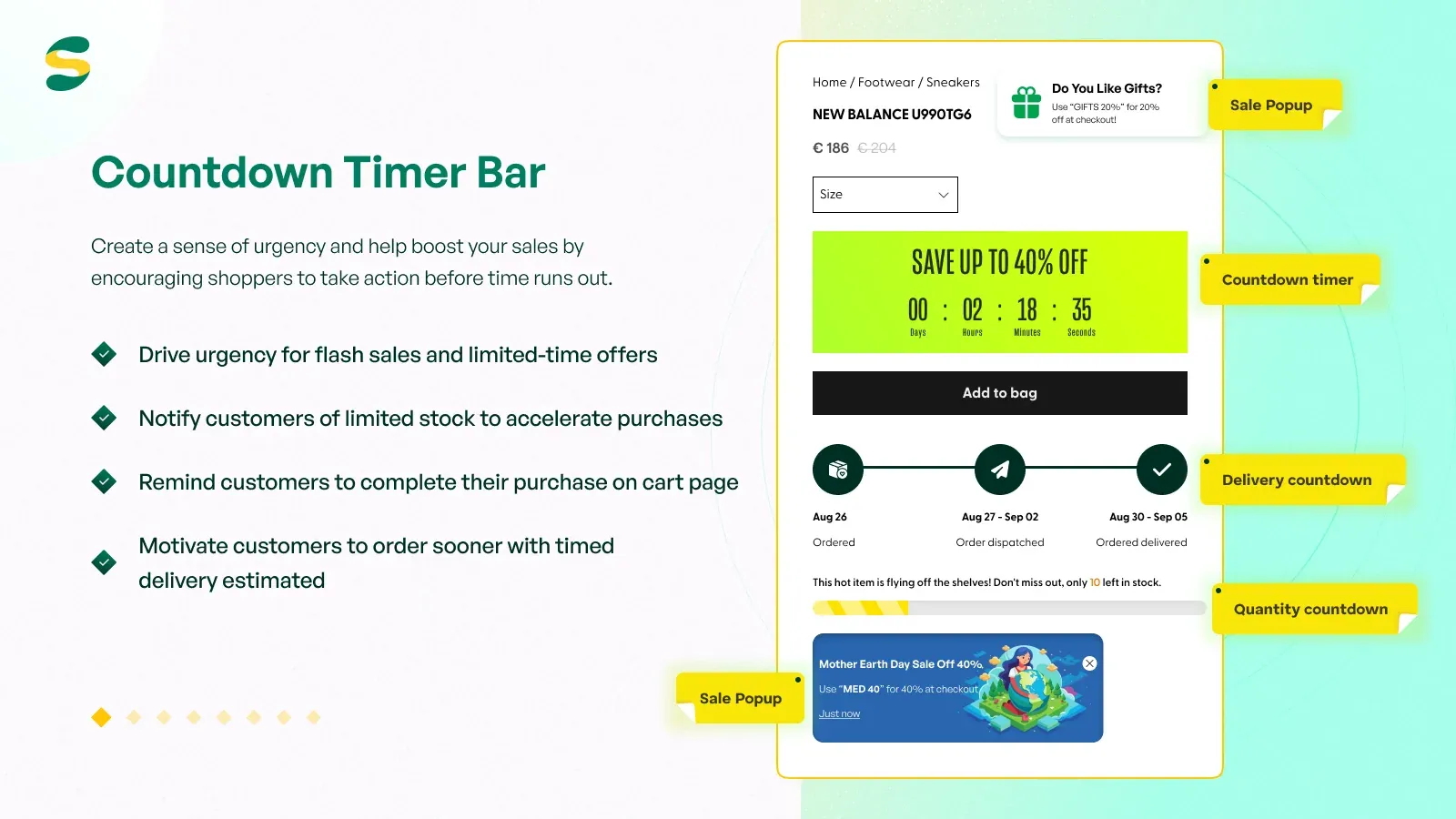
Countdown Timer Bar Samita bundles several urgency tools into one free app. It includes countdown bars, product timers, cart timers, stock countdowns, estimated delivery timers, and a sale pop-up.
The delivery timer is its standout feature. A message such as “order within 2 hours for same-day dispatch” sets a real deadline that works on full-price products.
Key features
The tradeoff is track record. Samita launched in 2024, so it has less history than Hextom or Timex.
| Pros | Cons |
|---|---|
| Free, with delivery, cart, and stock timers in one app | Newest app on this list |
| Built for Shopify badge | Smaller review base than the top three |
| Quick support fixes (see reviews) | No paid plan listed, so check for pricing changes over time |
| 19 interface languages | Session-based mode needs a real per-visitor offer to stay honest |
What other merchants say
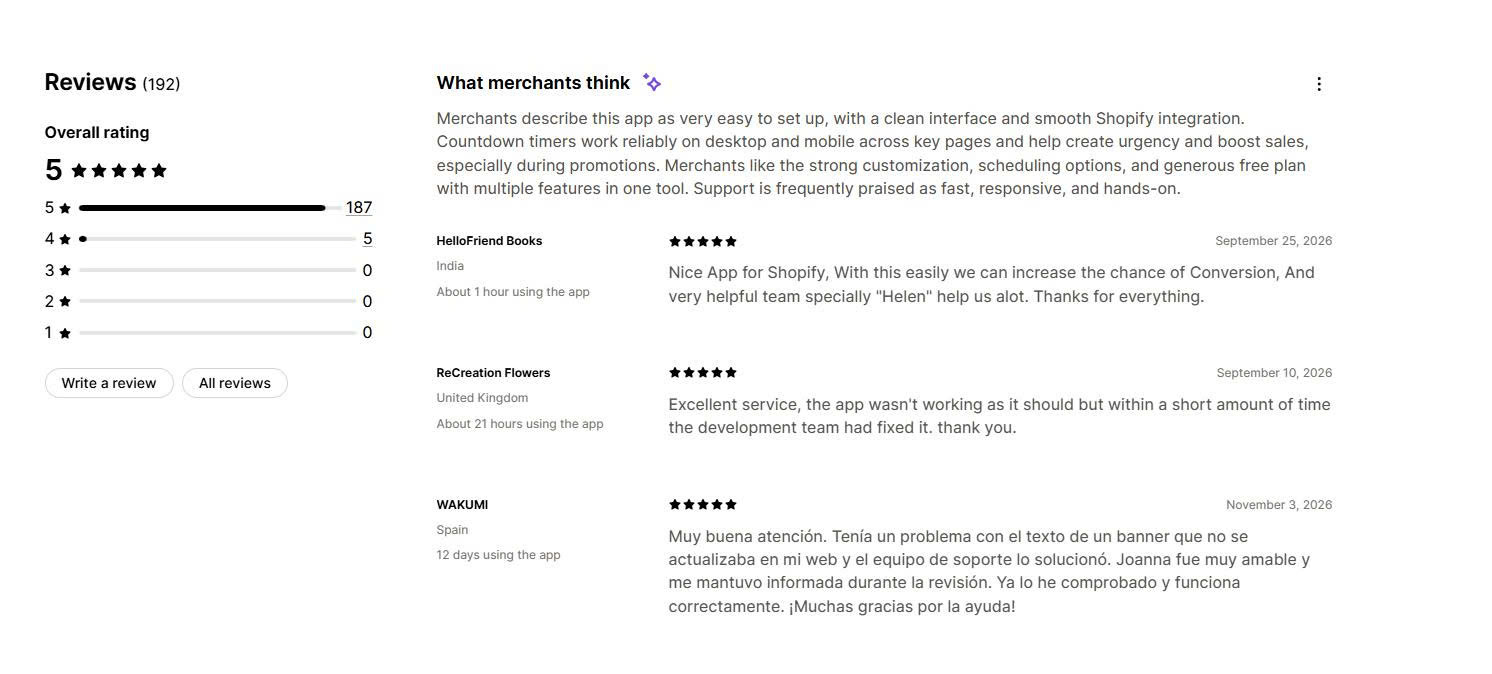
Recent reviews focus on fast support. One merchant reported that the app did not work at first, and the team fixed it within a short time.
Other reviewers mention prompt replies and named support staff. With no 1-star reviews so far, the early feedback is positive.
Why choose this app
We would choose Samita for a store with clear shipping cut-offs, especially before holidays. The delivery timer creates urgency without a discount.
🏆 Best for: data-driven stores that want to A/B test timer messages and designs.
Pricing
Rating and reviews
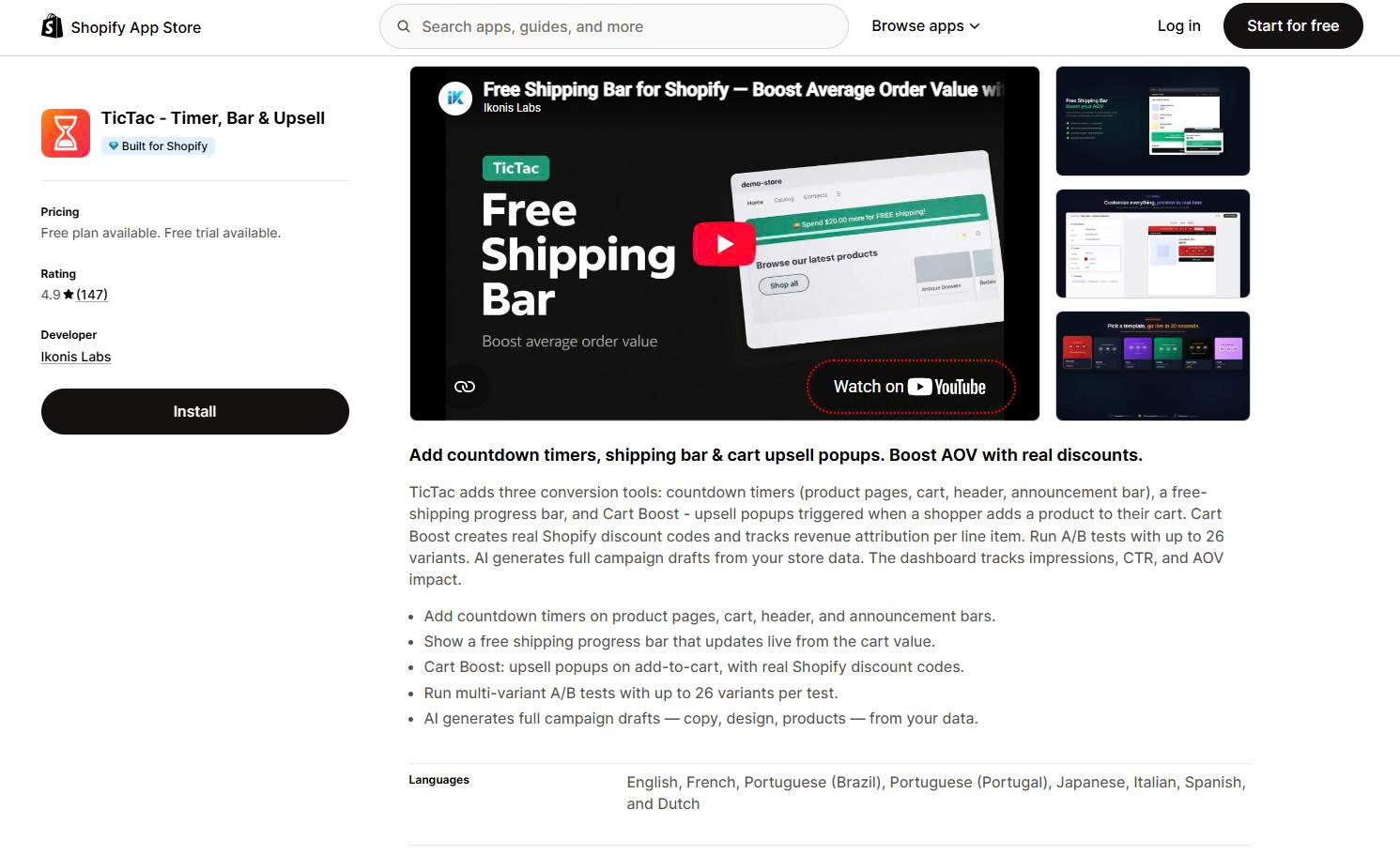
TicTac ‑ Timer, Bar & Upsell combines countdown timers with a free shipping bar and add-to-cart upsell pop-ups. Some older roundups still list it under its previous name, TicTac Countdown Timer Bar.
Its testing tools set it apart. The VIP plan runs A/B tests with up to 26 variants and tracks the effect on order value.
Key features
The tradeoff is plan gating. The A/B testing that makes TicTac special is only available on the $9.99 plan.
| Pros | Cons |
|---|---|
| A/B tests with up to 26 variants | A/B testing only on the VIP plan |
| Low-cost paid plans from $4.99/month | Free plan capped at 5,000 impressions |
| Free plan praised over some paid apps (see reviews) | 3-day trial is short |
| Fast, proactive support (see reviews) | Upsell tools add settings you may not need |
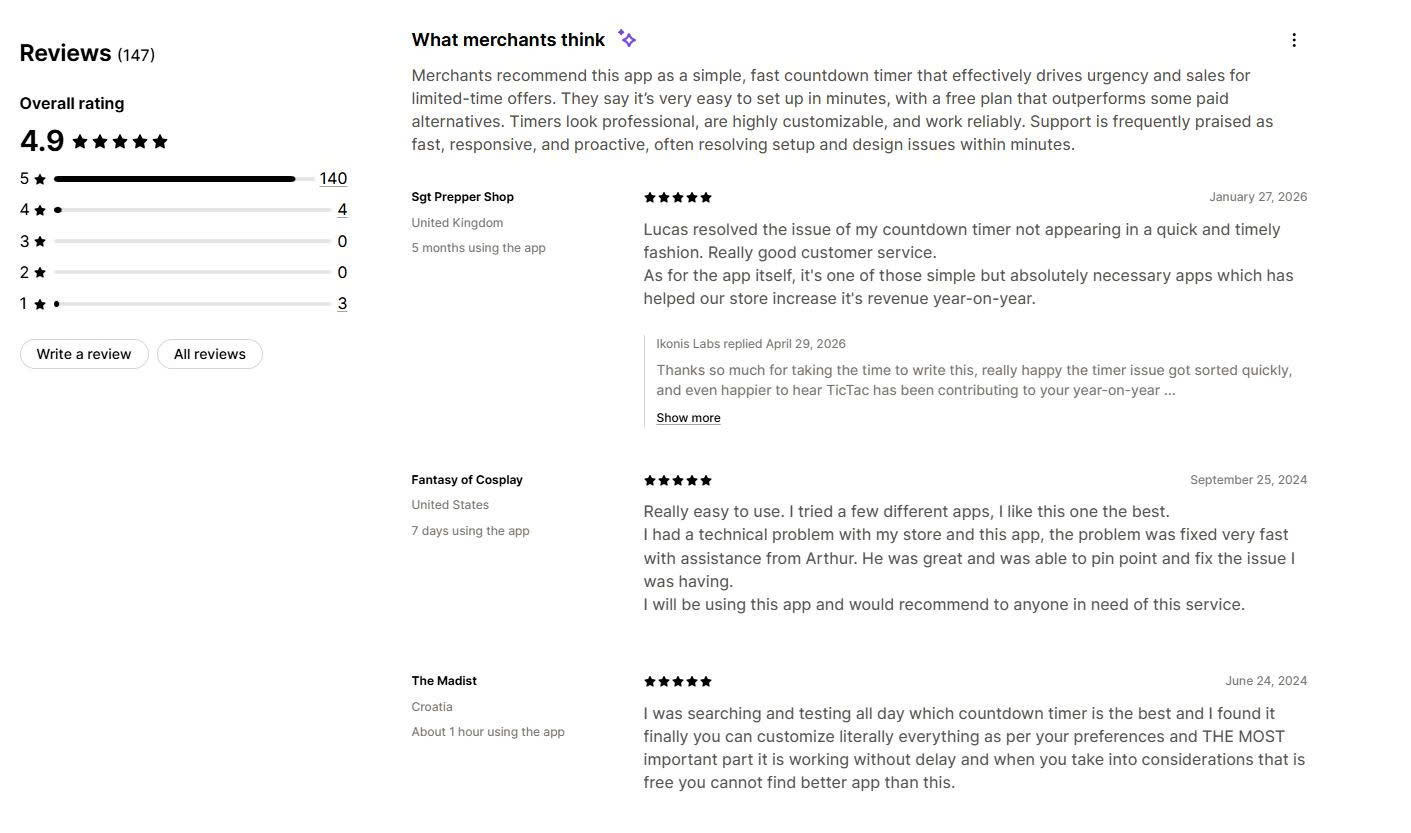
What other merchants say
Merchants call TicTac a simple, fast timer that is easy to set up in minutes. Several say its free plan works better than paid apps they tried.
Support is praised often. Reviewers mention named staff who fixed timers that did not appear, usually within minutes.
Why choose this app
We would choose TicTac for a store that wants proof of which timer message works best. The $9.99 VIP plan pays off once you run regular tests.
🏆 Best for: stores that sell limited runs or small batches and want to show remaining stock next to the timer.
Pricing
Rating and reviews
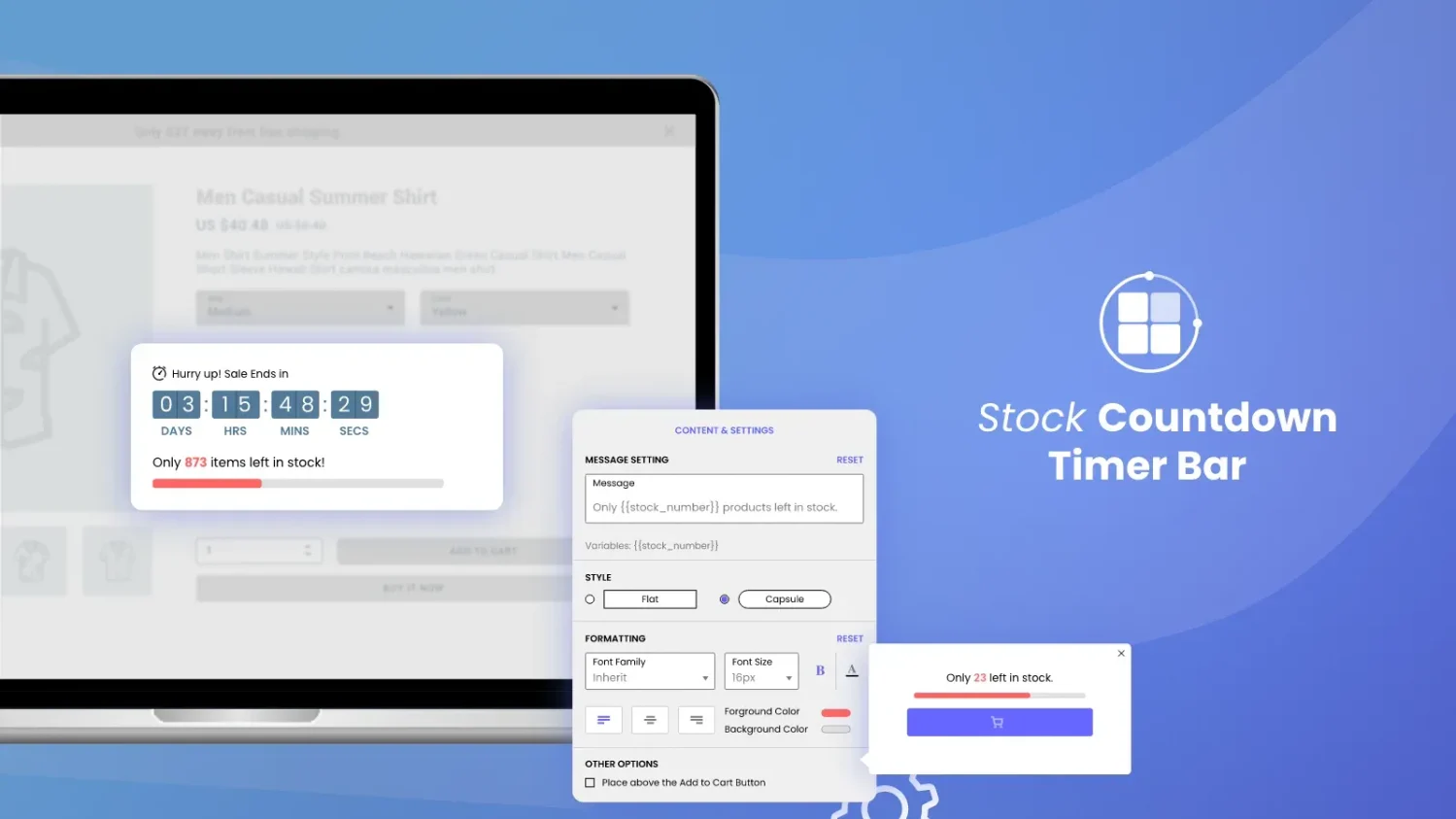
Timex BFCM Low Stock Urgency focuses on stock as well as time. It shows a low stock counter and a countdown timer on product and cart pages.
Some older roundups list it under its earlier name, Stock Countdown.
Key features
The tradeoff is placement. Timex works on product and cart pages only, and its interface is in English only.
| Pros | Cons |
|---|---|
| Fully free, with no plan limits listed | Product and cart pages only |
| Stock counter and timer in one app | English-only interface |
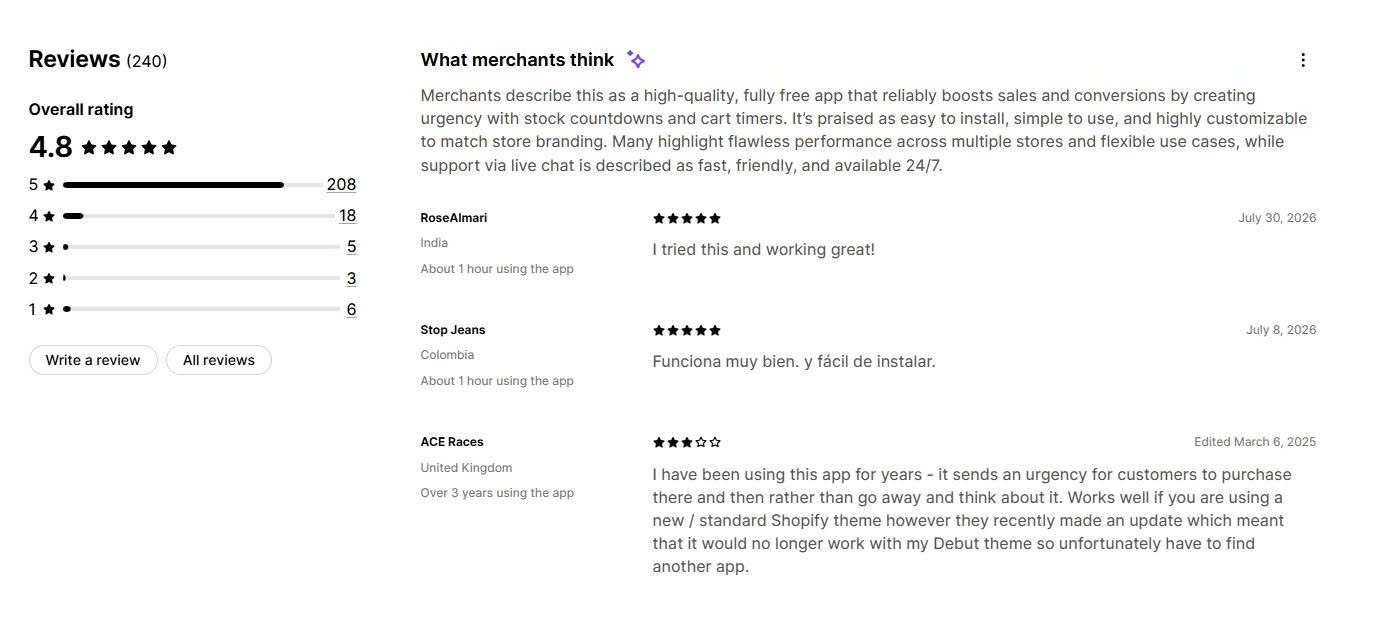
| 24/7 live chat support (see reviews) | One long-term user reported it stopped working with the older Debut theme (see reviews) |
| Built for Shopify badge | Lower share of 5-star ratings (87%) than other apps here |
What other merchants say
Merchants describe Timex as a high-quality free app that is easy to install and customize. Many report that it runs well across several stores.
Support through live chat is praised as fast and available around the clock. The main complaint is theme compatibility on older themes.
Why choose this app
We would choose Timex for a store with genuinely limited stock, where the counter shows real inventory. We would test it first on any store still using an older theme.
🏆 Best for: stores that only want a timer in the cart and full control over what happens at zero.
Pricing
Rating and reviews
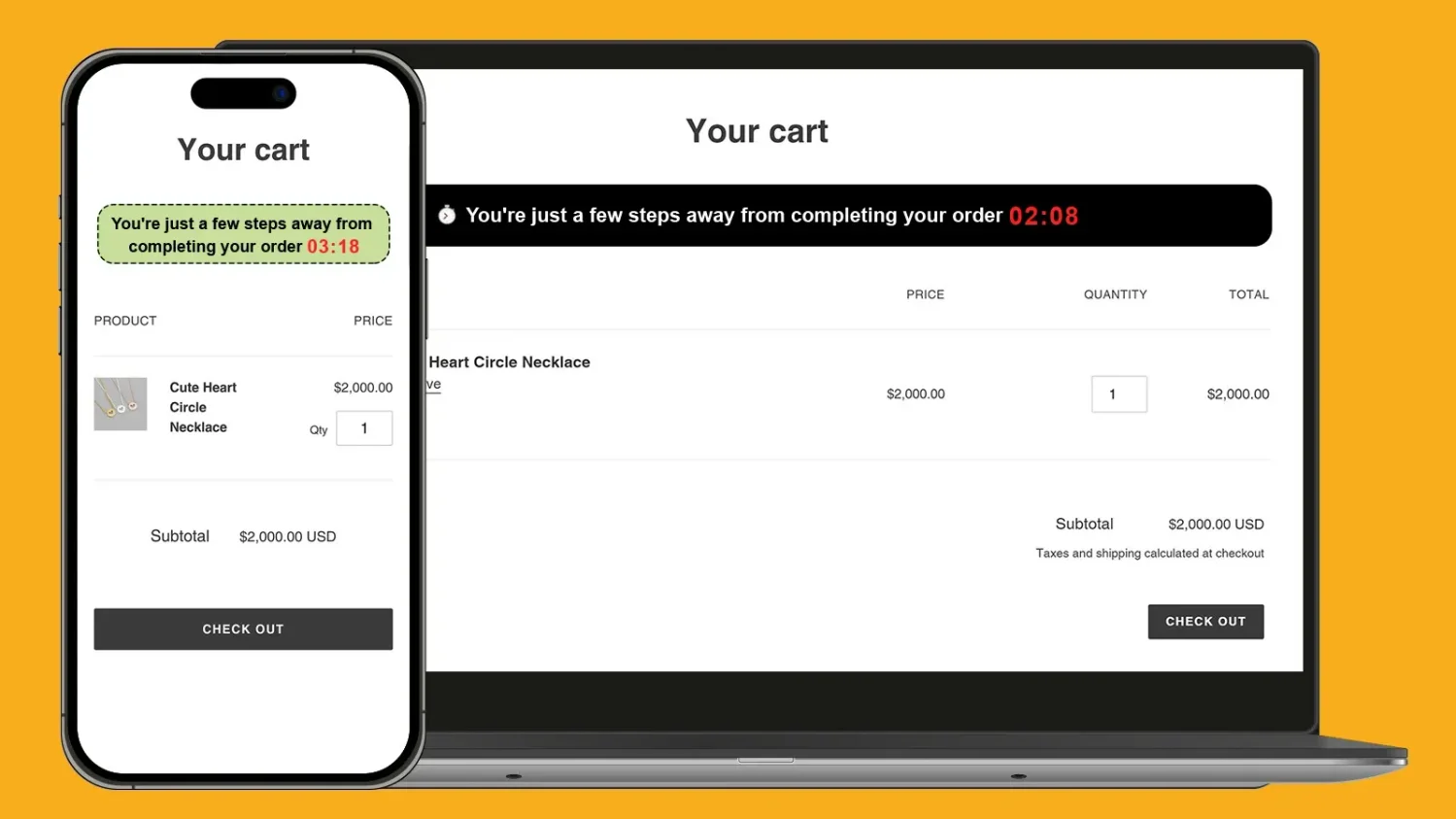
ET Cart Timer does one job. It adds a countdown to the cart page, side cart, or cart pop-up.
Its end actions give you control. When the timer runs out, you can clear the cart, redirect the shopper, extend the timer, or hide it.
Key features
The tradeoff is scope. ET Cart Timer works in the cart only, and the free plan does not let you change the timer length.
| Pros | Cons |
|---|---|
| Built only for cart timers | No product page or bar timers |
| Flexible end-of-timer actions | Timer length fixed on the free plan |
| Light data access | English-only interface |
| Simple, quick setup (see reviews) | Clearing the cart does not reserve stock for the shopper |
What other merchants say
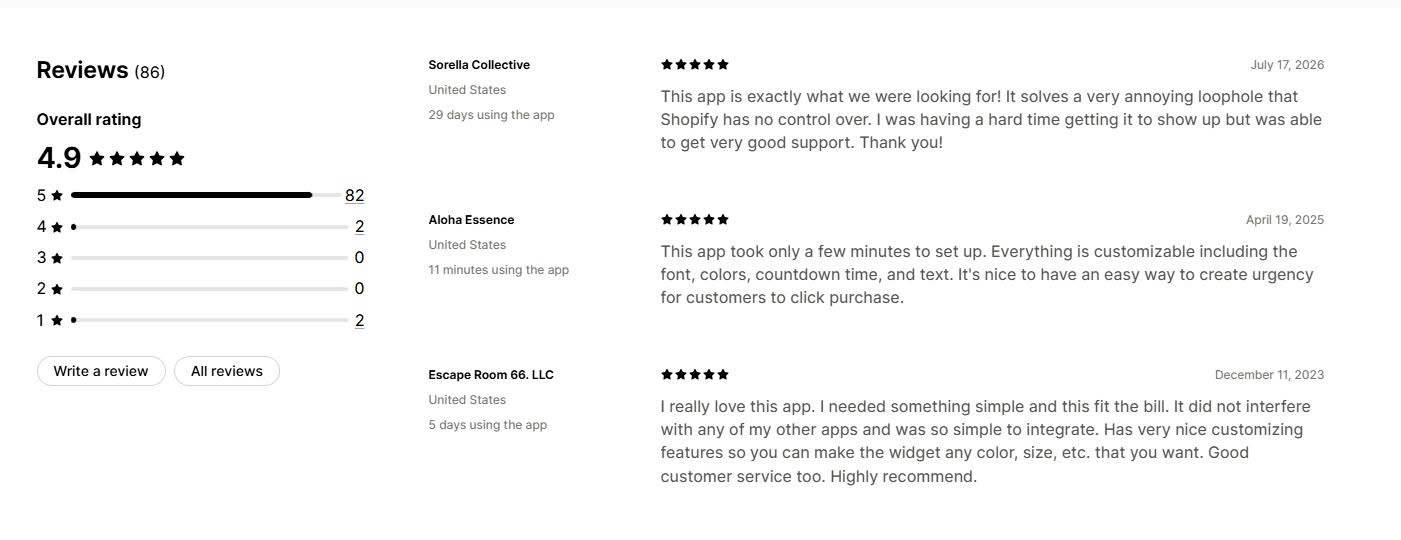
Merchants say ET Cart Timer takes only minutes to set up. They like that fonts, colors, timer length, and text are all customizable.
Several reviewers note that it did not clash with their other apps. One merchant had trouble making it appear and got the issue fixed by support.
Why choose this app
We would choose ET Cart Timer for a store that already has a promotion app and only needs a cart reminder. We would avoid “items reserved” wording, because the app does not hold stock.
🏆 Best for: high-traffic stores that want per-visitor offers with deadlines that actually end.
Pricing
Rating and reviews
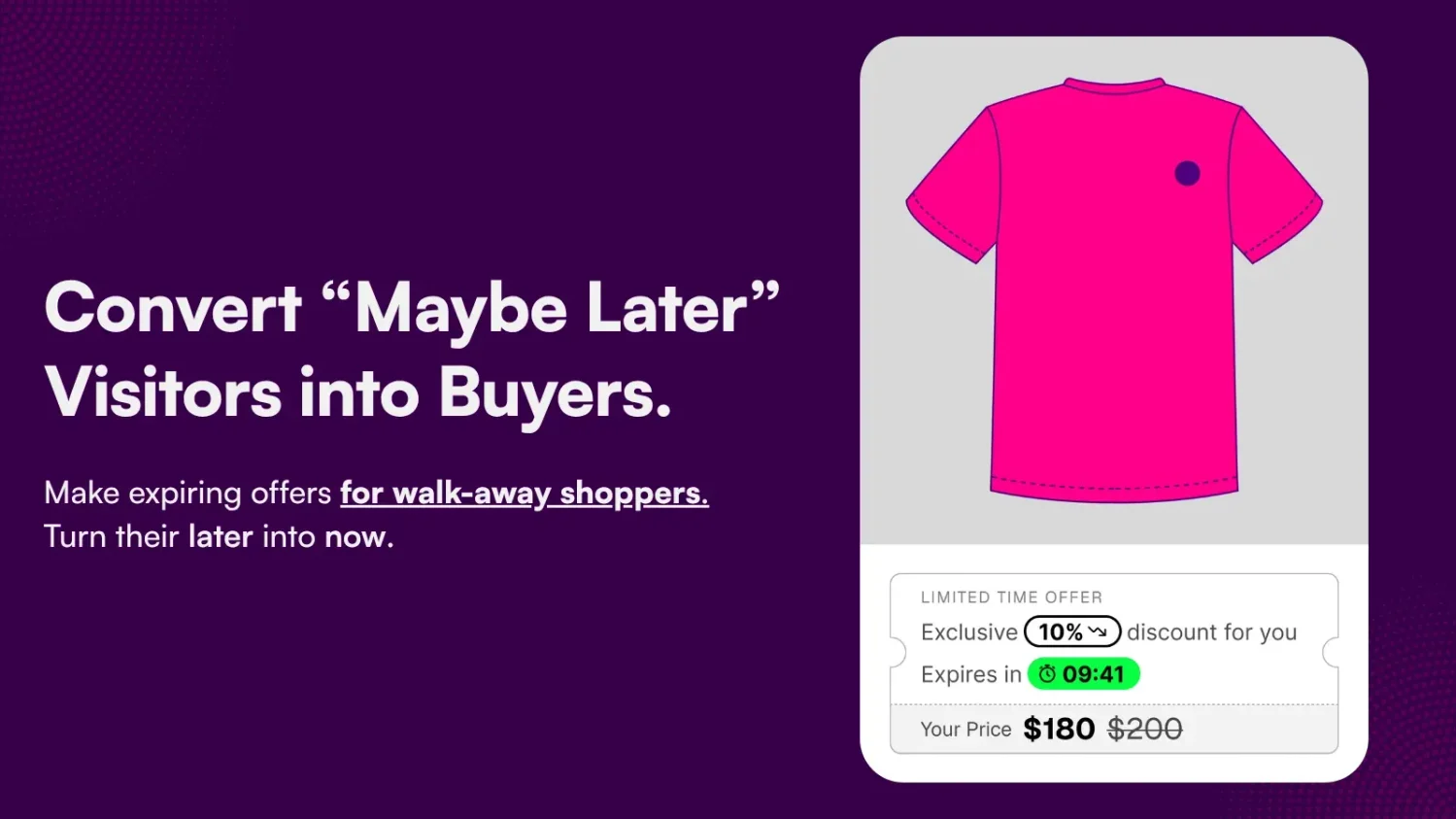
Growth Suite Boost Sales solves the main honesty problem with evergreen timers. Each visitor gets a unique discount code that is applied in the cart automatically.
When the countdown ends, the code and the cart discount are removed. The deadline is real for every shopper.
Key features
The tradeoff is cost. Plans start at $139/month, and the app needs broad access to customer and order data to work.
| Pros | Cons |
|---|---|
| Discounts truly expire when the timer ends | Starts at $139/month |
| Unique codes reduce coupon sharing | Needs broad access to customer and order data |
| Continuous updates and responsive team (see reviews) | Smallest review base on this list |
| Built for Shopify badge | Pricing scales with visitor numbers |
What other merchants say
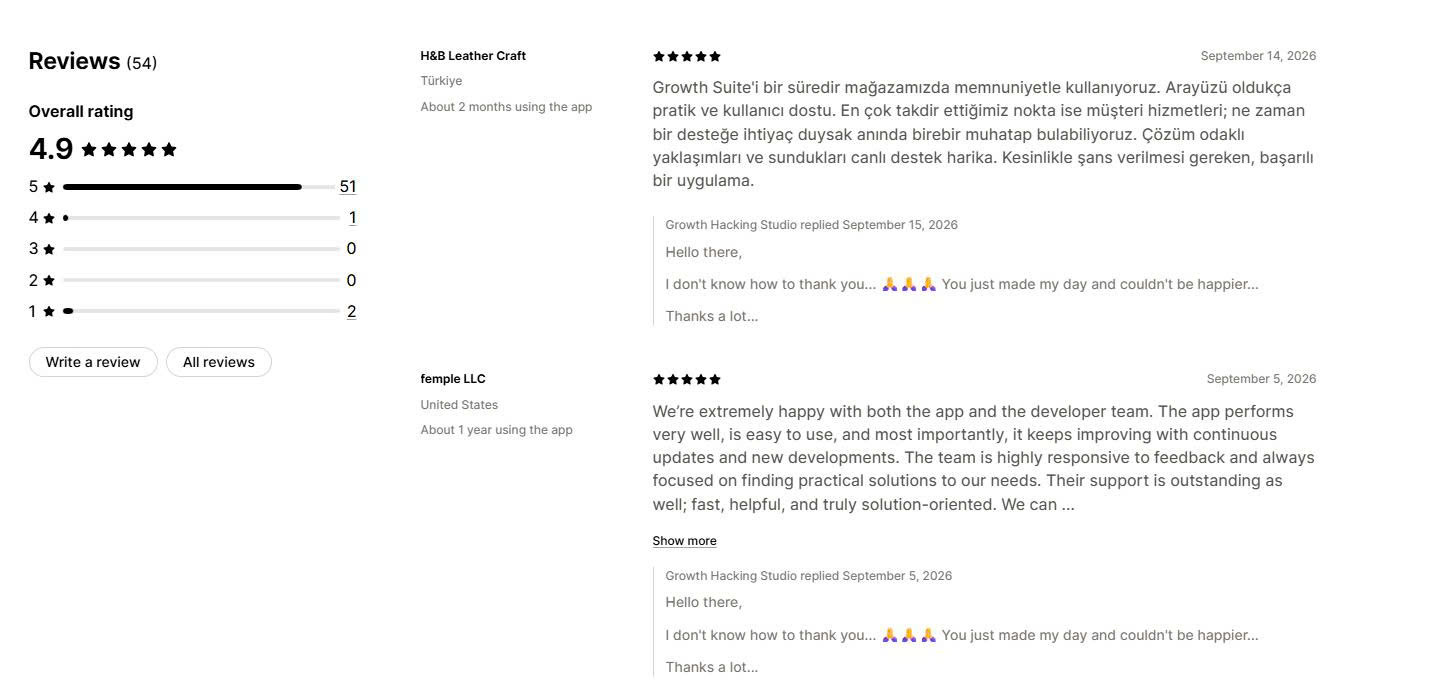
Merchants praise the support team as fast and solution-focused. One long-term reviewer highlighted regular updates and a team that acts on feedback.
Several merchants report higher orders after installing the app. The review base is small, so watch for new reviews as more stores adopt it.
Why choose this app
We would choose Growth Suite for a high-traffic store that wants evergreen urgency without the legal risk of resetting timers. Smaller stores will get better value from a free app with fixed-date timers.
Match the app to your main campaign type.
A countdown timer is honest when the offer really ends at zero. A timer that resets while the same offer stays live is misleading. This section explains how to keep your timers on the right side of that line.
| Timer type | How it works | Best use | Honest-use rule | |
|---|---|---|---|---|
| Timer type | How it works | Best use | Honest-use rule | |
| Fixed date | Every shopper sees the same deadline | Black Friday, product launches, store openings | End the offer when the timer ends | |
| Recurring | Resets daily or weekly | Daily deals, shipping cut-offs | Something must really change at each reset, such as the dispatch day | |
| Evergreen (per visitor) | Starts a new countdown for each visitor | Welcome offers | Only use it when the offer truly expires for that visitor | |
| Cart timer | Starts after a product is added to the cart | Checkout reminders | Do not claim items are reserved unless stock is actually held |
Fake timers are common. A Princeton University study of about 11,000 shopping sites found 393 countdown timers, and 157 of them on 140 sites were deceptive. The researchers counted a timer as deceptive when it reset with the same offer still valid, or when the offer continued after the timer expired.
Regulators are now acting on this. On May 22, 2026, a UK High Court order confirmed that Emma Sleep broke consumer law with misleading countdown timers and false “high demand” and discount claims. The company agreed to legally binding changes to its sales practices.
In Australia, the Federal Court ordered two Emma Sleep companies to pay AU$15 million in penalties in April 2026. The ACCC’s case included a countdown timer that reset itself before sales actually ended.
Many cart timer messages say items are “reserved.” In a standard Shopify store, this is not true.
Shopify counts inventory as committed only when it is part of a placed order. Until then, another shopper can buy the same item. Write cart messages such as “complete your order to get today’s price” instead of “your items are reserved.”
Run this checklist before each campaign.
Essential Countdown Timer Bar is the best choice for timers in every placement, including email. GSC Countdown Timer Bar is the best free option, with no view limits. Hextom: Countdown Timer Bar is the best fit for targeted and scheduled campaigns.
Whichever app you choose, show a timer only when the deadline is real. Honest timers keep shopper trust, and they keep your store clear of the urgency rules regulators enforced in 2026.
App ratings, review counts, and prices change often. We checked every figure on November 9, 2026, so confirm the current details on each app’s Shopify App Store listing before you install.
Shopify does not include a countdown timer app in the admin. Some themes include a countdown section, so check your theme editor first.
You can also use Shopify Sidekick to generate a custom theme block from a text prompt. This is a simple way to add a countdown timer to Shopify for a fixed-date sale. For cart timers, scheduling, or targeting, an app is easier to manage.
Yes. GSC Countdown Timer Bar and Essential Countdown Timer Bar both support password page timers. A launch countdown works well here because the store opening date is a real deadline.
Every app adds some code, so install only one timer app and remove any you no longer use. Apps with the Built for Shopify badge meet Shopify’s standards for performance, design, and integration.
If a timer disappears after you change themes, check that the app embed is turned on in the new theme’s editor.
Shopify does not include a countdown timer app in the admin. Some themes include a countdown section, so check your theme editor first.
You can also use Shopify Magic to generate a custom theme block from a text prompt. This is a simple way to add a countdown timer to Shopify for a fixed-date sale. For cart timers, scheduling, or targeting, an app is easier to manage.

Shopify sub collections let shoppers move from a broad group of products to a narrow one, and you can...

Online shoppers can’t try anything on, so many guess and send items back. The NRF and Happy Returns estimate...
A featured collection is often the first group of products a shopper sees on a Shopify store, yet the...