



Charlie Ngo
•
Last updated: 20 October, 2026
Shopify Collections: How To Create & Organize Them (2026)
Shopify collections decide how shoppers find your products, yet many guides still describe a setup Shopify is now replacing....
Shopify Black Friday 2026: 32-Task Prep Checklist

Marketing Manager
Summarize this post with AI
Winning Black Friday and Cyber Monday 2026 on Shopify comes down to preparation, so this guide turns it into a checklist you can work through task by task. You’ll get what last year’s record weekend taught us, the trends shaping how shoppers buy this year, and 32 hands-on tasks across your product pages, checkout, offers, and marketing. Black Friday falls on November 27 and Cyber Monday on November 30, so plan for the full weekend. I’m Charlie Ngo, BOGOS’s Marketing Manager, and I set up Shopify promotions with merchants every day.
BFCM 2025 broke records, and the numbers point to three clear moves for 2026. Shopify merchants sold a record $14.6 billion over the weekend, and the stores that won were the ones that showed up with a plan. Reading last year’s data is the fastest way to build a plan that works this year, so it belongs at the top of any guide on how to increase sales on Shopify during the holidays.
The headline numbers were large, and each one hides a lesson. According to Shopify, merchants sold $14.6 billion over the weekend, up 27% from 2024, and 81 million shoppers bought from Shopify-powered brands. Sales peaked at $5.1 million per minute at 12:01 p.m. EST on Black Friday. Across the US market, Adobe Analytics reported Cyber Monday at $14.25 billion, the biggest online sales day in US history, and Black Friday online sales at $11.8 billion, up 9.1%.
Here is what mattered most for a store like yours:
| Data point | Figure | Source |
|---|---|---|
| Shopify BFCM sales | $14.6 billion (+27%) | Shopify |
| Merchants with their best day ever | 94,900+ | Shopify |
| First-time Shopify sellers | 15,800+ | Shopify |
| Share of orders using Shop Pay | 32% (+39% YoY) | Shopify |
| Cross-border share of orders | ~16% | Shopify |
| US Cyber Monday online sales | $14.25 billion | Adobe |
| Mobile share of holiday online sales | 56.4% | Adobe |
Five takeaways come out of these numbers.
Three trends are genuinely new or accelerating for 2026, and each one changes where and how you sell.
The rest of this guide is a 32-task checklist grouped into nine phases. Complete the phases in order, since early phases set up the later ones. Start six to eight weeks before Black Friday if you can, and check off each task as you finish it. If the list is more than your team can take on, our roundup of the best Shopify agencies for BFCM can help you find a partner.
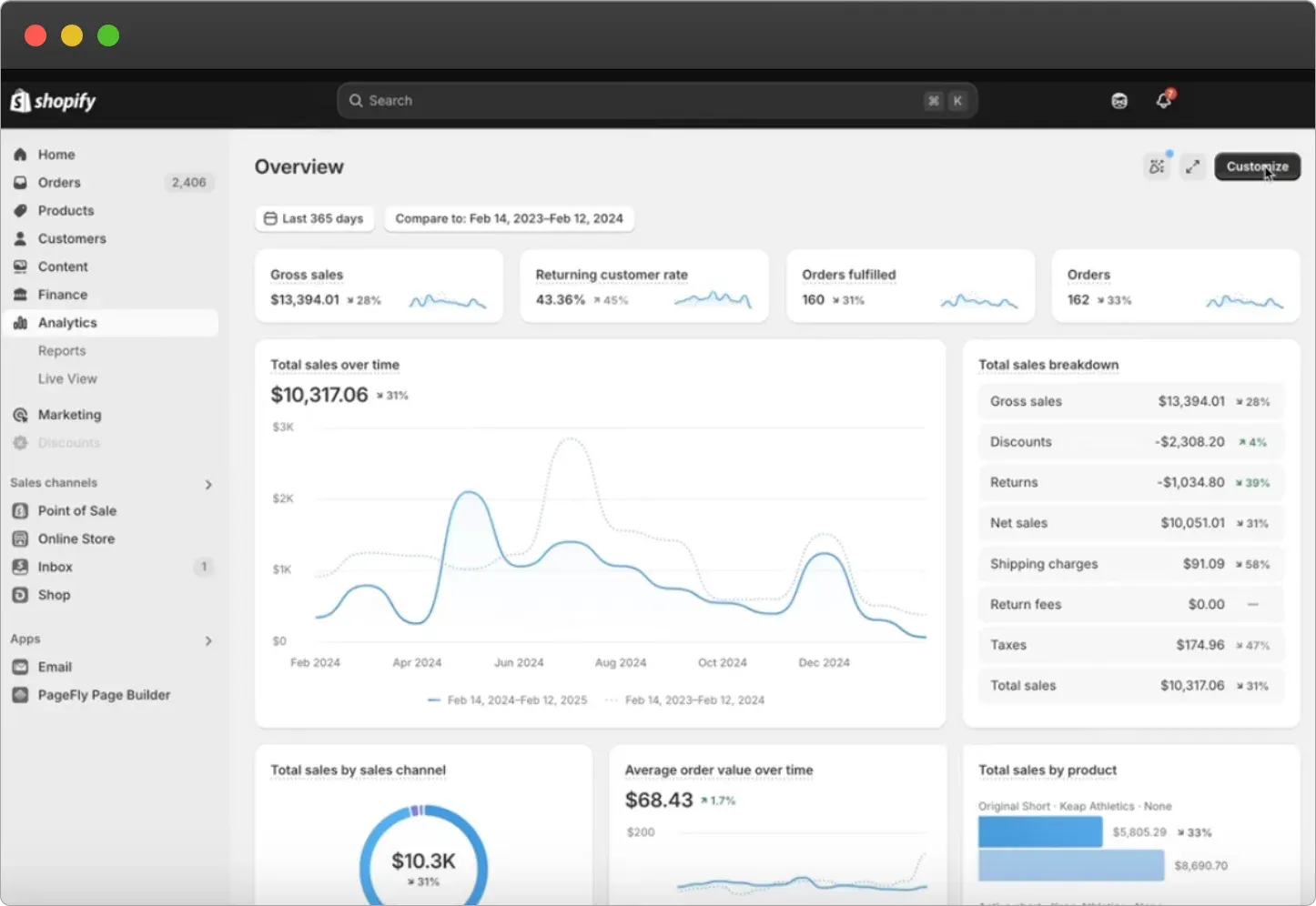
Start by learning from your own data, because last year’s results tell you what to promote and what to fix. Open your Shopify admin and go to Analytics → Reports, then set the date range to last year’s BFCM weekend (November 28 to December 1, 2025).
Then grade your products A to C by how much revenue they earn. Keep discounts smaller on your A products, which sell anyway, and use bigger discounts to clear C products and dead stock. If this is your first BFCM, use your best sellers from the last 90 days instead.
Set one or two clear targets before you plan the campaign, because goals tell you which tasks matter most. Vague hopes like “sell more” cannot guide decisions, so make each target a number.
A realistic goal starts from your own data, not a number you wish for. Use these tips to set one you can actually hit:
Write your final targets where your team can see them, and revisit them after the weekend in task 32.
Stock enough of your best sellers to meet a spike, because running out mid-weekend loses sales you already paid to win. Estimate demand from last year’s top sellers multiplied by your expected growth, then act on it.
Map every offer, email, and ad across the whole weekend and into December, not just Black Friday itself. Early planning pays off, because the National Retail Federation found 54% of shoppers took advantage of early holiday sales in 2025.
Build a simple spreadsheet with a row for each send and columns for the date, the offer, the discount, the channel, and the send time. A clear rhythm works well:
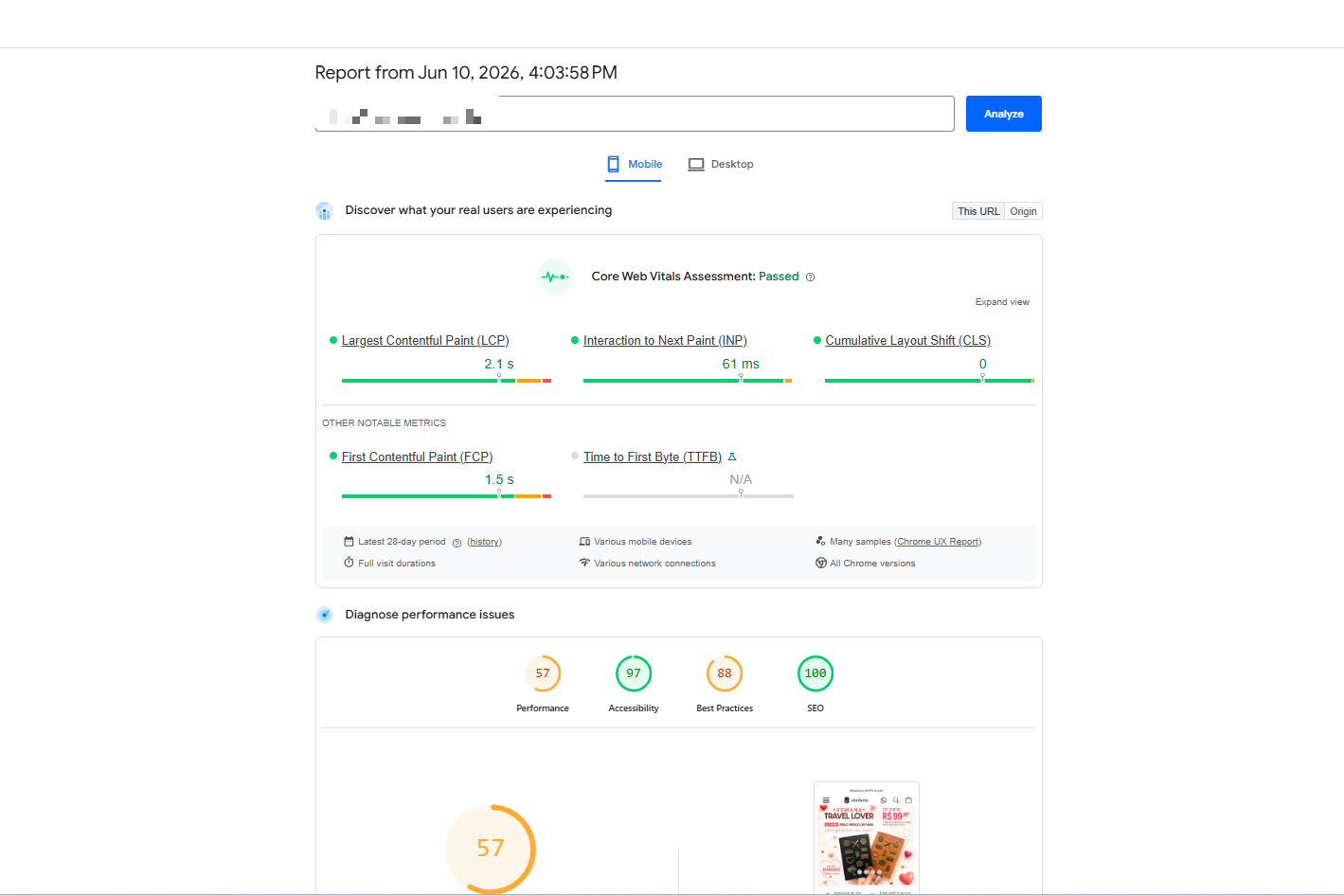
A fast store keeps shoppers from leaving before they buy, and even a one-second delay can cut conversions. Run your store through Google PageSpeed Insights, and check the Online Store Speed report under Analytics in your admin, then fix the biggest problems first.
Site speed is one of the biggest levers in Shopify conversion rate optimization, and it matters most when traffic peaks.
Most BFCM shopping happens on phones, so a mobile-first store is the baseline. Mobile drove 56.4% of holiday online sales in 2025, according to Adobe, so check every page at phone size before the weekend.
Then place a real test order on your own phone from start to finish, since that is the only way to catch problems your customers would hit.
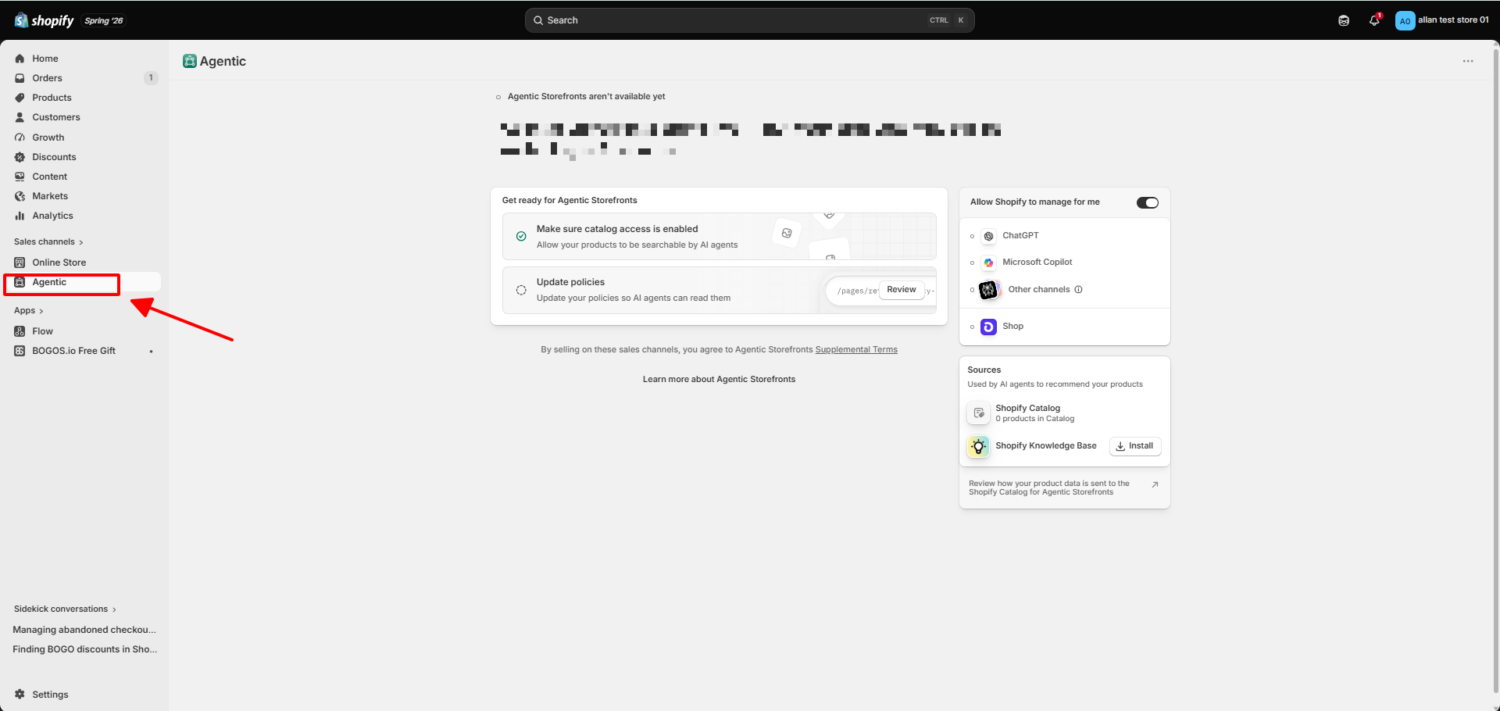
Shopify now has a sales channel built for AI shopping, and it is active by default for eligible stores. Agentic Commerce, which Shopify launched in 2026, syndicates your products through Shopify Catalog to AI channels including ChatGPT, Google AI Mode and Gemini, Microsoft Copilot, and Meta, so shoppers can discover and buy your products inside an AI conversation. You manage it under Sales channels → Agentic in your admin, where you can turn each AI channel on or off and see how it performs.
This channel is growing fast. In the first quarter of 2026, Shopify reported that AI-driven traffic to its stores grew 8 times year over year, orders from AI-powered searches grew nearly 13 times, and new buyers placed orders through AI channels at nearly twice the rate of other channels.
An AI agent picks products by reading structured product data and matching it to a shopper’s request, so your product content decides whether it recommends you. Do the work that makes your store easy for an AI to trust:
During Black Friday and Cyber Monday, mobile traffic becomes one of the most important sources of ecommerce revenue. But when every Shopify brand is competing for attention at the same time, relying only on a mobile website, paid ads, and crowded marketing channels can make it harder to stand out and bring shoppers back.
Shopney helps Shopify and Shopify Plus merchants turn their existing store into a fully branded native iOS and Android app, creating a dedicated mobile shopping channel for their customers without requiring any coding.
A mobile app can give brands a stronger way to capitalize on BFCM traffic by creating a faster, more engaging shopping experience while keeping direct communication with customers through unlimited push notifications, in-app campaigns, personalized offers, and app-exclusive promotions.
This can help merchants:
Shopney’s no-code and AI-powered tools also make it possible for Shopify merchants to create and launch their mobile app quickly, making it a practical addition to a brand’s BFCM strategy even as the shopping season approaches.
Instead of treating BFCM as a few days of discounted sales, brands can use Shopney to turn the customers they acquire during the season into an audience they can continue engaging long after Cyber Monday.
Shoppers decide fast during BFCM, so show the deal the moment they land on the page. When you set a product on sale, fill in the Compare-at price field so Shopify shows the original price struck through next to the sale price.
Strong product content turns a visitor into a buyer, so lead with benefits and back them with detail. Write the first line about what the product does for the shopper, then cover the specifics below.
Add at least one product video, because video does a job that images cannot. A video shows fit, scale, texture, and the product in real use, which answers the doubts that make a shopper hesitate and cuts returns caused by wrong expectations. Static images show a product, while a video shows what it is like to own it, so on higher-priced products, a video often makes the difference. The formats that tend to convert best on a product page are:
Keep videos short and real, since an honest clip of someone using the product usually beats a corporate-looking production. Complete content also helps you win the AI-driven traffic.
Trust signals reassure a first-time shopper, and urgency moves a hesitant one, so use both on the page. Place them where a shopper looks before deciding.
Use a countdown timer only on a genuine deadline, since fake urgency breaks trust and can breach advertising rules.
Related-product blocks lift order value without a discount, so add one below the add-to-cart button. Show a “you may also like” or “frequently bought together” section, and pick items that genuinely complement the main product, which is the core of a good cross-sell setup.
On mobile, place the block just below the add-to-cart button so it catches attention without interrupting the buy. A well-placed product recommendation block is one of the simplest ways to grow the basket, and testing two placements will show you which one earns more.
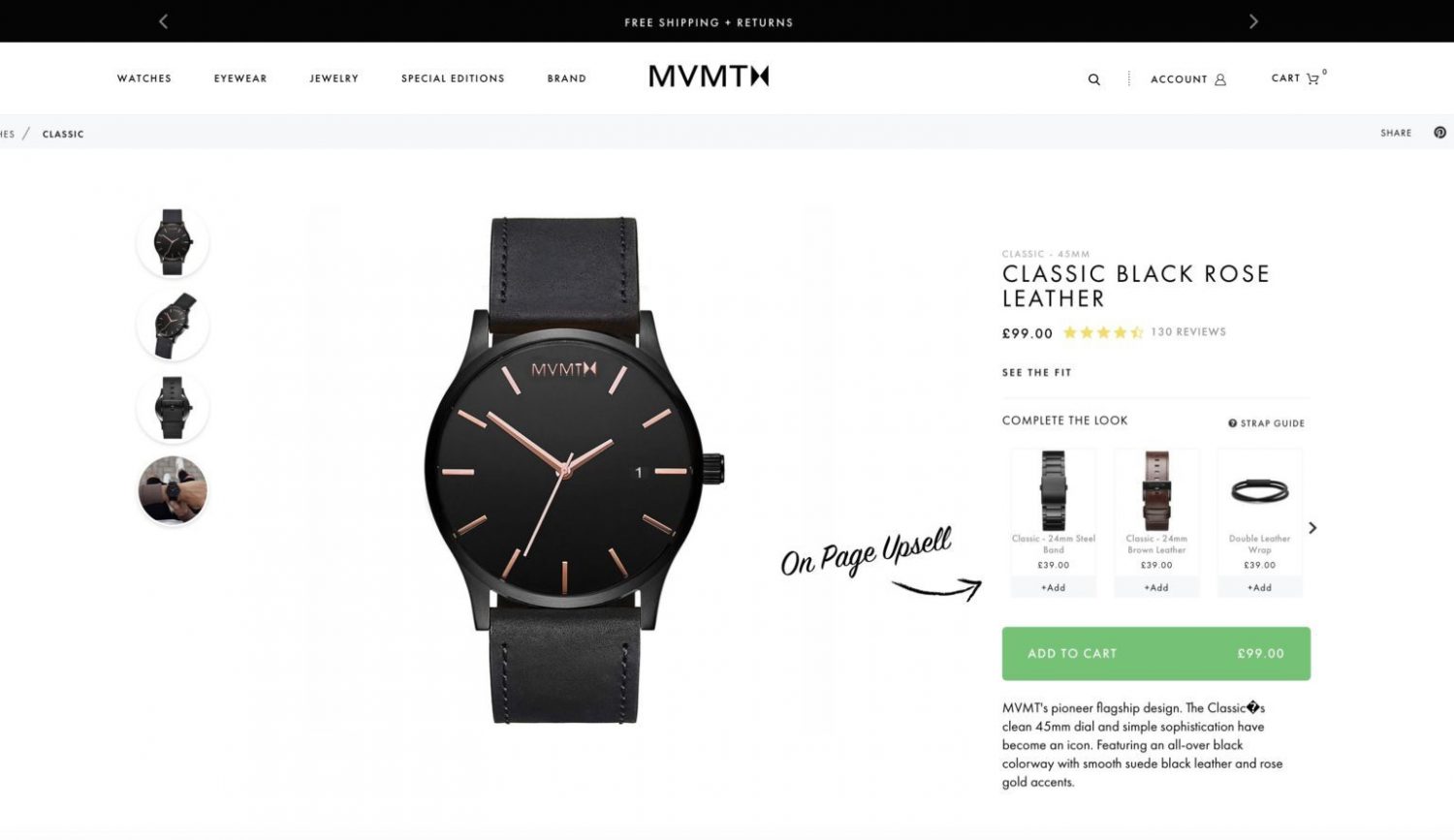
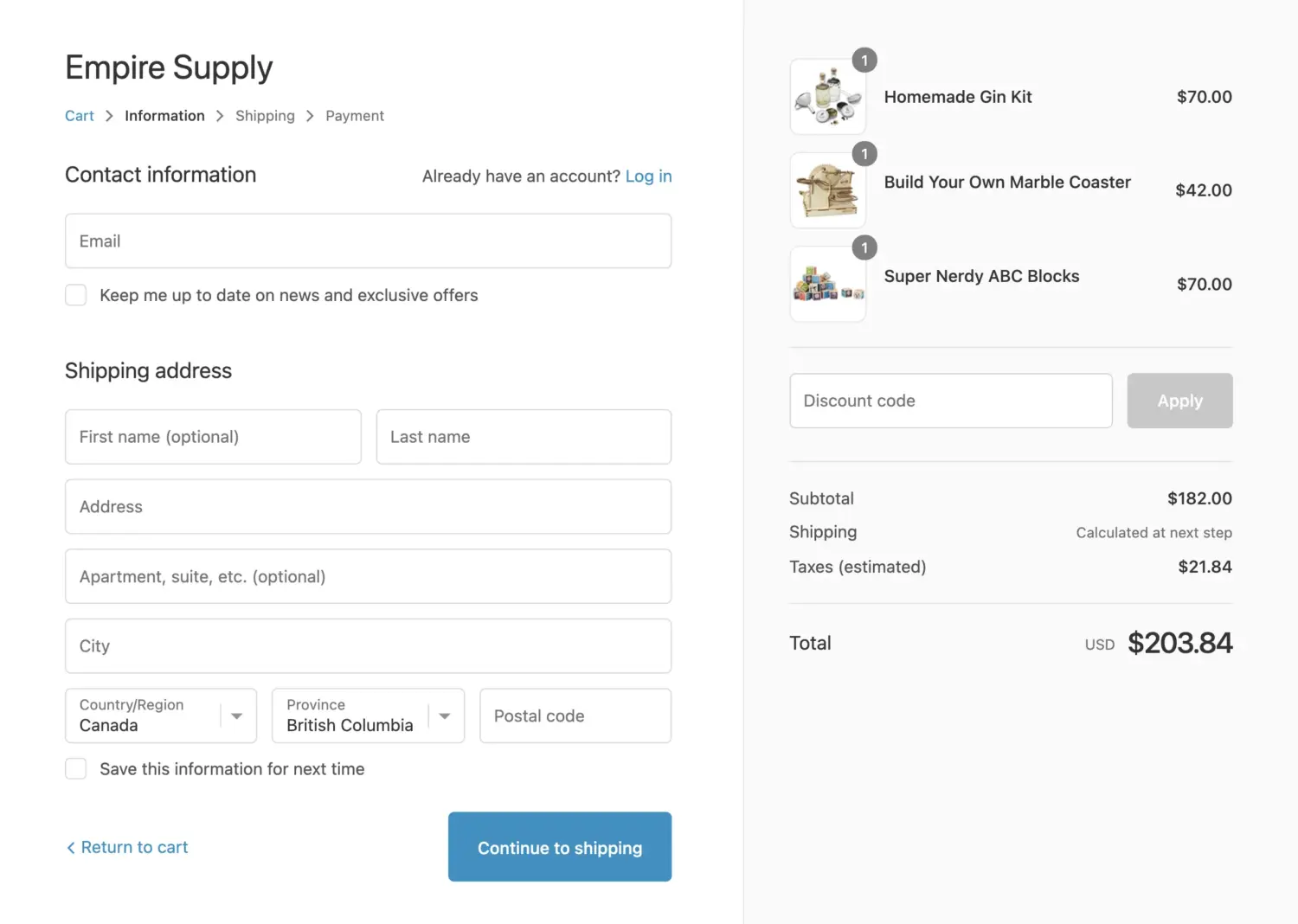
Your checkout is where the sale is won or lost, and most shoppers who reach it still leave. The Baymard Institute puts the average cart abandonment rate at 70.22%, and most of that loss is fixable through design. Removing checkout friction is one of the fastest ways to lift your Shopify conversion rate during a spike.
A clean checkout recovers sales most stores lose, and the top reasons for abandonment are all fixable. Among shoppers who abandon for a fixable reason, the Baymard Institute found 40% cite extra costs that are too high, 18% cite a forced account, and 17% cite a checkout that is too long.
For a full walkthrough of each step, our guide to Shopify checkout optimization covers the fixes in order, and our guest checkout guide shows how to fix the option if it goes missing.
Accelerated checkout buttons remove taps on mobile, where most BFCM shoppers buy. Go to Settings → Payments and enable the options your buyers use, then surface them prominently.
Shop Pay alone handled 32% of Shopify’s BFCM orders in 2025, so making it easy to find is a direct win.
Flexible payment helps shoppers say yes to a bigger cart, especially on higher-ticket items. Buy Now, Pay Later reached a record $20 billion over the 2025 holiday season, and 82.2% of it happened on mobile, according to Adobe.
Small nudges in the cart lift order value without a deeper discount, so give shoppers a reason to add one more item. Set a free-shipping threshold about 10% to 15% above your current average order value, then make the goal visible.
A progress bar like the one in BOGOS tracks a cart’s value toward the next reward and encourages shoppers to reach it, which is a direct way to raise average order value during a sale.
The moment after a shopper commits is a strong time to offer more, so add one relevant upsell in the cart or on the thank-you page. Keep it to one or two offers, since a wall of upsells adds friction and hurts conversion.
A post-purchase upsell on the thank-you page works especially well, because the shopper has already paid and needs no second checkout. A frequently bought together offer fits here because the suggestion feels helpful rather than pushy.
Your homepage is the first thing most shoppers see, so put the deal front and center. Replace your hero banner with Black Friday creative that carries one clear headline and one call-to-action pointing to your sale.
A dedicated landing page makes your deals easy to shop in one place, and it introduces shoppers to more of your range. Go to Products → Collections → Add collection and build it one of two ways.
Then link the collection from your main navigation and homepage, and add an announcement bar across the top with your shipping cut-off dates.
Clear navigation helps shoppers reach checkout faster, so remove any guesswork about where the deals are. Add a “Black Friday” link to your main menu, and keep the paths to your sale, cart, and checkout short and obvious.
Make sure on-site search returns the right products, and add synonyms so a search for “tee” finds your “t-shirts.” A well-set-up Search & Discovery setup helps shoppers find what they came for before they lose patience.
Pick two or three offers that fit your margin, and lean on value rather than the deepest price cut. When Impact surveyed US holiday shoppers in 2025, 44% ranked free and reliable shipping as their most-preferred promotion, 38% chose a percentage discount, 38% chose buy-one-get-one, 21% chose a free gift, and 20% chose a bundle. Strong formats to choose from include:
Do not stack too many offers at once, since that confuses shoppers and eats your margin. Pick the two or three that fit your products and margin, then build them in the next task. For campaign ideas to promote them, from pre-sale list-building to post-sale retention, see our Black Friday marketing ideas guide.
Build the offers from task 20 with a Shopify promotions app, since gifts, bundles, BOGO deals, tiered rewards, and a cart progress bar all run through one. Install an app from the Shopify App Store, connect it to your theme, then set up each offer.
The setup follows the same pattern in most apps:
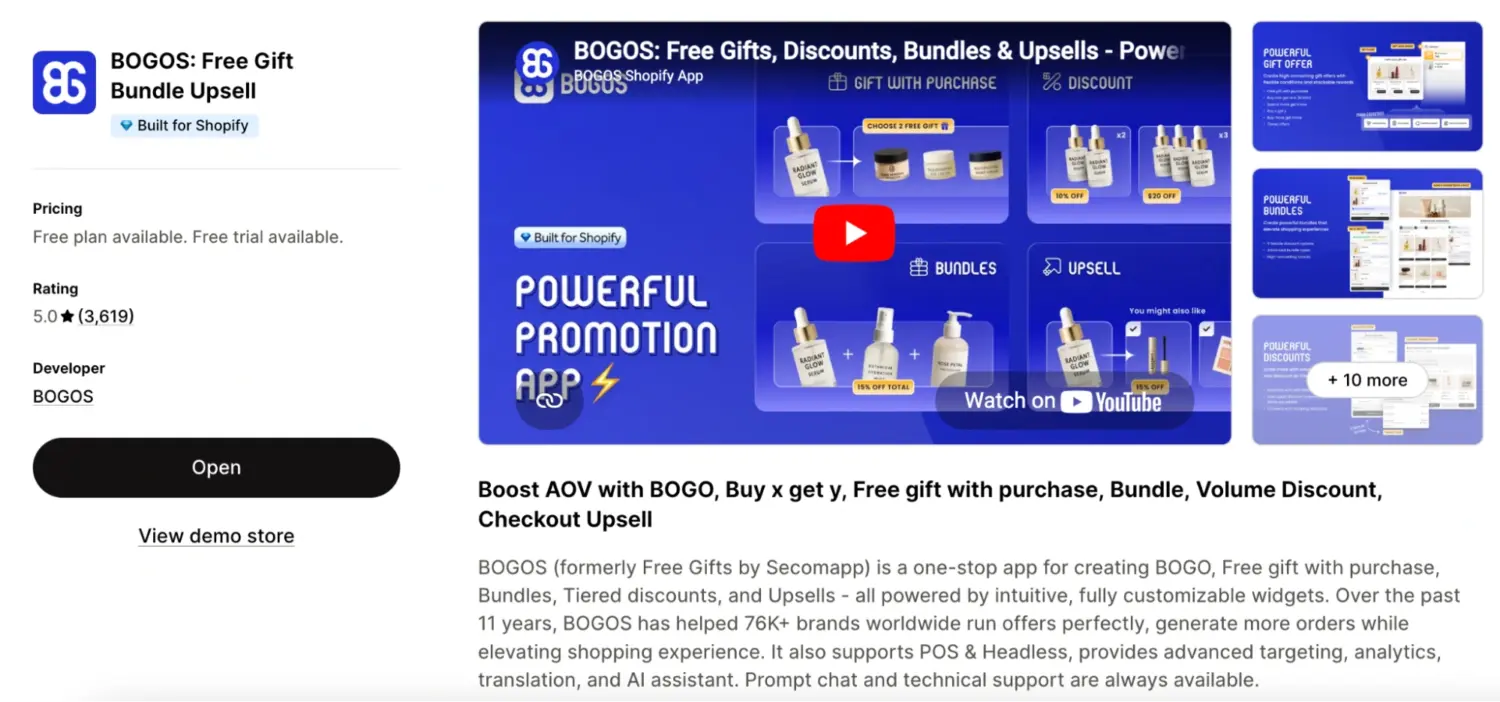
Several apps handle this well, and a promotions app such as BOGOS lets you run free-gift, BOGO, buy X get Y, bundle, and volume offers from one place and stack them together. That range helps during BFCM, when you often want to test which offer converts best rather than commit to a single one. A promotions app is only one piece of the toolkit, though; our guide to the best Shopify apps for BFCM covers the full stack, from SMS and reviews to tracking.
Never assume an offer works until you have run it yourself, because a broken discount on Black Friday morning is an expensive mistake. Place a real test order for each offer, on both desktop and mobile.
Your list is your most profitable channel because it reaches people who already know you, so grow it before the rush. Start in October and early November, since a warmed-up list beats cold ads once the weekend arrives.
Build anticipation before the public sale, because a shopper who is waiting for your deal is easier to convert. Send teaser emails two to three weeks out with sneak peeks of what is coming.
Automated flows recover sales you would otherwise lose to a 70.22% abandonment rate, so set them up before traffic peaks. A three-message cart-recovery series works well.
Add a browse-abandonment flow for shoppers who viewed products but never added them. Our guide to a Shopify abandoned cart discount walks through the timing and the offer in detail.
Social platforms are becoming checkout channels, not just discovery, so meet shoppers where they already are. eMarketer projects TikTok Shop US sales will reach $23.41 billion in 2026, a 48% increase, according to a research-firm projection.
Retargeting brings back shoppers who did not convert the first time, which is cheaper than finding new ones. Install a Meta Pixel and a Google Ads tag so you can build audiences from real behavior.
A clear shipping and returns policy prevents abandoned carts and support tickets, so state everything upfront. Shoppers abandon when costs or timing are unclear, and gift buyers need to know their order will arrive in time.
Higher traffic means more questions, so ready your support before the rush. Shopping peaks at lunchtime on Black Friday, so plan for the busiest hours.
Watch your store in real time over the weekend so you can react fast. Use Live View in your admin to track visitors, their location, and the pages getting the most attention.
The real value of BFCM is the second purchase, and about half of holiday shopping happens after the weekend, per the National Retail Federation. A Shopify and Sapio Research survey of 18,000 shoppers found 49% said discounts would keep them loyal after a holiday purchase, 41% cited free shipping or returns, and 29% cited loyalty programs.
Close the loop while the weekend is fresh, because the lessons fade fast. Use your Shopify reports to see what sold, which offers and channels paid off, and where shoppers dropped off.
Reviewing results is how each BFCM helps you increase sales on Shopify the following year.
Black Friday 2026 rewards preparation more than aggression. Last year’s data pointed to three shifts: shoppers now buy through AI channels, social and creators drive real sales, and flexible payment is expected. Work through the nine phases in order, optimize your product pages and checkout before you build a single offer, and lead with value to protect your margin. Do that, and plan for the second purchase, and you set your store up to grow well past the weekend and increase sales on Shopify through the whole holiday season.
No, Shopify does not run a storewide sale on your behalf. It typically offers a discount on annual plans and a low-cost intro rate for new merchants, and it gives you the tools to run your own Black Friday deals. Setting and promoting the offers is your job.
There is no single right number, and deeper is not always better. Most categories peaked at only 20–30% off in 2025 yet still drove record sales, per Adobe. Premium brands often hold value at 15–20%, while many stores land around 25–30%. Going far beyond 40% can train customers to wait for your next sale, so consider adding value with gifts or bundles instead of cutting deeper.
Run your sale from Black Friday through Cyber Monday at a minimum, so November 27 to 30 in 2026. Many stores start earlier in November to catch early shoppers and spread out demand, since more than half of holiday shopping happens across the wider season rather than on one day.

Shopify collections decide how shoppers find your products, yet many guides still describe a setup Shopify is now replacing....

A Shopify announcement bar is the thin strip at the top of your store that tells shoppers about shipping,...
Australia is one of the first markets many Shopify stores expand into. It is large, English-speaking, and home to...
