
![[2026] Shopify Mix And Match Bundle: Step Guides, Apps & Best Tips](https://bogos.io/wp-content/uploads/2024/07/shopify-mix-and-match-bundle-the-ultimate-guide.jpg)



Charlie Ngo
•
Last updated: 20 October, 2026
Shopify Collections: How To Create & Organize Them (2026)
Shopify collections decide how shoppers find your products, yet many guides still describe a setup Shopify is now replacing....
[2026] Shopify Mix And Match Bundle: Step Guides, Apps & Best Tips

Marketing Manager
Summarize this post with AI
A mix and match bundle is a promotion where customers choose their own items from a group you define and buy them together at a bundle price. This guide explains what a mix and match bundle is, why Shopify merchants use them, and how to set one up two ways — with Shopify’s native tools and with a bundle app. You will also get real store examples, strategies to sell more, and the numbers to track. I am Charlie Ngo from the BOGOS team, and I help Shopify merchants build promotions like this every week.
A mix and match bundle lets the customer build their own bundle. You pick the products they can choose from. The shopper then selects the ones they want and buys them together at a bundle price.
This is different from a fixed bundle. In a fixed bundle, you choose every item, and the customer buys that exact set. A “Summer Skincare Kit” with a set cleanser, toner, and moisturizer is a fixed bundle.
A multipack is different again. It is several units of one product, like a 3-pack of the same coffee.
Build-your-own-bundle is another name for a mix and match bundle. The name changes, but the customer still does the choosing.
| Bundle type | Who picks the items | Best for |
|---|---|---|
| Fixed bundle | You, the merchant | Curated kits with one clear use |
| Mix and match | The customer, from your set | Variety catalogs and consumables |
| Multipack | Neither — multiples of one item | Single products bought in bulk |
This mix and match bundle format is common on real stores. The French vinyl retailer X-Ray Production, for example, ran a mix and match bundle in our app, BOGOS, that let customers fill a crate at “buy 3 for €30, buy 4 for €40,” and used it to move slower-selling records without a storewide sale which results in €13,000 in additional sales and 200+ new orders.
Shopify merchants use mix and match bundles for four clear reasons.
We see this with our own merchants. One supplement store, Optimum Performance, grouped products into build-your-own routines with our app and now earns an extra $10,000 or more each month. The bundle did the work, not a bigger discount.
You can build a basic mix and match bundle using a Shopify collection and Shopify’s native discount feature. No app needed. Here is the step-by-step guide
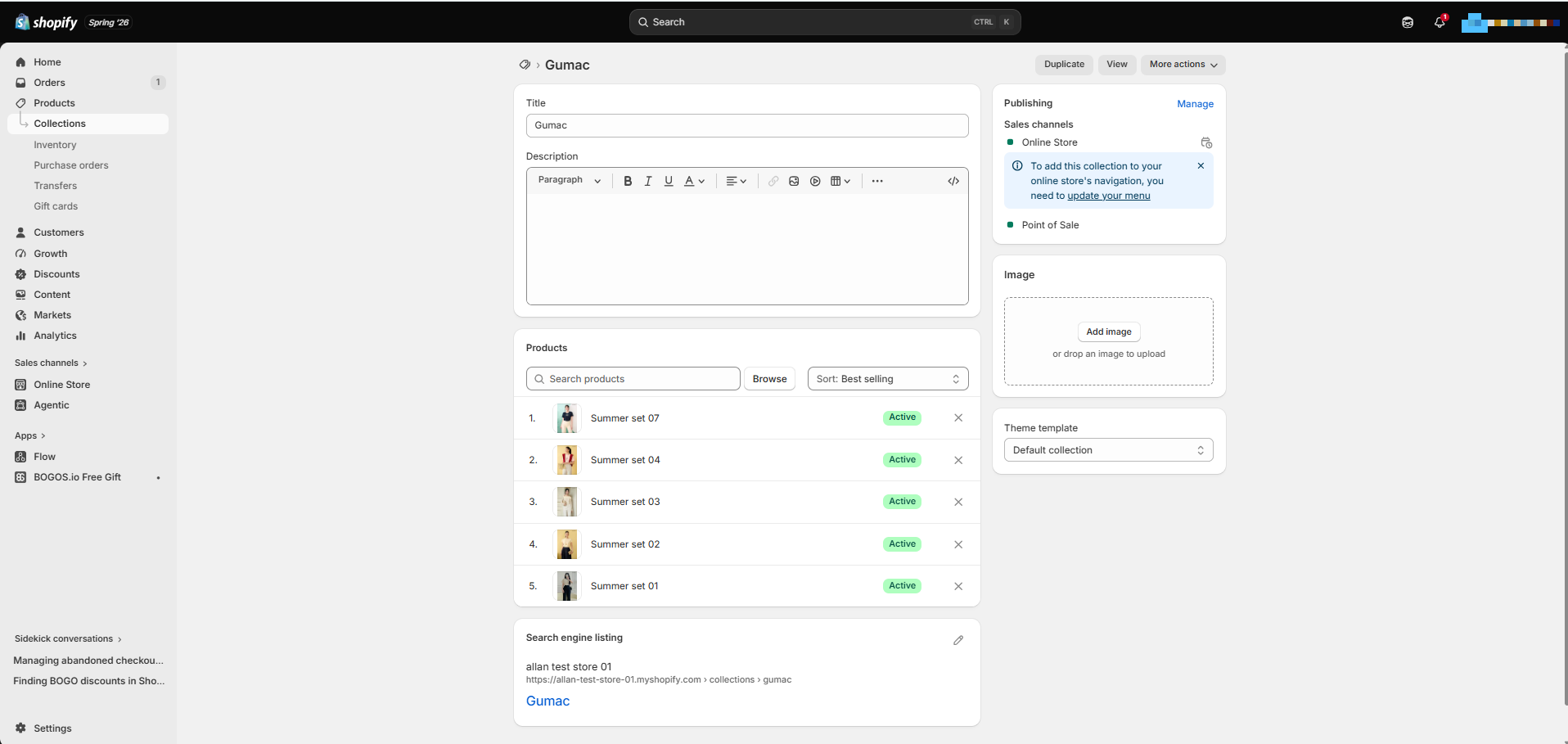
Add every product you want customers to choose from. Name it clearly, like “Build Your Own Coffee Box.”
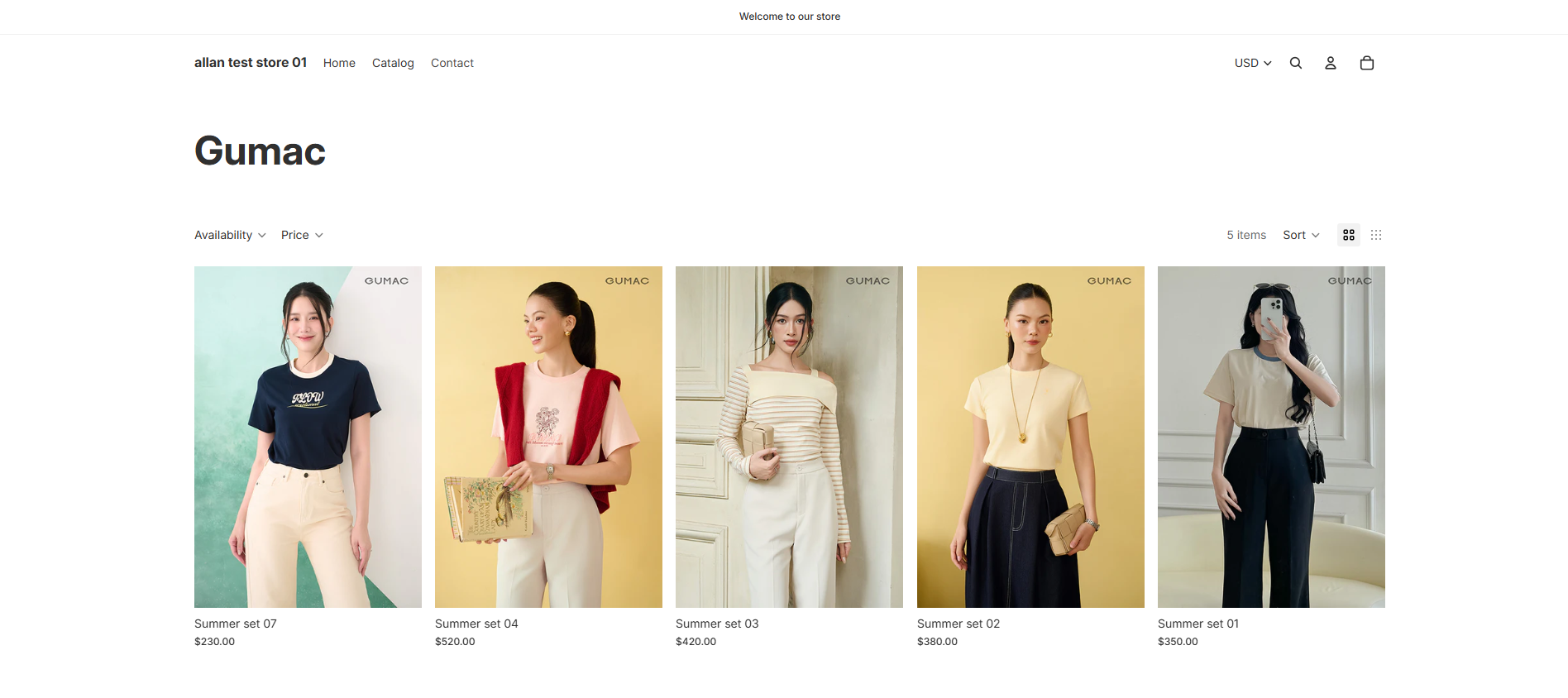
Every Shopify collection has its own URL. Link to it from your menu, homepage, or a banner so shoppers land on the build-your-own page.
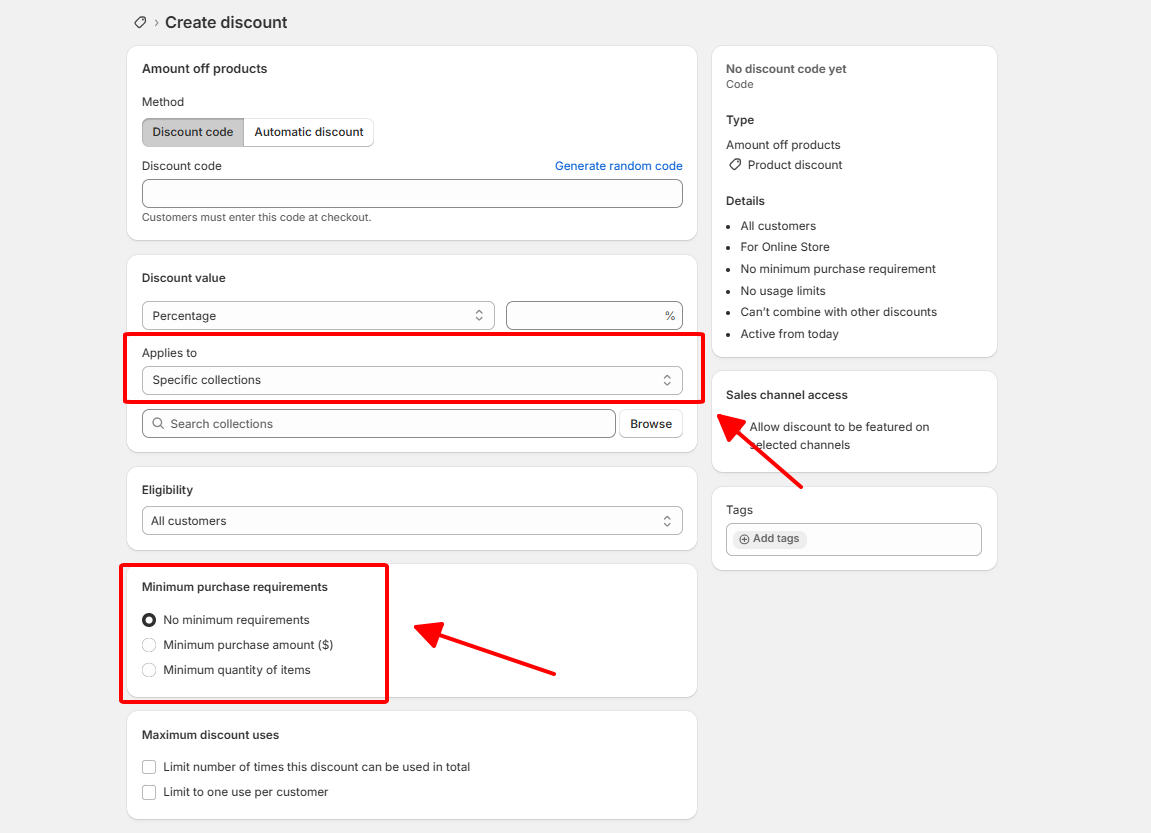
In your Shopify admin, open Discounts and create an automatic discount that applies only to that collection. Set a percentage or amount off, and add a minimum quantity so the discount applies once the customer picks enough items.
This method works, and it costs nothing. It is a good way to test the idea before you pay for an app. It also has real limits worth knowing before you launch:
A bundle app gives you what the no-app route cannot: real quantity rules with a maximum, flexible pricing, a build-your-own screen, and inventory that syncs per product. An app also lowers stock for each item as it sells, so you avoid overselling, and it tracks bundle-specific results you can act on.
Three apps handle mix and match well. Ratings and pricing come from the Shopify App Store and can change, so check the current listing before you install.
| BOGOS | BundleSuite | Fast Bundle | |
|---|---|---|---|
| Best for | All-in-one promotions (bundles + GWP + BOGO + upsells) | Budget-friendly mix & match and BYOB | Diverse bundle formats with advanced customization |
| Rating | 5.0 ⭐ (4,300+ reviews) | 5.0 ⭐ (440+ reviews) | 5.0 ⭐ (3,300+ reviews) |
| Pricing | Free plan available; up to $109.99/month | Free plan available; from $12.99/month | Free to install; from $19/month |
| Bundle types | Fixed, mix & match, BYOB, volume, BOGO, GWP, upsells | Mix & match, BYOB, box builder, volume discounts | Fixed, mix & match, BYOB, BOGO, volume, subscriptions, FBT |
| Multi-step builder | ✅ Per-step quantity rules | ✅ Per-step quantity rules | ✅ Per-step quantity rules (min/max per step) |
| Bundle placement | In-product-page widget + dedicated bundle builder link | Dedicated bundle page | Dedicated bundle page, product page widget, or specific product page |
| Tiered discount types | Mixed per tier: %, fixed amount, fixed price, free gift, free shipping (add-on per tier) | Single type per tier: %, fixed amount, or fixed price only | Mixed per tier: %, fixed amount, fixed price, cheapest item free, free shipping |
| Booster tools | Global “Today’s Offers” block, progress bar, offer page | ❌ None | Progress bar, offer page |
| Advanced targeting | URL, location, customer tags, order history, sales channel | ❌ None | ❌ None |
| POS support | ✅ | ❌ None | ✅ |
️🏆 Best for: merchants who want mix and match plus free gifts, upsells, and discounts in one app.
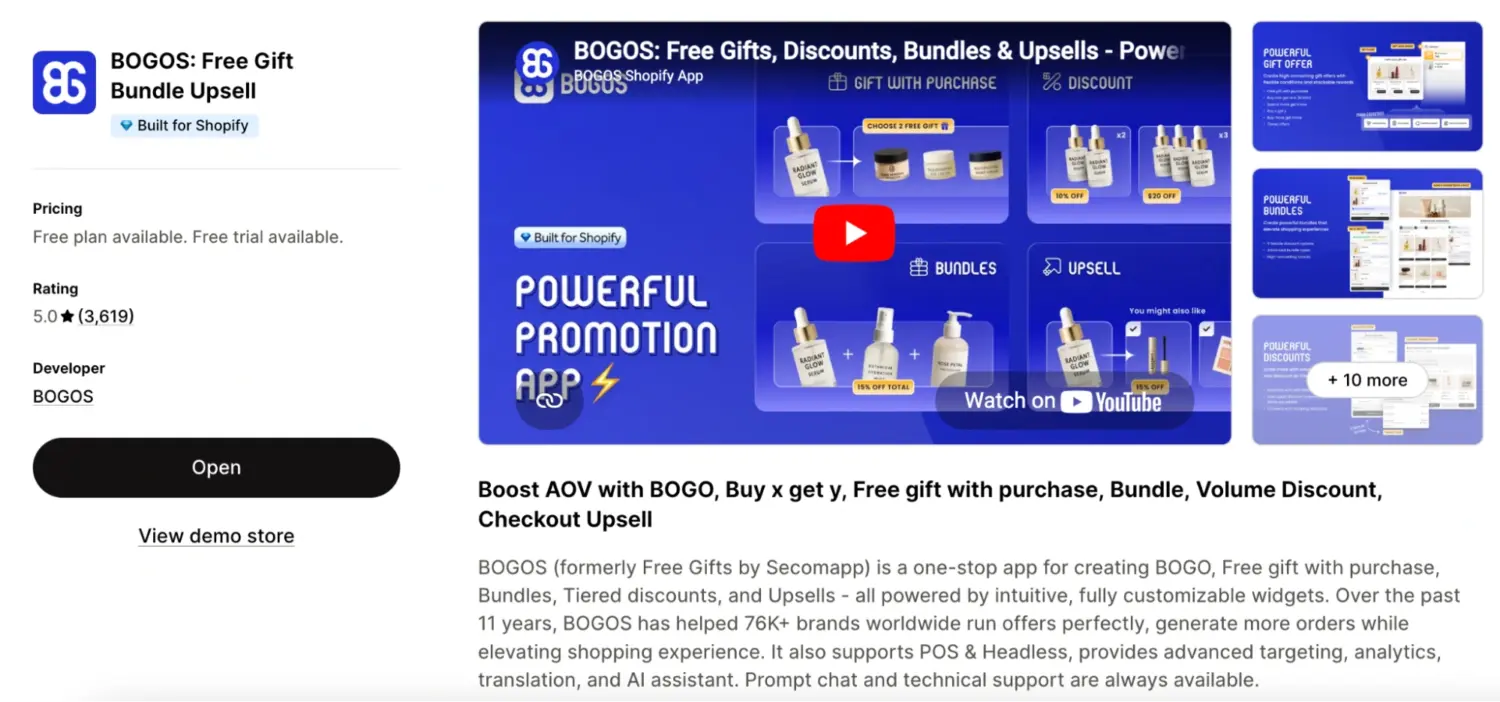
BOGOS is our app, and it runs mix and match alongside build-your-own-box, fixed bundles, free gifts, BOGO, upsells, and volume discounts. That range lets you manage every promotion from one dashboard instead of stacking several apps. It has served more than 80,000 Shopify stores over 11 years, and it supports POS and headless stores.
Key features:
🏆 Best for: stores that want broad bundle types with highly styled storefront widgets.
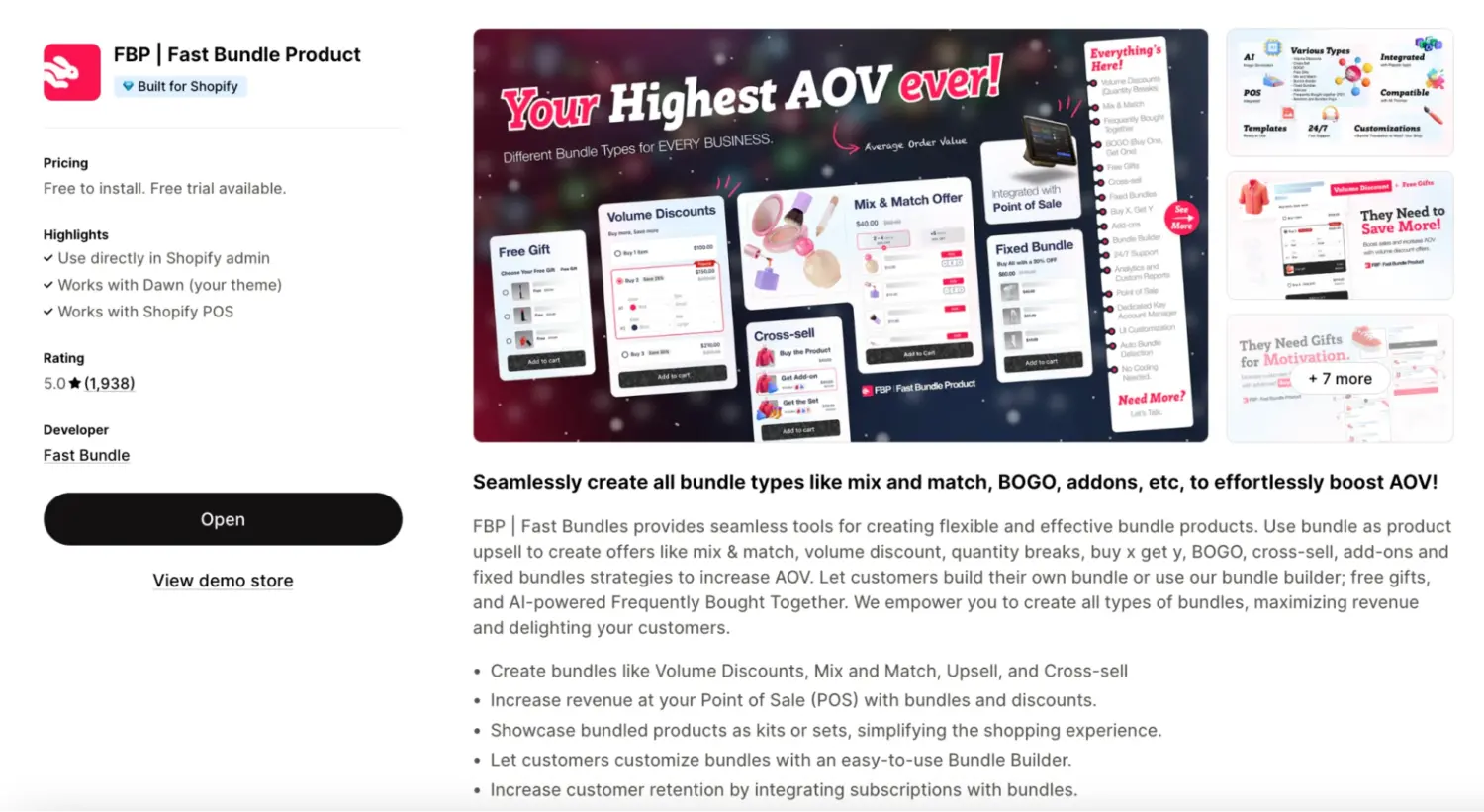
Fast Bundle focuses on bundles first and gives you strong control over how the widget looks on the page. It covers mix and match, fixed bundles, and build-your-own kits, and it adds AI product recommendations. It is a good fit if storefront design is a priority and you want to launch quickly.
Key features:
🏆 Best for: Budget-friendly mix & match and BYOB
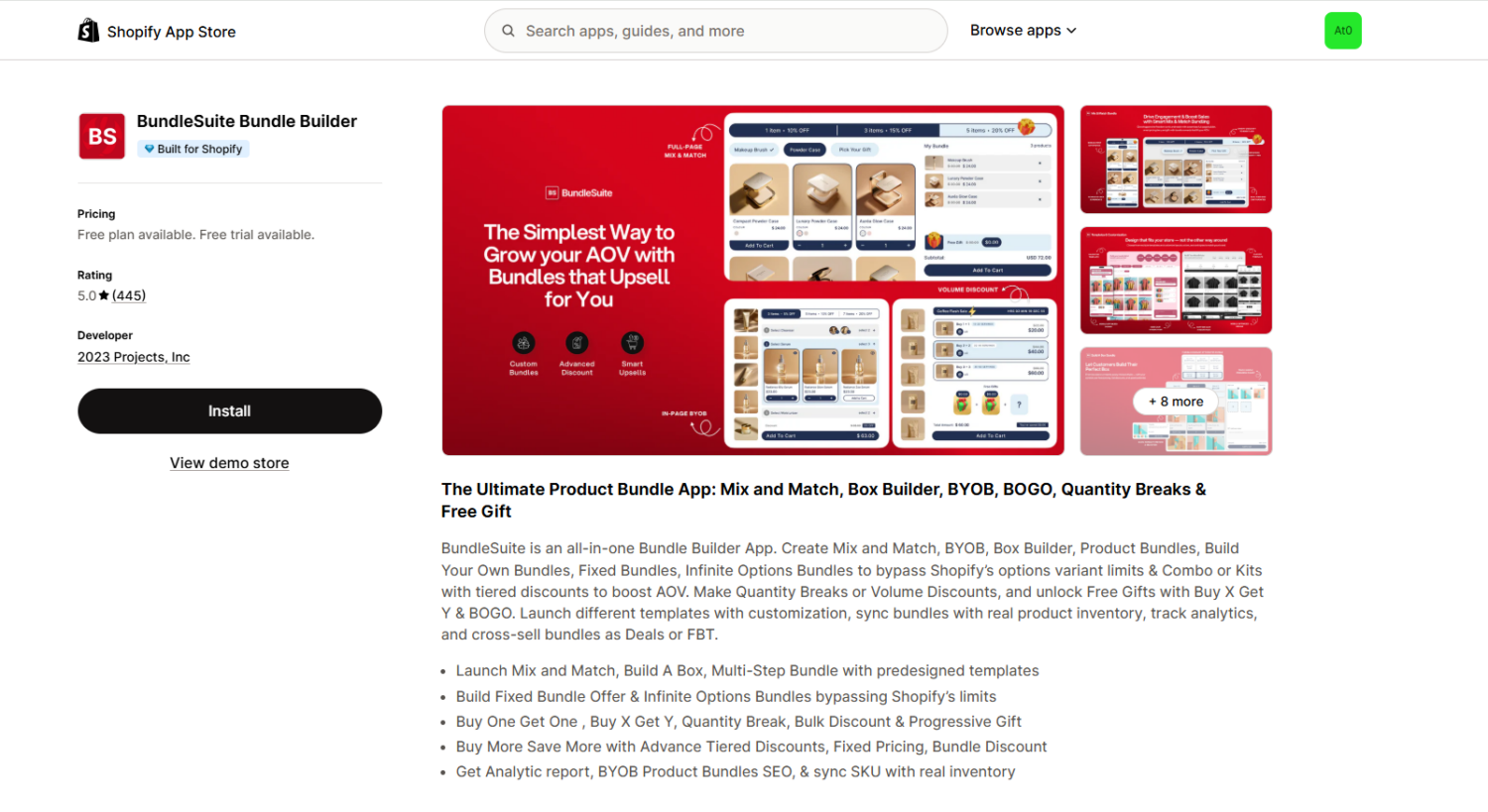
BundleSuite is an all-in-one bundle builder with eight bundle templates, including mix and match, build-your-own-box, and a multi-step builder. Its standout feature is the infinite options bundle, which bypasses Shopify’s 100-variant limit and supports up to 2,048 variants, so it suits stores with big catalogs. It syncs stock at the real SKU level and gives each bundle its own product page.
Key features:
For a full comparison of all the top Shopify mix and match bundle apps — including detailed reviews, pros/cons, and feature breakdowns — see our review of The 8 Best Shopify Bundle apps.
A few changes make a mix and match bundle sell more. Each one is small on its own. Together they add up.
Reward bigger baskets with “the more you add, the more you save.” A shopper who picks 5 items saves more than one who picks 2. This pulls up the number of items per order, and it reads as a reward rather than a markdown, so it protects your brand. You can set this up with a tiered discount in BOGOS and most other bundle apps, then state each tier in your copy so shoppers see the ladder.
Show the shopper how close they are to the next reward or discount tier. A progress bar works because people push harder as they near a goal. When a shopper sees “add one more to save 15%,” many will add that item. Our Progress Bar does this, and it is one of the easiest ways to lift both completion and cart size.
Give a gift when the customer hits a set spend or item count. A gift often feels more valuable than the same amount taken off the price, and it protects your margin because you control the gift’s cost. It also gives shoppers a clear target to reach. This is a proven way to reward larger orders with a free gift.
Use a minimum to protect your margin and a maximum to keep the price predictable. A minimum makes sure the bundle is worth the discount. A maximum stops a shopper from stretching a flat price across too many items. Clear limits also make the offer easier to understand.
Tell the shopper how much they save at the moment they choose. A visible “You save $12” removes doubt and drives the add. Clear savings reduce hesitation, which is the main reason a half-built bundle gets abandoned.
Three Shopify stores that run our app, BOGOS, show how a mix and match bundle performs when it fits the catalog. Each ran the bundle as one part of a wider offer mix, so treat the results as what the whole system earned, not the bundle alone.
Vesync sells smart home appliances, and durable appliances have a built-in problem: customers do not buy a new air fryer every month. For BFCM 2025, the Japan team, a BOGOS customer, built a mix and match bundle around their COSORI air fryer line instead of discounting the fryer on its own.
The bundle paired a hero product with functional add-ons priced 3 to 5 times lower. Shoppers who added the COSORI PRO LE 4.7L air fryer, an accessory set, and parchment liners unlocked a $25 cart discount, about 12.5% off a $174 order. The add-ons felt small next to the main unit, so shoppers stopped asking “do I need these extras?” and started asking “why not get the complete set?”
Run alongside volume discounts and gift offers, the wider BFCM campaign grew orders by 128% and lifted average order value by 10%. You can read the full breakdown in the Vesync Japan case study.

PTC Auto, a Romanian car accessories retailer and BOGOS user, sells products built to last, which means customers may not return for years. The fix was to add consumables and bundle them so shoppers would buy more than one at a time.
For their diffuser line, PTC Auto used a mix and match bundle: buy one AMOS Mini diffuser with a set of 7 spare perfume refills for a 16.3% discount. The mix and match format did the work, because fragrance is personal, and letting shoppers choose their own refills fit how they actually buy. The discount was big enough to complete the bundle and small enough to protect margin.
The consumables push, promoted with several BOGOS offers, generated about $10,500 across 162 orders in one month. The PTC Auto case study covers the full four-offer system.
Missing Pen sells luxury writing instruments in Germany, where any sitewide discount risks making a premium catalog look cheap. The store, another BOGOS merchant, needed to grow average order value without cutting a single price.
One of their four offers was a mix and match bundle with a tiered discount: buy 2 items from the LAMY AL-star mint collection for 10% off, or buy 4 for 20% off. Two things made it work. The products sat at an accessible price a shopper could realistically buy in multiples, and the gap between the two tiers did the upsell quietly, since two more pens is a small step when 20% is waiting at four.
Across all four offers, Missing Pen added €36,000 in revenue and lifted AOV by 19%, with no storewide discount. The Missing Pen case study shows how each offer matched a different product type.
The common thread: every store matched the bundle to how customers already bought. Vesync anchored a kit with cheap add-ons, PTC Auto gave choice on a personal-taste product, and Missing Pen used tiers on items priced for multiples. The bundle did the work, not a deeper discount.
A mix and match bundle is one of the simplest ways to lift average order value.
You now know what it is, why merchants use it, and how to build one two ways. The no-app route — a collection plus a native Shopify discount — is fine for a quick test, but it cannot cap the bundle size or show a live builder. A bundle app adds quantity rules, flexible pricing, and completion nudges, and BOGOS, Fast Bundle, and BundleSuite each suit a different kind of store. Layer in tiered discounts and a progress bar, then track your average order value and completion rate to keep improving. Start with products your customers already want to combine, and the bundle will earn its place.
Yes, you can. There are many Shopify apps that can help you create bundles. They allow you to provide product bundles, mix and match options, and discounts.
To create such bundles in Shopify, you will need to install a bundle app, e.g. Fast Bundle from the Shopify App Store. Configure the app to establish your bundle options and customize settings, then save and publish the bundles.
Yes. Create a collection of eligible products and add a native Shopify discount scoped to that collection. You can set a minimum quantity, but not a maximum, so it cannot cap the bundle at a set size or charge one flat price. For those, use a bundle app.
Set a minimum that protects your margin and a maximum that keeps the price sensible. A common setup is “pick 3 to 5.” Test a few ranges and watch your completion rate.

Shopify collections decide how shoppers find your products, yet many guides still describe a setup Shopify is now replacing....

A Shopify announcement bar is the thin strip at the top of your store that tells shoppers about shipping,...
Australia is one of the first markets many Shopify stores expand into. It is large, English-speaking, and home to...
