



Charlie Ngo
•
Last updated: 7 October, 2026
Shopify Product Configurator: 2D vs 3D, Best Apps & Costs (2026)
Shoppers hesitate to buy a $1,200 sofa or a custom ring when they can’t see the exact version they’re...
![How to Add a Shopify Shoppable Video? [2026 Guide]](https://bogos.io/wp-content/uploads/2026/06/Shopify-shoppable-video.jpg)
How to Add a Shopify Shoppable Video? [2026 Guide]

Marketing Manager
Summarize this post with AI
Most shoppers will happily watch a product video, then leave without buying. The gap between watching and buying is where sales quietly disappear. Shopify shoppable video closes that gap by letting people tap a product inside the video and add it to their cart without clicking away.
This guide covers what shoppable video is, why it helps your conversion rate, how to add it to your store, the best apps to use, what to measure, and the mistakes that quietly waste the effort. I’m Charlie, BOGOS’s Marketing Manager, and I’ve spent a lot of time looking at what actually moves the needle for Shopify merchants, so I’ll keep this practical.
A shoppable video is a clip with product links built in. Shoppers can watch, tap the item they like, and add it to their cart without leaving the page. It turns video from something you watch into something you buy instantly.
According to Wyzowl’s State of Video Marketing report, 91% of businesses now use video in their marketing. But a regular product video only plays. A shoppable video lets viewers add items to their cart right from the clip. That shorter path cuts out extra steps and moves customers from interest to checkout faster.
On a Shopify store, shoppable videos usually appear in one of five formats. Each suits a different page and goal.
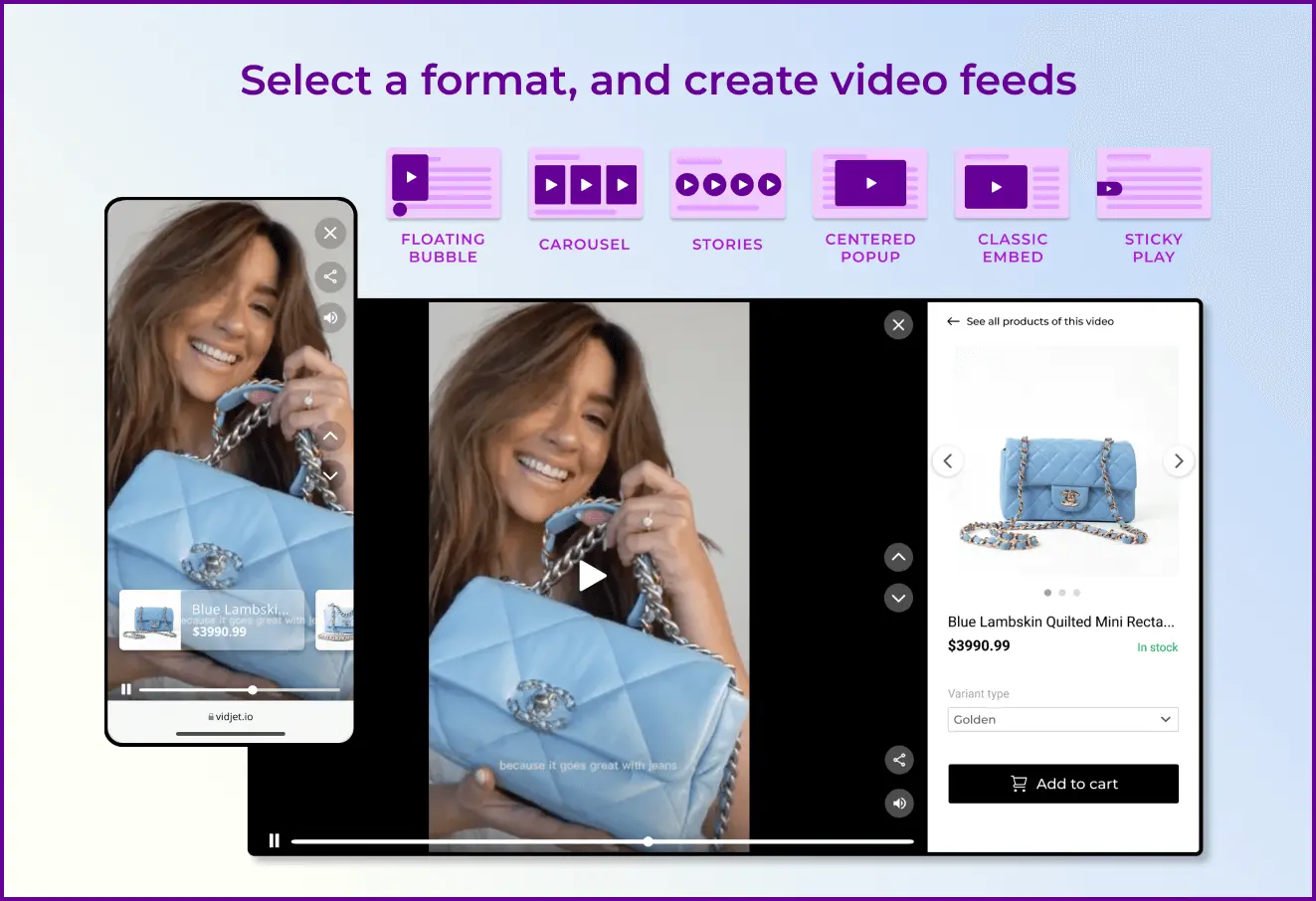
The right format depends on where you place it and what you want shoppers to do, something we’ll come back to in the tips section.
Most online carts never make it to checkout. Across roughly 49 studies, the average documented cart abandonment rate sits at about 70%, and it has barely moved in over a decade. Nearly 60% of consumers abandon a cart because they’re just browsing and not ready to buy, and the rest often leave because of frictions, according to Baymard Institute:
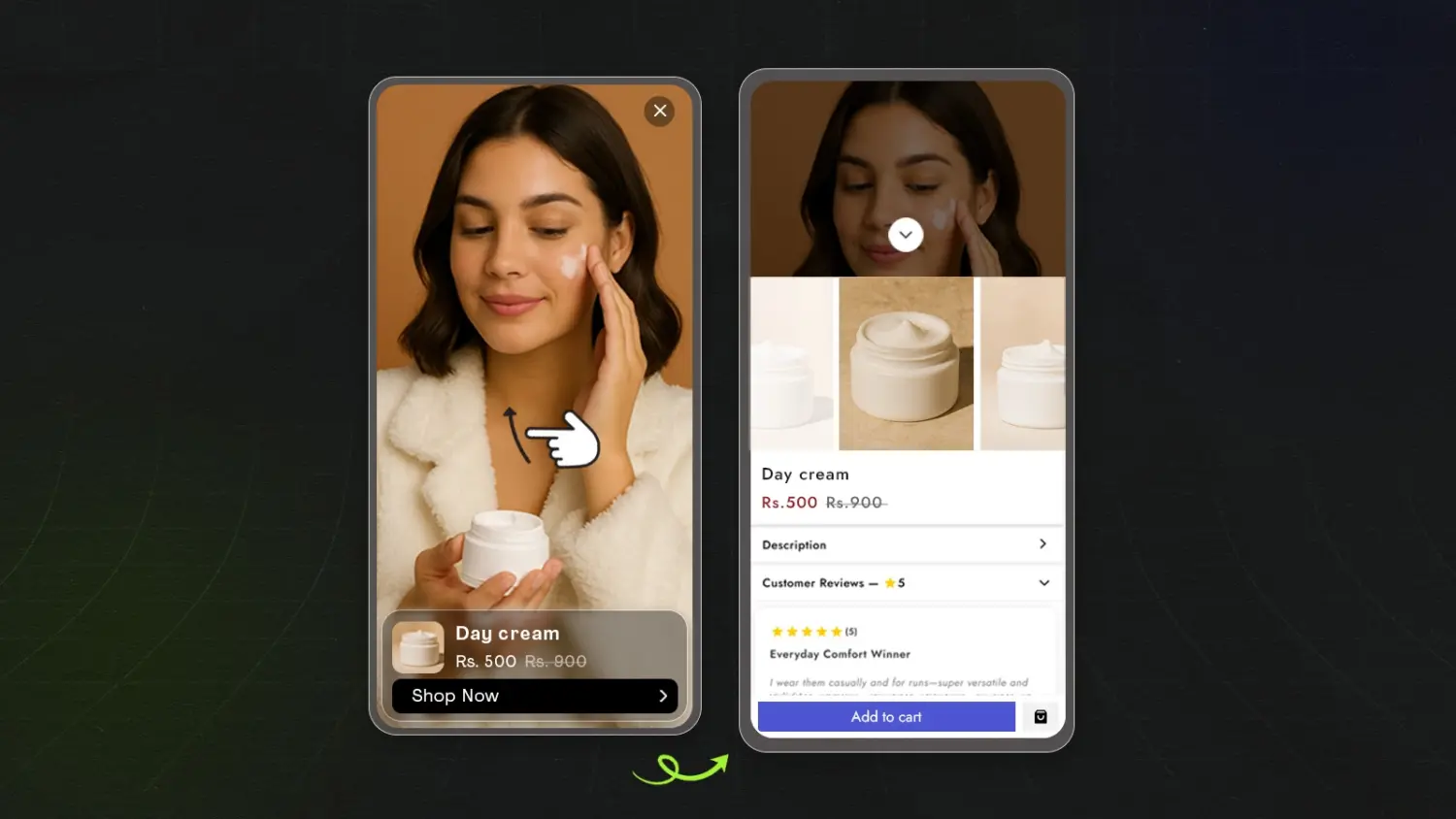
Shoppable video attacks one part of that friction directly: the doubt. Here is what it does for your conversion rate.
Shopify offers three native ways to add product videos, but none of them support shoppable videos. To add them, you’ll need a third‑party app.
Video commerce is growing fast. Market.us projects the global market will expand about 32% annually through 2034, driven by live and shoppable formats. That growth has filled the Shopify App Store with dozens of video apps, which makes choosing the right one tricky.
To make it easier, I’ve highlighted three apps that stand out. Each is built for Shopify, works smoothly with social video, and keeps page speed under control. The table below gives you a quick overview, followed by details on each app.
| App | Rating & Reviews | Video import | Widgets | Speed load | Pricing |
|---|---|---|---|---|---|
| Reelfy‑ Shoppable Videos Reels | 4.8 ⭐ – 215 reviews | – TikTok – Upload directly | -Stories -Video carousel -Stacked -Reel pops -Grid | Lightweight widgets designed to keep storefront speed stable | – Free plan – Paid plans start from $9.99/month |
| ReelUp‑Shoppable Videos+Reels | 5.0 ⭐- 294 reviews | – TikTok – Youtube – Upload directly | -Stories – Carousel -Stacked -Reel pops -Grid -Rounded pop-up | Lazy loading, autoplay, and mobile optimization for stores using many videos. | – Free plan available – Paid plans start from $29.99/month |
| Moast Shoppable Video & UGC | 5.0 ⭐- 289 reviews | – TikTok – Upload directly | -Stories -Carousel -Stacked -Reel pops -Grid -Featured video | Small, lightweight player with minimal layout shift | – Free plan available – Paid plan is $15/month |
| Videowise: Shoppable Video UGC | 4.7 ⭐ – 254 reviews | -TikTok – Drive / Dropbox – Meta Ads – Upload directly | – Stories – Carousel – Stacked – Reel pops – Grid – Featured video – Live | Videos compressed and optimized for top page-speed performance | – Free plan available – Paid plans start from $9/month |
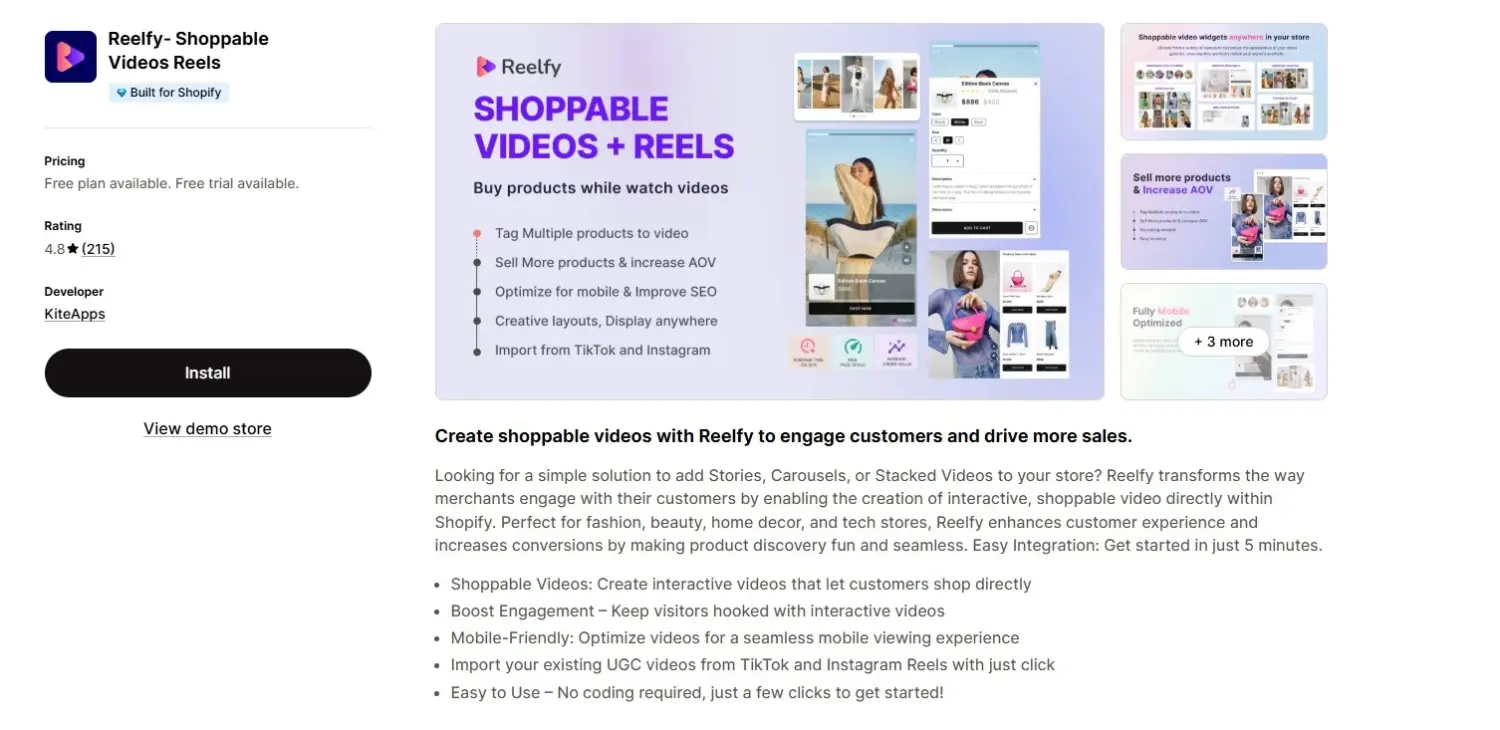
Reelfy turns social clips into shoppable widgets fast. You can paste a TikTok or Instagram Reel link, tag your products, and embed the widget through the theme editor with no code. It offers a wide range of layouts, including story, carousel, grid, and pop-up, so you can match the format to the page. Its free plan and low-cost entry tier make it one of the easier ways to start with shoppable video before committing to a bigger spend.
The trade-off: its analytics are weak, missing key metrics like video watch time, click‑through rate, and impressions.
👉 Best for: Budget-sensitive merchants who want flexible layouts and a low-risk way to test shoppable video.
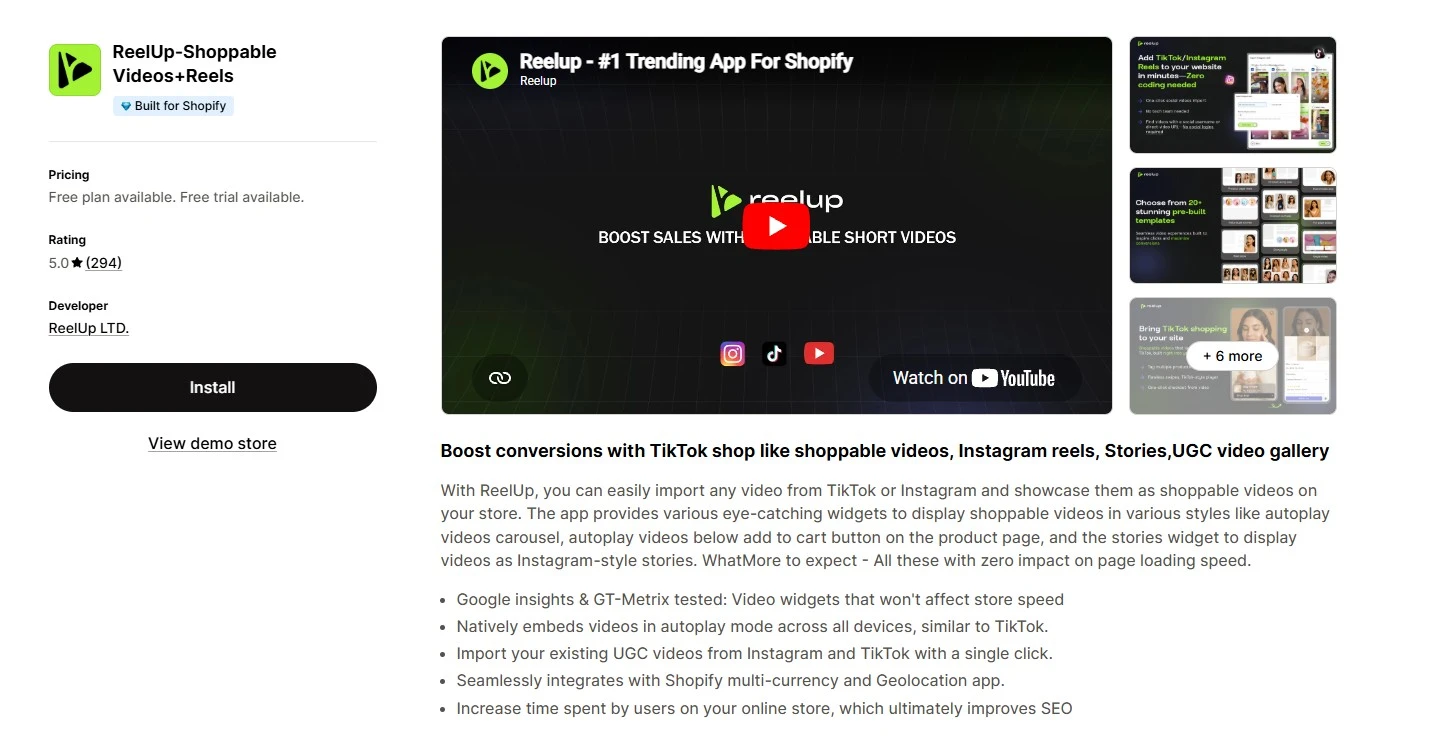
ReelUp is built for a mobile-first experience. Its stories and floating widgets feel natural, with swipeable players and autoplay that match how people watch videos on their phones. Of the three apps here, it is the only one that imports from YouTube as well as TikTok and Instagram. Merchants praise it for fast-loading videos that don’t slow the page, easy Shopify setup, and responsive support.
The trade-off: the free plan caps monthly video views, and paid plans sit at the higher end of this list.
👉 Best for: Mobile-first stores repurposing YouTube, TikTok, and Instagram content who want a swipeable, social-style feel and will accept higher costs as traffic grows.
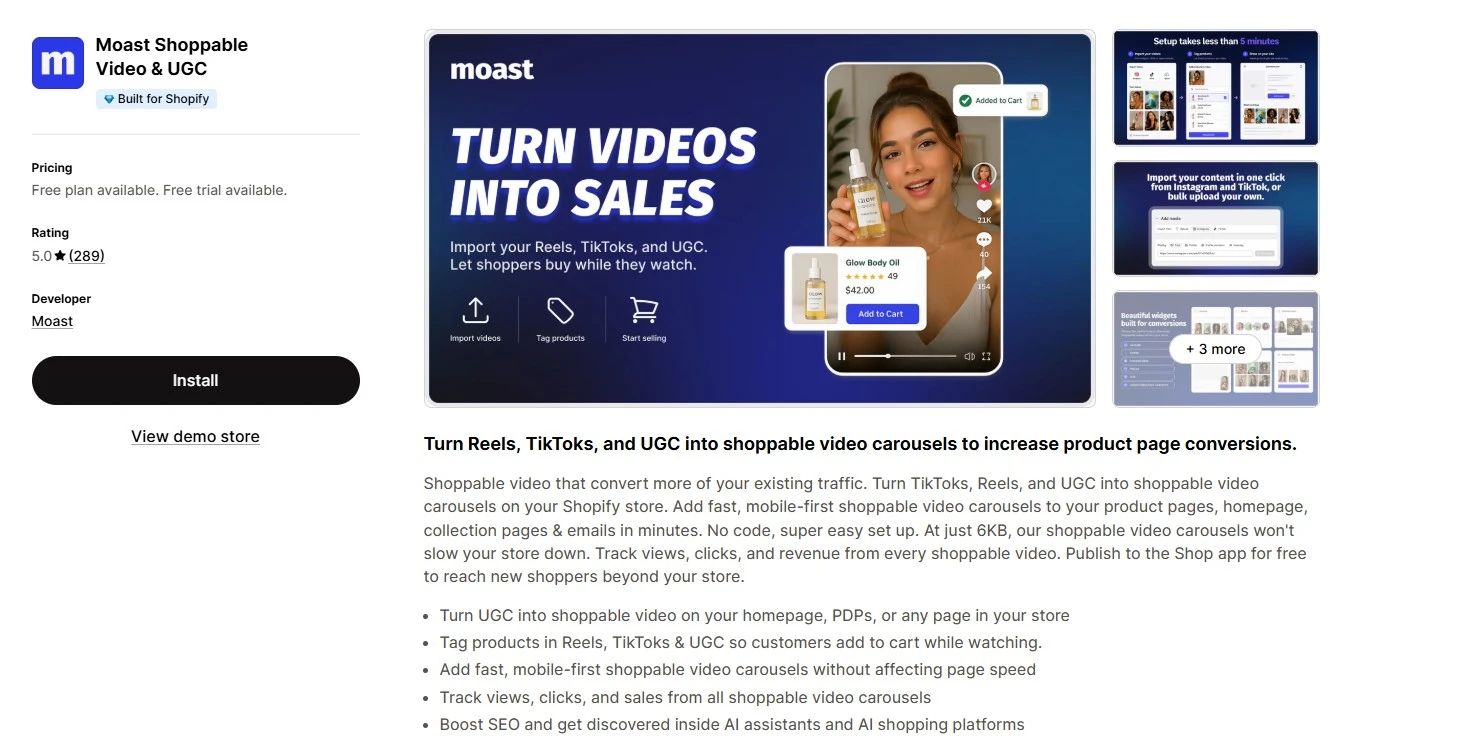
Moast leans into user-generated and creator content. It helps you collect, organize, and display authentic customer videos as shoppable galleries, which builds trust alongside the sale. The shoppable carousel works well on product and collection pages where social proof drives the decision. The app is praised for seamless customization and detailed analytics that make it easy to track and optimize each shoppable video.
The trade‑off: gallery controls can feel limited, such as linking multiple products in one photo or choosing how many product links appear.
👉 Best for: Brands that rely on UGC and customer reviews and want that content to work as a sales tool.
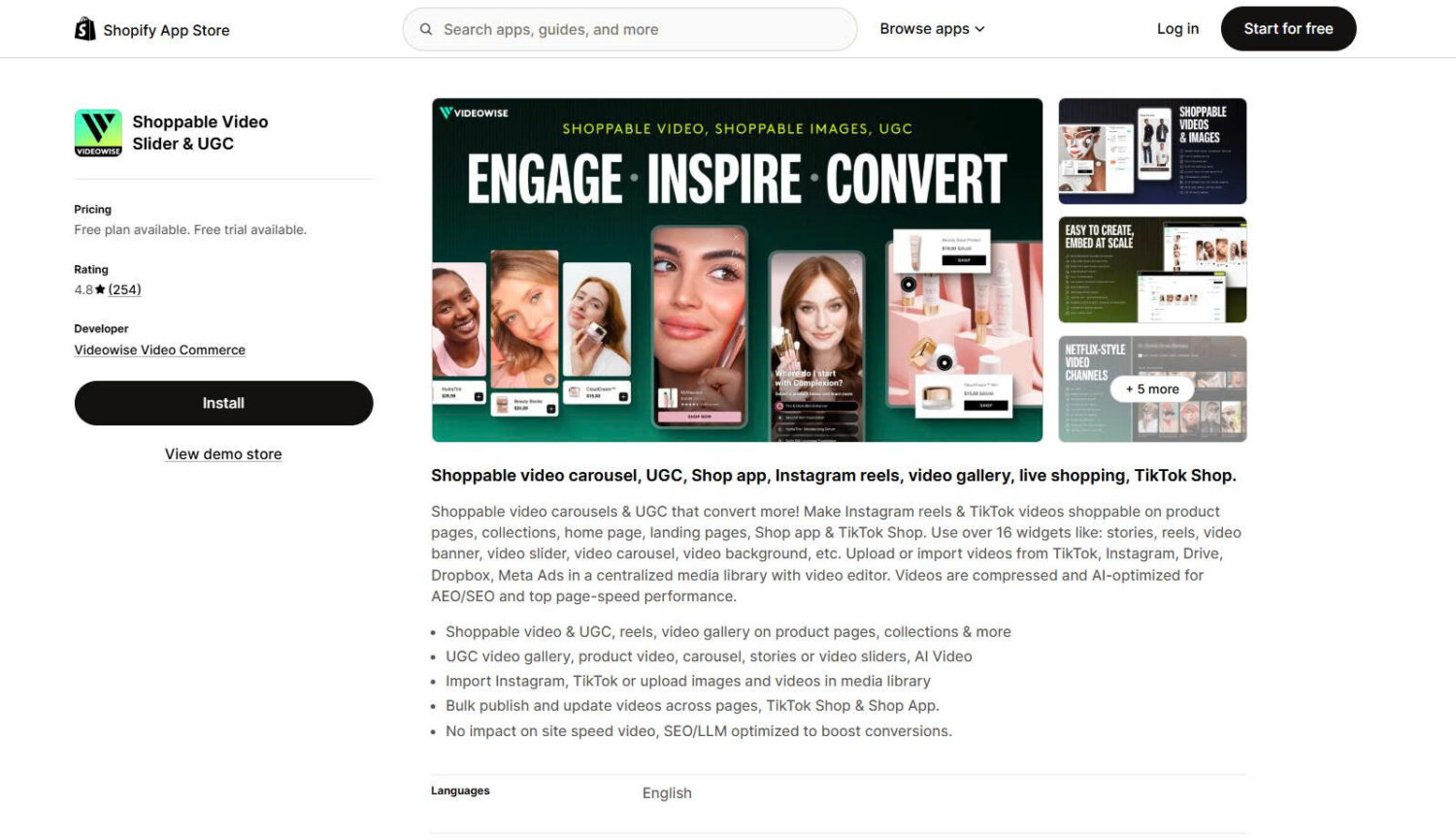
Videowise is a video commerce platform built for brands that want video to drive measurable revenue, not just views. You can import clips from TikTok, Instagram, Drive, Dropbox, or Meta Ads, or upload your own, then tag products and bulk-publish across product pages, collections, the home page, landing pages, and even TikTok Shop, all from a centralized media library and video editor with no code. It goes beyond on-site widgets with live shopping, Netflix-style video channels, and AI Video tools, and its analytics tie each video back to conversions so you can see what actually sells. Videos are compressed and AI-optimized for SEO/LLMs, so they load without dragging down site speed.
The trade-off: with creation, live shopping, UGC, and analytics in one platform, it’s more than a store just testing a single video widget may need.
👉 Best for: Growing and mid-market brands that want an all-in-one video commerce platform, with shoppable video, live shopping, and analytics, rather than a single-purpose widget.
Different goals call for different videos. A demo answers “how does it work,” while a customer review answers “can I trust it.” The table below maps the main content types to what each does best, so you can pick the right format for the page and the moment.
Once you choose the right format, adding creative elements can help make your videos more
engaging and memorable. AI-powered tools can help businesses create unique promotional
clips, personalized marketing videos, and social media content by applying creative effects to
existing footage. For example, face swap video tools can be used to experiment with new
video concepts and make product content more interactive.
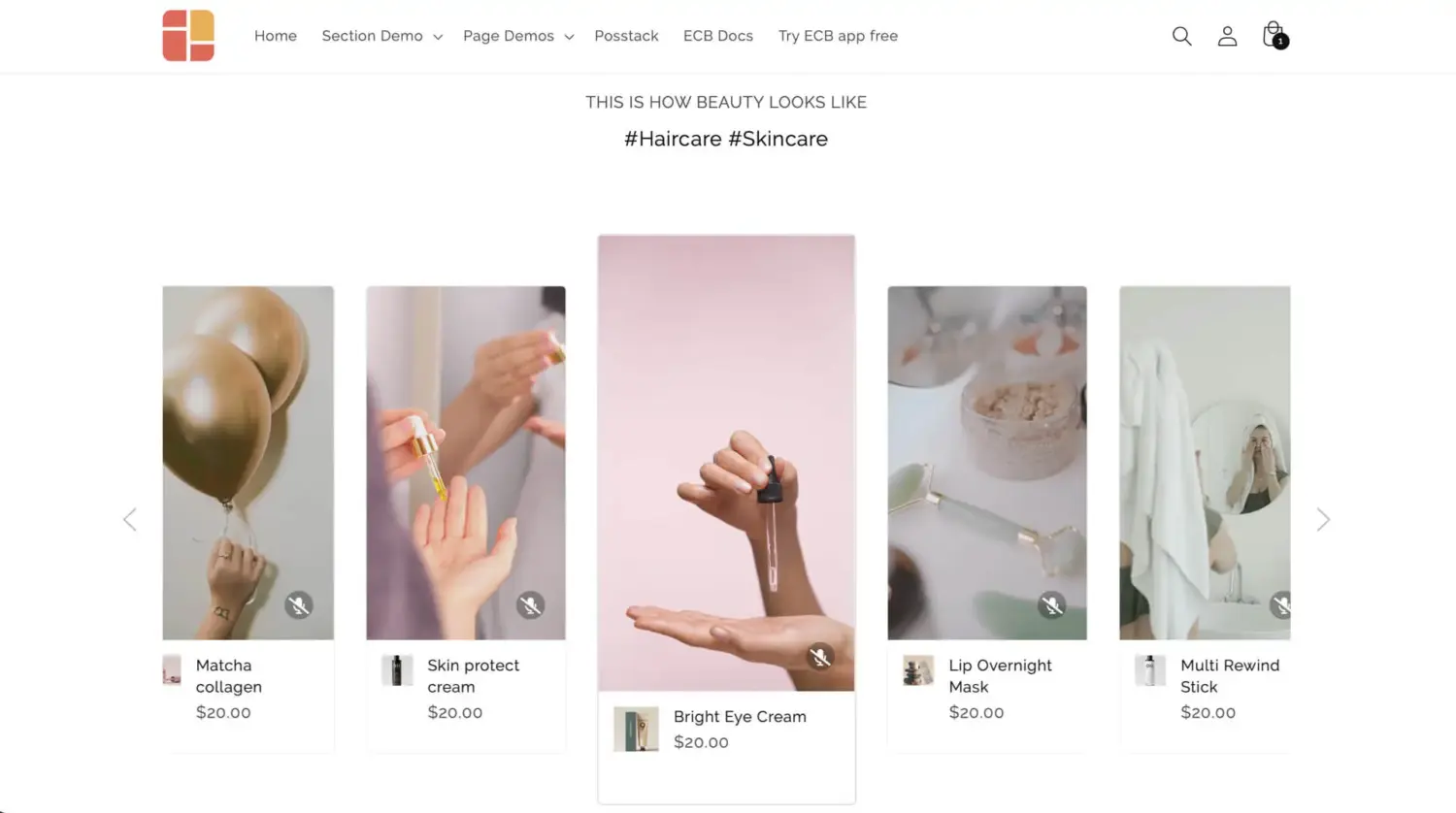
| Video content type | Where it fits | What it does best |
|---|---|---|
| Product demonstrations and tutorials | Product pages | Show the product in use and answer “how does it work” |
| User-generated content and reviews | Product and collection pages | Build trust through real customers |
| Unboxing videos | Product pages, new product reveals | Create anticipation and show what’s included |
| Comparison videos | Collection pages, buying guides | Help shoppers choose between options |
| Tips and tricks | Blog post, home page | Show extra uses and value |
| Brand stories | Home page, about page | Build a connection |
| Shoppable live streams | Landing pages for special sales or new product launches | Drive real-time urgency and Q&A |
Important: Let’s start with demos and customer videos. They map most directly to a purchase decision, which makes them the safest first investment.
Video earns attention. An offer turns it into a bigger order. A shopper watching a tagged demo is already in a buying mindset, so that is the ideal moment to add a reason to buy more, such as a gift with purchase.
In one field study, shoppers who received an unexpected gift spent about 32% more than those who did not, because a surprise reward can easily lift the perceived value of the order. This is where pairing video with a promotion tool helps. Our own app, BOGOS, lets you set up gift-with-purchase offers on the exact products your videos feature.
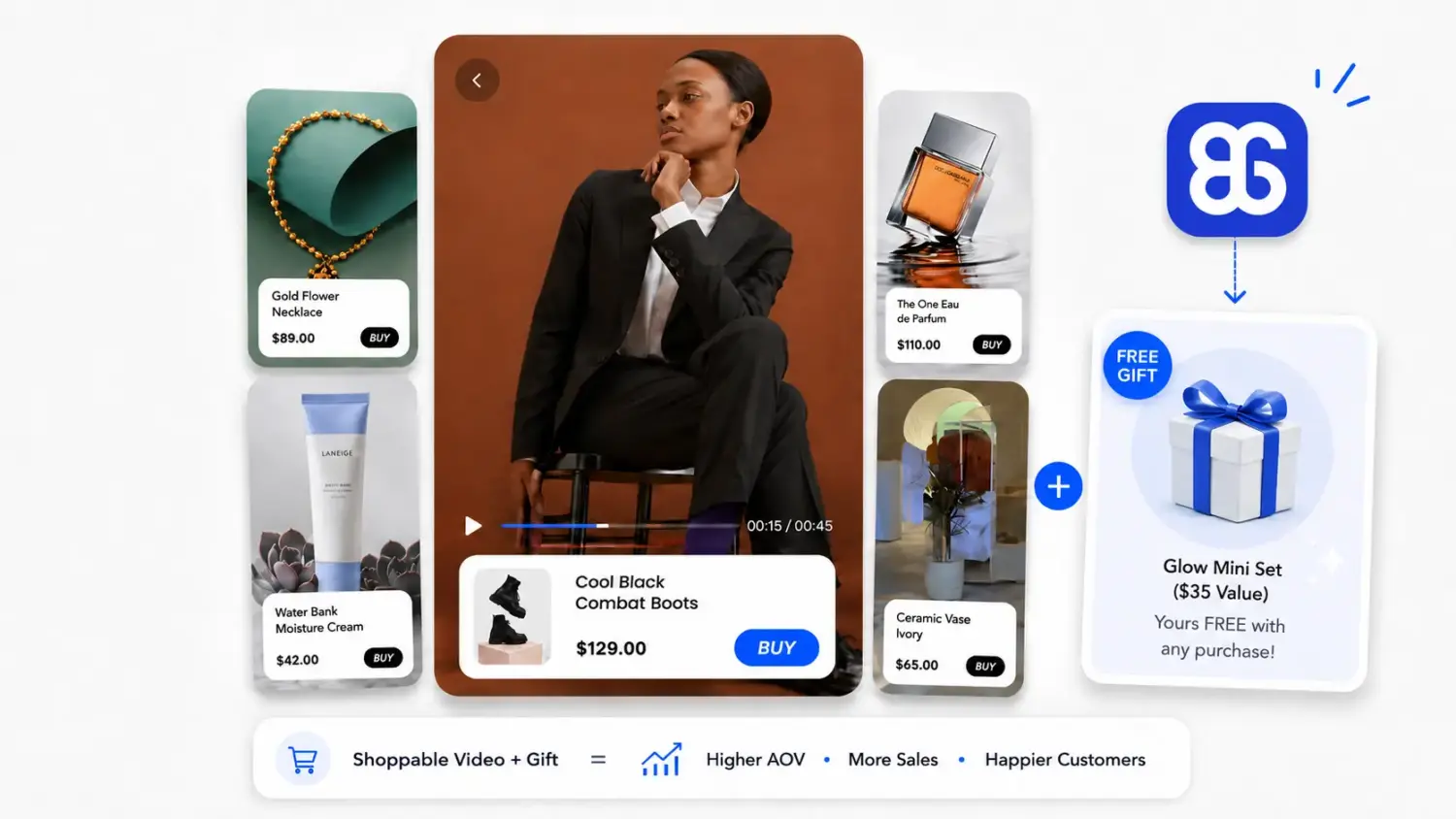
Picture a shopper who watches a video of your hero product and adds it to the cart. Before checkout, a pop-up invites them to choose a gift. That small, unexpected reward makes finishing the purchase feel like the obvious next step. The video drives the interest, and the offer lifts the average order value. Used together, they support both conversions and a fuller cart, which is the real goal of boosting your Shopify sales.
A video that gets a lot of plays but no sales is an image-building project, not a sales tool. The point of shoppable video is revenue, so track the metrics that connect watching to buying.
Here are the six that matter most, and how to read them.
| Metric | What it tells you | How to read it |
|---|---|---|
| Impressions | How many times has the video widget been shown to shoppers | – Compare against traffic on the pages where it appears – Low impressions usually mean weak placement or low page traffic |
| View | How many people actually started watching | – Use view rate = views/impressions – A practical benchmark is around 10–15%, while 25%+ is top-performing |
| Video watch time | How long do people watch before dropping off | – Look for the drop-off point – If most viewers leave early (before 50% of the video), the opening need optimize |
| Product click | The number of times shoppers tap on a product tag | – Track as product clicks per 1,000 views or product click rate – Around 10–15% interaction is on average, while 25%+ is top-performing stores |
| Click-through rate | The percentage of viewers who tapped a product tag | – Use CTR = product clicks/video views – A working number is 10-15% |
| Total orders | How many orders included a shoppable video interaction | Compare video viewers against non-viewers. If watchers convert better, the video is working |
| Total sales | Revenue tied to shoppable video | – Video commerce reports show AOV can lift around 1.5x– Pair with average order value to see the full picture |
Shoppable video lifts conversions only when it is set up right. These are the five errors that quietly drain the results.
Large, uncompressed video makes shoppers wait, and many leave before it loads. A slow page also hurts your search ranking. Prevent it in two steps: choose an app with lazy loading and adaptive streaming, then compress every clip, keep hero videos under 10 seconds, and set a poster image so the page never looks empty. Test your store with Google PageSpeed Insights before and after installation.
Many videos show a great product but leave the viewer guessing how to buy it, so the interest fades. Guide the eye to the action. Use on-screen cues, like the presenter gesturing toward the product tag right before the “Add to cart” appears, and a clear button label such as “Add to cart” or “Shop this look.” Time the prompt to land right after you show a key benefit.
Over 75% of e-commerce traffic comes from mobile, so a desktop-first video wastes your best audience. Make it work on a phone:
Then test it yourself on a phone before publishing.
When a clip tags ten items, shoppers face too many choices and pick none. One clear focus beats a crowded screen. Feature one main product per video, add two or three related items at most, and keep a single, simple path to “Add to cart.”
A video with thousands of plays and no sales is entertainment, not commerce. Track the numbers that connect watching to buying:
Not sure which numbers to follow? Use the metrics from the analytics section above and track them from day one.
Shoppable video works because it removes friction. It shortens the path from interest to purchase, answers the doubts that stall a sale, and meets shoppers in the moment they decide. That is real conversion rate optimization, and it pairs naturally with a fuller cart when you add the right incentive.
Start small. Pick one hero product, add a short demo or a customer video to its product page with one of the apps above, and measure how viewers convert against everyone else. Once you see it working, expand to more products and pages. If you want each video to do double duty, lifting both conversions and order value, pair it with a gift or bundle offer so attention turns into a bigger sale. For more ways to grow each order, see our guide to increasing average order value.
Not in a truly shoppable way. You can upload a video natively through the product Media section or a theme Video section, and it will play on your store. But native video has no clickable product tags and no add-to-cart inside the player.
To let shoppers buy from the video itself, you need a shoppable video app.
They can, if the app handles video poorly. A well-built app avoids this with lazy loading and adaptive streaming, so videos load only when a shopper reaches them. Check your page speed after installing any video app, and pick one known for a light footprint.
The rule is simple: if watching a video answers a question that text and photos cannot, the product is a strong fit. For instance:
– Fashion shows fit and movement
– Beauty demonstrates application and results
– Home décor conveys scale and proportion
– Food illustrates preparation and process

Shoppers hesitate to buy a $1,200 sofa or a custom ring when they can’t see the exact version they’re...
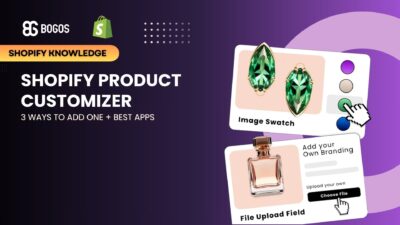
Selling personalized products on Shopify gets hard the moment a shopper needs to type a name or choose a...

The UK is the largest eCommerce market in Europe and the third-largest in the world. For international Shopify stores,...
