Allan Vu is a Digital Marketing expert and the driving force behind BOGOS’s blog content. With a deep understanding of eCommerce and Shopify promotions, he is passionate about helping merchants unlock the full potential of their stores.
At BOGOS, Allan creates valuable, practical content focused on strategies like Free Gifts, Buy X Get Y, product bundles, and upsell offers to empower Shopify sellers to grow their businesses effectively.
Known for his clear, insightful writing, Allan is dedicated to delivering actionable advice that makes a real difference for BOGOS’s readers.
Customers now expect to add a name, a date, an engraving, or their own photo before they buy. Shopify cannot collect that information on its own. A Shopify product customization app adds those fields to your product page, charges extra for them when you want, and passes every choice through to the order without any theme code.
One thing most guides on this topic still get wrong: Shopify raised the variant limit from 100 to 2,048 in October 2025. The number that still stops merchants is three. Shopify’s documentation confirms you get a maximum of three options per product, and variants cannot hold free text or an uploaded file. Size, colour and material use up all three slots before you add a single engraving field, which is exactly why this app category exists.
This guide covers apps that add custom options and personalization to your product pages. If you want the setup steps first, our guide on how to add a product customizer covers all three methods. It does not cover print-on-demand suppliers, page builders, or swatch display apps that only restyle variants you already have. Below are the 10 best Shopify product customization apps of 2026, with verified pricing, real feature limits, and the best-fit use case for each, tested and compared by Allan Vu, E-commerce Specialist & BOGOS’s Digital Marketing.
1. How Do We Test These Apps?
Shopify’s product variants category alone holds 474 apps, and their listings all promise the same thing. To separate them, we checked each app against its live Shopify App Store listing, its help documentation, and its recent merchant reviews. We focused on five things:
Feature depth: how many option types, whether conditional logic works with native Shopify variants, file upload limits, and whether the app handles both simple engraving and complex configuration.
Pricing and value: what the free plan actually includes, how fees scale with orders, and whether Shopify Plus stores pay a higher rate.
Performance: theme compatibility, whether code edits are needed, and how the app behaves after a theme update.
Support: response speed, technical depth, and whether merchants contact support often because setup is difficult.
Reviews and track record: total review count, the full rating breakdown rather than the average, launch date, and whether complaints form a pattern.
For a full breakdown of how we evaluate and rank Shopify apps, see our “App Testing Methodology“.
One note on how we read ratings. Every leading app in this category sits between 4.6 and 4.9 stars, so the average tells you almost nothing. We calculated the share of reviews at three stars or below instead. Globo sits at 1.9%, Easify at 1.8%, Qikify at 1.9%, Zepto at 2.9%, and Infinite Product Options at 4.6%. That spread is far more useful than the star rating.
Based on these criteria, the three apps we recommend most highly are:
Best for stores that need deep, form-based options and a free plan that does not run out.
Best for small stores that want live preview at zero cost.
Best for growing stores, and the only app here that charges Shopify Plus the standard rate.
2. What to Look for in a Shopify Product Customization App
These apps look identical on their listing pages. The differences show up in the details below, and most of them only become obvious after you have built your first option set.
Option types and conditional logic. Count the field types you actually need, then check whether conditional logic can respond to native Shopify variants and not just to the app’s own fields. Variant-aware logic is almost always a paid feature, and it is the one most merchants discover they need.
Price add-ons and dynamic pricing. Look for flat upcharges, per-character pricing for engraving, and formula pricing for products sold by size or area. Then confirm the added amount carries correctly into the cart and the checkout, since that is where weaker apps break.
File and image upload. Check the file size cap, the number of files allowed per order, and where uploads are stored. Most free plans exclude upload entirely, and limits range from 10MB per file to 100MB across 20 files.
Live preview. This renders the customer’s text or photo onto the product image before they buy. It is worth paying for on engraving, apparel and photo products, and it is wasted money on a simple gift message field.
Order data flow. Confirm that customer choices appear on the order page, the packing slip, the confirmation email, Shopify POS, and your fulfillment app. This is where merchants get caught out, because an option that works on the storefront is useless if your production team never sees it.
Bulk option sets and templates. One option set applied across hundreds of products, plus CSV import and export, decides whether setup takes an hour or a week. Apps that force you to configure products one at a time cost you more in time than they save in fees.
Theme compatibility and store speed. Check whether the app installs through Online Store 2.0 app blocks or needs code edits. Theme updates breaking option display is the single most common complaint across every app in this category, so always test on a duplicate theme first.
Pricing model and the Shopify Plus surcharge. Some apps charge a flat monthly fee, others add a percentage of customized sales. Several charge Plus stores far more than the listed price, so model the real cost at your own plan and order volume.
3. Detailed App Reviews (features, limits, and best-fit use cases)
Before the individual reviews, here is a side-by-side comparison of all nine apps. Use this table to narrow the list, then read the full review for anything that fits your store.
App
Rating & reviews
Free plan
Live preview
Best for
Main drawback
Pricing from
Globo Product Options
4.9★ (4,726)
Yes, unlimited
Advanced tier
Deep options applied at scale
Plus stores pay 4x
Free / $9.90
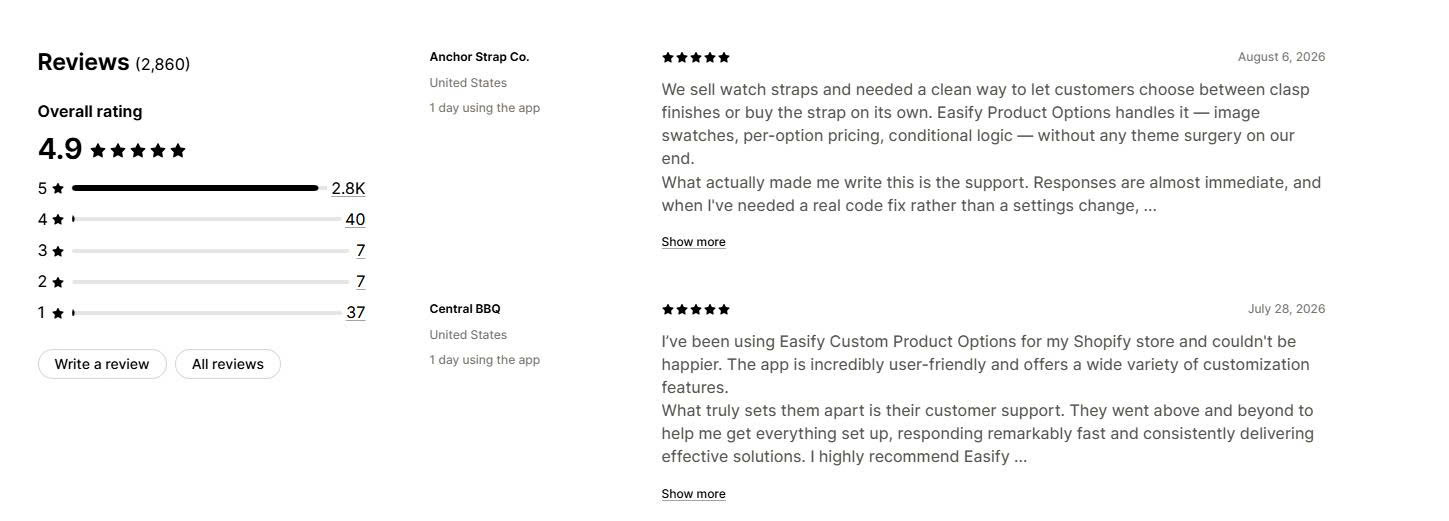
Easify Custom Product Options
4.9★ (2,860)
Yes, unlimited
Premium tier
Best value, including Plus
Newer than rivals
Free / $9.99
Podifai Product Customizer
5.0★ (12)
Yes, everything
Included free
Live preview at no cost
Very new, small review base
Free
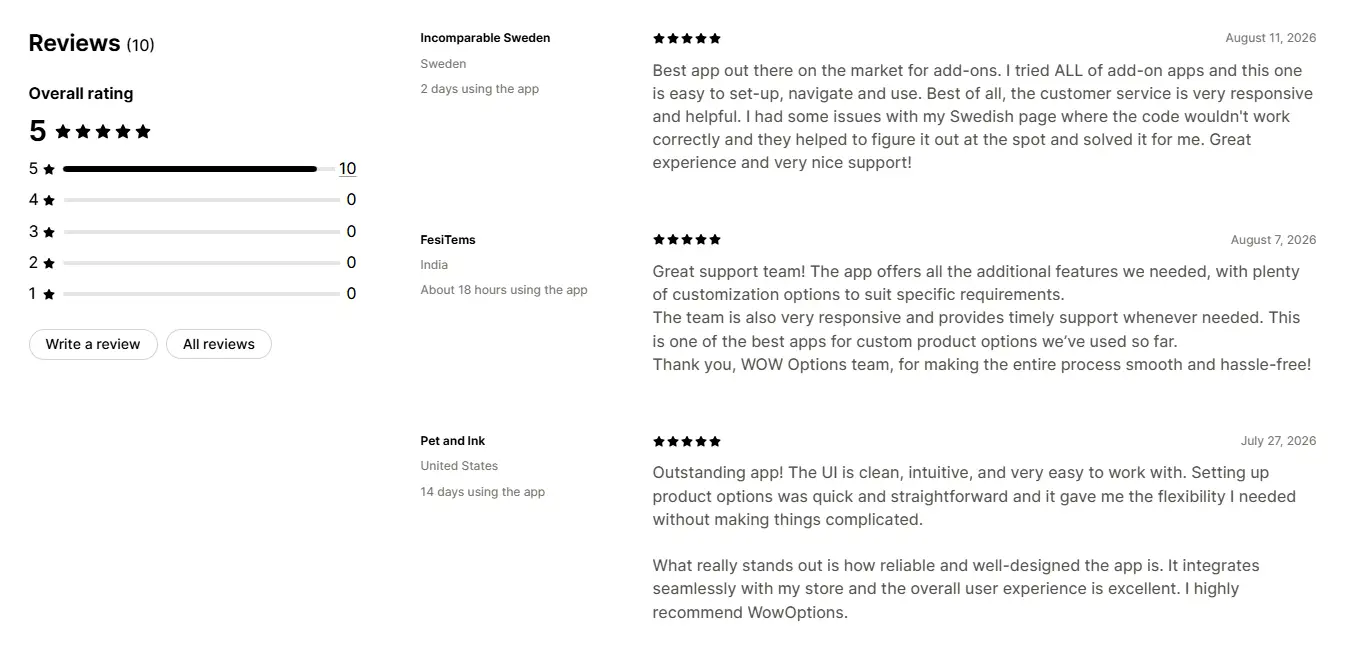
Wow Custom Product Options
5.0★ (10 reviews)
Yes, unlimited
Included visual personalizer
Fast personalized product launches
Newer app with a smaller review base
Free / $5.99
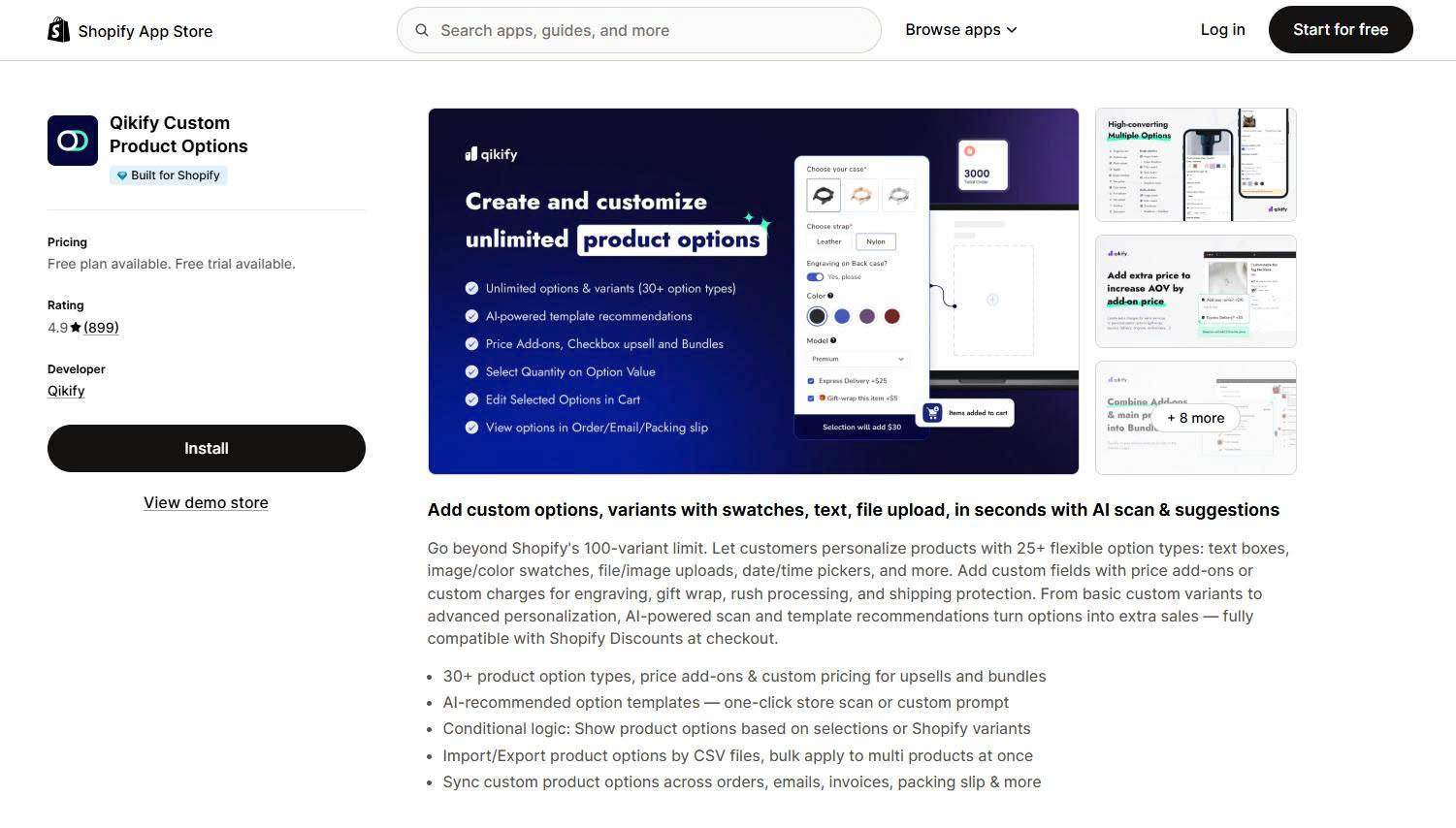
Qikify Custom Product Options
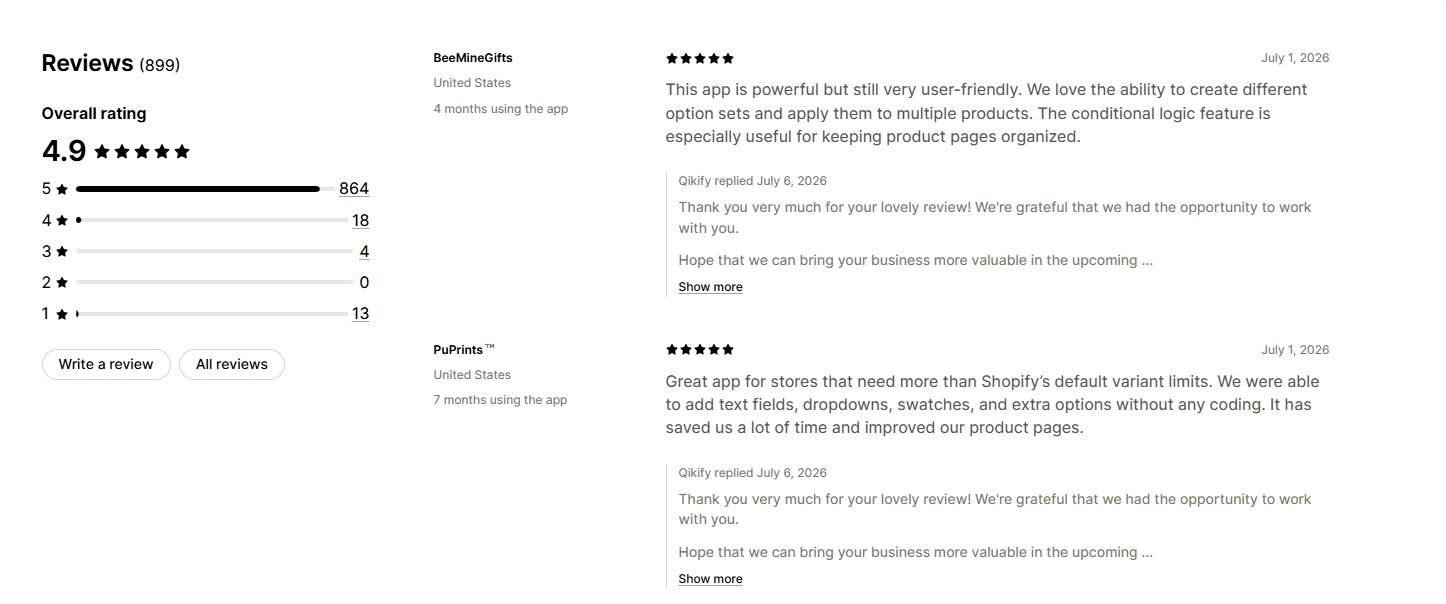
4.9★ (899)
Yes, unlimited
No
Fast AI-assisted setup
7-day trial, Plus surcharge
Free / $19.99
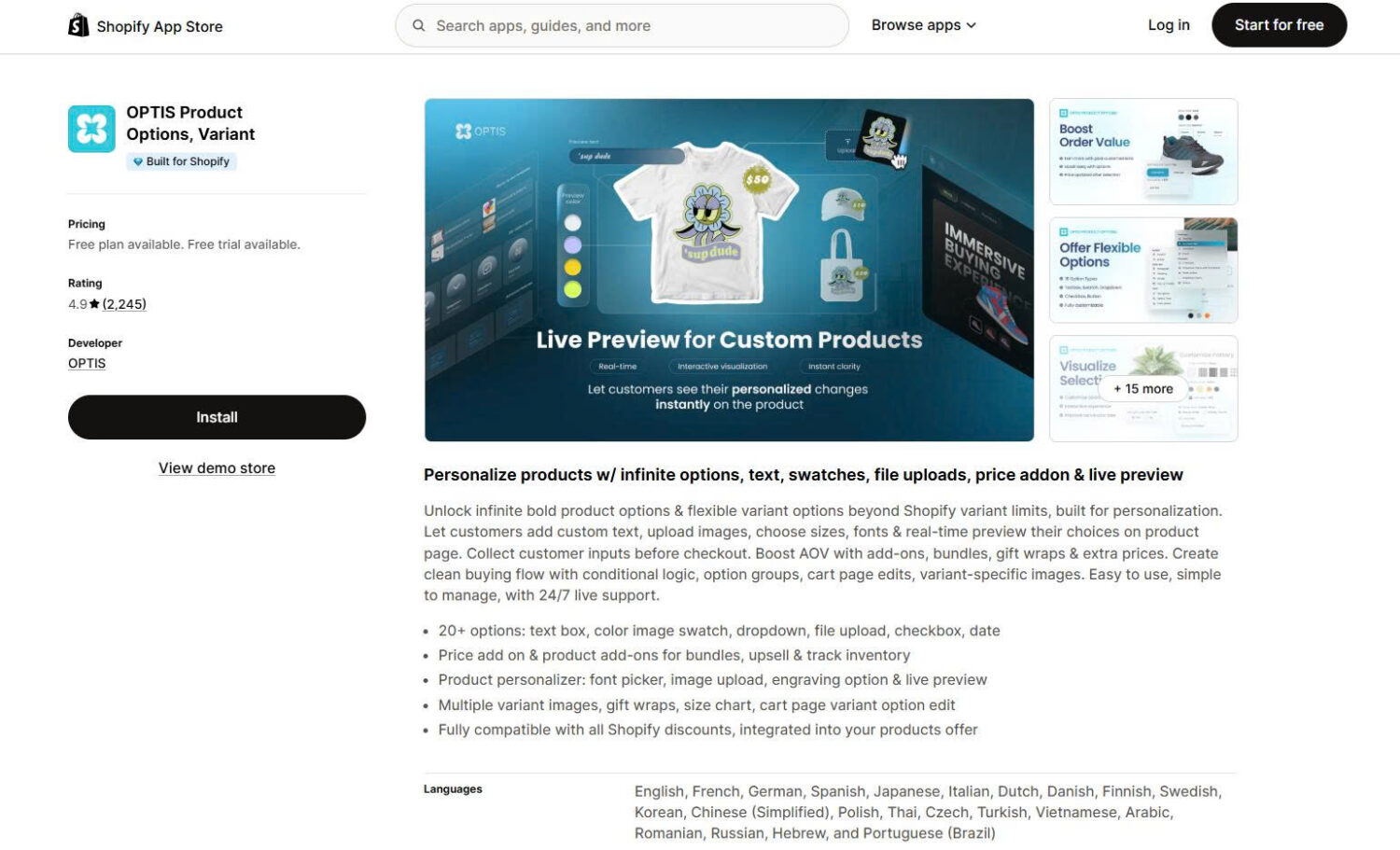
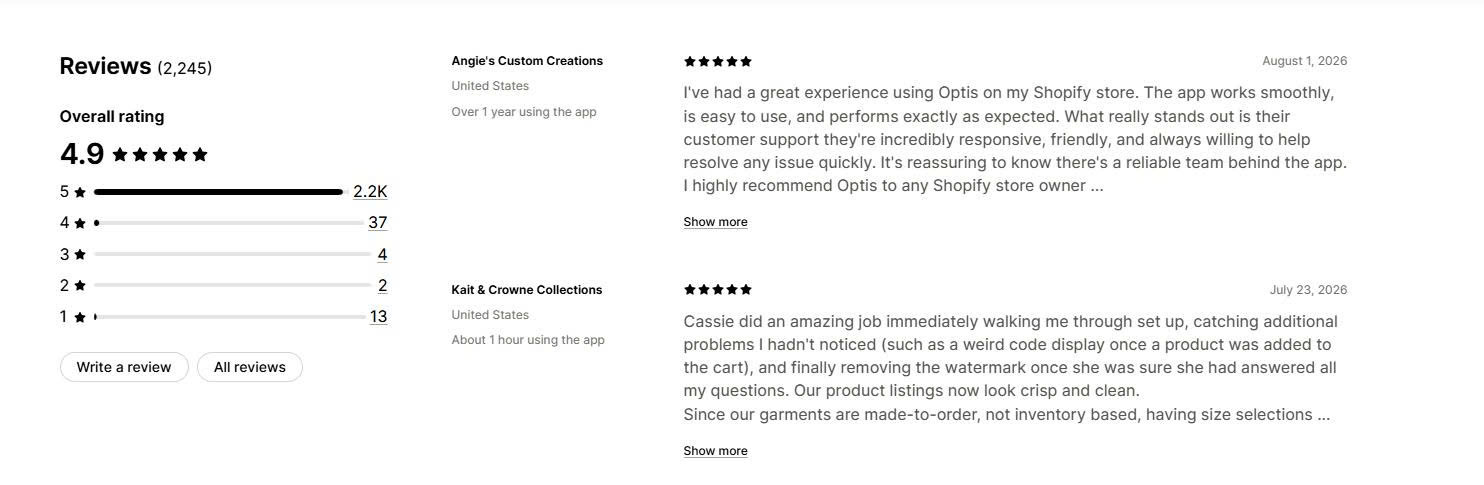
OPTIS Product Options
4.9★ (2,246)
Yes, 10 sets
Yes
Multilingual stores
Free plan capped at 10 sets
Free / $9.99
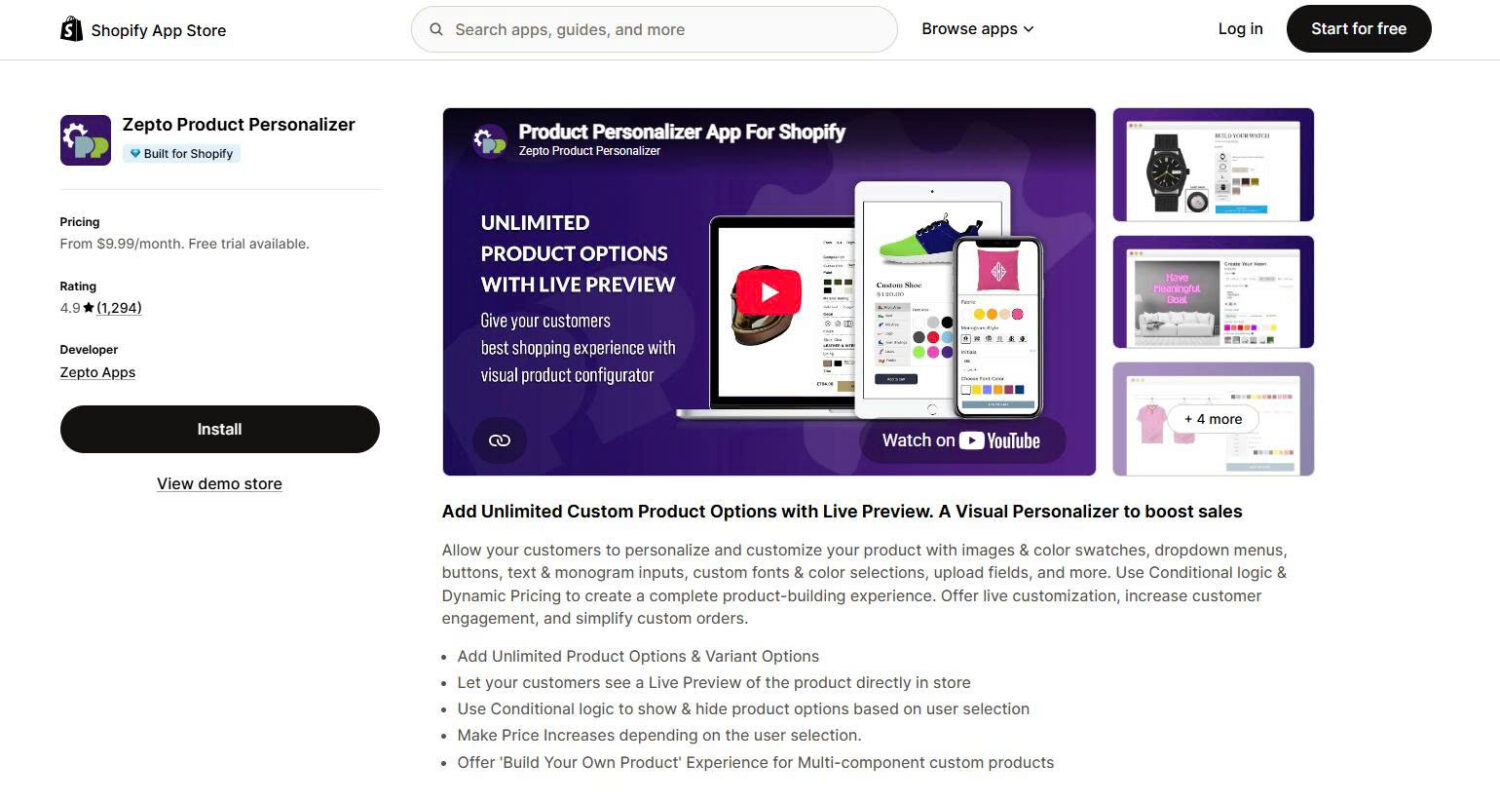
Zepto Product Personalizer
4.9★ (1,294)
No
Yes
Proven live preview
Caps products and orders
$9.99
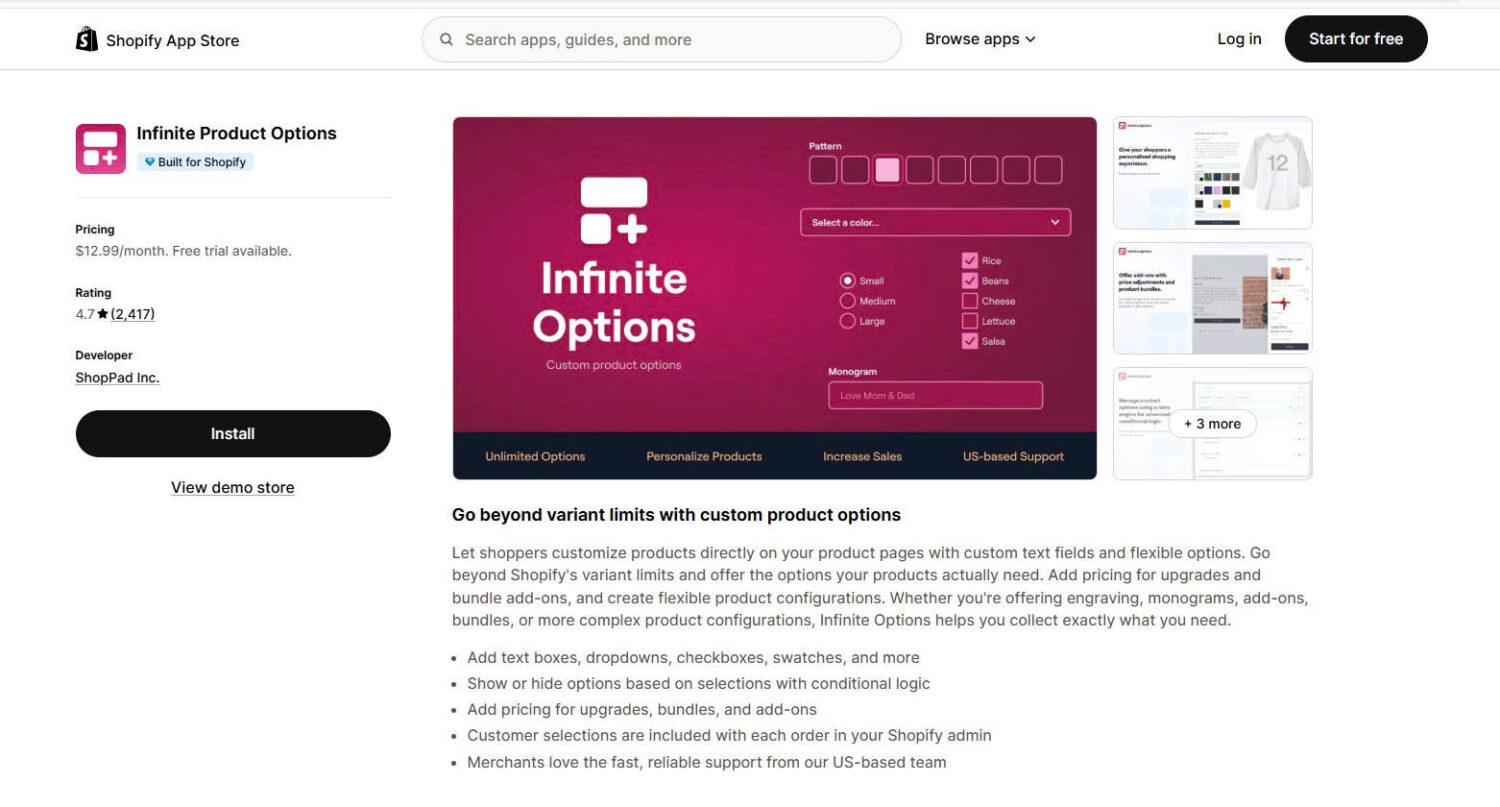
Infinite Product Options
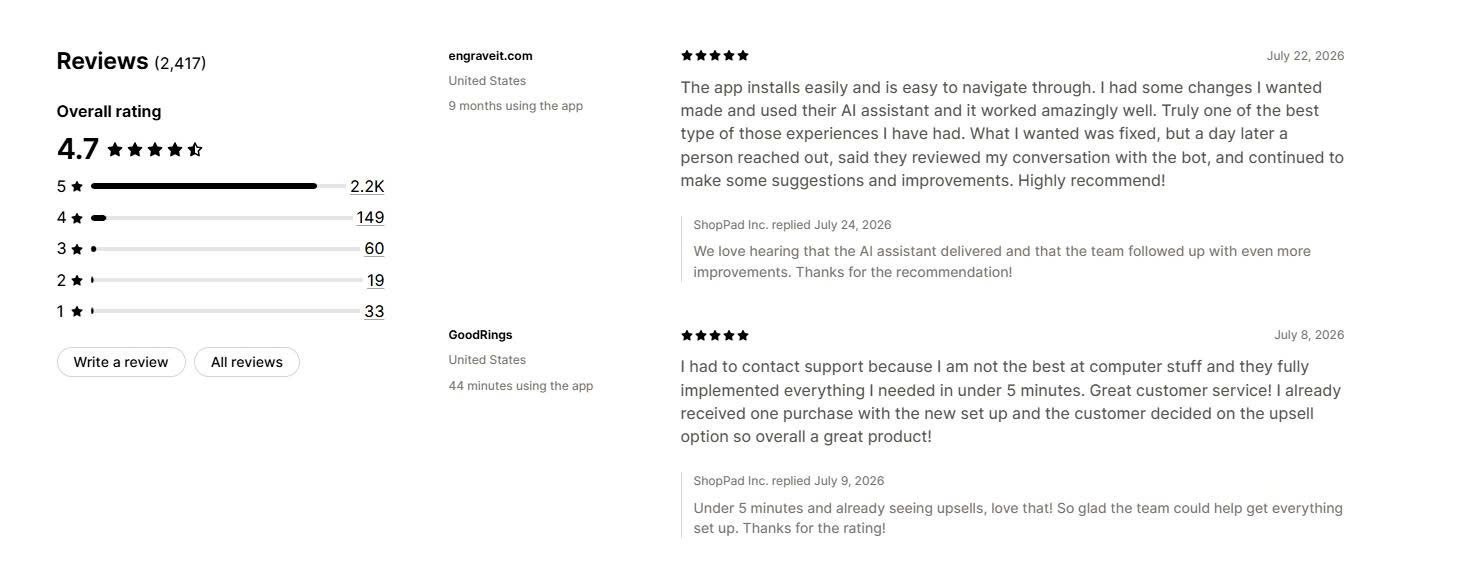
4.7★ (2,417)
No
Limited
Flat price plus bundles
No free plan at all
$12.99
Teeinblue Product Personalizer
4.9★ (309)
Dev stores only
Yes
Print on demand
Per-item fees on top
$49 + fees
Kickflip
4.6★ (134)
No
3D
Multi-component products
Cost rises with sales
$59 + 1.95%
Globo and Easify lead on maturity and value. Podifai is the only genuinely free option with live preview built in. Zepto, Teeinblue and Kickflip are specialists, and each solves a problem the general options apps do not. Below we break down each app’s features, pricing, and best-fit use case.
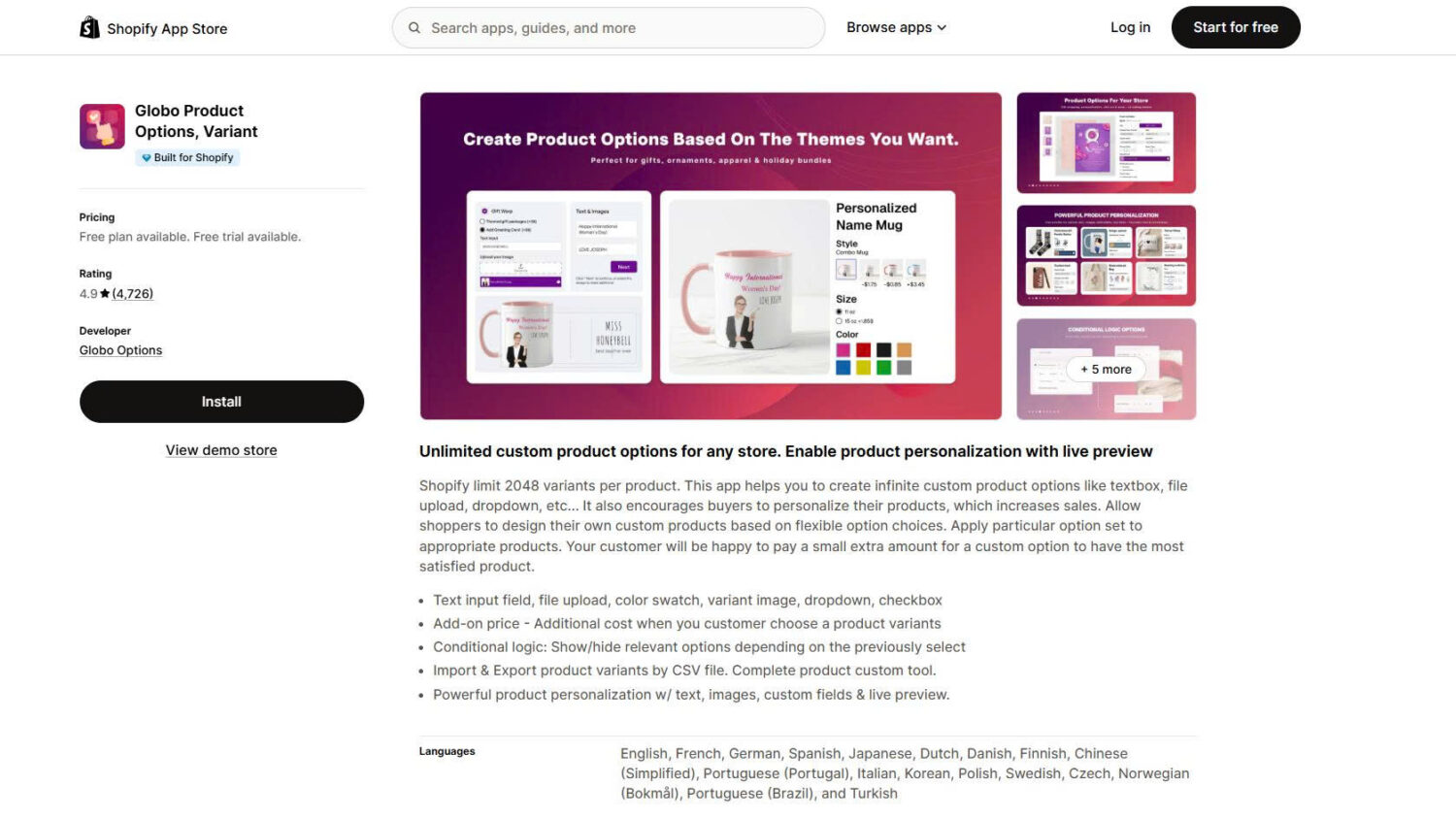
#1 Globo Product Options, Variant
Developer: Globo Options
Pricing: Free plan available. Paid plans start at $9.90/month ($39.90/month for Shopify Plus).
Reviews:4.9★ (4,726 reviews), Built for Shopify
Globo Product Options, Variant has the largest verified review base of any app in this category. It adds unlimited custom fields to your product pages, applies one option set across hundreds of products at once, and shows the customer’s choices on orders, packing slips and confirmation emails even on the free plan. It suits stores that need many options handled reliably rather than a visual design tool.
Key Features:
A free plan that does not run out – unlimited option sets, unlimited products and unlimited orders, with 15 option types and no watermark. Most competitors cap something here, and Globo does not.
Conditional logic tied to Shopify variants – show or hide options based on the native variant a customer picked, not just on the app’s own fields. This moves to the Premium plan, but it handles the setups that break simpler apps.
Bulk application and CSV import – apply one option set to all products, a group, or individual items, and import or export the whole configuration as a file. Reviewers repeatedly cite this as the reason setup takes minutes.
Shopify POS support and 18 interface languages – custom options carry into in-person sales on the Advanced plan, which very few apps in this list support.
The tradeoff is the Shopify Plus surcharge – Plus stores pay $39.90 and $59.90 instead of $9.90 and $19.90, and live preview only arrives on the top tier, so visual personalization costs $19.90 or more.
Pricing:
Globo charges by Shopify plan, which makes it one of the cheapest options for standard stores and one of the more expensive for Plus. All paid plans include a 14-day free trial, and annual billing saves 17%.
Free: unlimited option sets, products and orders, 15 option types, conditional logic within Globo options
Premium: $9.90/month, or $39.90/month on Shopify Plus. Adds 20 option types, price add-ons, variant-aware conditional logic, 20MB file upload and multi-language
Advanced: $19.90/month, or $59.90/month on Shopify Plus. Adds 30+ option types, live preview, 20 files at 100MB each, in-cart option editing and POS support
What other merchants say:
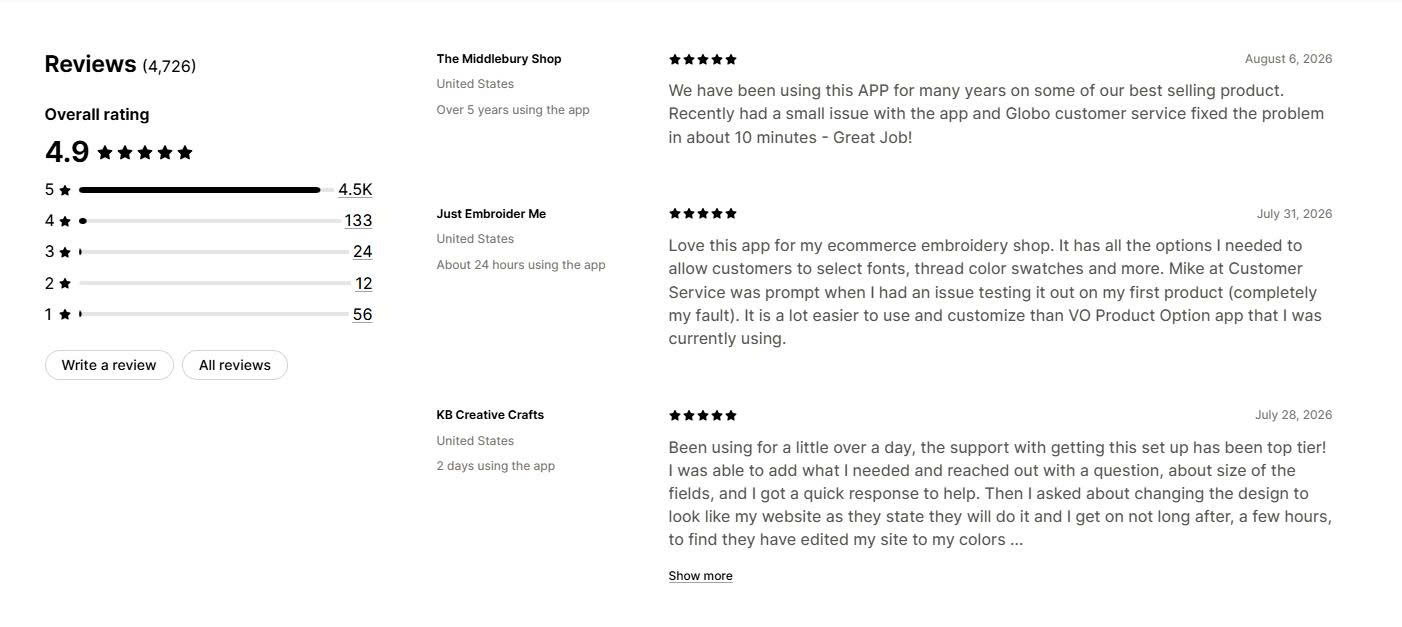
Support speed dominates the reviews. Merchants routinely report problems fixed in five to ten minutes, name individual agents, and mention the team restyling the option widget to match their theme fonts and colours at no charge. Several long-term users on the free plan say it covers everything they need. The most common complaint is option display breaking after a theme update, and one December 2025 review reported storefront prices showing higher than admin prices across an entire catalogue until the app was disabled, which is a good reason to test on a duplicate theme first.
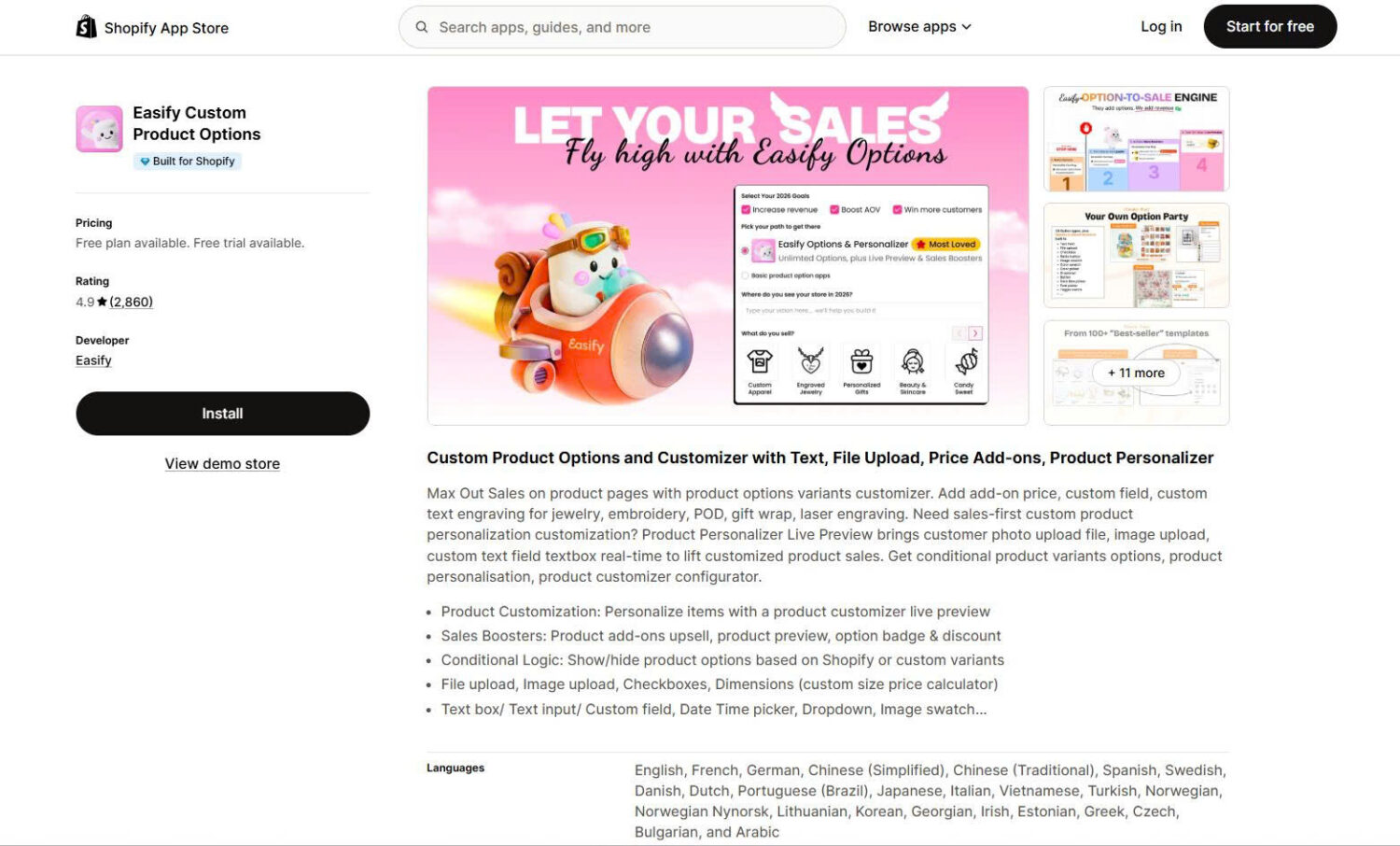
#2 Easify Custom Product Options
Developer: Easify
Pricing: Free plan available. Paid plans start at $9.99/month, the same on every Shopify plan.
Reviews:4.9★ (2,860 reviews), Built for Shopify
Easify Custom Product Options offers close to the same feature set as Globo, and prices it differently. Every plan costs the same whether you are on Shopify Basic or Shopify Plus, which makes it the cheapest serious option for larger stores by a wide margin. It also gives free-plan users 24/7 human live chat, which no other app here does.
Key Features:
Flat pricing on every Shopify plan – $9.99 for Pro and $19.99 for Premium regardless of your plan, including Plus. A Plus store pays $19.99 here against $59.90 for the equivalent Globo tier.
Formula and per-character pricing – charge by the character for engraving, or build a price formula for products sold by dimension. Useful for signage, framing and made-to-order goods.
Live preview with text effects and background removal – renders the customer’s input on the product image on the Premium plan, and strips the background from uploaded photos automatically.
Option performance tracking on the free plan – reports which options customers actually pick, so you can see which add-ons earn their place. No other free tier in this list includes analytics.
The tradeoff is its shorter history – it launched in April 2023, so it has three years of track record against Globo’s five and Zepto’s ten, and complex conditional setups take time to build.
Pricing:
Easify runs four tiers, all with a 14-day free trial and 20% off annual billing.
Free forever: 15 option types, 100+ templates, unlimited option sets, products and orders, 24/7 human live chat
Pro: $9.99/month. 28 option types, formula and per-character pricing, multi-file upload at 10 files of 10MB, variant-aware conditional logic, in-cart editing
Premium: $19.99/month. Live preview, 20 files at 100MB each, text effects, background removal, order export with option data
Enterprise: $99.99/month. Guided onboarding, custom tweaks, custom integrations and VIP support
What other merchants say:
Reviewers describe support responses as close to immediate, and several distinguish between settings help and genuine code fixes, saying both come back quickly. Merchants on themes like Prestige report the development team correcting option button styling on both desktop and mobile within days. A recurring point is that the feature lists across this category look similar on paper, and support quality is what separates them once something breaks.
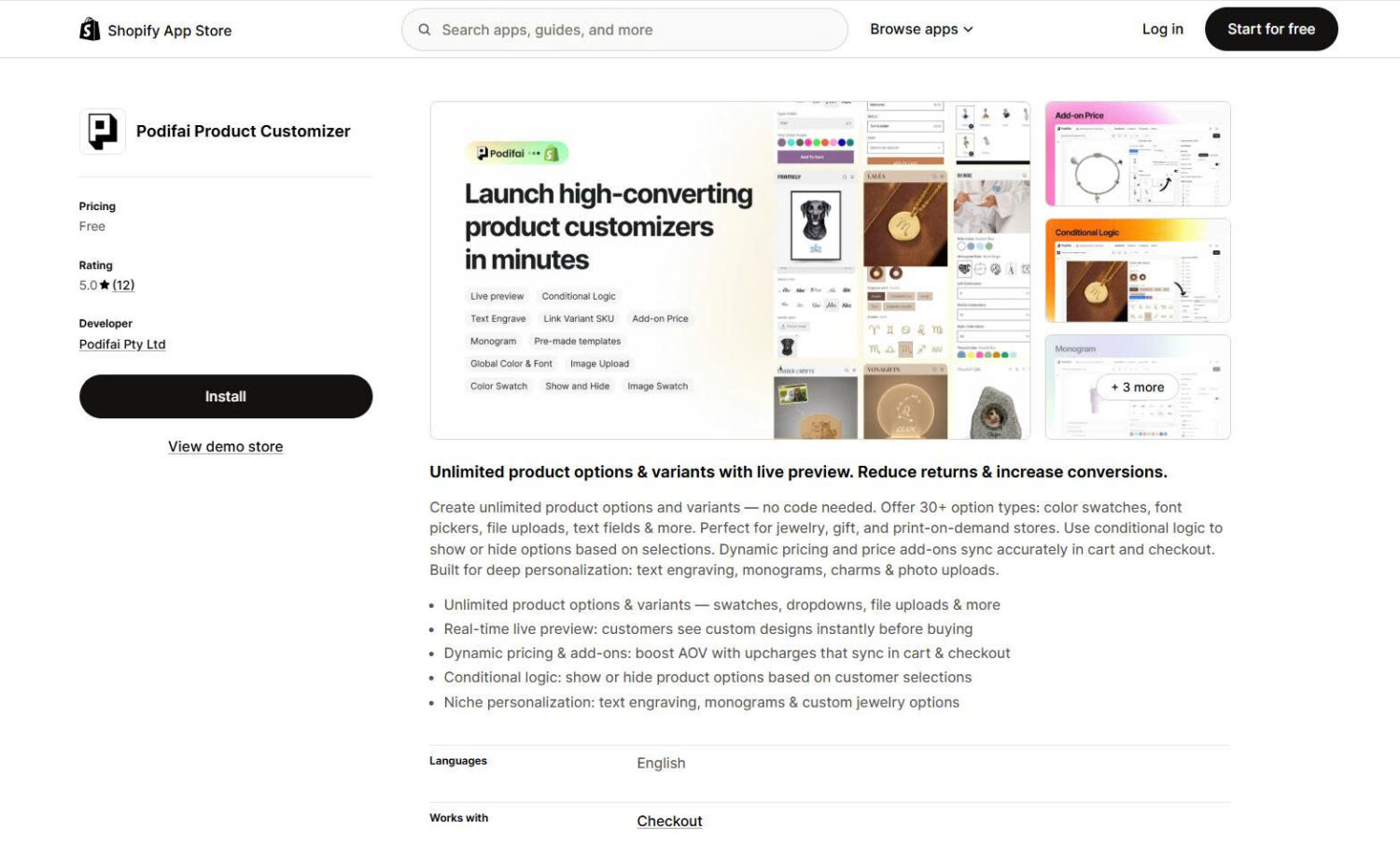
#3 Podifai Product Customizer
Developer: Podifai Pty Ltd (Melbourne, Australia)
Pricing:Free. One plan, all features included.
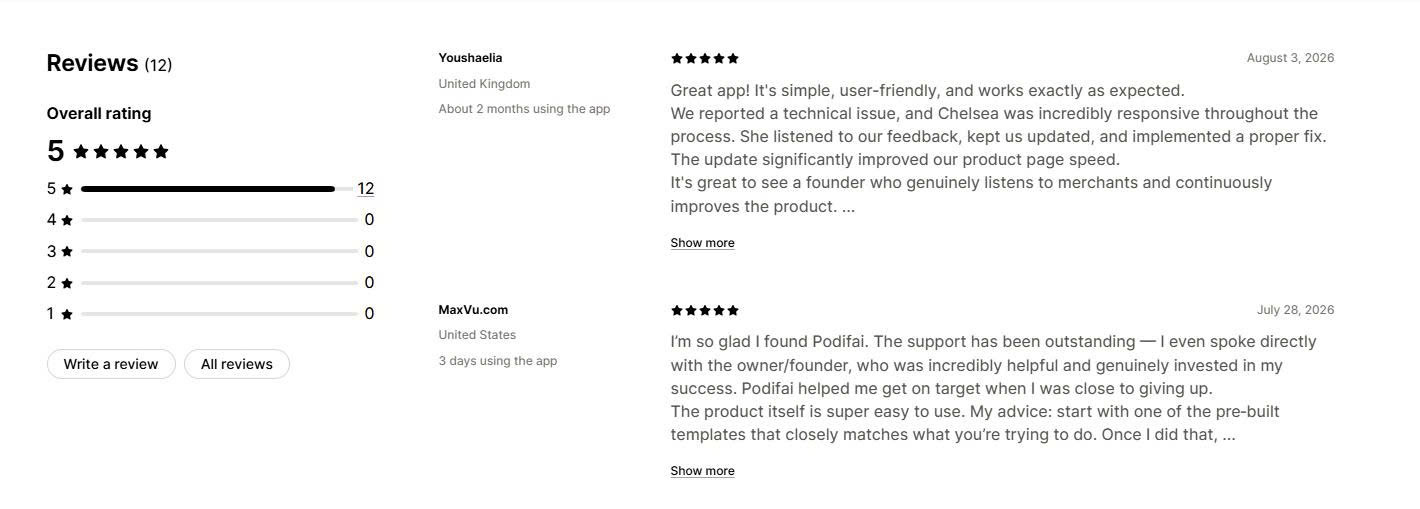
Reviews:5.0★ (12 reviews), launched September 2025
Podifai Product Customizer is the only app in this list that gives you live preview, conditional logic, file upload and price add-ons on a genuinely free plan with no upgrade tier waiting behind it. That combination does not exist anywhere else in the category. It is also the youngest app here by several years, and we have weighted the recommendation accordingly.
Key Features:
Live preview included at no cost – customers see their text, monogram or uploaded photo rendered on the product image on desktop and mobile. Competing apps charge $19.90 to $19.99 per month for this.
30+ option types with no product limit – colour, image and font swatches, text fields, photo upload, dropdowns and checkboxes, across unlimited products.
Dynamic pricing that carries to checkout – add-on amounts display correctly on the product page, in the cart and at checkout, which is the step where cheaper apps commonly fail.
No-code brand matching – the option widget auto-matches your theme fonts, and you set colours once for every product rather than per option set.
The tradeoff is how new it is – it launched in September 2025 with roughly a dozen reviews, it has no Built for Shopify badge yet, the interface is English only, and there are no POS or print-on-demand integrations listed. A free-only app will almost certainly add paid tiers later, so confirm future pricing before you build a long-term workflow on it.
Pricing:
One free plan covering unlimited custom products, real-time live preview, all option types, price add-ons, conditional logic, character limits and swatches. There is no paid tier on the current listing.
What other merchants say:
The review base is small but consistent, and two themes come through clearly. The first is simplicity: merchants who tried larger apps describe Podifai as easier to set up for the same result. The second is founder-direct support, with reviewers naming the developer and reporting a theme compatibility issue diagnosed and fixed within about an hour. Two caveats are worth stating plainly. Reviewer tenure is measured in days rather than months, so no merchant has yet run this app through a peak trading season. And reviewers have asked for inline text editing and image cropping to a set shape, both of which are still missing.
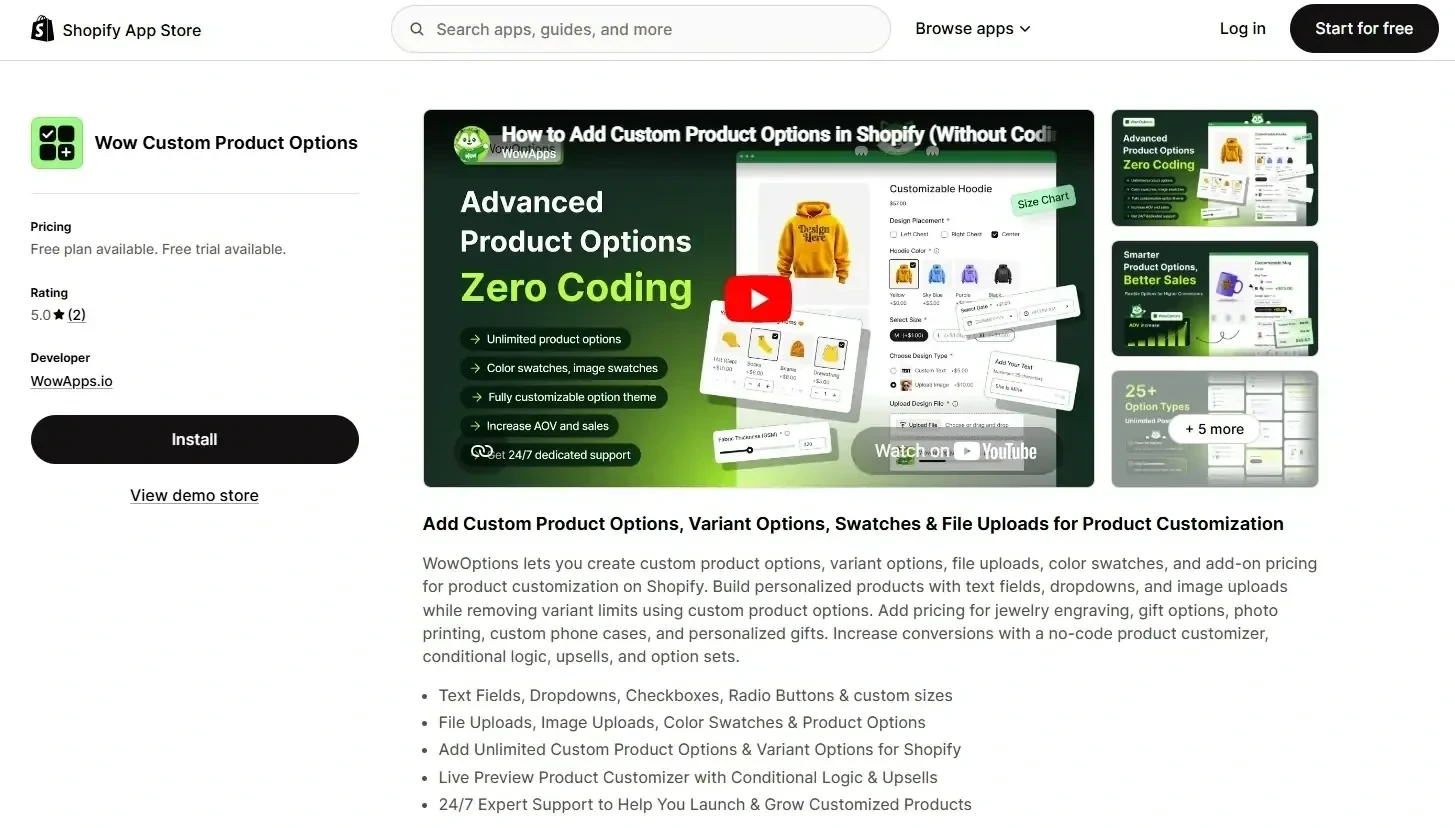
#4 Wow Custom Product Options
Developer: WowApps
Pricing: Free plan available. Paid plans start at $5.99/month.
Reviews:5.0★ (10 reviews)
Wow Custom Product Options helps merchants launch personalized products faster without building every customization workflow from scratch. It combines ready-made templates, flexible product options, live previews, conditional logic, and pricing controls in one app. It suits stores that want to sell personalized products but need more than Shopify’s standard variant system.
Key Features:
30+ Ready-made templates for faster setup – start with pre-built personalization workflows instead of creating every option manually. This helps merchants launch personalized products faster.
25+ product option types – add text fields, image uploads, swatches, dropdowns, checkboxes, and other customization fields for different product categories.
Live visual personalization – customers can preview personalized text, images, colors, and designs before purchase, making it useful for apparel, gifts, jewelry, and accessories.
Conditional logic and pricing controls – show relevant options based on customer choices and add extra charges for premium customizations or upgrades.
The tradeoff is its newer track record – with fewer reviews than established apps, it has less long-term merchant history compared with category leaders.
Pricing
Wow Custom Product Options offers four plans with a free option and a 7-day free trial on paid plans.
Early reviews highlight the app’s simple setup, flexibility, and responsive support. Merchants mention that they can quickly create product customization options and launch personalized products without complicated configurations. Users also appreciate the clean interface, wide range of customization options, and how easily the app integrates with their stores. Support is another frequently praised area, with merchants mentioning quick responses, helpful setup guidance, and assistance with customization requirements.
#5 Qikify Custom Product Options
Developer: Qikify
Pricing: Free plan available. Paid plans start at $19.99/month ($49.99/month for Shopify Plus).
Reviews:4.9★ (899 reviews), Built for Shopify
Qikify Custom Product Options currently ranks first in the Shopify App Store’s own organic results for “product customization”, and it is the only app here that will build your option sets for you. Its AI scans your catalogue and recommends templates, or you describe what you want in a prompt and it assembles the fields. For merchants who dread learning another builder, that is the whole pitch.
Key Features:
AI store scan and prompt-to-build – one click scans your products and suggests matching option templates, or you type what you need and it creates the set. Genuinely different from everything else in this list.
Variant-aware conditional logic on the free plan – show options based on the Shopify variant a customer selected, without paying. Globo and Easify both put this behind a paid tier.
Full compatibility with Shopify Discounts – customized products still accept discount codes correctly at checkout, which is a common failure point in this category.
Unlimited option sets, products and orders on free – with 20+ option types and 10+ ready-made templates, plus live chat support.
The tradeoff is the trial and the tier gap – the free trial runs 7 days, the shortest here, there is only one paid tier at $19.99, and Plus stores pay $49.99. The interface covers five languages against 18 for Globo and 22 for OPTIS.
Unlimited: $19.99/month. Adds CSV import and export, date picker with blocked dates and lead times, price add-ons and bundles, font selector, multi-file upload, in-cart editing and Shopify POS
Shopify Plus: $49.99/month. Adds priority support and customization requests
Both paid plans include a 7-day trial and 20% off annual billing.
What other merchants say:
Merchants describe it as powerful without being complicated, and the ability to build one option set and apply it across many products comes up repeatedly. Gift and print sellers say conditional logic keeps otherwise crowded product pages readable. Support gets consistent praise for quick help matching the widget to store design. One point to note if you compare listings yourself: Qikify’s own App Store description still refers to Shopify’s old 100-variant limit, which has not been accurate since October 2025.
#6 OPTIS Product Options, Variant
Developer: OPTIS (BSS Commerce)
Pricing: Free plan available. Paid plans start at $9.99/month.
Reviews:4.9★ (2,246 reviews), Built for Shopify
OPTIS Product Options, Variant comes from BSS Commerce, a long-standing Shopify partner with a portfolio of B2B and customization apps. It covers the same ground as Globo and Easify, and its standout advantage is language coverage: the interface runs in 22 languages, more than any other app in this list. It suits stores selling across multiple markets.
Key Features:
22 interface languages – including Thai, Romanian, Hebrew, Vietnamese and Arabic, which matters for stores with staff or customers outside the usual Shopify markets.
20+ option types with live preview – text boxes, colour and image swatches, dropdowns, file uploads, size charts, font pickers and date pickers, with real-time preview on the product page.
Inventory tracking for add-ons – product add-ons draw down real stock rather than sitting as untracked line items, which few options apps handle properly.
Built-in B2B fit – it integrates with BSS’s own B2B and Wholesale Solution, PageFly and Translate & Adapt, making it a reasonable pick for stores running wholesale alongside retail.
The tradeoff is the free plan cap – you get 10 variant option sets, not unlimited. Globo, Easify and Qikify all give you unlimited sets for free, so OPTIS pushes larger catalogues onto a paid tier sooner.
Pricing:
Free: 10 variant option sets, 10+ option types, analytics, email and live support, no watermark
Merchants selling personalized gifts and made-to-order goods describe it as a straightforward way past Shopify’s variant ceiling, and the free tier gets called out as unusually capable for the price. Support responsiveness is a recurring positive. Occasional reports mention edge cases around confirmation emails when quick-buy is enabled, so test your checkout flow end to end before launch.
#7 Zepto Product Personalizer
Developer: Zepto Apps
Pricing: No free plan. Paid plans start at $9.99/month.
Reviews:4.9★ (1,294 reviews), Built for Shopify
Zepto Product Personalizer has been building live preview for Shopify since August 2016, longer than almost anything else in this category. It is built around visual personalization rather than form fields, so it fits jewellery, engraved gifts, monogrammed goods and photo products better than it fits a store that just needs a gift-message box.
Key Features:
Ten years of live preview development – customers see fonts, colours, monograms and uploaded images rendered on the product before they buy, with the maturity that comes from a decade of iteration.
Print-on-demand integrations – direct connections to Printful, Gelato and ShineOn, plus PageFly, GemPages and EComposer for page builders.
Build-your-own-product flows – multi-component customization for products assembled from several parts, handled with conditional logic and dynamic pricing.
High-quality file exports – merchants specifically praise the quality of the exported artwork files their production teams receive, which is the step that decides whether personalization is profitable.
The tradeoff is the double cap – every plan below $49.99 limits both personalizable products and custom orders per month. Starter allows 50 products and 100 custom orders, so a store running 150 personalized orders in December is forced to upgrade mid-season. There is also no free plan and the interface is English only.
Pricing:
All plans include a 15-day free trial.
Starter: $9.99/month. Up to 50 personalizable products, 100 custom orders per month
Basic: $19.99/month. Up to 200 products, 300 custom orders per month
Pro: $29.99/month. Up to 500 products, 500 custom orders per month
Unlimited: $49.99/month. Unlimited products and orders, prioritized support
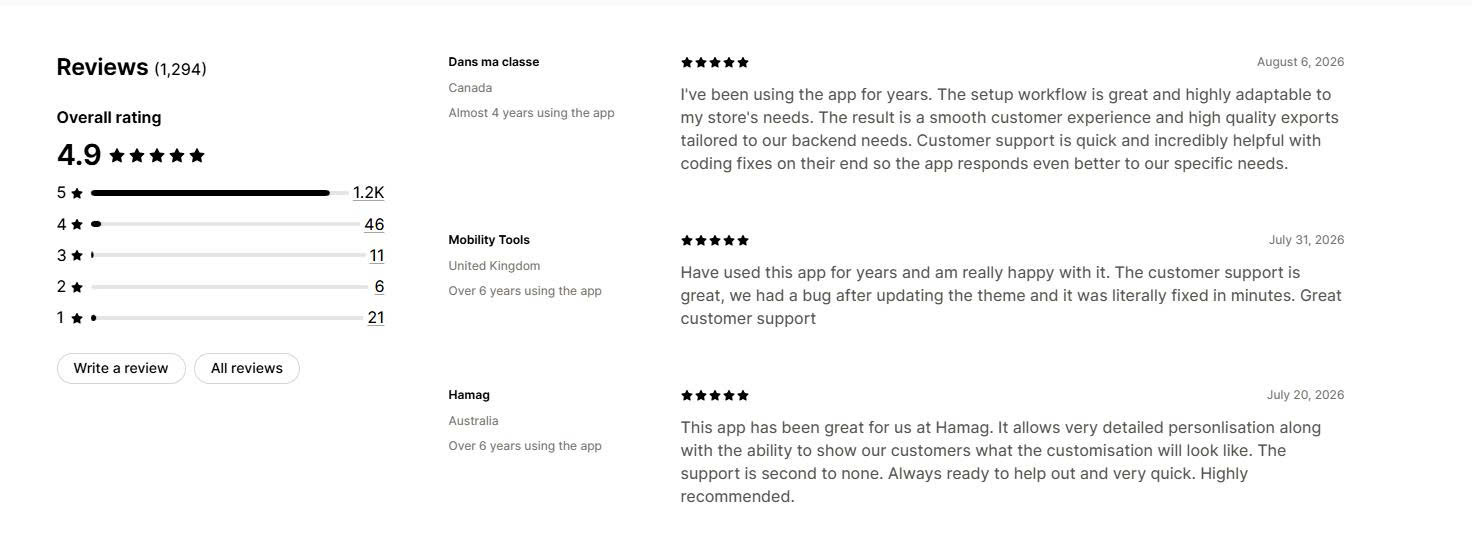
What other merchants say:
Zepto has the longest merchant tenure of any app in this list. Reviewers routinely report four, five and six years of continuous use, which is the strongest longevity signal available in this category. Praise focuses on support that fixes theme-related bugs in minutes and writes custom code where needed. The most common friction is the order and product caps, which surprise stores as they grow, so check your peak-month volume against the tier limits before committing.
#8 Infinite Product Options
Developer: ShopPad Inc.
Pricing:$12.99/month. One plan, no free tier.
Reviews:4.7★ (2,417 reviews), Built for Shopify
Infinite Product Options launched in June 2015 and is the longest-running app in this comparison. ShopPad sells it as a single flat-price plan with everything included, which removes the tier-comparison problem entirely. It also handles native bundles, which most options apps do not.
Key Features:
One price, every feature – $12.99 a month covers all input types, add-on products, native bundles, conditional logic and priority support. There is nothing gated.
Native Shopify bundles – build-a-box, mix-and-match, gift boxes, sample packs and multipacks, alongside the option fields. Few competitors handle both.
A rules engine for advanced logic – conditional rules built as a proper engine rather than simple show-and-hide, which suits complex configuration.
Deep ecosystem integrations – Recharge, Klaviyo, MESA, Order Printer and Uploadery, plus a US-based support team that merchants mention by name.
The tradeoff is the absence of a free plan and a weaker rating profile – you pay from day one, and 4.6% of its reviews sit at three stars or below, more than double the rate of Globo, Easify and Qikify.
Pricing:
The Essential Plan: $12.99/month, with a 14-day free trial. This is the only plan.
What other merchants say:
Merchants running engraving and made-to-order stores report setup handled by support in under five minutes, and recent reviews describe an AI assistant that resolves configuration questions with a human following up afterwards to suggest improvements. Inventory tracking across option combinations gets specific praise. The recurring criticisms are the lack of any free option and occasional disruption after theme changes, though reported fixes typically land within one business day.
#9 Teeinblue Product Personalizer
Developer: Teeinblue
Pricing: Free for development stores. Paid from $49/month plus per-item transaction fees.
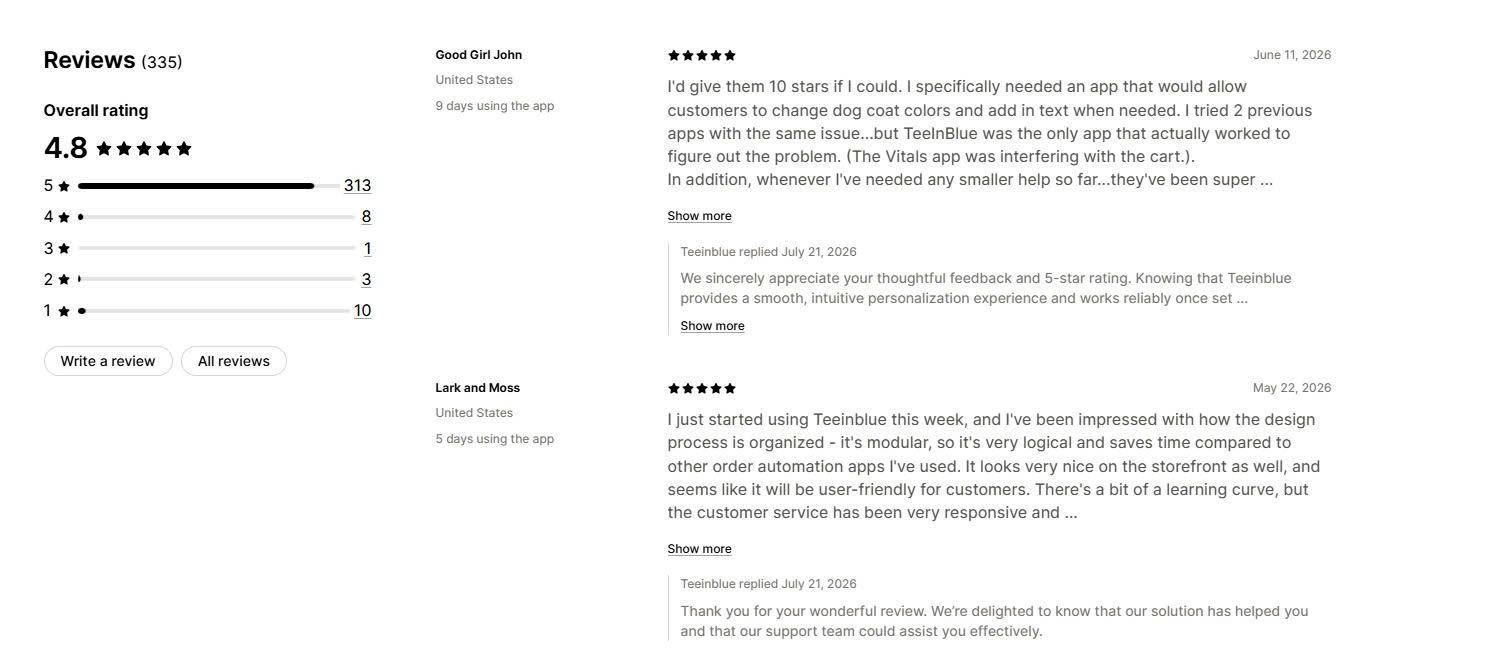
Reviews:4.9★ (309 reviews), launched April 2020
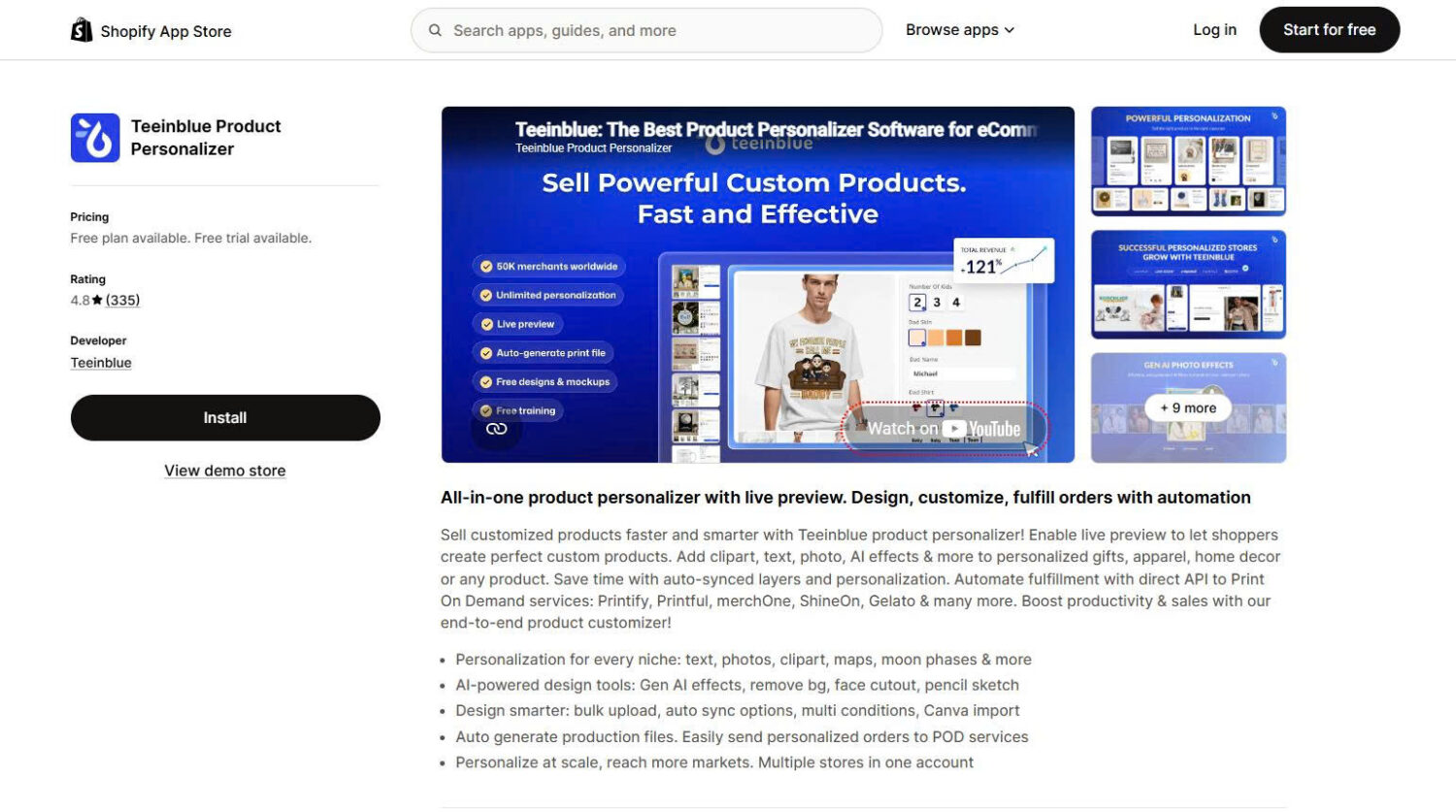
Teeinblue Product Personalizer is built for one job: selling personalized products fulfilled by a print provider. The customer designs on your product page, and Teeinblue generates the print-ready file and routes the order to your supplier without anyone touching it manually. If you fulfil in-house, the other apps in this list will serve you better.
Key Features:
Automatic print-ready file generation – the moment an order arrives, the app produces a production file at the correct specification, removing the manual step that limits how many personalized orders a small team can process.
Direct print-on-demand connections – Printify, Printful, Gelato, ShineOn, merchOne, Dreamship, CustomCat and Shirtee, with bulk fulfillment.
Personalization options built for gifting – custom text, photo upload, star maps, street maps, clipart, face cutout, background removal and AI effects, which cover the highest-selling personalized gift categories.
Multi-store from one account – run several Shopify stores on one Teeinblue account and share the same product data across them.
The tradeoff is the transaction fee – $0.10 to $0.40 per order item on top of the $49 monthly fee, with the first 100 orders each month exempt. Total cost is harder to predict than a flat subscription, and it rises with success.
Pricing:
Development stores: free, with all features
Blue: $49/month plus $0.10 to $0.40 per order item generated by Teeinblue. No transaction fee on the first 100 orders each month
All other Shopify plans include a 14-day free trial
What other merchants say:
Reviewers highlight the interface as unusually intuitive for a tool this specialized, and mention niche personalization types like crossword and word-search products that competitors do not offer. Stability under volume comes up often, as does a support team that sends video walkthroughs rather than text-only replies. The rating profile is strong, though 3% of reviews sit at one star, higher than the general options apps, and the per-item fee is the most common cost complaint.
#10 Kickflip
Developer: Kickflip
Pricing: From $59/month plus a transaction fee starting at 1.95% of customized sales. Free trial available.
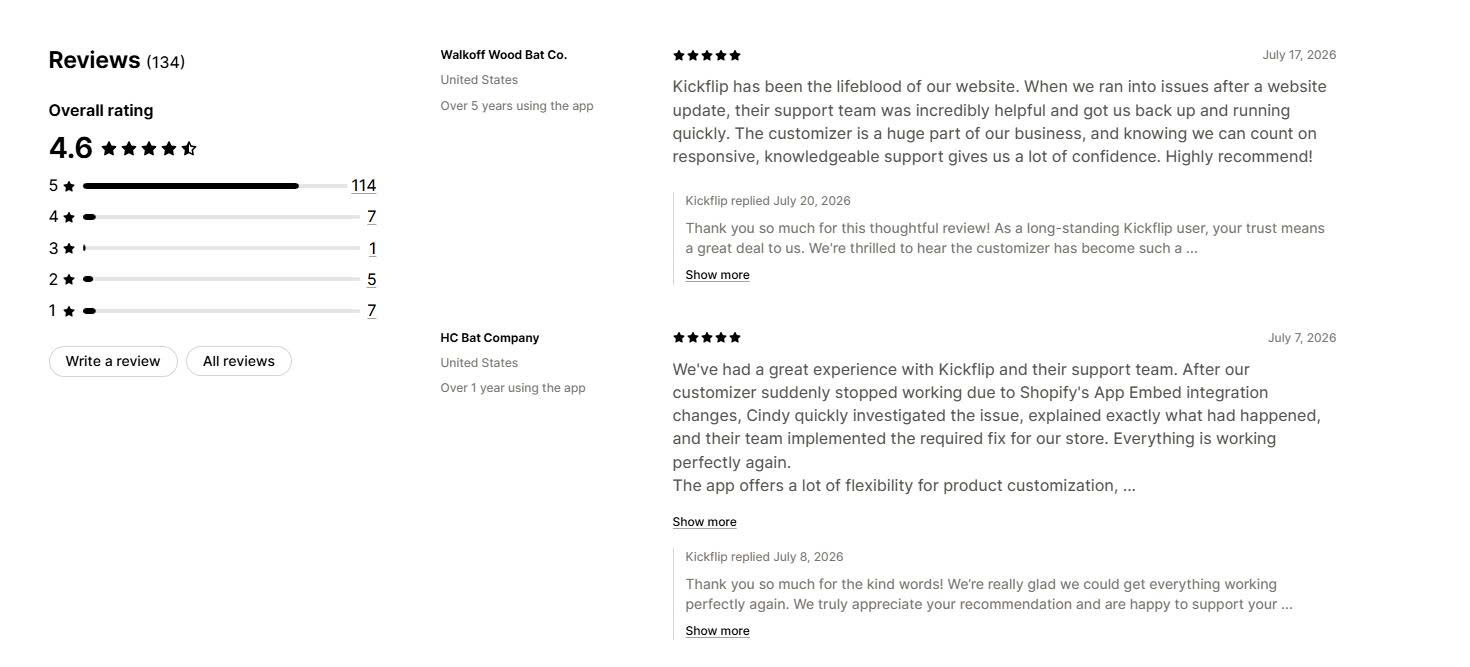
Reviews:4.6★ (134 reviews)
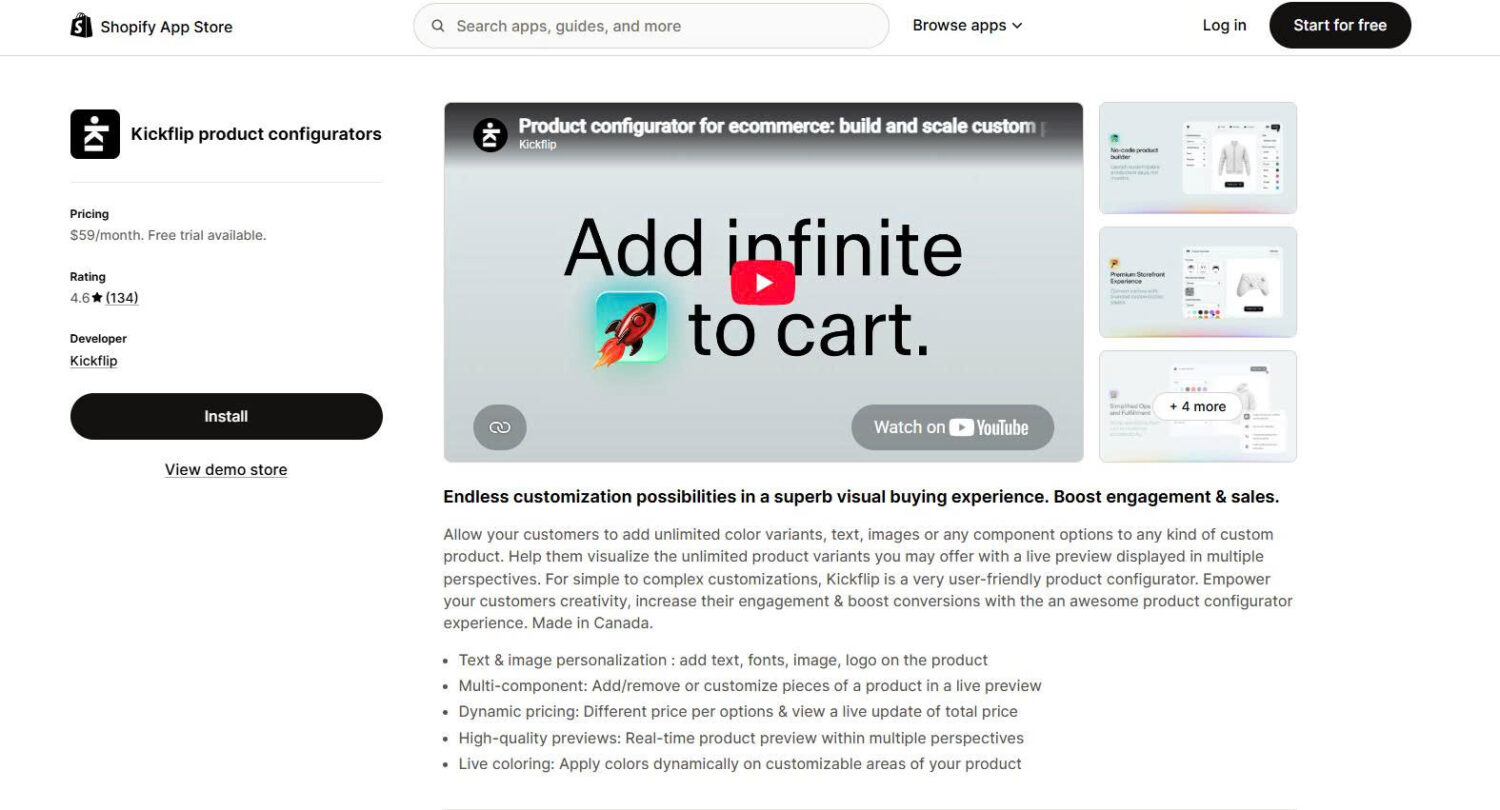
Kickflip is a true 3D product configurator rather than an options app. Customers add, remove and swap components and view the result from multiple angles, which suits products where the shape changes as choices are made. Brands selling custom skis, baseball equipment, sunglasses and football kit use it, and that is the profile it fits.
Key Features:
Genuine 3D visualization – customers rotate the product and see components change in real time, which no options app in this list can match.
Multi-component configuration – add or remove parts such as sleeves, straps or panels, rather than only changing colours and text on a fixed shape.
Dynamic pricing per component – the price recalculates as each part is selected, with support for upcharges on individual elements.
Design sharing and order data – customers share finished designs on social platforms, and you get design analytics alongside the order record.
The tradeoff is cost as you grow – Kickflip replaced its earlier pay-as-you-grow plan with a higher monthly subscription plus a per-transaction fee, and merchants have publicly downgraded their ratings over it. At $10,000 a month in customized sales, the 1.95% fee alone adds roughly $195 on top of the subscription.
Pricing:
Kickflip’s Scale plan starts at $59/month plus a transaction fee beginning at 1.95% of customized product sales, decreasing at higher volumes, with custom plans for large merchants. Pricing in this app has changed more than once, so verify the current structure on the listing before installing.
What other merchants say:
Merchants building genuinely complex configurators praise the interface, the support team’s willingness to solve code-level problems, and the finished customer experience. The dominant complaint is cost. One long-term merchant lowered a five-star review specifically because the pricing model changed, noting that a single tier does not suit stores on Shopify Basic, and several reviewers mention moving to cheaper alternatives. Its one-star share is the highest in this comparison, and almost all of it relates to pricing rather than the product itself.
4. How to Pick the Right Shopify Product Customization App (our recommendations)
If you want the most proven option with a free plan
Globo and Easify are the two safest picks for most stores, and the choice between them comes down to your Shopify plan.
Pick Globo if you need many option types applied in bulk across a large catalogue, want Shopify POS support, and are on a standard Shopify plan where it costs $9.90.
Pick Easify if you are on Shopify Plus or expect to be, since it charges $19.99 where Globo charges $59.90 for a comparable tier.
If you want to spend nothing
Pick Podifai if you want live preview, file upload and price add-ons at zero cost, and you can accept a young app with a small review base.
Pick the free tier of Globo, Easify or Qikify if you want a proven app with years of history and can work without file upload and price add-ons.
If your customers need to see their customization
Pick Zepto if live preview is central to your product and you have steady order volume, though check your peak month against the product and order caps first.
Pick Podifai if you need preview without a monthly fee, or Easify Premium at $19.99 if you want preview backed by a larger track record.
If you fulfil through a print provider
Pick Teeinblue if you need print-ready files generated automatically and routed to Printify, Printful or Gelato, and your volume justifies the per-item fee.
If you sell configurable, multi-component products
Pick Kickflip if 3D visualization genuinely changes the buying decision and your average order value absorbs both the subscription and the transaction fee.
If you want fast setup or multi-market coverage
Pick Qikify if you would rather have AI scan your store and propose option sets than build them by hand.
Pick OPTIS if you run stores across several languages, since its interface covers 22.
If you want to launch personalized products faster
Pick Wow Custom Product Options if you need ready-made templates, flexible product options, live previews, and pricing controls without building every customization workflow manually.
5. Conclusion
The right Shopify product customization app comes down to three questions. Do you need visual live preview or just extra fields? Are you on Shopify Plus, where several apps charge two to four times the listed price? And does the customization data need to reach a print provider automatically? Globo and Easify cover most stores, Podifai is the strongest free option, Zepto leads on proven live preview, and Teeinblue and Kickflip are worth their higher cost only for print-on-demand and 3D configuration respectively.
One last point that decides whether personalization is profitable. The app itself is only half the job. What matters just as much is whether the customer’s choices arrive on your packing slip, your confirmation email and your fulfillment system, because an option that looks right on the storefront and never reaches production creates a refund instead of a sale. Test that path with a real order before you launch, and always build on a duplicate theme first. All pricing and ratings in this guide were verified against live Shopify App Store listings in August 2026.
6. FAQs
What are the best Shopify product customization apps in 2026?
Globo Product Options and Easify Custom Product Options are the strongest all-round picks, with 4.9-star ratings across 4,726 and 2,860 reviews respectively and free plans that include unlimited option sets. Podifai is the best free option because it includes live preview at no cost. For specialists, Zepto leads on proven live preview, Teeinblue on print-on-demand automation, and Kickflip on 3D configuration.
How much does a Shopify product customization app cost?
Most apps run between $9.90 and $19.99 per month, with Globo, Easify and OPTIS all starting under $10. Specialist tools cost more: Teeinblue starts at $49 plus per-item fees, and Kickflip starts at $59 plus a transaction fee from 1.95% of customized sales. Watch for the Shopify Plus surcharge, since Globo charges Plus stores $39.90 and $59.90 while Easify charges the same $9.99 and $19.99 on every plan.
Is there a free Shopify product customization app?
Yes, and the free tiers in this category are unusually generous. Podifai is free outright, including live preview, conditional logic and price add-ons. Globo, Easify and Qikify all offer unlimited option sets, products and orders on their free plans, though file upload and price add-ons generally require a paid tier. OPTIS has a free plan capped at 10 option sets.
How many product options does Shopify allow without an app?
Shopify allows a maximum of three options per product and up to 2,048 variants, raised from 100 in October 2025. The three-option limit is the one that stops most merchants, and native variants cannot capture free text or uploaded files. Shopify’s own documentation recommends either a third-party app or custom theme code using line item properties if you need more.
Will a product customization app slow down my store?
A well-built app should have a minimal effect, and the Built for Shopify badge is a useful filter here because Shopify only awards it to apps that meet its performance standards. Eight of the nine apps in this guide carry it. Install on a duplicate theme, measure your product page speed before and after, and check the page on mobile before you publish, since option widgets add the most weight on smaller screens.
Which Shopify customization app is best for beginners?
For beginners launching personalized products, Wow Custom Product Options is a strong choice because it provides ready-made templates and flexible customization options that reduce setup time. Merchants can start from existing workflows instead of creating every option manually.