



Charlie Ngo
•
Last updated: 20 October, 2026
Shopify Collections: How To Create & Organize Them (2026)
Shopify collections decide how shoppers find your products, yet many guides still describe a setup Shopify is now replacing....
How To Add a Recent Sales Popup on Shopify (2026 Guide)

Marketing Manager
Summarize this post with AI
A Shopify sales popup shows new visitors that other people are buying from your store, and that small signal can help convince a hesitant shopper to buy. This guide explains what a recent sales popup is, why it works, the main types, how to add one with the right app, and how to set it up without annoying shoppers or hurting your search rankings. I’m Charlie Ngo, Marketing Manager at BOGOS, and I’ve helped many Shopify merchants set up promotions and trust signals like these.
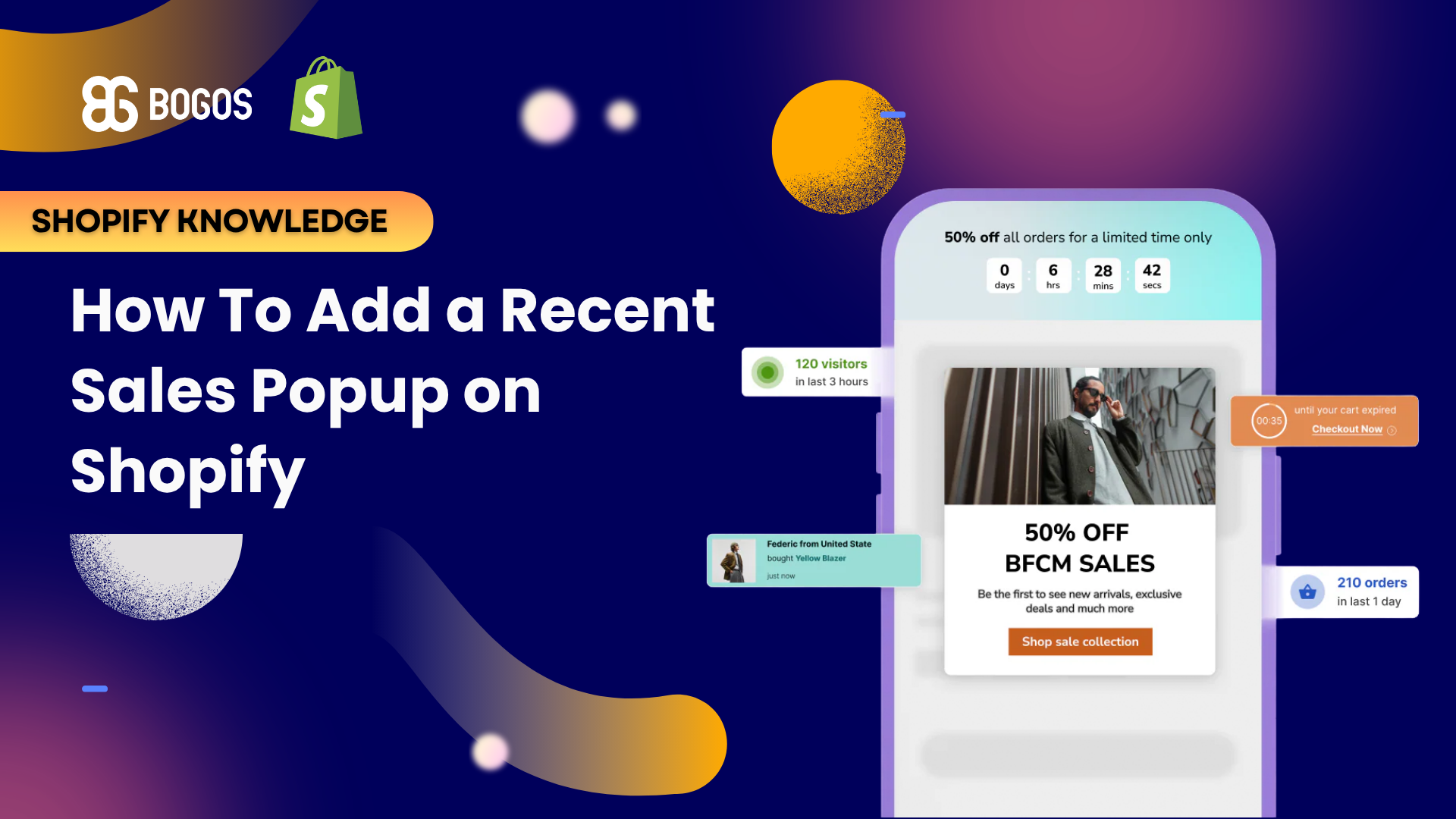
A Shopify recent sales popup is a small notification that appears on your storefront to show new visitors what other customers have recently bought. It usually appears in a bottom corner of the screen. It shows a short message such as “Sarah from London bought this 10 minutes ago,” often with a product photo.
The purpose is to build trust and create urgency. A new visitor who sees other people buying feels more confident that the store is real and the product is worth buying. The activity also suggests the product is popular, which encourages the visitor to act sooner.
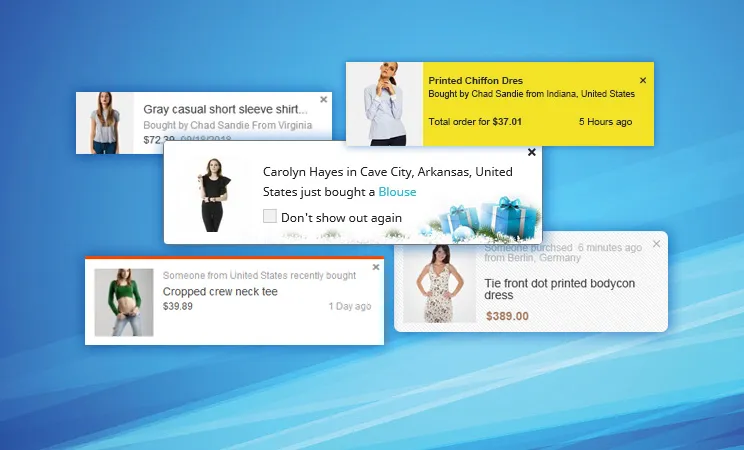
A recent sales popup is not the same as an email popup, a discount popup, or an exit-intent popup. Each one has a different job.
The recent sales popup is the least intrusive of the four because it does not interrupt the shopper or demand an action. It sits in the corner and reports what is happening in the store.
Read our detailed Shopify popup guide to learn about the different types of popups, what they do, and how to create them on Shopify: Shopify Pop-Up Guide: Types, Free Setup, and Best Apps
Recent sales popups work because of social proof. Social proof is the tendency to copy what other people do, especially when we are unsure about a decision. When a shopper sees that other people are buying a product, that product feels like a safer choice.
The trust behind social proof is well documented. Nielsen’s Global Trust in Advertising research found that 92% of people trust recommendations from people they know, and online consumer reviews rank among the most trusted sources of information about a brand. A recent sales pop-up uses the same effect by showing the actions of real customers.
Research on reviews shows how strong this effect can be. Northwestern University’s Spiegel Research Center found that a product page showing five reviews had a 270% higher purchase likelihood than the same page with no reviews. The lift was 190% for lower-priced products and 380% for higher-priced ones. Reviews are a different form of social proof than a sales popup, but the finding shows that signals from other customers move purchase decisions.
Be careful with conversion claims that are specific to sales popups. Hard data on recent sales popups by themselves is limited, and most numbers come from the apps that sell them. Across large popup datasets, average conversion rates range from about 3.5% to 11%, depending on the study and the popup type. Wisepops reports about 4.82% across roughly one billion displays, and OptiMonk reports 11.09% across its own dataset. These are vendor figures, and they mix many popup types, so treat them as a rough guide rather than a promise.
There are five common types of recent sales popup notifications, and most apps let you combine them.
Start with recent purchase notifications, since they are the clearest form of social proof. Add the others once you know they help rather than clutter the screen.
Shopify does not include a built-in recent sales popup, so you add one with an app from the Shopify App Store. Every option below installs in a few clicks, connects to your real order data, and needs no coding. The table compares the six strongest apps, and a short review of each one follows.
| App | Best for | Standout feature | Pricing |
|---|---|---|---|
| Vitals | Stores that want many tools in one app | Recent sales notifications bundled with 40+ conversion tools | One flat plan around $29.99/month, free trial |
| Fera | Reviews plus social proof together | Combines review widgets with sales notifications | Free plan, paid tiers |
| Nudgify | A dedicated social proof tool | Wide range of nudges and 30+ languages | Free plan, paid tiers |
| Fomo | Brands that want detailed control | Deep display rules and integrations | Paid plans |
| TrustPulse | Simple, quick social proof setup | Easy targeting and timing controls | Free plan, paid tiers |
| ToastiBar | A low-cost sales popup and proof app | Several proof types in one app | Free plan, paid tiers |
Vitals is the best fit if you want more than a popup. It bundles recent sales notifications with more than 40 other tools, including reviews, upsells, bundles, and trust badges, for one flat fee of about $29.99 per month. You save money and page speed by running these features from one app instead of several. It is more than you need if a sales popup is the only feature you want.
Fera suits stores that want reviews and social proof from the same app. It shows recent purchase notifications and review popups together, so shoppers see both forms of proof. It has a free plan and paid tiers, which makes it easy to start small.
Nudgify is a dedicated social proof tool with a wide range of notification types, from recent sales to live visitor counts and low-stock alerts. It supports more than 30 languages, which helps stores that sell in several countries. A free plan is available, with paid tiers as your traffic grows.
Fomo is built for brands that want detailed control over how notifications look and when they appear. It offers deep display rules and many integrations, which suits larger stores with specific needs. It has no free plan, so it costs more than the other dedicated tools.
TrustPulse is a good choice for a simple, fast setup. Its targeting and timing controls are easy to use, so you can launch a recent sales popup quickly. It offers a free plan and paid tiers.
ToastiBar is a low-cost option that covers several proof types in one app, including recent sales, cart, and review popups. It has a free plan, which makes it a practical starting point for a new store.
Check the recent reviews of any app before you install it. Some older sales popup apps have reports of notifications that stop displaying, so steady, recent feedback matters more than a high lifetime rating.
Follow these best practices so your sales popups help conversions instead of driving shoppers away.
A sales popup builds attention and urgency, but it does not create the offer behind it. To turn that attention into a bigger order, you need a real incentive, such as a free gift with purchase or a product bundle. This is where an offer engine like BOGOS fits, because it creates and delivers the gift, bundle, or reward that a popup can point to. A popup can highlight a live gift offer while the offer engine handles the reward automatically at checkout, which helps raise your average order value at the same time.
Small recent sales popups in the corner of the screen usually do not hurt your SEO. Full-screen popups that cover your content on mobile can lower your Google rankings.
Google’s guidance on intrusive interstitials explains the rule. Google may rank a page lower when a popup hides the main content on mobile as soon as a visitor arrives from search. The exceptions include legal notices such as cookie or age checks, login screens for private content, and small banners that are easy to dismiss. A corner sales notification is small and easy to close, so it usually falls outside this rule. Avoid full-screen sales popups that block the page on entry.
Site speed is the other thing to watch. Any app adds a small amount of code that can slow your store slightly. Choose a lightweight app, limit the number of notification types you switch on, and check your page speed after you install it. A fast store supports both a good shopping experience and a better Shopify conversion rate.
A Shopify sales popup is a small notification that shows real, recent purchases to build trust and urgency with new visitors. It works because of social proof: shoppers trust the actions of other customers, and Nielsen and the Spiegel Research Center both show how strongly these signals influence buying. Use real orders only, keep the popup small and dismissible, and pair it with a genuine offer to turn attention into a bigger order. Set up this way, a recent sales popup is a simple, low-cost way to help more visitors become customers.
No. Fake notifications break shopper trust as soon as someone notices the same “order” repeating or a purchase that could not be real. Inventing purchases can also break consumer protection rules in some countries. Show real orders only.
Recent sales popups work best when you have real, recent orders to show, so a brand-new store with no sales has little to display. Instead of inventing fake orders, focus on getting genuine first sales you can show. Running a real promotion is one way to generate those orders quickly. For example, you can use an app like BOGOS to run a real gift-with-purchase or bundle offer, then show the genuine orders it produces in your sales popup. Pairing real offers with social proof is a practical way to increase sales on Shopify while your store is still young.
A small corner popup will not. A full-screen popup that blocks your content on mobile can, because it hides the content a visitor came to see. Keep your sales popup small and easy to close, and you will stay within Google’s guidance.

Shopify collections decide how shoppers find your products, yet many guides still describe a setup Shopify is now replacing....

A Shopify announcement bar is the thin strip at the top of your store that tells shoppers about shipping,...
Australia is one of the first markets many Shopify stores expand into. It is large, English-speaking, and home to...
