



Charlie Ngo
•
Last updated: 7 October, 2026
Shopify Product Configurator: 2D vs 3D, Best Apps & Costs (2026)
Shoppers hesitate to buy a $1,200 sofa or a custom ring when they can’t see the exact version they’re...
![[2026] Shopify UGC: 4 Types, How to Do It & Best Apps](https://bogos.io/wp-content/uploads/2026/06/Shopify-user-generated-content-UGC.jpg)
[2026] Shopify UGC: 4 Types, How to Do It & Best Apps

Marketing Manager
Summarize this post with AI
Shopify UGC (user-generated content) is any content your customers create about your store, such as reviews, photos, and testimonials, rather than what your brand publishes. In fact, 47% of shoppers say customer reviews on retailer websites are the most influential factor when researching products online.
I’m Charlie Ngo, Marketing Manager at BOGOS. My job is helping merchants create high-perceived-value offers that lift conversion rates by turning hesitation into sales. Over 10+ years in ecommerce, I’ve seen how UGC works as a powerful CRO method, which is why I wrote this guide to show you how to take advantage of it effectively.
During the first quarter of 2026, 1.4% of visitors to an e-commerce website worldwide turn into purchases, while the top 20% pass 3.2%. That gap is rarely about traffic or product. It comes down to trust, because shoppers can’t touch or try what you sell online.
UGC is that social proof. About 65% of shoppers now rely on user-generated content, such as ratings, reviews, photos, and videos, to decide what to buy. According to Emplifi’s “Q3 2025 Social Media Benchmarks” report, UGC-featured content drove 10.38X higher conversion rates compared to those without it.
The effect is measurable. According to the Spiegel Research Center at Northwestern University, products with at least five reviews are 270% more likely to be purchased than products with none, and the lift reaches 380% for higher-priced items. For a Shopify store, that makes UGC one of the cheapest ways to boost sales: your customers create the content, and it keeps converting the next buyer around the clock.
UGC is not just one thing. It appears in several formats that can be embedded at different stages of the shopping journey, each serving a specific purpose. Here are four types worth your attention.
Reviews and ratings are the foundation of UGC. Up to 95% of shoppers consult reviews when researching a product, and they carry the most weight because nearly half of shoppers say reviews on retailer websites are the most influential content when deciding what to buy.
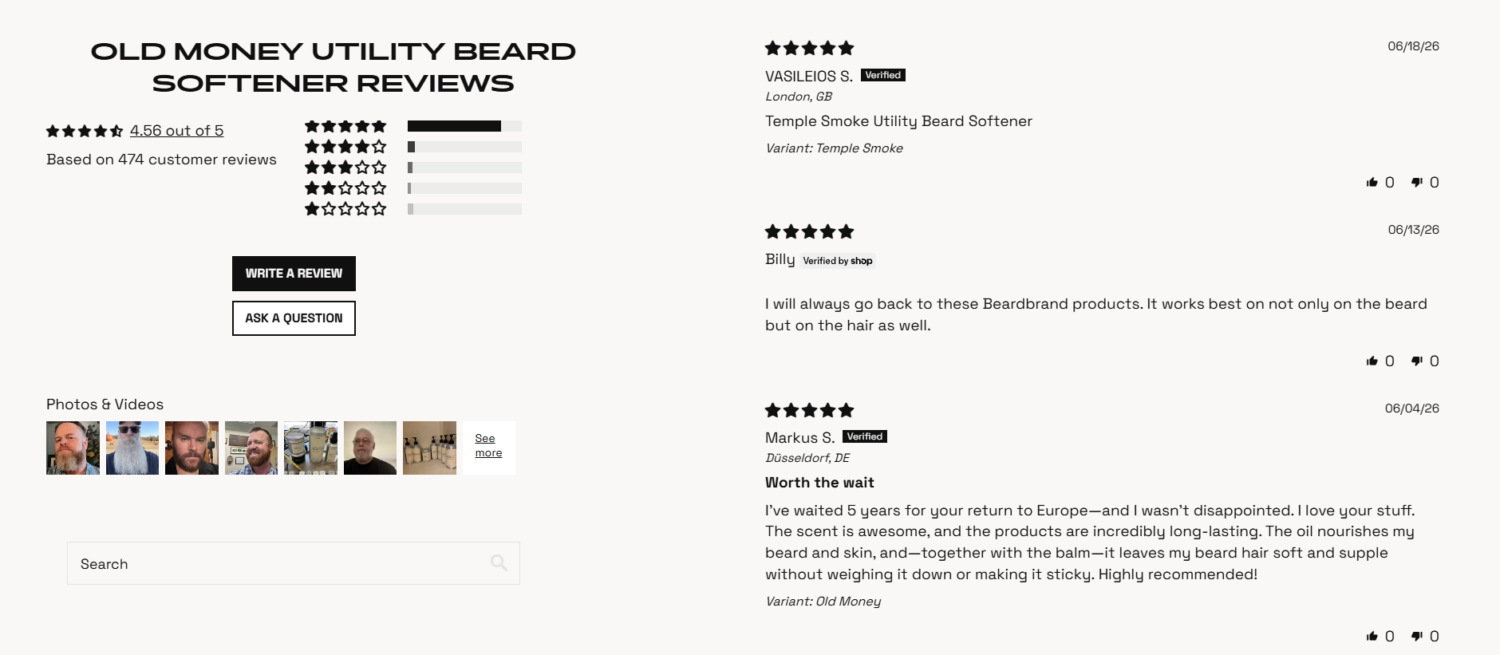
For any Shopify store, the best way to leverage them is to make reviews easy to recognize. Enable a review widget and display star ratings on both collection and product pages, so shoppers see proof before they click.
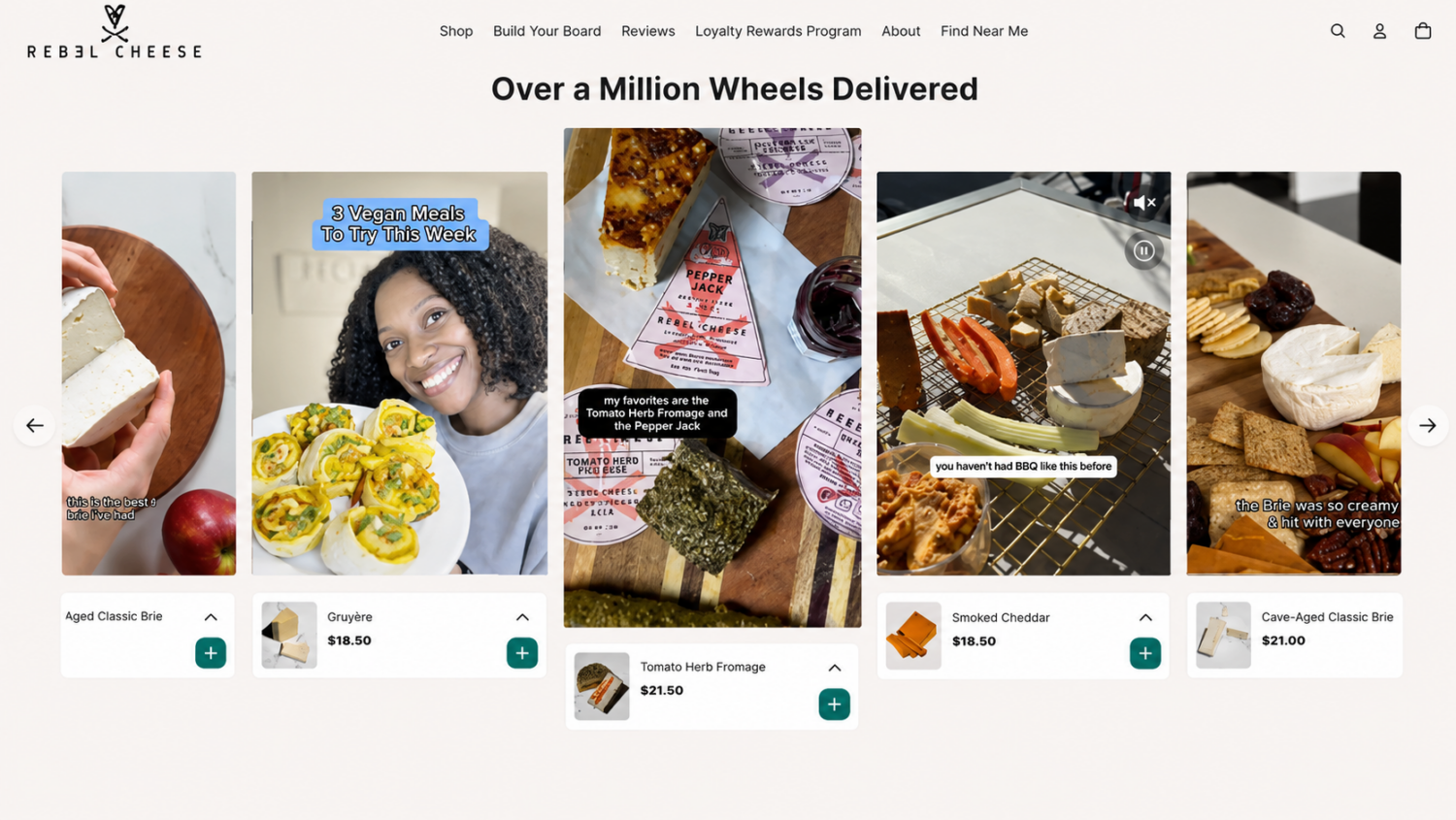
Customer photos and videos answer the questions that text can’t. They show how a product looks and fits in real life.
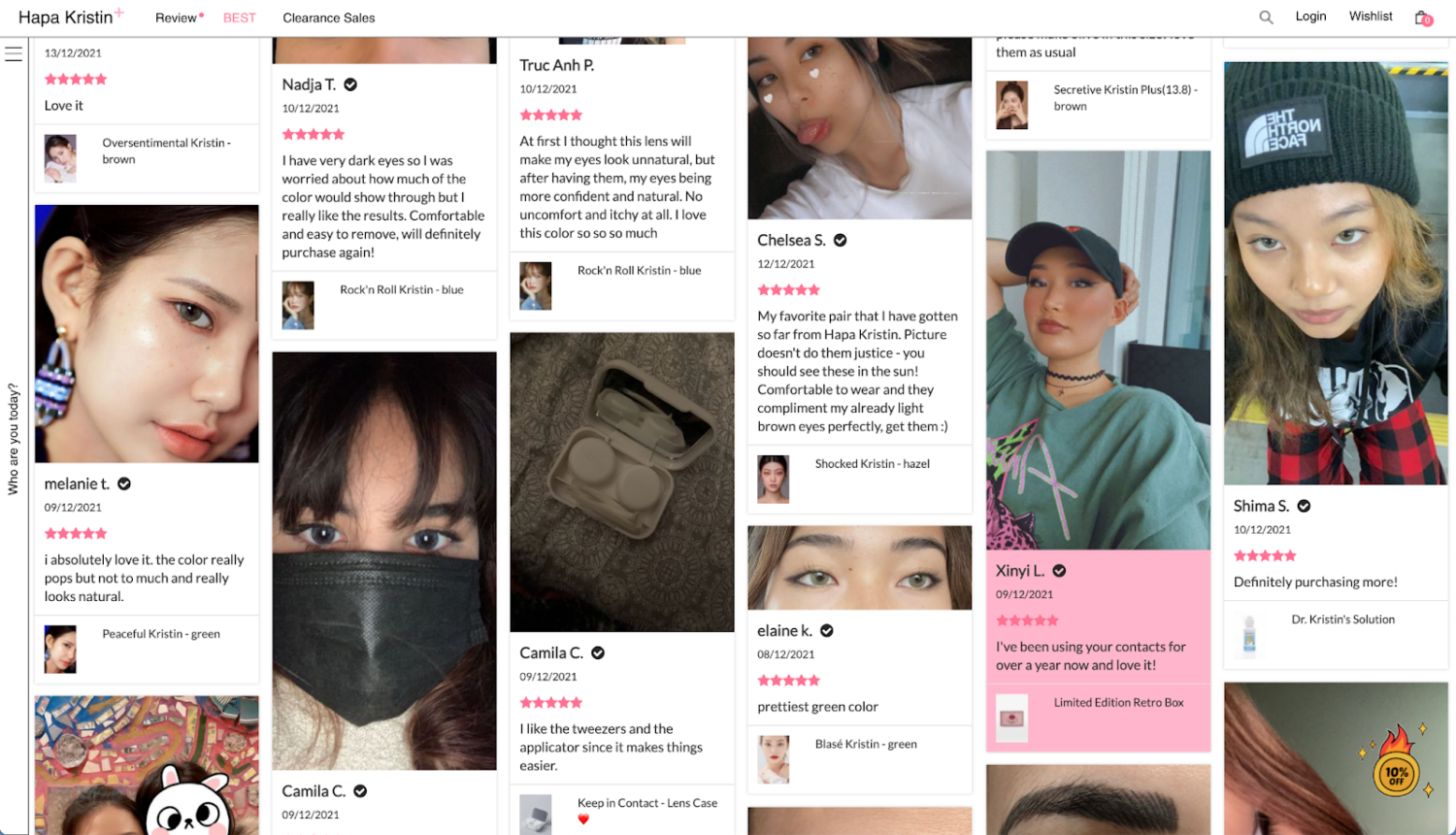
Shoppers actively seek them out. In a PowerReviews survey of nearly 16,000 US shoppers, 91% said they are more likely to buy when reviews include photos or videos, and 60% always look for user-generated product visuals first.
Feeding that demand is simple. Add a photo and video upload option to your review form, and make it more effective by offering stronger incentives for customers who share visual reviews. Then display that content prominently on the product page, so shoppers can picture the product before they purchase.
Social and blog posts extend your reach beyond your store, introducing you to new audiences every time a customer tags your brand. That reach matters more each year, with 39% of shoppers now using social media to research products and 86% of them saying they always engage with creator content before making a buying decision.

To tap into that, make sharing easy:
Unlike influencer marketing, this content comes from real customers, so it reads as honest.
Q&A clears the specific doubts that block a sale, letting shoppers ask about fit, sizing, or compatibility and get answers from other buyers. A survey conducted by PowerReviews found that there’s 177.2% lift in conversion among visitors who interact with Q&A across. Also, 24% of consumers say that if there’s no Q&A section on a product page, it makes them more suspicious about the quality of the product.
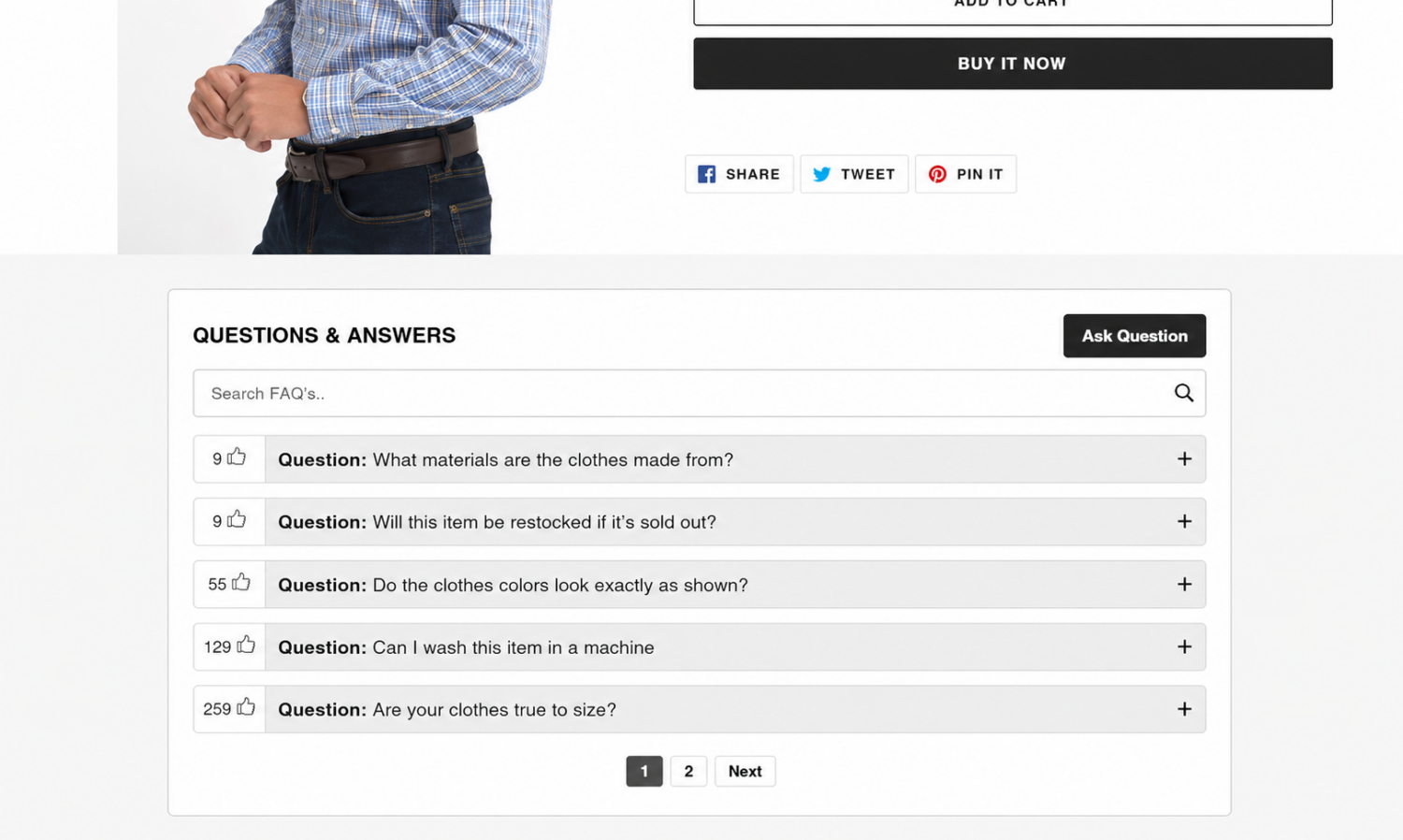
Since so many shoppers read Q&A before buying, an empty or missing section is a quiet conversion leak. Most review apps include a Q&A module you can switch on. Add the widget to your product page, directly below the reviews, where buyers already look for reassurance before they commit.
Getting value from UGC is a two-step system: collect it consistently, then show it where buyers decide. Here is how to do both on Shopify.
Start with post-purchase requests, because you need a steady supply. Only 43% of shoppers would buy a product with zero reviews, so empty pages quietly cost you sales. The key is to ask across more than one channel, not email alone, using a few touchpoints plus boosters that raise response rates.
Beyond direct requests, you can run branded hashtags and social campaigns to capture the content customers create on their own. This matters most for Gen Z shoppers: 69% use Instagram and 50% use TikTok for product discovery, and 80% say UGC is crucial when deciding what to buy.
Make it easy for them to share by:
One legal checkpoint before you reuse anything: you need permission to display customer content on your store, especially to make it a shoppable video. Reviews submitted through your own form are usually covered by the terms in that flow.
For social posts, always ask the creator directly and get a clear yes before you repost or tag products in their videos or photos. For example, you can request that they reply with a keyword like ‘YES’ or ‘APPROVED’ to confirm permission.
The product page is your highest-leverage spot. Reviews and customer photos placed near the buy button reassure shoppers at the exact moment they decide, which is why review-rich pages convert far better than empty ones. Put a star-rating summary at the top and a photo gallery inside the reviews block.
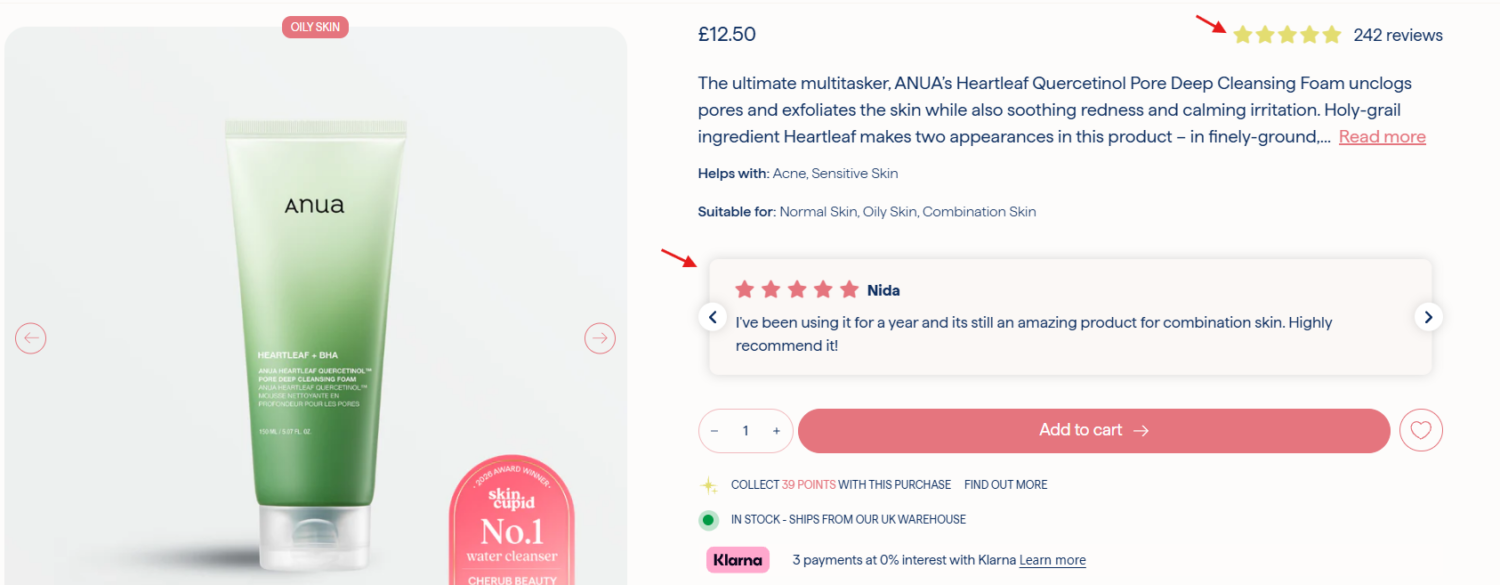
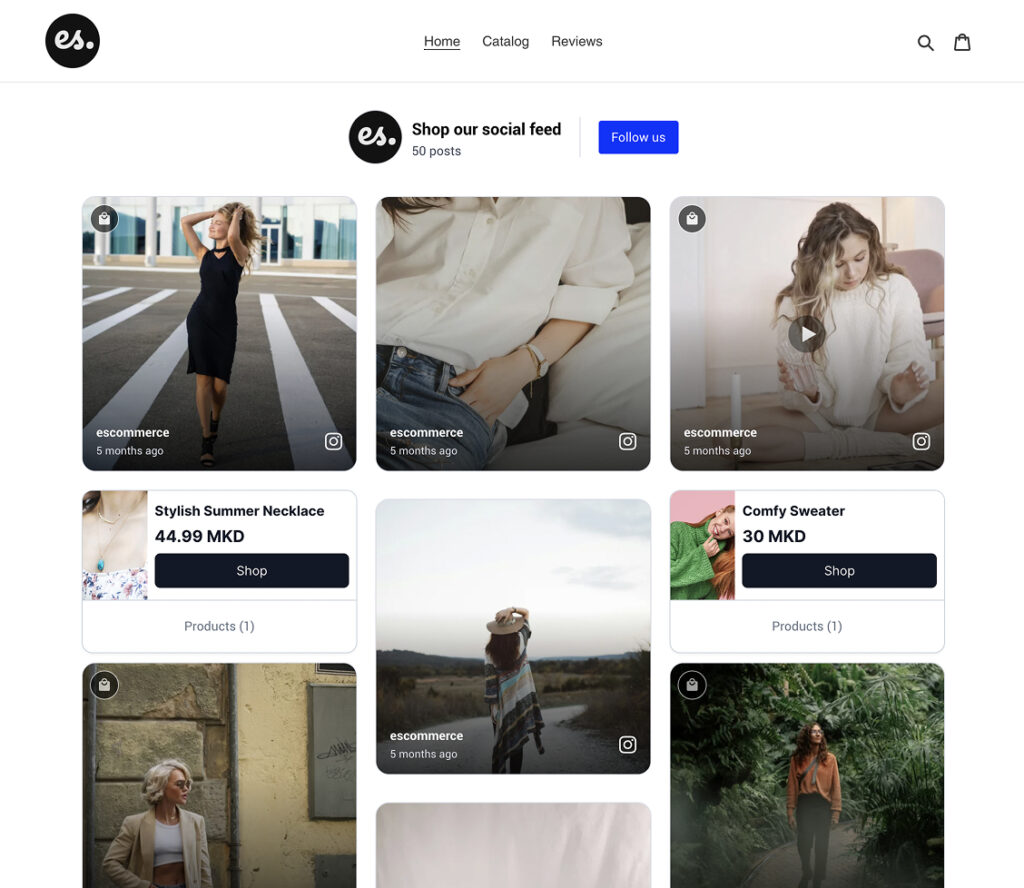
Your homepage is the next priority. A “shop our feed” gallery of real customer photos shows first-time visitors the brand is trusted and active, before they even reach a product.
Don’t stop at the storefront. Add a five-star review, customer photo, or short testimonial to your cart-abandonment emails to answer last-minute doubts and give hesitant shoppers one more reason to come back
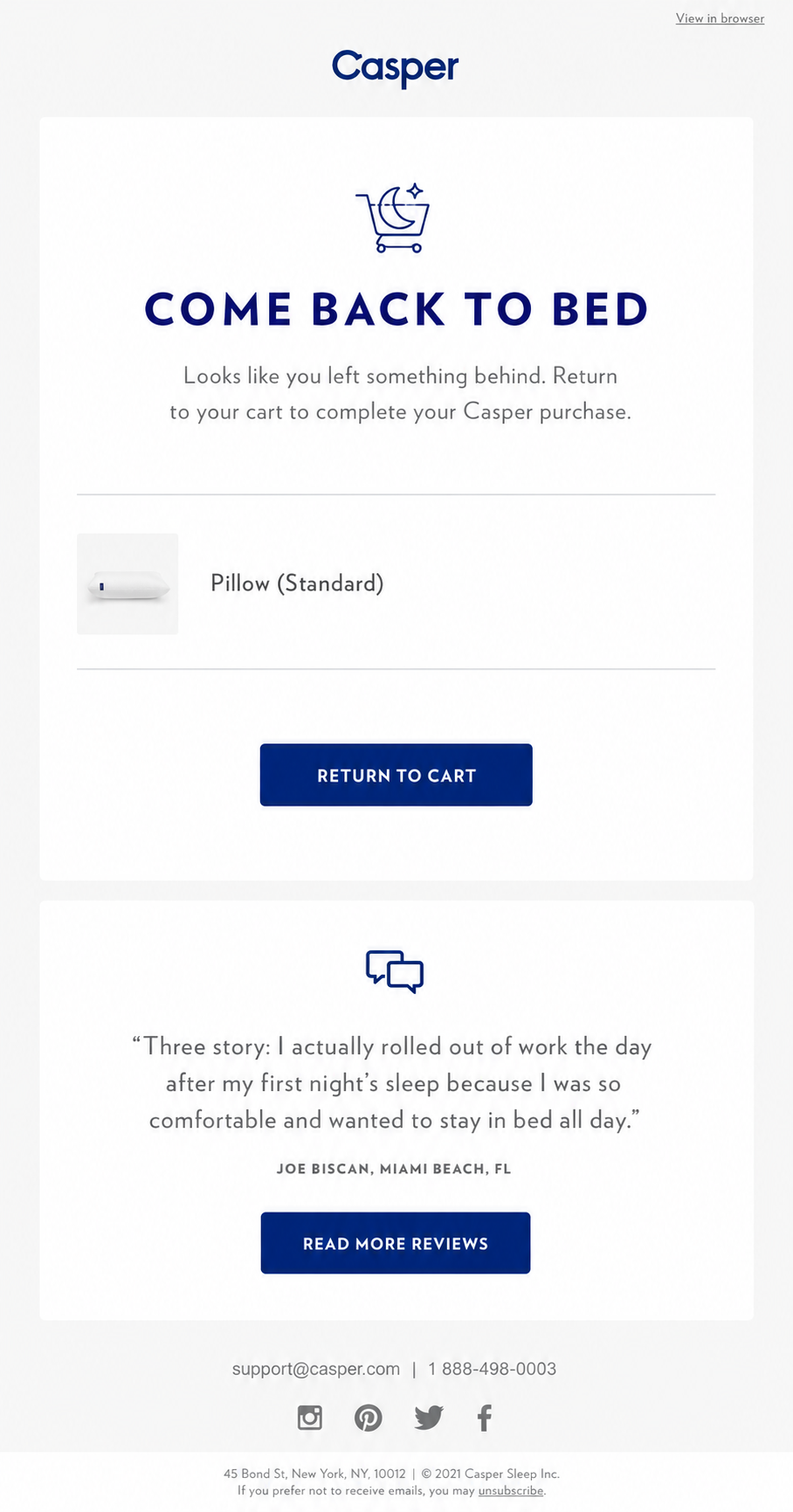
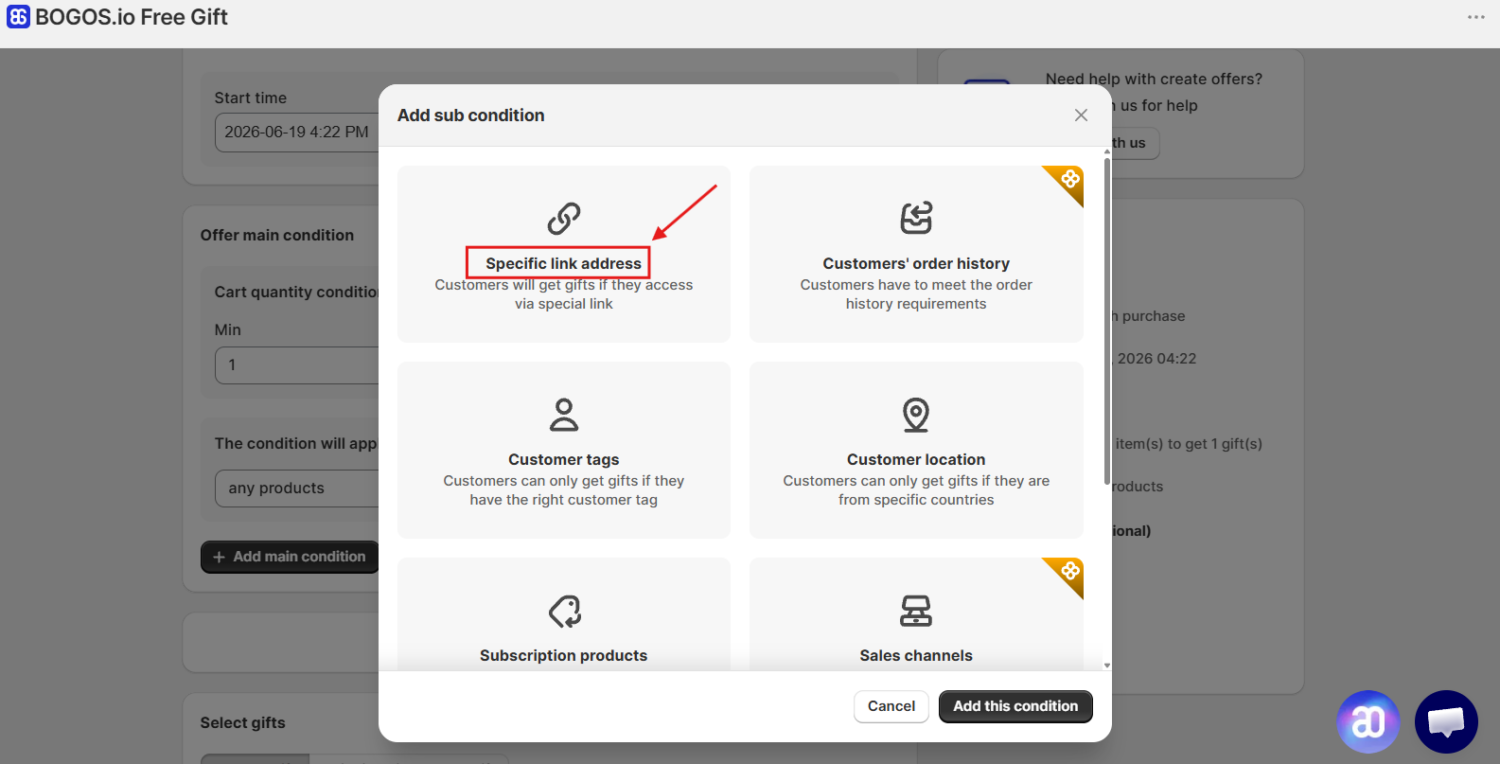
You can also pair that social proof with a small incentive, such as a free gift or special offer delivered through the email link. With a gift app like BOGOS, you can create targeted gift offers for specific customer groups and trigger them through a unique link, making your abandoned-checkout flow feel more personal without adding extra steps for shoppers.
One placement reminder: most Shopify traffic comes from mobile, where conversion rates are lower than on desktop, about 1.2% versus 1.9% according to Littledata’s report. Make sure your galleries load fast and stay tappable on small screens, so the UGC that convinces desktop buyers also works on a phone.
For more ways to optimize your product page for more conversions, read our Shopify product page optimization guide.
Each Shopify UGC app fits a different need. Use this comparison to see which one works best for your store.
| App | UGC type | Setup | Review syndication | Pricing |
|---|---|---|---|---|
| Judge.me | Text, ratings, photos, videos, and Q&A | Flexible email timing controls | Etsy, Google Shopping, Amazon, Aliexpress, Meta, TikTok Shop, Google Business, etc | – Free plan available. – One paid plan: $15/month |
| Loox | Text, rating, photo, video | The simplest email setup | Shop app, Google Shopping, Meta Shops, and TikTok Shop | – No free plan- Paid plan starts from $49.99/month |
| Yotpo | Text, rating, photo, video | Advanced setup with drag-and-drop editing and AI-empowered prompts | Google Shopping, Facebook, Instagram, Walmart, and Target | – Free plan available – Paid plan starts from $15/month |
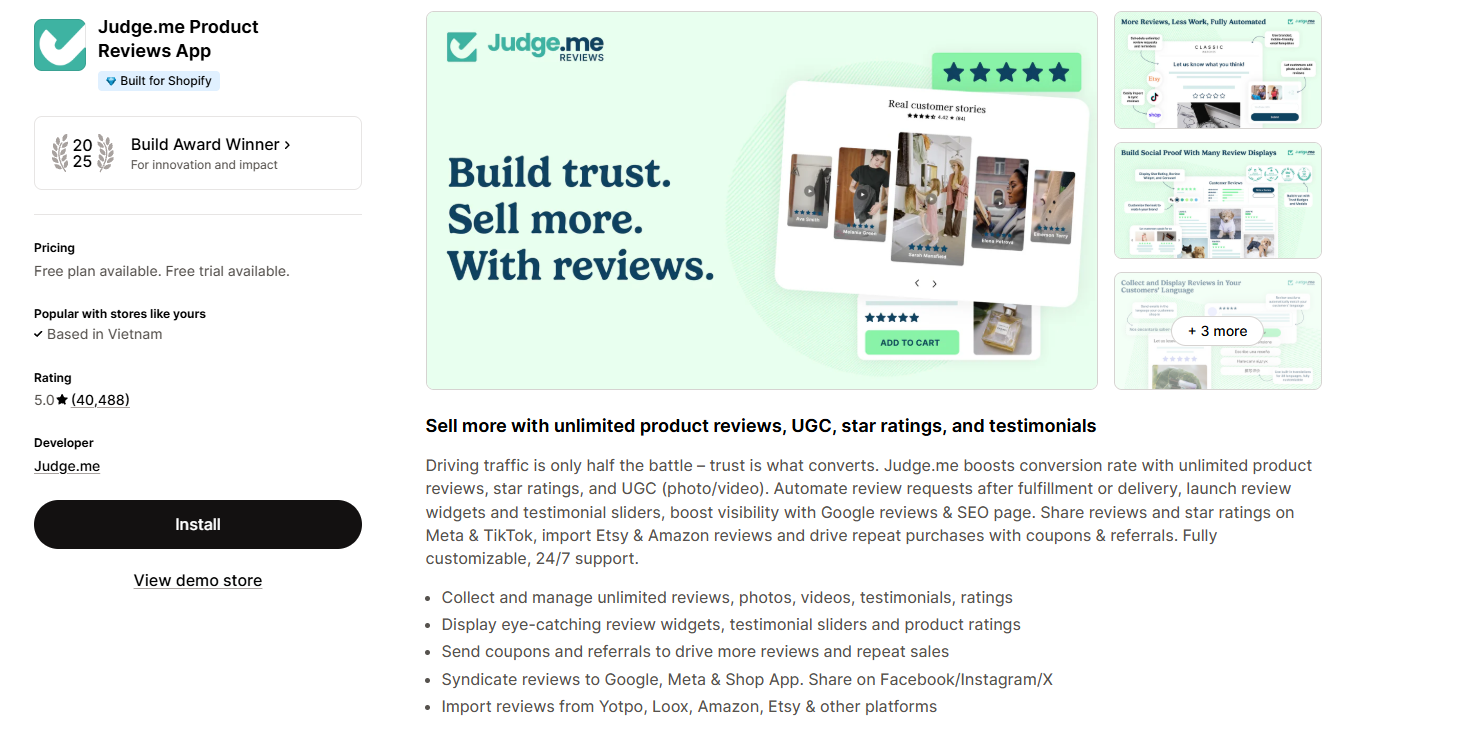
Judge.me is the most-reviewed app on the entire Shopify App Store, holding a 5.0 rating across more than 40,000 reviews. Its free plan is the most generous available, covering unlimited review requests, photo and video reviews, star ratings in Google results, and carousels at no cost. The $15 per month Awesome plan removes branding and adds AI review summaries, Q&A, and product grouping.
Best for: new or budget-conscious stores that want full review functionality without paying upfront.
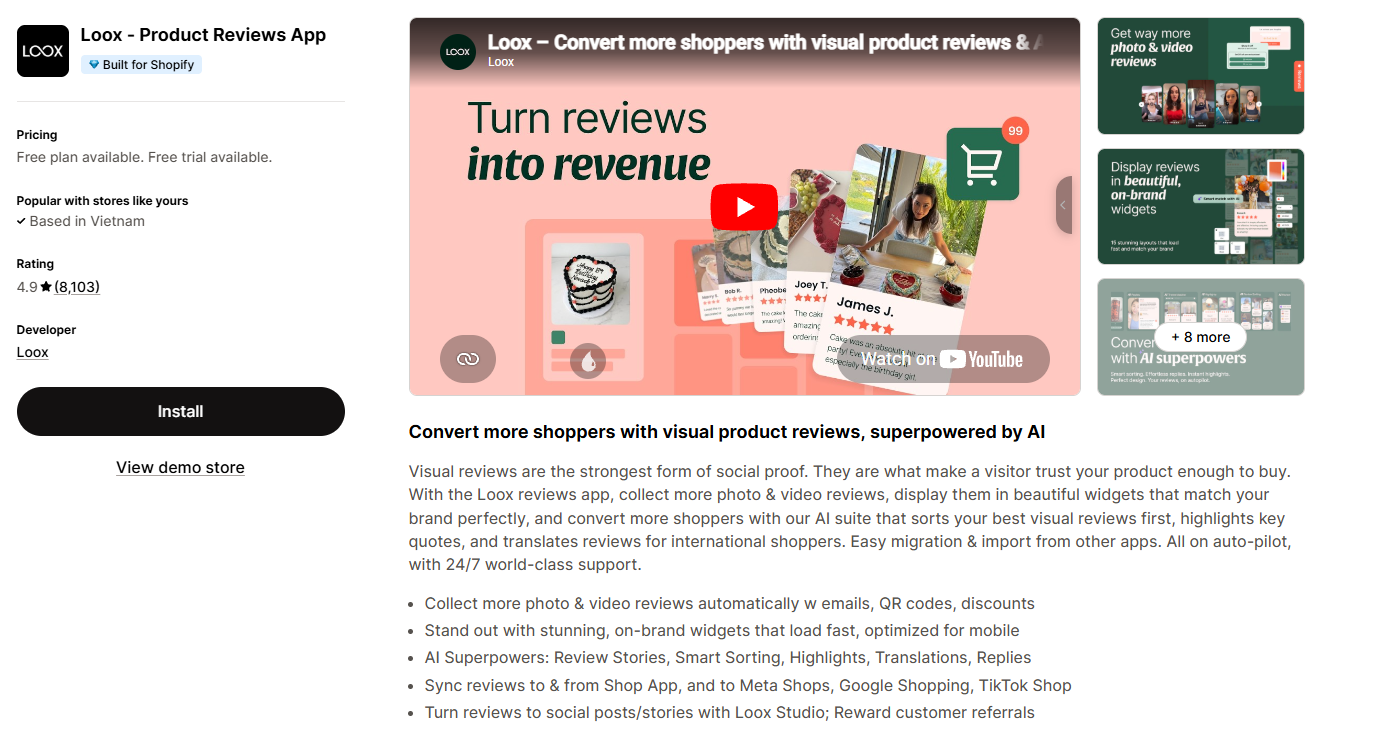
Loox carries a 4.9 rating from over 8,000 reviews and is built around visual proof. It collects photo and video reviews, displays them in polished widgets that match your theme, uses AI to surface your strongest visuals first, and can offer an automatic discount for photo reviews. Pricing starts at $49.99 per month, with a 14-day free trial rather than a permanent free plan.
Best for: visual-first brands in fashion, beauty, or home that want photo and video reviews to look premium.
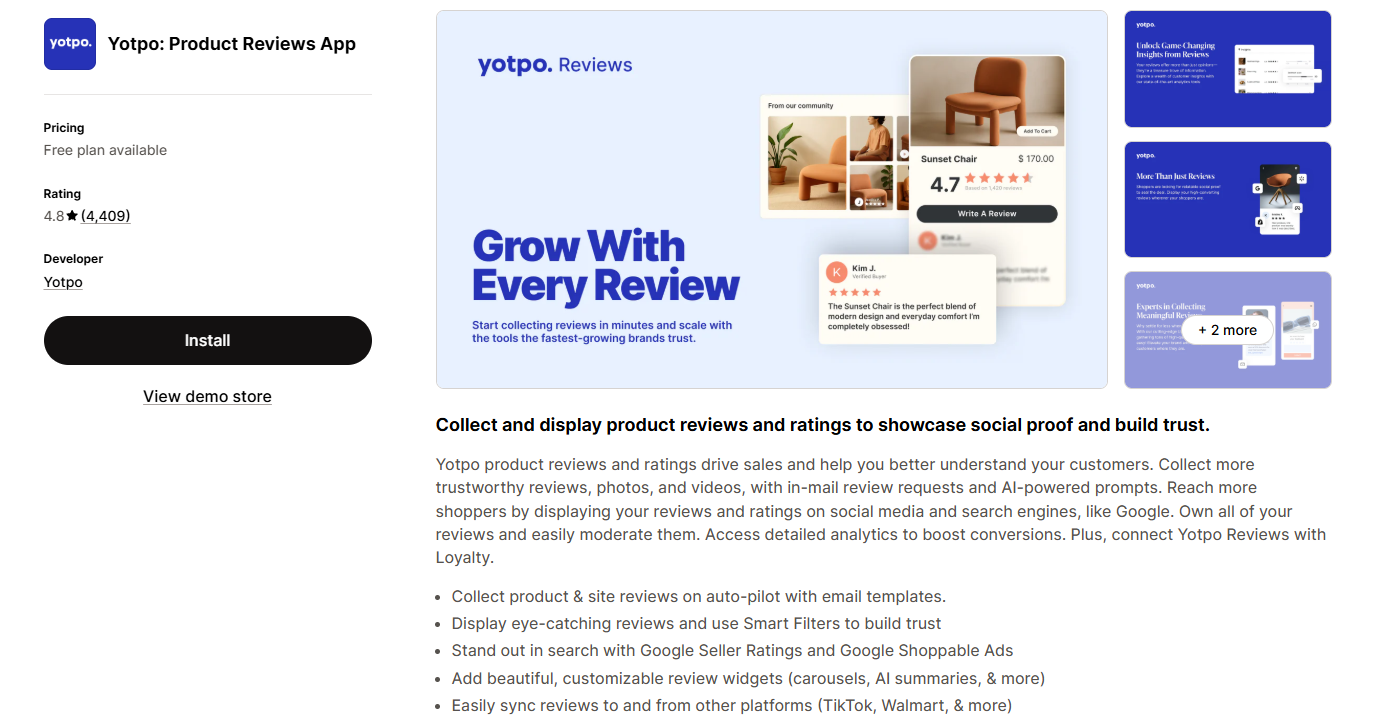
Yotpo holds a 4.8 rating from more than 4,000 reviews and functions as an all‑in‑one suite. In addition to reviews and visual UGC, it includes loyalty programs, referrals, and syndication that pushes your reviews to Google, TikTok, Shop App, Walmart, and other major retailers. The app also offers in‑mail review requests with AI‑powered prompts to personalize email content. While it has a free plan, paid tiers scale with order volume and can become costly as your store grows.
Best for: larger or scaling brands that want reviews working alongside loyalty in one platform.
A few habits separate UGC that quietly sits on a page from UGC that actually moves your numbers. Use these to get more out of every review, photo, and video.
Vague asks get vague content. Ask only for “a review,” and you often get a one-line rating that does little for the next shopper. Tell customers exactly what helps: a photo of the product in use, a short clip of the unboxing, or a note on fit and sizing. The clearer your prompt, the more useful the content you get back.
Video is the format shoppers trust most, because it is hard to fake and shows the product in real use. It is also the dominant style on social today, so a short clip travels further than a paragraph of text. Make it easy by accepting video directly in your review form, and nudge happy customers to record a quick clip instead of writing one.
Customers own the photos and videos they post, even when they tag you. Before you repost or feature anything, ask for clear permission, then credit the creator by name or handle when you share it. Crediting does double duty: it keeps you compliant and shows other customers that real contributions get noticed, which brings in more of them.
More shoppers now begin with an AI assistant instead of a search bar, and those tools decide what to recommend partly from your reviews. 58% of consumers have replaced traditional search engines with AI tools as their go-to source for product recommendations, more than double the 25% in 2023.
Shopify has made this official. With Agentic Commerce, Shopify’s newest sales channel, AI agents like ChatGPT, Microsoft Copilot, and Google AI Mode can now browse your product catalog, answer shopper questions, and complete checkout, all without the shopper ever landing on your store. In Q1 2026 alone, AI-driven traffic to Shopify stores grew 8x year over year, with orders from AI-powered search nearly 13x higher than the year before. For merchants, that means your reviews and UGC are no longer just read by people; they’re being scanned by agents deciding whether to recommend you at all.
One study found that AI shopping tools are 20% to 40% less likely to surface a product when key review information is missing. A few habits keep your UGC working inside those AI answers.
Incentives are allowed, but the rules around them are strict. Under the FTC’s 2024 rule, you cannot offer a reward conditioned on a positive review, and any incentive you give must be disclosed clearly. The safe approach is simple: reward an honest review of any rating, never a flattering one, and keep the disclosure easy to see.
A wall of flawless five-star reviews reads as fake, and shoppers notice. The Spiegel Research Center found that purchase likelihood peaks when ratings sit between 4.0 and 4.7 stars, and that a verified-buyer badge lifts the odds of purchase by about 15%. Show your imperfect reviews next to the glowing ones and label verified purchases, so the whole set looks believable.
User‑generated content (UGC) works because real customers speak for you. Reviews, photos, and videos build trust and turn hesitant shoppers into buyers. Done right, UGC is one of the most affordable ways to increase conversions on Shopify.
From my experience, the stores that succeed aren’t the ones with the most UGC—they’re the ones that show it at the right moment and keep it fresh. Start small: send a post‑purchase email or add a thank‑you card to collect reviews. Place a review widget on your product pages and keep new reviews coming. With steady effort, UGC will keep boosting sales and visibility over time.
No. UGC is content made by everyday customers, usually unpaid, because they liked what they bought. Influencer marketing is content you pay a creator with a following to produce and post.
UGC tends to read as more authentic because it comes from real buyers. Many brands use both: influencers for reach, customer UGC for proof.
Not always. Many valuable types of UGC, like customer reviews, photo reviews, and product Q&A, can be collected organically by asking happy buyers to share their experience.
You only pay when you offer incentives or hire a UGC creator to produce content for your own channels. Paid UGC is often more affordable than influencer partnerships.
Start with the customers you have. Ask every early buyer for a review, make the request personal, and offer a small reward to get those first pieces of social proof on the page.

Shoppers hesitate to buy a $1,200 sofa or a custom ring when they can’t see the exact version they’re...
Selling personalized products on Shopify gets hard the moment a shopper needs to type a name or choose a...

The UK is the largest eCommerce market in Europe and the third-largest in the world. For international Shopify stores,...
