



Charlie Ngo
•
Last updated: 20 October, 2026
Shopify Collections: How To Create & Organize Them (2026)
Shopify collections decide how shoppers find your products, yet many guides still describe a setup Shopify is now replacing....
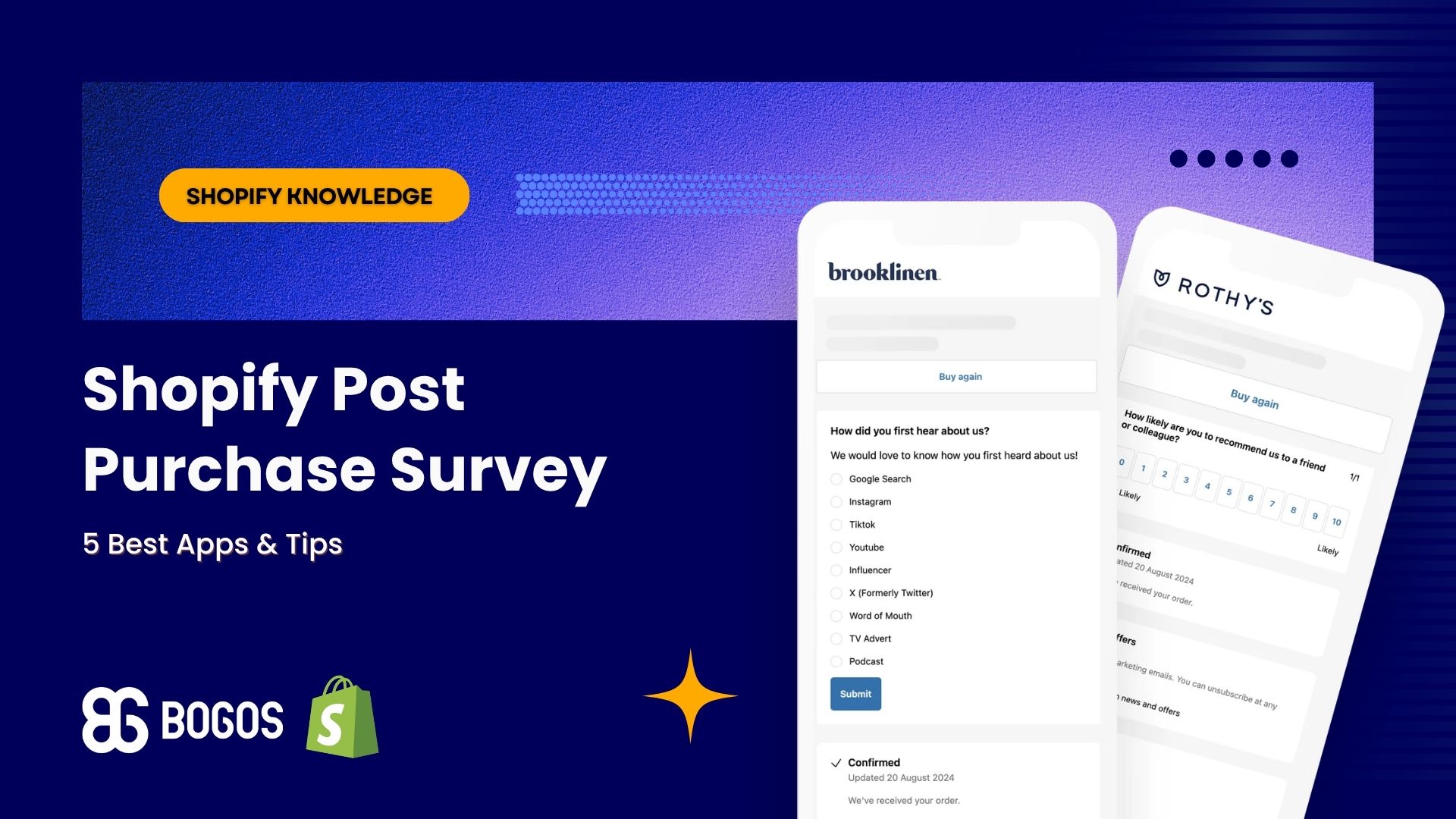
Shopify Post Purchase Survey: 5 Best Apps & Tips (2026)

Marketing Manager
Summarize this post with AI
A Shopify post purchase survey asks buyers 1–3 questions right after checkout, while the order is still fresh in their mind. It tells you what your ad dashboard can’t: how people really found you and why they bought. I’m Charlie Ngo, Marketing Manager at BOGOS. In this guide, I compare 5 survey apps using live App Store data, share the questions worth asking, and show you how to turn the answers into action.
A Shopify post-purchase survey is a short set of questions shown right after checkout, most often on the Thank you page. Most surveys ask 1–3 multiple-choice questions that take seconds to answer.
The answers are zero-party data. Customers give you this information on purpose, so you don’t have to guess it from clicks or cookies.
The survey runs before the order arrives. So it asks about the buying decision, not about the product itself.
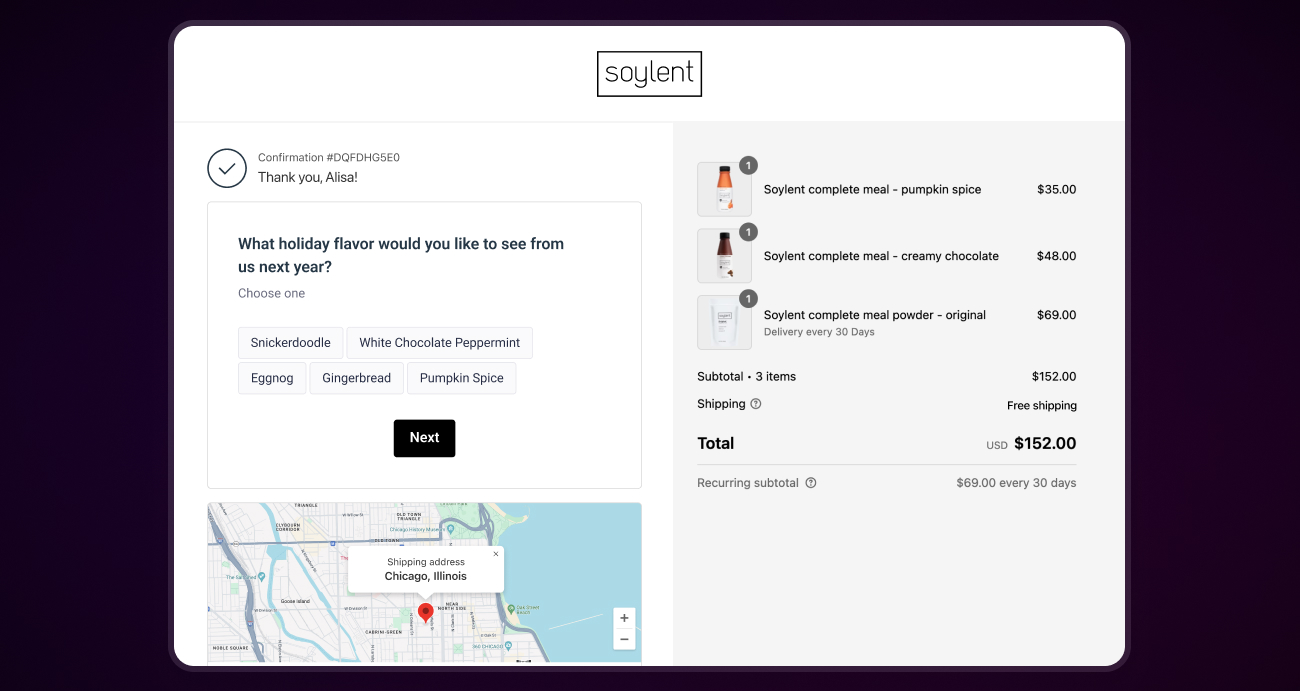
A post-purchase survey shows you 4 things your analytics can’t:
Post-purchase surveys can appear in 5 places: the Thank you page, the Order status page, the post-purchase page, email, and SMS. Each place suits a different kind of question.
| Placement | Best for | Key fact |
|---|---|---|
| Thank you page | Attribution and motivation questions | Shows once, right after checkout, and the customer can’t return to it |
| Order status page | A short follow-up question | Customers can revisit it many times from their order confirmation |
| Post-purchase page | Surveys or upsell offers | Appears after payment and before the Thank you page, and only 1 app can use it at a time |
| Satisfaction and NPS questions | Arrives after delivery, once the customer has used the product | |
| SMS | One quick question | Works best with a single tap-to-answer question |
Shopify’s documentation confirms that the Thank you page is a one-time page, while the Order status page can be visited many times. Shopify’s checkout apps guide limits the post-purchase page to one app at a time.
Most stores start with the Thank you page, because every buyer sees it. Email and SMS suit questions about the product itself. If you already text customers, your Shopify SMS marketing flow can carry a one-question survey after delivery.
Shopify has no native way to run a post-purchase survey, so you need a third-party app. Shopify’s list of Thank you page customization options includes no survey feature. The free Shopify Forms app only builds pop-ups and inline forms on storefront pages.
The plan requirement is low. According to Shopify’s checkout apps guide, apps that add blocks to the Thank you and Order status pages work on the Basic Shopify plan and higher. Apps that change the information, shipping, and payment steps of checkout require Shopify Plus.
Every app below adds its survey as a block in Shopify’s checkout and accounts editor. Shopify asked stores to replace old scripts on these pages with apps, and Shopify’s upgrade notice says August 26, 2026 was the final deadline. Stores that missed it were upgraded automatically, so any guide that tells you to paste survey code into “Additional scripts” is out of date.
Stores with a developer can also build a custom survey with Shopify’s checkout UI extensions.
I checked each app’s Shopify App Store listing on October 2, 2026. Prices change often, so confirm them before you install.
| App | Free option | Paid plans | Rating | Best for |
|---|---|---|---|---|
| Fairing | Free up to 200 orders/month | $49/month (201–500 orders), $99 (501–1,000), $149 (1,001–5,000) | 5.0 (196 reviews) | Attribution data tied to order value and lifetime value |
| Grapevine | 14-day free trial | $25/month flat, unlimited responses | 5.0 (228 reviews) | Predictable cost at any order volume |
| Zigpoll | Free up to 50 responses/month | $39/month (200 responses), $129 (600), $399 (unlimited) | 5.0 (554 reviews) | Surveying both buyers and non-buyers |
| KNO | 7-day free trial | $19/month (1 survey, 3 questions), $119, $299 | 4.9 (117 reviews) | Deep segmentation and benchmarks |
| Okendo | Not published for Surveys | Survey pricing on request, based on order volume | 4.8 (1,428 reviews for the full Okendo suite) | Stores already using Okendo Reviews or Loyalty |
A few details sit behind the table:
Choose your app by these 4 factors:
The best post-purchase survey questions each change a decision you will make. If no possible answer would change what you do, cut the question.
Ask in this order: attribution first, motivation second, friction third. The attribution question is the easiest to answer, and it gives most stores the data they need first.
“How did you hear about us?” is the standard attribution question. Use multiple choice, so answers are easy to count.
Build the answer list with care:
Motivation questions tell you why the order happened today. Two work well:
A friction question asks what almost stopped the sale. Try “Was anything close to stopping you from ordering today?”
Offer options like shipping cost, delivery time, sizing, payment options, and “nothing.” If buyers mention sizing, a clear size chart on your product pages answers that question before the next shopper has to ask it.
Satisfaction questions work best by email after delivery. A Thank you page survey runs before the customer has the product.
Net Promoter Score (NPS) is the most common satisfaction question. Bain & Company, which created NPS, asks “How likely are you to recommend us to a friend or colleague?” on a 0–10 scale.
Scores of 9–10 are promoters, 7–8 are passives, and 0–6 are detractors. Your NPS equals the percentage of promoters minus the percentage of detractors.
Use this table to match each question to its job:
| Question | Answer type | Decision it informs | Where to ask |
|---|---|---|---|
| How did you hear about us? | Multiple choice + “Other” | Where to spend ad budget | Thank you page |
| What made you buy today? | Multiple choice | Which offers and messages to lead with | Thank you page |
| Who is this order for? | Multiple choice | Which email flow each buyer gets | Thank you page |
| Was anything close to stopping you? | Multiple choice | Which friction to fix first | Thank you page or Order status page |
| What else do you wish we sold? | Open text | Which products to test next | Order status page or email |
| How likely are you to recommend us? | 0–10 scale | Who gets a referral ask and who gets a support follow-up | Email after delivery |
The best post-purchase surveys are short, easy to answer on a phone, and placed where buyers see them first. These 7 practices cover the details.
Review your questions every quarter. Retire a question once its answers stop changing, and test a new one in its place.
Survey answers help only when they change a decision. Use them in 4 ways: adjust ad budget, fix friction, target offers, and plan products and emails.
Use attribution answers to check your ad dashboards, not to replace them. Answers are self-reported, so buyers may forget a channel or name the last one they saw.
Compare at least 2 periods before you move money. A single week can mislead if one promotion or one influencer post brought a spike of traffic.
A channel that buyers name often but your dashboard barely credits deserves a closer look. Test a small budget increase there, then check whether total sales follow.
Friction answers give you a fix list. Start with the issue buyers mention most.
If shipping cost is the most common answer, test a free shipping threshold. Our guide to setting free shipping over a set amount on Shopify covers the setup and how to pick the threshold.
Shoppers also need to see the threshold. A cart progress bar shows them how far they are from free shipping as they add items.
Customer tags let you act on survey answers automatically. Shopify Flow can add a tag to a customer, and Shopify’s Flow documentation includes a template that tags customers with their “How did you hear about us?” answer from a survey app.
All 5 apps in the table above list Shopify Flow as an integration. That means you can tag customers by any answer, such as “gift” or “repeat buyer.”
Once buyers have tags, promotion apps can target them. BOGOS, for example, can show an offer only to customers with a chosen tag, so buyers tagged “gift” could see a gift-ready product bundle on their next visit.
Gift buyers also respond to seasonal moments. A gift with purchase offer aimed at that tag before a holiday gives them a direct reason to come back.
Tags also make results easy to measure. Compare the average order value of a tagged group before and after an offer to see whether it worked.
Send survey answers to your email platform, so each buyer gets messages that match their answer. All 5 apps above list a Klaviyo integration.
Keep a running list of answers to “What else do you wish we sold?” When the same request appears again and again, you have a case for testing that product.
Post-purchase surveys have 3 built-in limits and 3 common setup mistakes. Know them before you trust the data.
The 3 limits:
The 3 mistakes:
A Shopify post purchase survey lets buyers tell you, in their own words, how they found you and why they bought. Pick one of the 5 apps above, start with 1–3 questions on the Thank you page, and connect the answers to Shopify Flow or Klaviyo.
Then act on what you learn. Shift budget toward the channels buyers name, fix the friction they mention, and fold their answers into your wider plan to increase sales on Shopify.
Yes. Fairing is free for stores with up to 200 orders a month, and Zigpoll is free for up to 50 responses a month. Both figures come from their App Store listings, checked on October 2, 2026.
Only on Shopify Plus. Apps that change the information, shipping, and payment steps of checkout are limited to Plus, so stores on other plans ask the question on the Thank you page instead.
Keep a Thank you page survey to 1–3 questions. Longer surveys work better by email after delivery, when the customer has more time and has used the product.

Shopify collections decide how shoppers find your products, yet many guides still describe a setup Shopify is now replacing....

A Shopify announcement bar is the thin strip at the top of your store that tells shoppers about shipping,...
Australia is one of the first markets many Shopify stores expand into. It is large, English-speaking, and home to...
