


Allan Vu
•
Last updated: 3 November, 2026
5 Best Shopify Virtual Try-on Apps in 2026 (compared)
Online shoppers can’t try anything on, so many guess and send items back. The NRF and Happy Returns estimate...
Shopify One Click Checkout: What It Is + How to Add It

Marketing Manager
Summarize this post with AI
I wrote this guide because “one click checkout Shopify” is one of the most misunderstood searches merchants make, and most articles either oversell it or skip the setup details. Here you will get a plain definition, the real conversion data, the exact steps to turn it on, and the one tradeoff almost no one mentions. I am Charlie Ngo, Marketing Manager at BOGOS, and I put this together after testing accelerated checkout setups across live Shopify stores and checking every figure against primary sources.
One-click checkout is a checkout process where a returning customer completes a purchase with a single tap, using payment and shipping details they saved on an earlier order. The shopper enters their information once. After that, the store recognizes them and fills in the rest.
On Shopify, the built-in version of this is Shop Pay. When a customer clicks the Shop Pay button, their email, address, and card are already there. They confirm and the order is placed.
Here is the honest part that marketing pages skip. True one-click is only possible for shoppers who already have details saved. A first-time visitor with no stored data still has to type their information once. So “one-click checkout” really means “one tap for returning shoppers, and a fast first checkout for everyone else.”
This idea is not new. Amazon patented one-click buying in 1999, and the patent was valued at around $2.4 billion per year before it expired in 2017. Since then, one-click checkout has been free for any merchant to use, which is why the pattern now appears across Shopify, PayPal, and every major wallet.
These three terms get mixed up constantly. They describe different things.
| Term | What it does | Does the shopper still type details? |
|---|---|---|
| One-page checkout | Puts contact, shipping, and payment on a single screen | Yes, on the first order |
| Express or accelerated checkout | Shows saved-wallet buttons like Shop Pay or Apple Pay | No, if details are saved |
| One-click checkout | Confirms a purchase in one tap using saved details | No, for returning shoppers |
One-page checkout is now the standard layout on all Shopify plans. It reduces steps, but it does not save payment details on its own. Shopify groups the saved-wallet buttons under accelerated checkouts, which is the feature that makes real one-tap buying possible.
One-click checkout matters because a long checkout is one of the top reasons shoppers abandon their carts. Fewer steps means fewer chances to lose the sale.
The average cart abandonment rate is 70.22%, based on a meta-analysis of 50 studies by the Baymard Institute. Not all of that is fixable, but a large share is.
When Baymard asked shoppers why they abandoned, 18% said the checkout was too long or complicated, and 19% left because the site forced them to create an account first. One-click checkout attacks both problems directly. It removes typing and it lets shoppers buy without making an account.
The conversion data backs this up. Shop Pay converts about 50% higher than standard checkout and is 3x faster (Shopify). In a study of the 10,000 largest Shopify merchants, Shop Pay checkouts had a 1.72x higher checkout-to-order rate, rising to 1.91x on mobile. Even the presence of Shop Pay can lift lower-funnel conversion by about 5% (Shopify).
Speed helps most on phones, where typing is slow, and patience is short. If you want the full picture of what moves the needle, our guide to Shopify checkout optimization breaks down the other levers alongside checkout speed.
Shopify supports several one-click and express checkout methods, and you can run more than one at the same time. Each one saves the shopper’s details so they can buy in a tap. The sections below explain what each option does, when to use it, and how to turn it on.
Shop Pay is Shopify’s native accelerated checkout and the best starting point for most stores. It is free for merchants using Shopify Payments and has more than 100 million users (Shopify). When a shopper uses Shop Pay for the first time, it encrypts and stores their email, shipping address, and card. On every visit after that, across any Shopify store, the Shop app, and social channels, they check out in one tap.
Shoppers can also track orders in the Shop app and pay in installments with Shop Pay Installments, which gives returning buyers more reasons to come back.
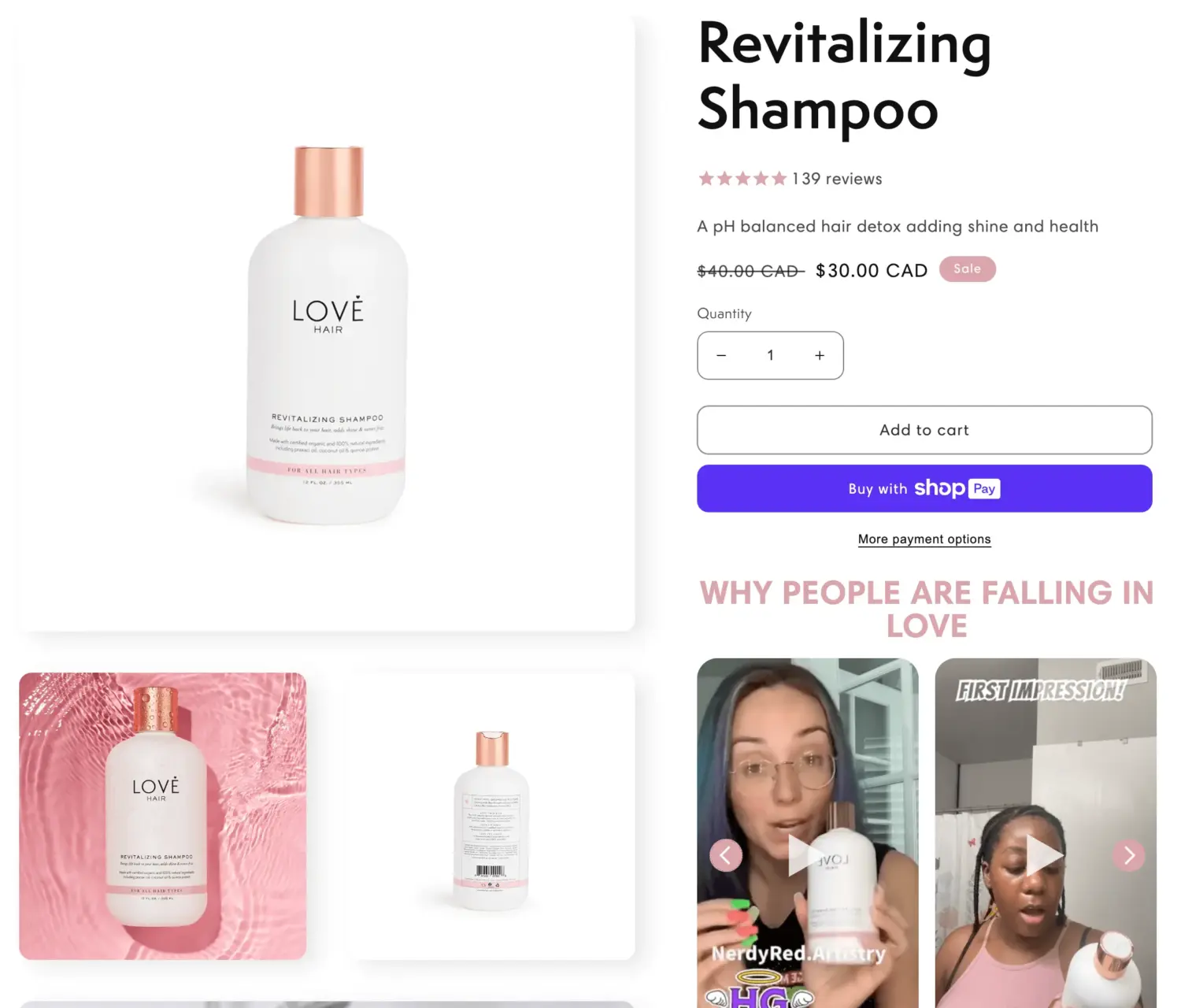
Quick setup for Shop Pay:
These four wallets are express checkout options that work like Shop Pay for shoppers who already use them. Shopify shows them as accelerated checkout buttons in an express section at the top of the checkout, ordered to display the fastest method for each shopper.
Turning on several wallets matters because shoppers trust different ones. An iPhone user may prefer Apple Pay, while another shopper defaults to PayPal. More options mean more people who can check out in a tap without typing card details.
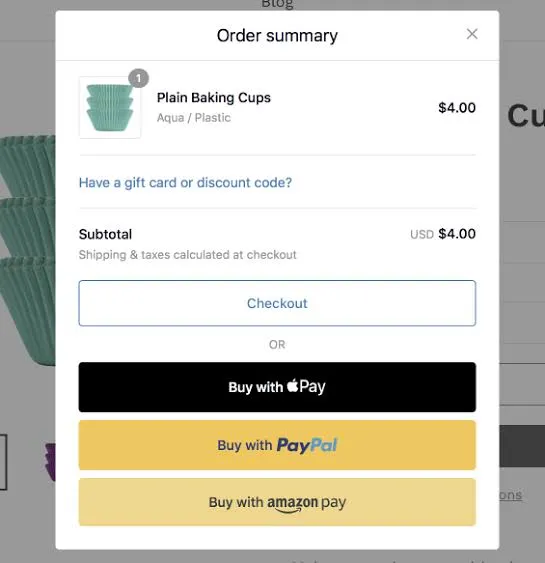
Apple Pay and Google Pay run through Shopify Payments at no extra cost. PayPal and Amazon Pay run through their own accounts, so they carry their own processing fees. In the US, PayPal’s standard online checkout rate is 3.49% plus $0.49 per transaction, and Amazon Pay charges 2.9% plus $0.30 per transaction.
Quick setup for wallets:
A Buy Now button lets a shopper buy straight from the product page, skipping the cart. On Shopify, this is the dynamic checkout button, and it reuses the same saved details as the wallets above.
There are two kinds:
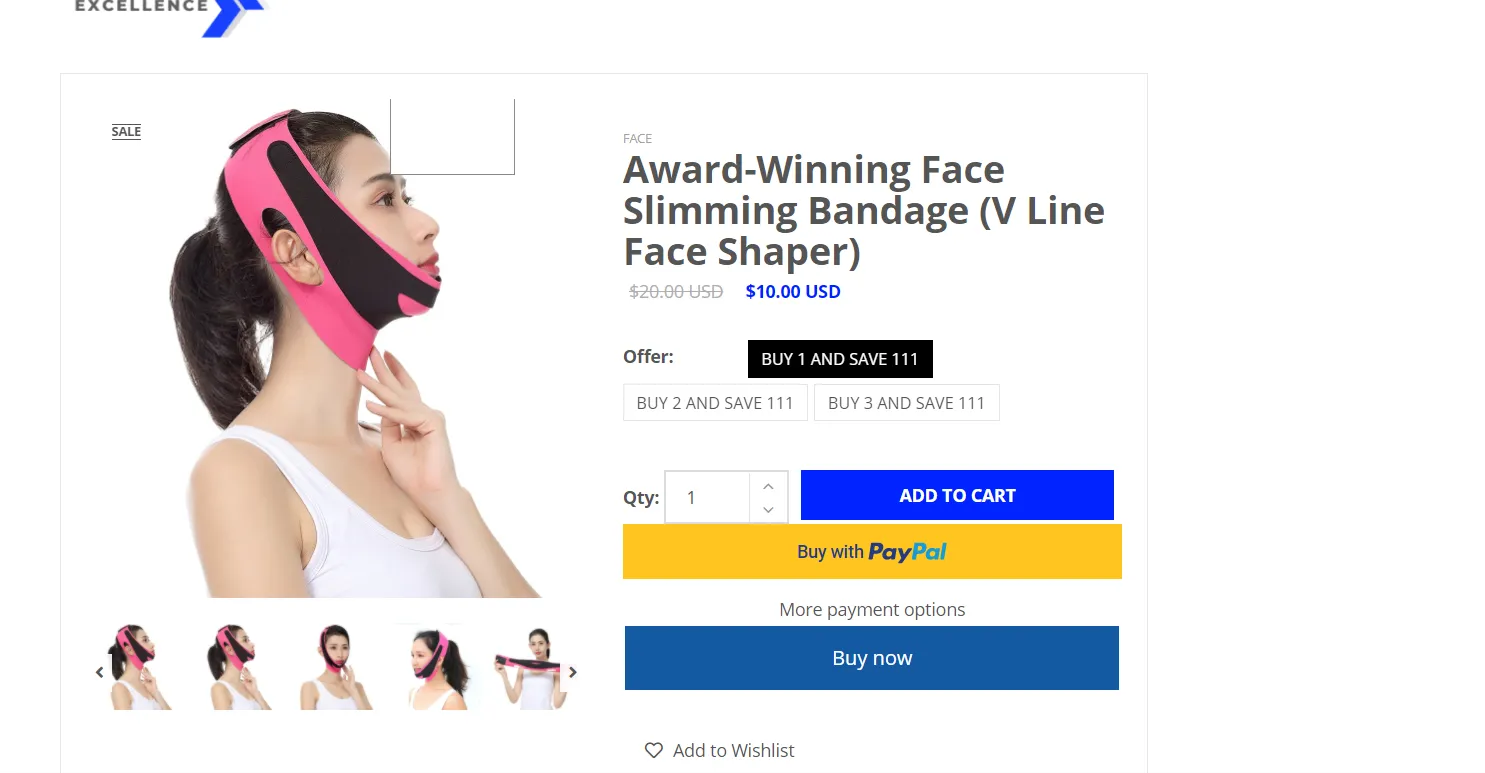
Shopify shows the branded button when it can detect the shopper’s fastest method, and the unbranded button when it cannot.
The Buy Now button works best for single-product pages and impulse buys, where every extra step costs conversions.
One caution: the button skips the cart, so any cart-based upsell or bundle offer is skipped too. Plan for that, which the next sections cover.
Quick setup for the Buy Now button:
The Shopify App Store adds capabilities the native tools do not cover, such as forcing a cart-skip for every payment method, controlling which wallets show, or handling cash-on-delivery markets. Most stores start with Shop Pay and add one of these only when they need a specific feature. Always check the current App Store listing for pricing and reviews before installing, since these change often.
| App | Starting price | What it does | Best for |
|---|---|---|---|
| Shop Pay | Free | Native one-tap express checkout | All Shopify Payments merchants |
| Instant Checkout ‑ Buy button | From $4/month | Adds a buy-now button that skips the cart | Impulse and single-product pages |
| Stik: Sticky Quick Buy Button (formerly PF: Skip Cart) | Free plan available | Skips the cart and can hide wallets like PayPal or Apple Pay | Flash sales and BFCM funnels |
| EZ ‑ Quick Buy & Quick View | From $8.99/month | Adds quick-buy buttons on collection pages | Collection-page browsing |
Each app solves a different common need rather than repeating the same feature, so choose one that matches your need:
Selling through ChatGPT is a new potential sales channel, and one-click checkout applies here too. On September 29, 2025, Shopify and OpenAI launched Instant Checkout, so shoppers can buy from Shopify merchants directly inside a ChatGPT conversation with no links or redirects (Shopify). A shopper asks a question, sees a product, taps Buy, and completes the order in the chat.
This is the same idea as one-click checkout on your store, moved to where people now ask for recommendations. It is one example of agentic commerce, which means letting an AI agent discover products and complete a purchase on the shopper’s behalf, inside the conversation. The shopper stays in the chat, and the AI handles the steps that used to happen on your site.
One-click checkout fits most stores, but not every product. Use the checklist below to decide.
One-click checkout is a strong fit when you:
One-click checkout is a weaker fit when you:
Security is a fair concern, and the answer is reassuring. One-click checkout on Shopify uses tokenization, which replaces card data with a safe token, and it meets PCI DSS standards. The payment still runs through Shopify’s secure checkout, so you are not storing raw card numbers yourself.
Here is the tradeoff almost no guide mentions. One-click and buy-now flows skip the cart page, and the cart is where most stores earn their average order value. When a shopper taps Shop Pay from a product page, they never see cart upsells, bundle offers, or free-gift progress bars.
That does not mean you should avoid one-click checkout. It means you should move your value-building offers to places the shopper still sees.
There are three practical ways to protect average order value when buyers move fast:
This is the honest place a promotion app fits. BOGOS is one of several tools that let you show gifts, bundles, and upsells on the product page and at checkout, so your offers keep working even when shoppers skip the cart. It is not the only option, but pairing fast checkout with product-page offers is the combination that keeps speed and order value together.
For more ways to grow order value alongside checkout speed, see our guide on how to increase sales on Shopify.
One-click checkout is one of the highest-value, lowest-effort changes you can make on Shopify. Turn on Shop Pay and the other express wallets, show the buttons on your product pages, and you remove the friction that drives nearly a fifth of shoppers away at checkout. The data is clear: faster checkout converts better, especially on mobile. Just remember the tradeoff. When buyers skip the cart, move your gifts, bundles, and upsells to the product page and checkout so speed and average order value grow together.
Yes. Shop Pay, Shopify’s one-click checkout, is free for merchants using Shopify Payments. Apple Pay, Google Pay, PayPal, and Amazon Pay are also free to enable, though payment processing fees still apply to each sale. Some third-party buy-now apps charge a monthly fee for extra features.
Yes. One-click checkout on Shopify uses tokenization to replace sensitive card data with a safe token, and it complies with PCI DSS standards. Payments run through Shopify’s secure checkout, so raw card details are never stored on your side.
Partly. A first-time visitor with no saved details must enter their information once. If they already use Shop Pay from another store, Shopify recognizes them and they can check out in one tap right away. After their first order on your store, every future purchase can be one tap.

Online shoppers can’t try anything on, so many guess and send items back. The NRF and Happy Returns estimate...
A featured collection is often the first group of products a shopper sees on a Shopify store, yet the...
Most Shopify stores need a best sellers page, but Shopify can’t build one that updates by itself. In this...
