


Charlie Ngo
•
Last updated: 23 October, 2026
Shopify Smart Collections: Setup, Conditions & 8 Examples (2026 Updated)
Shopify smart collections add and remove products for you based on rules, such as a tag, a price, or...
Shopify ChatGPT: How to Manage and Sell Through ChatGPT

Marketing Manager
Summarize this post with AI
ChatGPT started as a place to draft product copy. Now it does much more. Shopify has turned it into a place where you can run your store and sell your products. This guide explains the Shopify ChatGPT integration in plain terms: what it means, how to connect your store, what the connector can do for your daily work, and how selling inside ChatGPT works. I’m Charlie Ngo, BOGOS’s Marketing Manager. I built this guide from Shopify’s own documentation and OpenAI’s announcements, and I link to those sources throughout so you can check every claim yourself.
The phrase “Shopify ChatGPT integration” covers two different things. Keep them separate, because they work in different ways.
One more tool is easy to confuse with these. Shopify’s own assistant, Sidekick, lives inside your admin and keeps your data within Shopify. The Shopify app for ChatGPT is different, because it brings your store into ChatGPT, the tool many merchants already use every day.
Why does this matter now? AI shopping has moved from research to real orders. Shopify’s president, Harley Finkelstein, said on the company’s earnings call that AI-driven traffic to Shopify stores rose 7x and AI-attributed orders rose 11x from January 2025. ChatGPT itself now reaches 900 million weekly active users, according to OpenAI. That scale is why AI now belongs in any serious plan for boosting sales on Shopify.
Connecting your store takes three steps, and each step asks for your confirmation. Here is the process, based on Shopify’s official instructions for connecting AI tools.
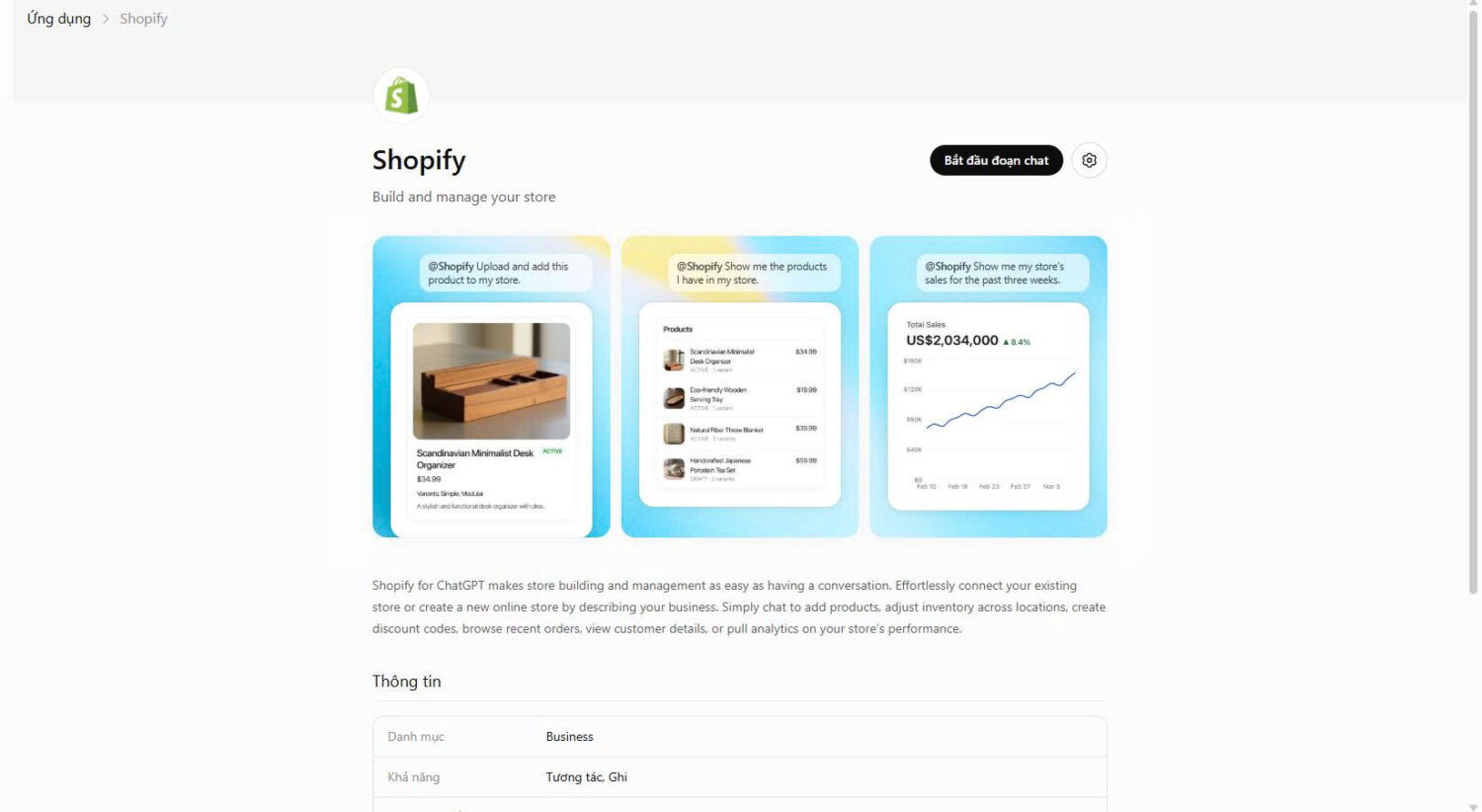
You control how much access the app gets. Some access is read-only, which lets the app view data but not change it. Other access is write access, which lets the app edit data and take actions for you. If you do not want to grant a level of access, you can decline it.
Two more limits protect your store. The app can only work within the permissions of the staff member who uses it. And you can connect one store at a time, then switch stores by asking the app to connect to a different one.
You can remove access whenever you want. Uninstall the app from your admin settings, and the connection ends. The connector is available on ChatGPT’s paid plans.
The Shopify ChatGPT connector helps with the daily work of running a single store. Instead of clicking through admin screens, you type a request in plain language, and the connector reads or changes live store data for you.
One habit keeps this safe. The connector asks you to confirm an action before it makes it, and its changes apply to your live store right away. So read each confirmation and check the result before you approve it.
Here is what the connector handles across a normal day.
Orders are the fastest win. You can pull up an order by number, customer name, date, or status, then check its details or fulfillment stage without opening a single admin screen. Ask for your five most recent orders, or for every unfulfilled order older than three days, and the answer comes back in the chat. On a busy shipping day, that one question saves a lot of clicking.
Editing your catalog works the same way. Describe the change you want — a new product, a rewritten title, a clearer description, an updated variant — and the connector writes it back into your store. A plain ChatGPT chat cannot do this, because it has no access to your live catalog. Since the edit goes live, read the new wording before you approve it, so your product pages stay accurate.
Stock and prices are simple to manage here. You read live inventory and change prices in real time, which lets you catch problems before customers do:
Because the connector reads live data rather than a stale export, you are less likely to oversell something you cannot ship.
Reporting is where the connector saves the most time. Instead of exporting a file and building a spreadsheet, you ask the question directly: total sales last week against the week before, your top 10 products by revenue this month, or which collection sold the most in the last 30 days. Quick reads like these help you catch a slowing product, or a rising one, before the trend sets in.
All of this works from ChatGPT on your phone, not only at your desk. You can fix a price, check an order, or pull a sales figure from the chat you already have open, which suits founders and small teams who run their store on the go. A restock you would normally put off becomes a task you finish between meetings.
Your own data can point to your next promotion. Ask which products customers most often buy in the same order, or compare repeat purchase rates between shoppers who used a discount code and those who paid full price. Answers like these show you where bigger orders come from.
Then you can act on what you find. When two products keep appearing in the same order, you can pair them as a frequently bought together offer. Our app makes that setup simple, and pairing complementary products is a direct way to lift your average order value.
The second half of the integration lets shoppers buy your products through ChatGPT. This is a separate system from the connector, and it works on its own.
When a shopper asks ChatGPT for a product, your products can appear in the reply. Shopify surfaces them through Shopify Catalog, a system that formats your product data so AI models can read it. The shopper browses in the chat, then finishes the purchase on your own store checkout, shown in an in-app browser on mobile or a new tab on desktop. The order then lands in your Shopify admin like any other sales channel.

This is on by default for eligible stores. Your store qualifies if it sells to customers in the United States and your products are eligible for Shopify Catalog. Selling here is also free beyond your standard payment processing, so there is no extra Shopify fee when the sale completes on your store. A separate in-chat checkout path, Instant Checkout, carries a reported fee of around 4%, but that is a different flow we cover on its own.
Why pay attention to this channel? AI shopping is now real, measurable demand. Adobe found that traffic to US retail sites from generative AI rose 693% year over year during the 2025 holiday season. By March 2026, that AI traffic converted 42% better than non-AI traffic, a record and a reversal from a year earlier. And because Shopify Checkout already powers about 14% of US e-commerce, your store finishes these sales on a checkout built to convert. The mechanics of how AI agents complete a purchase are covered in our agentic commerce guide.
Getting listed is automatic. Getting chosen is not. ChatGPT picks products based on relevance, not payment. OpenAI says product results are organic and unsponsored, ranked on relevance to the shopper. When several stores sell the same item, ChatGPT weighs availability, price, quality, and whether you are the primary seller.
So your product data does the selling. This matters because 77% of shoppers say product titles, descriptions, and visuals play a critical role in their choice to buy. Focus on a few basics:
Because ChatGPT weighs quality and relevance alongside price, a smaller store with strong reviews can win over a cheaper competitor. That keeps the channel fair for stores that compete on quality rather than the lowest price.
One more advantage is yours. Because the shopper checks out on your own store, your branding, selling strategies, and offers all carry over. A gift with purchase or a mix and match bundle you run in our app still applies to buyers who arrive from ChatGPT. AI-referred shoppers then see the same offers that lift orders from every other channel.
The Shopify ChatGPT integration is useful, but go in with clear eyes. A few points matter.
Your data leaves Shopify once you authorize the app. After that, it is governed by the AI provider’s terms and privacy policy, not Shopify’s. Share only the access you are comfortable with.
AI actions can be wrong. Shopify states plainly that AI outputs can contain errors, so you should review any information or action before you confirm it. This is not a small risk. A Harvard Business School and Boston Consulting Group study found that GPT-4 lifted work speed by over 25% and quality by over 40% on suitable tasks, yet warned that AI can mislead on tasks outside its range. Treat the connector as a fast assistant, not an unsupervised operator.
You also stay responsible for your store. Under Shopify’s terms, you are accountable for how you use third-party tools and for meeting your obligations to customers. Review price changes and product edits before they go live.
On the selling side, you give up some control. ChatGPT phrases your product in its own words, and in-chat attribution is limited. Clean product data reduces the first problem, and it also supports a healthy conversion rate once shoppers reach your store.
The Shopify ChatGPT integration gives you two new abilities. You can run your store from inside ChatGPT with the official app, and you can sell your products to shoppers who search inside ChatGPT. Both work through Shopify’s own systems, and both keep you in control of your store and your customer relationship.
The practical takeaway is simple. Set up the connector to speed up daily work, keep your product data clean so ChatGPT recommends you, and make sure your offers are ready for the shoppers who arrive from AI. Merchants who prepare now will reach this channel first, the same way early movers won on every channel before it. For more on turning new channels into revenue, our guide to boosting Shopify sales goes deeper.
No. Sidekick is Shopify’s own assistant, and it works inside your admin while keeping your data within Shopify. The Shopify app for ChatGPT works inside ChatGPT and lets that tool read and edit your store. Many merchants use both.
No. Selling in ChatGPT is on by default for eligible stores through Agentic Storefronts, with no app to install. You can adjust or turn off the channel in your admin.
Yes, beyond your normal costs. You pay only your standard payment processing fees when the sale completes on your store. The separate in-chat Instant Checkout path carries a reported fee of around 4%, but the default setup routes buyers to your own checkout.

Shopify smart collections add and remove products for you based on rules, such as a tag, a price, or...

Shopify collections decide how shoppers find your products, yet many guides still describe a setup Shopify is now replacing....

A Shopify announcement bar is the thin strip at the top of your store that tells shoppers about shipping,...
