


Charlie Ngo
•
Last updated: 20 October, 2026
Shopify Collections: How To Create & Organize Them (2026)
Shopify collections decide how shoppers find your products, yet many guides still describe a setup Shopify is now replacing....
![[2026] Shopify One Page Checkout: What It Is & How to Use It](https://bogos.io/wp-content/uploads/2026/06/Shopify-ONE-PAGE-CHECKOUT.jpg)
[2026] Shopify One Page Checkout: What It Is & How to Use It

Marketing Manager
Summarize this post with AI
Shopify one page checkout quietly changed how millions of stores take payments. Still, many merchants are unsure what it is, whether it is already on their store, and how to get more sales from it. This guide covers all of that in plain English: what one page checkout is and why Shopify built it, how it compares to the old three page checkout, how to switch and customize it, and how to grow both conversions and order value. I’m Charlie from the BOGOS team, where we help Shopify merchants build offers that turn more visitors into buyers.
Shopify one page checkout puts contact, shipping, and payment on a single screen. It has been the default checkout since October 2, 2023. Fewer steps mean less friction, so most stores see more completed orders. The trade-off is less room for upsells inside the checkout. You make up for it by lifting average order value before checkout, or with a checkout upsell if you run Shopify Plus.
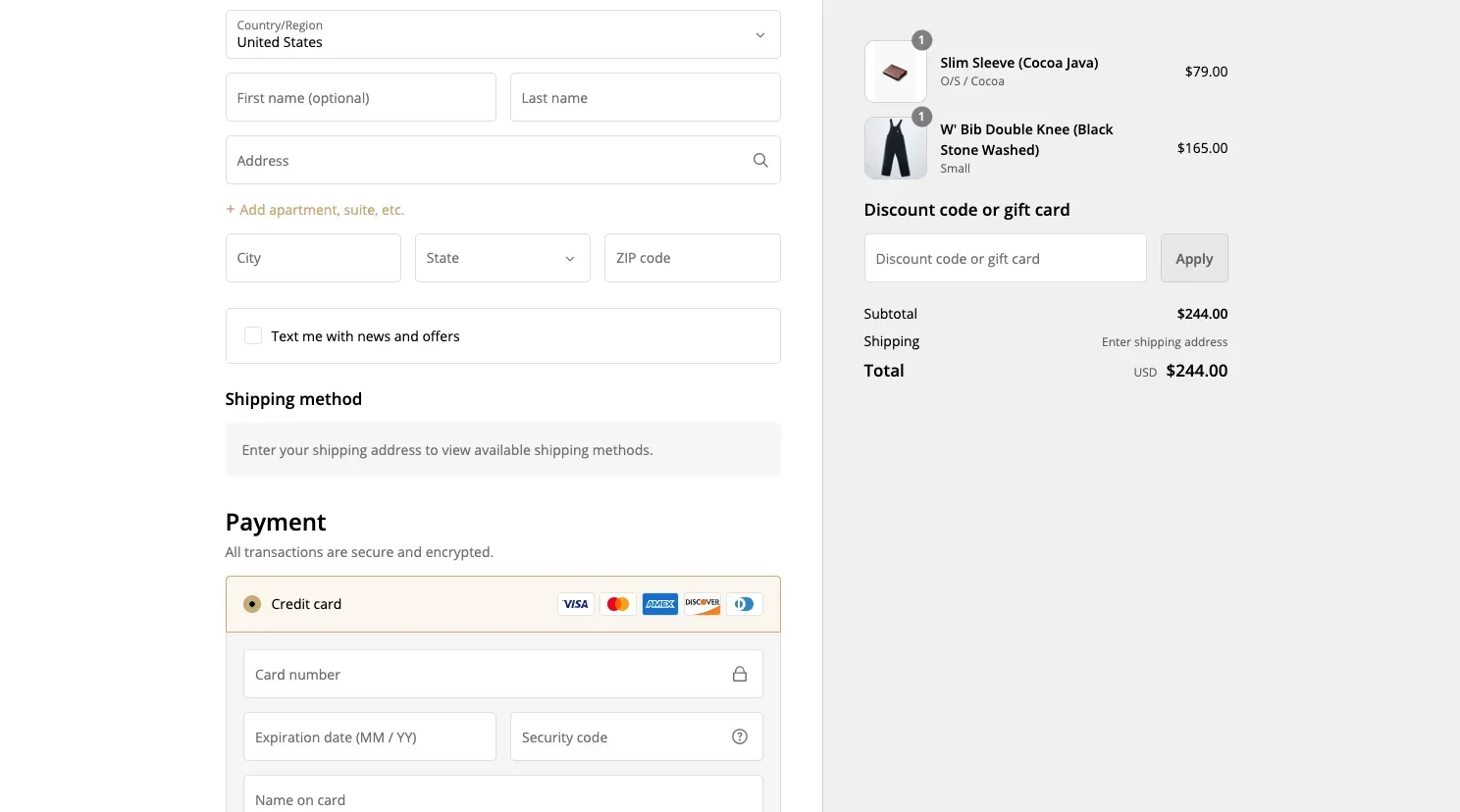
One page checkout is a checkout that fits on a single screen. Your customer enters their contact details, shipping address, delivery method, and payment in one place. They review the full order summary and pay without ever loading a new page.
The old checkout split this across three separate pages: first contact, then shipping, then payment. One page checkout keeps the same steps and collects the same information. It simply stacks them on one screen, so the customer scrolls instead of clicking “Continue” again and again. Your checkout reports in the Shopify admin stay the same too.
Most of the time, yes. One page checkout sells more because it cuts friction.
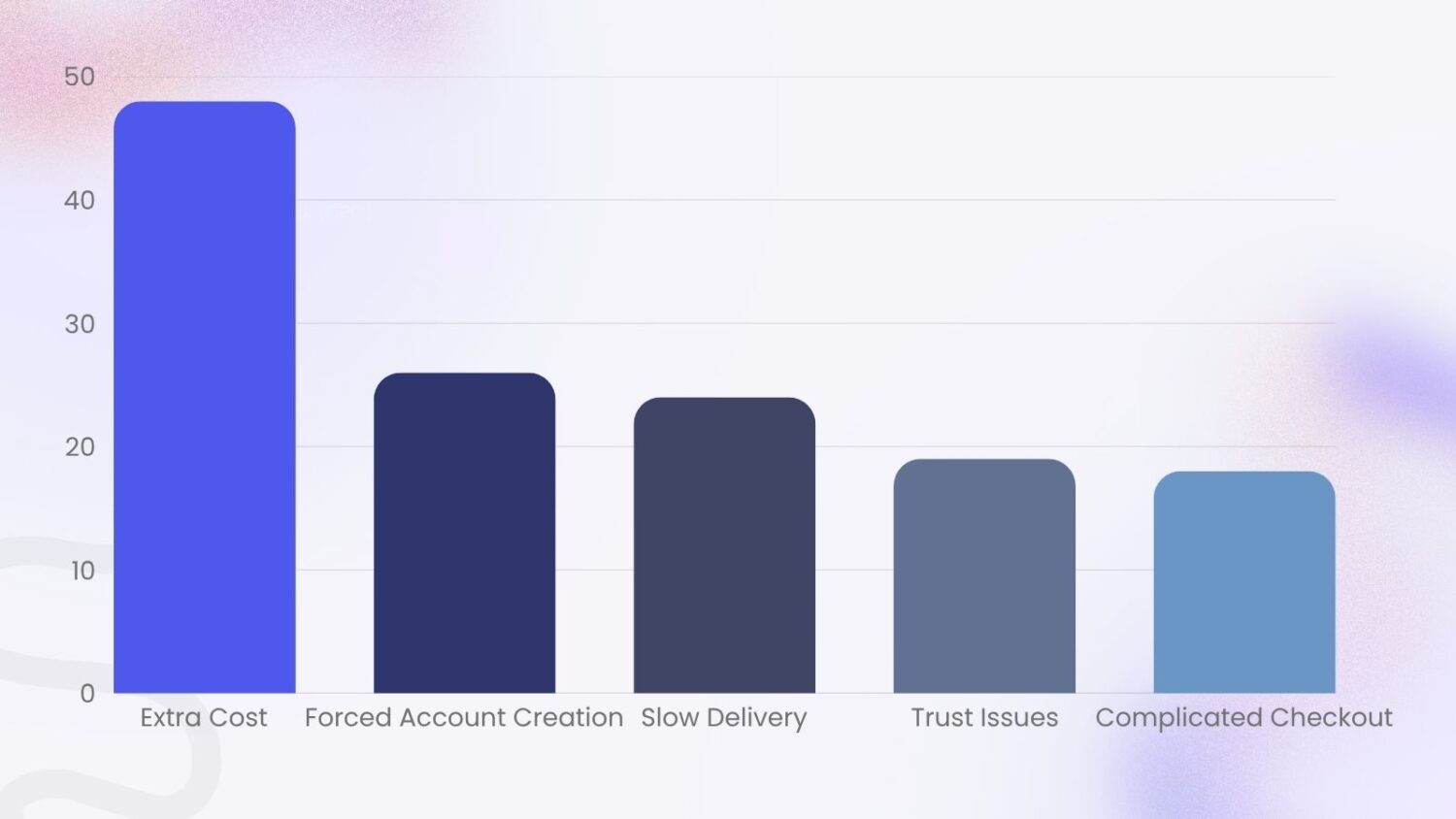
Long checkouts cost sales. About 22% of shoppers abandon their cart because the checkout is too long or complicated, according to the Baymard Institute. One page checkout removes the extra pages and clicks, so it attacks that reason head-on.
Shopify built the new layout for speed and conversion. Its checkout already leads the market, converting up to 36% better than rival platforms, and about 15% better on average. One page checkout is the current, streamlined version of that checkout.
You can see the effect in your own numbers. Watch how many shoppers who reach checkout go on to pay. If that share rises after the switch, the change is working. For a full plan to raise it, read our guide to Shopify conversion rate optimization.
Probably. One page checkout became the default on October 2, 2023, when Shopify made it the standard checkout for its stores. If you opened your store after that date, you already use it. If your store is older, you may still run the three page layout, and you can switch in a few minutes.
To set your layout from your Shopify admin:
You can do the same from the Shopify app on your phone. Tap the menu, then Settings, then Checkout. Tap Customize, open the gear icon, and pick your layout under Checkout layout. Save your choice.
One tip: the editor preview does not update live. Save first, then open your real checkout to see the new layout.
After you switch, run a quick test. Place a sample order from start to finish. Confirm that your logo, colors, and any custom text still look right, since the one page header sits differently than the old one. For a deeper review of the whole flow, see our guide to Shopify checkout optimization.
You can brand your checkout on any Shopify plan. Open your theme editor to change colors, fonts, and your logo. Matching the checkout to the rest of your store reassures shoppers that they are in the right place. You cannot move the one page layout itself on standard plans, but these branding controls still carry a lot of weight.
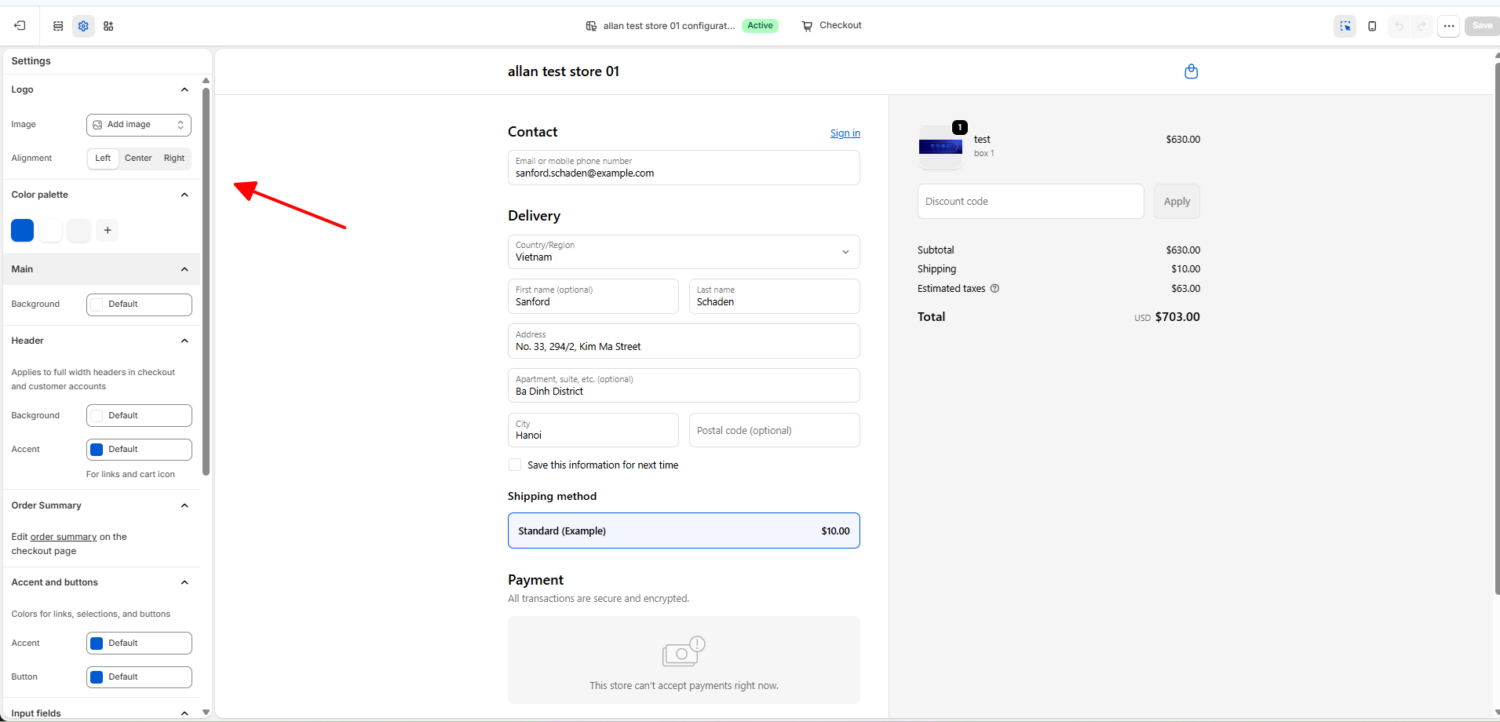
Shopify Plus unlocks far more through Checkout Extensibility. Checkout Extensibility is Shopify’s app-based system for customizing checkout. It replaced the old method of editing checkout code by hand, which was fragile and easy to break. With it, you add custom fields, content blocks, trust badges, and upsells through safe, upgrade-proof apps. That is why Plus stores can shape their checkout far beyond simple branding.
Switching to one page checkout is a strong start, not the finish line. These changes help even more shoppers reach “Pay now”:
One page checkout has one real downside. A single screen leaves little space for offers inside the checkout itself. So you need another way to grow average order value.
Average order value, or AOV, is the average amount a customer spends per order: total revenue divided by number of orders. Raising it means more money from the same traffic, which makes it one of the cheapest ways to grow.
If you run Shopify Plus, you can add a checkout upsell. A checkout upsell is an offer shown during the payment step, right before the customer pays. It catches buyers at peak intent, when they are already committed to the purchase. Our app, BOGOS, supports checkout upsell for Plus stores through Checkout Extensibility, so the offer appears without slowing the page down.
You do not need Plus to grow AOV, though. Most of the lift happens before checkout anyway. A few proven offers:
Every one of these raises the cart before the customer reaches your streamlined checkout. You can run them all from BOGOS, so growing order value stays simple even without Plus. For more ways to boost your AOV, read our guide to increasing average order value on Shopify.
Shopify one page checkout is the default for good reason. It cuts steps, lowers friction, and helps more shoppers finish their order. The data from both Shopify and Baymard points the same way: a shorter checkout converts better.
The real win comes from what you pair it with. Lower friction with one-tap payments, fewer fields, and clear guest checkout. Then grow order value with bundles, gifts, and thresholds before checkout, plus a checkout upsell if you are on Plus. With BOGOS, you can run those offers from one place and lift average order value while your checkout stays fast.
Yes. You can move between one page and three page checkout in your Shopify admin under Settings, then Checkout. Pick the layout you want and save. Run a test order after any change to confirm it looks right.
In most cases, yes. One page checkout supports the same customization options as three page checkout, so your branding carries over. Check that your logo and custom checkout text still display correctly, since the header layout differs. Test your checkout apps after you switch, especially any that add content to the checkout.
It limits upsells shown inside the checkout, because one screen has less space. It does not stop you from growing order value. Use pre-checkout offers like bundles and gifts, or a thank-you-page upsell after the order. Plus stores can also add a checkout upsell through Checkout Extensibility.

Shopify collections decide how shoppers find your products, yet many guides still describe a setup Shopify is now replacing....
A Shopify announcement bar is the thin strip at the top of your store that tells shoppers about shipping,...
Australia is one of the first markets many Shopify stores expand into. It is large, English-speaking, and home to...
