


Charlie Ngo
•
Last updated: 3 September, 2026
Shopify Black Friday 2026: 32-Task Prep Checklist
Winning Black Friday and Cyber Monday 2026 on Shopify comes down to preparation, so this guide turns it into...
Shopify Frequently Bought Together: Setup Guide (Free) & Apps

Marketing Manager
Summarize this post with AI
Frequently bought together is one of the simplest ways to sell more on Shopify. You show shoppers 2 or 3 items that pair well with what they are viewing, and many add the extras in one click. This guide explains what the feature is, whether Shopify gives it to you for free, how to set it up two different ways, the best apps for the job, and how to make the offer convert. I’m Charlie Ngo – BOGOS’s Marketing Manager, and I help Shopify merchants build cross-sell offers like this every week.
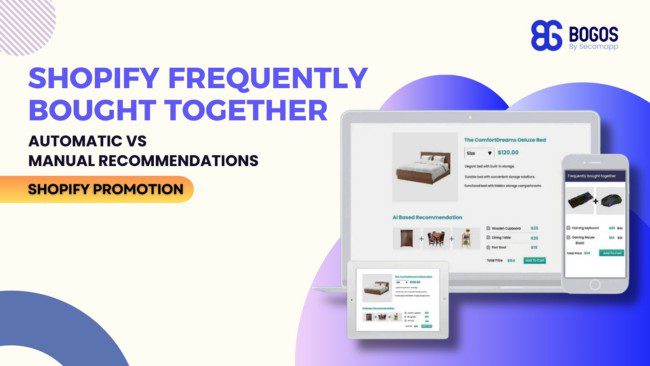
Frequently Bought Together is a product recommendation widget that displays 2 to 3 complementary products on a product page, along with a combined price and a one-click “Add All to Cart” button. It’s a format Amazon popularized, and most Shopify merchants use the term interchangeably with “Amazon-style recommendations.”
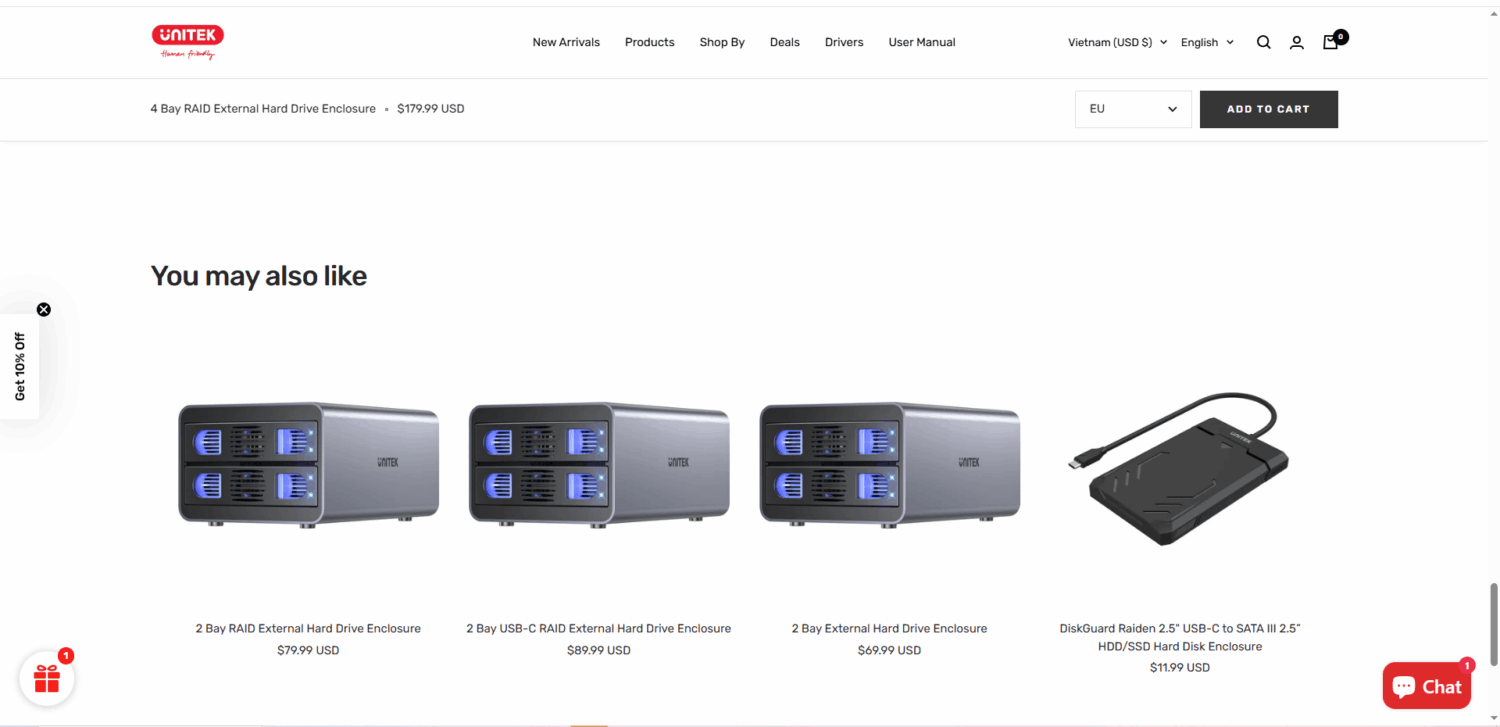
The goal is simple: surface items that customers typically buy alongside the main product, and make it frictionless to add them all to the cart in one action.
A standard FBT widget contains:
In the next section, we will take a deep dive into the benefits of using frequently bought together (FBT) bundles for Shopify stores and how to set them up.
Frequently bought together earns its place for a few clear reasons:
One number to read with care: Barilliance also reported that sessions where shoppers engaged with a recommendation showed a 369 percent higher average order value. Shoppers who click recommendations already tend to have larger carts, so this is a behavioral pattern, not a promise that a widget nearly quadruples your order value.
Shopify does not offer a true one-click, discounted frequently bought together widget on its own. It does give you a free starting point. Your Shopify theme includes a related products section that shows recommendations on each product page.
Shopify generates these recommendations automatically using purchase history, product description similarity on English storefronts, and related collections. You do not pick the products by hand. The store learns from what customers buy and view.
You get more say through Shopify’s free Search & Discovery app. It lets you choose complementary products for each item by hand and adjust the related products that appear, so you can steer the recommendations instead of leaving them fully automatic. Both the theme section and this app cost nothing.
Most free Shopify themes built on Online Store 2.0 include this section. Dawn, Refresh, Sense, and Craft all support a related products area on the product page. If you use one of these, you already have the building block.
Premium themes like Prestige and Impulse go further, adding curated cross-sell blocks, shop-the-look layouts, and cart-drawer recommendations, though a true one-click discounted offer still usually comes from an app.
Here is how to turn it on:
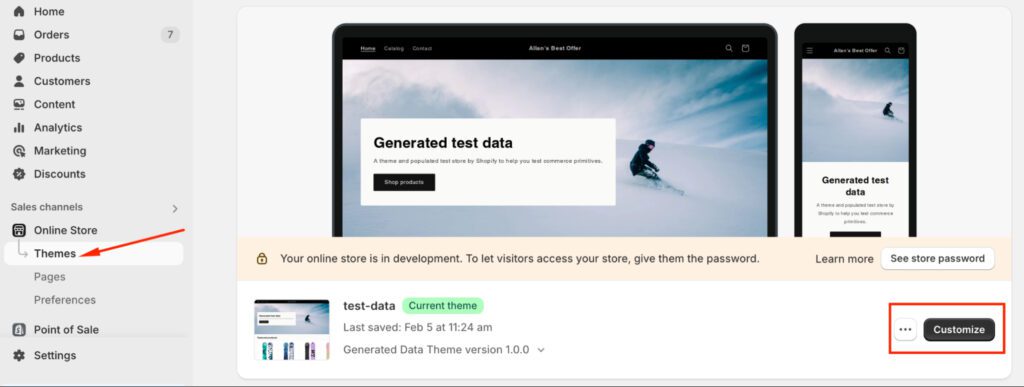
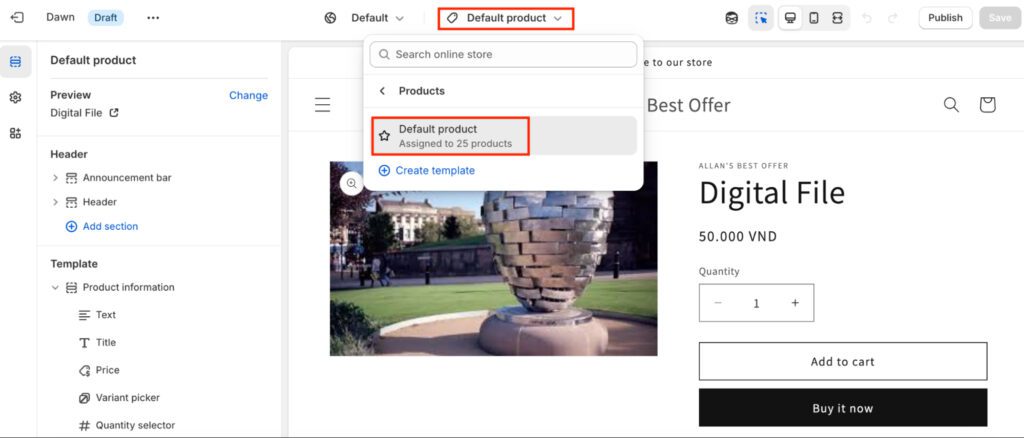
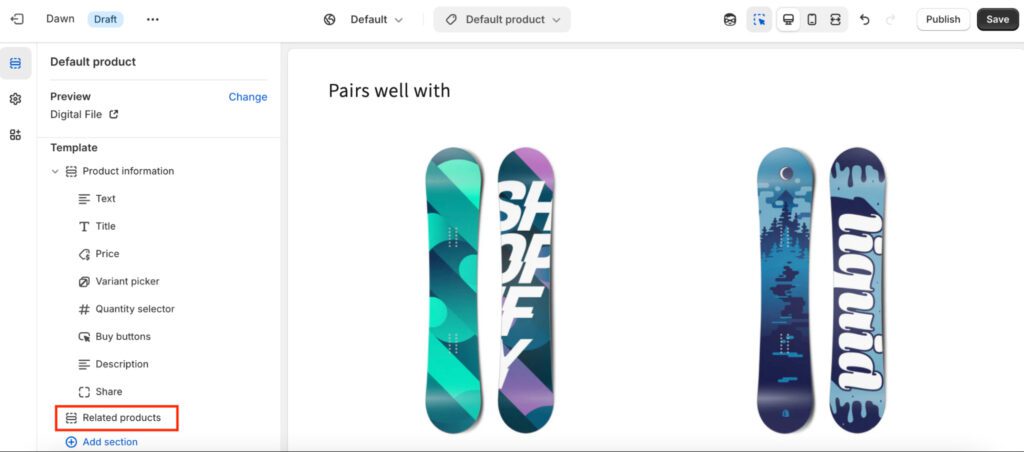
At this stage, the recommended products will be automatically generated by Shopify based on related items. However, you won’t have much control over which products are shown. If you want to manually choose specific products to be displayed in this section, proceed to Step 2.
To have more control over the recommended products, Shopify provides the Search & Discovery app, which allows you to manually select items that appear in the “Frequently Bought Together” widget.
By default, every Shopify store will have this app installed since this is an app developed by Shopify.
To customize your recommendations, follow these steps:
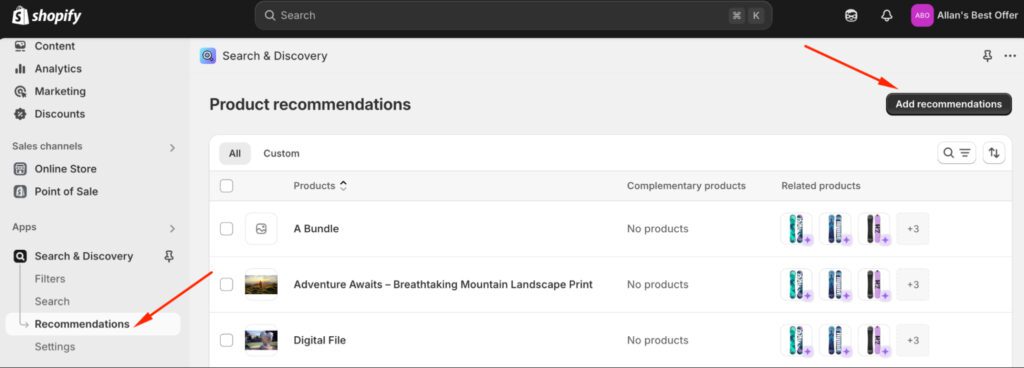
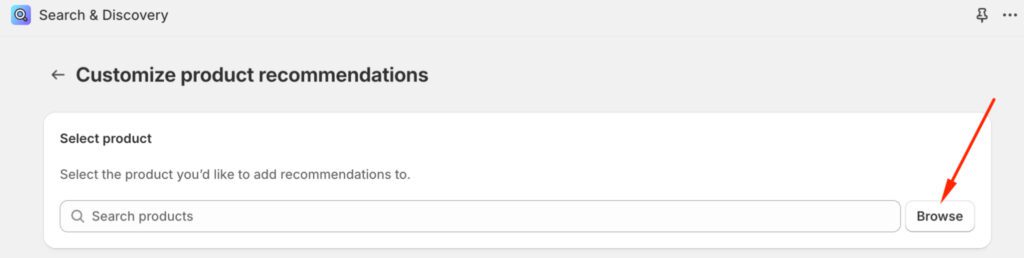
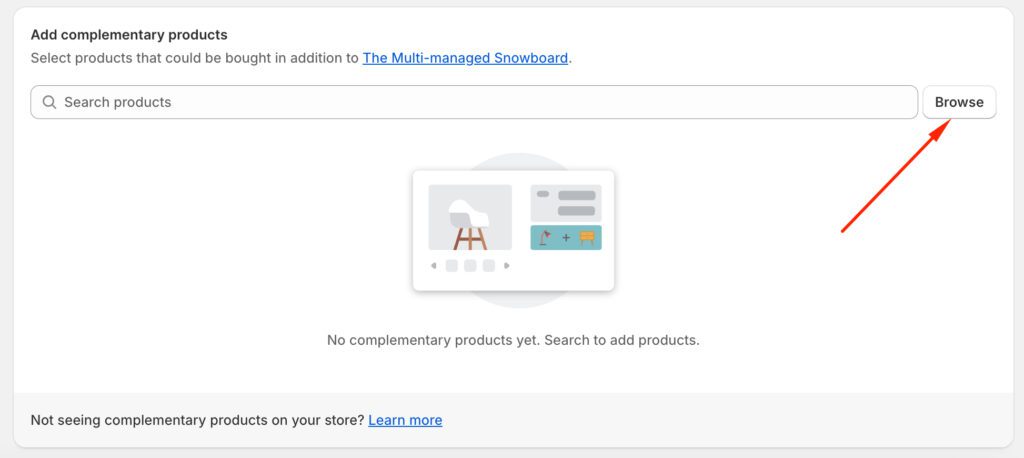
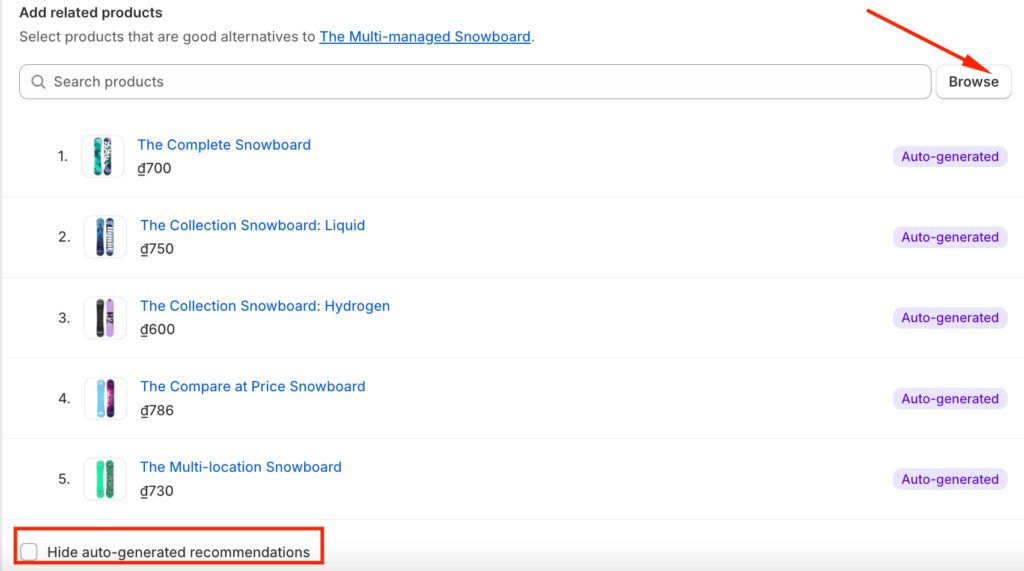
A few rules decide whether a product can appear as a recommendation. It must be active, published to your online store, priced above zero, not a gift card, and not already in the shopper’s cart. If a product is missing from the section, check these first.
This free method has a clear limit. The theme section shows products individually, side by side, for the shopper to click into one at a time. There is no single “add all to cart” button, and there is no combined discount for buying the group. That combined, discounted, one-click experience is what most merchants mean by frequently bought together, and it is the reason many install an app.
To better know what the app can do, see our “Shopify Search & Discovery App” review.
Both methods have a place. The free theme section is a fine starting point. A dedicated app is the tool for real order-value growth. This table shows the difference at a glance.
| Feature | Free Shopify theme | Dedicated Shopify FBT app |
|---|---|---|
| Cost | Free | Free plans to paid monthly fees |
| One-click “add all to cart” | No | Yes |
| Combined discount | No | Yes |
| Choose products manually | Limited | Yes |
| AI recommendations | Automatic related products | Yes, often trained on your orders |
| Placement control | Basic | Product page, cart, and more |
| Best for | New stores testing the idea | Stores serious about average order value |
Start with the free theme section if you are new or on a tight budget. Move to an app once you want the combined discount and the one-click purchase, because that is where the order-value gains come from.
A dedicated app gives you what your theme cannot: a group of products, one button to add them all, and a small discount for buying together. Setup is quick on any of these apps. You install it, enable its app embed in Online Store > Themes > Customize > App embeds, choose 2 or 3 complementary products for each best seller, set a combined discount, and test the offer on mobile.
Pick an app by four things: how relevant its recommendations are, whether it lets you control the discount, where it can place the widget, and how well it fits your theme and budget. Below are three established options and our own app. Ratings and prices change, so confirm the current numbers on each app’s Shopify App Store listing before you install.
Here is a quick comparison of the three dedicated apps alongside our own app:
| Frequently Bought Together (Code Black Belt) | Selleasy | Wiser | BOGOS | |
|---|---|---|---|---|
| Rating & Reviews | 4.9 ⭐ – 1,100 reviews | 4.9 ⭐ – 2,400 reviews | 4.9 ⭐ – 530 reviews | 5.0 ⭐ – 4,000 reviews |
| Starting price | – Free plan; – Paid from $9.99/mo | – Free plan; – Paid from $9/mo | – Paid from $10/mo | – Free plan; – Paid from $29.99/mo |
| Recommendation style | AI trained on a large order volume | AI plus manual pairing | AI using browsing and order data | Manual pairing plus gift and bundle logic |
| One-click “add all” bundle | Yes | Yes | Yes | Yes |
| Combined discount | Yes | Yes | Yes | Yes |
| Placement | Product page | Product page, cart, post-purchase | Product page, cart, thank-you page | Product page, cart, checkout on Plus |
| Best for | A focused, mature FBT widget | Several offer formats in one app | Recommendations across the journey | FBT plus gifts, bundles, and upsells in one app |
️️🏆 Best for: Stores that want a mature, Amazon-style widget with strong recommendation accuracy.
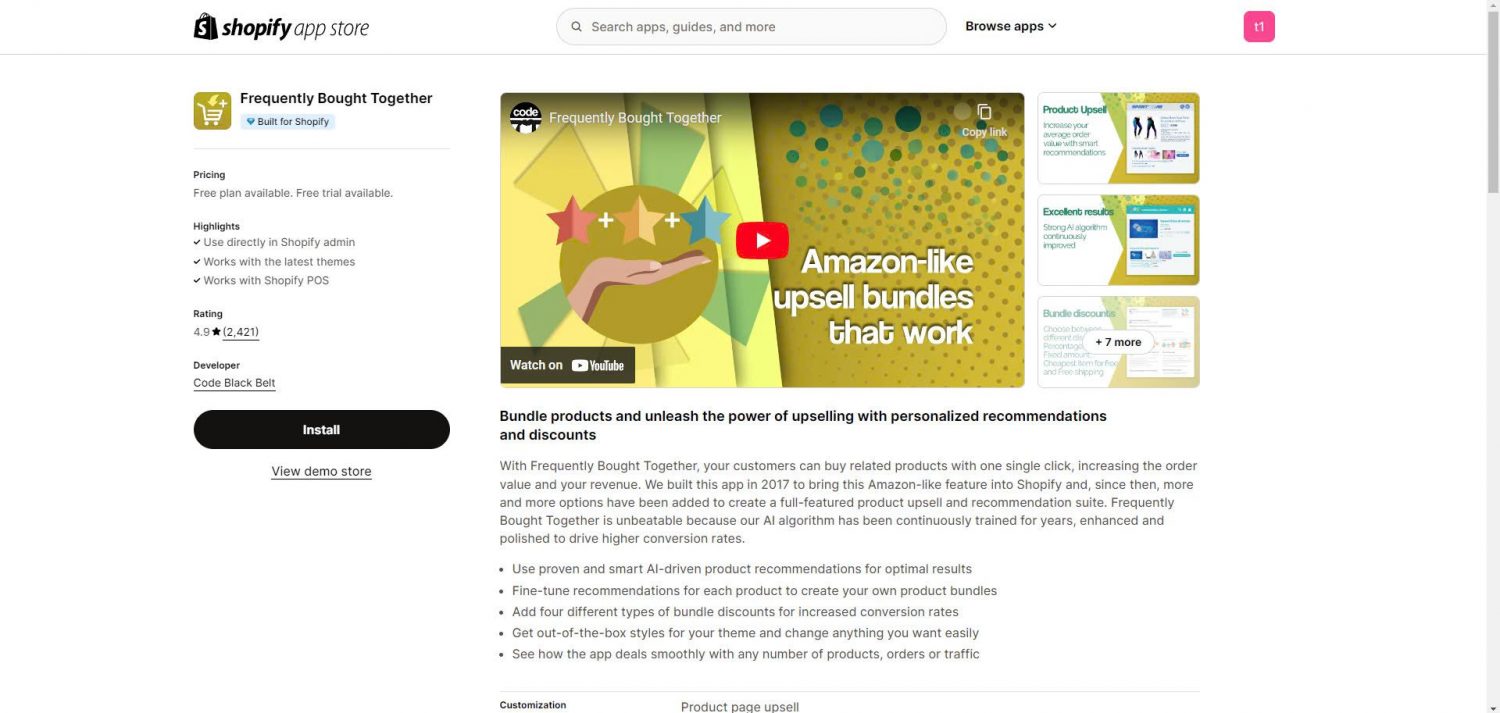
This is the most established frequently bought together app on Shopify. Its recommendation engine has been trained on a very large volume of orders, which helps it suggest sensible pairings even on newer stores. It focuses on doing one job well.
Key features:
🏆 Best for: Stores that want cross-sell and upsell in several formats, not just one widget.
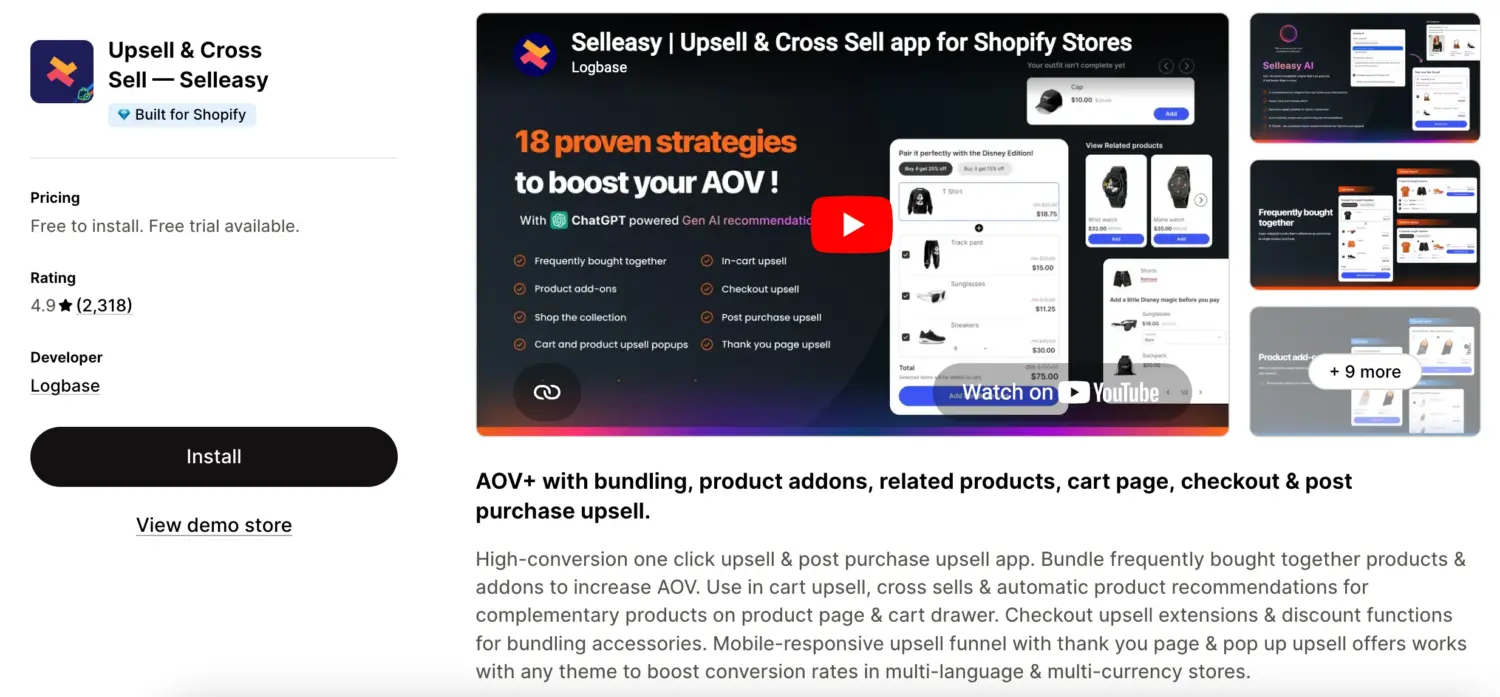
Selleasy covers frequently bought together plus pre-purchase and post-purchase upsells. It suits merchants who want to test different offer styles and placements from one app.
Key features:
🏆 Best for: Stores that want AI recommendations across the whole shopping journey.
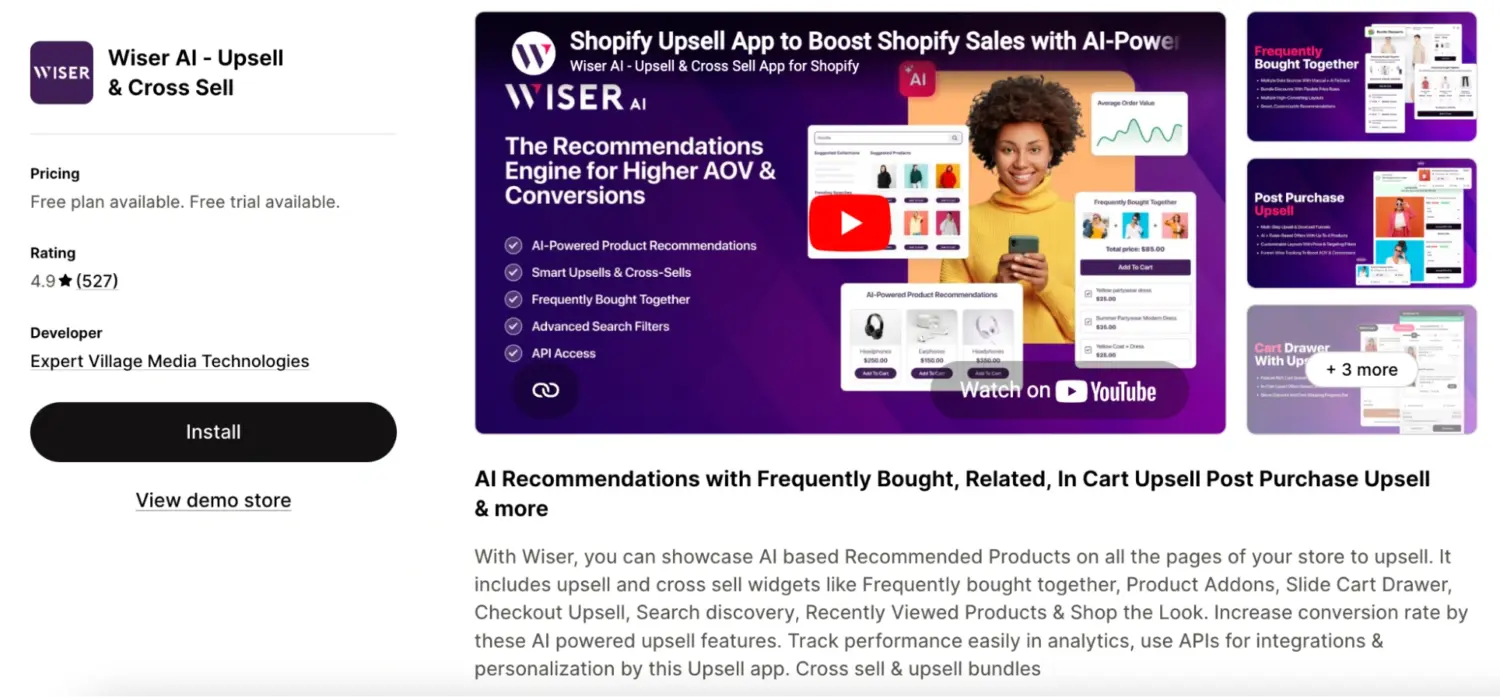
Wiser reads browsing behavior and order data to place recommendations on the product page, the cart, and beyond. It fits merchants who want one recommendation engine working across many touchpoints.
Key features:
🏆 Best for: Stores that want frequently bought together as part of a wider promotions toolkit.
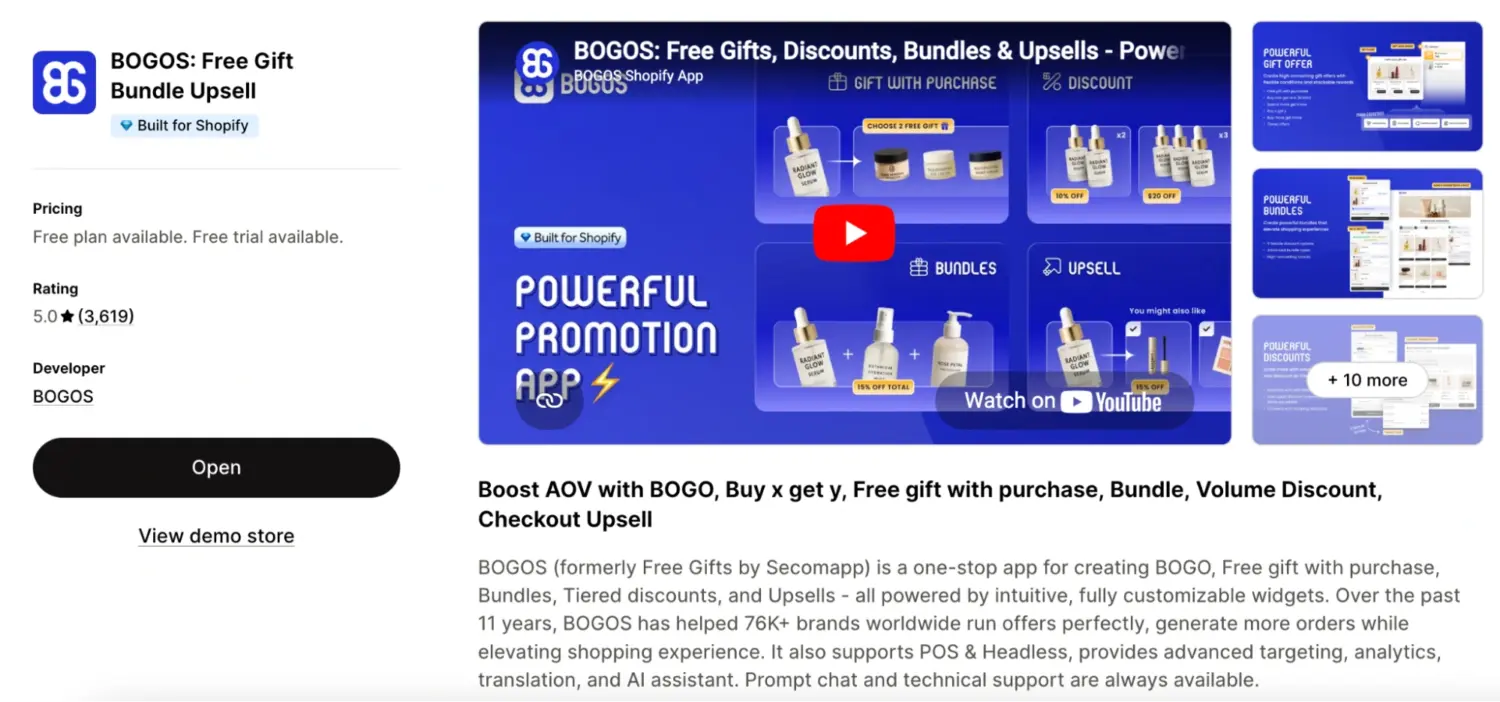
Our BOGOS app takes a slightly different angle. Instead of doing one widget only, it combines frequently bought together with free gifts, bundles, volume discounts, and upsells in a single app. That helps if you run several promotion types and want them managed together without conflicts. As an example of the order-value angle, premium luggage brand LEVEL8 used BOGOS promotions to grow sales by 200 percent, with more than $395,000 in sales in a single month.
Key features:
If your main goal is a single, focused frequently bought together widget, a dedicated tool like Code Black Belt is a strong pick. If you want cross-sell to sit next to your free gifts and bundle discount offers, an all-in-one app fits better.
Placement changes how well the offer converts. The same widget performs differently on the product page, in the cart, at checkout, and after purchase. Reported conversion benchmarks vary by store and by how each source defines a conversion, so use the numbers below as a guide, not a rule.
| Placement | Reported conversion | Notes |
|---|---|---|
| Product page | About 1–4% | The classic FBT spot. Early interest makes a matching add-on feel natural. |
| Cart or cart drawer | About 1–4% | Strong buy intent, good for a cheap last-minute add-on. |
| Thank-you page (post-purchase) | Often higher, commonly 4–10% or more | Lowest friction, since the purchase is already made. |
| Checkout | High intent, Shopify Plus only | Checkout customization is limited to Plus stores. |
The product-page and cart figures come from Flowium, which found about 20 percent of retailers see 1 to 4 percent conversion in each spot. The thank-you page tends to convert best because the buying decision is already made, and Shopify has shared merchant examples where post-purchase offers lifted results sharply.
The product page is where most frequently bought together widgets live, so it is a core part of strong product page optimization. Wherever you place the offer, test more than one spot. Placement is one of the levers in wider CRO strategy, and small changes here often move order value more than you expect.
The quality of your FBT pairings is the single biggest factor in whether the widget drives AOV or gets ignored. Most FBT apps generate pairings automatically using order history, product descriptions, and collection structure. But if your store is new, lacks purchase data, or doesn’t use an app with AI recommendations, you need to pair products manually.
Manual pairing isn’t a disadvantage. Automated recommendations run on a small set of logical patterns, and you can apply those same patterns yourself using your product knowledge. A few core approaches:
Once your pairings are live, review performance at least once a month. Remove combinations with low engagement and promote ones that convert. As order data accumulates, you can validate your manual pairings against Shopify’s “Frequently bought together” report or let AI take over.
👉 For the full playbook, including all six pairing strategies and how to validate results, see our “FBT Pairing Strategies“ guide.
Track these five metrics to know whether your FBT widget is actually working:
You’ll find CTR and AOV lift in Shopify Analytics combined with your app’s dashboard. Most dedicated FBT apps (BOGOS, CBB, Wiser) show bundle take-rate and attributed revenue directly in their own reporting.
Directional benchmarks: a healthy FBT setup drives a 5% to 15% AOV lift on orders that include the widget. If you’re seeing less than 3%, your pairings are likely misaligned.
👉 For the full measurement framework and benchmark data by category, see our “How to Measure Bundle Performance” guide.
Shopify cannot run a true frequently bought together offer on its own. The related products section in your theme is a free starting point, and it costs nothing to switch on. But the combined discount and the one-click “add all to cart” button, the parts that actually lift order value, come from a dedicated app.
Start where you are. Turn on the free theme section, then move to an app once you want the full offer. Keep the groups short, keep the products relevant, and add a small discount to seal the decision.
The goal is not to push extra products. It is to help shoppers buy what genuinely complements their purchase. Do that well, and frequently bought together becomes one of the steadiest ways to raise average order value on your Shopify store. If you want cross-sell to live alongside your gifts and bundles, our app is one way to run it all from a single place.
Shopify has a free native app called Shopify Search & Discovery that supports related product recommendations, but it doesn’t offer a true Amazon-style FBT widget with checkbox selection, combined bundle pricing, or one-click “Add All to Cart.” For those features, you’ll need a dedicated FBT or bundle app.
Cross-sell and upsell are broad categories. FBT is a specific cross-sell format that recommends 2 to 3 complementary products on the product page with a combined price and a one-click add-to-cart. Upsells offer a better version of the same product (premium tier, larger size). FBT adds different, complementary products to the order.
Two to three recommended products is the sweet spot. More than four creates decision fatigue and lowers completion rate. If you have more potential pairings, rotate them based on performance rather than displaying all at once.
For AI-generated pairings, yes. You’ll need around 50 orders minimum before the AI produces usable recommendations, and around 200 orders before they become high-confidence. For new stores, manual pairing is the workaround. Hand-pick 5 to 10 hero pairings for your bestsellers, then switch to AI once you have enough data.
Yes. Most dedicated FBT apps (BOGOS, CBB, Selleasy, Wiser) support manual pairing, rule-based pairing (by tag, category, or collection), and AI pairing. You can mix all three: let AI handle most of the catalog while manually overriding specific products.
They are close but not identical. Frequently bought together suggests complementary add-ons on the product page, and the shopper decides whether to take the group. A bundle is a fixed set sold together, often at one price. Many apps can do both. Our Shopify product bundles guide covers fixed sets in more detail.

Winning Black Friday and Cyber Monday 2026 on Shopify comes down to preparation, so this guide turns it into...
I wrote this guide because most Shopify merchants know SMS works but stall on three things: whether it pays...
A customer buys a preorder with an in-stock item, or two products stored in different warehouses. Since the items...
