
![[2026 Updated] Shopify Product Bundle: How To Do It, Best Apps & Tips](https://bogos.io/wp-content/uploads/2024/05/product-bundle.png)


Charlie Ngo
•
Last updated: 20 October, 2026
Shopify Collections: How To Create & Organize Them (2026)
Shopify collections decide how shoppers find your products, yet many guides still describe a setup Shopify is now replacing....
[2026 Updated] Shopify Product Bundle: How To Do It, Best Apps & Tips

Marketing Manager
Summarize this post with AI
Product bundles are one of the most direct ways to raise average order value on a Shopify store. They give shoppers a clear reason to add more to the cart in one order. They also matter for a channel that is new in 2026: the AI shopping agents buyers now use to find and compare products. This guide covers the bundle types you can run, how to bundle products on Shopify with and without apps, which apps fit which store, how our customers use product bundles in their sales strategy, and the mistakes that quietly cost you money. I’m Charlie Ngo, and I work at BOGOS as Marketing Manager, where I help Shopify merchants set up promotions like these every week.
A product bundle is a set of two or more products, or product variants, sold together as a single offer. The bundle price usually sits below the total of the items bought separately. A shampoo, conditioner, and hair mask sold together as a “Hair care set” is a bundle.
A bundle is not the same as a plain discount code. A discount code cuts the price of whatever is already in the cart. A bundle changes what goes in the cart in the first place. It pairs items and rewards the shopper for taking the whole group.
A bundle is also not the same as a collection. A collection organises products for browsing. A bundle sells them as one unit at one price. That difference matters because bundles pull directly on your Shopify AOV, your store’s average order value, while a collection only helps people find things.
Real stores prove the point. The Australian gifting brand LVLY expanded to more than 150 bundled products after moving to Shopify Plus and saw a 6% year-over-year lift in average order value, according to Shopify. Bundles work for higher-priced goods too. LEVEL8, a premium luggage brand and one of our customers, ran gift and threshold promotions and drove more than $395K in attributed sales with a 200% sales increase, per our LEVEL8 case study.
Bundles help your store in four clear ways.
The safest way to know your own number is to measure your store’s average order value before and after you launch a bundle.
Not every bundle works the same way. The type you choose affects how customers interact with the offer, how you manage inventory, and which setup method you’ll need. Here are the five most common bundle formats on Shopify.
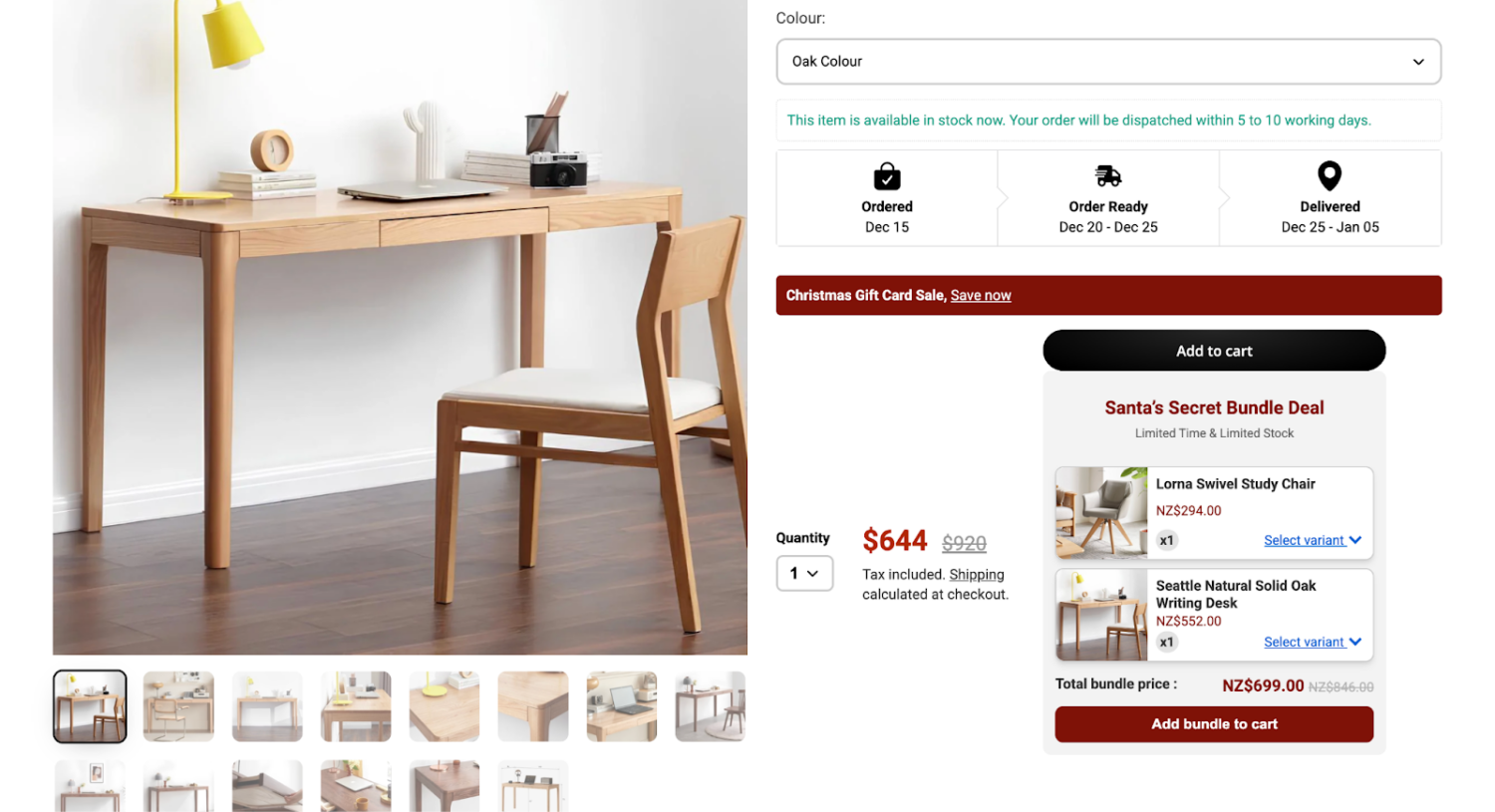
A fixed bundle is a set group of products you select and sell as one unit. The customer buys the exact combination — no swapping, no customization.
This works best for curated sets, starter kits, and gift boxes where you control the assortment. A “New Mom Gift Box” with a onesie, blanket, and bib sold at a flat $45 is a fixed bundle. The customer either buys the whole set or nothing.
The trade-off is flexibility. If a customer doesn’t want one item in the set, they’ll likely skip the entire bundle. Fixed bundles are the simplest to set up, though — you can create one with Shopify’s native Bundles app or even as a manual product listing.
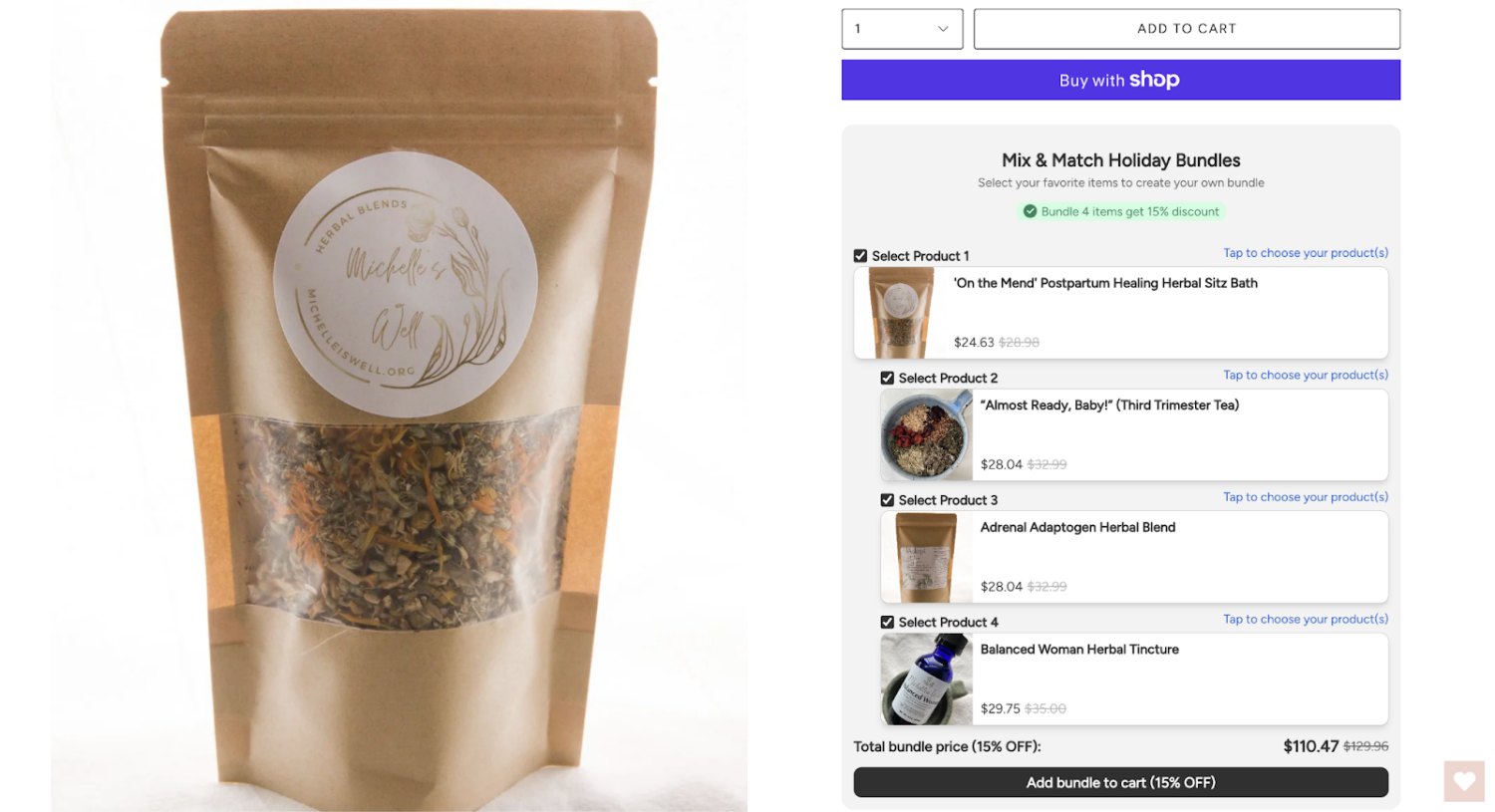
A Mix & Match Bundle lets customers pick items from a predefined pool to build their own bundle. You set the rules – “choose any 3 from this collection” – and the customer decides which specific products go in.
This format works best for stores with large catalogs or product lines with interchangeable items: teas, cosmetics, snack boxes, and supplements. For example, a tea shop could offer “Build Your Own Tea Box – pick any 5 flavors for $30” from a collection of 20 options.
Because each customer can create a different combination, inventory tracking is more complex. Every item in the bundle pulls from its own variant stock. That means you’ll almost always need a third-party app with a bundle builder widget to handle the selection interface and inventory syncing.
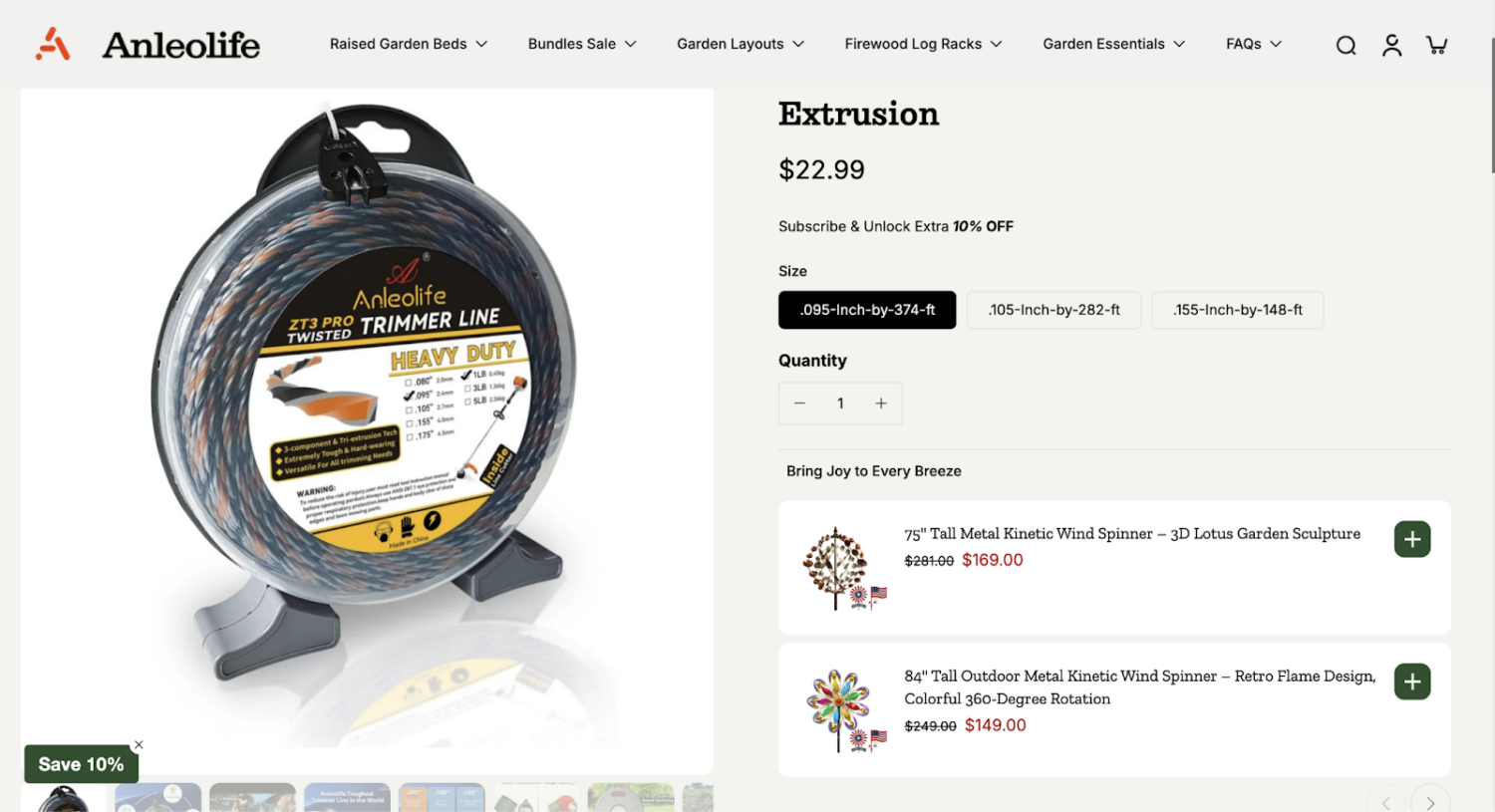
Frequently Bought Together (FBT) is a recommendation-style bundle shown on the product page. It suggests complementary items – “Customers also buy X + Y + Z together” – and the customer adds them to the cart with one click.
Unlike a fixed bundle, FBT is optional. The customer can remove items from the suggestion. It functions more as a cross-sell nudge than a standalone product.
FBT works well for stores with natural product pairings. On a phone case product page, for instance, you might suggest: “Frequently bought together: Phone Case + Screen Protector + Charging Cable – Save 10% when you buy all three.” The customer sees the suggestion, the savings are clear, and they add the set without navigating away from the page.
Tip: FBT bundles tend to perform best when the suggested items are in the same price range or lower than the main product. A $15 phone case suggesting a $200 accessory feels off. A $15 case with a $12 screen protector feels natural.
A Volume Bundle offers a discount when the customer buys more of the same product. The pricing is tiered: buy 2, save 10%. Buy 3, save 15%. Buy 5, save 20%.
This is the simplest bundle concept – and one of the most effective for consumable or replenishable products like socks, supplements, coffee, or skincare refills. A protein bar brand might offer: 1 box for $29, 2 boxes for $52 (10% off), 3 boxes for $72 (17% off).
Volume bundles overlap with tiered discounts. The core mechanic is the same. The difference is positioning: calling it a “Stock Up Bundle” with visual packaging feels more intentional than a generic “quantity discount” on a product page.
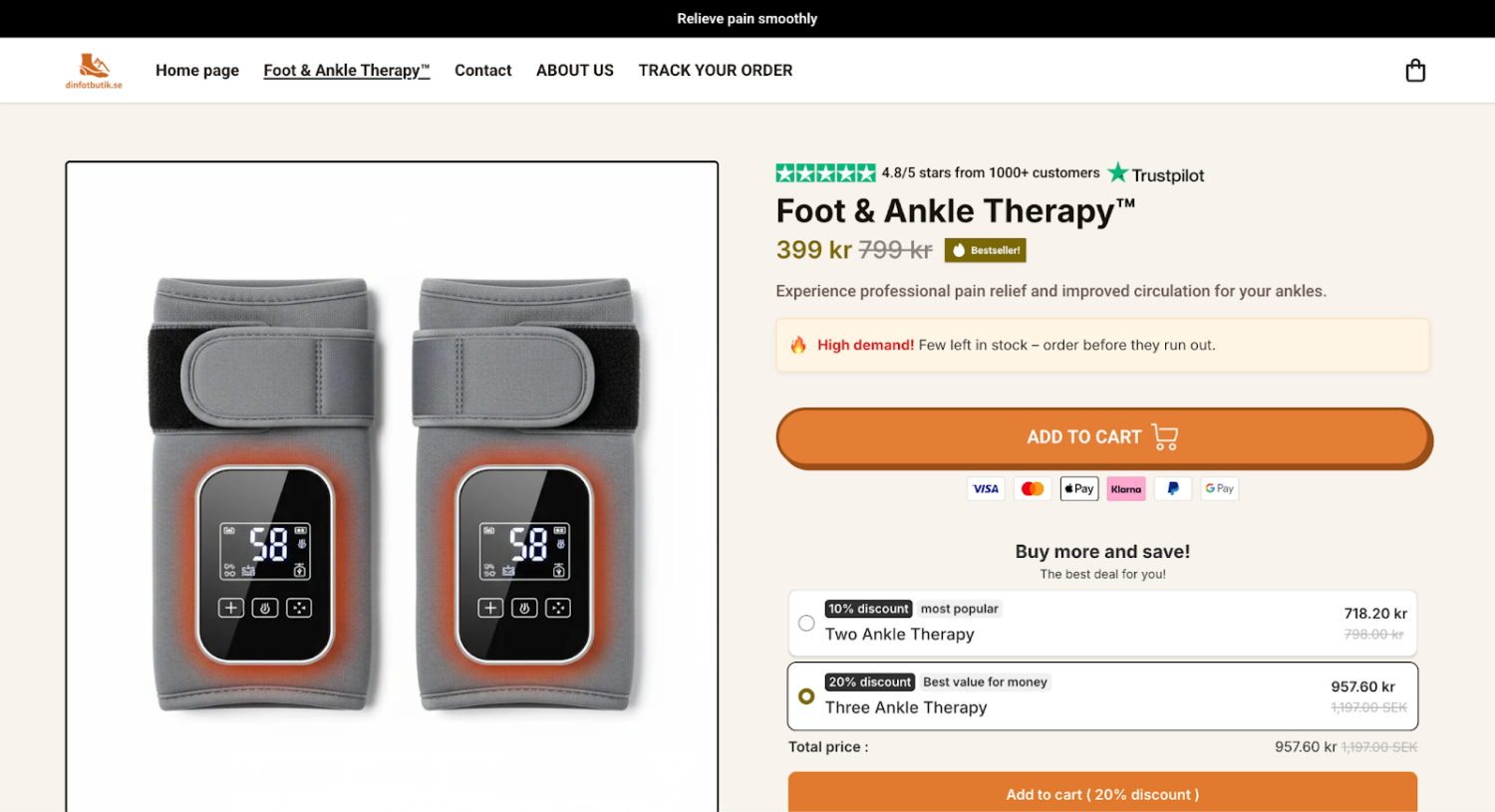
A Build-Your-Own Bundle (BYOB) is a guided, multi-step experience where customers assemble a custom bundle. It typically follows a structured flow: choose a container → fill it with products → add optional extras.
The key difference from Mix & Match is the guided structure. BYOB bundles usually have distinct steps or categories the customer moves through, while Mix & Match is a simpler “pick X from this pool” format. BYOB works best for gift boxes, subscription boxes, and custom meal kits – products where the selection process is part of the experience.
For example, a gourmet snack brand might set up: “Build Your Gift Box: Step 1 — Choose a box size (4-piece or 8-piece). Step 2 — Pick your snacks. Step 3 — Add a drink. Step 4 — Add a personal note card.”
Letting customers choose pays off. McKinsey found that strong personalisation lifts revenue by 5% to 15%, according to McKinsey. A self-built bundle is one of the simplest forms of personalisation you can offer.
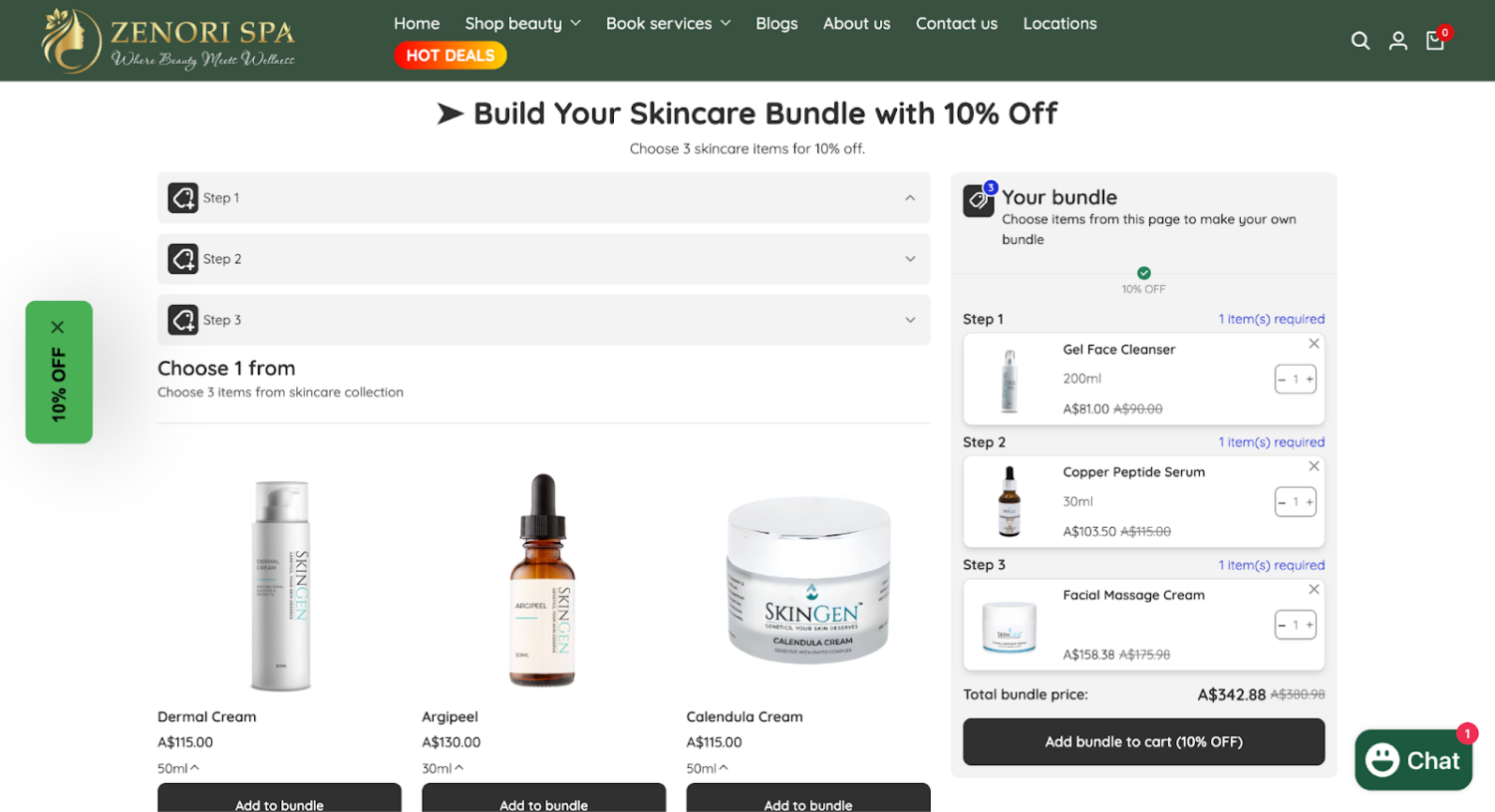
BYOB bundles typically require a dedicated bundle builder page powered by a third-party app. The setup is more involved than other bundle types, but conversion rates tend to be higher because the customer feels invested in their selection.
Shopify lets you build simple bundles using tools already in your admin. These methods cost nothing. They also have limits, which I’ll name so you can choose with clear eyes. There are three of them:
Each method suits a different store. The tables below weigh them up. For the full step-by-step setup on all three, see our guide to creating bundles on Shopify without an app.
| Method | Pros | Cons |
|---|---|---|
| Manual bundle-as-a-product | Free and fast, about five minutes; one price and one image | Stock does not deduct per component, so you risk overselling and track it by hand |
| Variant-based tiers | Clean for tiered fixed sets; each tier gets its own price and SKU | Capped at 100 variants and three options; contents are fixed, not shopper-chosen |
| Automatic discount plus a collection | A real discount rule with no custom product; flexible “Buy X Get Y” logic | Fussier setup; harder to present as one clear bundle; inventory still needs watching |
Managing stock by hand is the weak point across all three, especially the manual method. Our guide to bundle inventory management covers how to stay ahead of it. One note on timing: Shopify Scripts was sunset on June 30, 2026, per Shopify’s developer docs, so any older advice built on Scripts no longer applies. Use automatic discounts or Functions instead.
Shopify makes a free first-party app called Shopify Bundles. It sits between the manual methods above and paid third-party apps.
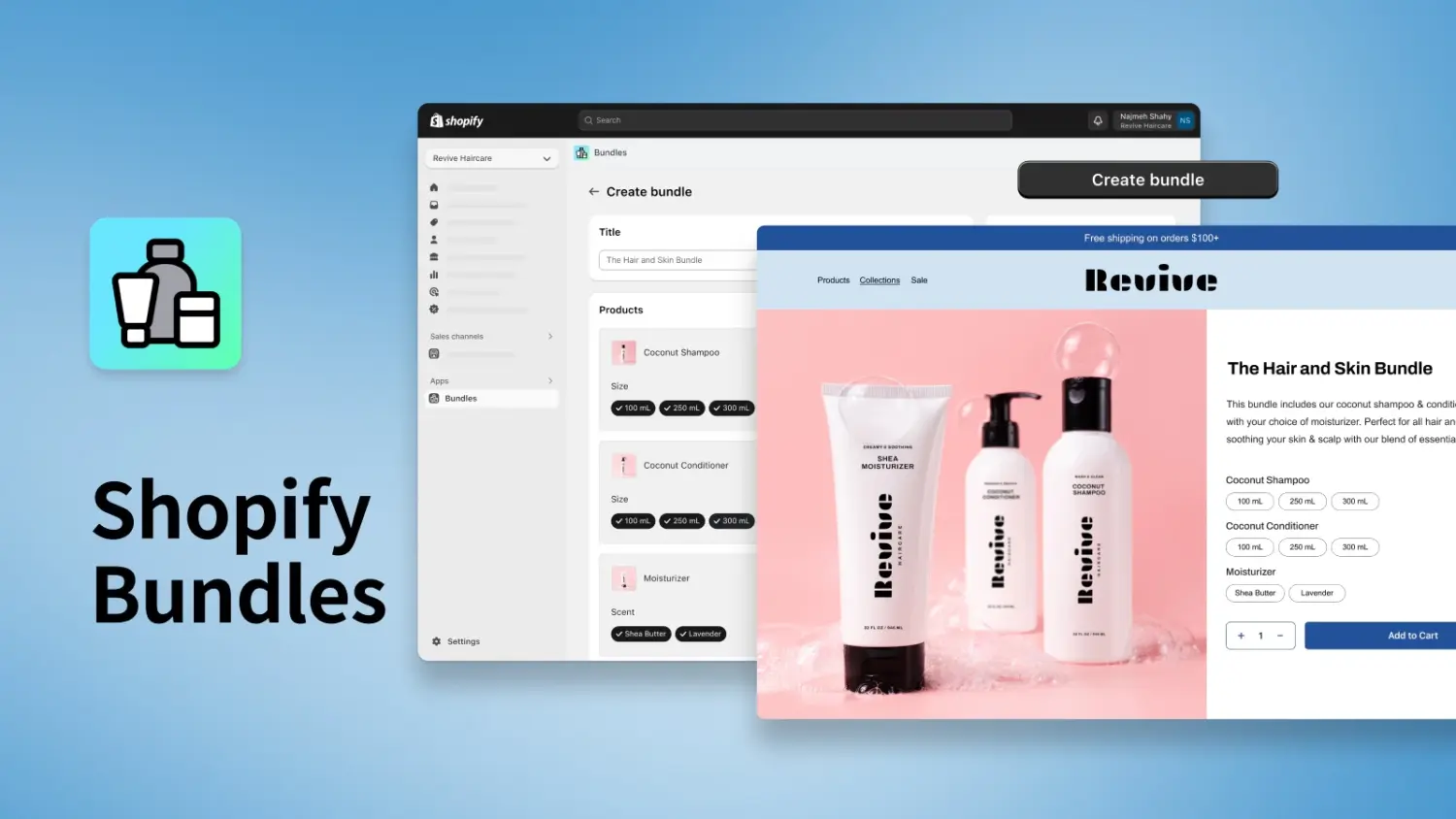
Shopify Bundles lets you create fixed bundles and multipacks straight from your admin, according to Shopify’s Help Center. It is free on every plan. You can include up to 30 products in a bundle, within Shopify’s limit of three options and 100 variants. Bundles built this way sell through the Online Store, Shop, and Shopify POS channels, and on Google & YouTube for fixed bundles.
The biggest reason to use it over the manual methods is inventory. Shopify Bundles updates stock in real time. When a bundle sells, it deducts each component automatically, so you stop overselling. That is the exact problem the manual bundle-as-a-product method creates, and this app removes it at no cost.
Know the trade-off before you commit. It handles fixed bundles and multipacks only, not mix-and-match or build-your-own-box. It tracks overall stock rather than stock by location. When a component’s price changes, the bundle price does not update on its own. And bundles cannot be sold with subscriptions, pre-orders, or try-before-you-buy.
Those limits show up in its reviews. The app rates around 2.7 stars on the App Store, not because it breaks, but because merchants want mix-and-match, a custom bundle page, and subscription support that it does not offer. For simple fixed sets and clean inventory, it does the job. For anything richer, look to a third-party app. Our review of the official Bundles app goes deeper.
You outgrow native tools the moment you want real flexibility. Mix-and-match logic, a build-your-own-box screen, tiered discount rules, checkout upsells, and inventory sync across a large catalogue all point to a dedicated app. An app also tracks bundle-level results you can act on.
Ratings and prices below are current at the time of writing and change often, so check the App Store listing before you install.
| App | Rating | Best For | Bundle Types | Pricing (Starts At) |
|---|---|---|---|---|
| BOGOS 🌟 | 5.0 (3,370+ reviews) | All-in-one bundles + promotions | Fixed, Mix & Match, BYOB, FBT, Volume, BOGO | Free (30 orders), then $29.99/mo |
| Fast Bundle | 4.9 (1,600+ reviews) | Wide range of bundle formats | Fixed, Mix & Match, BYOB, FBT, Volume, BOGO | From $19/mo (free trial) |
| Bundler | 4.9 (1,949+ reviews) | Simple bundle offers + quantity breaks | Classic, Mix & Match, Quantity Breaks | Free plan available |
| Kaching | 4.9 (1,000+ reviews) | Volume discounts + A/B testing | BOGO, Volume, Quantity Breaks | Free up to $1K revenue, then $14.99/mo |
| AOV.ai Bundle Upsell | 5.0 (1,020+ reviews) | Free bundle app with multiple formats | Fixed, Mix & Match, BYOB, FBT, Volume | Free (as of writing) |
For a detailed breakdown of each app — features, pros and cons, merchant feedback, and pricing tiers — see our full guide: Best Shopify Product Bundle Apps.

Best all-in-one solution → BOGOS.
If you want bundles, free gifts, BOGO offers, upsells, and volume discounts in a single app, BOGOS covers the widest range of promotion types without needing multiple tools. It supports every major bundle format (fixed, Mix & Match, BYOB, FBT, volume), includes real-time analytics, and works with POS and headless setups. The 5.0 rating across 3,370+ reviews reflects consistently strong support and reliability.
Best for diverse bundle formats → Fast Bundle.
For stores that need a wide range of bundle types, including subscription bundles, Fast Bundle covers fixed, Mix & Match, BYOB, and AI-powered FBT. Bundles are created as standalone products, which is good for SEO. Starts at $19/mo.
Best budget option → Bundler.
If you need basic bundles and quantity breaks on a tight budget, Bundler’s free plan includes classic bundles, BOGO, and BXGY offers. Paid plans from $12.99/mo unlock Mix & Match and tiered discounts.
Best for volume discounts → Kaching.
Purpose-built for quantity breaks and volume discount offers, with built-in A/B testing to optimize which bundle configuration generates the most revenue. Free up to $1K in generated revenue.

Best free option → AOV.ai Bundle Upsell.
Unlike most bundle apps that limit free plans to a handful of orders or basic features, AOV.ai Bundle Upsell is currently entirely free — with access to fixed bundles, Mix & Match, BYOB, FBT, and volume discounts. The app includes AI-powered bundle suggestions, customizable widgets, and supports multiple languages. It holds a 5.0 rating across 1,020+ reviews, with merchants highlighting the easy setup and responsive support.
⚠️ Note: the app’s pricing is updated at the time of writing, but pricing may change in the future. Please check the Shopify App Store listing for the latest.
Four Shopify stores that run our app, BOGOS, show how a product bundle performs when it fits the catalog. Each paired the bundle with other offers, so read the headline numbers as what the whole promotion earned, with the bundle doing a specific job inside it.
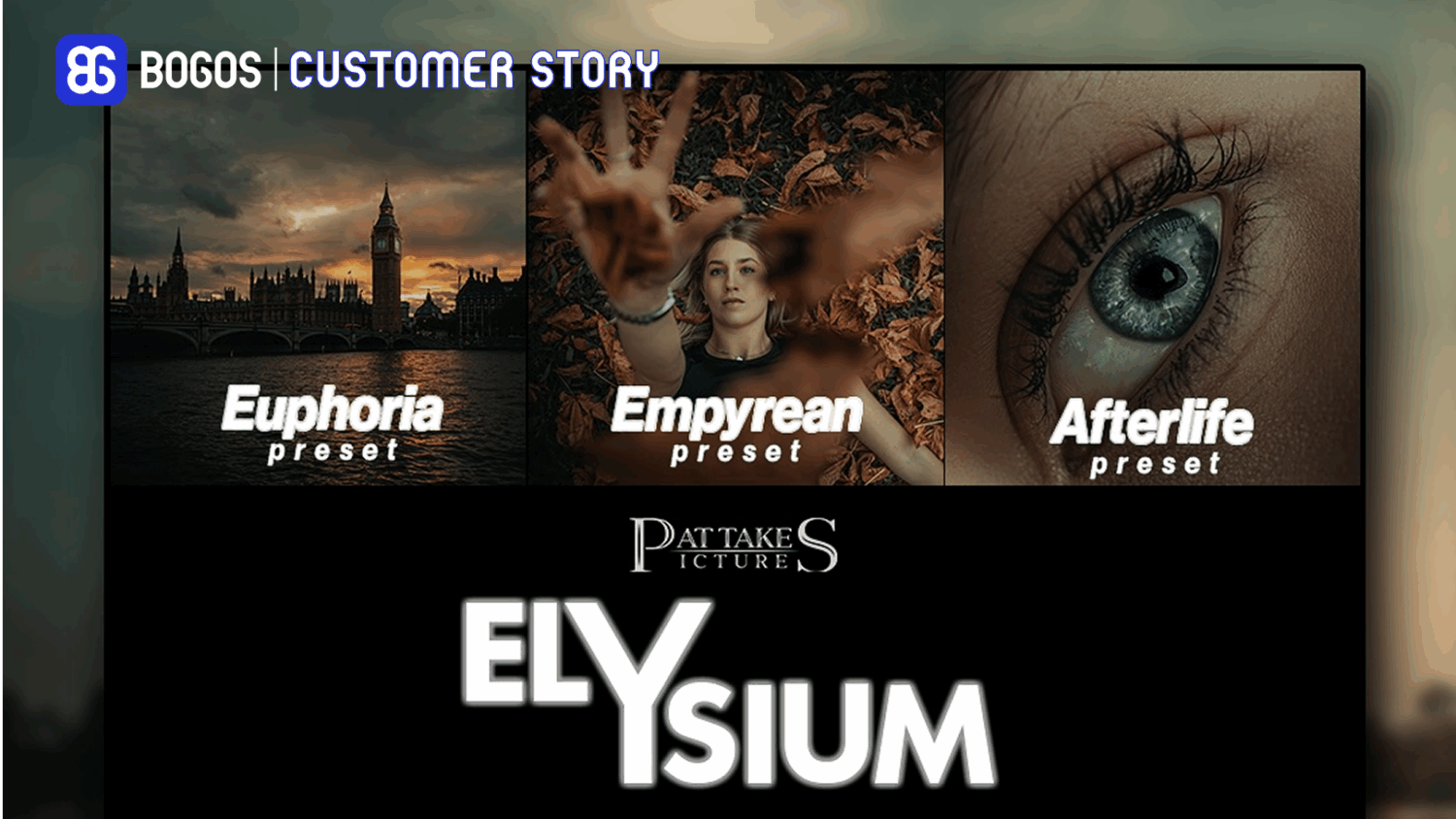
Patta Kes Pictures, a UK store selling cinematic Lightroom and Photoshop preset packs, had steady sales from a new-customer discount code but no way to grow the order size. The owner, a BOGOS customer, read his own reviews and spotted a pattern: buyers liked one preset pack and wanted more.
He grouped his three most popular preset packs into a classic fixed bundle at 20% off, so a shopper could buy all three in one click and still feel the saving. Digital products made this clean, since there was no stock to sync and no shipping to add.
The bundle ran alongside a branded free gift, and in under a month the store generated 266 orders through BOGOS and grew sales and orders by 25%. The Patta Kes Pictures case study covers all four of his tactics.
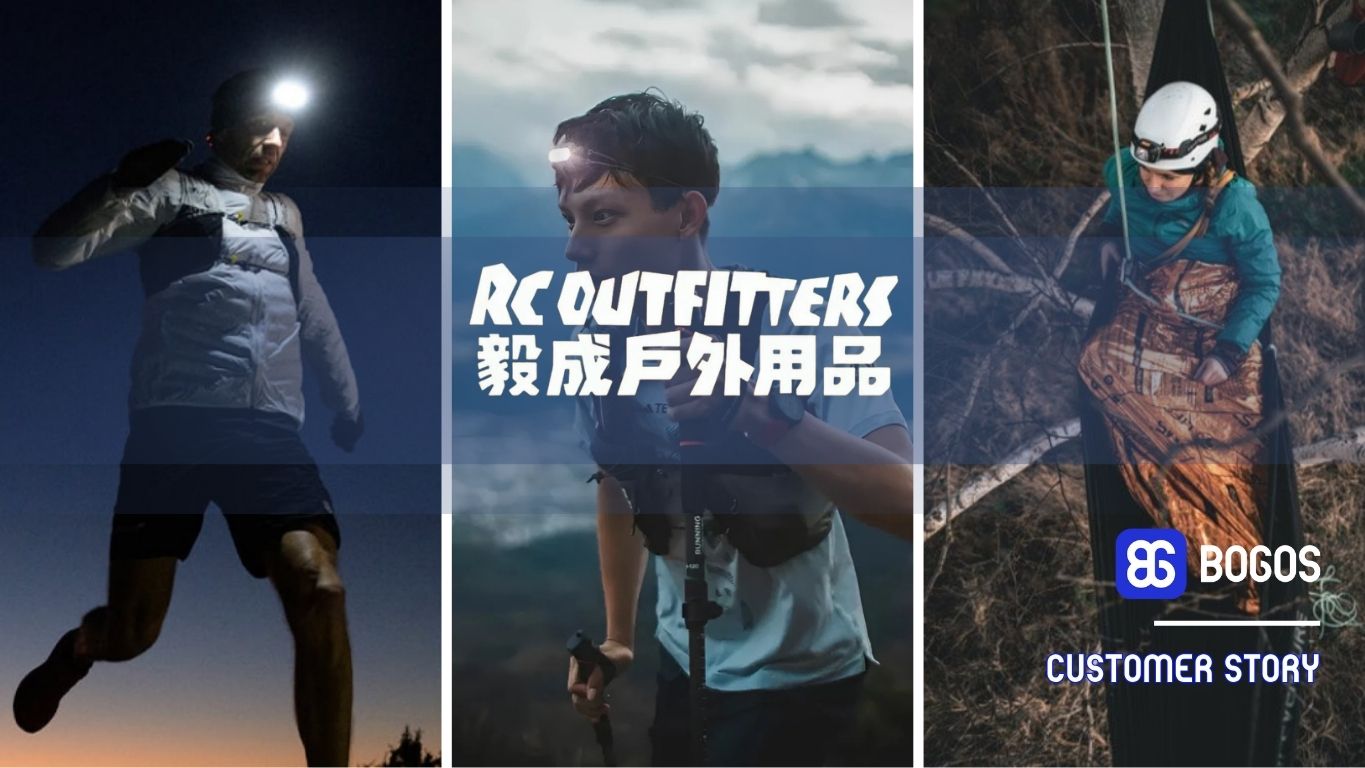
RC Outfitters, a Hong Kong outdoor gear retailer with 20 years of history and a BOGOS user, faced a common problem: strong traffic and good conversion, but low spend per order. Their insight was that beginners often did not know what else they needed for a trip.
They built bundles that paired a main product with its must-have add-ons, such as a two-person tent grouped with a ground mat and a floor liner, because no one camps with a tent and nothing to sleep on. A small discount made each combo feel worth taking, and the bundle quietly taught first-time buyers what a complete kit looked like.
Run with upsell offers and a free-shipping progress bar, the approach drove a 50% sales increase in the first three months against their previous tools. The RC Outfitters case study covers the full setup.
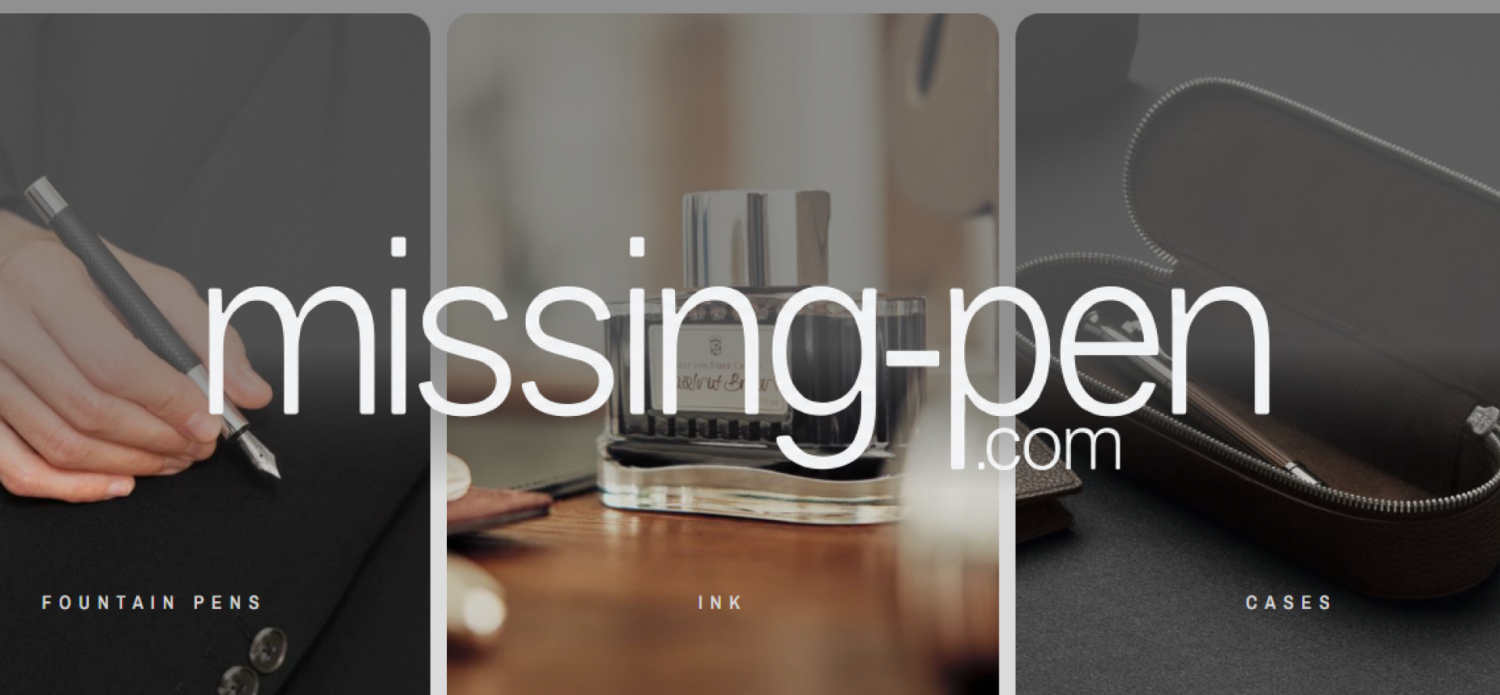
Missing Pen sells luxury writing instruments in Germany, where a sitewide discount risks making a premium catalog look cheap. This BOGOS merchant needed to grow average order value without cutting a single price.
One of their four offers was a fixed bundle built around a theme, not a discount: the Esterbrook x Peanuts Charlie Brown fountain pen, ballpoint, paper clip, and pen case, sold as a complete set at 10% off. The shared Charlie Brown design made the set feel curated rather than marked down, which is what a niche audience pays more for. A modest 10% on a roughly €225 order was enough to tip a shopper from one item to the full set.
Across all four offers, Missing Pen added €36,000 in revenue and lifted AOV by 19%, with no storewide sale. The Missing Pen case study shows how each offer matched a different product type.
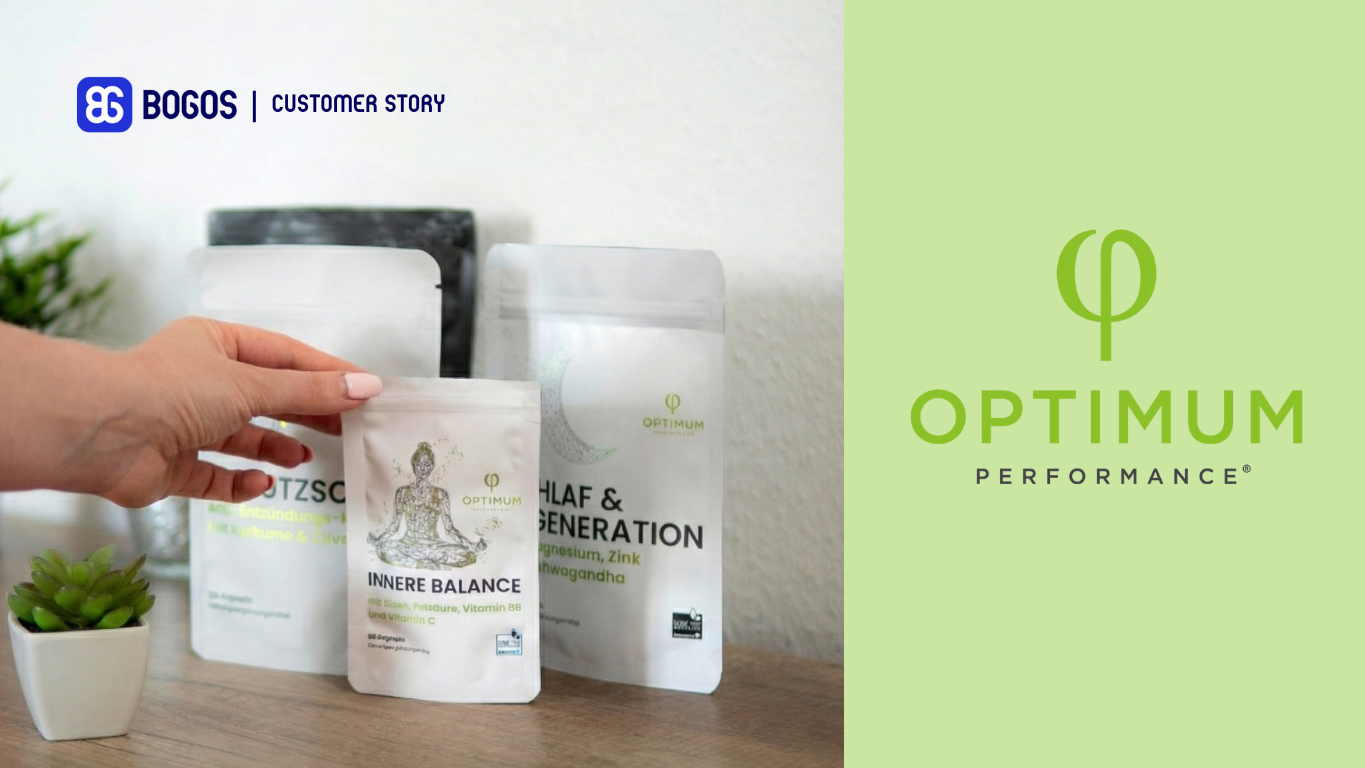
Optimum Performance, a German supplement brand and BOGOS customer, works in a market with thin margins and easy brand-switching. Flat percentage discounts ate into margin, so they needed bundles that raised order value instead.
They grouped bestsellers into a “Savings Bundles” category and placed two side by side: a Healthy Trio at €85.90 for three products, and an All-Inclusive Package at €105.90 for four. The small price gap and the deeper discount on the larger set used price anchoring, so the four-item bundle read as the obvious better deal. Adding a 15% subscription option turned those bundles into recurring revenue.
With bundles running alongside tiered gifts and a cart progress bar, the store grew monthly attributed revenue from about $4K to a peak near $34K in a year, an 8X lift, and held above $10K a month after. The Optimum Performance case study breaks down the full system.
The common thread: each store matched the bundle type to its catalog. Patta Kes Pictures bundled digital bestsellers, RC Outfitters paired gear with its natural add-ons, Missing Pen themed a premium set, and Optimum Performance anchored two bundles to make the bigger one win. None leaned on a deep discount to do it.
Most bundle failures come from setup and strategy issues, not the bundle concept itself. Here are the most common mistakes and how to fix them.
Checklist before launching a bundle:
Product bundling is one of the most effective strategies to increase AOV on Shopify — but the bundle type, pricing, setup method, and measurement plan all need to match your store’s catalog and customer behavior.
Here’s the decision path in short: start by picking the bundle type that fits your products (fixed for curated sets, Mix & Match for large catalogs, volume for consumables). Choose the right setup method — native Bundles app for simple fixed bundles, a third-party app like BOGOS for advanced types. Price the bundle for margin, not just conversion. Then track attach rate and AOV lift to know whether it’s working — and adjust before scaling.
The merchants who get the most from bundles aren’t the ones who launch the most offers. They’re the ones who launch 2–3 well-targeted bundles, measure them properly, and iterate based on data.
A: Shopify Product Bundles allows you to group multiple products together at a discounted price or with other incentives. Therefore, this can increase your AOV and encourage customers to purchase more products.
A: You should consider using Shopify bundles for:
– Clearing out slow-moving inventory
– Promoting new product launches or gift sets for special occasions.
– Offering complementary products that customers might naturally purchase together.
A: While a bundle product groups separate items that are sold together at a lower price, a package usually includes a single product that is sold with additional items (often non-discounted).
A: The “best” app depends on your specific needs and budget, so test different apps to see which one works best for you. If you want a quick, easy way to combine BOGOS with other promotional offers, consider trying BOGOS! Take a free 7-day trial first before any charges.
A: When choosing a bundling app, consider these features: easy setup and management, flexible bundle types, seamless inventory integration, diverse discounting options, and insightful performance reports (conversion rates, sales). This ensures data-driven optimization for your bundles.
A: To maximize the success of your Shopify bundles, remember to clearly communicate the value proposition (discounted price, convenience) and showcase them with attractive product images.
Promote your bundles across your product pages, emails, and social media to ensure customers see them.
Finally, track your bundle performance and make data-driven adjustments to optimize your strategy for maximum impact.

Shopify collections decide how shoppers find your products, yet many guides still describe a setup Shopify is now replacing....
A Shopify announcement bar is the thin strip at the top of your store that tells shoppers about shipping,...
Australia is one of the first markets many Shopify stores expand into. It is large, English-speaking, and home to...
