

Charlie Ngo
•
Last updated: 7 October, 2026
Shopify Product Configurator: 2D vs 3D, Best Apps & Costs (2026)
Shoppers hesitate to buy a $1,200 sofa or a custom ring when they can’t see the exact version they’re...
Shopify Official Bundles App Review: What it does, Limitations, and When You Need More

Digital Marketing Specialist
Summarize this post with AI
Shopify has its own free bundling app, simply called “Bundles.” It lets you create fixed bundles and multipacks directly from your Shopify admin, with automatic inventory syncing for every component product. No third-party subscription, no code, no external dashboard.
But “free and built by Shopify” doesn’t mean it’s the right fit for every store. The app handles simple bundling well and falls short on anything beyond that. If you’re evaluating whether the official app is enough or whether you need a third-party alternative, this guide gives you the full picture.
We’ll cover what the app can and can’t do, how to set up your first bundle, practical sales strategies that work within the app’s constraints, and when it’s time to upgrade. If you’re new to bundling or want a broader look at strategy and pricing, start with our “Shopify Product Bundle Complete Guide“.
The Shopify Bundles app is free, works on all plans, and handles fixed bundles and multipacks with automatic inventory sync. It does not support mix-and-match, build-your-own, volume/tiered pricing, or subscription bundles. Good for stores with a handful of simple bundles. If you need more, BOGOS (all-in-one promotions), Fast Bundle (diverse bundle formats), or Bundler (budget option) are the strongest alternatives.
The Shopify Bundles app is a free, first-party bundling tool built and maintained by Shopify. It launched in July 2023 as part of Shopify Editions Summer ’23, and it’s available on all Shopify plans, from Basic to Plus.
The app creates two types of bundles: fixed bundles (a pre-selected set of different products sold together) and multipacks (multiple units of the same product sold as one). Each bundle becomes its own product listing in your Shopify catalog, with a title, description, images, price, and SKU, just like any other product.
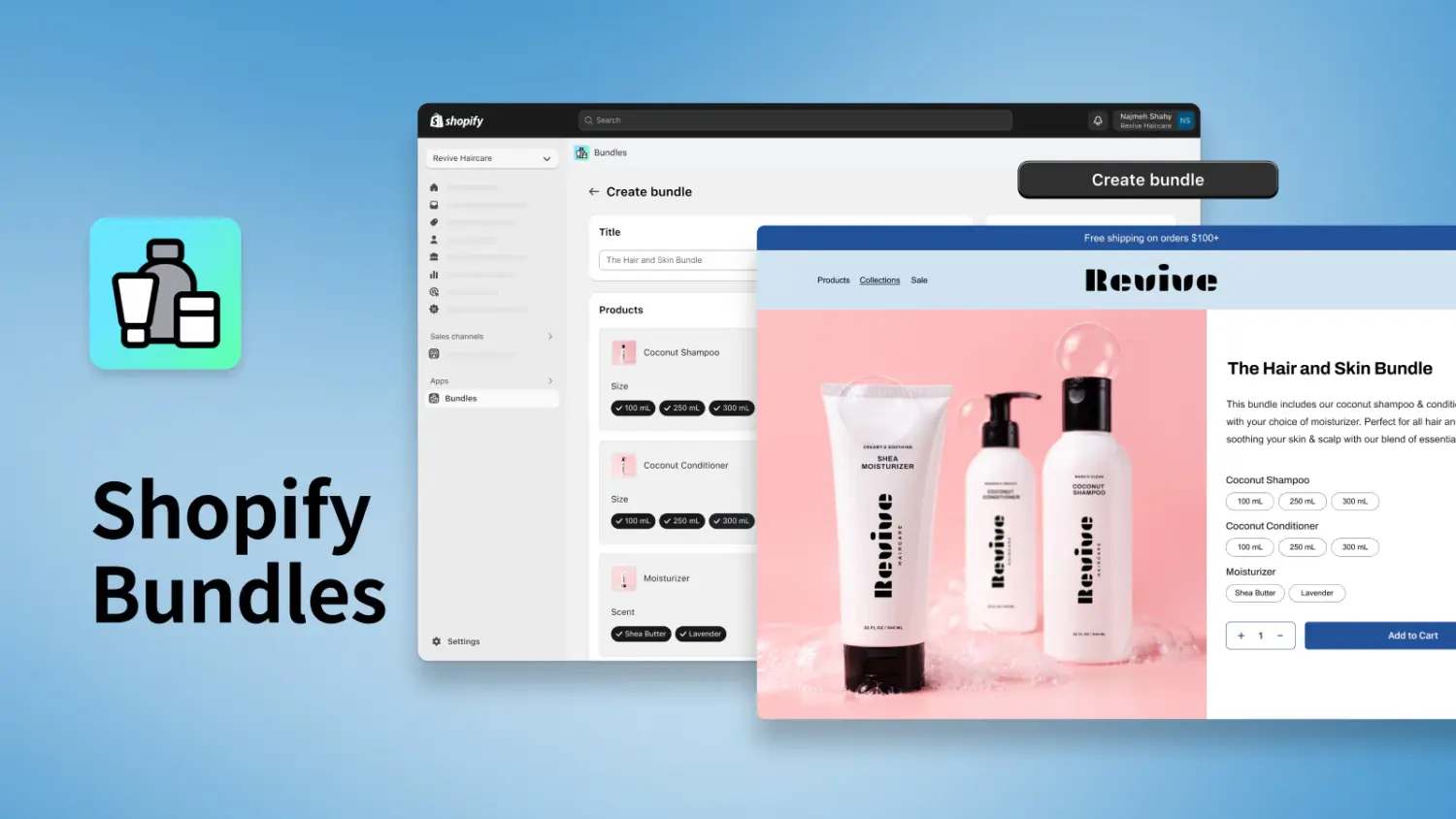
The main reason to use the official app over manual bundling methods is automatic component inventory sync. When a customer buys a bundle, the app deducts stock from each individual component product in real time. If you create bundles manually (by adding a new product listing with a combined price), selling a bundle doesn’t reduce stock for the components. At higher volumes, that leads to overselling. The official app eliminates that problem.
For a walkthrough of manual bundling methods and when they make sense, see our guide on “How to Bundle Products on Shopify without an app“.
The Shopify Bundles app is built for simplicity. That’s its strength for basic use cases and its limitation for anything more advanced. Before you install, here’s exactly what it supports and where it stops.
Bundle types and products
The app supports fixed bundles and multipacks. A fixed bundle combines different products (e.g., “Skincare Starter Kit” with cleanser + toner + moisturizer). A multipack bundles multiple units of the same product (e.g., “3-Pack Coffee Bags”). You can include up to 30 products per bundle, and the app supports products with variants as long as the total variant combinations across all components don’t exceed Shopify’s 2,048-variant limit.
Variant selection for customers
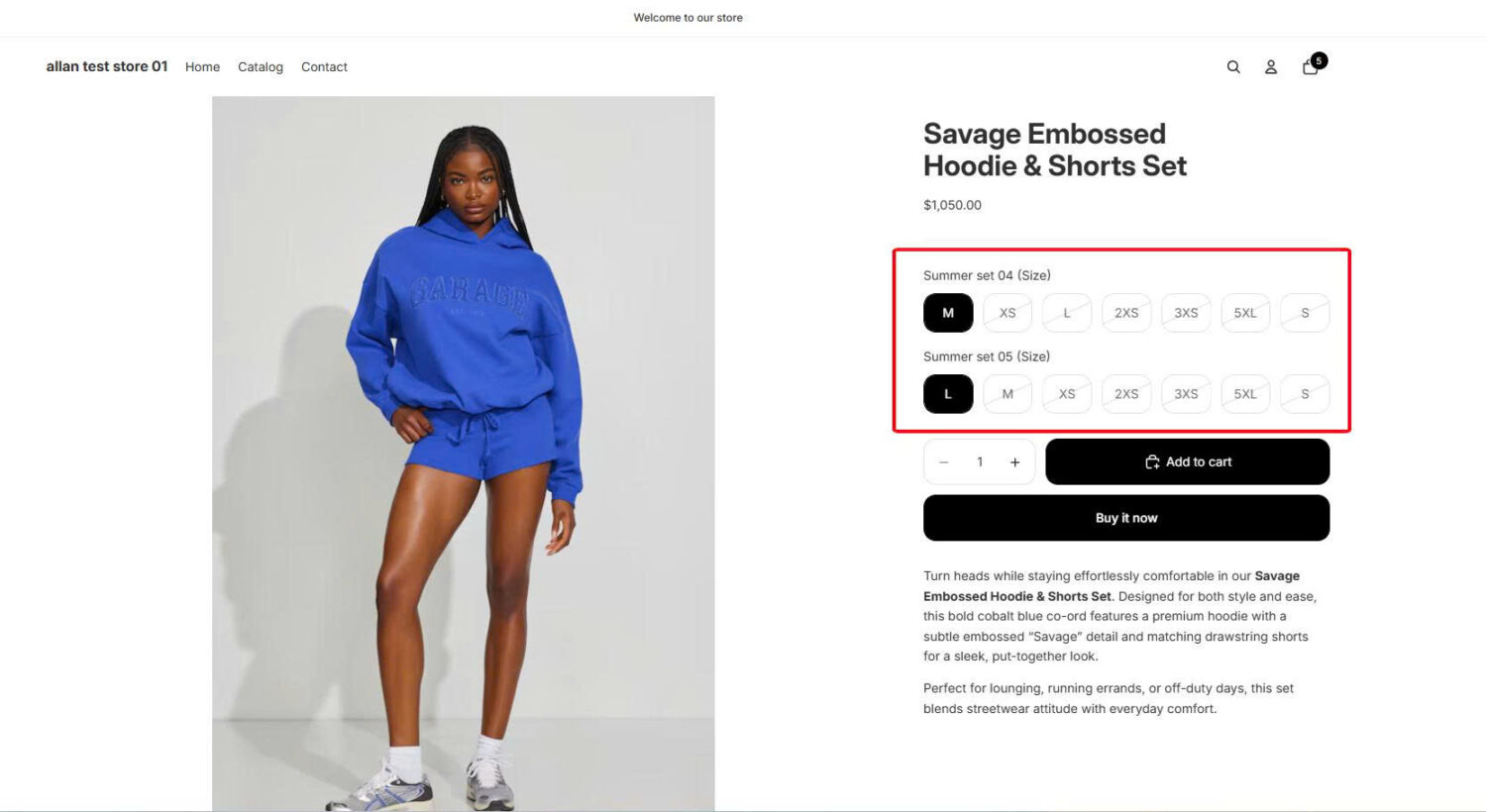
If your bundled products have variants (size, color, material), customers can choose their preferred option directly on the bundle product page. For example, a bundle that includes a T-shirt lets the customer pick between Small, Medium, and Large. Products without variants don’t display a selector, keeping the page clean.
The app also includes a “Combine options with matching names” setting. If two products in the bundle share the same option name (e.g., both have a “Size” option), the app merges them into a single dropdown. The customer picks “Medium” once, and it applies to both components.
You control exactly which variants appear by selecting or deselecting them during setup. If you want the bundle to only offer specific colors or sizes, you exclude the rest.
Pricing and discounts
You set a custom bundle price that’s independent of the individual product prices. The bundle might cost $45 while the components total $58 if purchased separately. The savings are baked into the bundle price you define.
Bundles also work with Shopify’s discount system. Automatic discounts, discount codes, and Shopify Functions-based discounts all apply to the parent bundle product. When a discount hits, Shopify distributes the discount amount across components by weighted price (a component that represents 60% of the bundle’s price receives 60% of the discount), and taxes are calculated on the individual components after the distribution.
Inventory sync
This is the app’s core advantage. When a bundle sells, the app automatically deducts one unit from each component product’s inventory. Bundle availability is determined by the component with the lowest stock. If your cleanser has 50 units and your toner has 12 units, only 12 bundles can be sold.
Inventory updates happen in real time, so the bundle automatically becomes unavailable when any component runs out.
Product listing and catalog
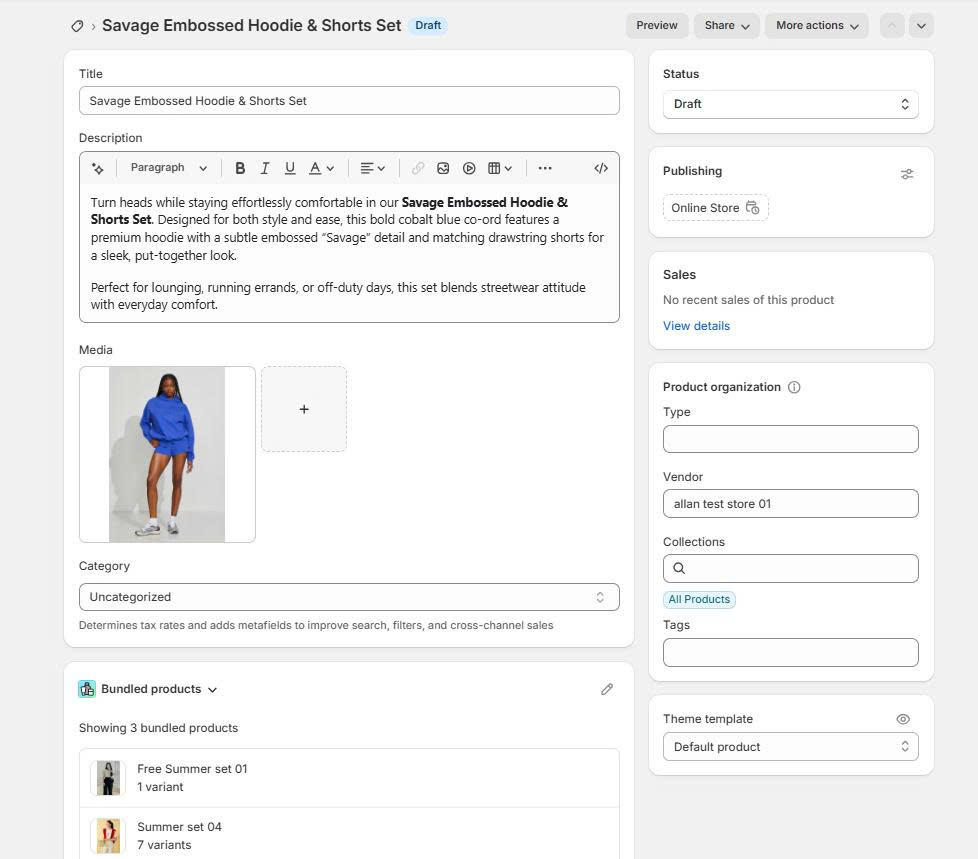
Each bundle gets its own product listing in the Products section of your Shopify admin. You can edit the title, description, media, and price just like any product. Bundles can be added to collections, tagged, and assigned to sales channels. In the admin, you’ll see “Bundle with XX variants” in the Inventory column to distinguish bundles from regular products.
Analytics
The app includes built-in performance tracking. You can view bundle total sales, bundle orders, top-performing bundles by revenue, and most-ordered bundles. Each metric links to a detailed report in Shopify’s Analytics section.
Sales channels
Bundles created with the official app work on the Online Store, Headless/custom storefronts, Google & YouTube (fixed bundles only), the Shop app, and Shopify POS. This is broader than most third-party bundle apps, which typically only support the Online Store.
Other
The app is completely free with no subscription, revenue share, or hidden costs. It supports 20 languages and is managed entirely within the Shopify admin. No separate dashboard or external login required.
Bundle types
The app only supports fixed bundles and multipacks. It does not support mix-and-match bundles (where customers pick their own items from a pool), build-your-own / bundle builder pages, volume discounts, or tiered pricing. If your bundling strategy requires any of these, you’ll need a third-party app. For mix-and-match setups, see our guide on “Shopify Mix and Match Bundles“. For build-your-own, see “Shopify Build Your Own Bundle“.
Variant and product limits
The total variant combinations across all products in a bundle cannot exceed 2,048. Shopify’s standard 3-option limit per product also applies. Bundles can’t contain other bundles.
Inventory
Inventory syncs across overall stock, not per location. The app calculates bundle availability based on the total available inventory summed across all your locations, but it doesn’t let you choose which location to fulfill from. For multi-location stores, this can create fulfillment routing issues or overselling at specific warehouses even when aggregate stock shows availability.
If a component product is set to “Continue selling when out of stock,” that product is excluded from the bundle’s availability calculation. That means the bundle could remain available even if that component has zero stock at every location.
Pricing
Bundle prices do not auto-update when component product prices change. If you raise the price of a component, you need to manually update the bundle price in the admin. If a component’s SKU changes, you must delete and recreate the entire bundle.
Compatibility
The app is not compatible with purchase options, which include subscriptions, pre-orders, and try-before-you-buy. It’s also not compatible with the Shopify Subscriptions app. Stores using checkout.liquid customizations (some Shopify Plus stores) can’t use bundles. Certain third-party apps are also incompatible: Global-e, Licensify, Exemptify, and Recharge Subscriptions.
Operations
Every bundle must be created manually. The app does not support import, export, or bulk editing. Bundles can’t be used in exchanges, even when exchanging for an identical bundle. If a component variant is deleted or renamed, the bundle automatically reverts to Draft status.
| Feature | Shopify Bundles App |
|---|---|
| Price | Free |
| Fixed bundles | ✅ |
| Multipacks | ✅ |
| Mix-and-match | ❌ |
| Build-your-own / bundle builder | ❌ |
| Volume / tiered pricing | ❌ |
| Variant selection for customers | ✅ (within 2,048-variant limit) |
| Component inventory sync | ✅ (overall stock, not per-location) |
| Bundle product listing in catalog | ✅ |
| Bundle analytics | ✅ (basic) |
| Discount support | ✅ (automatic, codes, Functions) |
| Sales channels | Online Store, Headless, Google & YouTube, Shop, POS |
| Subscription compatibility | ❌ |
| Import / export / bulk editing | ❌ |
| Auto-update price on component change | ❌ |
| Setup complexity | Low |
If your store only needs a handful of fixed bundles or multipacks with basic inventory sync, the official app covers that well. If you need mix-and-match, build-your-own, volume pricing, subscription bundles, or per-location inventory accuracy, you’ll outgrow it quickly. The Best Alternatives section below covers your options.
Setting up a bundle takes about five minutes. Here’s the full process from install to live listing.
How discounts apply to bundles: When you create a discount (automatic, code, or Functions-based), target the parent bundle product, not the individual components. The discount applies to the bundle’s total price first, then Shopify distributes the amount across components by their proportional share of the bundle price. Taxes are calculated on the individual components after distribution.
⚠️ Watch out: If you run multiple automatic discounts that both target the bundle, only one product discount applies per line item. Shopify picks the largest and ignores the other. Plan your discount strategy so bundle-specific promotions don’t conflict with sitewide offers.
Checking performance: Go to Apps → Bundles to view your bundle analytics dashboard. You’ll see total sales, order count, top bundles by revenue, and most-ordered bundles. Click any metric to open the detailed report in Shopify Analytics.
The app is simple by design, but its features map to specific sales tactics when you use them intentionally. These strategies go beyond basic bundle setup. They focus on leveraging the app’s collection integration, variant system, discount layering, and POS support to drive more revenue.
Every bundle the app creates is a real product listing in your catalog. That means you can add bundles to any Shopify collection, just like regular products.
Create a “Bundles” or “Value Sets” collection, add all your active bundles to it, and you get a dedicated landing page at a clean URL (e.g., /collections/bundles). Customers can browse all your bundle offers in one place instead of stumbling across them individually on product pages.
This also turns bundles into a merchandising channel you can promote. Add the collection to your store navigation, link to it from homepage banners, feature it in email campaigns, or use it as a landing page for paid ads. The collection page becomes a curated offer hub, not just a product grid.
Seasonal management gets easier too. When you launch holiday bundles, add them to the collection. When the season ends, set them to Draft or remove them. The landing page always reflects your current lineup without rebuilding anything.
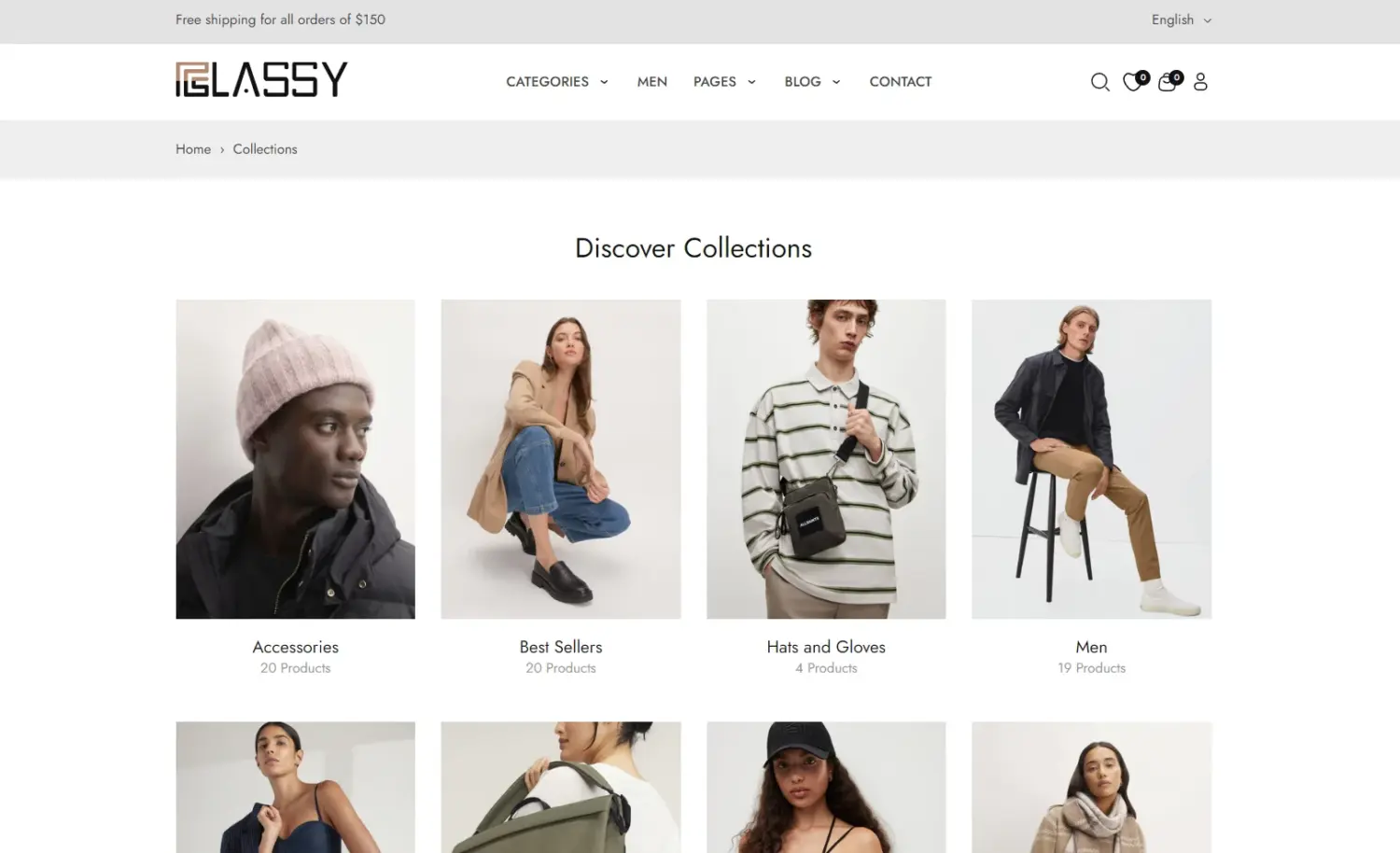
💡 Tip: Use the collection description and image to frame the page with a clear value message (e.g., “Save more when you buy together”). This turns a default product grid into a branded landing page. If your theme supports custom collection templates, you can customize the layout further.
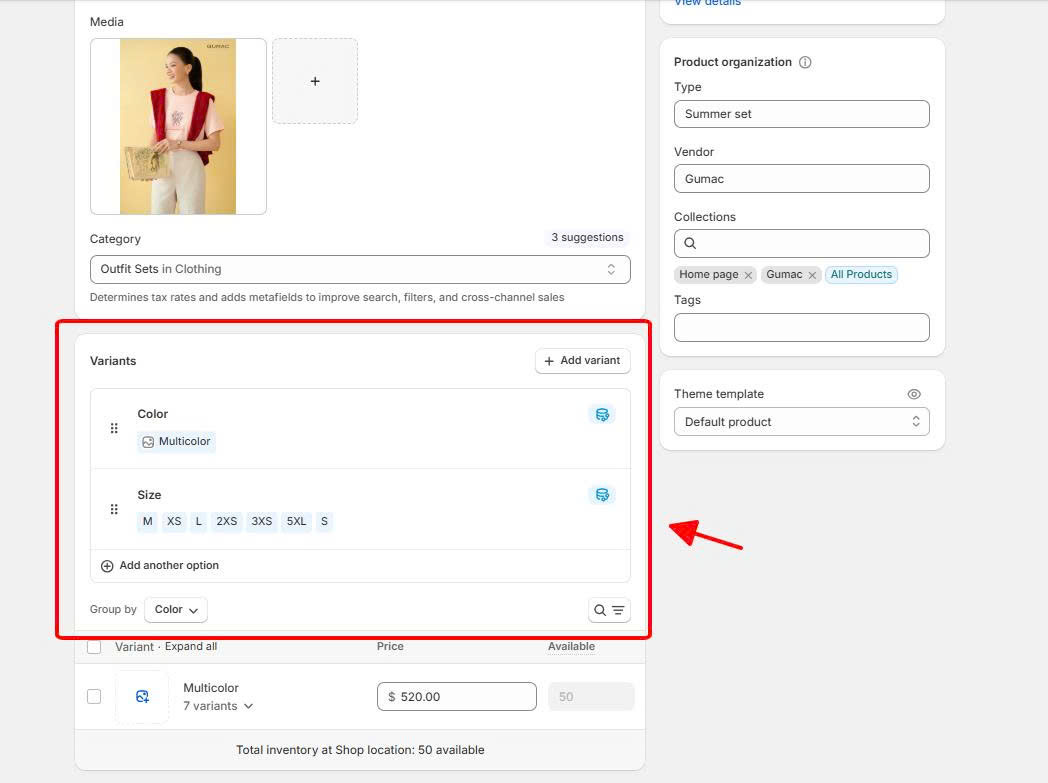
The app’s variant selection feature lets you build bundles where the core product stays fixed but supporting products offer customer choice. This creates multiple bundle configurations under a single product listing without cluttering your catalog.
For example, a skincare brand creates a “Complete Routine Bundle.” The cleanser is always included, but the customer chooses between “Dry Skin” or “Oily Skin” variants for the moisturizer and serum. One listing, multiple configurations, and the customer feels like they’re getting a personalized set.
If the moisturizer and serum both use a “Skin Type” option, enable “Combine options with matching names.” The app merges them into one dropdown. The customer picks “Dry Skin” once, and it applies to both components automatically. Fewer clicks, less confusion.
This approach also works for size-based bundles. A supplements brand offers a “Daily Stack” bundle with a multivitamin, fish oil, and probiotic. Each component has 30-count and 60-count variants. The customer selects their preferred size, and the bundle price adjusts based on the variant combination.
💡 Tip: Monitor which variant combinations get the most orders in your bundle analytics. If “Oily Skin” outsells “Dry Skin” 3:1, that’s data you can use for inventory planning, standalone product marketing, and future bundle design.
Bundles created with the official app support automatic discounts, discount codes, and Shopify Functions. That means you can set a base bundle price as a permanent offer and then layer additional discounts during specific campaigns.
For example, your “Skincare Essentials” bundle is priced at $45 year-round (vs. $55 if purchased separately). During Black Friday, you run a sitewide 10% automatic discount. The bundle drops to $40.50 automatically. No manual price editing, no creating a separate “Black Friday bundle” listing. When the campaign ends, the bundle reverts to its base price.
This separation between base bundle pricing and campaign discounts gives you two levers: a permanent AOV-lifting offer and a time-limited promotional push on top. You can run the same approach for seasonal sales, email-exclusive codes, or loyalty program discounts.
⚠️ Watch out: Only one product discount applies per line item on Shopify. If two automatic discounts both qualify for the bundle (e.g., a “10% off everything” discount and a “15% off bundles” discount), Shopify applies the larger one and ignores the other. Plan your discount tiers so they complement each other rather than compete.
Because the official app creates real product listings, bundles appear in your Shopify POS catalog automatically. Your staff can sell bundles at the register just like any other product, with no workarounds.
This is an advantage over most third-party bundle apps, which typically only support the Online Store. If you run a physical retail location, pop-up shop, or trade show booth, bundles created with the official app translate directly to in-person sales.
For example, a candle shop creates a “Gift Trio” bundle online: three candles at $38 (vs. $48 individually). The same bundle appears in POS. In-store customers can purchase it without staff manually ringing up three separate candles and applying a discount at the register.
💡 Tip: If you sell through both online and in-store channels, keep bundle pricing consistent across both. Customers who see a different price in-store vs. online lose trust in the offer. Because the bundle is a single product listing with sales channel assignments, the price stays the same everywhere by default.
The official app works well for a specific set of use cases. It falls short outside those boundaries. Here’s a clear breakdown.
If the official app covers your needs, start with 2-3 bundles and measure results over 2-4 weeks before expanding. If you’ve already hit a limitation, the next section covers your best alternatives.
If the Shopify Bundles app’s limitations affect your use case, a dedicated third-party bundle app fills the gaps. Here’s how three strong options compare to the official app on the features that matter most.
| Shopify Bundles | BOGOS | Fast Bundle | Bundler | |
|---|---|---|---|---|
| Best for | Simple fixed bundles | All-in-one promotions (bundles + GWP + BOGO + upsells) | Diverse bundle formats with advanced customization | Budget-friendly basic bundles |
| Price | Free | Free plan; up to $109.99/mo | Free to install; from $19/mo | Free plan; from $9.99/mo |
| Fixed bundles | ✅ | ✅ | ✅ | ✅ |
| Mix-and-match | ❌ | ✅ | ✅ | ✅ (paid plan) |
| Build-your-own | ❌ | ✅ | ✅ | ❌ |
| Volume / tiered pricing | ❌ | ✅ | ✅ | ✅ |
| Inventory sync | ✅ (overall) | ✅ | ✅ | ✅ |
| Subscription bundles | ❌ | ❌ | ✅ | ✅ |
| Advanced targeting | ❌ | ✅ (geo, customer tags, order history, sales channel) | ❌ | ❌ |
| Storefront widgets | ❌ | ✅ (progress bar, offer page, today’s offer) | ✅ (progress bar, offer page) | ❌ |
| Other promo types | ❌ | ✅ (GWP, BOGO, upsells) | ✅ (BXGY, BOGO) | ❌ |
| POS support | ✅ | ✅ | ✅ | ❌ |
Both BOGOS and Fast Bundle are top-tier bundle apps that support the same bundle types: fixed, mix-and-match, build-your-own, and volume. The difference isn’t in what bundles you can create, but in the features surrounding them.
👑 Best for advanced sales strategies beyond bundling.
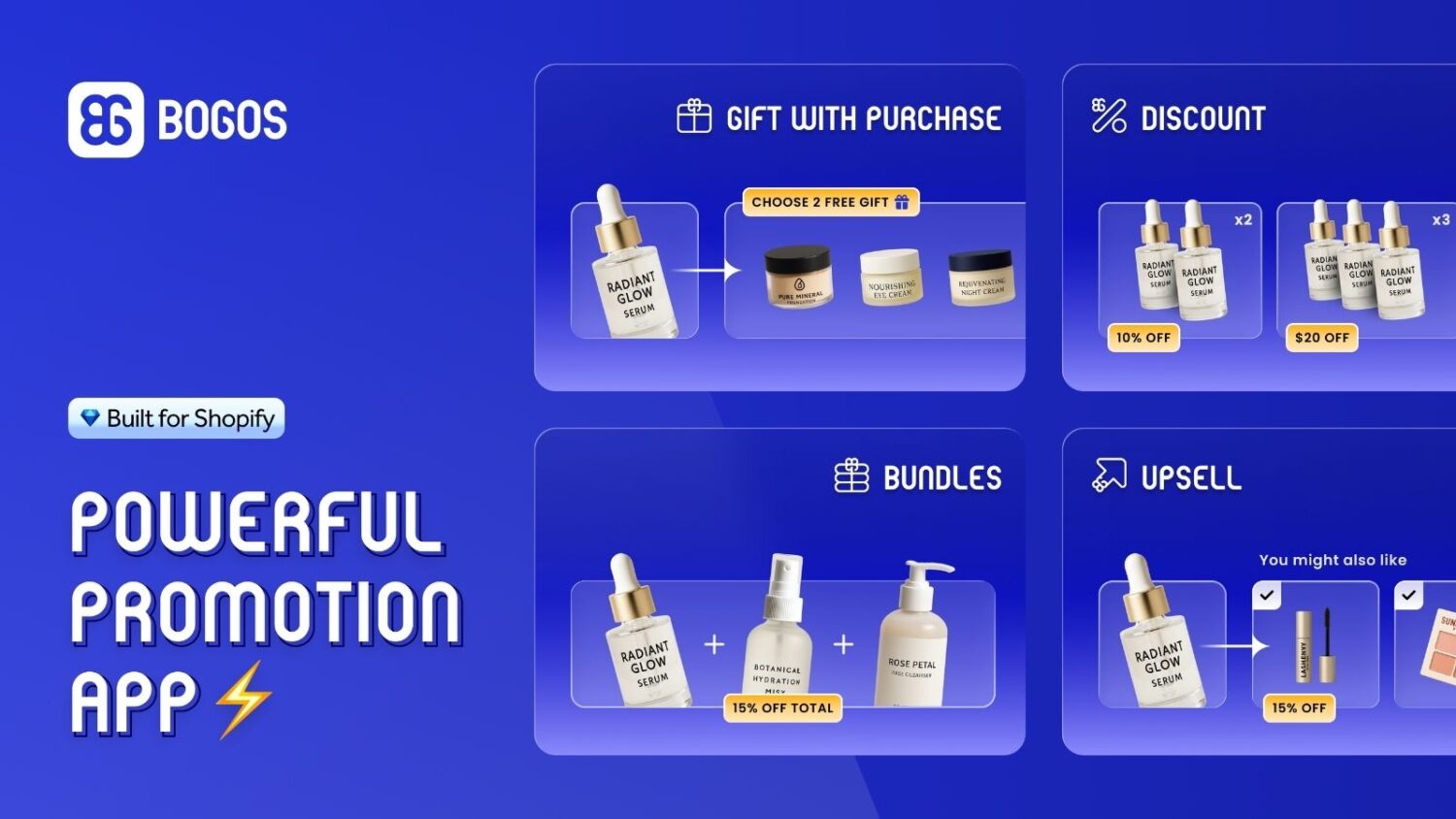
For bundling, BOGOS supports fixed bundles, mix-and-match, build-your-own with multi-step builders, and volume discounts. Bundle discount options include percentage, fixed amount, fixed price, free gift, and free shipping.
Where BOGOS stands out is advanced targeting: you can create exclusive bundle offers for specific customer segments, geolocations, order histories, or sales channels.
On the bundle side, the trade-off is that bundles display as separate line items in the cart, and POS support is limited to free gift offers rather than full bundles.
Beyond bundling, BOGOS also handles free gift with purchase, BOGO, upsells, and volume discounts from one dashboard. If your promotion strategy goes beyond bundles, BOGOS lets you manage everything in one app instead of installing separate tools.
👑 Best for bundle-focused stores
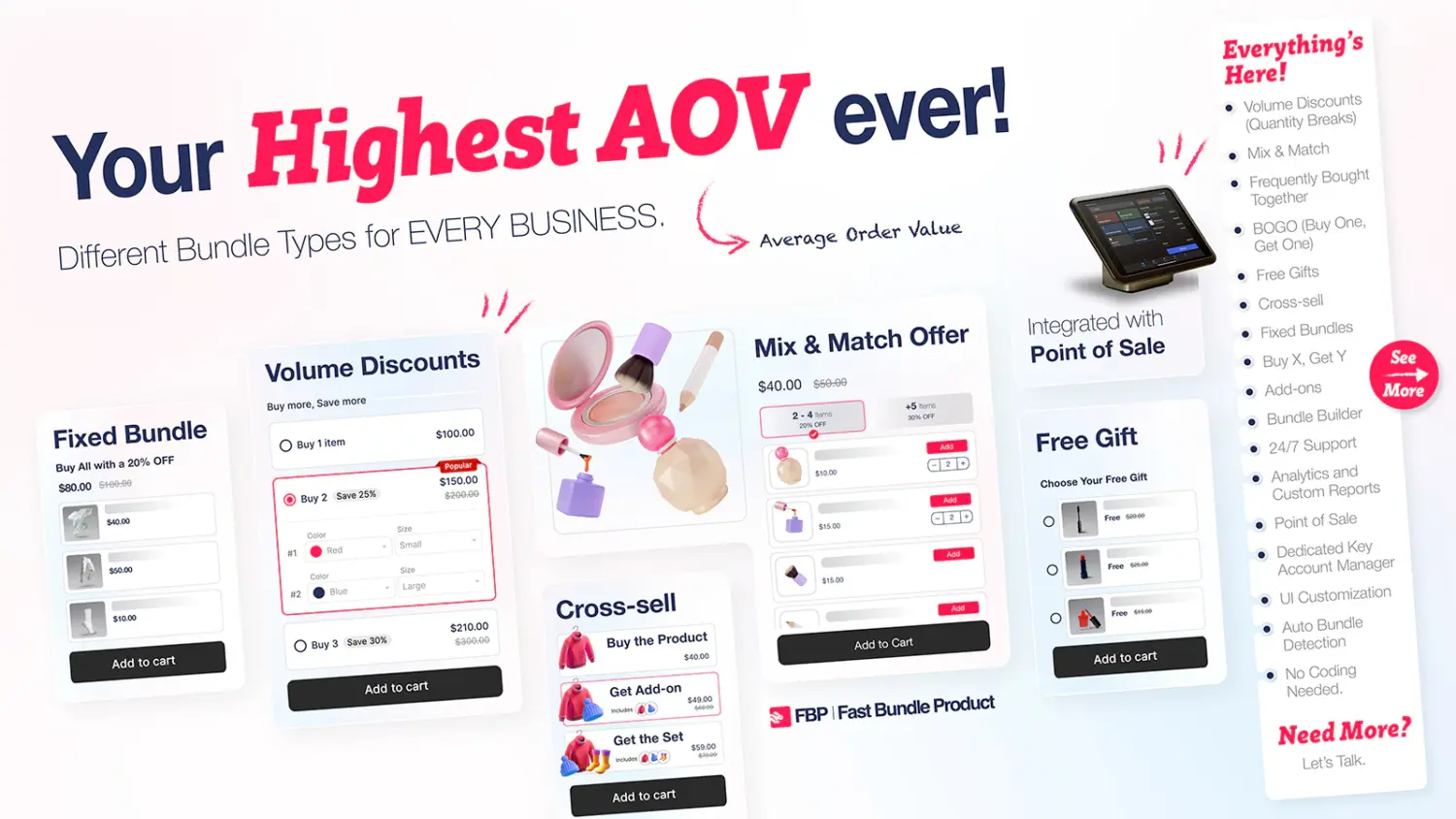
Fast Bundle supports the same bundle types as BOGOS but goes deeper on bundle-specific features. Each app offers discount types the other doesn’t: Fast Bundle supports cheapest item free and cashback credit, while BOGOS offers free gift as a bundle discount option.
Cart presentation is more flexible with Fast Bundle: you can display bundles as a single product line or split them into component items, depending on what works better for your checkout flow.
Fast Bundle also supports subscription bundles and full POS bundle support, both of which BOGOS doesn’t offer for bundles. The bundle widget embeds directly on existing product pages, so bundles feel native to your theme. If bundling is your primary sales strategy, Fast Bundle gives you more control over how bundles are priced, displayed, and sold.
👑 Best budget option
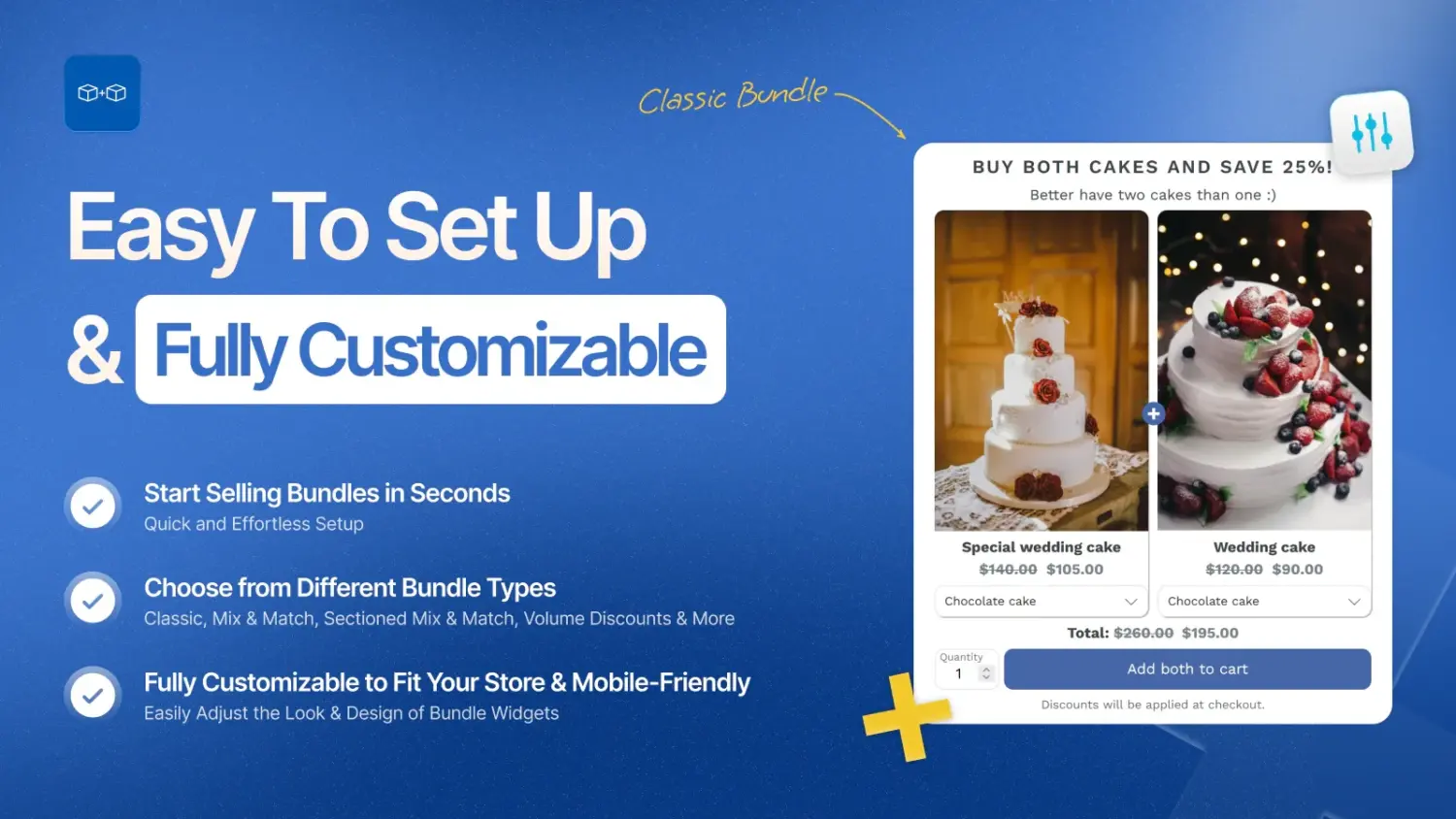
Bundler offers core bundling functionality at the lowest price point. The free plan covers classic fixed bundles with percentage, fixed amount, or fixed price discounts. Paid plans (from $9.99/month) unlock mix-and-match, tiered pricing, and bundle analytics. It lacks advanced features like build-your-own builders, storefront widgets, or advanced targeting, but it’s a practical step up from the official app if you need mix-and-match or tiered pricing without a high monthly cost.
For detailed reviews, full feature comparisons, and pricing breakdowns, read our “Best Shopify Bundle Apps” guide.
The Shopify Bundles app does one thing well: simple fixed bundles and multipacks with automatic inventory sync, at no cost. For stores that need a few curated sets or multi-packs without third-party dependencies, it’s the most straightforward option available.
The trade-off is flexibility. No mix-and-match, no bundle builder, no tiered pricing, no subscription support. If your bundling strategy stays within those boundaries, the official app is all you need. If it doesn’t, a third-party app like BOGOS, Fast Bundle, or Bundler fills the gaps without requiring you to rebuild what you’ve already set up.
Start with the official app if you’re testing whether bundles work for your store. Upgrade when the limitations start costing you sales.
Yes. The app is free on all Shopify plans with no subscription fee, revenue share, or hidden charges. Shopify built and maintains it as a native tool.
No. The official app only supports fixed bundles and multipacks. For mix-and-match bundles where customers choose their own items from a product pool, you need a third-party app like BOGOS, Fast Bundle, or Bundler.
Yes. When a customer purchases a bundle, the app deducts stock from each component product in real time. Availability is based on the component with the lowest inventory. However, the sync tracks overall stock across all locations, not per individual location.
Yes. Bundles support automatic discounts, discount codes, and Shopify Functions-based discounts. The discount applies to the parent bundle product, then distributes across components by weighted price. Keep in mind that only one product discount applies per line item. If multiple discounts qualify, Shopify applies the largest.
Yes. Because each bundle is a real product listing, it appears in your Shopify POS catalog automatically. Staff can sell bundles at the register like any other product. This is a notable advantage over most third-party bundle apps, which often only work on the Online Store.

Shoppers hesitate to buy a $1,200 sofa or a custom ring when they can’t see the exact version they’re...
Selling personalized products on Shopify gets hard the moment a shopper needs to type a name or choose a...

The UK is the largest eCommerce market in Europe and the third-largest in the world. For international Shopify stores,...
