



Charlie Ngo
•
Last updated: 14 October, 2026
How To Add a Shopify Announcement Bar (Free Themes & Apps)
A Shopify announcement bar is the thin strip at the top of your store that tells shoppers about shipping,...
![[2026] How to Do Shopify Free Shipping on Specific Products? (Step-by-step)](https://bogos.io/wp-content/uploads/2024/11/How-to-Create-Shopify-Free-Shipping-For-Specific-Products.jpg)
[2026] How to Do Shopify Free Shipping on Specific Products? (Step-by-step)

Content Marketing Executive
Summarize this post with AI
Setting up Shopify free shipping for specific products can be done in multiple ways to attract customers and boost sales. This blog post will explore 2 main methods: creating free shipping without any apps through Shopify’s built-in shipping settings and implementing it using a dedicated Shopify shipping app that offers more advanced features.
We’ll also cover essential best practices to help you effectively manage your free shipping strategy, ensuring it benefits both your business and customers while avoiding common pitfalls.
Shipping profiles are built-in tools in Shopify that let you set different shipping rules for specific products. Think of them as custom shipping settings that you can assign to particular items in your store.
For free shipping on specific products, you can create a custom shipping profile without relying on third-party apps, which will save you money and complexity in your store management.
This method can also be applied if you are trying to create a Shopify free shipping discount for customers who spend over a certain amount of money.
What are the pros and cons of Shopify shipping profiles?
It’s cost-effective since you don’t need to pay for additional apps, gives you complete control over your shipping rules, and integrates smoothly with your store’s checkout process.
However, every coin has two sides. The setup process requires careful attention to detail, and you’ll need to manage these profiles as your product lineup changes manually. Also, you can’t automatically switch profiles based on cart conditions as you might with some free shipping third-party apps.
With these benefits and limitations in mind, let’s dive into the step-by-step process of setting up both general and custom shipping profiles in Shopify.
Step 1: Access Shipping and Delivery Settings
Step 2: Create a New Shipping Profile (If Needed)
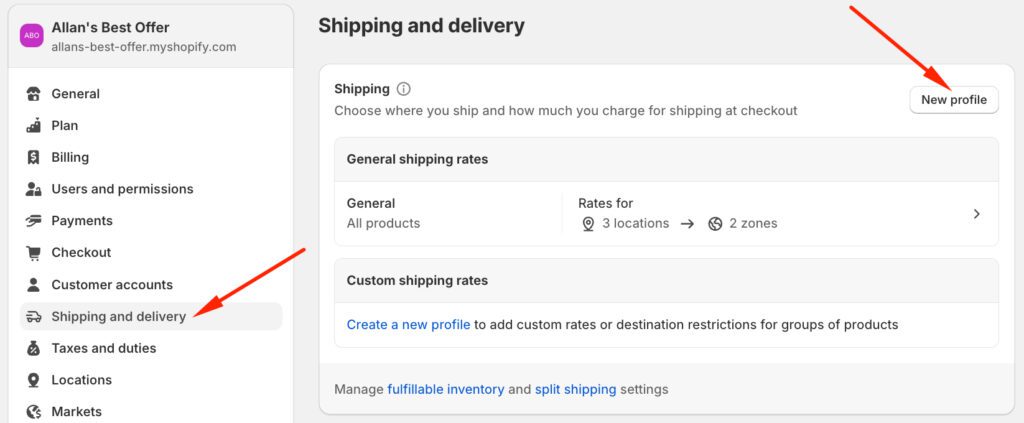
Step 3: Configure the Shipping Profile
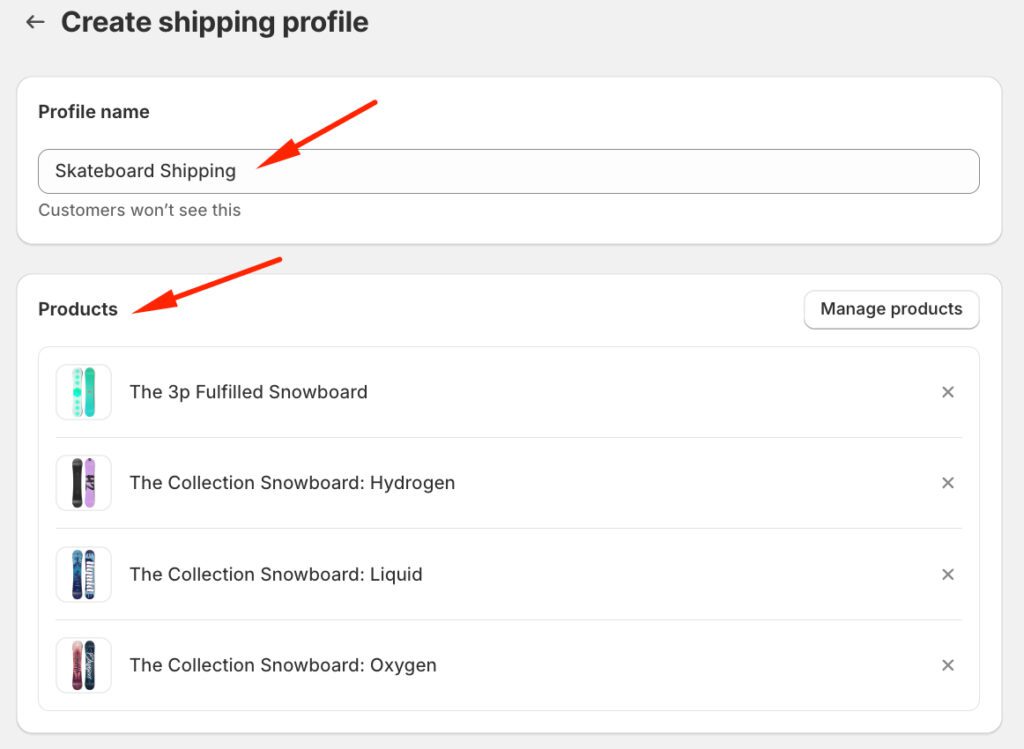
Step 4: Set Up Shipping Zones
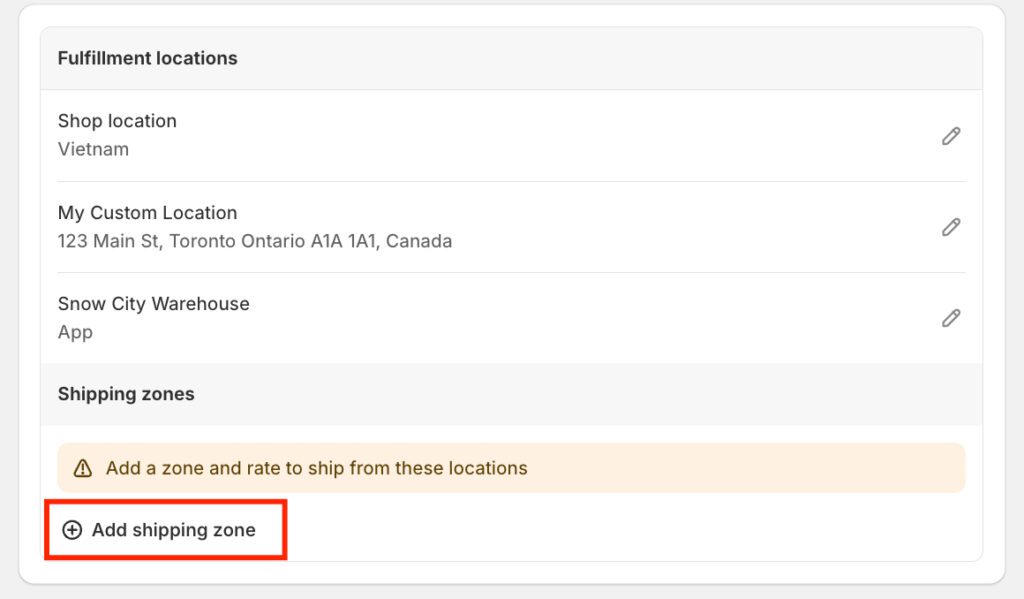
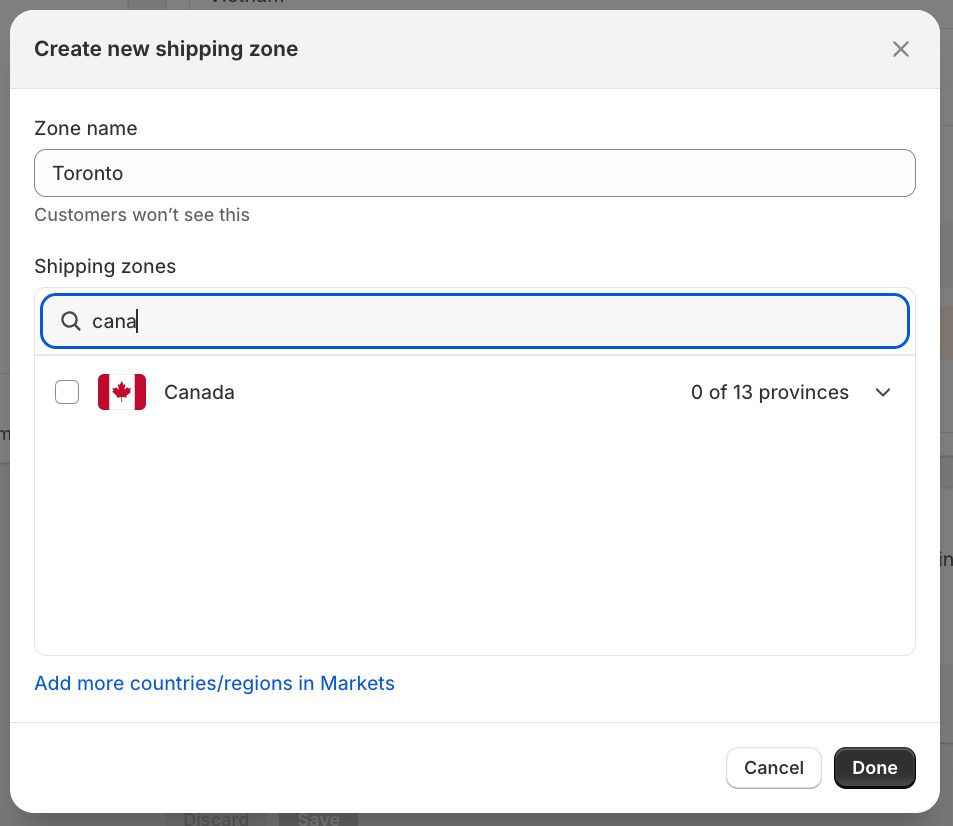
Step 5: Add a Free Shipping Rate
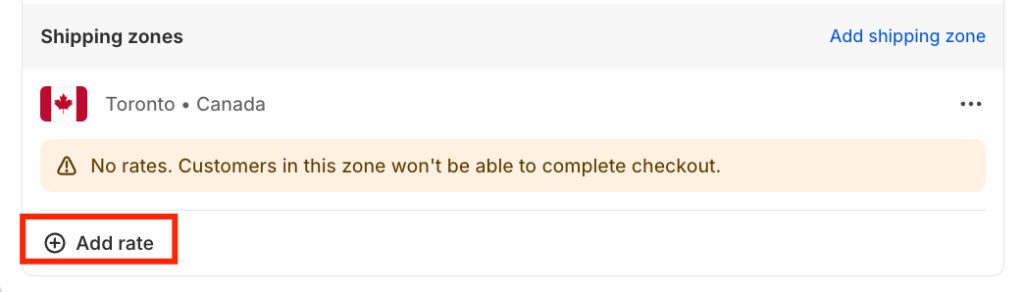
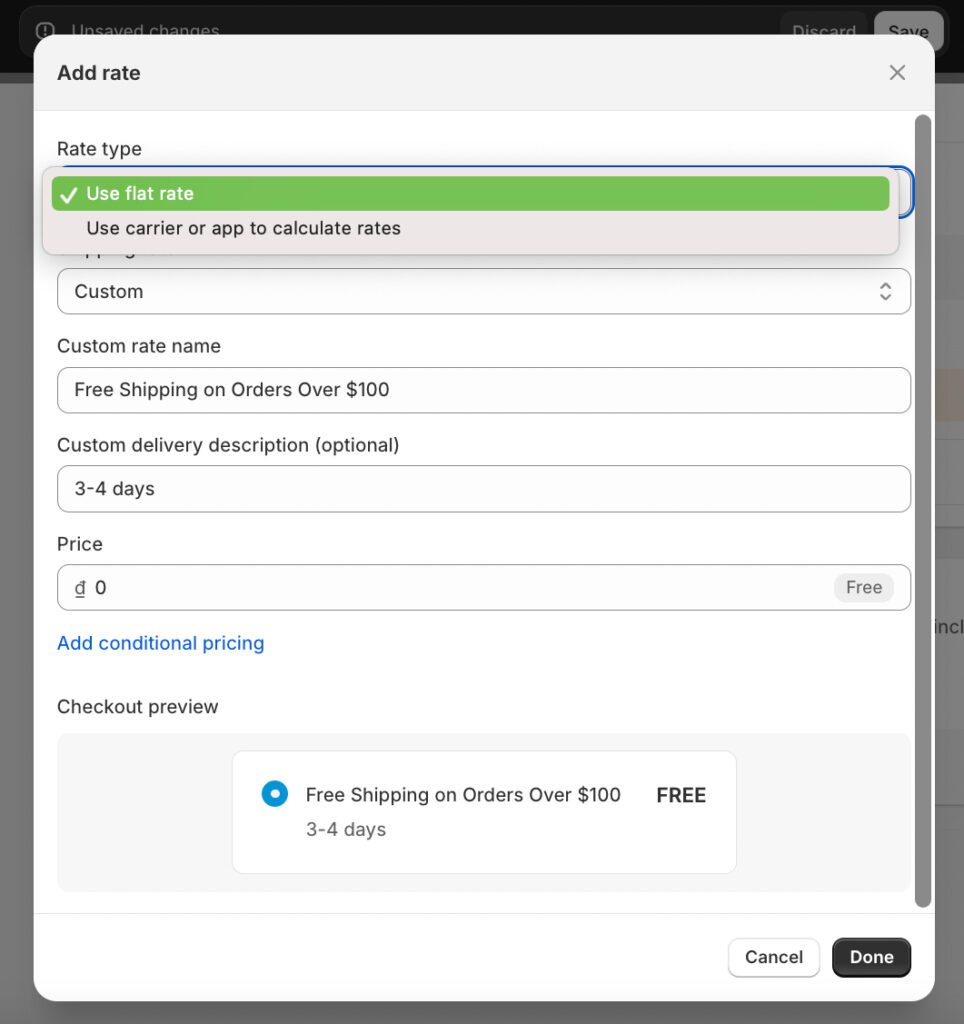
Step 6: Add Conditions for Free Shipping
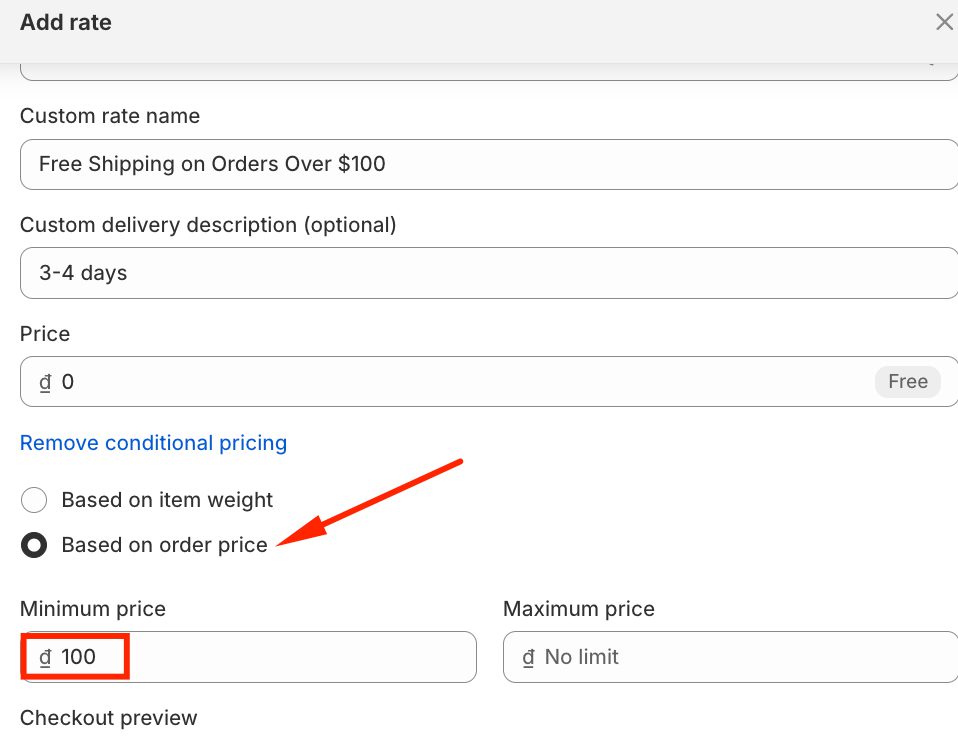
If you already have an existing profile for all products and just want to add or adjust free shipping conditions for skateboards:
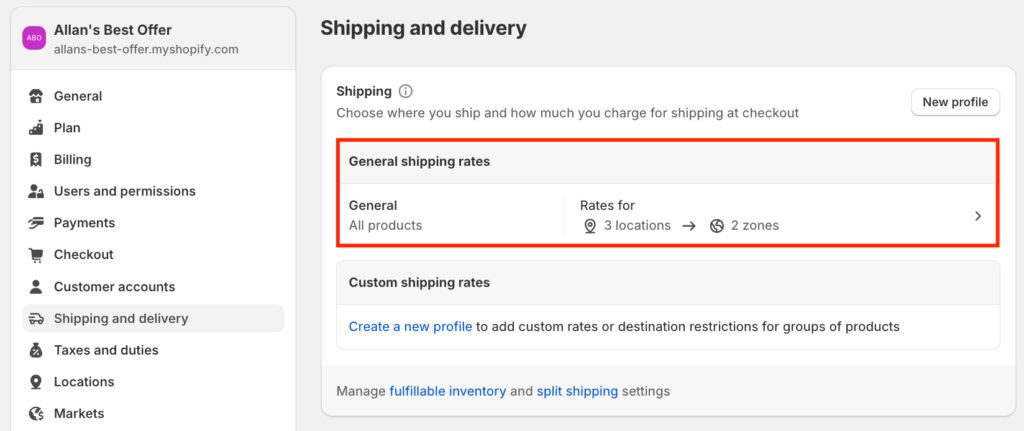
👉 Read more: How To Set Up Shipping On Shopify: A Step-By-Step Guide
As someone who has been using this app for a long time, I highly recommend using BOGOS. This specialized Shopify app simplifies the process of creating free shipping discounts, including Shopify free shipping for specific products.
What makes BOGOS stand out is its ability to create detailed shipping conditions based on many different rules, including target-specific products and customer segments, or offer a percentage discount on the shipping rate.
The app integrates smoothly with your Shopify store and works directly within your admin panel, making it easy to manage all your shipping rules in one place.
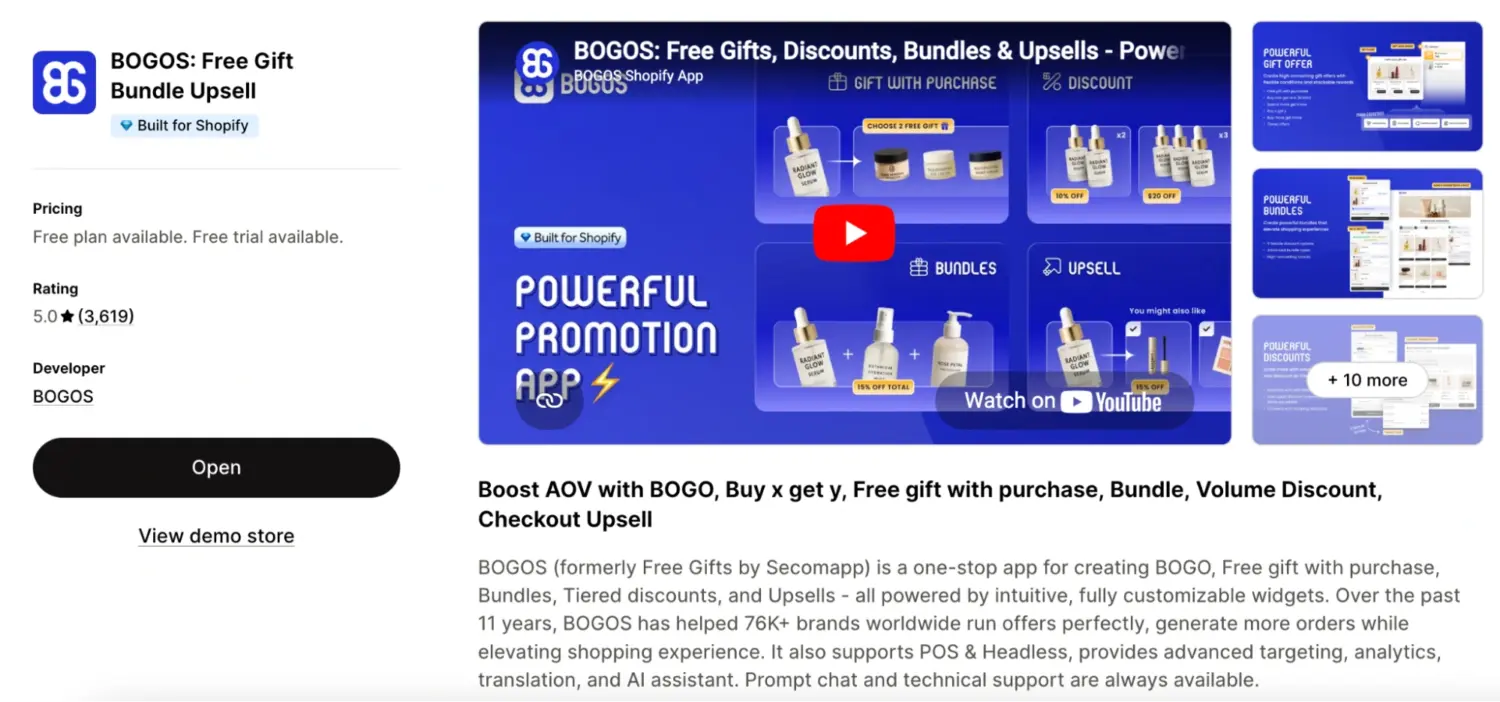
Now, I will show you specific steps to work on this app:
Step 1: Install BOGOS from the Shopify App Store
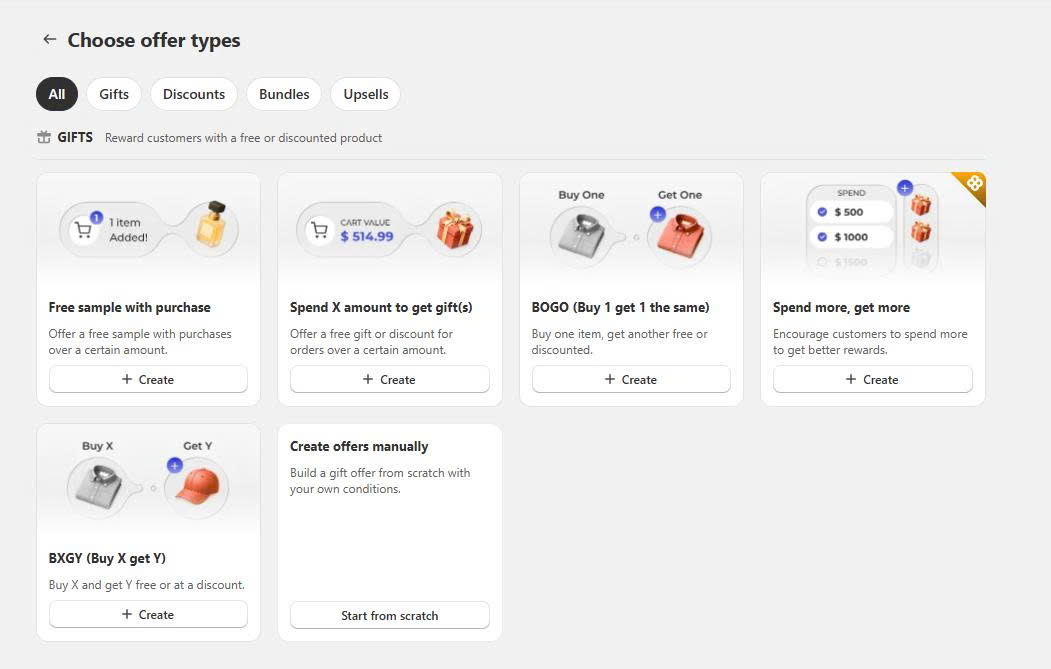
Step 2: In the BOGOS offer creation dashboard, choose “Buy X Get Y Offer type”
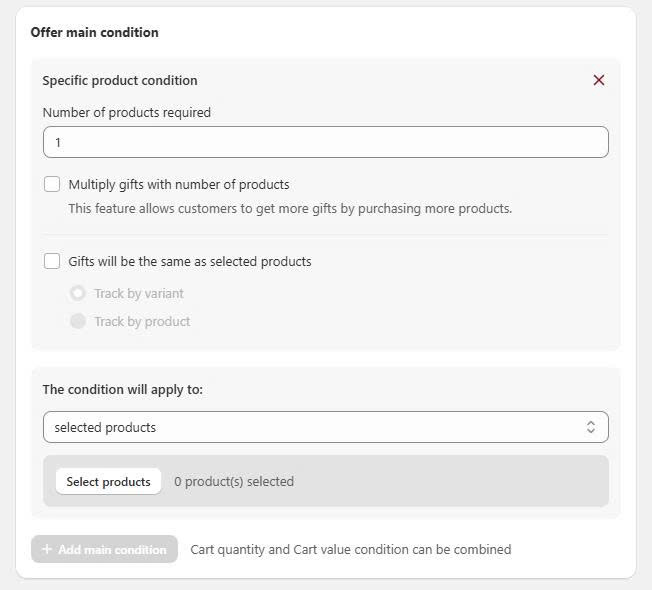
Step 3: Choose which products are eligible for free shipping and set the quantity condition.
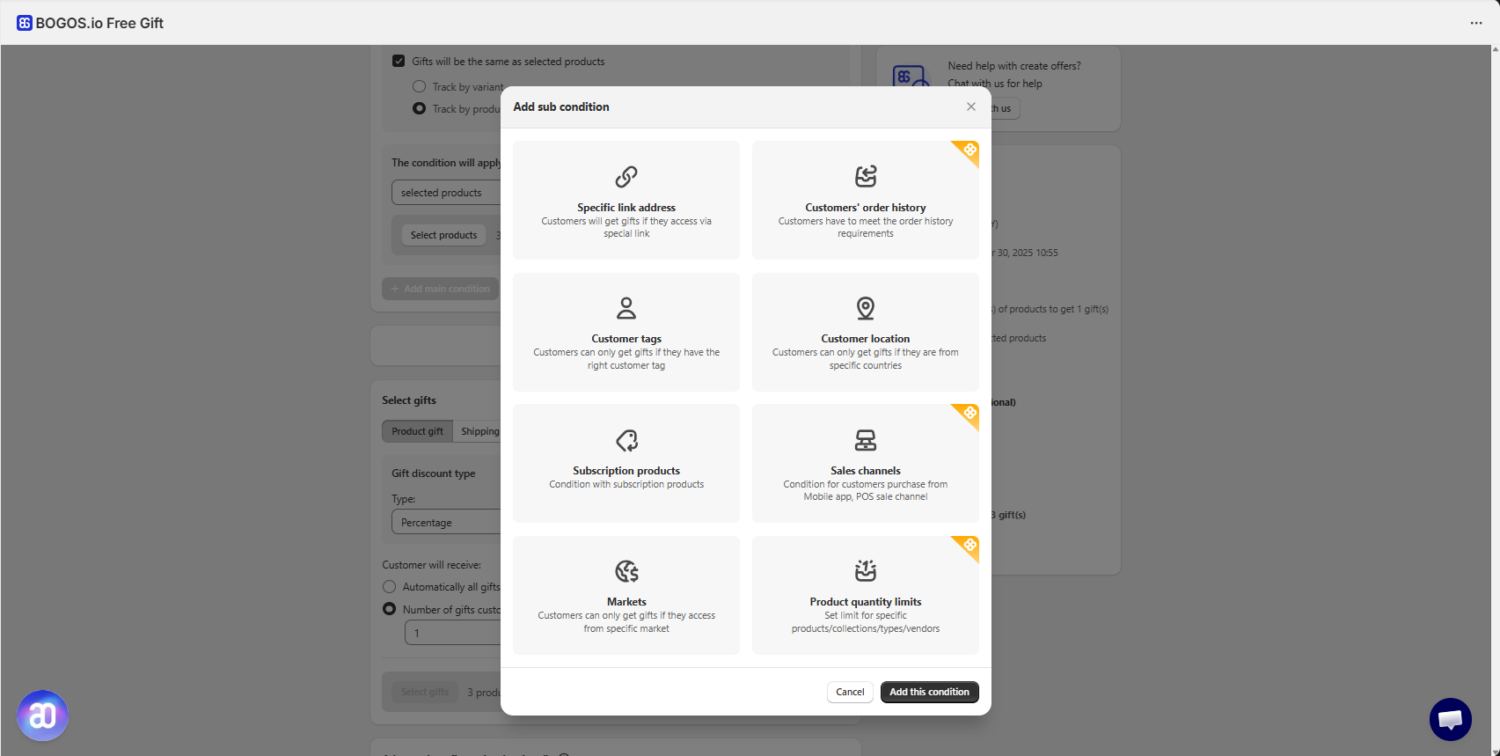
Step 4: Set the sub-conditions. Sub-conditions allow you to show this offer to specific customer segments. If you leave this section empty, BOGOS will automatically show the offer to all customers.
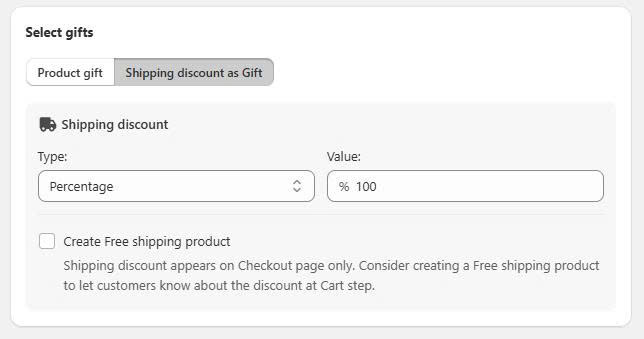
Step 5: Set the shipping discount as a gift and set the value to 100%.
Choose “Create free shipping product” if you want to notify customers about the free shipping discount at the cart step.
Step 6: Save and test the offer.
Below are 4 best practices to apply this strategy perfectly to your Shopify store.
When selecting products for free shipping discounts, pair high-margin items with low shipping costs. For example, if you sell jewelry and clothing, offer free shipping on jewelry items with a 70% profit margin and weighing less than 100g.
This way, you can absorb the shipping cost while maintaining healthy profits. Avoid offering free shipping on heavy or bulky items like furniture or large home decor pieces unless their profit margins can cover the shipping expense.
Instead of offering blanket free shipping, create tiered free shipping based on product categories. For instance, set a $50 minimum for accessories, $100 for clothing, and $150 for premium items.
This strategy encourages customers to add more items to their cart while ensuring you’re not losing money on shipping costs. You can also adjust these thresholds seasonally, lowering them during slow periods and raising them during peak shopping seasons.
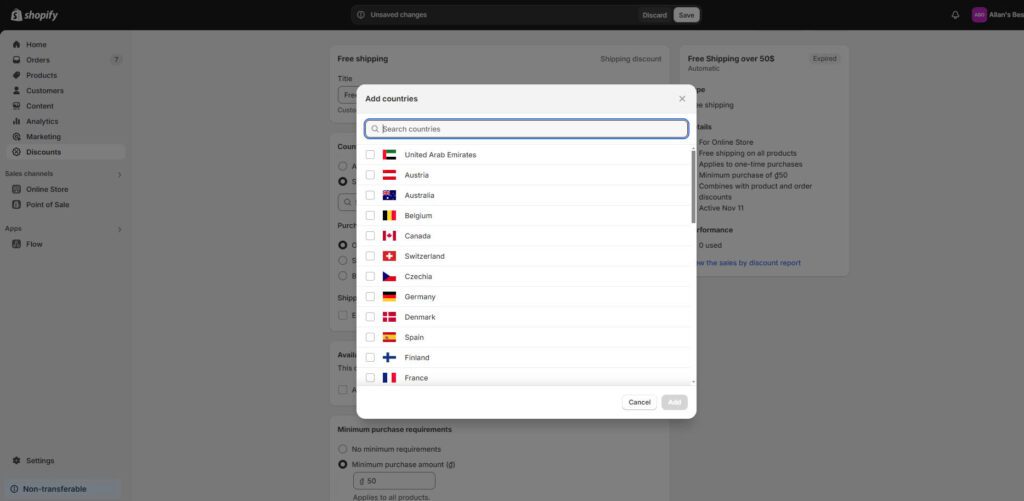
Customize your free shipping offers based on delivery locations to maximize profitability. For example, offer free shipping on all domestic orders over $75 but increase the threshold to $150 for international orders.
Create specific zones – perhaps free shipping on any purchase of premium skincare products within major metropolitan areas where shipping costs are lower while maintaining standard shipping rates for rural areas with higher delivery costs.
Align your free shipping offers with your inventory management strategy. For instance, if you have excess winter clothing stock in late February, offer free shipping on winter items to boost sales before the season ends.
Similarly, when launching new products, provide free shipping for the first two weeks to encourage early adopters. Track which days of the week show higher cart abandonment rates and activate free shipping on specific products during these periods to improve conversion rates.
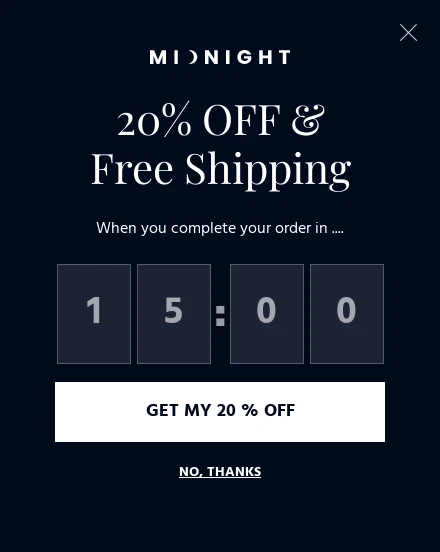
Shopify allows you to combine free shipping discounts with other types of discounts, such as product discounts and order discounts, using the Shopify Native Discount feature.
While combining different discounts can boost your conversion rate, it’s important to remember that excessive discounting can significantly impact your revenue. Therefore, you should carefully calculate potential profit and loss before applying discounts.
Read more: Shopify Discount and Free Shipping Combinations: 3 Best Methods
I hope this post has inspired you to take advantage of Shopify free shipping for specific products in a way that benefits both your store and your customers. By crafting thoughtful shipping strategies, you can turn simple promotions into powerful tools for driving sales and building loyalty. Remember, the key is to experiment, stay creative, and always put your customers’ needs first. Good luck!
To offer free shipping on specific products in Shopify, you can use Shipping Profiles. Navigate to Settings > Shipping and Delivery, create a new profile, add the desired products, set up shipping zones, and define free shipping rates. This method allows you to assign unique shipping rules to selected items without third-party apps.
Apps like Puco provide a Testing Mode that allows you to simulate the discount in your store without affecting live customers. This feature ensures your free shipping rules function as intended before activation.
Yes, both Shopify’s shipping profiles and apps like Puco enable you to combine free shipping with other discounts. This flexibility allows for more comprehensive promotional strategies to enhance customer incentives.
To create a custom shipping profile:
– Go to Settings > Shipping and delivery in your Shopify admin.
– Under Custom shipping rates, click Create a new profile.
– Name the profile and add the specific products.
Set up shipping zones and add a free shipping rate with any conditions, such as a minimum order value. This setup allows you to tailor shipping rules for selected products.

A Shopify announcement bar is the thin strip at the top of your store that tells shoppers about shipping,...
Australia is one of the first markets many Shopify stores expand into. It is large, English-speaking, and home to...
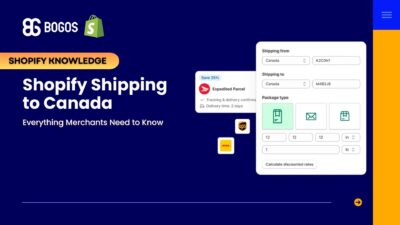
Canada is a promising international market for Shopify merchants, especially those shipping from the US. But reaching Canadian shoppers...
