


Allan Vu
•
Last updated: 3 November, 2026
5 Best Shopify Virtual Try-on Apps in 2026 (compared)
Online shoppers can’t try anything on, so many guess and send items back. The NRF and Happy Returns estimate...
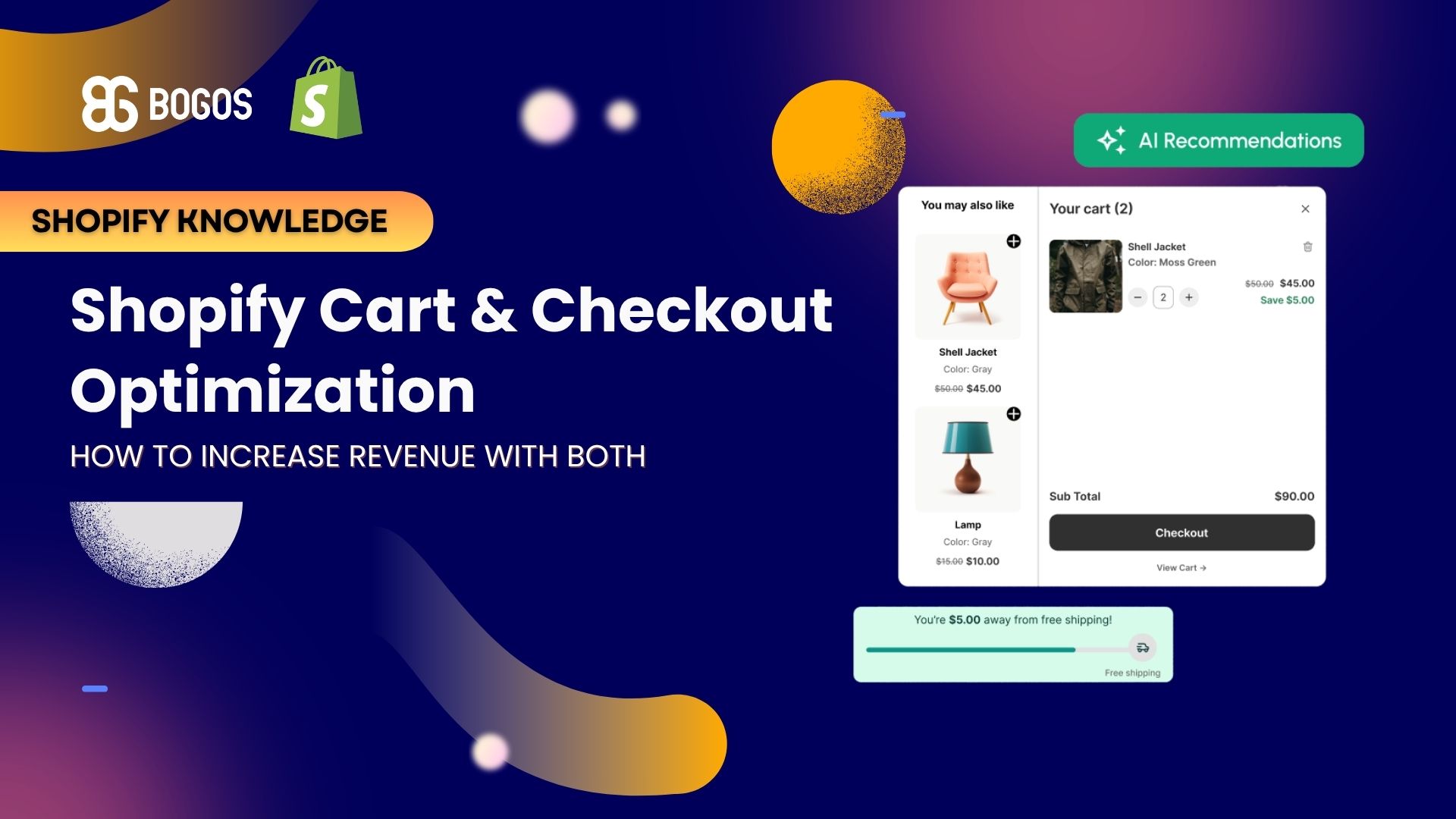
Shopify Cart & Checkout Optimization: How to Increase Revenue with Both

Digital Marketing Specialist
Summarize this post with AI
Shopify cart and checkout optimization work together to increase your store’s revenue, yet most merchants fix only one side. This article explains the difference between the two, shows where your store loses money between “add to cart” and “order confirmed,” and gives you specific tactics for each stage with real data behind them. I am Allan Vu, Digital Marketing Executive at BOGOS, and I have spent years helping Shopify merchants turn more carts into completed, higher-value orders. This guide was written from that hands-on experience, supported by research from Baymard Institute and Shopify, and edited by our team with AI assistance.
Cart optimization and checkout optimization are two separate jobs that fix two different revenue leaks. Cart optimization happens before the customer clicks “checkout.” Checkout optimization happens from the moment they click “checkout” until the order is confirmed.
Merchants confuse the two because both live at the end of the buying journey. The confusion costs money, because a fix that works in the cart does little inside the checkout, and the opposite is also true.
Cart optimization is the work of increasing the value and completion of the cart before checkout begins. It covers the cart page, the slide-out cart drawer, and any offer that appears there.
Common cart optimization tactics include free shipping progress bars, cart upsells, cross-sells, bundles, and trust messages. The main goal is to raise the average order value while keeping the shopper moving toward checkout.
Checkout optimization is the work of removing friction between “checkout” and “order confirmed.” It covers the payment step, the forms, the shipping options, and the speed of the pages.
Common checkout optimization tactics include enabling Shop Pay, offering guest checkout, cutting form fields, showing the full cost early, and adding trust signals. The main goal is to recover shoppers who would otherwise abandon the purchase.
The clearest difference is the stage each one targets and the metric each one moves. The table below shows this side by side.
| Aspect | Cart optimization | Checkout optimization |
|---|---|---|
| Stage | Before “checkout” is clicked | From “checkout” to “order confirmed” |
| Main goal | Increase average order value | Recover lost conversions |
| Metric moved | AOV | Checkout completion rate |
| Example tactics | Free shipping bar, bundles, cart upsells | Shop Pay, guest checkout, fewer form fields |
Cart and checkout optimization increase revenue by moving different parts of the same formula, so their results multiply. This is the single most important idea in this article.
Store revenue equals traffic multiplied by conversion rate multiplied by average order value. You can grow revenue by improving any one of the three, and the cart-to-checkout flow controls two of them.
Cart optimization pushes the AOV number up. Checkout optimization pushes the conversion rate number up. Neither one needs extra traffic or ad spend.
Cart optimization grows AOV by encouraging shoppers to add more before they check out. The data on this is consistent across tactics.
Free shipping thresholds increase AOV by roughly 15% to 30%, and 58% of shoppers add items specifically to reach the threshold (Capital One Shopping research). Bundles are another strong lever, with industry data reporting AOV lifts of about 20% to 30% for stores that use them well. If AOV is the number you want to move, our full guide to Shopify AOV breaks down every tactic in detail.
Checkout optimization recovers conversions by removing the friction that makes shoppers quit at the payment step. The upside is large and well documented.
Baymard Institute found that fixing known checkout usability issues can raise conversion by up to 35.26% for large stores (Baymard Institute). On Shopify specifically, enabling Shop Pay delivers an average 9% conversion lift across all checkouts and an 18% higher conversion rate for returning customers (Shopify). For a wider view of the metric itself, see our guide to Shopify conversion rate.
Doing both compounds because a percentage lift in conversion applies on top of a percentage lift in AOV. A worked example makes this clear.
Take a store with 50,000 monthly visitors, a 2% checkout conversion rate, and a $90 AOV. That store earns $90,000 per month, from 1,000 orders.
Checkout optimization that lifts conversion from 2% to 2.3% produces 1,150 orders. At the old $90 AOV, that is $103,500 per month, a 15% gain.
Cart optimization that lifts AOV from $90 to $99, with conversion unchanged, produces $99,000 per month, a 10% gain.
Running both at once produces 1,150 orders at $99 each, which is $113,850 per month. That is a 26.5% gain, not 25%, because the two lifts multiply rather than add. Over a year, that difference alone is worth $18,000 to this example store.
Shopify stores lose most cart-to-checkout revenue to a short list of fixable problems, plus one group of shoppers who were never going to buy. Separating the two is the first step.
Baymard Institute found that 43% of shoppers abandon because they were “just browsing” or not ready to buy (Baymard Institute). You cannot fix that group, so ignore them and focus on the rest.
Once you remove the browsers, the remaining reasons are mostly design problems you can fix. The table below shows each reason, how many shoppers it affects, and which stage of optimization addresses it.
| Reason for abandonment | Share of shoppers | Stage that fixes it |
|---|---|---|
| Extra costs too high (shipping, tax, fees) | 39% | Both cart and checkout |
| Delivery was too slow | 21% | Checkout |
| Did not trust the site with card details | 19% | Checkout |
| Site forced account creation | 19% | Checkout |
| Checkout too long or complicated | 18% | Checkout |
Source: Baymard Institute, reasons for abandonment excluding the “just browsing” group.
The lesson is direct. Extra costs are the biggest single problem, so transparency about price is the highest-value fix on the whole list.
Cart optimization on Shopify comes down to four tactics, listed here from highest to lowest impact. Each one raises AOV without cutting your margin through blanket discounts.
A free shipping threshold set above your current AOV pushes shoppers to add one more item to qualify. The threshold works because shoppers treat “free” as a separate benefit, not just a discount.
Set the threshold about 15% to 30% above your current AOV. If your AOV is $65, a threshold near $75 to $85 stays achievable while still moving the number. The average US free shipping threshold reached $64 in 2023, up 23% from $52 in 2019 (Capital One Shopping research).
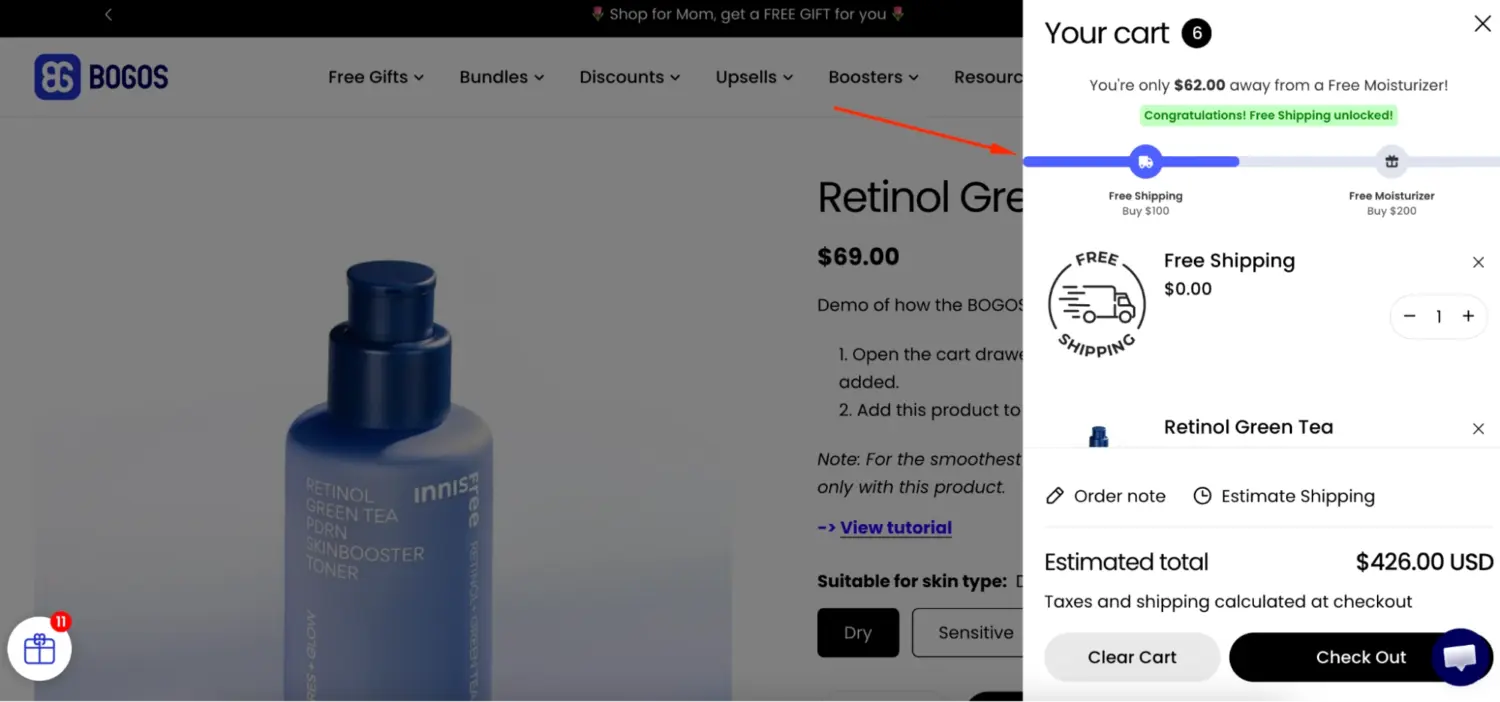
A free shipping progress bar shows shoppers how close they are to the reward, which makes them add more. This effect has a name in behavioral research: the goal-gradient effect, documented by Kivetz, Urminsky, and Zheng, which shows people speed up their effort as they get closer to a goal.
The results are measurable. The apparel retailer RIPT Apparel tested a free shipping progress bar at a $69 threshold and recorded a 7.9% increase in average order value (Ecomhint case study). A progress bar is one of the visibility tools inside promotion apps such as BOGOS, which merchants use to show reward progress directly in the cart.
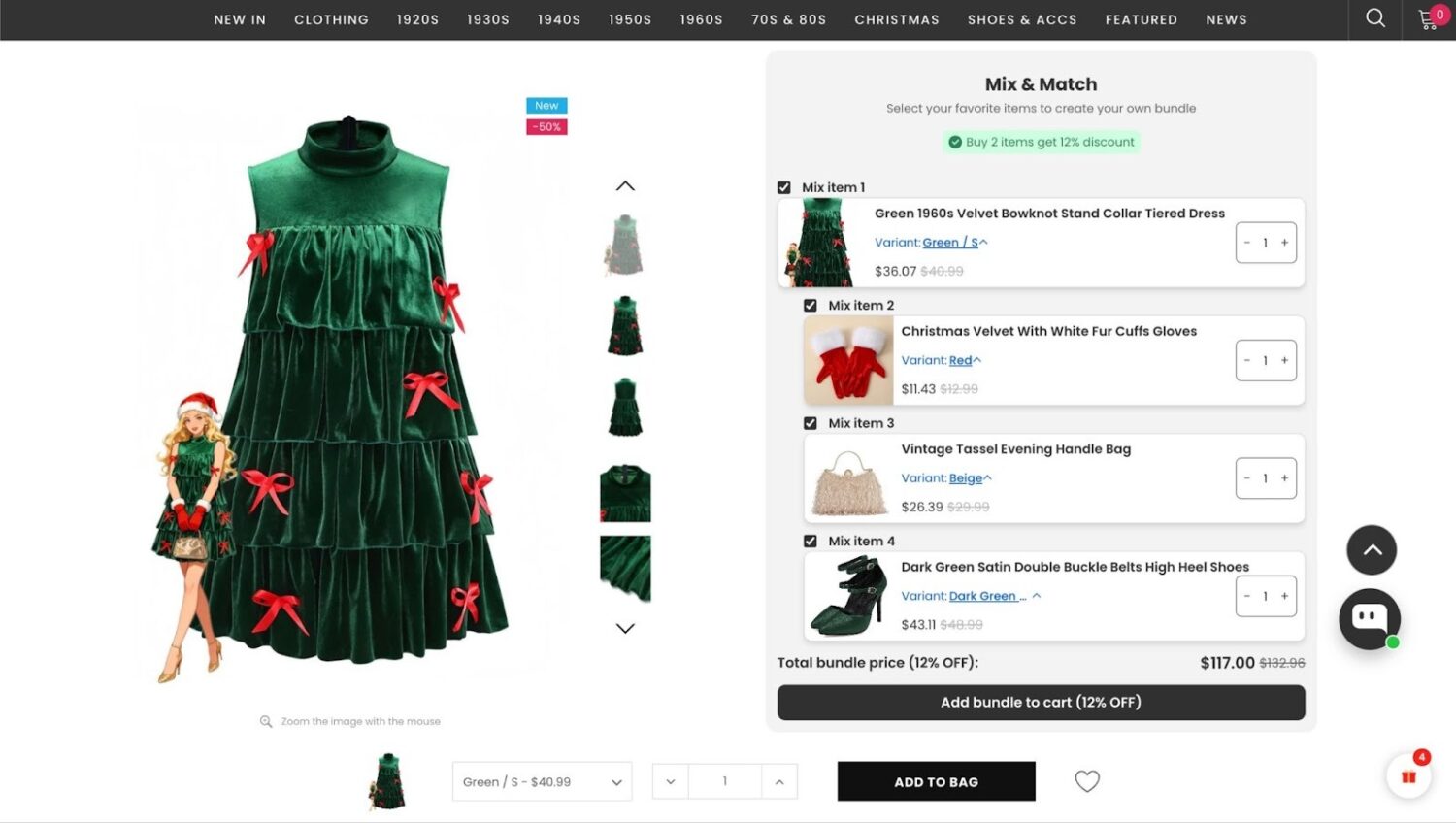
Bundles increase AOV by giving shoppers a reason to buy the full set instead of one item. Industry data reports AOV lifts of roughly 20% to 30% for stores that bundle well.
Mix-and-match bundles let shoppers build their own set from a collection, which suits beauty, food, and apparel stores. Our guide to the Shopify product bundle covers the exact setups that work for each store type.
Cart upsells and cross-sells raise AOV by suggesting relevant add-ons while the shopper reviews the order. The key is relevance, since a matched suggestion converts far better than a random one.
Cart upsells work best inside a slide-cart drawer, where add-ons appear without interrupting the flow. Apps such as CartyLabs Shopify cart drawer and upsell tools and similar options let you build the drawer and control which products it suggests. For the strategy behind these offers, see our guide to upsell in Shopify.
Checkout optimization on Shopify comes down to six fixes, each mapped to a reason shoppers abandon. Apply them in order, since the first three recover the most revenue.
Shopify’s native Checkout Extensibility covers most of what stores need to reshape the payment step. For deeper changes like custom fields, checkout upsells, or trust badges, tools such as CartyLabs checkout customization extend what the native settings allow.
You measure the revenue impact by tracking four numbers before and after each change. This tells you which optimization actually moved money.
Track these four metrics:
To size your opportunity, use your own numbers in the revenue formula. Multiply your monthly visitors by your conversion rate to get orders, then multiply orders by AOV to get revenue. Change one variable at a time and watch which change produces the larger gain.
Merchants lose money by making the same avoidable errors in the cart-to-checkout flow. Watch for these five.
You run cart and checkout optimization with a mix of native Shopify features and third-party apps. The table below shows which tool type fits each job.
| Tool type | What it handles | Stage |
|---|---|---|
| Shop Pay and Checkout Extensibility (native) | Express payment, guest checkout, checkout layout | Checkout |
| Checkout customization apps | Custom fields, checkout upsells, trust badges | Checkout |
| Cart drawer and upsell apps | Slide cart, cart upsells, cross-sells | Cart |
| Promotion apps | Free gifts, bundles, progress bars, volume discounts | Cart |
For the checkout side, start with Shop Pay and Checkout Extensibility, since they are free and built in. For the cart side, promotion apps handle the AOV tactics. BOGOS is one such option for free gifts, bundles, cart upsells, and progress bars, and it sits alongside established alternatives, so compare a few against your store’s specific goals before you choose. The right tool is the one that fits your campaigns, not the one with the longest feature list.
Shopify cart and checkout optimization increase revenue by moving two different parts of the same formula, so the smartest merchants run both. Checkout optimization recovers the conversions you are losing to friction. Cart optimization grows the value of every order you keep. Together they compound, which means more revenue from the traffic you already have.
Fix the checkout leaks first, then add cart tactics that lift AOV, and measure each change against your own numbers. For the bigger picture of how these pieces fit into store growth, see our guide on how to increase sales on Shopify.
Both matter, but checkout optimization usually recovers revenue faster because it removes clear friction that is already costing you orders. Cart optimization then grows the value of every order you keep. Start with checkout fixes, then layer cart tactics on top.
Yes, most core checkout fixes work on every Shopify plan. Shop Pay, guest checkout, and fewer form fields are available to all merchants. Some advanced features, such as native checkout order bumps, require Shopify Plus, but they are not needed to see strong results.
A good blended checkout completion rate in 2026 is roughly 45% to 55%, meaning around half of started checkouts finish. Higher-priced stores tend to sit lower in that range, since shoppers hesitate longer before large purchases. Compare your rate against your own price band, not a single universal number.

Online shoppers can’t try anything on, so many guess and send items back. The NRF and Happy Returns estimate...
A featured collection is often the first group of products a shopper sees on a Shopify store, yet the...
Most Shopify stores need a best sellers page, but Shopify can’t build one that updates by itself. In this...
