Allan Vu is a Digital Marketing expert and the driving force behind BOGOS’s blog content. With a deep understanding of eCommerce and Shopify promotions, he is passionate about helping merchants unlock the full potential of their stores.
At BOGOS, Allan creates valuable, practical content focused on strategies like Free Gifts, Buy X Get Y, product bundles, and upsell offers to empower Shopify sellers to grow their businesses effectively.
Known for his clear, insightful writing, Allan is dedicated to delivering actionable advice that makes a real difference for BOGOS’s readers.
A Shopify minimum order quantity sets the smallest amount a customer must buy before checkout. It sounds simple. The setup is not, because Shopify has no native button for it. This guide covers why merchants use a minimum, every way to set one in 2026, and a smarter approach that grows your average order value instead of blocking sales. I’m Allan, part of the BOGOS team. I work with Shopify merchants on promotions every week, so the methods here come from real store setups, not theory.
TL;DR
Shopify has no native per-product minimum order quantity for your online store.
You can set one through B2B Catalogs, a third-party app, or Cart and Checkout Validation Functions.
A hard minimum protects your margins, but it can push some shoppers away.
For retail stores, an incentive minimum works better. Shoppers unlock a gift, a discount, or free shipping when they reach the threshold.
This carrot approach lifts average order value instead of blocking the sale.
1. Why set a minimum order quantity on your Shopify store?
A minimum order quantity is a business decision, not just a setting. Here are the four reasons merchants reach for one.
Protect your profit margins on small orders
Tiny orders can lose you money. A $6 sale still costs you packing, shipping, and payment fees.
A minimum order quantity blocks those unprofitable orders. It makes sure every sale clears your real cost to fulfill it.
Serve wholesale and B2B buyers
Wholesale runs on volume. A retail buyer might want one unit, but a stockist needs a case.
A minimum quantity rule keeps your wholesale catalog clean. Buyers order in the batch sizes your warehouse and pricing tiers expect.
Cover the real cost of free shipping
Free shipping is never free. You pay for it, so you need orders large enough to absorb the cost.
This is the reason most retail merchants care. A minimum nudges shoppers to add more.
Free shipping thresholds lift average order value by 15% to 30%. About 58% of shoppers add items just to reach the minimum.
Bigger carts mean more revenue from the same traffic. That is why a minimum belongs in any plan to increase your Shopify AOV.
2. Does Shopify support minimum order quantity natively?
Here is the honest answer. Shopify has no built-in per-product minimum order quantity for your online store. You can set two things out of the box, but full control needs an app or a developer.
The first native option is B2B Catalogs. If you sell wholesale on Shopify Plus, you can set quantity rules per product inside a catalog, which force buyers to order in fixed increments or above a set minimum. The second is a free shipping minimum, built in the “Discounts” section. It does not block checkout, but it setsa minimum order value or minimum order quantity shoppers must reach to earn free delivery.
Everything beyond those two cases needs help. A hard minimum quantity on a single retail product, a rule for one collection, or a different minimum for wholesale versus retail all sit outside native Shopify. For those, you choose between a no-code app and a custom Shopify Function. The next section covers both.
3. How to set a minimum order quantity on Shopify
You have four reliable methods. Pick the one that matches your store and your comfort with code.
Method
Difficulty
No code?
Best for
B2B Catalogs quantity rules
Medium
Yes
Wholesale and B2B on Shopify Plus
Minimum order quantity app
Easy
Yes
Most retail and DTC stores
Cart and Checkout Validation Functions
Hard
No
Custom rules and developer teams
Free shipping minimum via Discounts
Easy
Yes
Lifting AOV without a hard block
#1 Set quantity rules with Shopify B2B Catalogs
This is the native route for wholesale on Shopify Plus.
Step 1: Open your Shopify admin and go to your B2B catalog.
Step 2: Select the product you want to limit.
Step 3: Set the quantity rules: a minimum, a maximum, and an increment.
Step 4: Save and assign the catalog to your wholesale customers.
Buyers in that catalog now order within the limits you set. Retail shoppers stay unaffected.
#2 Use a minimum order quantity app
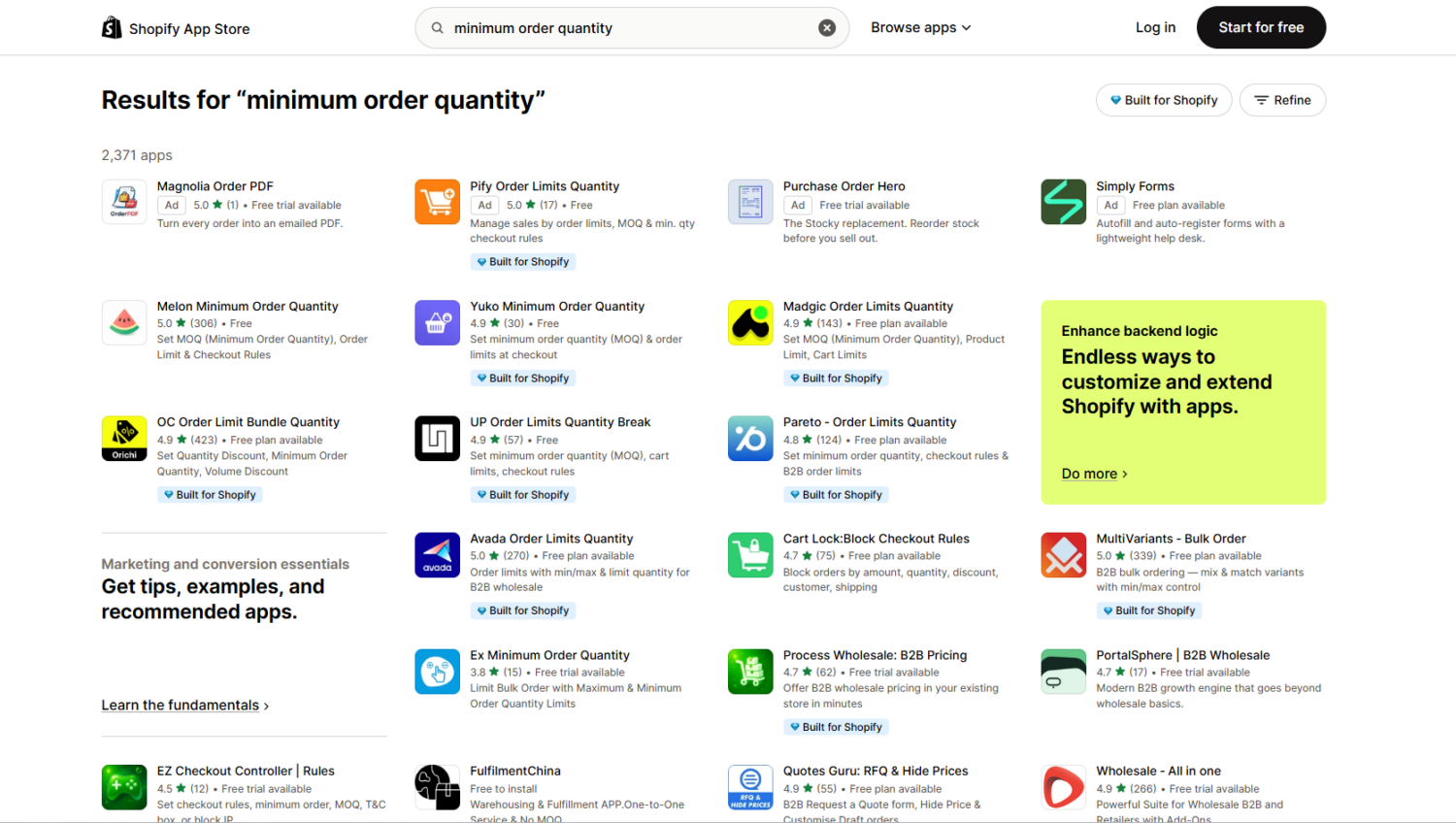
This is the easiest path for most stores. Apps add the rule without any code, and setup takes minutes. You choose the scope, set the minimum quantity or cart value, and turn on a cart message. Many apps also block checkout until the rule is met, so the enforcement is reliable.
A Shopify app is the easiest way to set a minimum order quantity rule for your Shopify store.
Three apps stand out for minimum order rules. Pricing shifts often, so check each listing for current numbers.
Order Limits ‑ MinMaxify is the versatile pick. You set minimum and maximum limits by product, collection, or whole cart, and it handles complex B2B rules well. Merchant reviews praise the support team for fixing setup issues fast.
MinCart ‑ Order limits is the flexible threshold option. It holds a 4.9 rating, and you can set minimums by quantity, price, weight, or item count. On Shopify Plus, it works with checkout extensions for rules tied to shipping country or payment type.
MultiVariants ‑ Bulk Order is built for wholesale. It enforces minimum and maximum quantities across product variants, which suits case-pack and bulk ordering.
All three apply a hard block when the rule is not met. That is the point here. For retail stores that prefer a reward over a block, see the incentive approach below.
#3 Use Cart and Checkout Validation Functions
This is the developer route. It gives you the most control.
Cart and Checkout Validation Functions are the current way to enforce minimums at checkout (Shopify). They run server-side, so the rule holds even if a shopper tries to bypass it.
One detail matters. A poorly built function can block the add-to-cart action instead of checkout. This exact problem was discussed on the Shopify Community, where developer Ranjit_Singh3 pointed to the fix: check the buyer journey step, so shoppers can still fill their cart and only hit the rule at checkout.
This method needs a developer who knows Shopify CLI and either JavaScript or Rust. Choose it when an app cannot match your exact rule.
#4 Create a free shipping minimum through native Discounts
This is the incentive route, built with native Shopify.
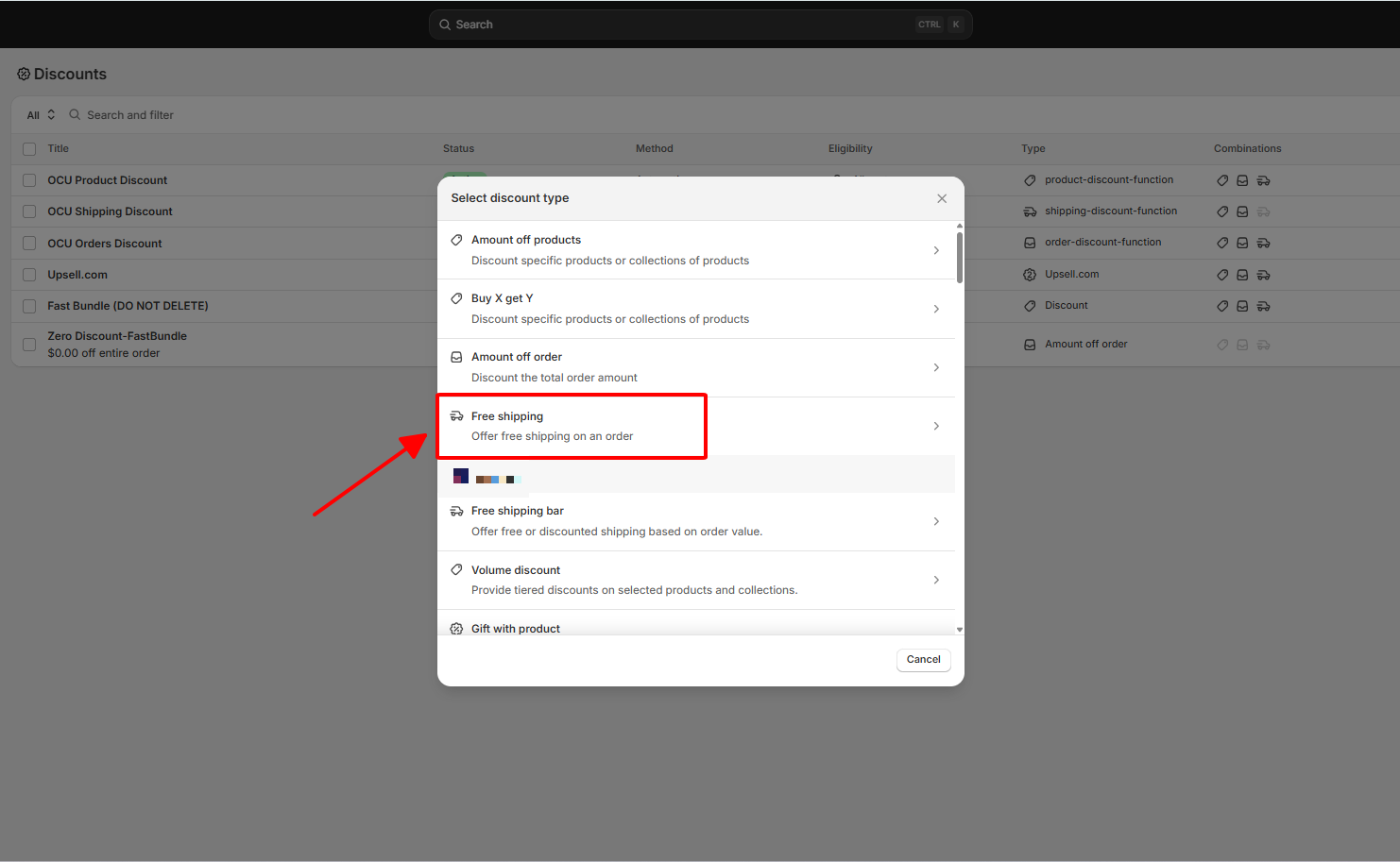
Step 1: From your admin, go to Discounts.
Step 2: Click Create discount, then choose Free shipping.
Step 3: Select Automatic discount.
Step 4: Under minimum requirements, pick a minimum purchase amount or a minimum quantity of items.
Step 5: Set your threshold and save.
This does not block checkout. It rewards shoppers who reach the minimum, which protects conversions while it lifts cart size.
Set a minimum order quantity to receive a free shipping discount.
4. The smarter play for retail stores: make the minimum a reward, not a roadblock
Here is the trade-off. A hard minimum protects your margins, but it can cost you sales. A shopper who hits a wall at checkout often leaves.
For retail and DTC, an incentive minimum usually wins. You set the same threshold, but you frame it as a prize. Shoppers reach for the reward and grow their own cart in the process.
This is where BOGOS fits. BOGOS is one of the top Shopify apps merchants use to boost average order value. It lets you set the minimum quantity or minimum spend a customer must reach to unlock a reward, with no hard block at checkout.
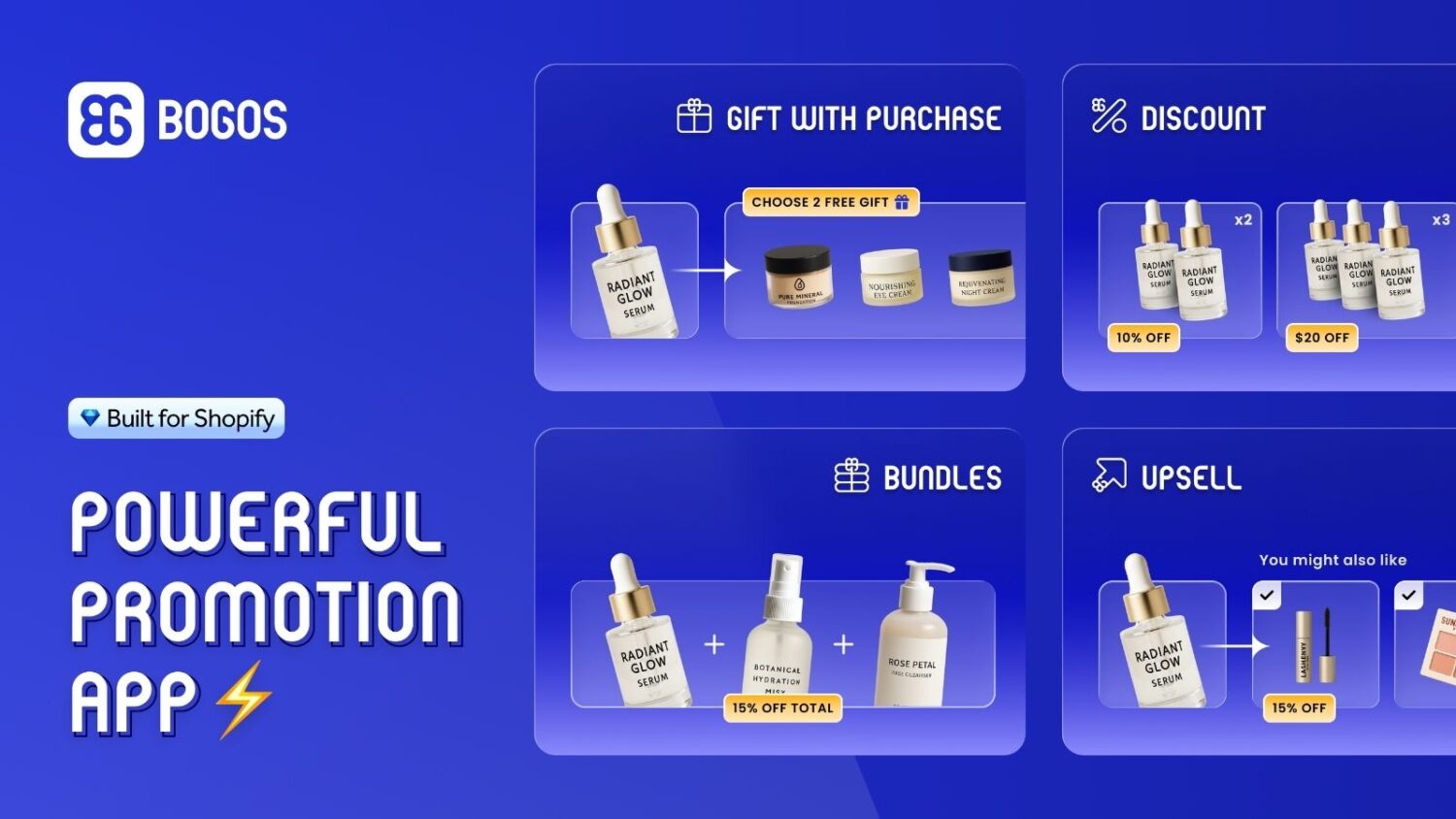
BOGOS allows you to set a minimum order quantity for customers to earn incentives such as free gifts or free shipping.
#1 Set a minimum to unlock a free gift
A gift is a strong motivator. “Spend $50, get a free travel-size” pulls a $42 cart up to the line.
With BOGOS, you set the exact quantity or cart value that triggers the gift. Many stores run tiers, like a small gift at $50 and a bigger one at $100. Learn the full setup in our guide to running a free gift with purchase.
#2 Set a minimum to unlock free shipping
Free shipping is the reward shoppers chase most. Nearly half of online shoppers say it is the top reason they pick one store over another.
Pair the threshold with a progress bar. The bar shows shoppers how close they are, and that small nudge drives them to add one more item. See how to set the right number in our free shipping threshold guide.
#3 Raise the floor with bundles and volume discounts
You can also lift the average order without naming a minimum at all.
A bundle groups products at a set price, so the typical cart starts higher. A volume discount rewards bigger quantities, like 10% off three or more. Both move the floor up while the shopper still feels in control. You can layer these with a checkout upsell to add one more relevant item before payment.
5. How to choose the right minimum
A minimum that is too high scares shoppers off. One that is too low does nothing. Here is how to land it.
Base it on your average order value
Start with the number you already have. Find your current average order value by dividing total revenue by total orders.
Set your minimum about 15% to 30% above that figure. High enough to stretch the cart, low enough to feel reachable. Round to a clean number like $60 or $75.
Show the requirement clearly
Tell shoppers the rule early. Put it on the product page and in the cart, not just at checkout.
Surprises at checkout cause abandonment. A clear message and a progress bar turn the rule into a goal shoppers want to hit.
Test and adjust in small increments
Your first number is a guess. Treat it that way.
Move the threshold in small steps, like $10 at a time. Watch three metrics: average order value, conversion rate, and total revenue. Most stores find the right number within two or three tests.
6. Minimum order quantity mistakes to avoid
Setting the minimum so high that shoppers give up before they reach it.
Hiding the rule until checkout, which drives abandonment.
Using a hard block on a retail store when an incentive would convert better.
Building on Shopify Scripts, which stop running on June 30, 2026.
Skipping the cart message and progress bar, so shoppers never see how close they are.
Conclusion
A minimum order quantity is a margin tool and a growth tool. The right version depends on who you sell to.
For wholesale and B2B, a hard minimum is the correct choice. Set it with B2B Catalogs or an app, and keep your batch sizes clean.
For retail and DTC, make the minimum a reward. Let shoppers unlock a gift, a discount, or free shipping, and watch carts grow on their own. That is the carrot side, and it is one of the simplest ways to increase your Shopify AOV. BOGOS gives you the settings to run it without writing a line of code.
FAQs
Does Shopify have a built-in minimum order quantity?
No. Shopify has no native per-product minimum order quantity for the online store. You can set quantity rules inside B2B Catalogs on Shopify Plus, or use an app or a Shopify Function for everything else.
What is the difference between minimum order quantity and minimum order value?
Minimum order quantity counts units. It asks the customer to buy a set number of items, like six or more. Minimum order value counts dollars. It asks the customer to spend a set amount, like $50 or more. Many stores use the value version to drive average order value.
Can I set a minimum order quantity for specific products only?
Yes. A minimum order quantity app lets you apply the rule to one product, a collection, or your whole store. You can also set it through B2B Catalogs for wholesale buyers, or through a custom Shopify Function.

![[2026] Shopify Minimum Order Quantity: 4 Ways to Set It Up & Grow Your AOV](https://bogos.io/wp-content/uploads/2026/06/Shopify-MINiMUM-ORDER-QUANTITY.jpg)



![[2026] Shopify Testimonials: 3 Ways To Add Them + Best Apps](https://bogos.io/wp-content/uploads/2026/10/Shopify-Testimonials-400x225.jpg)