


Charlie Ngo
•
Last updated: 20 October, 2026
Shopify Collections: How To Create & Organize Them (2026)
Shopify collections decide how shoppers find your products, yet many guides still describe a setup Shopify is now replacing....
5 Best Shopify Inventory Management Apps in 2026 (Free & Paid)

Digital Marketing Specialist
Summarize this post with AI
Inventory mistakes are some of the most expensive errors a Shopify store can make. A stockout sends a ready buyer to a competitor. Overselling forces you to cancel orders and erodes trust. Deadstock quietly ties up cash you could be spending on products that actually move.
For years, many merchants leaned on Shopify’s free Stocky app to stay on top of this. That option is going away. Shopify delisted Stocky from the App Store in February 2026, and the app stops working entirely on August 31, 2026. If you relied on Stocky for purchase orders, stock transfers, or basic forecasting, you now need a replacement, and Shopify’s native admin tools only cover part of what Stocky did.
That shift has pushed inventory management apps from optional to essential for most growing stores. The right one tracks stock in real time across every channel, forecasts what you need to reorder and when, and prevents the overselling and stockouts that cost you sales.
The challenge is choosing one. The Shopify App Store lists thousands of inventory apps, and they vary widely in what they actually do. We tested the field on forecasting accuracy, multichannel sync, purchase order handling, integrations, pricing, and merchant reviews. Below are the five we recommend in 2026, with the use case each one handles best. The three we recommend most highly are:
Let’s get into it.
The Shopify App Store lists thousands of inventory tools, and most of them solve only one slice of the problem. Some forecast demand but ignore multichannel sync. Others sync stock across marketplaces but offer no purchase order workflow. To find apps that hold up in a real store, we evaluated each one across six areas.
For a full breakdown of how we evaluate and rank Shopify apps, see our App Testing Methodology.
Based on these points, the three inventory apps we recommend most highly:



Not every inventory app is worth the monthly fee. Some only mirror what Shopify already shows you. Others bury the features you actually need behind their most expensive tier. These are the points to check before you commit.
Once you know which of these matter most for your store, the comparison below makes the shortlist easier.
Here is how the five apps compare before we get into the detail of each one.
| App | Best for | Starting price | Forecasting | Multichannel sync | Standout feature |
|---|---|---|---|---|---|
| Sumtracker | Multichannel sellers | From ~$59/mo | Yes | Yes (Amazon, Etsy, eBay) | Real-time two-way sync + bundle tracking |
| Prediko | AI forecasting + POs | Free plan; paid from ~$119/mo | Yes (AI) | Limited | AI engine trained on 25M+ SKUs |
| Fabrikatör | Stocky replacement | Free to install; paid from ~$99/mo | Yes | Limited | Customer-facing backorder engine |
| Inventory Planner by Sage | Established ops teams | From ~$119.99/mo | Yes (advanced) | Yes | 200+ planning metrics |
| Cin7 Core | Manufacturing and B2B | From $349/mo | Yes | Yes | Full ERP with light manufacturing |
In general, Sumtracker and Prediko are the safest picks for most merchants: Sumtracker for multichannel stores that need accurate sync without an enterprise system, and Prediko for DTC brands that want forecasting and purchasing in one place. Fabrikatör is the cleanest path off Stocky, especially if you want to capture demand on out-of-stock items. Inventory Planner and Cin7 Core sit at the higher end, suited to established teams and businesses that run manufacturing or wholesale.
Below, we break down each app’s features, pricing, and best-fit use case.
🏅 Best for: Multichannel Shopify merchants needing fast and accurate inventory sync with strong replenishment workflows.
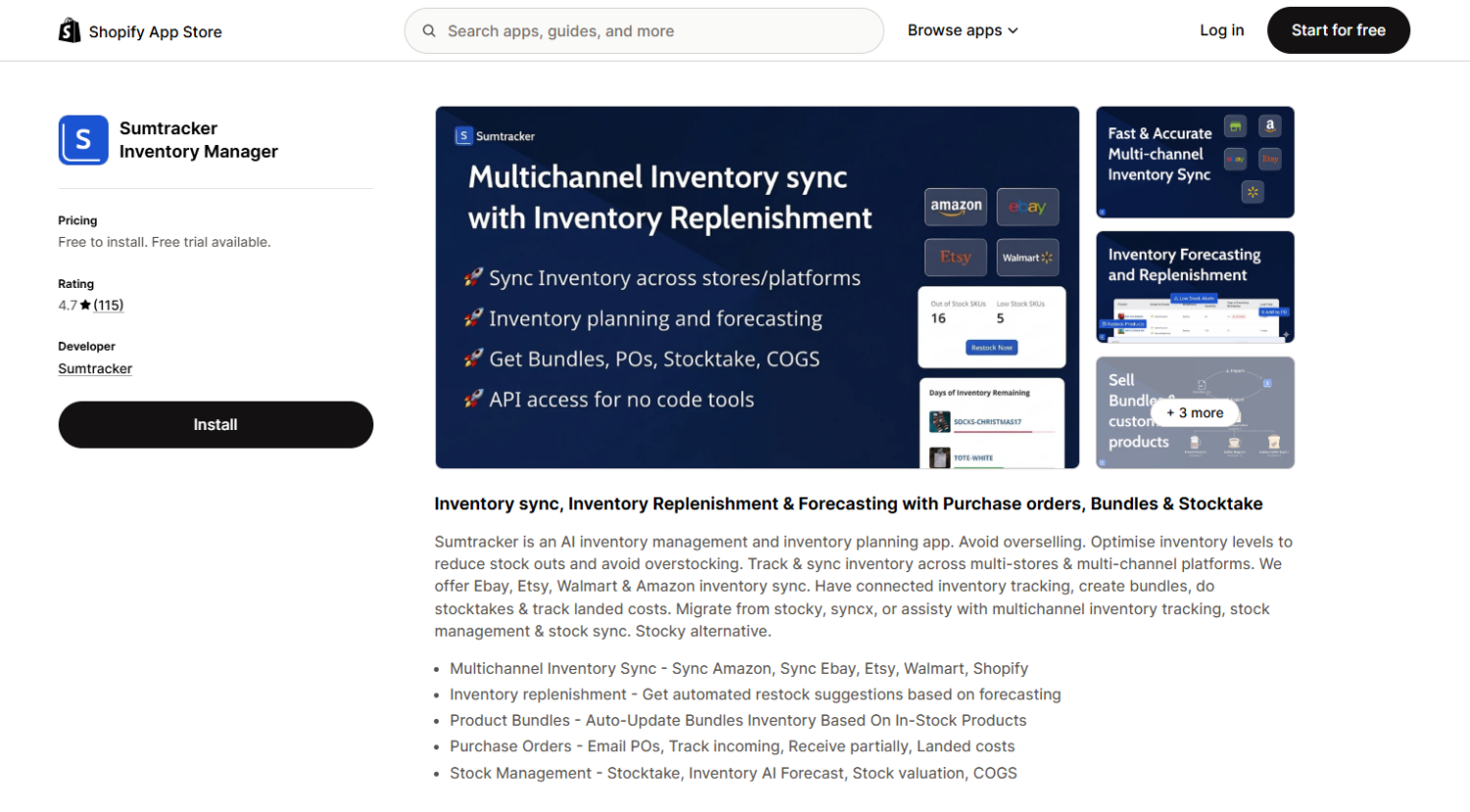
Sumtracker is an inventory management and replenishment platform built for Shopify brands selling across multiple channels and warehouses.
It helps merchants maintain accurate stock levels in real time while simplifying purchase orders, forecasting, and inventory planning.
Sumtracker is especially popular among growing Shopify brands that need a reliable alternative to spreadsheets or disconnected inventory tools.
Key features:
Pricing: Plans start at $59/month for inventory management, while the $99/month Replenish plan includes both inventory management and advanced forecasting/replenishment features.
| 🔥 Pros | ❌ Cons |
|---|---|
| Fast and reliable inventory syncing across multiple sales channels | Limited advanced manufacturing and ERP-style workflows |
| Strong replenishment, forecasting, and PO management tools | |
| Clean and easy-to-use interface with quick setup | |
| Transparent pricing without unexpected revenue-based fees |
Ideal merchant: Growing Shopify brands, multichannel sellers, wholesalers, and businesses managing inventory across multiple locations or storefronts that need accurate inventory syncing and better replenishment planning.
🏅 Best for: DTC brands that want AI demand forecasting and fast purchase order creation in one Shopify-native app.
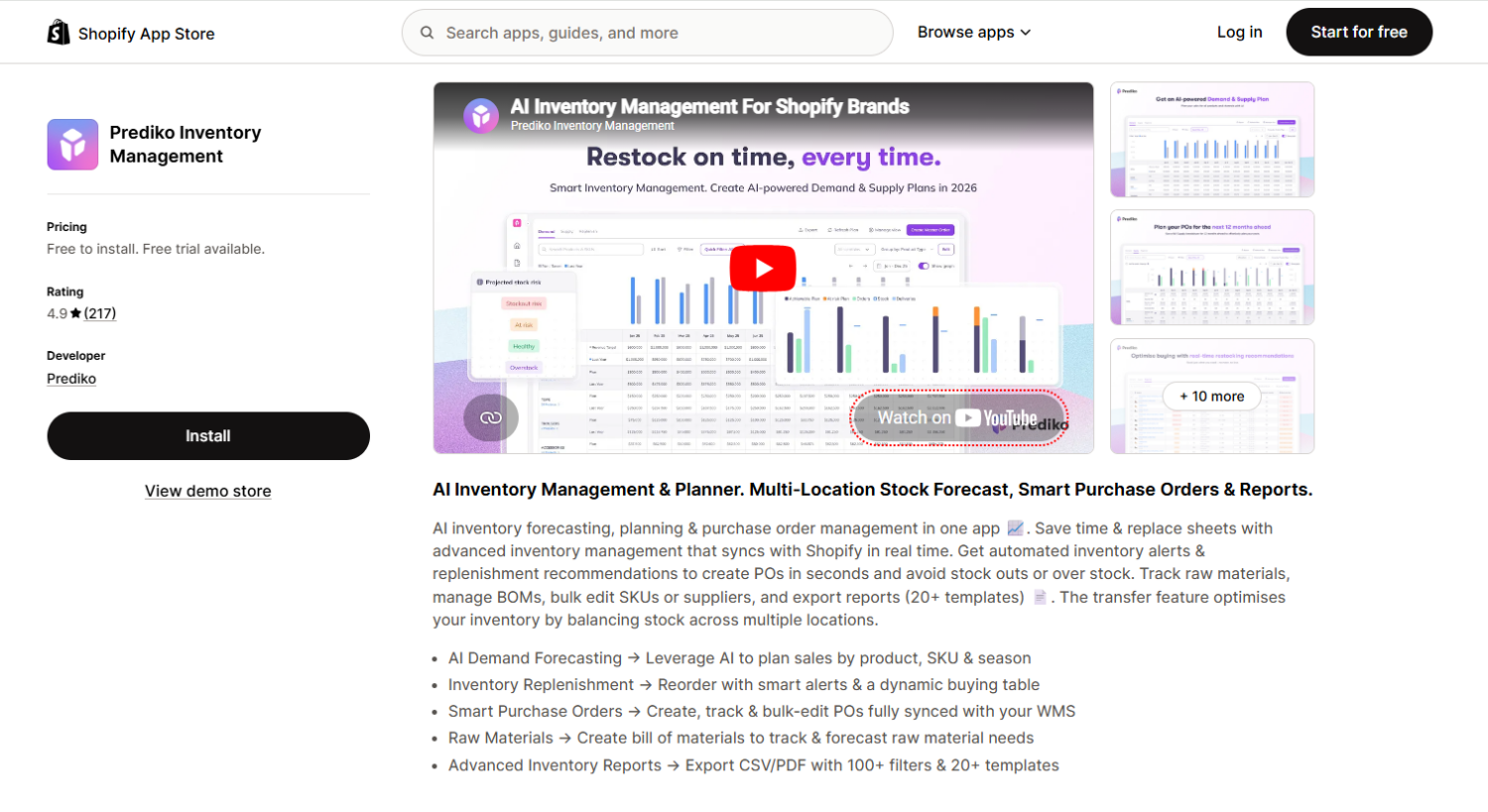
Prediko is an AI-driven inventory management and planning app built specifically for Shopify brands. Its forecasting engine has been trained on more than 25 million SKUs across dozens of industries, which gives its demand predictions a depth that smaller tools struggle to match. The app syncs with Shopify in real time, then tells you what to order, how much, and when, turning forecasting and purchasing into a single workflow. It holds a 4.9-star rating on the Shopify App Store.
Key features:
Pricing: A free plan is available, with paid plans starting from around $119 per month and a 14-day full-feature trial. Paid tiers include unlimited users, SKUs, and purchase order management.
| 🔥 Pros | ❌ Cons |
|---|---|
| Forecasting engine trained on 25M+ SKUs, strong for DTC demand patterns | Multichannel marketplace sync is limited compared with Sumtracker |
| Forecasting and purchase orders live in one workflow | Paid plans step up quickly for smaller stores |
| Cash-flow view and PO financing built in | Some advanced needs (full manufacturing) sit outside its scope |
| Highly rated for onboarding and support |
Ideal merchant: DTC brands replacing Stocky or spreadsheets that want AI forecasting and procurement together in a Shopify-native app, especially those planning buying cycles ahead of peak seasons.
🏅 Best for: Operators migrating off Stocky who also want to turn out-of-stock products into revenue.
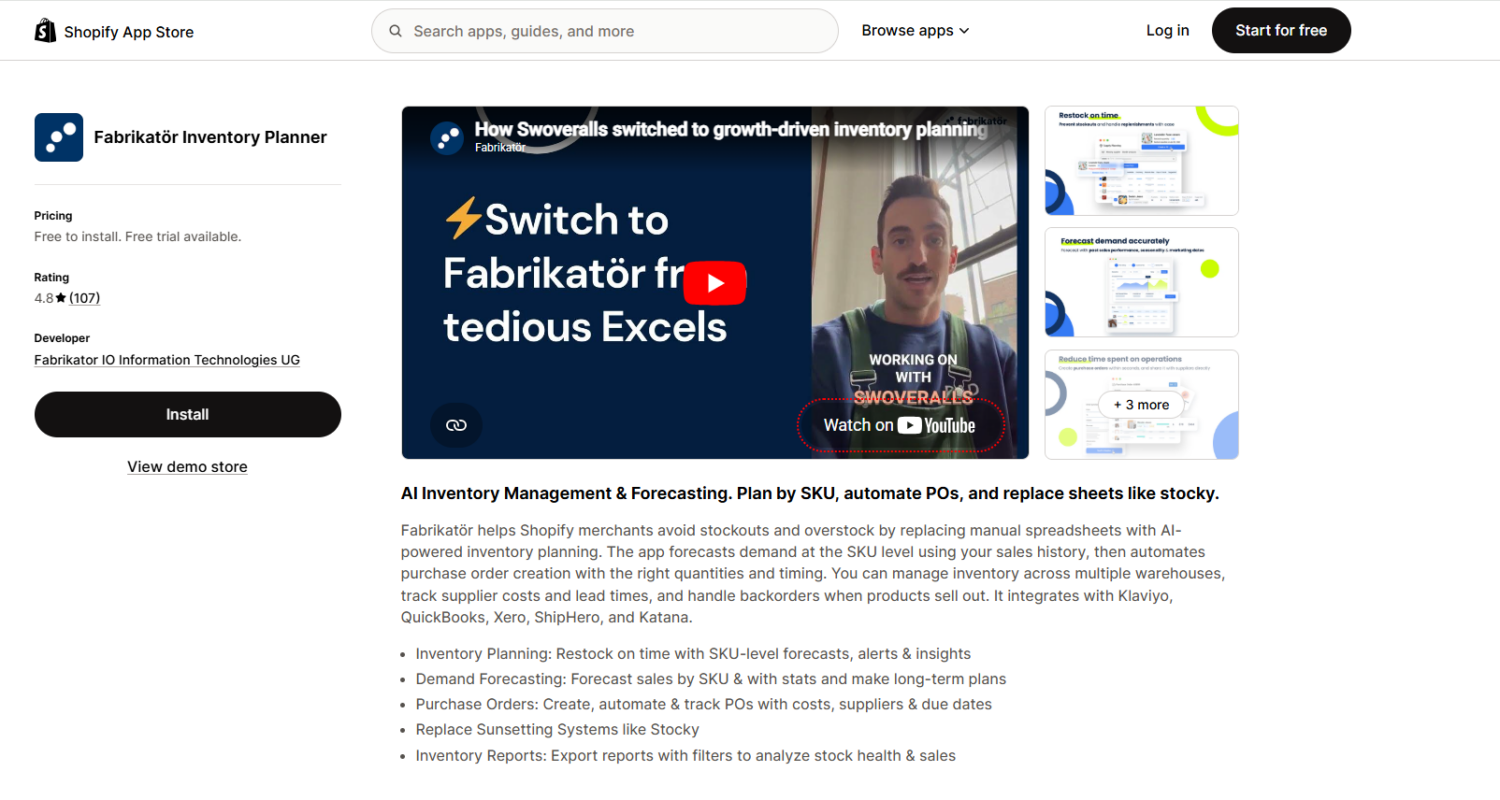
Fabrikatör positions itself as a virtual head of operations, handling inventory planning, purchasing, and backorders in one app. It markets itself explicitly as a Stocky migration path, and it covers the purchase order automation that many forecasting apps skip. Its standout feature is a customer-facing backorder and pre-order engine: when a product sells out, customers can still order it, so demand is captured rather than lost. The app holds a 4.9-star rating on the Shopify App Store.
Key features:
Pricing: Free to install, with paid plans that scale with store revenue, typically from around $99 per month. A free trial is available, and annual billing carries a discount.
| 🔥 Pros | ❌ Cons |
|---|---|
| Marketed and built as a direct Stocky replacement | Marketplace sync is narrower than multichannel-first tools |
| Backorder and pre-order engine recovers lost demand | Best fit is mid-sized and up; less relevant for very small catalogs |
| Strong supplier and purchase order workflows | Paid pricing scales with revenue |
| Reviewers consistently praise responsive support |
Ideal merchant: Shopify-native DTC and CPG brands moving off Stocky or spreadsheets, with enough SKUs and supplier variability that manual reorder planning is causing stockouts or deadstock, and who want to capture demand on sold-out items.
🏅 Best for: Larger stores with dedicated buying teams that need sophisticated forecasting models.
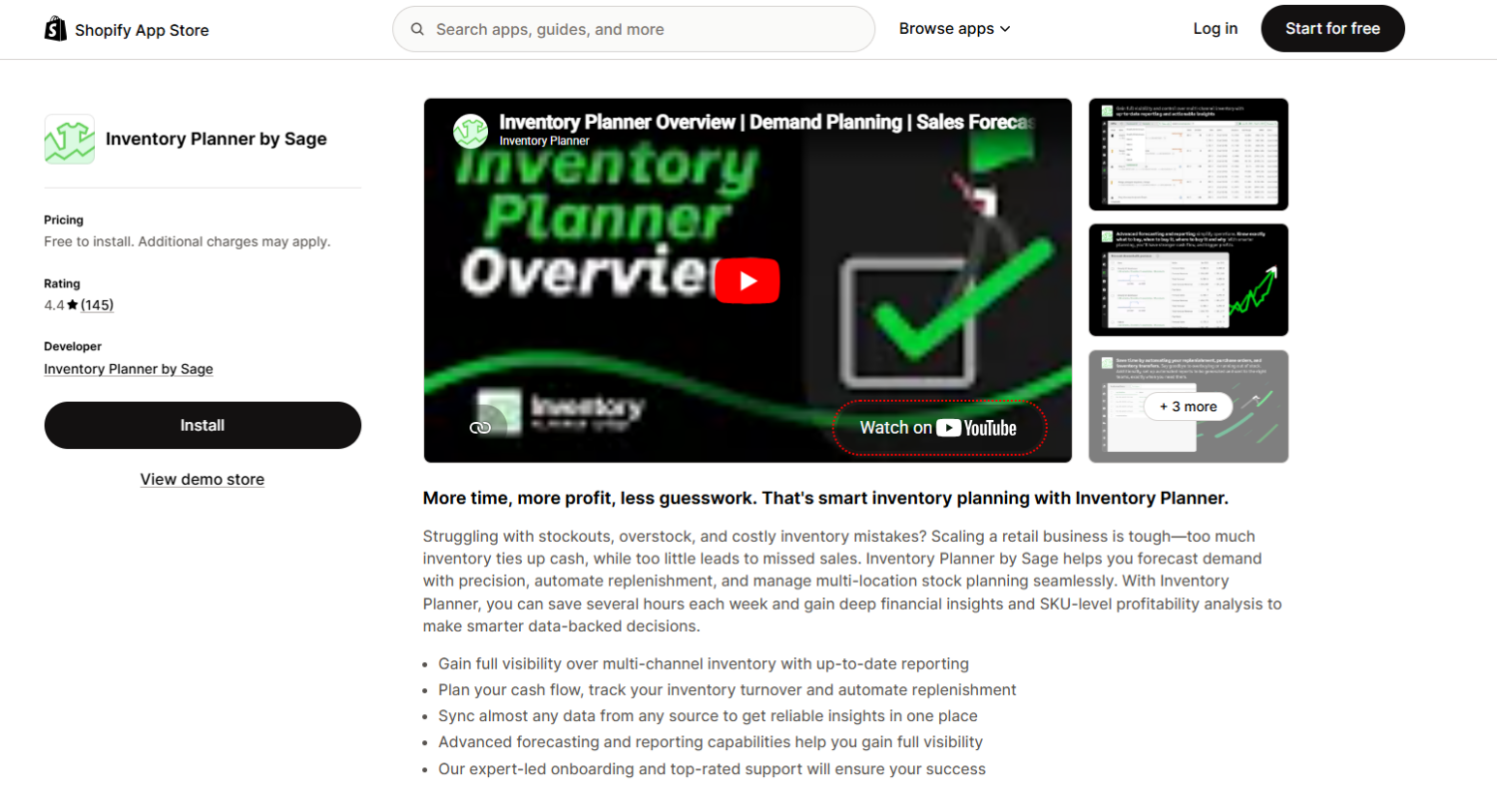
Inventory Planner by Sage is one of the longest-running forecasting and replenishment tools in the Shopify ecosystem. It offers advanced demand forecasting, replenishment recommendations, and more than 200 inventory metrics, which makes it powerful for teams that know how to use that depth. It integrates with Shopify, marketplaces like Amazon, and accounting systems like QuickBooks. It is worth noting that Sage has shifted the product toward larger merchants in recent years, and it carries a 4.4-star rating on the Shopify App Store, lower than the other apps on this list.
Key features:
Pricing: Plans start around $119.99 per month for smaller setups, with custom quotes for the full platform based on warehouse count, SKU volume, and channel mix.
| 🔥 Pros | ❌ Cons |
|---|---|
| Mature, deep forecasting with extensive metrics | Steep learning curve; the metric volume can overwhelm small teams |
| Strong multi-location and supplier planning | Some merchants report API sync issues with Shopify |
| Trusted by long-tenured brands for years | Now oriented toward larger merchants; smaller stores may be turned away |
| Handles seasonal and complex catalogs well | Costs escalate with warehouses, SKUs, and add-ons |
Ideal merchant: Established brands with dedicated operations or buying teams that can invest time to configure the platform and want sophisticated forecasting across multiple locations and channels.
🏅 Best for: Established businesses needing full ERP-level inventory, manufacturing, and accounting.
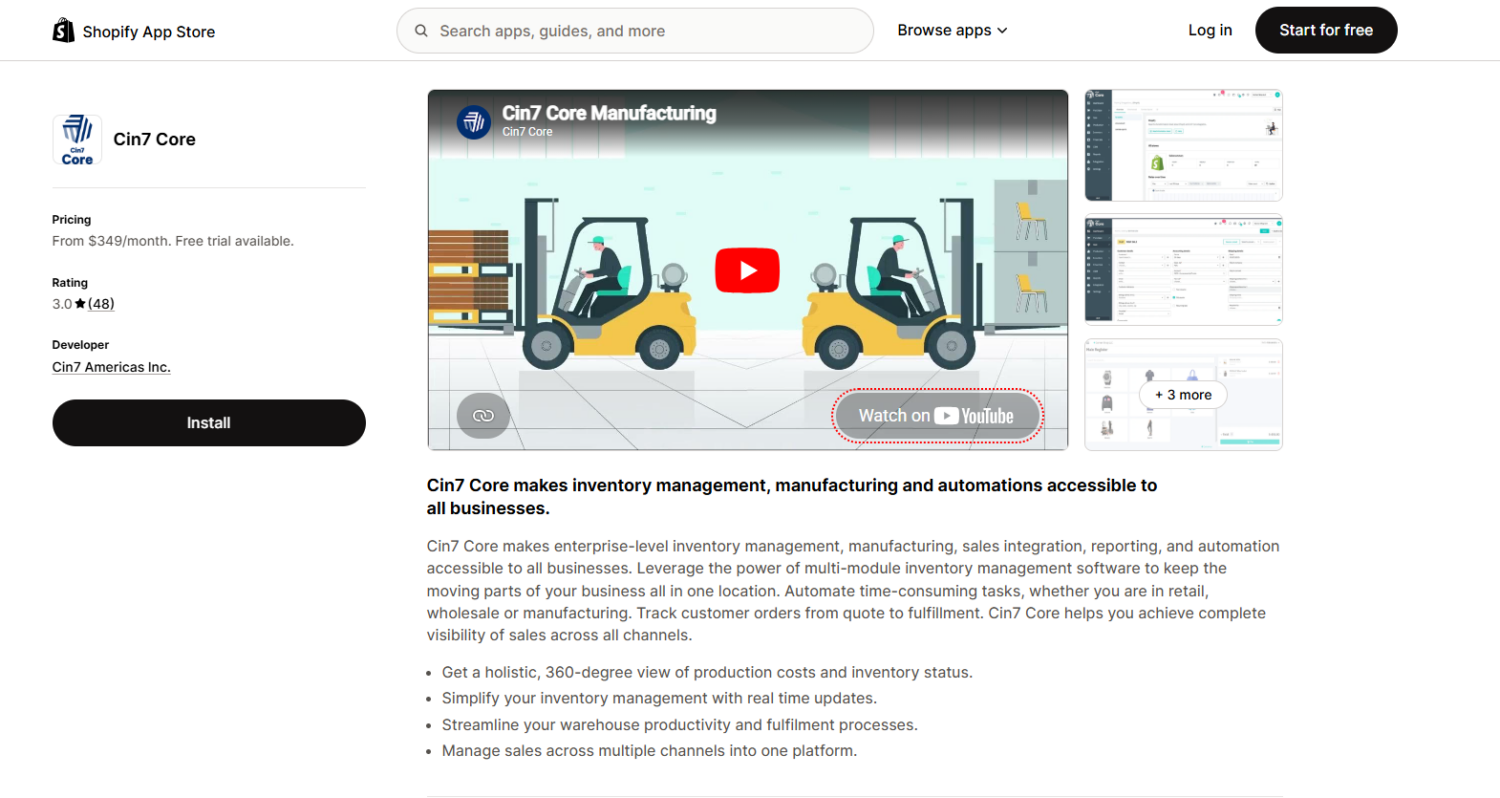
Cin7 Core (formerly DEAR Systems) is a full inventory and operations platform rather than a lightweight Shopify app. It covers multichannel and multi-location inventory, purchase orders, light manufacturing with bills of materials, B2B wholesale, and deep accounting integration. If you produce your own products, run a wholesale arm, or need true ERP capability, Cin7 Core does what the simpler apps cannot. That power comes with enterprise pricing and a longer implementation. It holds a 4.2-star rating on G2.
Key features:
Pricing: Cin7 Core Standard starts at $349 per month (5 users, capped annual order volume), rising to $599 (Pro) and $999 (Advanced). Add-on charges for extra users and integrations can push the total higher.
| 🔥 Pros | ❌ Cons |
|---|---|
| True ERP capability with light manufacturing and B2B | Enterprise pricing starts at $349/mo and climbs with add-ons |
| Accurate accounting-grade costing (FIFO, FEFO) | Longer implementation and steeper setup than app-only tools |
| Unlimited inventory locations on all plans | Overkill for stores that only need forecasting or sync |
| Broad integration ecosystem | Some merchants cite rising long-term costs |
Ideal merchant: Established brands that manufacture their own goods, run wholesale or B2B operations, or need a single platform tying inventory to accounting, with the budget and team to implement it.
Getting inventory wrong is expensive, and it gets more expensive as you grow. With Stocky shutting down on August 31, 2026, and Shopify’s native tools covering only the basics, a dedicated inventory app has become one of the more practical investments you can make this year.
Match the app to your main pain point. If you sell across marketplaces and overselling is your worry, start with Sumtracker. If you want AI forecasting and faster purchasing in one place, choose Prediko. If you are migrating off Stocky and want to capture demand on sold-out products, Fabrikatör is the cleanest path. For established teams that need deep forecasting or full ERP and manufacturing, Inventory Planner and Cin7 Core step in at the higher end.
Shortlist one or two, use the free plan or trial to test them against your real catalog, and migrate before the Stocky deadline rather than after it.
Yes, but only at a basic level. Shopify’s admin tracks stock counts, handles transfers between locations, supports simple purchase orders, and syncs with Shopify POS. It does not forecast demand, calculate reorder points, sync inventory across marketplaces like Amazon, or provide advanced reporting. For those features you need a third-party app.
Shopify delisted Stocky from the App Store on February 2, 2026, so no new merchants can install it, and the app stops working entirely on August 31, 2026. Core features like inventory transfers and forecasting were removed even earlier. If you still use Stocky, export your data now and choose a replacement before the shutdown.
It depends on what you need. Multichannel sync and forecasting tools typically start between $49 and $120 per month for growing stores. Established forecasting platforms run from around $120 per month with custom quotes for larger operations. Full ERP systems like Cin7 Core start at $349 per month and scale into the hundreds. Watch for pricing tied to GMV, order volume, or per-user fees, since those grow with your store.
Yes, with a multichannel app. Shopify does not natively sync inventory with marketplaces, so selling the same product on Shopify and Amazon without sync software leads to overselling. Tools like Sumtracker keep stock accurate across Shopify, Amazon, Etsy, and eBay in real time.
Export your historical purchase orders and stocktake records as CSV files from Stocky before the August 31, 2026 shutdown. Supplier details cannot be exported, so document each supplier’s contact information, lead times, and minimum order quantities manually. Then import your data into your new app. Several apps, including Fabrikatör and Prediko, position themselves as Stocky replacements and can help with the transition.
Not always. At low SKU counts on a single channel, Shopify’s native tools may be enough. You outgrow them when you start managing 50 or more SKUs, run multiple warehouses, sell bundles that need component-level tracking, or find yourself doing reorder math in spreadsheets. At that point, forecasting and automated purchasing save more than the app costs.

Shopify collections decide how shoppers find your products, yet many guides still describe a setup Shopify is now replacing....

A Shopify announcement bar is the thin strip at the top of your store that tells shoppers about shipping,...
Australia is one of the first markets many Shopify stores expand into. It is large, English-speaking, and home to...
