



Ruby Tran
•
Last updated: 5 November, 2026
BOGOS Feature Wrap-Up: October 2026
October brought a set of updates to give you more control over how your offers appear and where they...
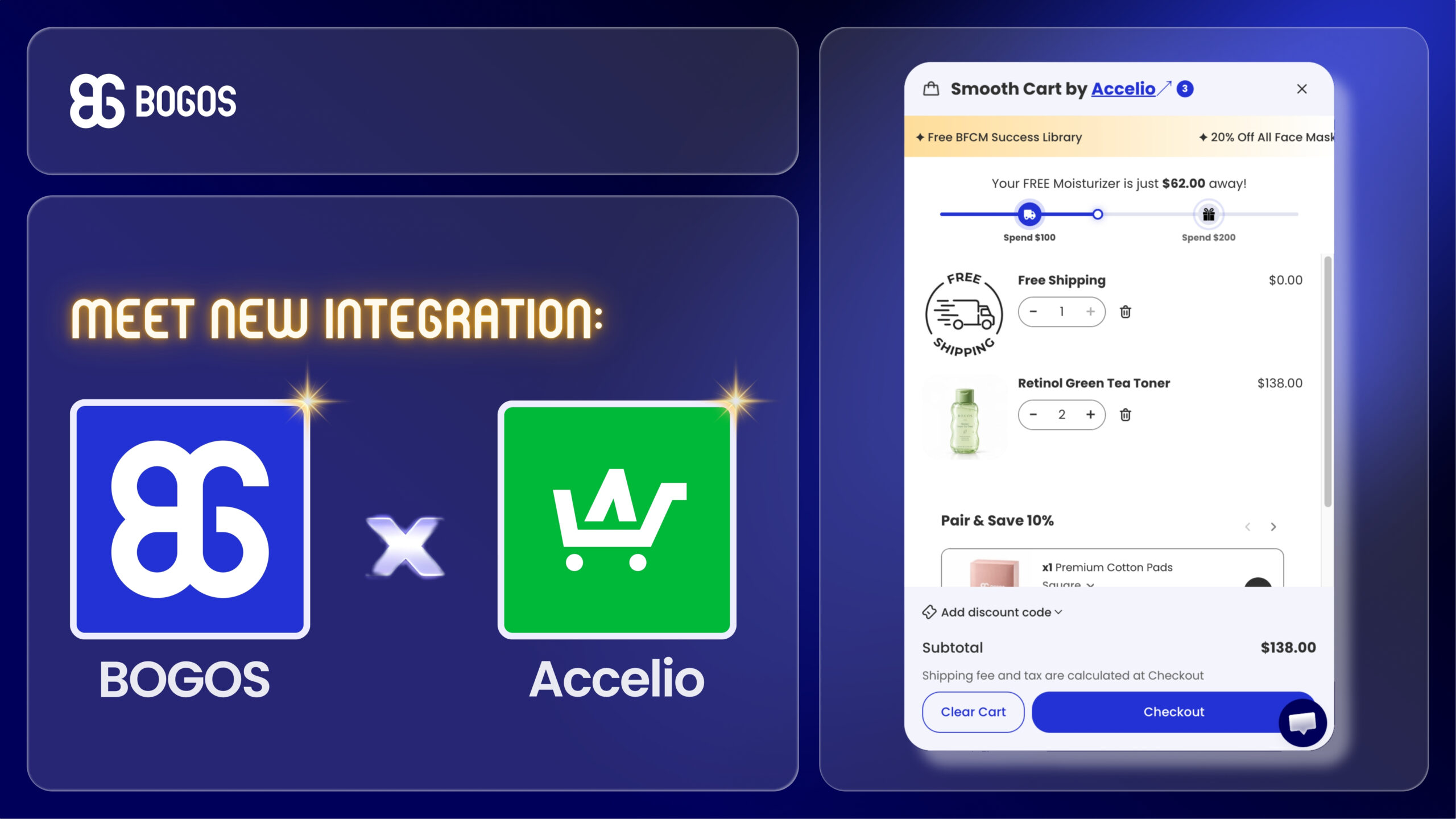
New Integration: BOGOS Works Most Smoothly with Accelio Cart Drawer

Content Marketing Executive
Summarize this post with AI
Want a cart that looks great and makes your BOGOS offers shine? Meet Accelio, a free cart drawer app and our top-recommended cart drawer partner.

Want to see it in action? View the BOGOS x Accelio demo in our demo store.
Step 1: Set up your BOGOS offers. Create the offers you want to run, such as a free gift or a bundle.
Step 2: Install Accelio Slide Cart Drawer from the Shopify App Store & customize your cart.

Your BOGOS offers will automatically work smoothly in the Accelio drawer from now and then. You do not need to do anything else.
Step 3 (Optional): Click Add block > Choose Apps> Then drag and drop BOGOS blocks into your cart, such as the gift slider, today’s offer widget, or progress bar.

View Accelio’s help documentation: https://accelio.gitbook.io/docs
Still stuck? No worries, just contact the right team:

October brought a set of updates to give you more control over how your offers appear and where they...
BOGOS: Free Gift & Bundle Upsell has been fully updated to address two recently disclosed PHP security vulnerabilities: CVE-2026-109618...

We’re excited to announce that BOGOS now integrates with Yotpo, making it easier for Shopify merchants to build trust...