

Charlie Ngo
•
Last updated: 18 May, 2026
10 Real-World Tiered Pricing Examples & Models for E-commerce Growth
Summary Tiered pricing is a strategy in which a product or service is offered in multiple levels or packages,...

Best Low-Effort Father’s Day Promotion Ideas for Shopify Stores

Digital Marketing Specialist
Summarize this post with AI
Father’s Day 2026 lands on June 21, and it sneaks up faster than most holidays. There is no month-long build-up like Black Friday, so merchants often realize they need an offer with only a week or two to spare.
That short runway is exactly the problem this article solves. You want a Father’s Day promotion, but you do not have time for new product photography, a custom landing page, or complex discount logic.
The six ideas below all run on inventory and tools you already have. Most take under an hour to set up, and several need no discount at all. Pick one that fits your store and your remaining time, then launch it.
P/s: If you wanna explore more customer insights, offer ideas, free resources,… to build sales-boosting promotions, visit our Father’s Day Promotion Hub 2026.
Each idea below lists what it is, why it works for Father’s Day specifically, how much effort it takes, the Shopify setup, and the type of store it fits best. They are ordered roughly from lowest effort to slightly more involved.
Group products you already sell into one themed collection, then link to it from your navigation and a homepage banner. There is no discount and no new logic, just a curated shelf aimed at gift-buyers.
This works because most Father’s Day shoppers are not your regular customers. They do not know your catalog, and a wall of products creates decision paralysis. A focused “Gifts for Dad” page removes that friction and tells them exactly where to look.
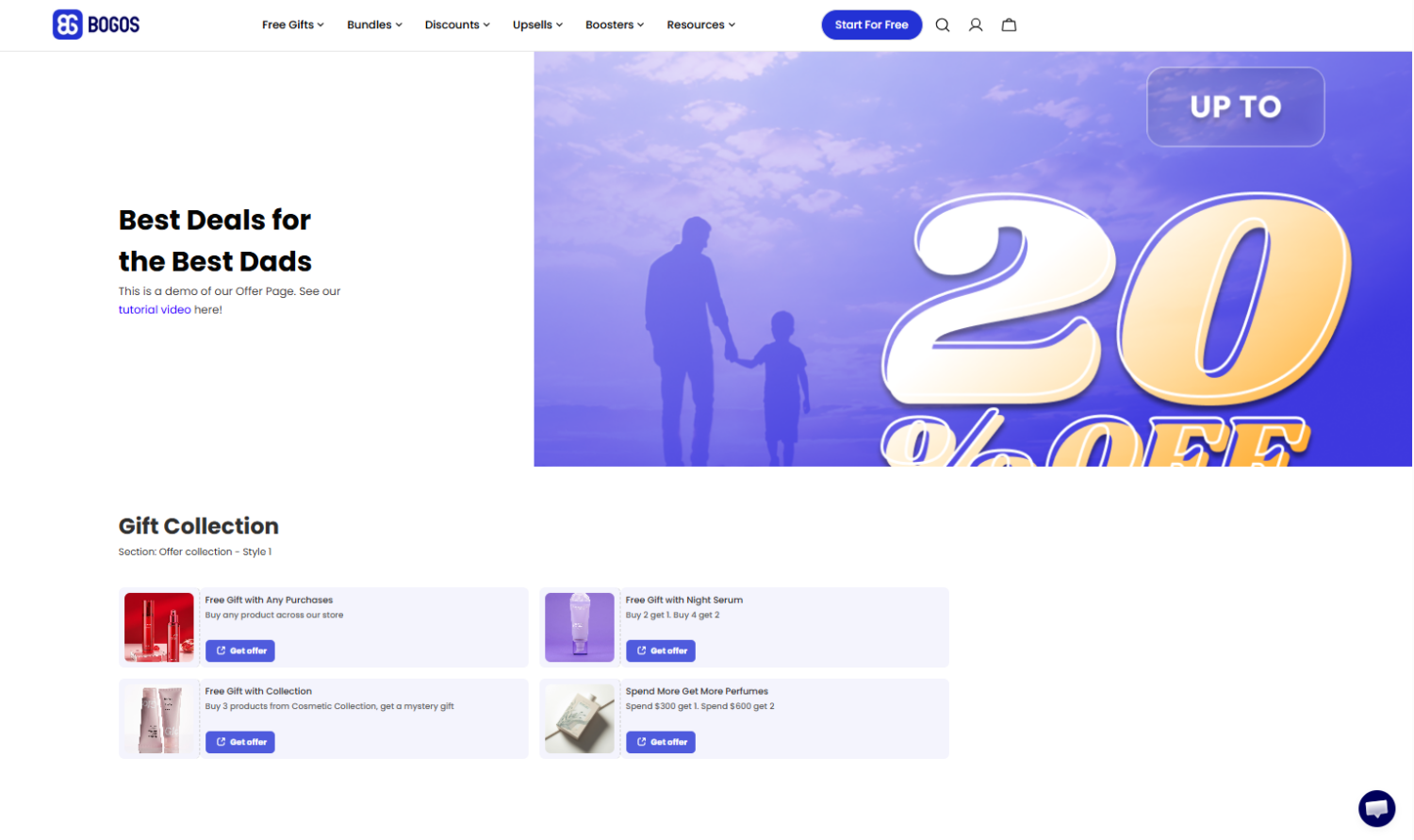
Effort: Lowest. No discount, no app required.
Shopify setup: Create a new collection in your Shopify admin. Add products manually, or use an automated collection that pulls in anything tagged fathers-day. Add the collection to your main menu and drop a banner on your homepage that links to it.
Tip: Sort the collection by price ascending. Gift-buyers often shop to a budget, so leading with accessible price points keeps them browsing.
Best for: Stores with a broad catalog and healthy margins that prefer not to discount.
Add a relevant low-cost product to the cart automatically once a shopper crosses a set spend, for example a free grooming sample over $60. The gift creates a reason to buy now without marking down your main products.
This works for Father’s Day because it raises perceived value at the exact moment gift-buyers are deciding how much to spend. A “free gift for Dad” framing also gives the offer a seasonal hook you can put in your banner and email.
The key levers are the gift itself and the threshold. Set the threshold slightly above your current average order value (AOV) so the offer nudges spending rather than rewarding orders that would have happened anyway.
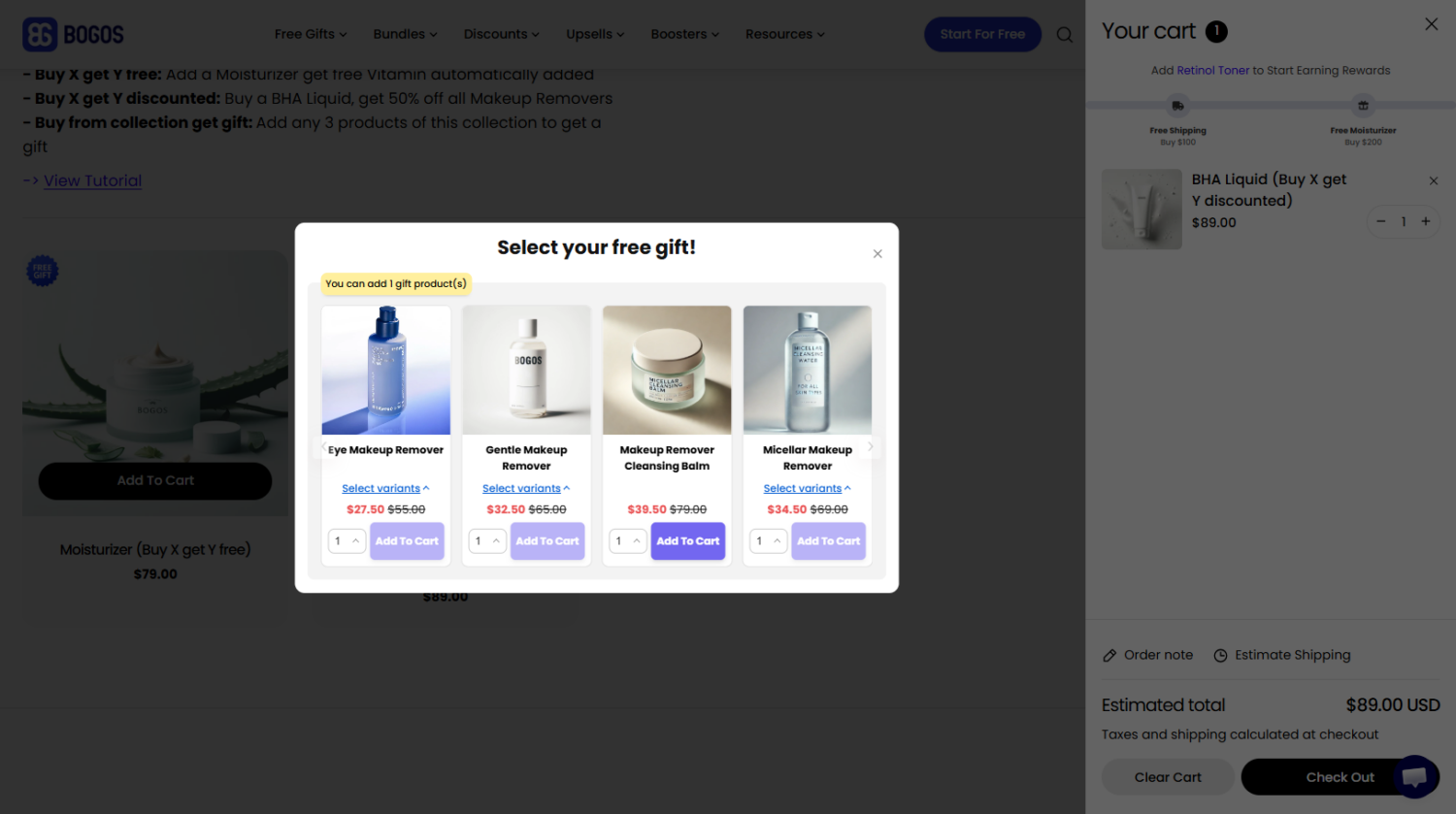
Effort: Low. One app, no new SKUs if you use existing low-cost stock.
Shopify setup: Use a GWP app such as BOGOS to set the trigger threshold and the gift product. Pull the gift from inventory you already hold so you are not sourcing anything new.
Watch out: Cap the gift quantity to your available stock. A popular GWP can drain a low-cost item faster than you expect, and a “gift out of stock” message undercuts the offer.
Best for: Stores that want an AOV lift while protecting margin.
Turn on “free shipping over $X” or a simple two-tier discount, such as 10% off $50 and 15% off $100. It is the fastest possible launch because Shopify handles it natively.
This works because gift-buyers respond well to a clear, small nudge to round up their order. “Spend a little more, ship it free” is easy to understand and needs no explanation in your copy.
A quick seasonal variant is a BOGO (“one for Dad, one for you”), which suits consumables and accessories where a second unit is genuinely useful.
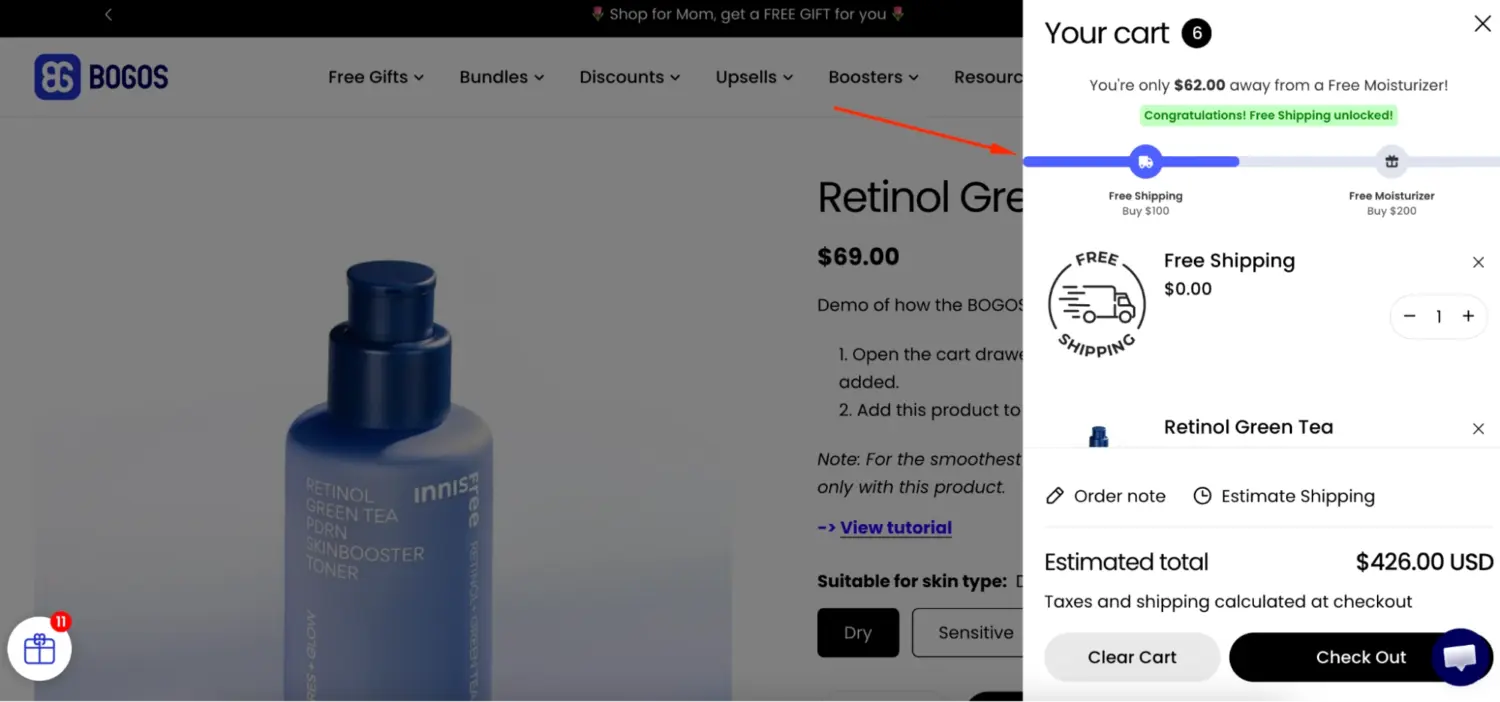
Effort: Lowest setup time. Native Shopify, no app needed.
Shopify setup: Go to Discounts in your Shopify admin and create either a free shipping discount or an amount-off-order discount with minimum purchase requirements. Set the active dates to cover your campaign window so it expires on its own.
Best for: Stores that need something live in minutes and can accept a small margin trade.
Pair complementary products you already sell into 2 to 3 done-for-you gift sets, for example a “Coffee Lover’s Kit” or a “Grooming Essentials” set. These are Fixed Bundles: a set group of products sold together at one price.
This works because gift-buyers actively prefer pre-curated sets. It removes the “what goes well together” guesswork and signals that you have done the thinking for them, which is the whole appeal of a gift.
You do not need new photography here. Reuse your existing product images and write one short description per bundle.
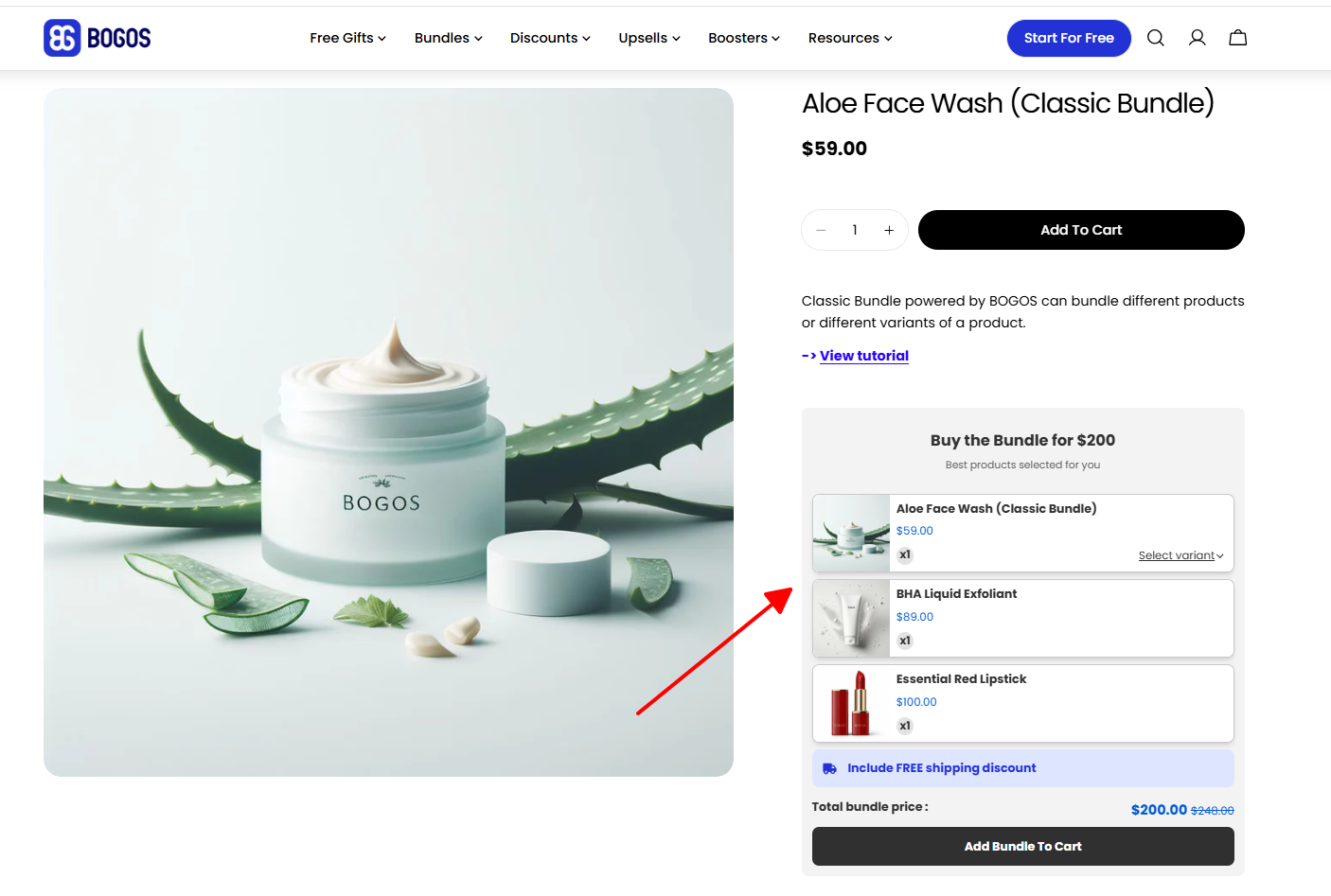
Effort: Low. One app, existing images and copy.
Shopify setup: Create a Fixed Bundle in a bundling app like BOGOS, selecting the products and the bundle price. Add each bundle to your “Gifts for Dad” collection so the two ideas reinforce each other.
Example: A coffee store pairs a 250g bag, a branded mug, and a pack of filters into a $39 “Coffee Lover’s Kit.” All three already exist as individual SKUs, so the only new work is the bundle setup and one product description.
Best for: Stores with natural product pairings, such as grooming, tools, or food and drink.
Let shoppers choose a set number of items from a curated pool at a bundle price, for example “pick any 3 sauces for $25.” This is a Mix & Match Bundle, and it adds personalization without you building every possible combination.
This works for Father’s Day because it lets the buyer tailor the gift to a specific dad without overwhelming them. They are choosing from a short, relevant list rather than your entire catalog, so the personalization feels easy.
It takes slightly more setup than a Fixed Bundle because you define the eligible pool and the pick count, but it is still well within low-effort range. For the full walkthrough, see our Build Your Own Bundle setup guide.
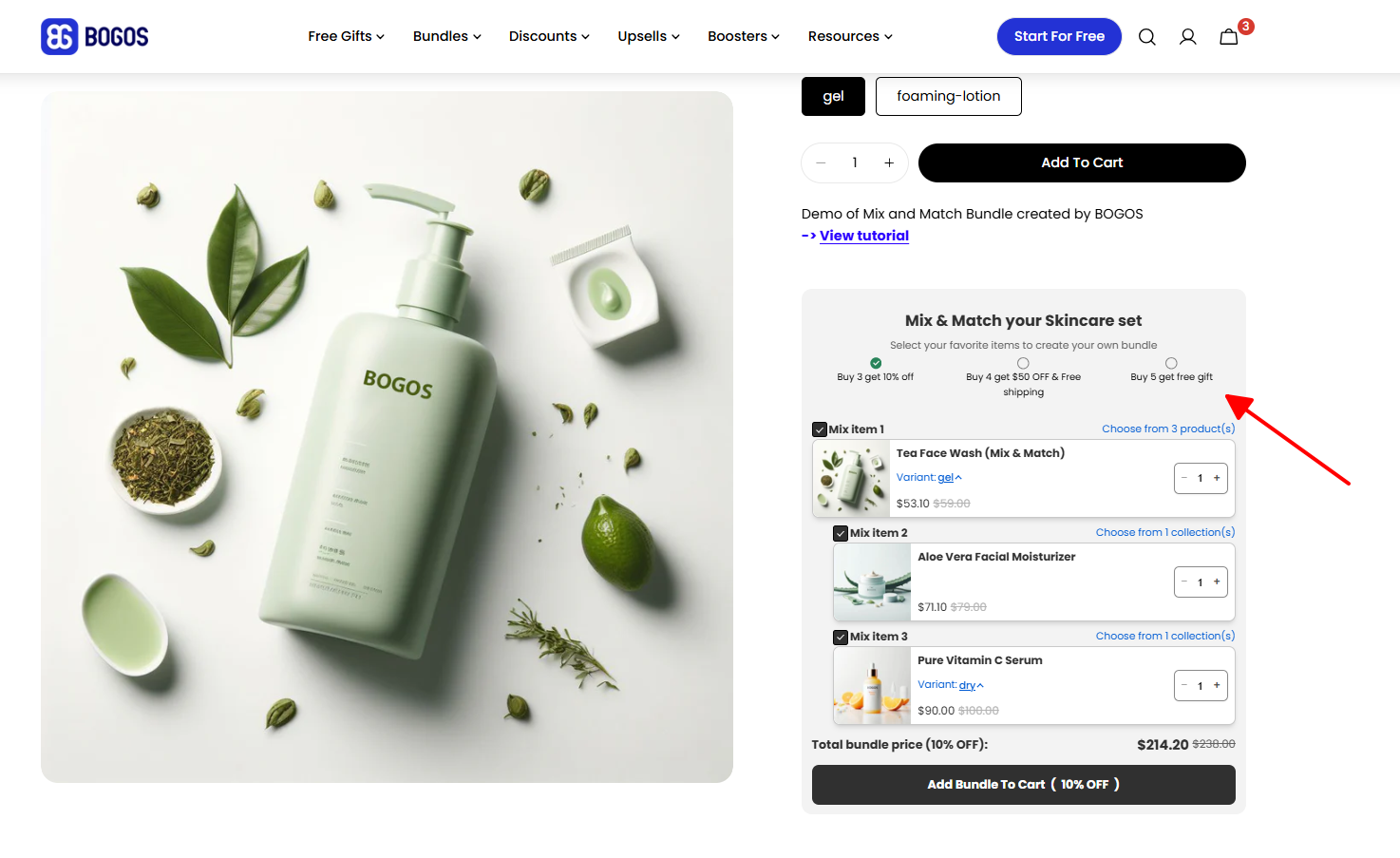
Effort: Low to moderate. One app, a curated product pool.
Shopify setup: Use the Mix & Match feature in a bundling app such as BOGOS. Define the eligible products, the number of items the shopper picks, and the bundle price.
Best for: Stores with variety within one category, such as flavors, scents, or styles.
Promote your Shopify gift cards as the safe last-minute option, especially once your shipping cutoff has passed. They deliver instantly by email, so there is no inventory and no deadline risk.
This works because a real share of Father’s Day shoppers buy in the final 72 hours, after physical gifts can no longer arrive in time. A gift card captures that demand instead of losing it to a competitor who is still messaging.
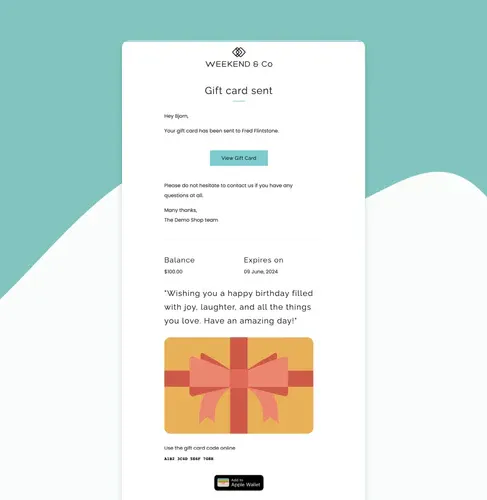
Effort: Lowest risk. Gift cards are native to Shopify.
Shopify setup: Gift cards are built into Shopify, so no app is needed. Add a homepage banner and send one short email with the line “Still need a gift? It arrives in his inbox in seconds.”
Tip: Schedule this push to go out the day after your shipping cutoff. That timing turns a missed-deadline moment into a sale rather than a dead end.
Best for: Every store, and especially valuable in the final 3 to 4 days before June 21.
You do not need all six. One well-placed offer beats three half-finished ones, so use these three filters to narrow down fast.
By time remaining. With more than a week, a GWP or a couple of Fixed Bundles is realistic and gives you the most upside. In the final days, switch to native discounts and a gift card push that need no shipping.
By margin tolerance. If your margins are tight, lean on value-add offers that do not cut your price: the collection, GWP, and bundles. If you have room to discount, the tiered discount or free shipping threshold is the quickest nudge.
By catalog shape. A broad catalog suits the curated collection. A deep single category suits a Mix & Match “Build Dad’s Kit.” Natural product pairs suit Fixed Bundles.
Checklist: Before you commit, confirm the idea meets all four low-effort tests. It uses existing inventory, needs little or no new creative, sets up with native Shopify or one app, and carries low margin risk.
Once you have picked an idea, this is the fastest path to live.
For the final stretch, plan your messaging around shipping. State your shipping cutoff clearly, then pivot to gift cards the moment that deadline passes.
Low-effort does not mean unmeasured. You only need to watch a few numbers to know whether to adjust.
Track average order value, conversion rate, units per order, and the revenue coming specifically from your Father’s Day collection or bundle.
Pull these from Shopify Analytics, layer in GA4 for funnel detail, and add a UTM parameter to your banner and email links so you can separate campaign traffic from baseline.
If results lag, the fix is usually one of three things:
You do not need a big campaign to win Father’s Day. You need one offer that fits your runway and your margins, surfaced where shoppers will see it.
Pick a single idea from the list today, build it from inventory you already own, and have it live before the weekend. Then watch one or two metrics and make a small adjustment if you need to. That is the entire low-effort playbook, and it is enough to capture demand you would otherwise miss.

Summary Tiered pricing is a strategy in which a product or service is offered in multiple levels or packages,...
Summary Many merchants assume that more on-site features will automatically lead to bigger carts, yet strategy always outweighs tools....
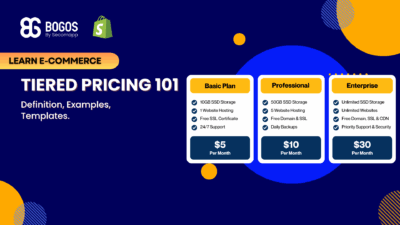
Summary Tiered pricing is one of the most popular sales promotion strategies used across many business models. From SaaS...
