


Ruby Tran
•
Last updated: 22 October, 2026
Security Update: BOGOS Is Safe & Fully Patched
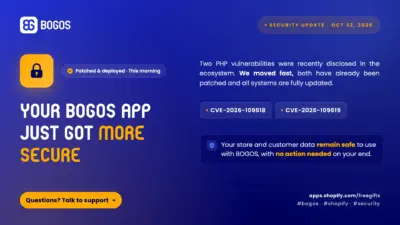
BOGOS: Free Gift & Bundle Upsell has been fully updated to address two recently disclosed PHP security vulnerabilities: CVE-2026-109618...
BOGOS Feature Wrap-Up: September 2026

Content Marketing Executive
Summarize this post with AI
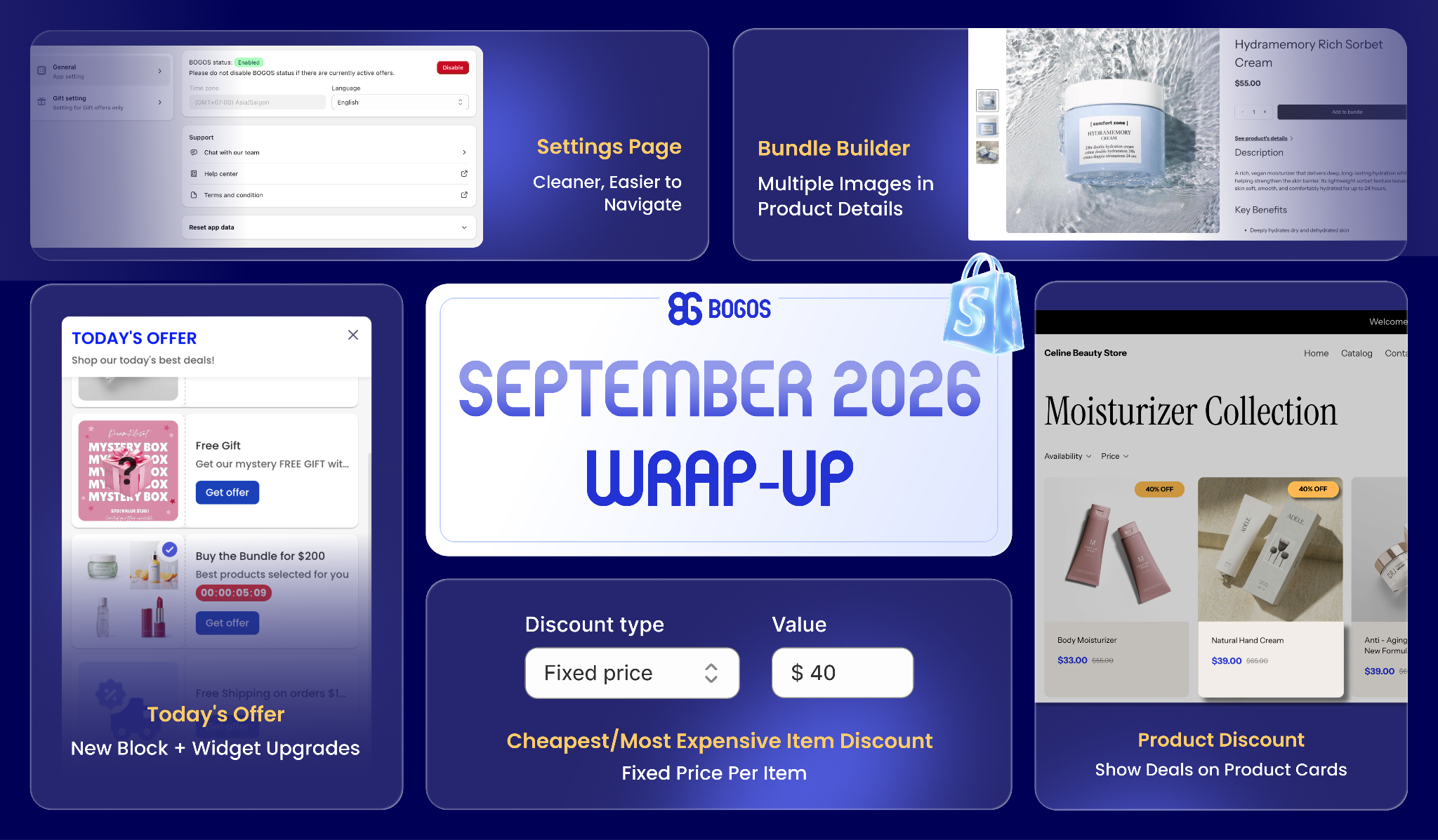
September was all about giving you more ways to show your offers and more control over how your discounts and settings work. From a brand-new Today Offer block to a cleaner Settings page, every update is built to help you run BFCM promotions more easily.
Let’s explore them together:
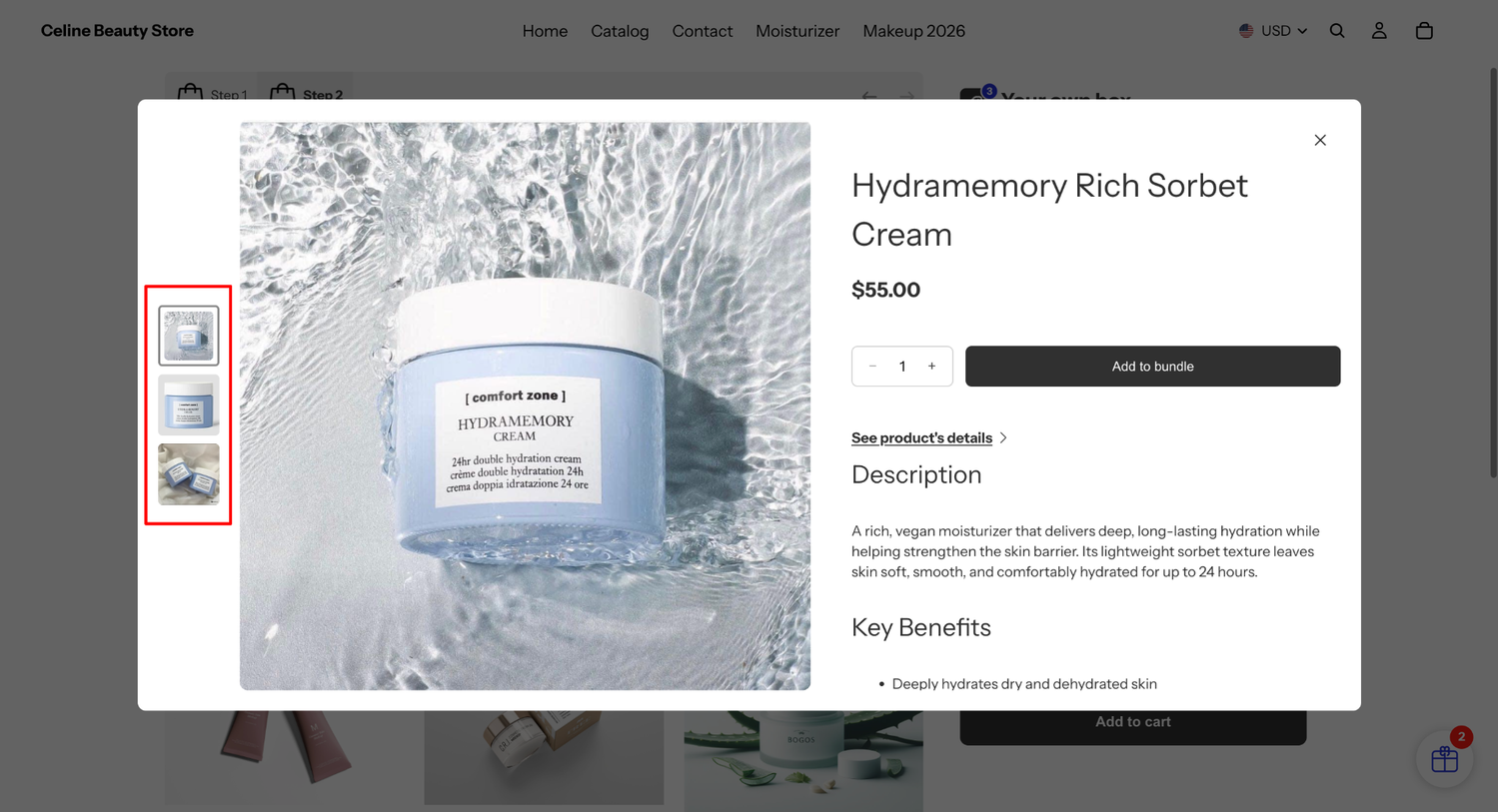
We’ve upgraded the product preview in Bundle Builder. Now your customers can view multiple product images and details right on the bundle page, no need to leave to check things out.
What you’ll get:
✅ Show up to 10 product images in the modal.
✅ Choose where the thumbnail gallery sits: below or left of the main image.
✅ Turn the link to the full product page on or off, with a label you can customize.
Available on all BOGOS premium plans.
How to set it up: Open BOGOS app > Customize Bundle builder > Bundle product field > See more modal.
⚠️ Note: For bundle offers published before this update, re-publish the offer to enable the new display. If you update product images on Shopify later, re-publish the offer to sync the latest ones.
For more details, please read [Customize Bundle Builder] help doc.
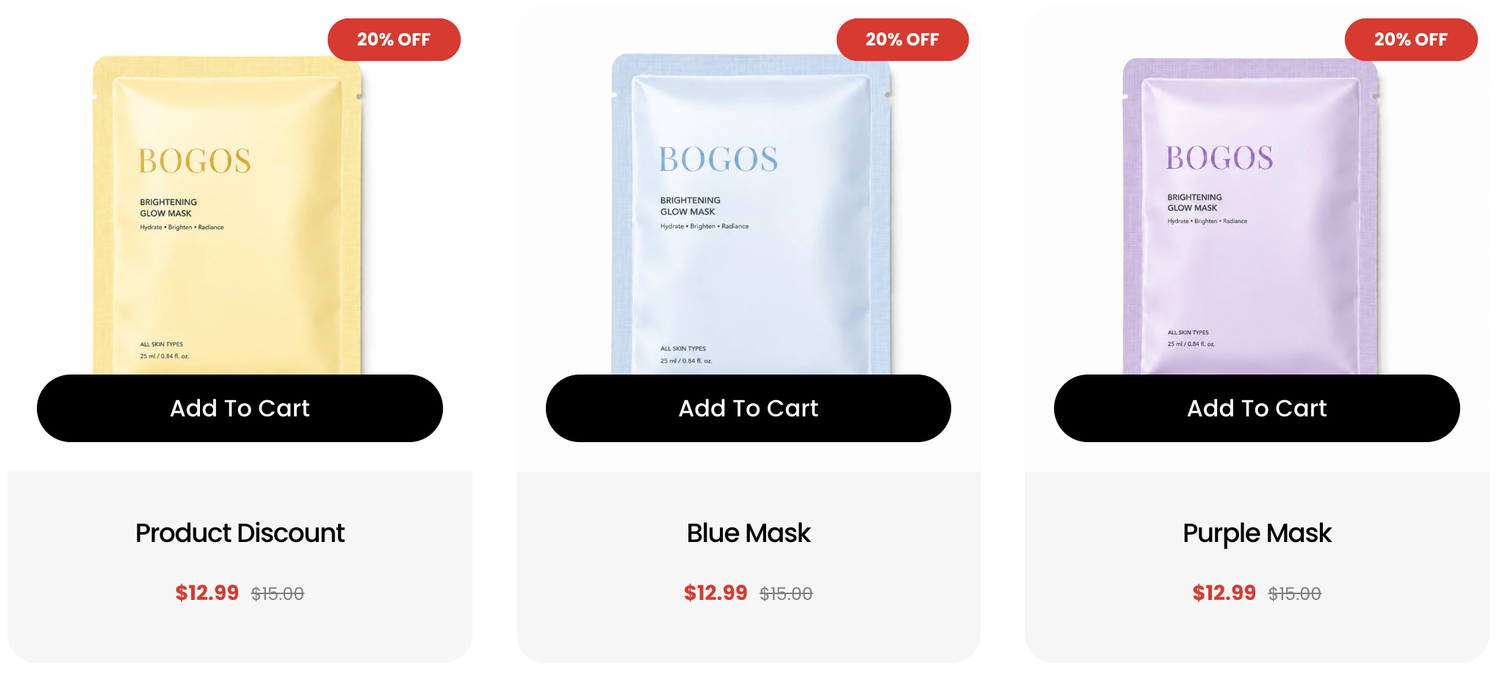
Your Product Discount offers can now shine beyond the product page. Show discounted prices and labels right on your collection pages, featured products, and more, so shoppers spot the deal the moment they land on your store.
What you’ll get:
✅ Display discounted prices and labels on product cards across your store.
✅ Choose where to show it: Product page, Product list, or both.
✅ Pick your label position on the product image (top left, top right, bottom left, bottom right).
How to set it up: Open BOGOS app > Customize Product Discount > Discount price display > tick Show on Product list > customize as you like > Save.
For more details, please read [Customize Discount Price Display] help doc.
Today Offer just got better with a brand-new block you can place on any page, plus fresh upgrades to the floating widget, so your deals get seen in more ways.
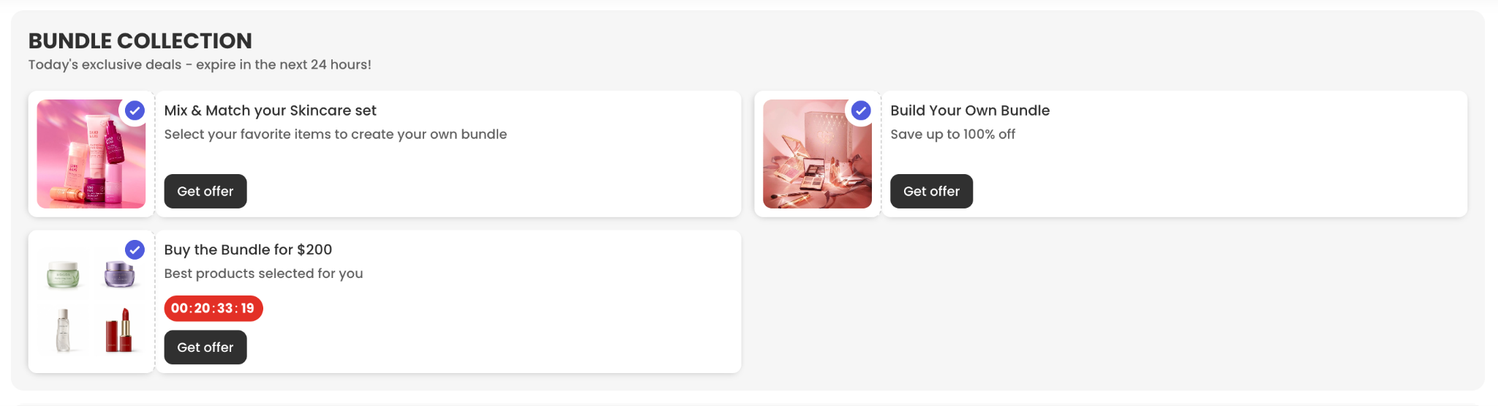
What you’ll get:
✅ New Today Offer Block Layout: Add it to any page (home, product, cart, or collection) and pick a Grid or Carousel layout.
✅ Badges & countdown timers: Add eye-catching badges (e.g., “10% OFF”) and timers to each offer card to drive urgency.
✅ More widget positions: Bottom left, Bottom right, Middle left, Middle right.
✅ New Modal display: Open the widget as a Popover or a Modal, and choose to auto-open the modal when the page loads.
✅ Pick what to show: Display all your active offers automatically, or hand-pick the ones you want.
How to set it up: Open BOGOS app > Boosters > Create booster > Today Offer Block or Today Offer Widget.
For more details, please read [Today Offer Block] help doc and [Today Offer Widget] help doc.
Say hello to a new discount type for your Cheapest/Most Expensive Item offer: Fixed price per item. Now you can set a fixed final price for the discounted item, perfect for deals like “3rd item just $1.”
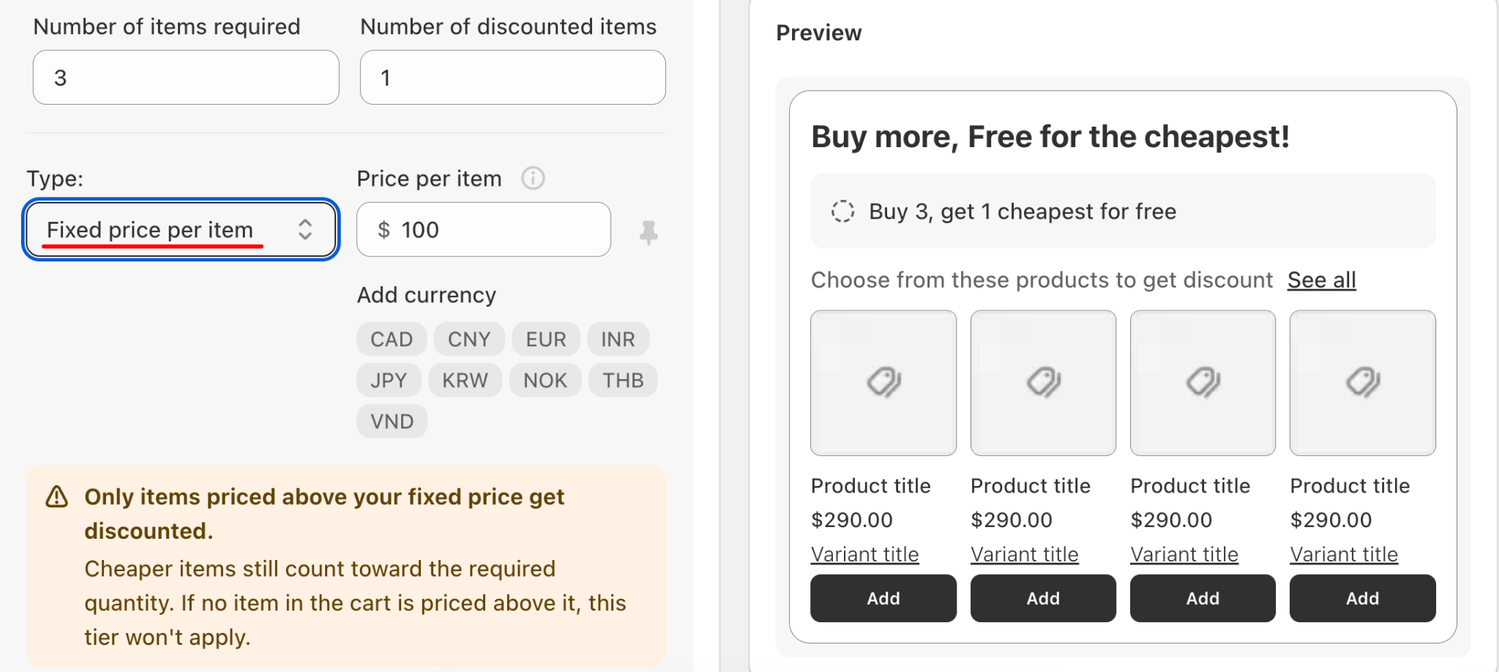
What you’ll get:
✅ Set a fixed final price for discounted items, no matter the original price.
✅ Works alongside the existing Percentage and Amount discount types.
✅ Items priced at or below the fixed price still count toward the required quantity, but stay at full price.
How to set it up: Open BOGOS app > All Offers > Create Offers > Discount > Cheapest/Most Expensive Item > Tiers > select Fixed price per item.
For more details, please read [Create Discount on Cheapest/Most Expensive Item] help doc.
We’ve given the Settings page a fresh look. Now everything is grouped into a clear two-tab structure, so you can find and adjust what you need faster.
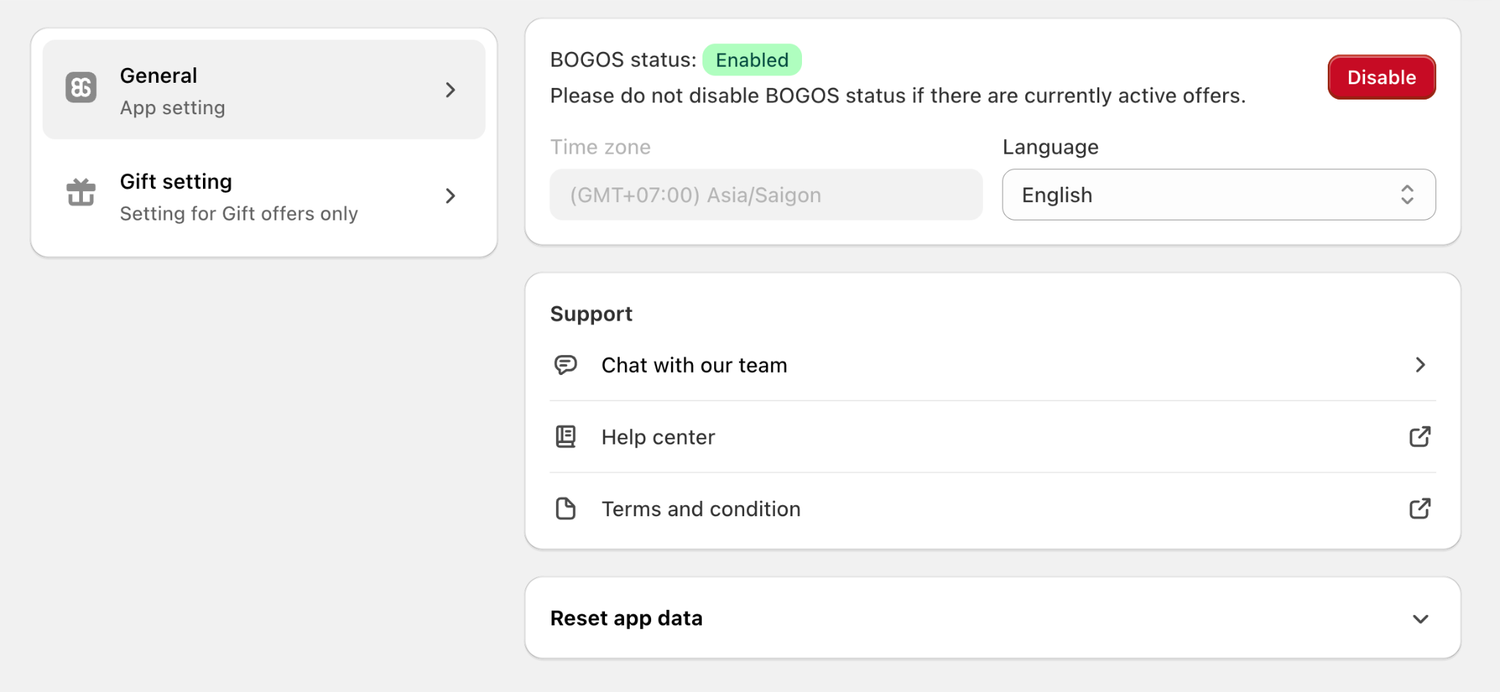
What you’ll get:
✅ General tab: App-level settings for BOGOS (app status, time zone, language, support, reset app data).
✅ Gift settings tab: Store-level settings that apply to all Gift offers.
✅ Clearer grouping for Draft-Order API, Gift behavior, Gift product creation, and Fraud protection.
How to access: Open BOGOS app > Settings.
For more details, please read [Settings] help doc.
Connect with our support team via live chat within the BOGOS app. We’re here for your success!
Stay in the loop – follow us on LinkedIn and bookmark our product update page for the latest releases.

BOGOS: Free Gift & Bundle Upsell has been fully updated to address two recently disclosed PHP security vulnerabilities: CVE-2026-109618...
We’re excited to announce that BOGOS now integrates with Yotpo, making it easier for Shopify merchants to build trust...
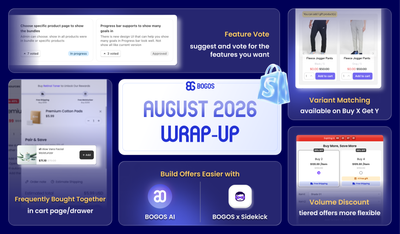
August brought BOGOS’s users bigger sales power and smarter workflows, from expanded upsell placements and flexible Volume Discount tiers...
