


Juice Bui
•
Last updated: 14 October, 2026
BOGOS Now Integrates with Yotpo
We’re excited to announce that BOGOS now integrates with Yotpo, making it easier for Shopify merchants to build trust...
BOGOS Feature Wrap-Up: June 2026

Content Marketing Executive
Summarize this post with AI
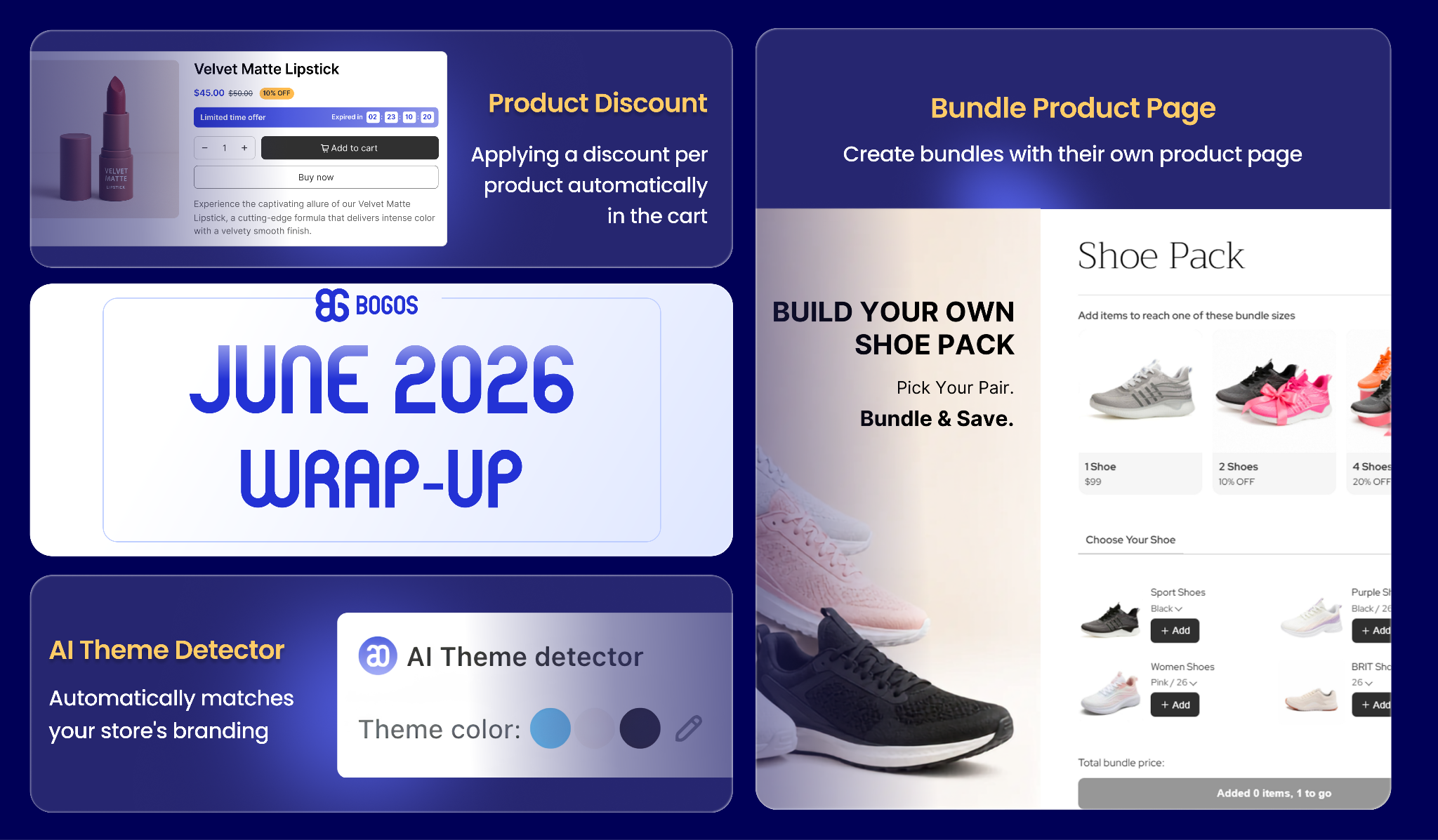
June at BOGOS was all about giving you more ways to sell smarter, from a brand-new bundle experience and a flexible product-level discount tool to an AI-powered styling helper that makes your offers match your store style or your brand in seconds.
Let’s explore them together:
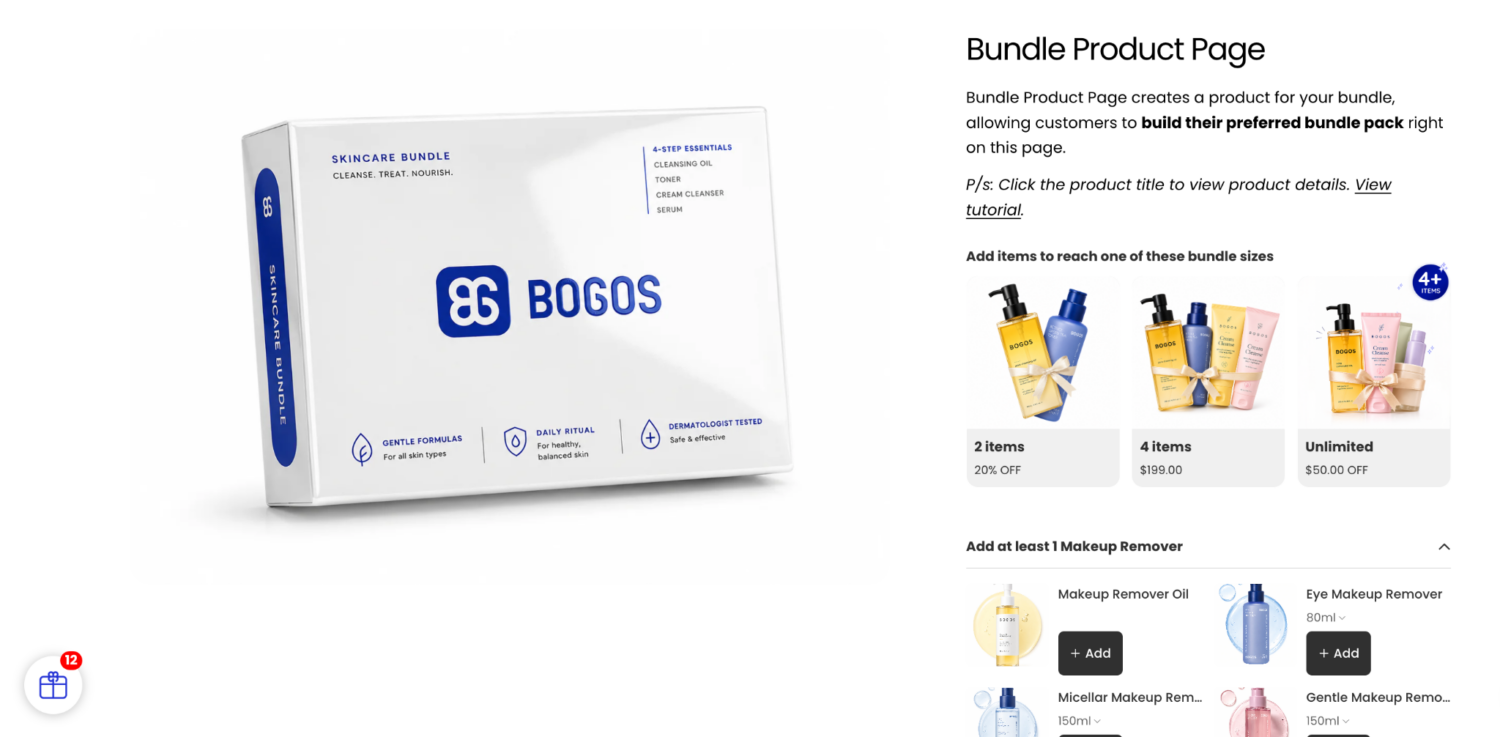
We’re excited to release the Bundle Product Page, a new bundle type that creates a dedicated product page where customers can build their own bundle pack from start to finish.
What you’ll get:
✅ Step-by-step product selection to help customers build their bundle.
✅ Trigger a discount automatically when the number of products added meets a pack size.
✅ Customize and preview the bundle’s display directly in the setup flow.
✅ Adjust each Bundle Product Page individually, or apply global customization across all of them.
✅ Widget on individual product pages to drive customers back to the bundle product page.
Available on all BOGOS premium plans. See it in action.
How to get started: Open BOGOS app > Create Offer > Bundle > Bundle Product Page.
For more details, please view Demo on Store or read Bundle Product Page Help docs.
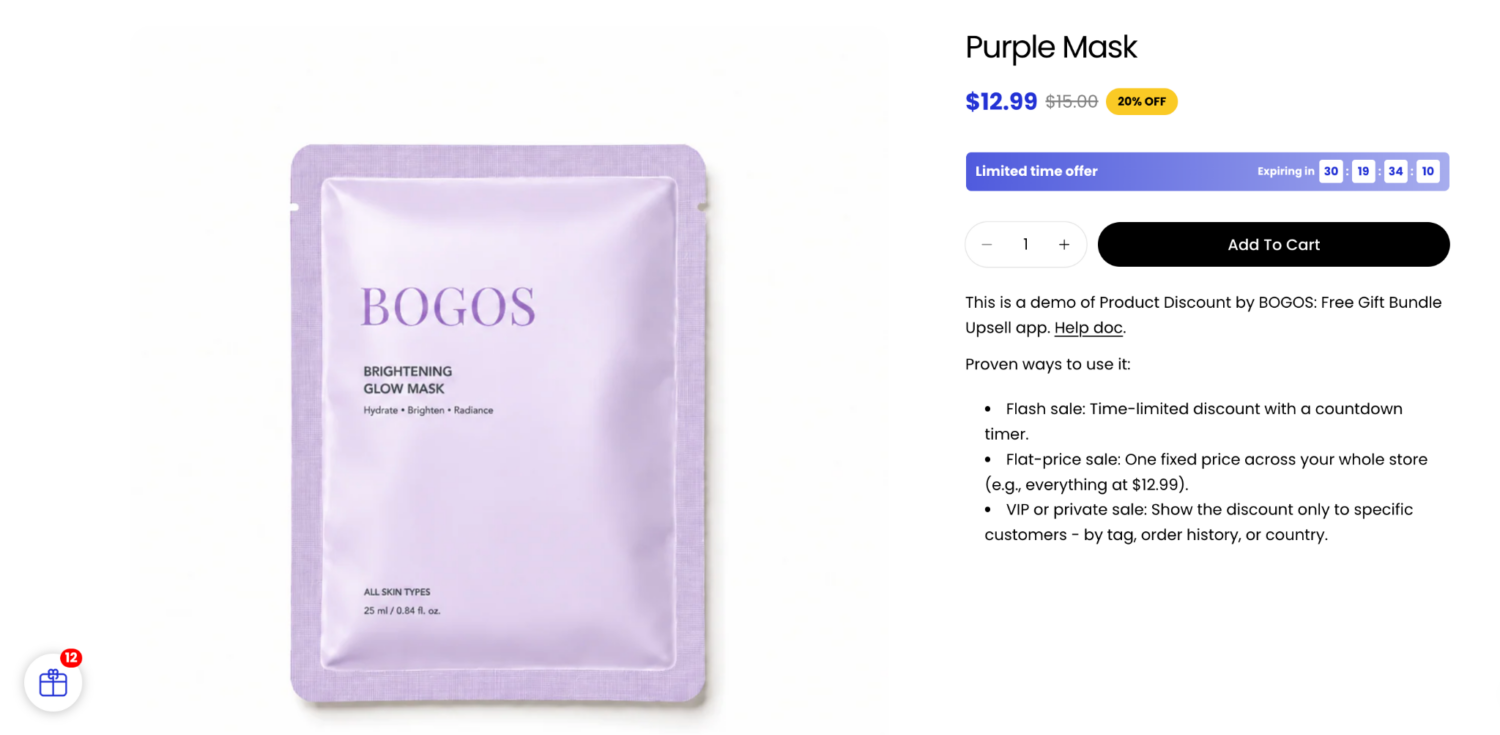
Meet Product Discount, a new offer type built for bulk product discounts, flash sales, seasonal promotions, and private sales, with discounts applied automatically in the cart so customers never have to enter a code.
What you’ll get:
✅ Apply a discount for specific products or across your entire store, in a single offer.
✅ Schedule flash sales to start and end automatically.
✅ Limit total uses or restrict to one time/use per customer to keep promotions limited.
✅ Add a countdown timer on the product page to create urgency and drive conversions.
How to set it up: Open BOGOS app > All Offers > Create Offers > Discount > Product Discount.
For more details, please view Demo on Store or read Product Discount Help docs.
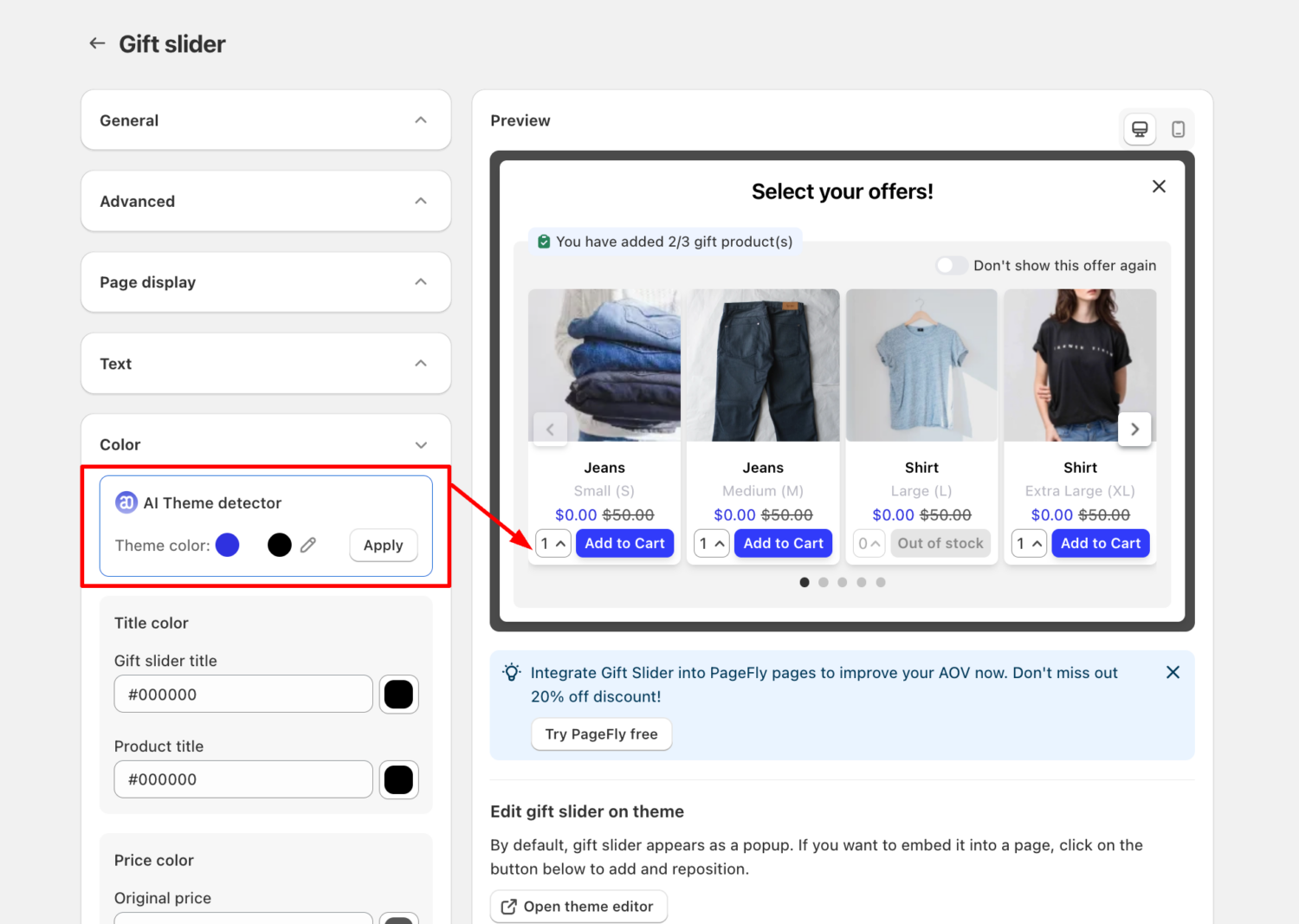
Styling your offers just got a lot faster. The new AI Theme Detector automatically reads your store’s brand colors and applies them to your BOGOS widgets – no more manually copying hex codes.
What you’ll get:
✅ Automatic detection of your store’s Primary, Secondary, and Text colors.
✅ One-click styling so your widgets match your brand identity instantly.
✅ Available for most widget types (excluding Checkout Upsell and Thank You Page Upsell).
⚠️ Note: Your store must not be password-protected for the AI to access and detect your brand colors.
How to set it up: Open BOGOS app > Customize > select a widget (e.g., Gift Slider, Volume Discount) > Color > AI Theme Detector.
Connect with our support team via live chat within the BOGOS app. We’re here for your success!
Stay in the loop – follow us on LinkedIn and bookmark our product update page for the latest releases.

We’re excited to announce that BOGOS now integrates with Yotpo, making it easier for Shopify merchants to build trust...
September was all about giving you more ways to show your offers and more control over how your discounts...
August brought BOGOS’s users bigger sales power and smarter workflows, from expanded upsell placements and flexible Volume Discount tiers...
