


Ruby Tran
•
Last updated: 4 September, 2026
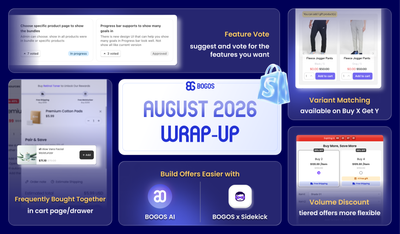
BOGOS Feature Wrap-Up: August 2026
August brought BOGOS’s users bigger sales power and smarter workflows, from expanded upsell placements and flexible Volume Discount tiers...
BOGOS Feature Wrap-Up: April 2026

Content Marketing Executive
Summarize this post with AI
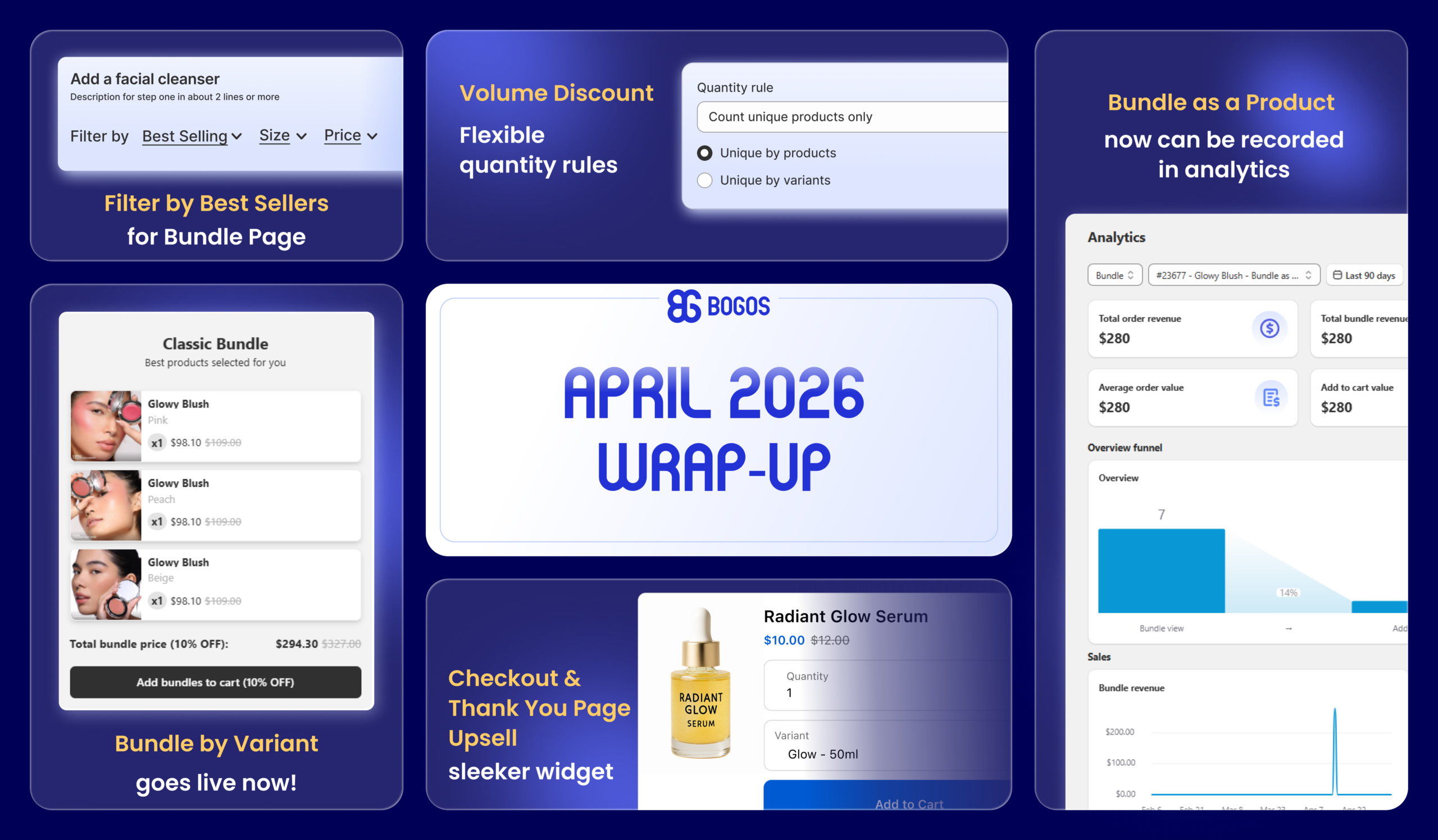
April at BOGOS was packed with meaningful updates – giving you deeper bundling control, smarter volume discount set up, and a cleaner upsell experience right at the point of purchase.
Here’s a full look at what’s new:
Volume Discount gets two new rule options this month.
Quantity Rules: Choose how products are counted for discount tiers. You can count:
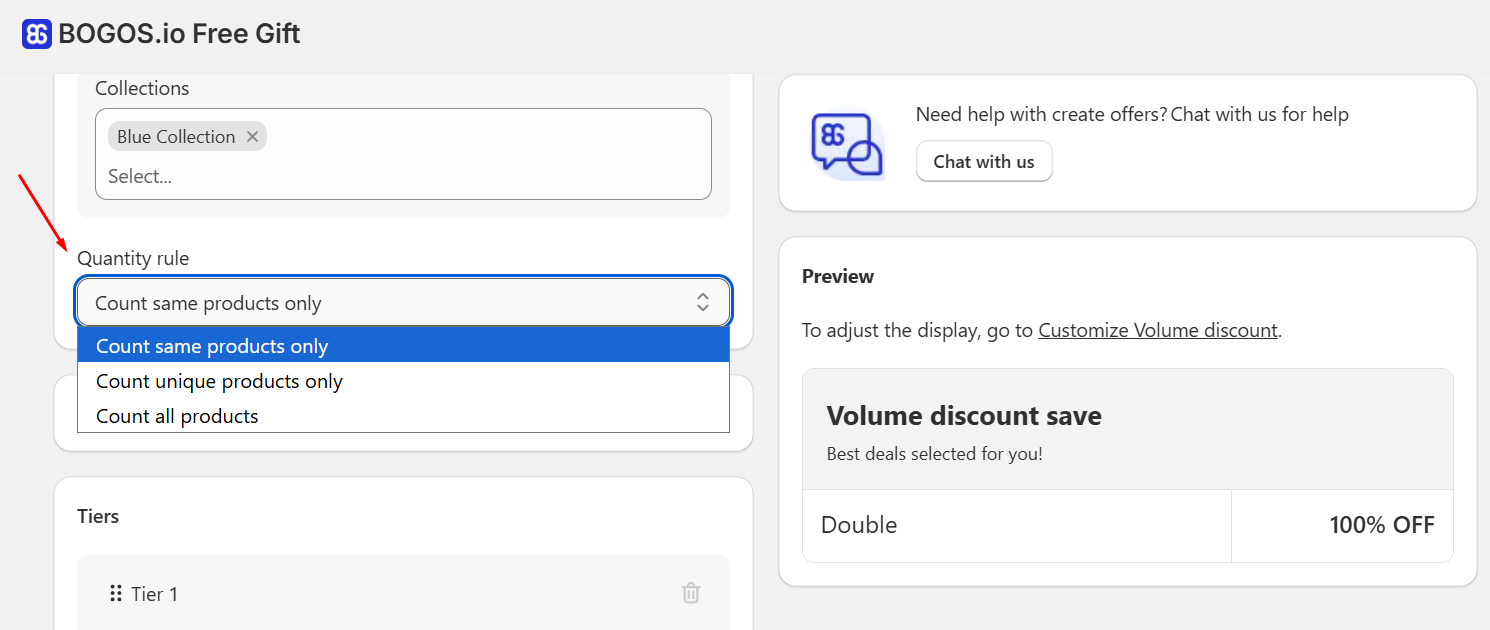
Any items exceeding last tier’s quantity will not be discounted: Items that exceed your last tier’s quantity are now sold at full price. For example, if your last tier requires 3 items and a customer adds 4, the discount applies to the first 3 only.
Set it up: Open BOGOS app > Create Offer > Discount > Volume Discount.
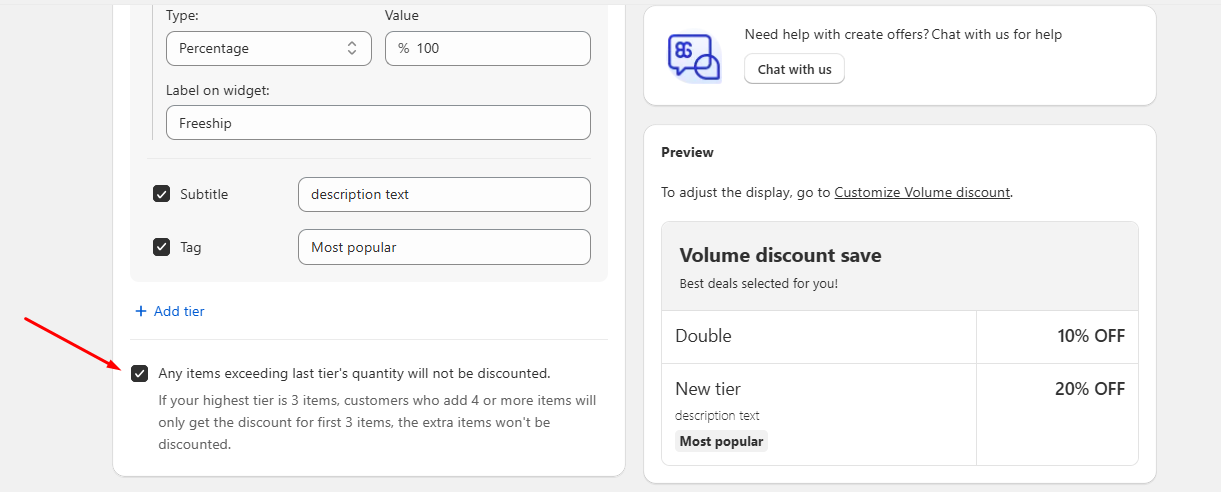
For more details, check BOGOS’s [Volume Discount] help doc.
You can now build bundles using specific product variants, not just products. For example, set up a bundle of 1 red, 1 yellow, and 1 blue from the same T-shirt – exactly the combination you want.
Set it up: Open BOGOS app > Create Offer > Bundle > Classic Bundle > Under Bundle item level, choose Variant level.
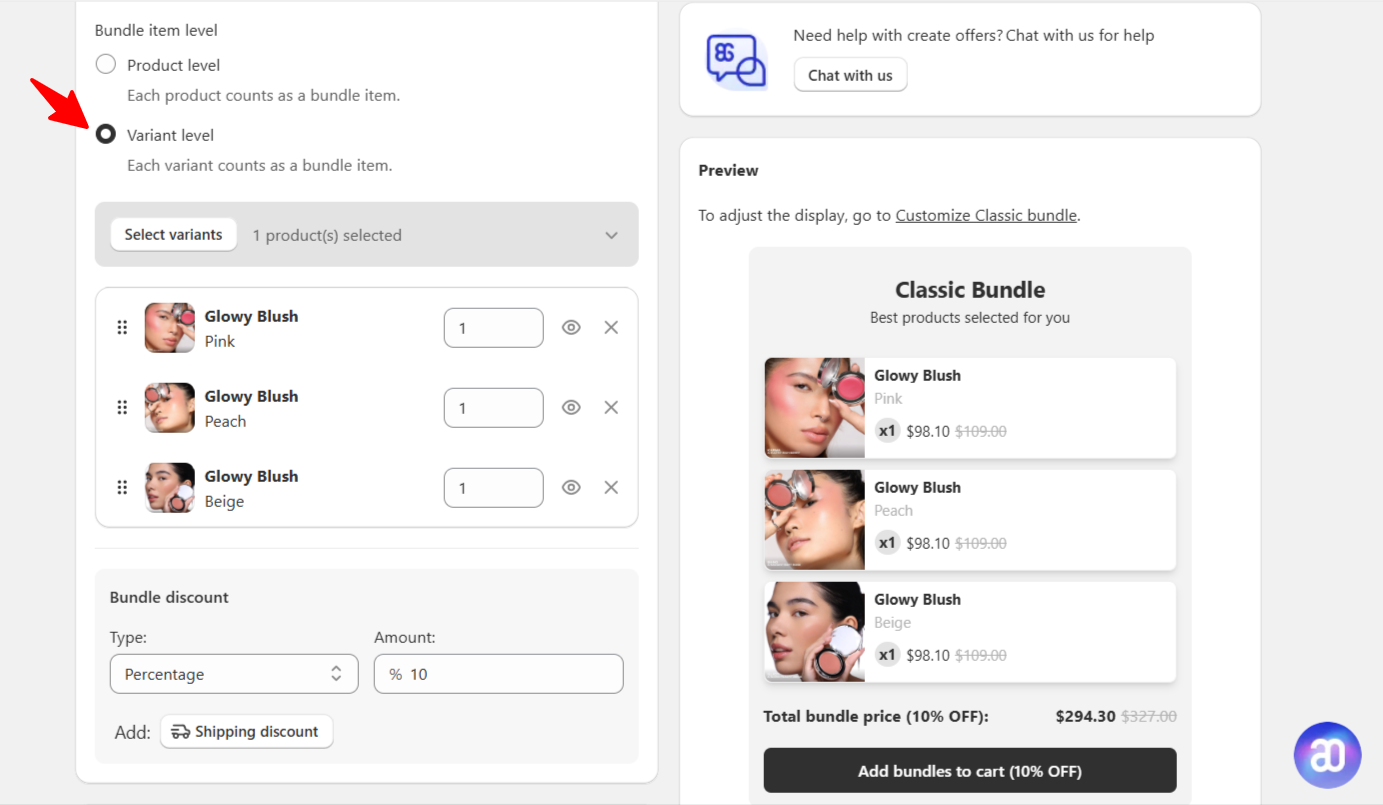
For more details, check BOGOS’s [Classic Bundle] help doc.
Shoppers can now sort products by Best Selling within each Bundle Page step, making it easier to surface your top-performing products right where purchase decisions happen.
Set it up: Bundle > Bundle Page > Open a Step setup > Advanced settings > Sort by > Best Selling.
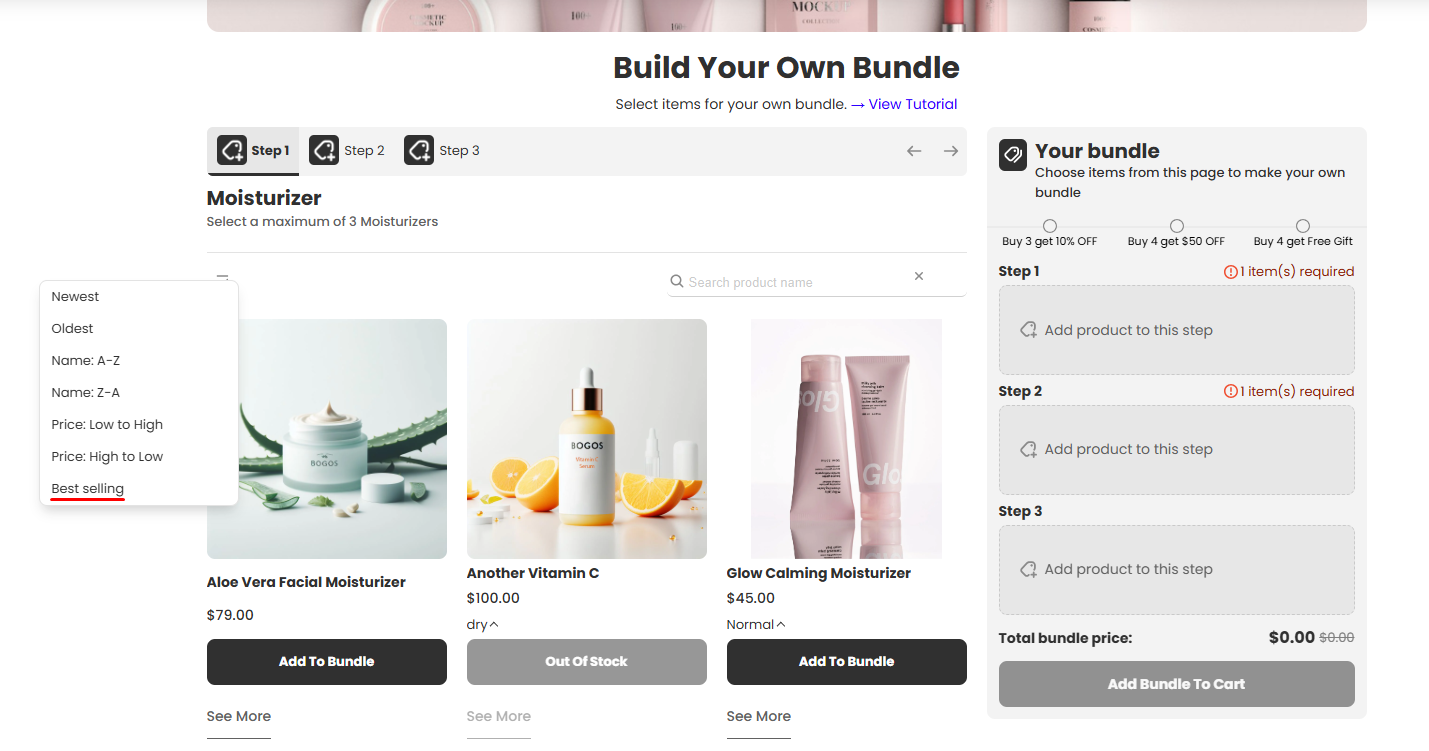
For more details, check BOGOS’s [Bundle Page] help doc.
Two big improvements landed for Bundle as a Product this month.
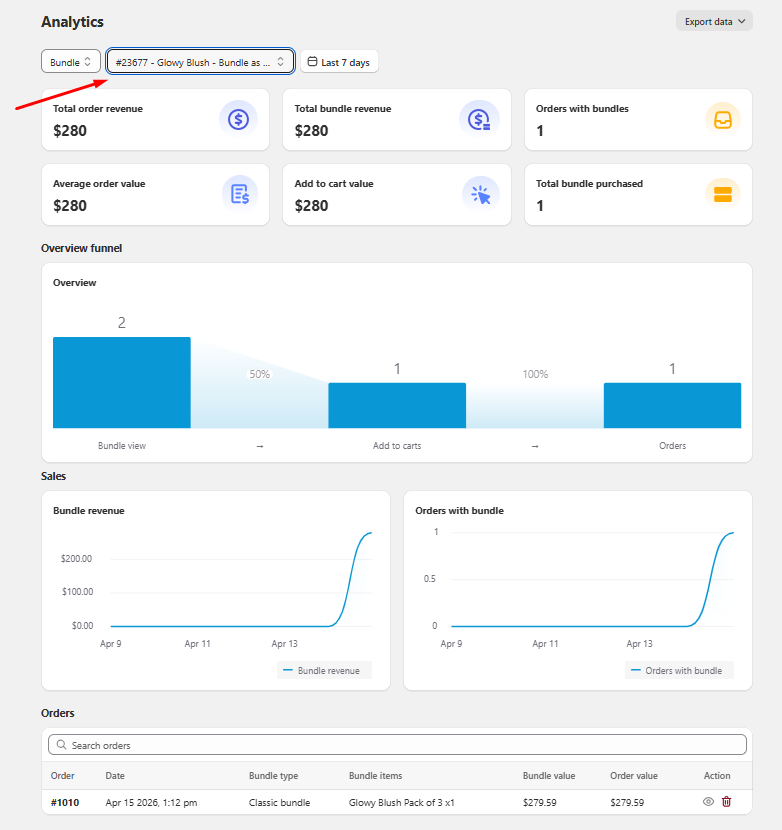
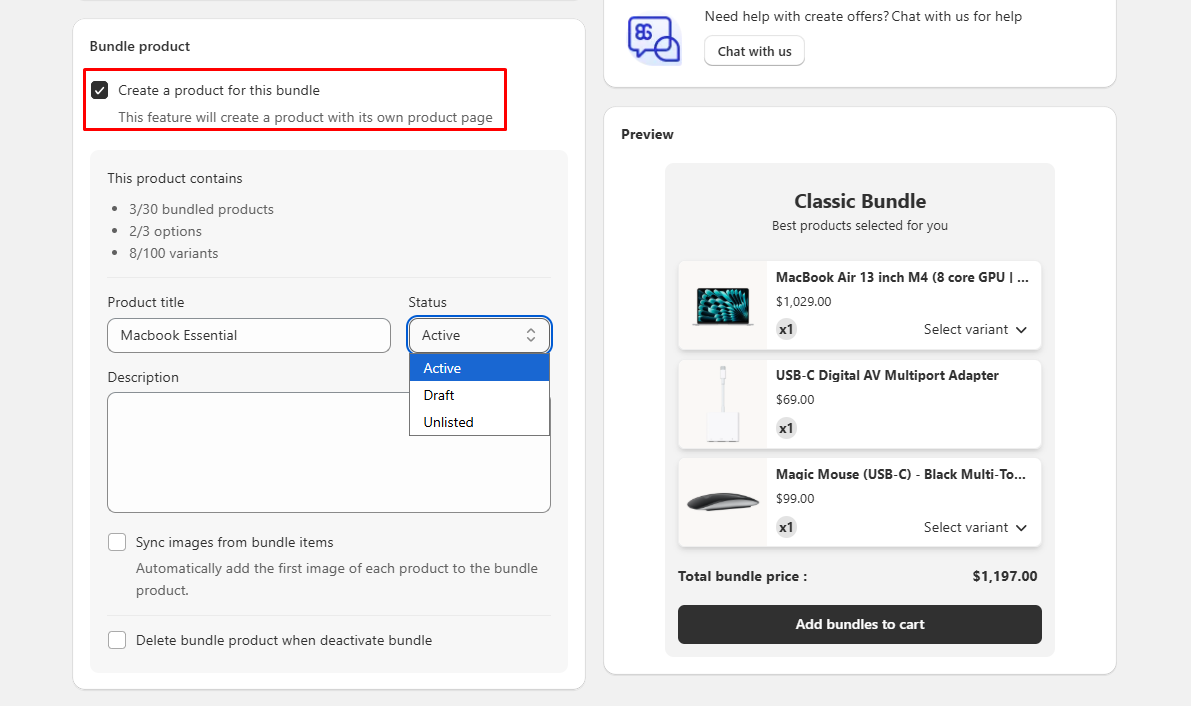
Set it up: Open BOGOS app > Create Offer > Bundle > Classic Bundle > Select Create a product for this bundle.
For more details, check BOGOS’s [Create a product for this bundle] help doc.
A sleeker, redesigned widget for your checkout & thank you page upsell, built to feel smoother and convert better right when customers are ready to buy.
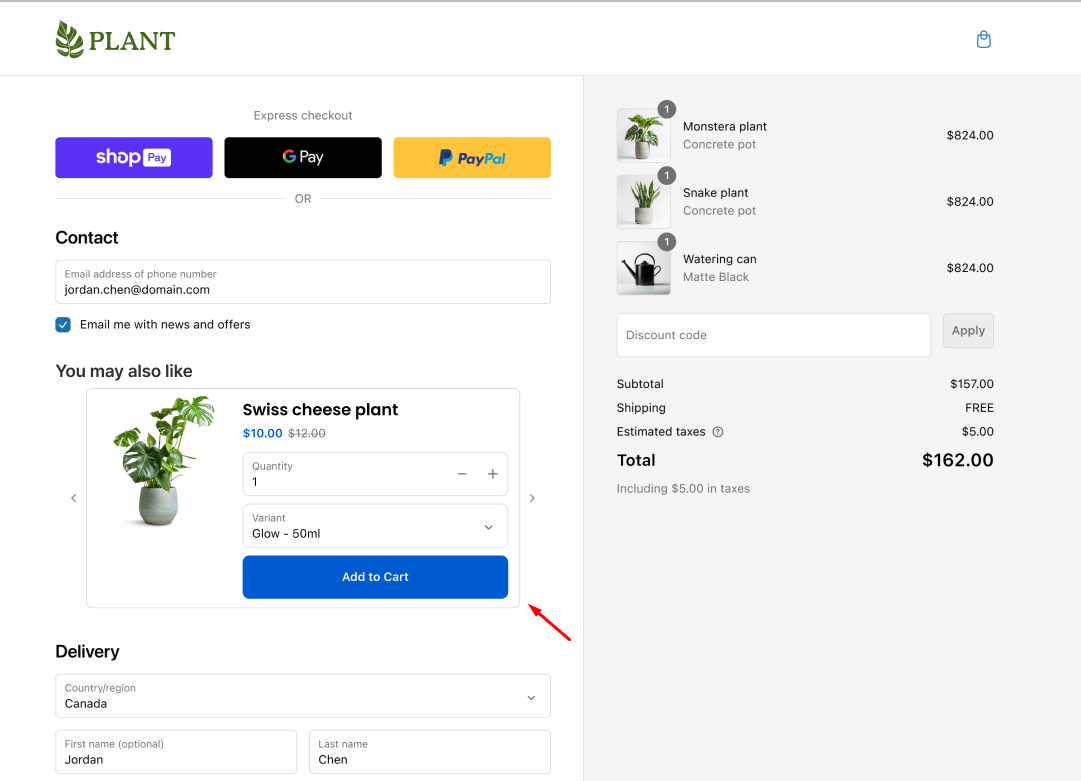
Now you can set a maximum number of upsell products a customer can add at checkout to protect your margin. Once the limit is reached, the upsell section automatically disappears.
Set it up: Checkout Upsell > Navigate to Upsell Method > Limit number of upsell products can be added.
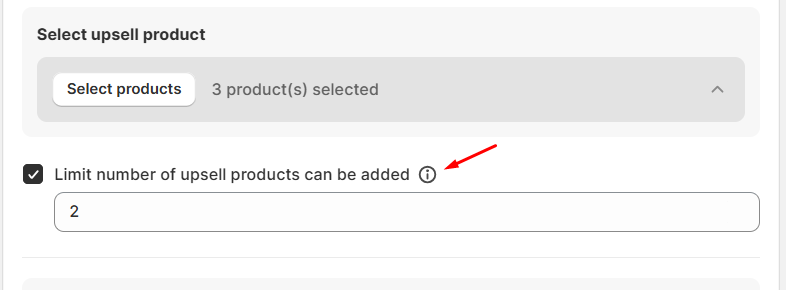
For more details, check BOGOS’s [Checkout Upsell] help doc.
For real-time guidance on these updates, connect with our support team via live chat within the BOGOS app or on our website. We’re here for your success!
Stay in the loop! Follow BOGOS on LinkedIn and bookmark our product update page for the latest feature releases and expert tips to help you grow your business.

August brought BOGOS’s users bigger sales power and smarter workflows, from expanded upsell placements and flexible Volume Discount tiers...
July brought a brand-new way to promote across your storefront, real performance data for your boosters, smarter scheduling for...
June at BOGOS was all about giving you more ways to sell smarter, from a brand-new bundle experience and...
