Allan Vu is a Digital Marketing expert and the driving force behind BOGOS’s blog content. With a deep understanding of eCommerce and Shopify promotions, he is passionate about helping merchants unlock the full potential of their stores.
At BOGOS, Allan creates valuable, practical content focused on strategies like Free Gifts, Buy X Get Y, product bundles, and upsell offers to empower Shopify sellers to grow their businesses effectively.
Known for his clear, insightful writing, Allan is dedicated to delivering actionable advice that makes a real difference for BOGOS’s readers.
Many Shopify stores add product bundles, hoping to increase their average order value. Sometimes it works immediately. Other times, the bundle sits on the page with very few purchases. The reality is that small details such as the discount structure, product mix, or pricing format can dramatically influence how customers respond to a bundle offer.
A/B testing allows you to systematically experiment with those elements and identify what actually drives higher revenue. Rather than relying on assumptions, you can compare 2 versions of a bundle and see which one performs better.
This article explains how A/B testing works for Shopify bundles, what variables are worth testing, and which tools can help you run experiments. Most importantly, how to properly measure the results.
👉 If you are new to Shopify and looking for a full bundle guide, in this article, “Shopify product bundle comprehensive guide“, we will explain everything you need to know, step-by-step.
1. What is A/B testing in e-commerce?
1.1 Definition
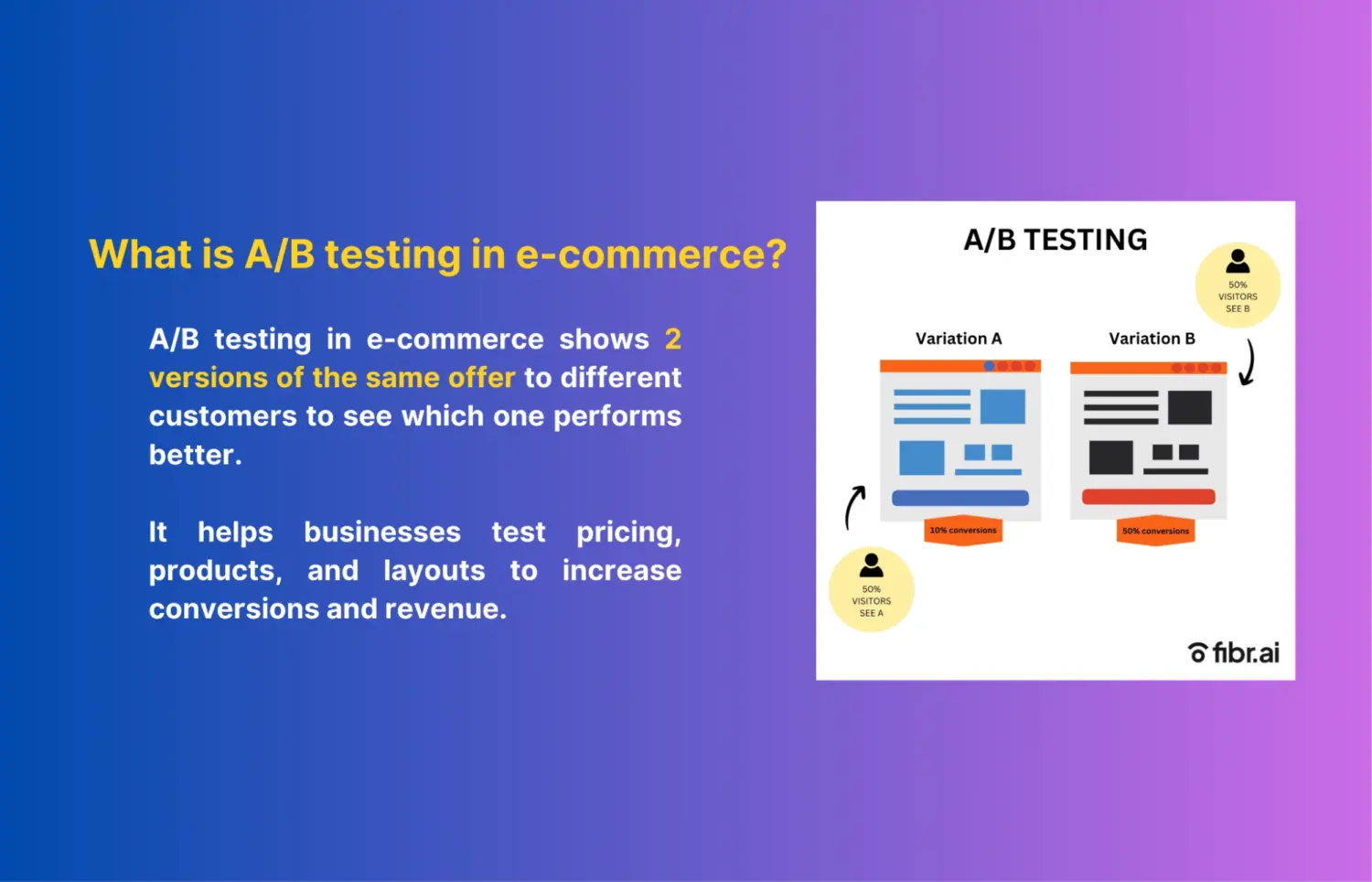
A/B testing in e-commerce is a method for comparing 2 versions of an offer to determine which performs better. In a typical A/B test, visitors are randomly shown one of 2 variations. Each version includes a specific change, such as pricing, product selection, or how an offer is presented.
For Shopify stores, A/B testing is commonly used to optimize product bundles. Small adjustments to bundle pricing, structure, or presentation can significantly affect whether customers add the bundle to their cart.
1.2 How A/B testing works
First, you create 2 versions of the same offer. Version A is the control, usually your current bundle. Version B includes the change you want to test, such as a different discount or bundle structure.
Next, traffic is split between the 2 versions. Typically, visitors are divided evenly so that each version receives about 50% of the traffic. This ensures both variations are tested under similar conditions.
Finally, you measure performance to determine the winner. Metrics such as conversion rate, average order value, and revenue per visitor help identify which version performs better.
1.3 What you can test in Shopify product bundles
Bundle price: Compare different bundle price points to see which one maximizes revenue.
Discount level: Test different discount structures, such as percentage discounts, fixed savings, or BOGO offers.
Product combinations: Experiment with different product mixes inside the bundle.
Number of items in the bundle: Compare smaller bundles with fewer products versus larger bundles with higher perceived value.
Bundle layout: Test how the bundle displays on the product page, in the cart, and in the upsell section.
CTA messaging: Compare call-to-action copy such as “Add bundle and save 20%” versus “Complete the set.”
2. Golden rules for A/B testing Shopify bundles
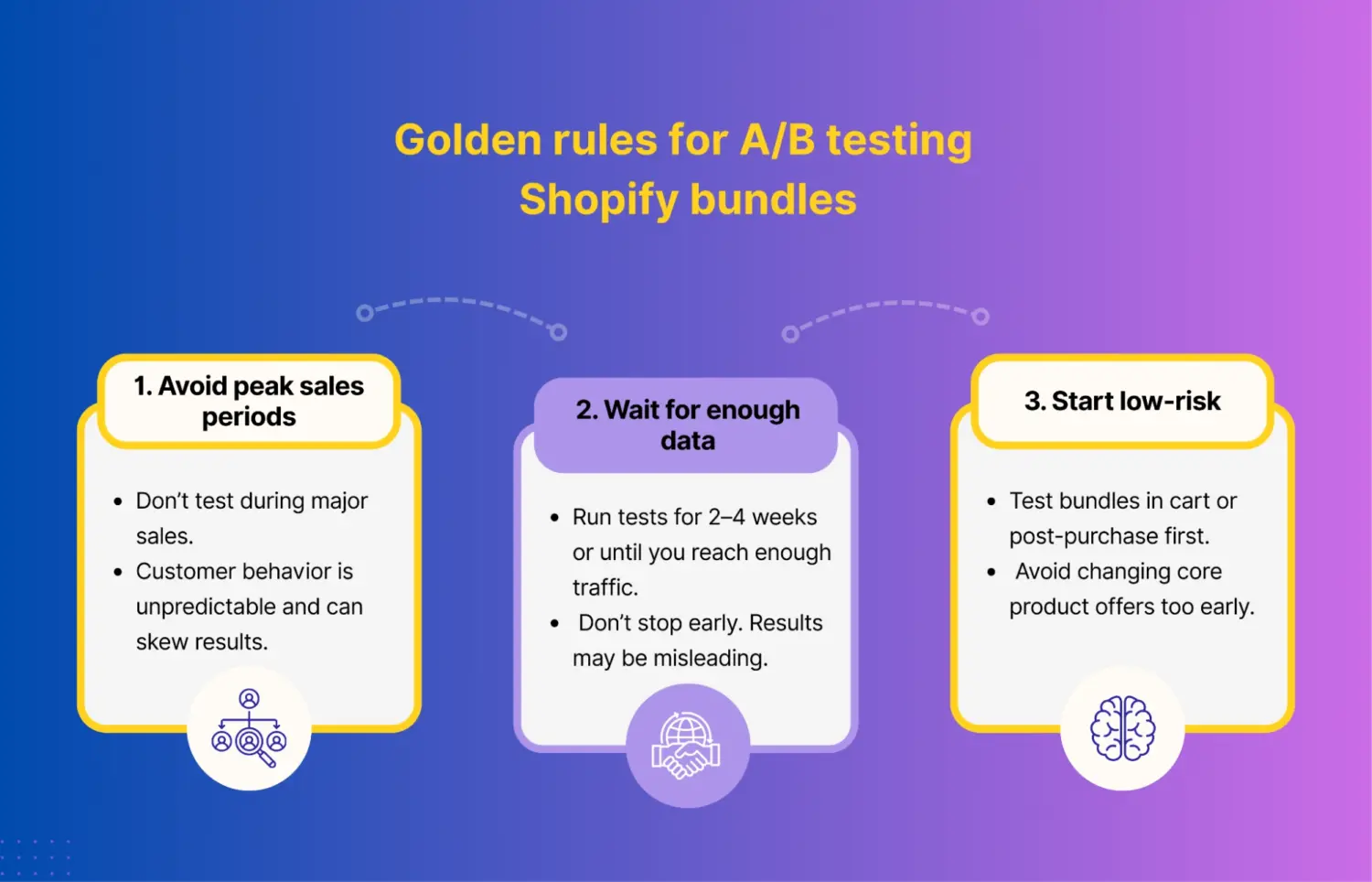
#1 Don’t test during mega-sale periods
Avoid running A/B tests during large promotional events such as Black Friday or Cyber Monday. During these periods, customer behavior becomes highly unpredictable. Many shoppers are driven by urgency, deep discounts, and FOMO rather than normal purchasing patterns.
This can skew your test results. A bundle variation may appear to perform better simply because shoppers are already primed to buy during the sale. For cleaner insights, it is better to run experiments during regular traffic periods.
#2 Reach statistical significance before choosing a winner
One of the most common mistakes is stopping a test too early. If you end an experiment after only a few days, the results may simply reflect random variation rather than a true performance difference.
As a general rule, we recommend running bundle tests for 2–4 weeks, or until each variation receives meaningful traffic. A common benchmark is around 1,000 visitors per variation, though this depends on your store’s traffic and conversion rate.
#3 Start testing in low-risk areas of the funnel
Not every experiment carries the same level of risk. Changing the price of a core product, for example, can directly affect your store’s revenue if the test performs poorly.
A safer approach is to start testing bundles in low-risk parts of the funnel. Post-purchase upsell bundles or cart upsell bundles are good starting points because they do not interfere with the initial purchase decision. Once you gain confidence from those experiments, you can move on to testing bundle offers on product pages or other high-impact areas of the storefront.
3. How to run A/B tests for Shopify product bundles
The process usually involves 3 steps. First, decide which element of the bundle you want to test. Next, choose a testing method and tool to run the experiment. Finally, track the right metrics to determine which variation performs better.
3.1 Decide what to test (choose your variables)
Before launching an experiment, you need to decide exactly what you want to test. The most important rule in A/B testing is to test one variable at a time. This practice, often called isolating the variable, ensures that any change in performance can be attributed to that specific element.
If you change multiple things at once, such as pricing, product selection, and layout, it becomes impossible to know which factor influenced the results.
For Shopify bundles, several variables tend to have the biggest impact on performance.
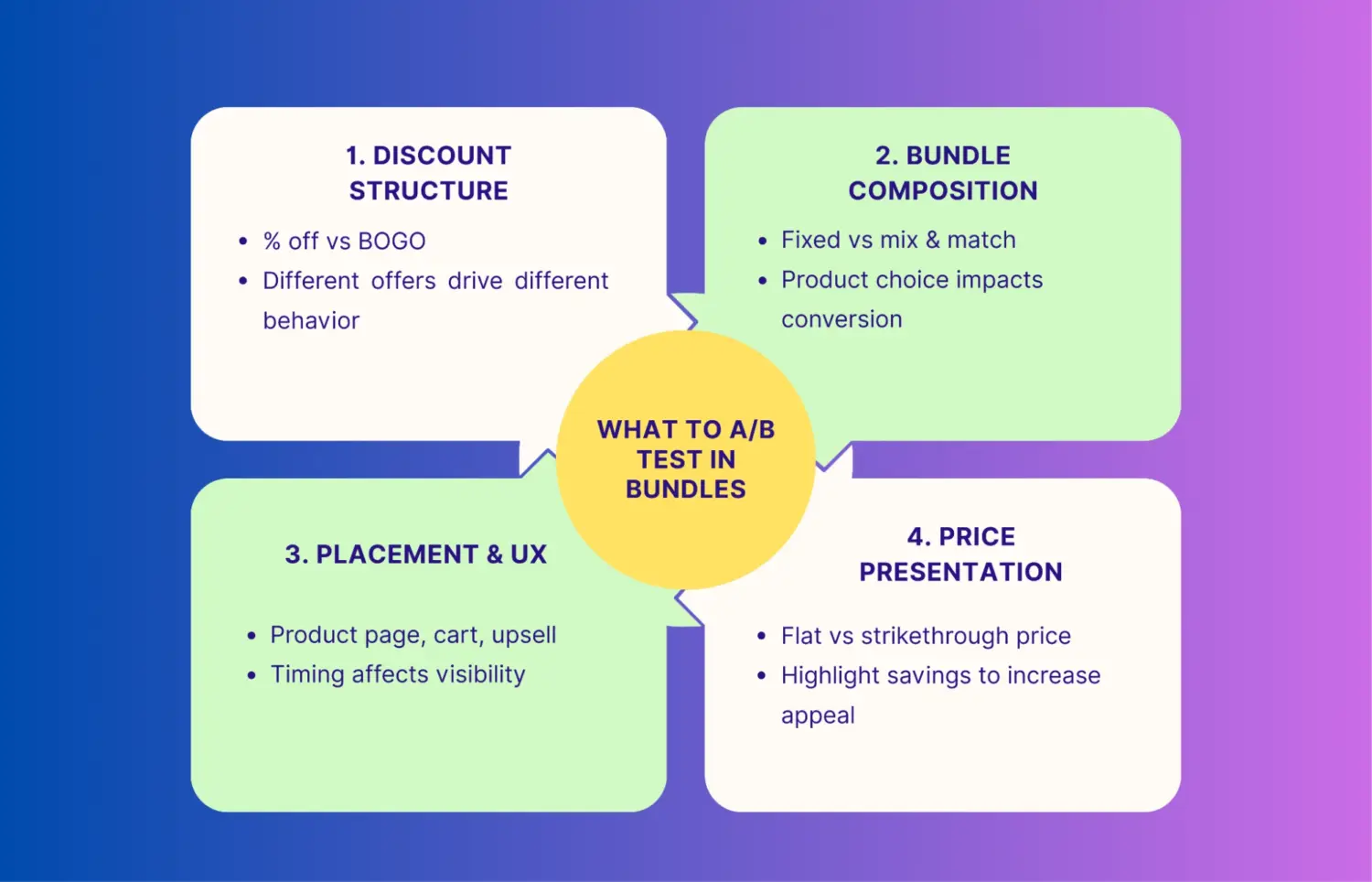
#1 Discount structure (the offer)
Different types of promotions can trigger different buying behaviors. Some customers respond better to percentage discounts, while others prefer offers that feel more tangible.
For example, you might test:
Buy 2 products and get 15% off
Buy 2 products and get 1 free (BOGO)
Even if the actual discount value is similar, the perceived value of the offer can change how customers react.
#2 Bundle composition (the products)
The structure of the bundle itself can influence purchase decisions. A fixed bundle provides a predefined set of products, while a mix-and-match bundle allows customers to build their own combination.
Examples of tests include:
Pre-packaged bundle vs build your own bundle
Replacing a secondary product in the bundle with a different item
Adding a complementary accessory to increase perceived value
Sometimes, a small product change can significantly increase bundle adoption.
#3 Bundle placement and user experience
Where the bundle appears in the shopping journey also affects performance. If customers do not notice the bundle at the right moment, they may ignore it entirely.
Common placement tests include:
Bundle widget directly below the Add to Cart button on the product page
Bundle upsell inside the cart drawer
Bundle offer shown as a post-add-to-cart suggestion
The goal is to present the bundle when the customer is already considering a purchase.
#4 Pricing presentation
How the bundle price is displayed can influence perceived savings. In many cases, the presentation of the price matters as much as the price itself.
For example:
Flat rate pricing: Bundle price: $50
Strikethrough pricing: Original price: $70 vs. Bundle price: $50
Strikethrough pricing often highlights savings more clearly, making the offer feel more compelling.
3.2 Choose your A/B testing method & tools
Method 1: Sequential testing (time-based testing)
Sequential testing is the simplest approach and can be done manually without additional tools. The idea is simple: you run one bundle variation for a specific time period, then replace it with another version and compare the results.
Example workflow
Week 1: Run Bundle A
Week 2: Replace it with Bundle B
After both periods finish, compare performance using Shopify Analytics. You can look at metrics such as conversion rate, average order value, and revenue generated.
Advantages
Free and easy to implement
No additional tools required
Suitable for small stores with limited traffic
Limitations
Results may be influenced by external factors such as weekly traffic fluctuations or seasonal demand
Different marketing campaigns between weeks can distort the data
Lower statistical reliability compared to split testing
Because of these limitations, sequential testing works best as a basic experimentation method for smaller Shopify stores.
Method 2: Split testing using Shopify apps
Split testing is a more reliable method because both variations run simultaneously. Traffic is automatically split between Version A vs. Version B, typically 50/50. This ensures both bundles are tested under identical conditions.
You have 2 main paths here:
Using bundle apps with built-in A/B testing
Using dedicated experimentation tools
For most stores, it’s better to start with bundle apps that already include A/B testing. They’re easier to set up, more aligned with how bundles actually work, and require less technical overhead. There are 2 options for you.
#1 Kaching Bundles App & Upsells
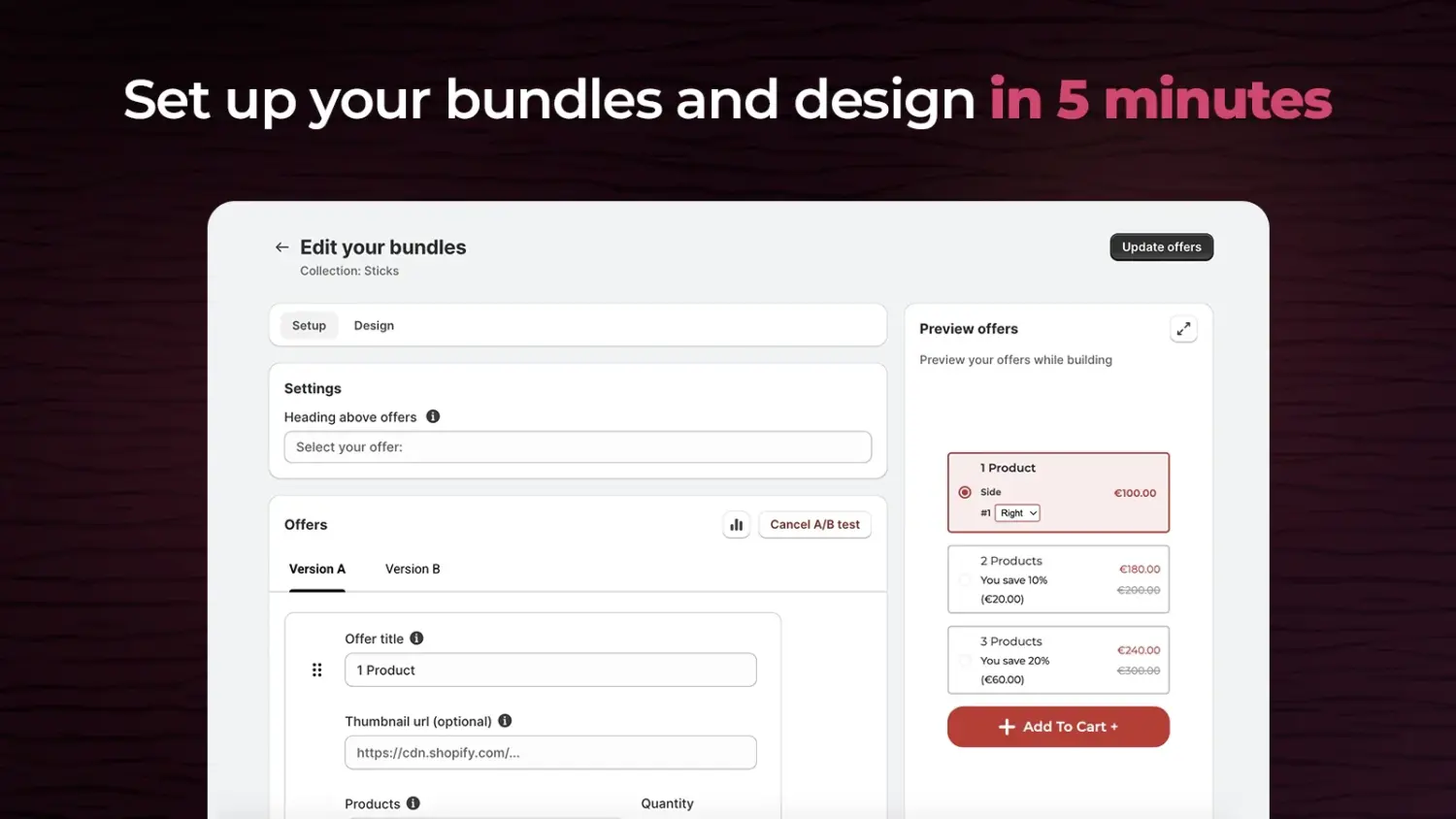
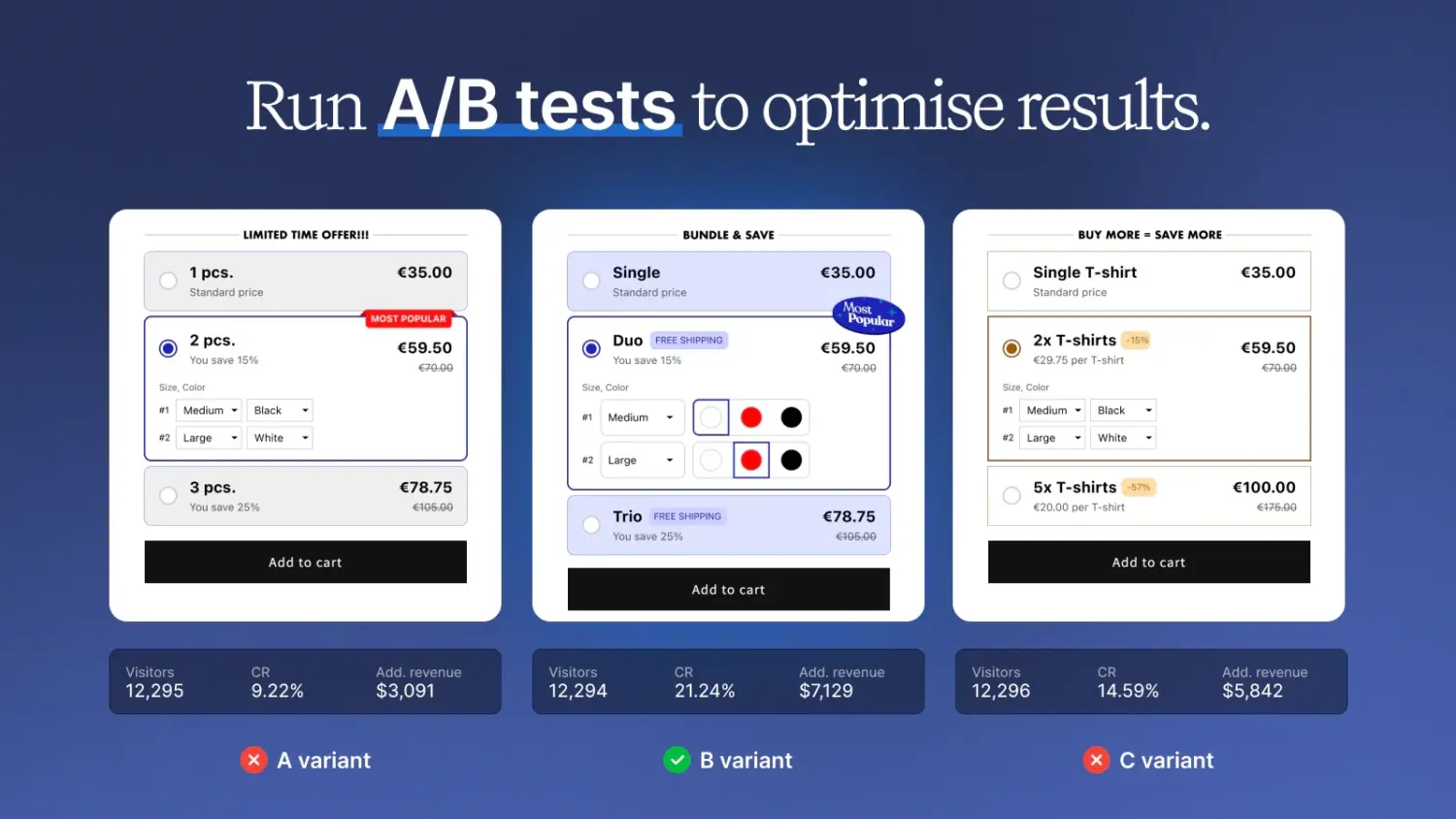
Kaching Bundles is a dedicated quantity-break app that offers native A/B split testing without third-party tools. It allows you to test up to 4 bundle variations simultaneously, experimenting with discounts, layouts, titles, and button texts, while using local storage to ensure returning visitors see a consistent offer.
However, its limitation is that you cannot split-test visibility settings (like specific Markets or scheduling), nor can you test baseline product price increases directly within the app.
#2 Wide Bundles ‑ Quantity Breaks
Wide Bundle focuses on creating highly customizable volume discounts, mix-and-match bundles, and BOGO deals to enhance product page design. It offers a built-in A/B testing feature that splits traffic 50/50 between two bundle variations, and tracks key metrics such as views, add-to-carts, revenue, and profit.
The main drawback is a lack of public documentation on its testing mechanics, such as how it handles returning user sessions or the exact variant limits, making it less transparent to set up than Kaching.
There are also dedicated A/B testing apps for you.
#3 Intelligems
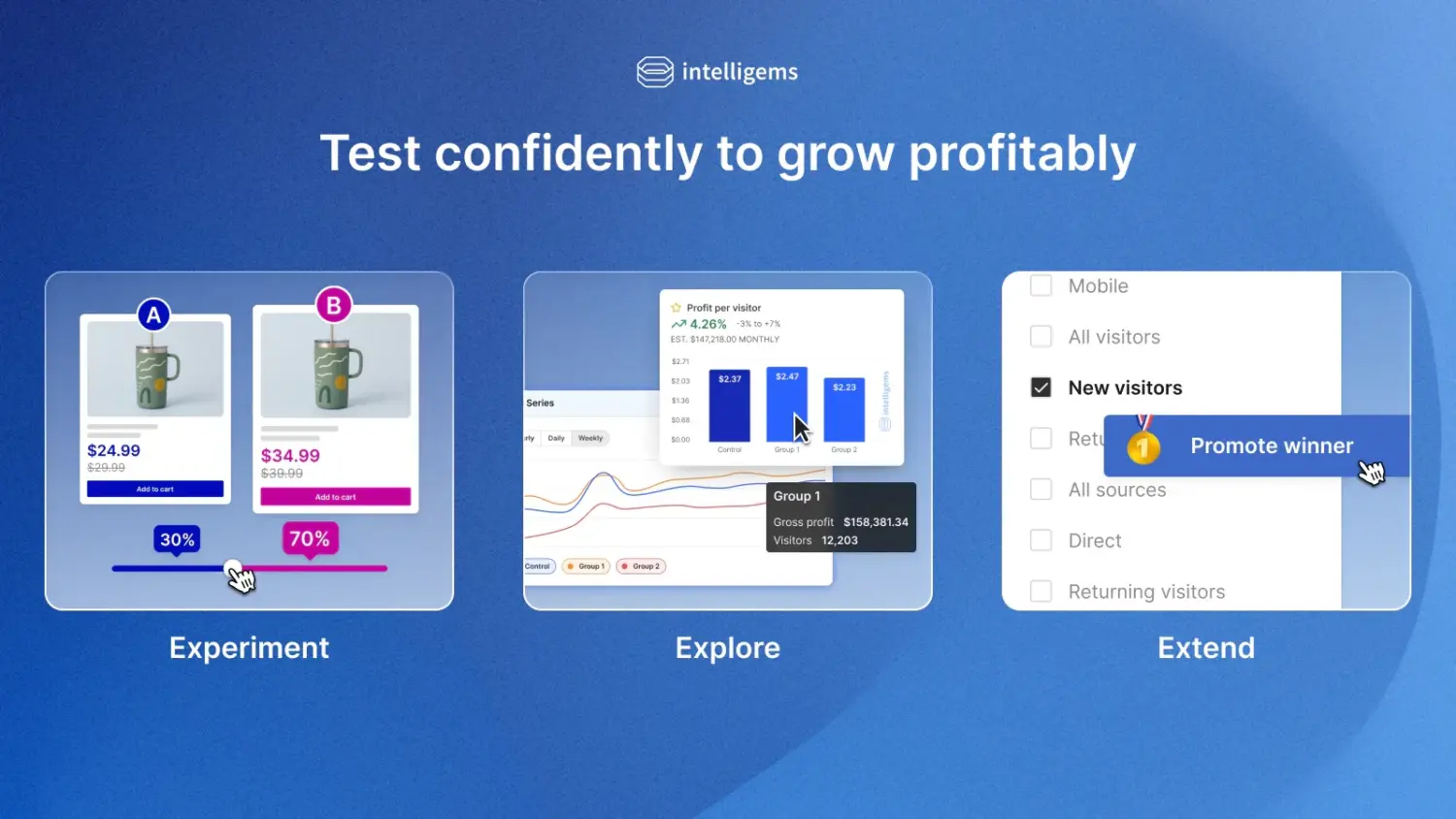
Intelligems is a robust experimentation platform designed to optimize prices, discounts, and promotional structures across your store. For bundles, it is highly effective at testing different pricing structures and discount levels to measure the direct impact on both revenue and gross profit. Its primary limitations are that checkout testing is restricted to Shopify Plus stores and that it cannot run price tests on native Shopify bundles that use Cart Transform Functions.
#4 Visually A/B Testing & CRO
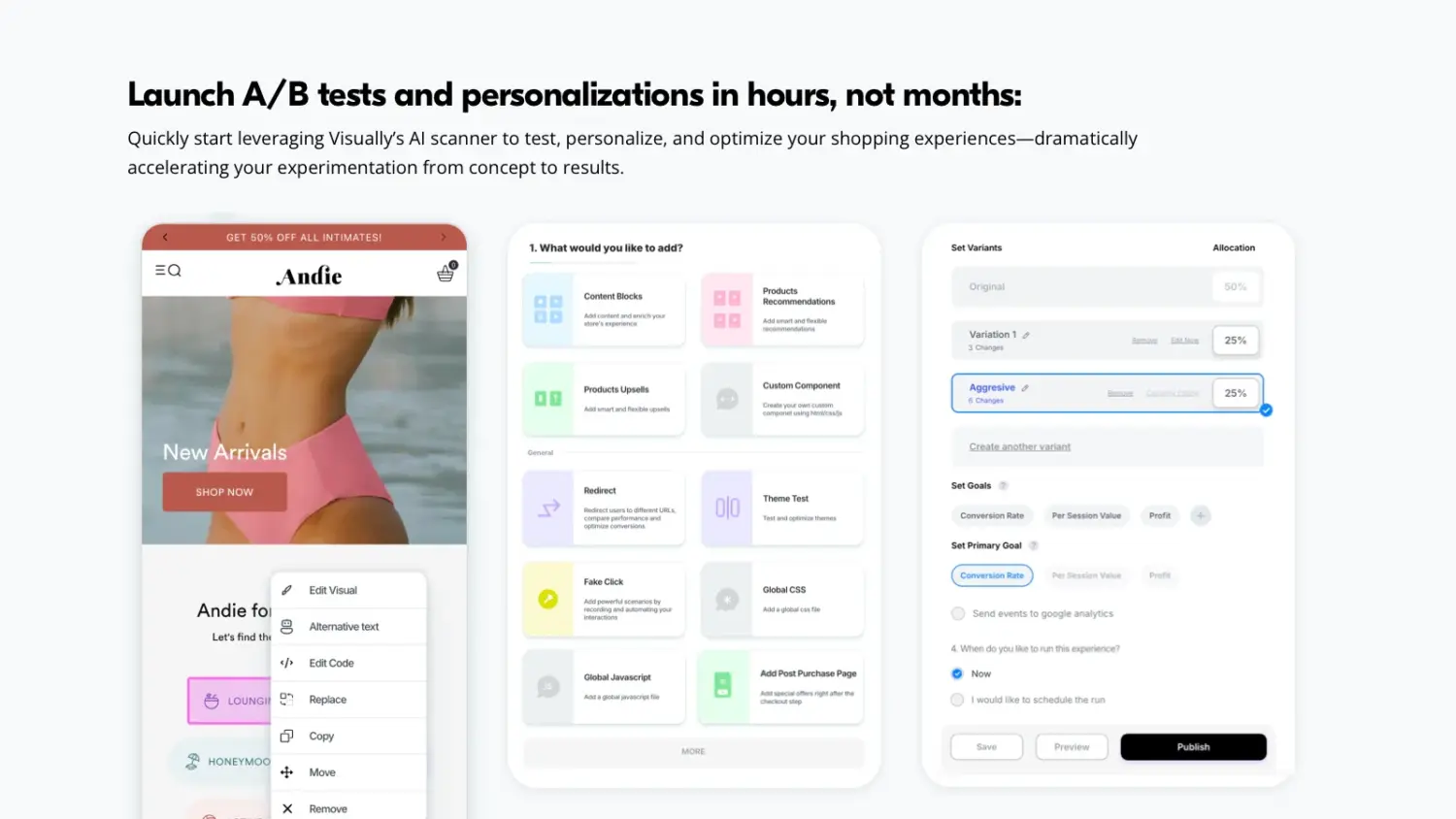
Visually is a full-funnel experimentation tool that uses an AI-assisted visual editor to test elements across the entire customer journey. It is perfect for testing bundle placement and user experience, allowing you to easily compare a product page bundle widget against a cart drawer upsell or a post-purchase offer.
The main downsides are its high cost (plans reach around $1,200/month) and potential page speed or flickering issues, as the app relies heavily on JS and CSS to layer experiments.
Note: In most cases, the decision comes down to scope:
If you’re focused purely on optimizing bundles → start with built-in A/B testing (Kaching, WideBundle)
If you want to optimize the entire funnel → consider dedicated tools like Intelligems or Visually
The important thing is not the tool itself, but whether it allows you to run clean, controlled experiments and actually trust the results.
3.3 Track the right metrics for your test
Here are the key metrics we recommend tracking.
#1 Average order value (AOV)
The main purpose of product bundles is to increase AOV. When comparing bundle variations, look at how much customers spend per order. Sometimes a bundle with a slightly lower conversion rate can still win if it drives a higher order value. For example, Bundle B might convert fewer shoppers than Bundle A, but if customers spend significantly more when they buy it, the overall revenue impact may be higher.
#2 Revenue per visitor (RPV)
RPV combines conversion rate and order value into a single metric. It shows the average revenue per visitor. This makes it one of the most useful metrics for bundle testing. A variation with strong RPV usually indicates that both conversion and order value are working together effectively.
#3 Net profit margin
Revenue growth does not always mean profit growth. Deep discounts can make a bundle look successful by boosting sales quickly, but they may reduce your margins. When evaluating test results, we recommend checking whether the winning bundle still maintains a healthy profit after product costs and discounts. A bundle that sells slightly less but protects margins can sometimes be the better long-term choice.
So the key takeaway is simple: test before you optimize. Product bundles can significantly increase AOV, but only if the offer, pricing, and placement are right. With A/B testing, we can refine these details and build bundles that consistently perform.
5. FAQs
Should you test more than one bundle variable at the same time?
No. Standard A/B testing works best when you isolate one variable at a time, because changing multiple elements makes it hard to determine which change caused the result.
How long should a bundle A/B test run?
Most bundle tests should run 2–4 weeks or until each variation receives a meaningful amount of traffic, often around 1,000 visitors per version.
What elements of a Shopify bundle are best to test?
Common variables include bundle price, discount type, product combinations, bundle placement, and CTA messaging.
Do I need a Shopify app to run A/B tests?
No, but apps make the process much easier. Without an app, you would need to run manual time-based tests and compare results in Shopify Analytics.