Allan Vu is a Digital Marketing expert and the driving force behind BOGOS’s blog content. With a deep understanding of eCommerce and Shopify promotions, he is passionate about helping merchants unlock the full potential of their stores.
At BOGOS, Allan creates valuable, practical content focused on strategies like Free Gifts, Buy X Get Y, product bundles, and upsell offers to empower Shopify sellers to grow their businesses effectively.
Known for his clear, insightful writing, Allan is dedicated to delivering actionable advice that makes a real difference for BOGOS’s readers.
A standard gift with purchase offer gives customers one reason to hit a spending threshold. Once they’re there, the incentive stops; there’s nothing pushing them to add more. A tiered gift with purchase fixes that by creating multiple thresholds, each unlocking a better gift. Instead of “spend $75, get a free sample,” it becomes “spend $75 → sample kit, spend $100 → full-size product, spend $150 → full-size + branded pouch.”
This guide covers how tiered GWP works on Shopify, how to create tiered gifts using Shopify’s native discounts (and where that approach falls short), which apps support multi-tier gifting, and how to structure your tiers to actually move the AOV needle.
1. What Is a Tiered Gift With Purchase?
A tiered gift with purchase (tiered GWP) is a promotion where customers unlock different free gifts at escalating spending thresholds. Instead of a single cart value trigger and one gift, you create a gift ladder with multiple levels that reward customers for spending more.
The mechanic works because it turns a one-time decision (“should I spend $50?”) into a progression (“I’m already at $80, just $20 more for the travel-size”). Each tier creates a new motivational checkpoint, and customers who would have stopped at the first threshold now have a visible reason to keep adding.
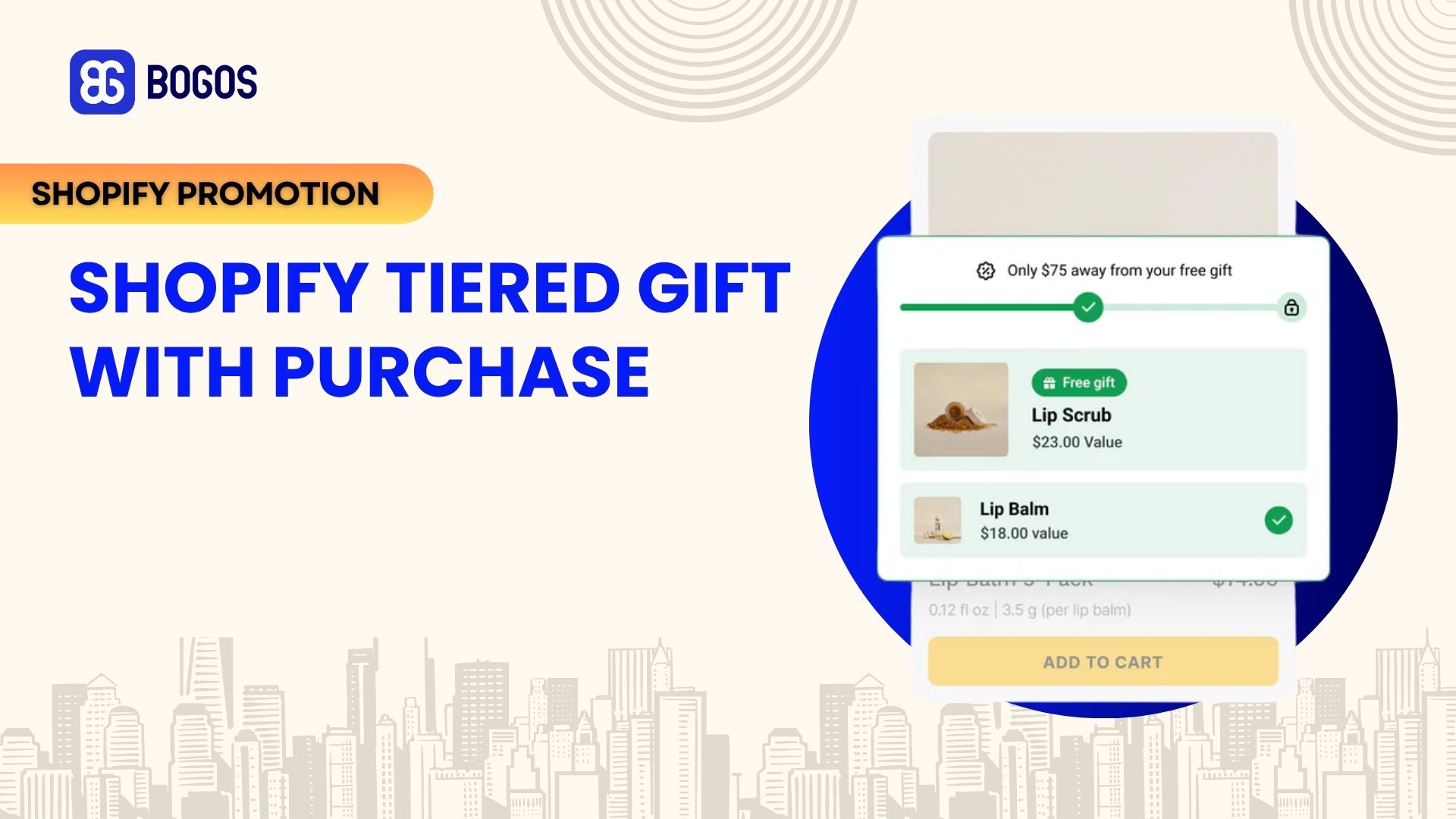
Tiered gift-with-purchase rewards customers with greater benefits as they spend more
#1 Cumulative vs. Replacement Tiers
There are two models for how gifts behave as customers move up tiers, and the distinction matters for both your costs and the customer experience.
Cumulative (stacking) tiers mean the customer keeps all gifts as they hit higher thresholds. Spend $50 and get gift A. Spend $100 and get gift A plus gift B. Spend $150 and get all three. This model feels the most rewarding because customers never lose something they’ve already “earned,” which creates stronger spend-up motivation. The trade-off is higher gift cost per order, since top-tier customers receive every gift in the ladder.
Replacement tiers mean the customer gets only the highest-tier gift they’ve qualified for. Spend $50 and get gift A. Spend $100 and gift A is swapped out for gift B. The customer ends up with one gift, not three. This model is simpler to manage and works well when each tier’s gift is a clear upgrade. For example, going from a travel-size to a full-size of the same product. The trade-off is weaker “keep going” momentum, since moving up means losing the previous gift rather than stacking on top of it.
When to use each: Cumulative works best when your gifts are small, complementary items that make sense as a set (samples, accessories, consumables). Replacement works best when each tier is a direct upgrade in value (like moving from a sample to a full-size product) where keeping the lower tier alongside the higher one wouldn’t make sense.
#2 Tiered GWP vs. Single-Tier GWP
A single-tier gift with purchase has one threshold and one gift. It’s effective for simple campaigns, but it has a ceiling. Once the customer crosses the threshold, there’s no further incentive to increase their cart value. If your AOV goal is $75 and a customer hits $76, the promotion has done its job. But if you want that customer to reach $100 or $120, a single tier won’t get them there.
Tiered GWP solves this by layering multiple goals. Each tier acts as a new finish line, and the progress bar (covered later in this guide) makes each one visible and tangible. The result is a longer spending curve. Instead of flatlining at one threshold, customers keep moving upward through the tiers.
That said, tiered GWP adds complexity. More tiers mean more gift products to manage, more inventory to track, and more potential for customer confusion. If your store’s average order value is stable and a single-tier offer is already delivering strong results, adding tiers may not be worth the management overhead. Tiered GWP is most valuable when your product catalog supports natural add-on purchases – the kind where a customer can easily add $20–30 to their cart without feeling stretched.
2. How to Create Tiered Gifts Using Shopify’s Native Discounts
You can build a basic tiered GWP using Shopify’s built-in discount system. The approach uses multiple Buy X Get Y automatic discounts, each with a different spending condition and a different gift product.
Here’s how it works: you create one automatic discount per tier, each targeting a different cart value range and pointing to a different gift product set to 100% off. For example:
To prevent tiers from overlapping, structure your conditions carefully. If Tier 1 triggers at $50 and Tier 2 triggers at $100, a customer spending $120 could technically qualify for both. Shopify handles this by applying only one product discount per line item (whichever is larger) so the customer would get the Tier 2 gift but not the Tier 1 gift. That means cumulative (stacking) tiers aren’t possible with native discounts. Only replacement-style tiers work, where the customer receives the single best gift they qualify for.
👍Pros
👎 Cons
Free to use
Gift isn’t auto-added to cart; customers must add it manually
Works on any Shopify plan
No progress bar, tier messaging, or locked gift icons
Supports up to 25 simultaneous automatic discounts
Only replacement tiers; no cumulative/stacking
Simple to configure
Hard to communicate multi-tier offers to customers
Key challenges with this method:
No auto-add to cart. Customers must find and add the gift product manually. For a three-tier offer (where the correct gift changes as the cart value changes), this gets confusing. A customer who qualified for Tier 2 might still have the Tier 1 gift in their cart, not realizing they should swap it.
Hard to communicate multiple tiers. There’s no built-in progress bar, locked gift icons, or dynamic tier messaging. You’d need to add banners or callouts through your theme manually. And even then, there’s no real-time cart progress indicator.
No gift removal logic. If a customer drops below a threshold, the gift product stays in the cart at full price. The discount stops applying, but the product doesn’t auto-remove.
Only replacement tiers. Since Shopify applies one product discount per line item, cumulative stacking isn’t possible. Customers get the single best gift they qualify for and not all of them.
When this method makes sense: Testing. If you want to validate whether tiered GWP resonates with your customers before investing in an app, the native method gives you enough data to decide. Run it for 2–4 weeks, track redemption rates per tier, and use the results to justify an app if the concept proves out.
3. Best Shopify Apps for Tiered Gift With Purchase
Most stores that run tiered GWP use a third-party GWP app. The native discount method works for testing, but the lack of auto-add, progress bar, and tier logic makes it hard to scale. Below are four apps that support tiered gifting, each with a different approach and strength.
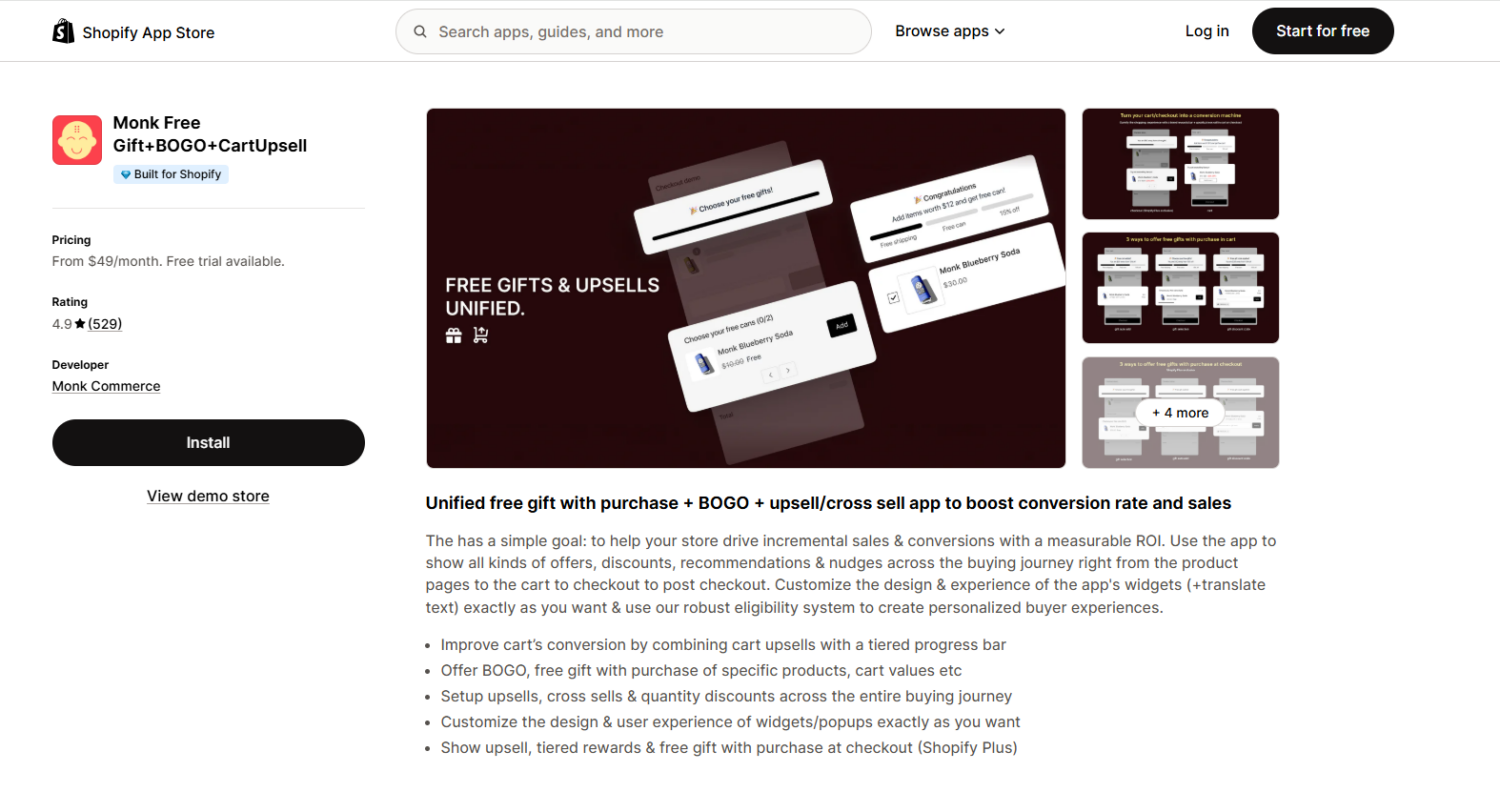
Monk supports tiered gifting where customers unlock different free gifts as they spend more, with auto-add and auto-remove logic built in. The setup is straightforward — you create a gift funnel, set cart value or quantity conditions per tier, and configure how the gift is delivered (auto-added or customer-selected from a gift picker). A tiered progress bar in the cart drawer shows customers their status across all tiers.
What makes Monk stand out is the design customization. The app lets you use your store’s native fonts and styling for all widgets, so the progress bar and gift banners match your theme exactly — something most GWP apps handle with limited templates. Monk also covers cart upsells, cross-sells, and post-purchase offers from the same dashboard, so it works as a broader AOV tool beyond just gifting.
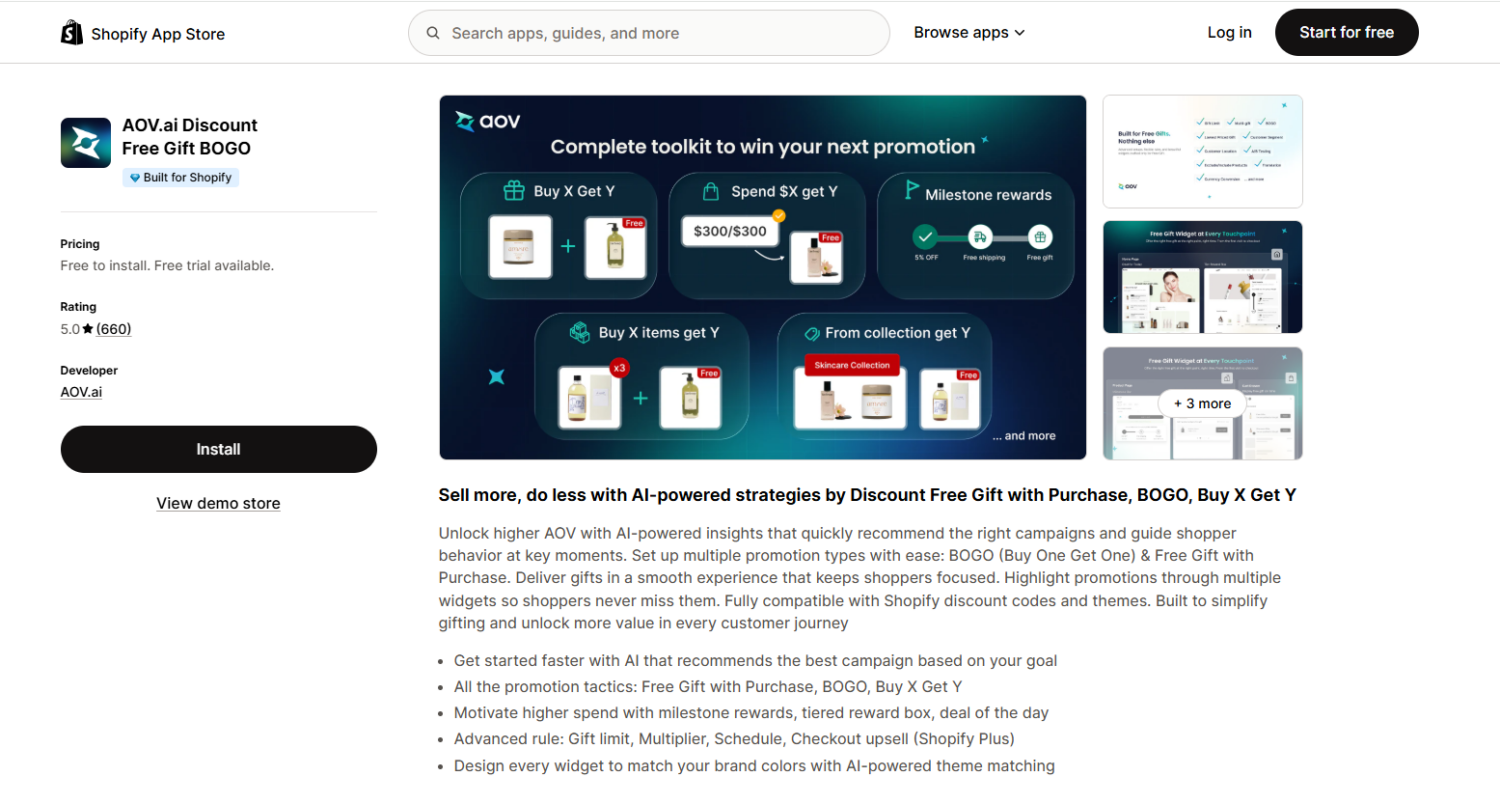
AOV.ai takes a different approach to tiered GWP by using AI to recommend campaign structures and gift configurations based on your store’s data. Instead of manually deciding every threshold and gift pairing, the app suggests what’s likely to perform best — which speeds up the setup process significantly, especially for stores with large catalogs.
The app supports tiered cart value goals with auto-add and progress bar widgets. Setup is clean and simple: choose a campaign type, set your tiers, select gifts, and the app handles the rest. AOV.ai also supports multi-currency and multi-language out of the box, making it a strong fit for stores selling internationally. The widgets auto-match your store’s color scheme, which reduces design friction.
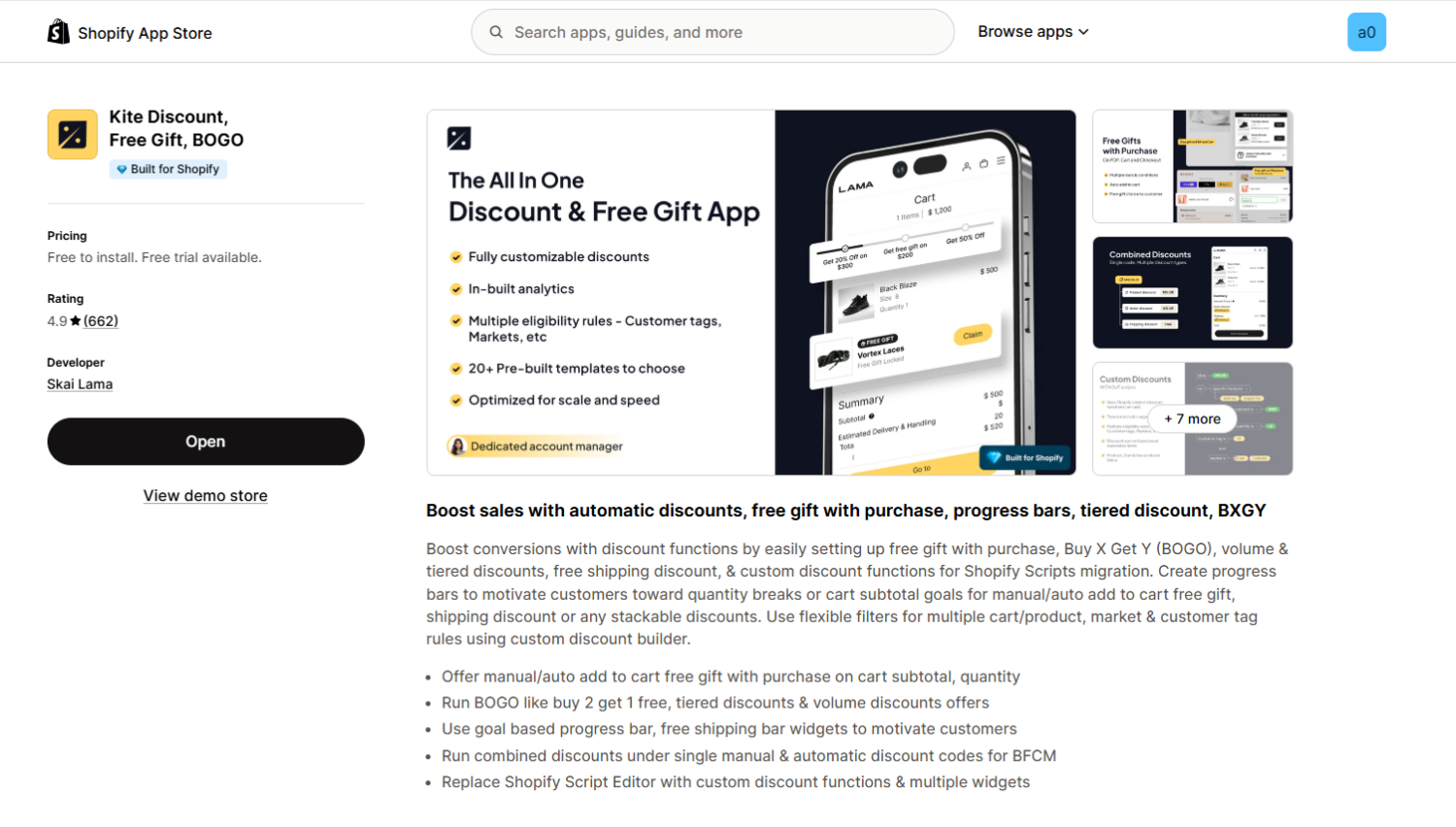
Kite is built on Shopify’s native Discount Functions, which means its promotions run through Shopify’s discount engine rather than layering scripts on top. For tiered GWP, Kite uses a goal-based progress bar where you set spending milestones that unlock free gifts, free shipping, or percentage discounts — and you can combine all of these in a single campaign. The setup uses pre-built campaign templates, so you can launch a tiered offer in minutes.
Kite’s strength is flexibility across discount types. Beyond GWP, it handles volume discounts, BOGO, cart-level discounts, and quantity breaks — all under one app. If your promotion strategy involves tiered gifting combined with other discount mechanics (e.g., “spend $75 → free gift + 10% off, spend $100 → better gift + 15% off”), Kite handles that natively.
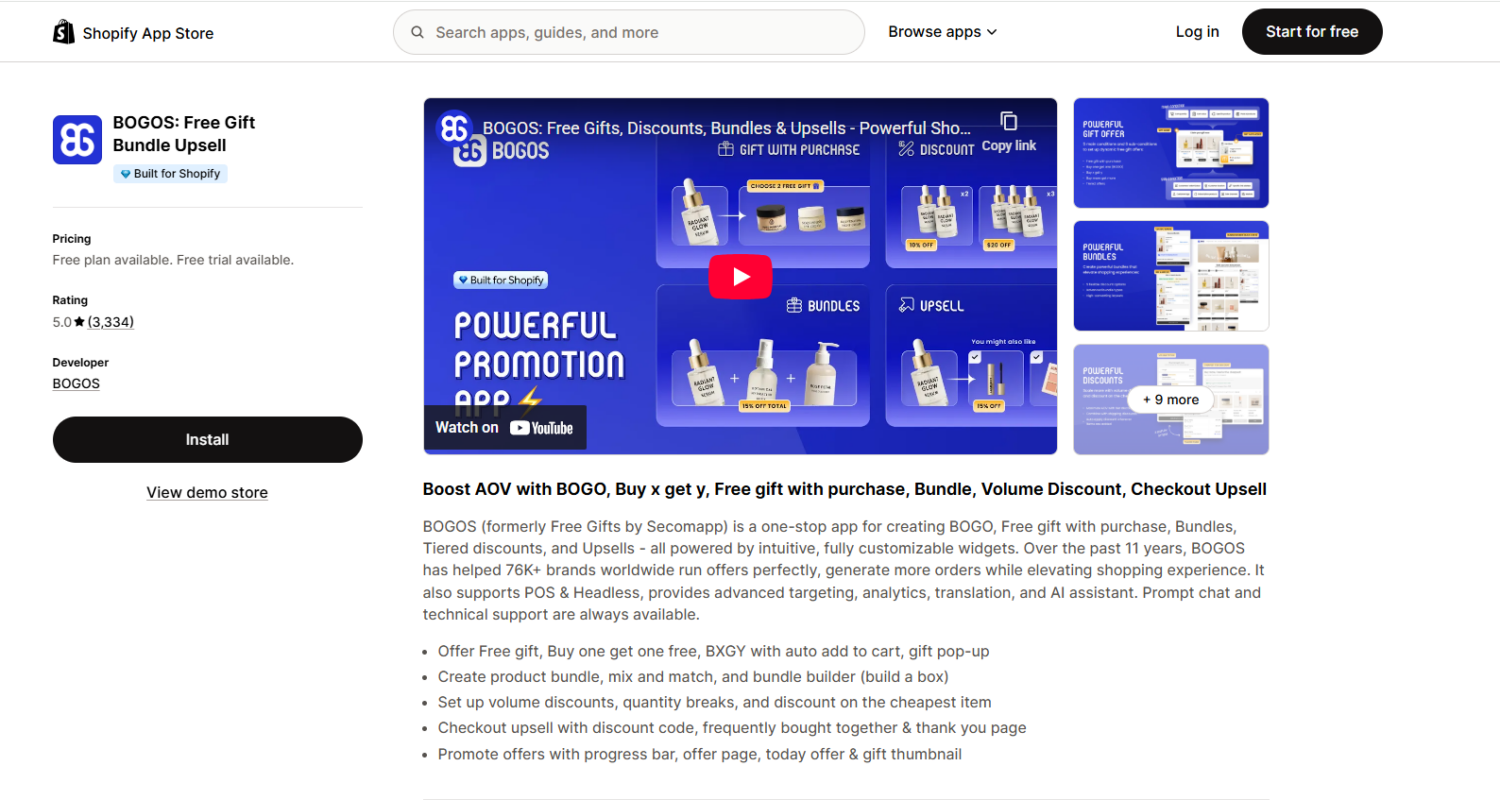
BOGOS doesn’t have a dedicated “tiered GWP” feature in the way Monk, AOV.ai, and Kite do, but you can achieve the same result through two approaches:
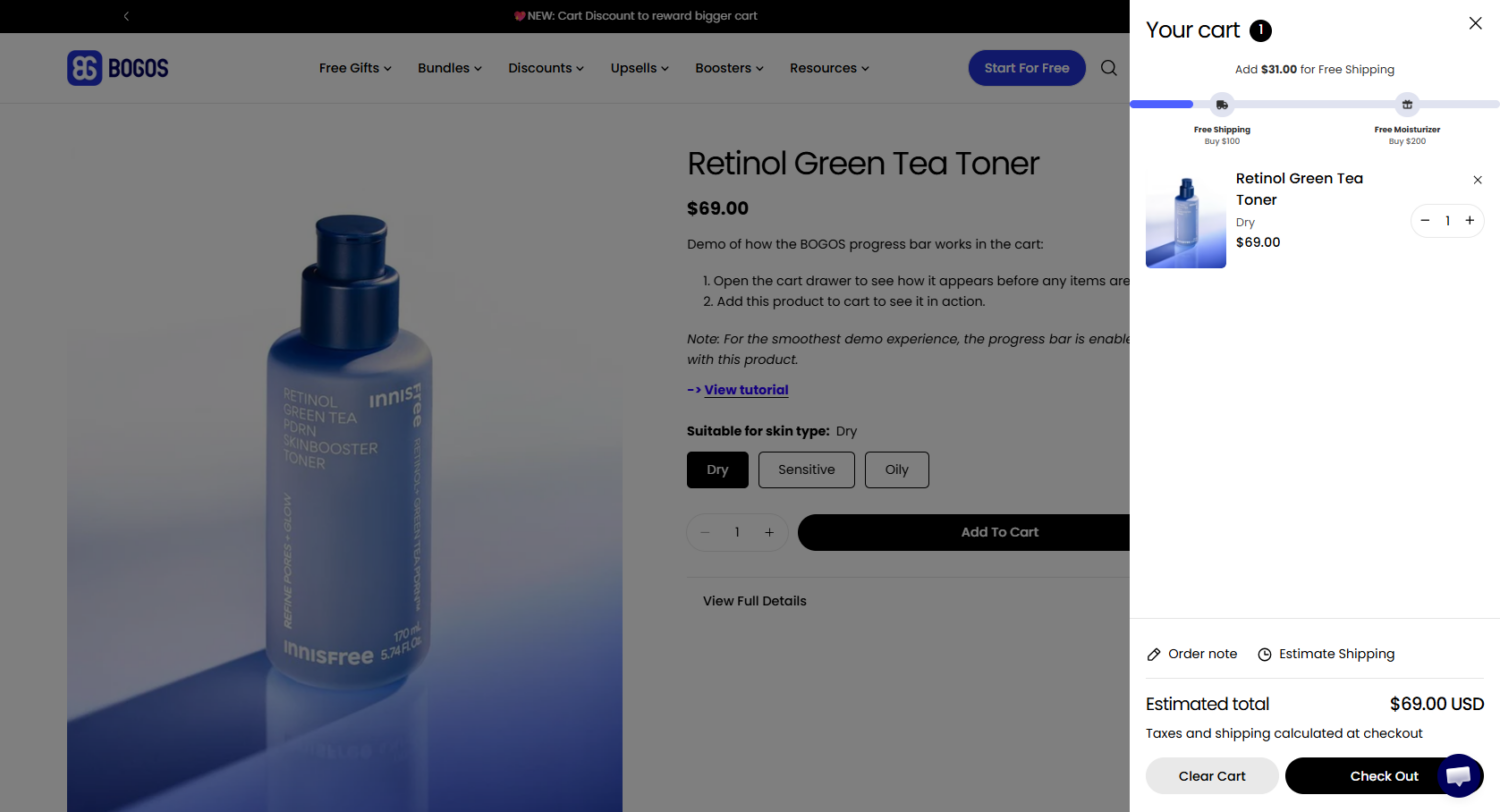
Multiple GWP offers + progress bar. Create separate GWP offers at different cart value thresholds (e.g., $50 → gift A, $100 → gift B, $150 → gift C), then use the BOGOS progress bar to display all thresholds visually in the cart drawer. Customers see the full tier ladder and the bar updates as their cart value changes.
Bundle builder with gift conditions. Use the mix-and-match or bundle builder feature to let customers add products until they reach a quantity or value condition that triggers a free gift. This works well for stores that want the tiered reward tied to building a bundle rather than general cart spending.
Where BOGOS stands out is breadth. It handles BOGO, buy X get Y, bundles, volume discounts, cart upsells, and checkout upsells from one dashboard — plus advanced targeting by geo-location, customer tags, order history, and sales channel. If your store runs multiple promotion types beyond tiered gifting, BOGOS consolidates everything into a single app instead of stacking multiple tools.
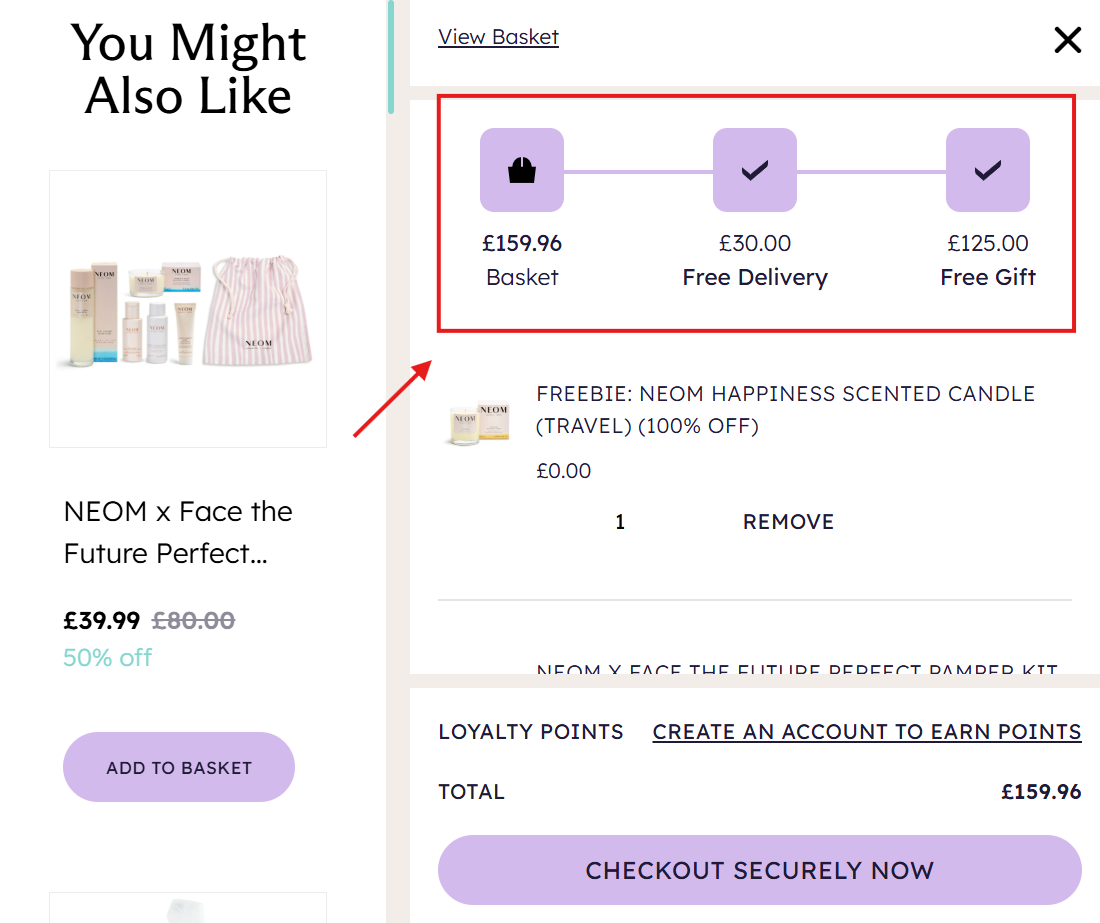
A tiered progress bar is a visual widget that displays the customer’s current cart value against the spending thresholds in your tiered GWP offer. It appears as a horizontal bar segmented into tiers, with markers or icons at each threshold showing what gift unlocks at that level. Gifts the customer hasn’t earned yet typically appear as locked — grayed-out icons with a lock symbol — while unlocked gifts show in full color.
The progress bar shows exactly how much customers need to spend to achieve the gift.
The bar updates in real time as the customer shops. When they add a product, the bar fills toward the next threshold and the messaging updates (“You’re $18 away from a free serum”). When they cross a threshold, the tier unlocks, the gift auto-adds to cart, and some apps trigger a small animation as a reward moment. If they remove a product and drop below a threshold, the bar recalculates, the tier re-locks, and the gift is removed.
Most GWP apps let you place the progress bar in the cart drawer (highest impact — visible every time the customer opens or adds to cart), the cart page (place it above line items), or as a supplement in the announcement bar or product page widget for awareness. The cart drawer is the most common placement because customers interact with it multiple times per session, creating a natural feedback loop: add → see progress → decide to add more.
Why it matters for tiered promotions specifically:
Tiers are invisible without it. A single-tier offer is simple enough for a banner — “spend $75, get a free tote.” But tiered GWP has multiple thresholds and multiple gifts. Without a dynamic visual, customers don’t know the tiers exist.
It shows a specific, closeable gap. “You’re $18 away from a free travel-size serum” is more actionable than a static banner listing all three tiers. The dollar amount gives customers a concrete number to close, which feels achievable.
It creates multiple motivational checkpoints. Once a customer unlocks Tier 1, the bar immediately shifts to show progress toward Tier 2. Each unlock reinforces the behavior and pulls customers toward the next threshold.
It prevents early checkout. Without the bar, a customer at $82 checks out — never knowing a better gift was $18 away. With the bar, they see the gap and are far more likely to add one more product.
It’s the main gap in the native discount method. You can configure tiered discount logic in Shopify natively, but there’s no built-in progress bar. The tiers exist in the backend, but the customer can’t see them, which is why most stores move to an app for tiered GWP.
How to Choose Thresholds and Gifts for Each Tier
The tier structure — how many tiers, what the thresholds are, and what gift each tier unlocks — determines whether your tiered GWP actually lifts AOV or just gives away free products. Getting this right requires working from your store’s actual data, not guesswork.
Setting Threshold Amounts
Start with your current average order value. Check Shopify Analytics → Reports → Average order value for a baseline. Your Tier 1 threshold should be at or slightly above this number — close enough that most customers feel they can reach it with one more product.
A proven formula for spacing tiers:
Tier 1: Current AOV, or AOV + 10–15%
Tier 2: Tier 1 + 20–30%
Tier 3: Tier 2 + 20–30%
Example: Your store’s current AOV is $65.
Tier 1: $75 (15% above AOV — one extra item gets most customers there)
Tier 2: $100 (33% above Tier 1 — a meaningful stretch, but reachable)
Tier 3: $130 (30% above Tier 2 — aspirational, but achievable for motivated shoppers)
Two common mistakes with thresholds: setting Tier 1 too high (customers ignore the entire offer because the entry point feels out of reach) and making the gaps between tiers too large (the jump from Tier 1 to Tier 2 feels like a cliff instead of a step). If your data shows most customers cluster around $60–70, a Tier 1 at $120 is dead on arrival — nobody’s doubling their cart for a sample.
For stores using multi-currency or Shopify Markets, set market-specific thresholds that round to clean numbers in local currency. A $75 USD threshold might convert to £62.47 — which looks arbitrary. Round it to £60 or £65 for that market.
Choosing the Right Gift for Each Tier
The gift’s perceived value should scale visibly with each tier. If Tier 1 is a sticker and Tier 3 is also a sticker (just bigger), there’s no motivation to spend up. Each step needs to feel like a meaningful upgrade.
A useful benchmark: the gift’s perceived retail value should be roughly 10–20% of the tier threshold. Spending $100 to get a $2 sample feels disproportionate. Spending $100 to get a $15–20 product feels like a genuine reward. The gift’s cost to you will be lower than its retail value — but what the customer perceives is what drives behavior.
Practical tip: Use Tier 1 gifts for product discovery (samples of new launches or lesser-known products). Use Tier 2 for proven sellers (a travel-size of your bestseller creates value customers immediately recognize). Use Tier 3 for exclusive or limited items (something they can’t buy on the store — this makes the tier feel special rather than just “a bigger freebie”).
How Many Tiers to Use
Two to three tiers works best for most stores. One tier is a standard GWP — no progression. Two tiers create a “good / better” choice that’s easy for customers to understand. Three tiers add an aspirational top level that pulls high-intent shoppers upward.
Four or more tiers is rarely worth the complexity. Each additional tier adds a gift product to manage, an inventory line to track, and a threshold for the customer to process. If your progress bar shows five locked icons with five different thresholds, the customer’s reaction is more likely “this is complicated” than “I want to unlock all of these.” Keep it simple — you can always add a tier later based on performance data.
Common Mistakes With Tiered GWP (And How to Avoid Them)
Thresholds too far apart. If the jump from Tier 1 ($50) to Tier 2 ($120) requires adding $70 to the cart, most customers won’t bother. Keep tier gaps at 20–30% of the previous tier. The goal is for each next tier to feel like “just one or two more products” — not a major commitment.
Gift perceived value doesn’t match the spend. Customers mentally calculate whether the gift is worth the extra spend. A $3 lip balm sample at a $100 threshold doesn’t pass that test. Before finalizing a tier, ask: Would a customer pay $5–10 for this gift if it were on a shelf? If yes, it works as a freebie at that threshold. If not, upgrade the gift or lower the threshold.
Gift inventory stockout mid-campaign. Nothing kills a tiered promotion faster than “Sorry, this gift is out of stock” appearing when a customer hits a tier. Before launch, calculate expected redemptions based on your traffic and conversion rate, then buffer your gift inventory by 20–30%. Set inventory alerts in Shopify so you have time to swap in a replacement gift before a stockout.
Not testing discount code interaction. If a customer applies a 20% discount code, their cart subtotal drops — potentially below a tier threshold. The gift disappears from the cart, and the customer is confused (or frustrated). Decide upfront how your app should handle this: does the tier threshold apply to the pre-discount subtotal or the post-discount total? Most GWP apps apply tiers to the subtotal before discount codes, but check your specific app’s settings and test it before going live.
Skipping mobile testing. Tiered progress bars, gift popups, and locked icons look different on small screens. Buttons can overlap, the progress bar might get cut off, or the gift picker popup might require awkward scrolling. Over half of Shopify traffic is mobile — run through the full flow on a phone before launching. Add items to cart, watch the progress bar update, trigger each tier, and verify the gift appears correctly in the cart drawer.
Not communicating the tiers clearly. A tiered offer only converts if customers know about it. The progress bar in the cart drawer is the primary vehicle, but it only works once the customer opens their cart. Supplement it with an announcement bar on key pages (“Unlock up to 3 free gifts — the more you spend, the better the reward”), product page callouts near the add-to-cart button, and email or SMS campaigns highlighting the tier structure.
FAQ
Can I set up tiered gifts using Shopify’s native discounts?
Partially. You can create multiple Buy X Get Y automatic discounts with different spending thresholds, each pointing to a different gift product. But there are significant limitations: the gift doesn’t auto-add to cart (customers must add it manually), there’s no progress bar or tier visualization, and only replacement-style tiers work — Shopify applies one product discount per line item, so cumulative stacking isn’t possible natively. For basic testing, it works. For a full tiered GWP experience, you’ll need a third-party app.
Should I use cumulative or replacement tiers?
Cumulative (customers keep all unlocked gifts) creates stronger spend-up motivation but costs more in gift product per order. Replacement (customers get only the highest-tier gift) is simpler and works when gifts are clear upgrades of each other. If you’re unsure, test cumulative first — customers respond more strongly to offers where they never lose something they’ve already earned.
How many tiers should I use?
Two to three tiers is the sweet spot for most stores. Two tiers create a clear “good / better” structure that’s easy for customers to understand. Three adds an aspirational top tier for high-intent shoppers. More than four tiers creates decision fatigue and makes the progress bar feel overwhelming. Start with two, measure for 2–4 weeks, then add a third if the first two tiers are converting well.
What happens when a customer removes items and drops below a tier?
Most GWP apps automatically remove the gift when the cart value falls below the threshold. If you’re using cumulative tiers, the customer keeps lower-tier gifts but loses the highest one they no longer qualify for. If you’re using the native discount method, the gift product stays in the cart at full price (since the discount no longer applies), which can confuse customers. Always test the tier-down behavior during setup.