Ruby is a Marketing Executive and the driving force behind BOGOS’s content. With a deep understanding of eCommerce & Shopify sales promotions, Ruby is passionate about helping merchants optimize their offers & unlock the full potential of their businesses.
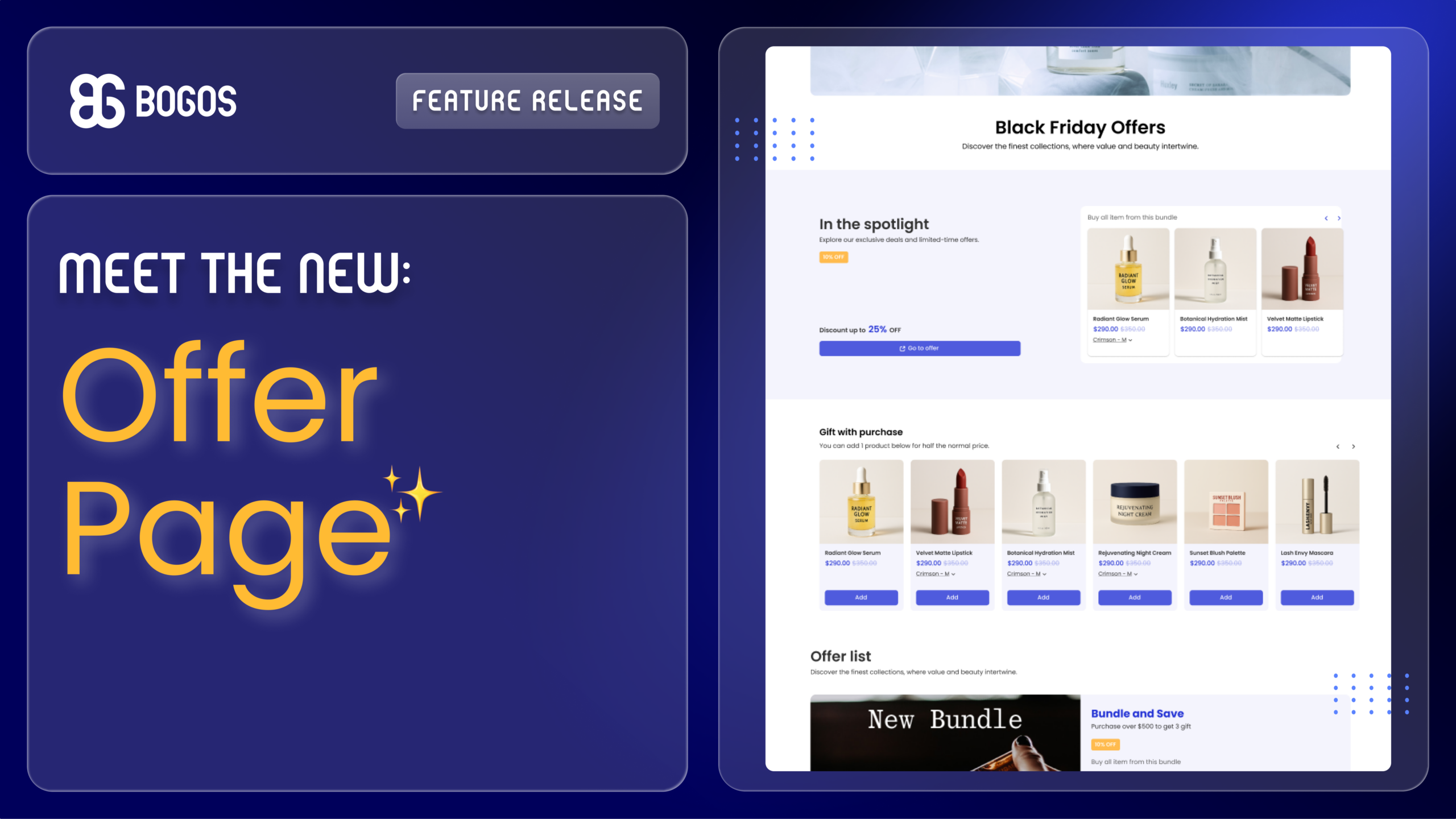
We’re excited to introduce Offer Page, a new way to help customers discover your current offers more easily and boost offer conversions faster!
What is an Offer Page?
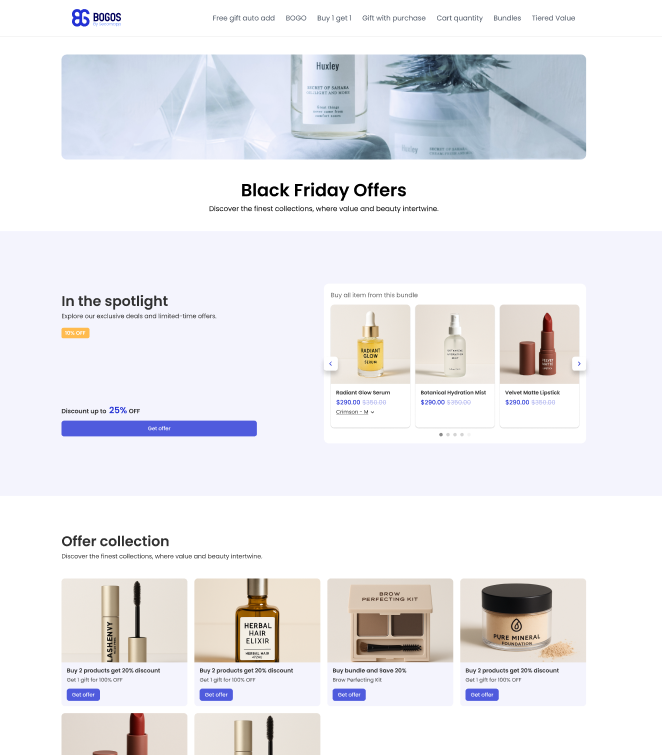
An Offer Page is a centralized page that showcases all your current offers in one place. Customers can easily browse different offers, quickly understand their value, and move directly to the right place to claim them.
Instead of spreading offers across multiple pages, you can now bring everything together into one clear, well-designed, conversion-focused destination!
Key Feature Highlights
Offer Pages are built to improve offer visibility and reduce friction throughout the shopping journey:
Display multiple offers on a single, high-converting page.
3 header display types to instantly grab attention and introduce your page.
Feature your best offer in the spotlight section for maximum impact.
Redirect customers to where they can claim offers or let them add gifts/products directly to the cart on the page.
Showcase offers in 6 flexible, intuitive, conversion-focused layouts.
Customize any details from display, content, to color to match your branding.
Create an Offer Page with BOGOS
The Offer Page feature is now available in the BOGOS app.
Setting up a BOGOS Offer Page includes 6 steps:
Open BOGOS app > Navigate to Boosters page > Create Offer page.
Fill in booster name (for internal purposes only).
Set up the header section.
Set up the spotlight section (optional).
Set up the main sections.
Click Publish and test the offer page
Get and attach the offer page link to your website.
For more details, check our Help Doc about the Offer page or reach out to our support team. We’re always here to help!