Ruby is a Marketing Executive and the driving force behind BOGOS’s content. With a deep understanding of eCommerce & Shopify sales promotions, Ruby is passionate about helping merchants optimize their offers & unlock the full potential of their businesses.
This January, BOGOS has shipped 3 highly-converting features that put you in control of how customers discover your offers, who sees them, and exactly what they receive.
Let’s dive into the highlights!
✨ Offer Page, All Your Offers in One Place
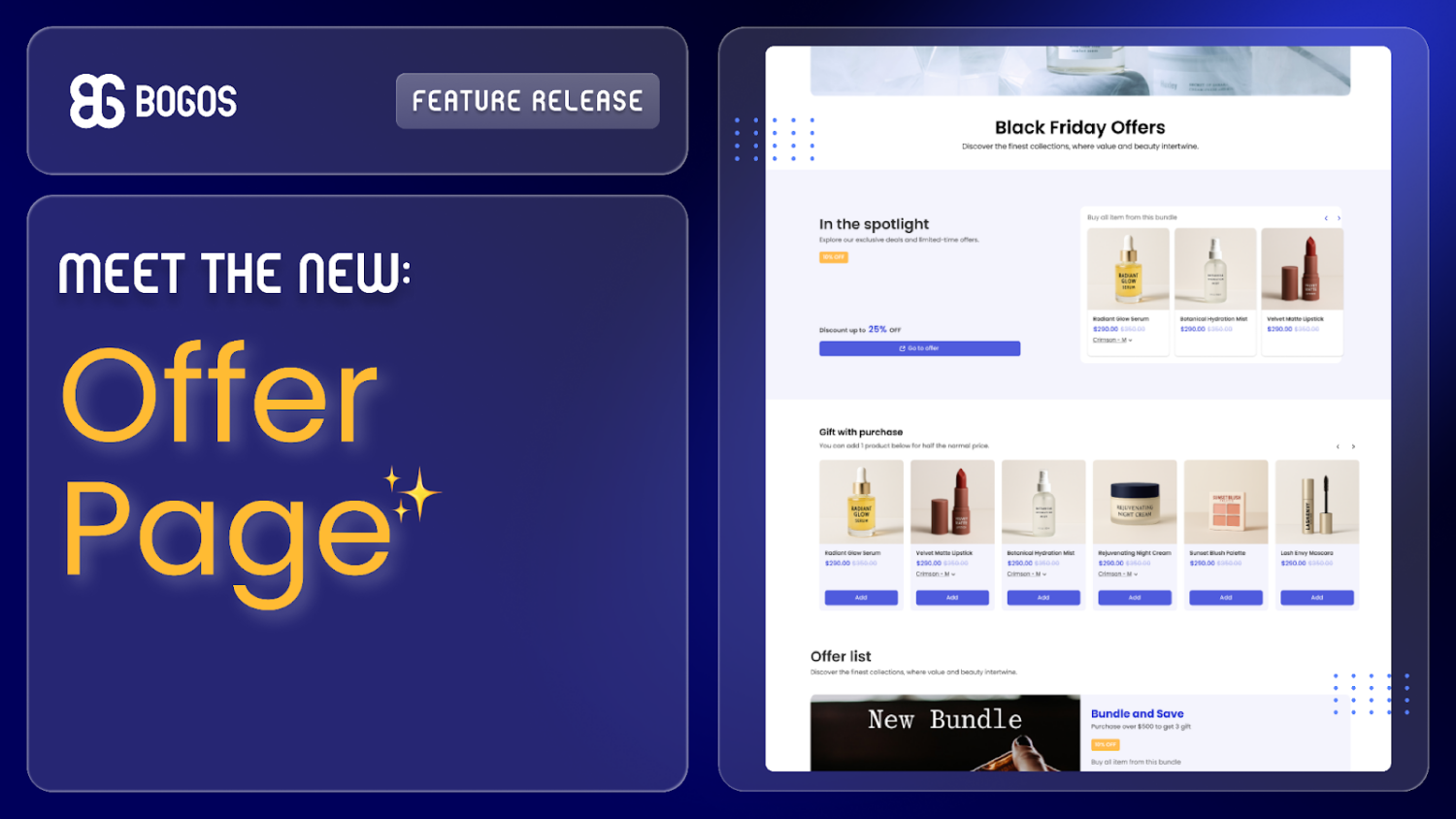
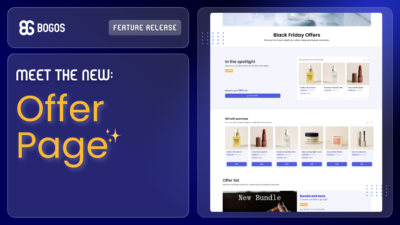
We’re thrilled to introduce Offer Pages, a dedicated, fully customizable page on your store where you can showcase your best active deals.
It’s the perfect way to create a central hub for your sales events, increase offer visibility, and drive conversions.
💥 Key Feature Highlights:
3 header types to grab attention and introduce your page
Spotlight section to feature your best offer
6 flexible layouts to showcase offers in detail, designed for conversion
Direct cart actions or redirect to claim pages
Full customization to match your branding
To start building yours, navigate to the BOGOS app > Boosters > Create Offer Page.
For more details, please visit our Offer Page guide.
✨ Sub-Conditions on All BOGOS Offers
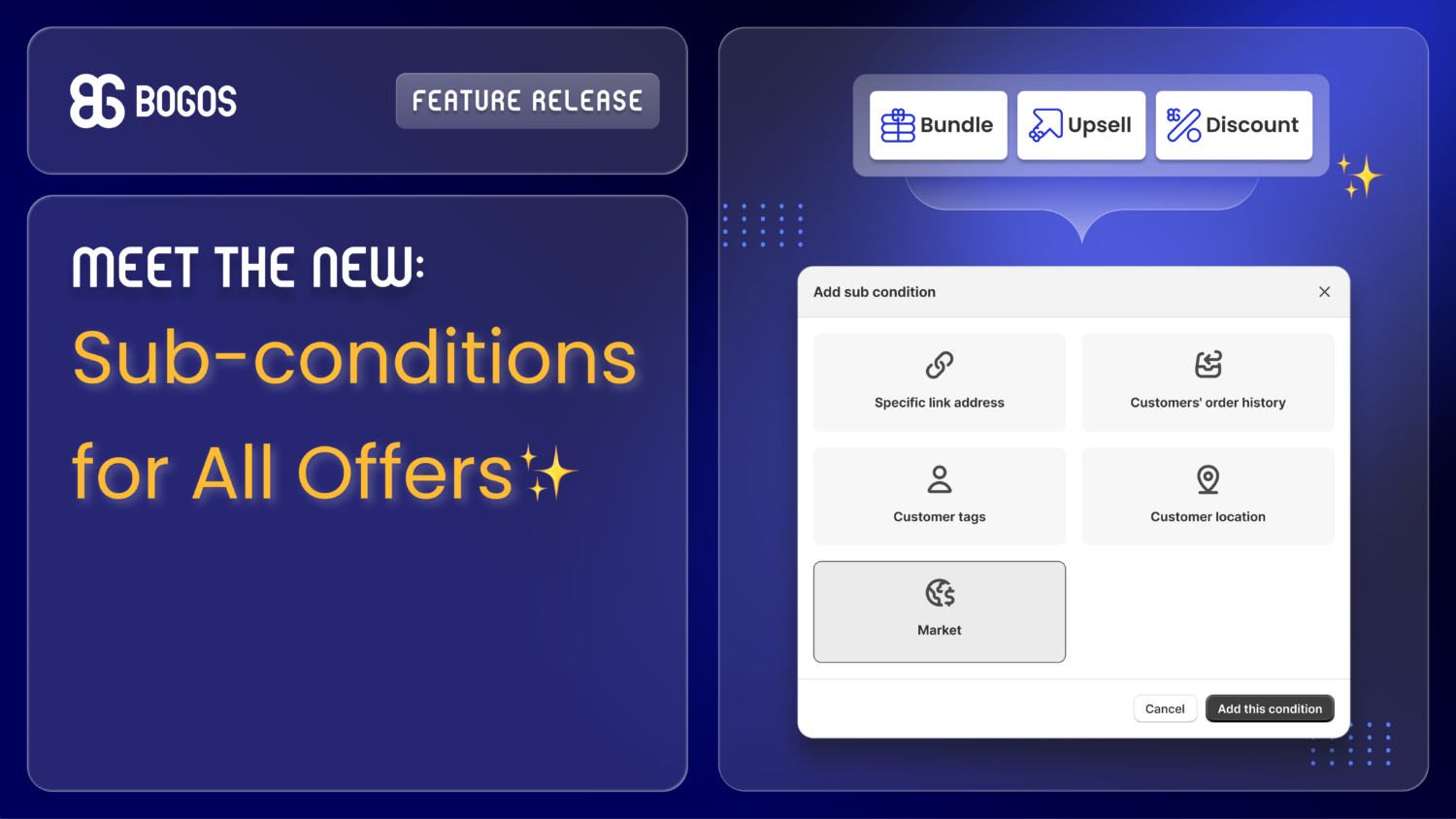
Previously exclusive to Gift offers, our powerful sub-conditions are now available for Bundles, Upsells, and Discounts.
This means you can create highly specific and effective offers for different customer segments, no matter the type of offer.
💥 What you can add to Bundles, Discounts, Upsells:
Specific Link Address: Reward customers arriving from a specific link (perfect for emails, social media, or affiliates).
Order History: Create unique offers for first-time buyers, VIPs, or high-spending customers.
Customer Tags: Show or hide promotions for specific, tagged groups of shoppers.
Customer Location: Run country-specific sales based on the customer’s IP address.
Shopify Markets: Run region-specific offers based on your Shopify Markets.
To start building yours, create a new offer or edit an existing one and add sub-conditions.