


Charlie Ngo
•
Last updated: 7 October, 2026
Shopify Product Configurator: 2D vs 3D, Best Apps & Costs (2026)
Shoppers hesitate to buy a $1,200 sofa or a custom ring when they can’t see the exact version they’re...

7 Best Shopify Reporting Apps to Track Sales, Inventory, and Profit

Digital Marketing Specialist
Summarize this post with AI
Shopify’s built-in reports answer simple questions well. They stop being enough the moment you need a report that mixes tags, metafields, supplier costs, or data from another app, and every report tops out at 1,000 rows. That is when merchants start paying for a reporting app, and the seven options below solve very different versions of the problem. This guide compares them on verified pricing, real free plan limits, and what merchants complain about, and it was researched and written by Allan Vu, BOGOS’s Digital Marketing Specialist & E-commerce expert.
We pulled every rating, review count, price, and plan limit in this article directly from the live Shopify App Store listing for each app on 12 August 2026. We did not copy figures from other roundups.
For each app we checked six things:
You can read our full method here: How do we judge a Shopify app.
One thing we could not do is install all seven apps on a live store with years of order history. Where our judgment comes from documentation rather than daily use, we say so. Based on these requirements, here are our top 3 picks:

Best overall: Report Pundit.
It holds 5.0 stars across 1,870 reviews, the largest verified review base of any dedicated custom report builder on this list. It starts free under 1,000 lifetime orders, costs $9 per month on Basic, and covers metafields, tags, line item properties, and 30+ app integrations. Data Export IO has slightly more reviews at 1,938, but it comes from the same developer and focuses on exports rather than report building.
Best alternative: TrueProfit.
It answers a question no report builder can answer alone. Report builders read the data Shopify already holds, and Shopify does not hold your Meta ad spend or your supplier invoices. TrueProfit pulls COGS, shipping cost, transaction fees, and ad spend from six ad platforms into one net profit figure. Choose it when your question is “did I make money,” not “what did I sell.”

Best free or budget option: Mipler.
Its free plan gives stores under 1,000 lifetime orders access to 100+ built-in reports and daily email delivery, which is more than most paid entry tiers offer elsewhere. It carries the Built for Shopify badge, and the first paid tier costs $19.99 per month.
Four capabilities separate a useful reporting app from an expensive one.
A custom report builder. You should be able to answer your own questions, not just Shopify’s. Look for:
Export and delivery options. A report nobody reads is wasted work. Look for:
Reporting depth. Sales figures are the starting point, not the goal. Look for coverage of:
Cost visibility. This is the feature most merchants discover they need after they buy. A report builder shows what Shopify records. It cannot show your true margin unless you feed it costs, and it cannot show your ad spend at all. If profit is the number you care about, you need an app that connects to your ad accounts and cost sources directly.
Setup effort. Powerful tools get abandoned when they are hard to use. Look for prebuilt templates, a builder a non-technical person can operate, and a support team that will build a report for you on request.
| App | Rating and reviews | Best for | Cons | Pricing |
|---|---|---|---|---|
| Report Pundit | 5.0 stars, 1,870 reviews | All-round custom reporting with app integrations | Free plan ends at 1,000 lifetime orders. Multi-store only on the $35 tier. Merchants’ reported inventory data can lag. | Free under 1,000 lifetime orders, then $9, $19, or $35 per month by Shopify plan |
| Mipler | 5.0 stars, 596 reviews | Free reporting and budget-conscious stores | Basic tier caps custom reports at 10. Multi-store only on Pro. Shortest trial at 7 days. | Free under 1,000 lifetime orders, then $19.99 or $29.99 per month |
| TrueProfit | 5.0 stars, 804 reviews | Net profit, COGS, and ad spend in one figure | No free plan. Overage fees per extra order. Marketing attribution only on the $200 tier. | $35, $60, $100, or $200 per month by order volume, plus overage |
| Better Reports | 5.0 stars, 1,140 reviews | Deep custom analysis with formulas and pivots | No free plan. Price rises to $149.90 on Advanced and $299.90 on Plus for identical features. Steeper learning curve. | $19.90 to $299.90 per month by Shopify plan |
| Data Export IO | 5.0 stars, 1,938 reviews | Recurring scheduled exports for finance and ops | No free plan. Export-first, so it offers less dashboard analysis. | $7, $12, $25, or $35 per month by Shopify plan |
| Report Toaster | 5.0 stars, 204 reviews | Fast setup with an AI report builder | Free plan covers only Basic and Grow stores and only 90 days of orders. Scheduling and shared links are paid. | Free with limits, then $18, $60, or $150 per month by Shopify plan |
| Xporter | 5.0 stars, 257 reviews | Structured data feeds to other systems | No free plan. Only 1 custom report on the $7 tier. Liquid fields and multi-store need the $45 tier. | $7, $15, or $45 per month |
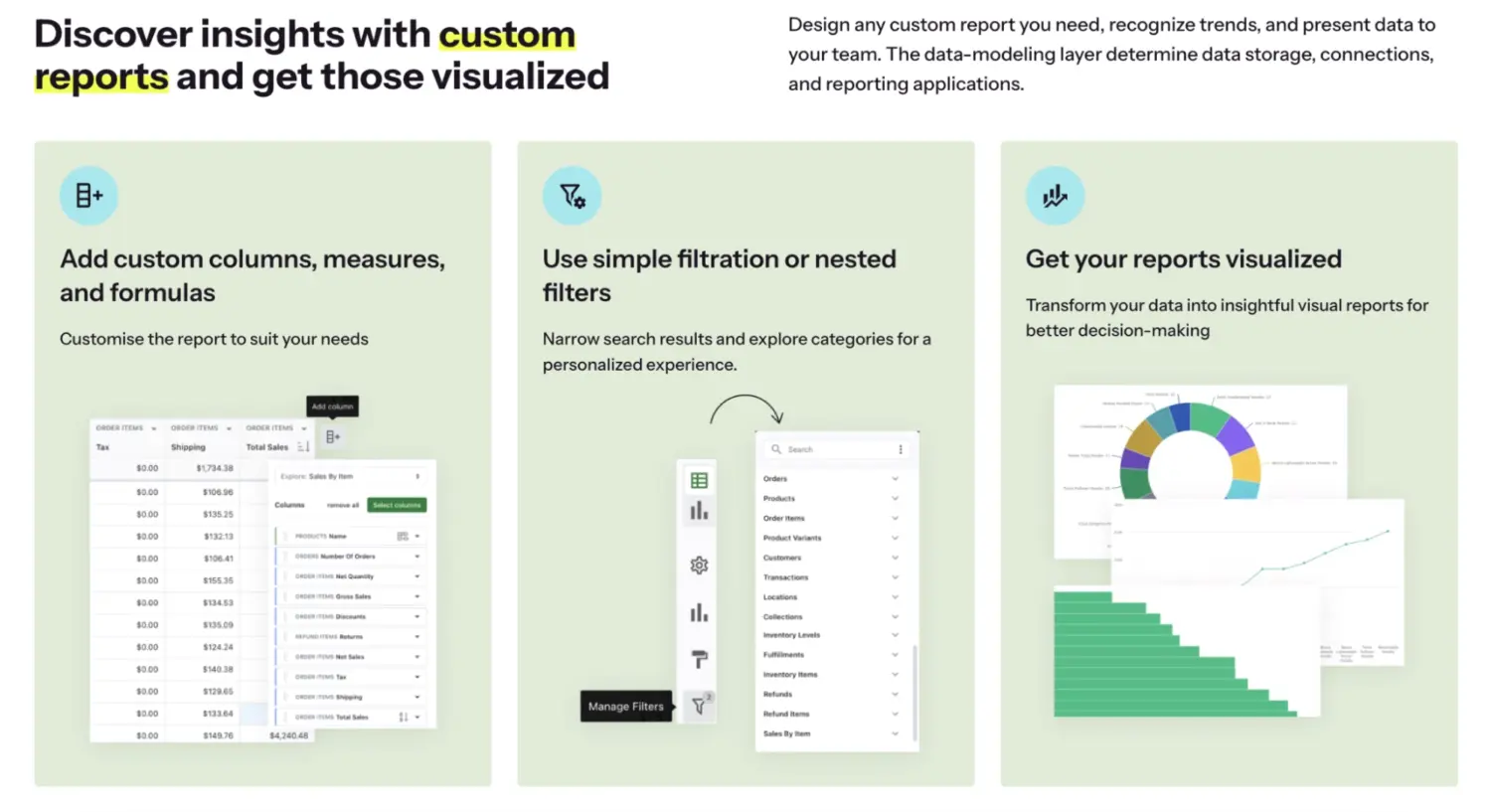
Mipler is a self-service business intelligence app built for Shopify that combines custom reporting, dashboards, AI analytics, and live Google Sheets integration in one place. Its drag-and-drop report builder lets any merchant create detailed reports in minutes, pulling from any Shopify field, including tags, metafields, and line item properties.
Reports sync in real time, support multi-store setups, and can be scheduled for automatic delivery on a daily, weekly, or monthly basis. The app also includes an AI assistant that generates reports from plain-language prompts and connects to external tools such as Claude and ChatGPT via MCP integration.
Key features:
Pros & things to consider:
Why choose this app: We would put Mipler near the top for merchants who want one app that can cover day-to-day reporting needs without feeling too narrow or too complex. It looks especially strong for teams that need a practical mix of customization, automation, and shareable reporting in one place.
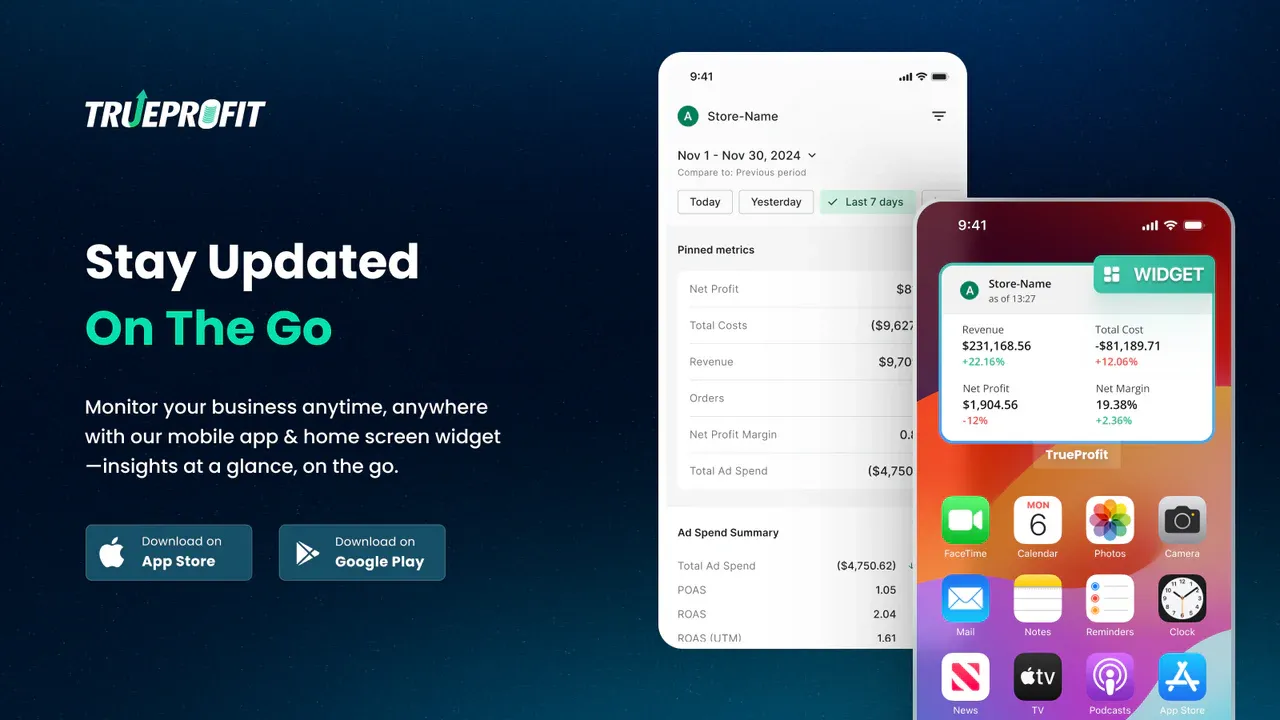
TrueProfit is a net profit analytics platform rather than a report builder, and that is exactly why it belongs on this list. A report builder can only report what Shopify already stores, and Shopify does not store your Meta ad spend, your supplier invoices, or your fulfilment costs. TrueProfit consolidates revenue, costs, products, and marketing performance into one real-time dashboard and shows net profit at the store, product, and channel level.
The practical result is that you stop using revenue or ROAS as a stand-in for success. Every cost is subtracted first, so pricing, ad spend, and inventory decisions rest on the number that actually matters. TrueProfit also connects store and profit data to ChatGPT, Claude, and Gemini through its MCP integration, so you can ask plain-English questions about performance and get answers pulled from your own data.
Key features:
Pros & things to consider:
| Pros | Things to consider |
|---|---|
| – Answers the profit question directly instead of leaving you to assemble it from exports and spreadsheets. – Profit-first attribution shows which campaigns make money, which revenue-based ROAS reporting cannot do. – Quantity-based COGS and weight-based shipping cost handle real cost structures rather than flat averages. – Order-based pricing means small stores pay less than large ones, unlike apps priced by Shopify plan. | – No free plan, so there is no way to run it long term at zero cost. – Overage fees apply above every order cap, which makes a busy month cost more than the headline price. |
What merchants say: Recent reviews cluster around two themes. The first is accuracy, with merchants using the app for two years or more saying it shows real margins far more clearly than Shopify alone. The second is billing friction. A July 2026 reviewer was charged after uninstalling during a billing cycle and hit a sync delay on reinstall. The developer replied publicly, explained that Shopify manages subscription charges, and confirmed a full refund was processed.
Why choose this app: We would shortlist TrueProfit when the report you actually want is a profit and loss statement, not a sales table. It is the only app here that closes the gap between what Shopify records and what your business actually costs to run, and it is the clearest fit if you are scaling ad spend and need to know whether that growth is profitable.
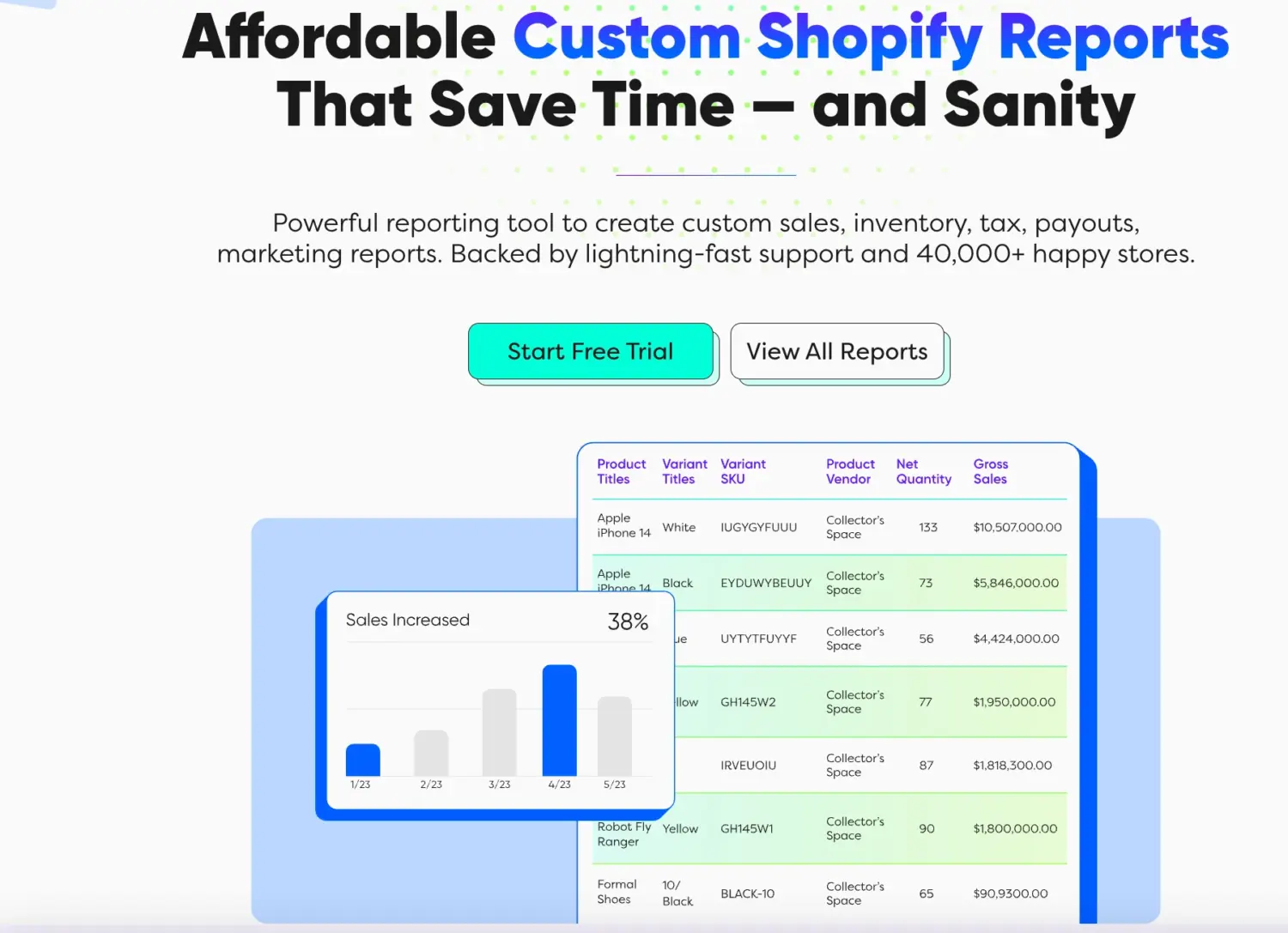
Report Pundit is built for merchants who want flexible reporting without having to start from scratch every time. It combines 150+ prebuilt reports with custom reporting tools for sales, tax, payouts, inventory, fulfillment, customer behavior, and POS data. The app also supports advanced filters, calculated fields, custom metrics, and 30+ integrations, which makes it a strong fit for stores with more complex reporting needs. Best for growing businesses that need deeper customization and recurring operational reporting.
Key features:
Pros & things to consider
| Pros | Things to consider |
|---|---|
| – Gives merchants room to grow from prebuilt reports into more advanced reporting logic without switching tools. – Strong support model, including free report setup on paid plans and repeated praise from merchants for fast custom report help. – Especially useful when reporting needs extend beyond core Shopify data into payments, shipping, marketing, or subscription tools. | – The free plan is limited to stores with fewer than 1,000 lifetime orders. – Some important features, including calculated data fields and automated scheduling, are reserved for paid plans. |
Why choose this app: We would look at Report Pundit when reporting is likely to become more complex over time. It is one of the stronger options for teams that want both a quick starting point and enough flexibility to build more tailored reports later.
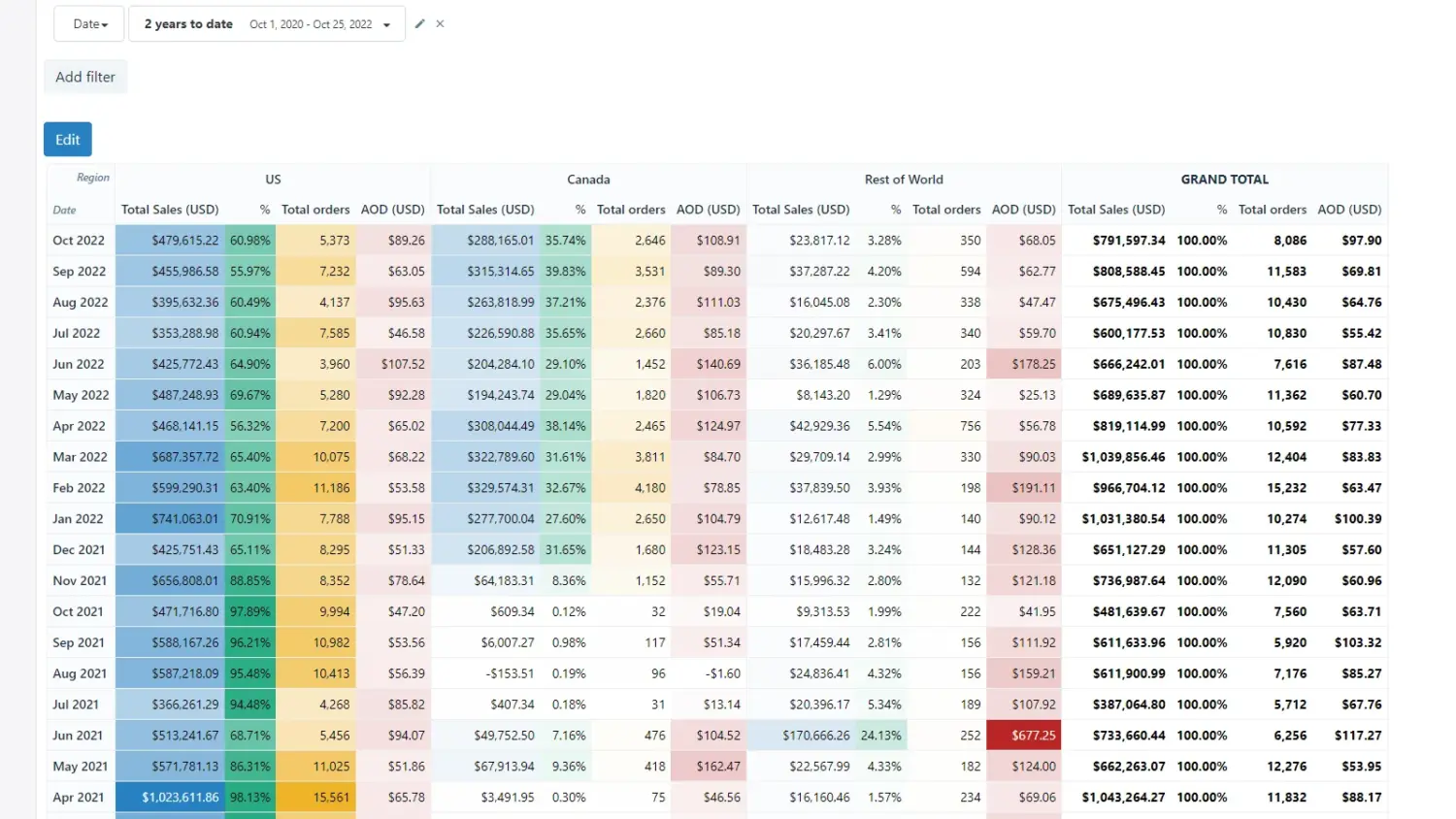
Better Reports is a reporting app for merchants who want high flexibility and control over how they analyze store data. It covers sales, payments, inventory, customers, payouts, and more, and supports custom reports, formulas, metrics, charts, and scheduled delivery. The app is positioned as a deeper reporting tool than Shopify’s native analytics, with broad field access and a free custom report service. Best for merchants who need detailed, highly customizable reporting and are willing to handle a more advanced setup.
Key features:
Pros & things to consider
Why choose this app: We would shortlist Better Reports when flexibility matters more than simplicity. Its mix of formulas, reusable metrics, pivot-style analysis, and scheduled delivery makes it especially useful for merchants who want to explore data in depth rather than just export it.
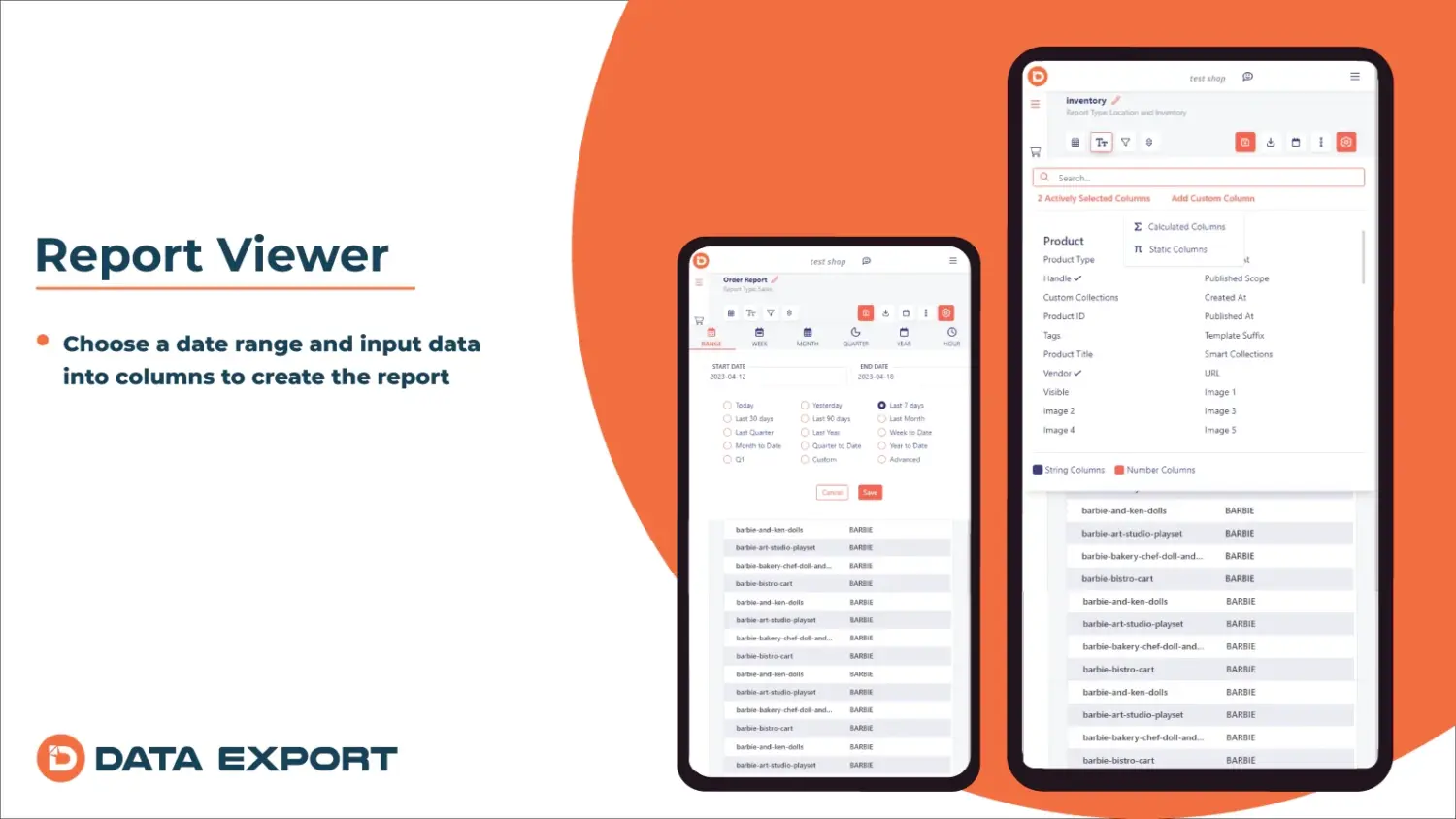
Data Export IO Reports is a strong fit for merchants who already know what data they need and want a reliable way to build, format, and deliver reports at scale. Its positioning is more workflow-driven than beginner-oriented, which makes it particularly relevant for operations, finance, and reporting-heavy teams. Best for growing businesses that depend on recurring reports and detailed data control.
Key features:
Pros & things to consider:
Why choose this app: We think Data Export IO makes the most sense when reporting is part of an ongoing operational process, not just something you check occasionally. If your team needs the same reports delivered regularly in the right format to the right place, this app looks more compelling than tools built mainly around quick analytics views.
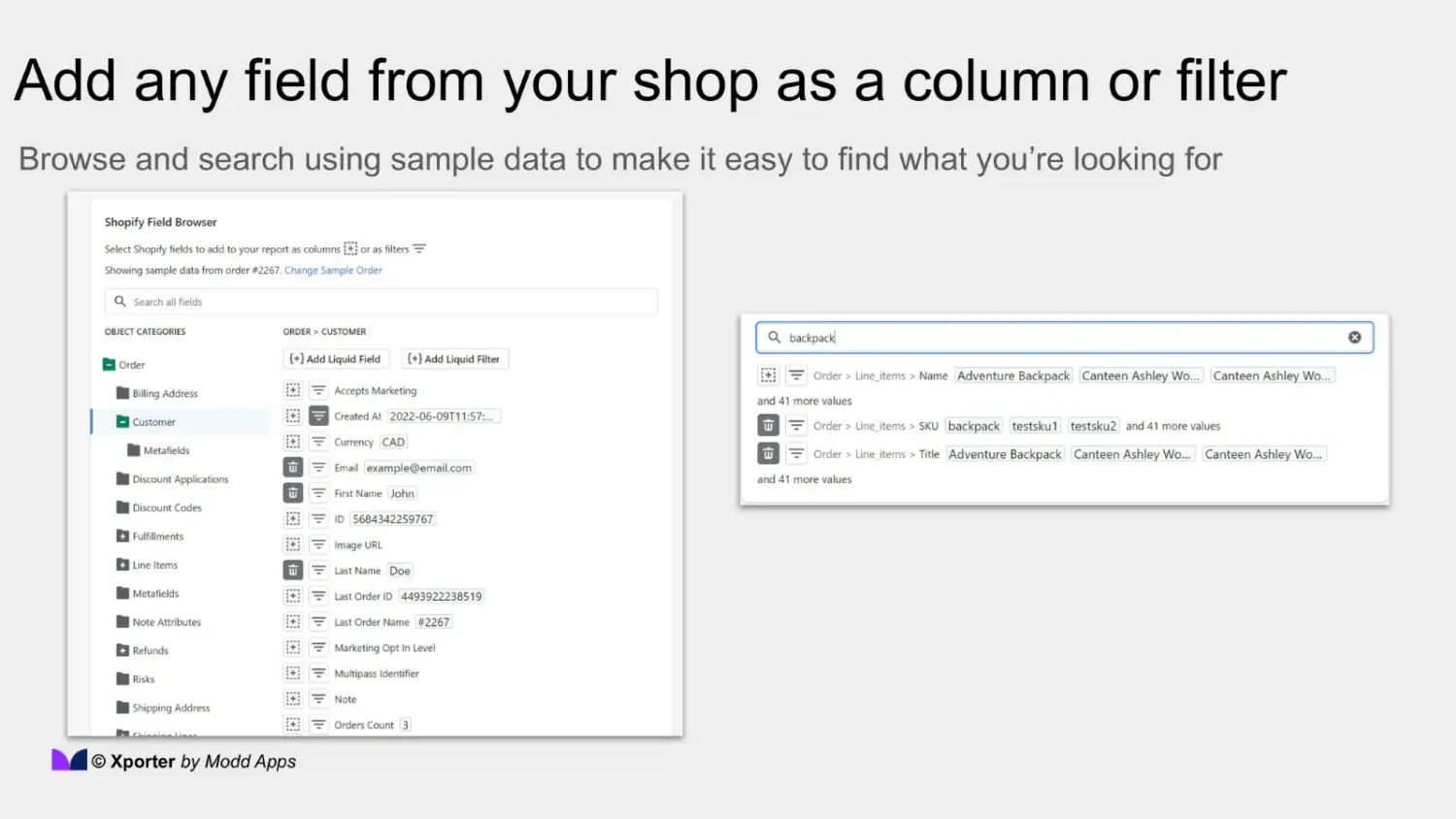
Xporter is best viewed as a reporting tool for merchants who treat reporting as part of a broader data workflow, not just something they check inside Shopify. It focuses heavily on customizable exports, recurring deliveries, and precise formatting, making it especially relevant for teams sending data to warehouses, vendors, finance systems, or spreadsheets.
The app also supports hidden Shopify data such as metafields, line item properties, transactions, and payouts, giving merchants more control over what gets included in each export. Best for operations-heavy teams that need structured data to move reliably between systems.
Key features:
Pros & things to consider
Why choose this app: We would shortlist Xporter when the main goal is to move data out of Shopify in the right format and on the right schedule. It makes the most sense for teams that care more about delivery workflows, system handoffs, and recurring exports than about presentation in a reporting dashboard.
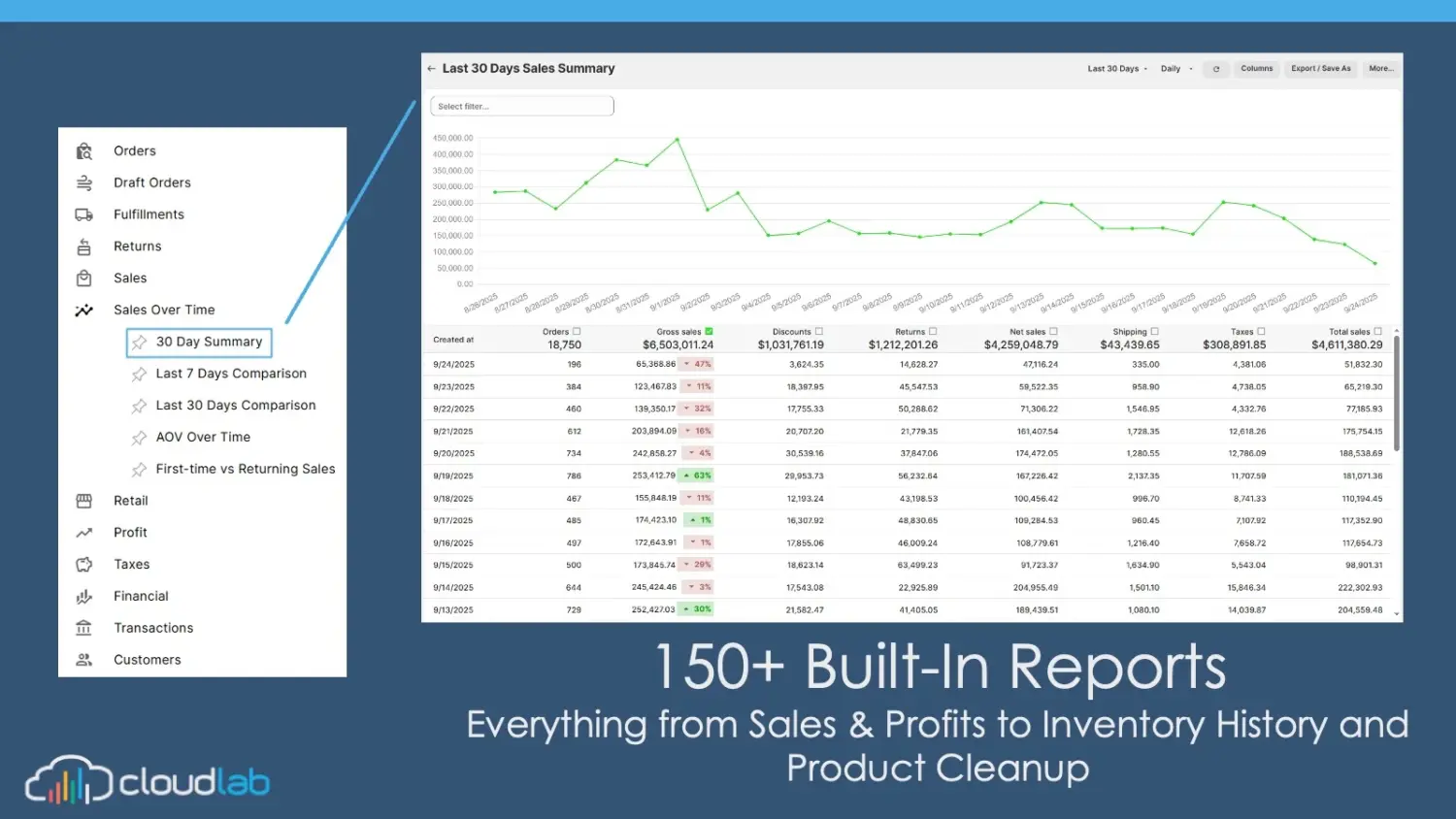
Report Toaster is one of the more approachable reporting apps in this category, but it still offers enough depth for merchants who want more than basic exports. It gives users access to real-time data, customizable reports, AI-assisted report creation, and built-in sharing or scheduling tools without making the setup feel overly technical.
The app also supports charts, calculated fields, inventory history, and multi-store reporting, giving it a broader scope than many SMB-friendly tools. Best for merchants who want a balance between ease of use and reporting power.
Key features:
Pros & Things to consider
Why choose this app: We would consider Report Toaster for merchants who want reporting that feels accessible on day one but still leaves room to go deeper later. It is a good middle ground for SMBs that need more than simple exports, but do not necessarily want a highly technical reporting setup.
The best choice depends on what you actually need to do with your data, not just how many features an app offers. Here are the 4 clearest use cases to choose from:
In the end, Shopify reporting apps can do much more than fill gaps in Shopify’s default reports. The right app can make it easier to track performance, share data, and turn numbers into decisions your team can actually use. Let’s focus less on which app is the most advanced and more on which one best fits your business.
Yes, many of them do. Apps like Better Reports and Report Pundit allow you to pull in Cost of Goods Sold (COGS), shipping costs, and custom metrics to calculate your actual profit margins, which Shopify’s default revenue reports do not always show clearly.
Not necessarily. While some apps are built for data analysts, options like Report Toaster and Mipler are specifically designed to be approachable. They rely on drag-and-drop builders, pre-made templates, and even AI prompts, so you don’t need to know how to write formulas.
It depends on the app. Tools like Report Pundit integrate directly with dozens of other Shopify apps (such as subscription tools or marketing platforms), allowing you to combine third-party app data with your core Shopify sales data in a single report.
Almost every app on our list offers a free trial (usually 7 to 15 days), and some, like Mipler and Report Toaster, have free plans for smaller stores. We highly recommend installing one, building the exact report you need, and seeing if the interface makes sense to you before committing to a paid plan.

Shoppers hesitate to buy a $1,200 sofa or a custom ring when they can’t see the exact version they’re...

Selling personalized products on Shopify gets hard the moment a shopper needs to type a name or choose a...

The UK is the largest eCommerce market in Europe and the third-largest in the world. For international Shopify stores,...
